Whether you’re concerned with anonymity online or rely on data-driven insights to run a business successfully, fingerprint masking is indispensable for a more secure, less detectable online presence.
Anti-detect browsers like Gologin cater to such needs, offering fingerprint customization and management as part of their core feature set. However, tools like FingerprintSwitcher offer an alternative approach some users might find beneficial.
What is FingerprintSwitcher, and should you consider using it in 2026? Read our thorough overview to get all the information you need.
What is FingerprintSwitcher?
Bablosoft’s FingerprintSwitcher is a tool that integrates into their Browser Automation Studio (BAS) and also works with automation frameworks like Puppeteer and Selenium.
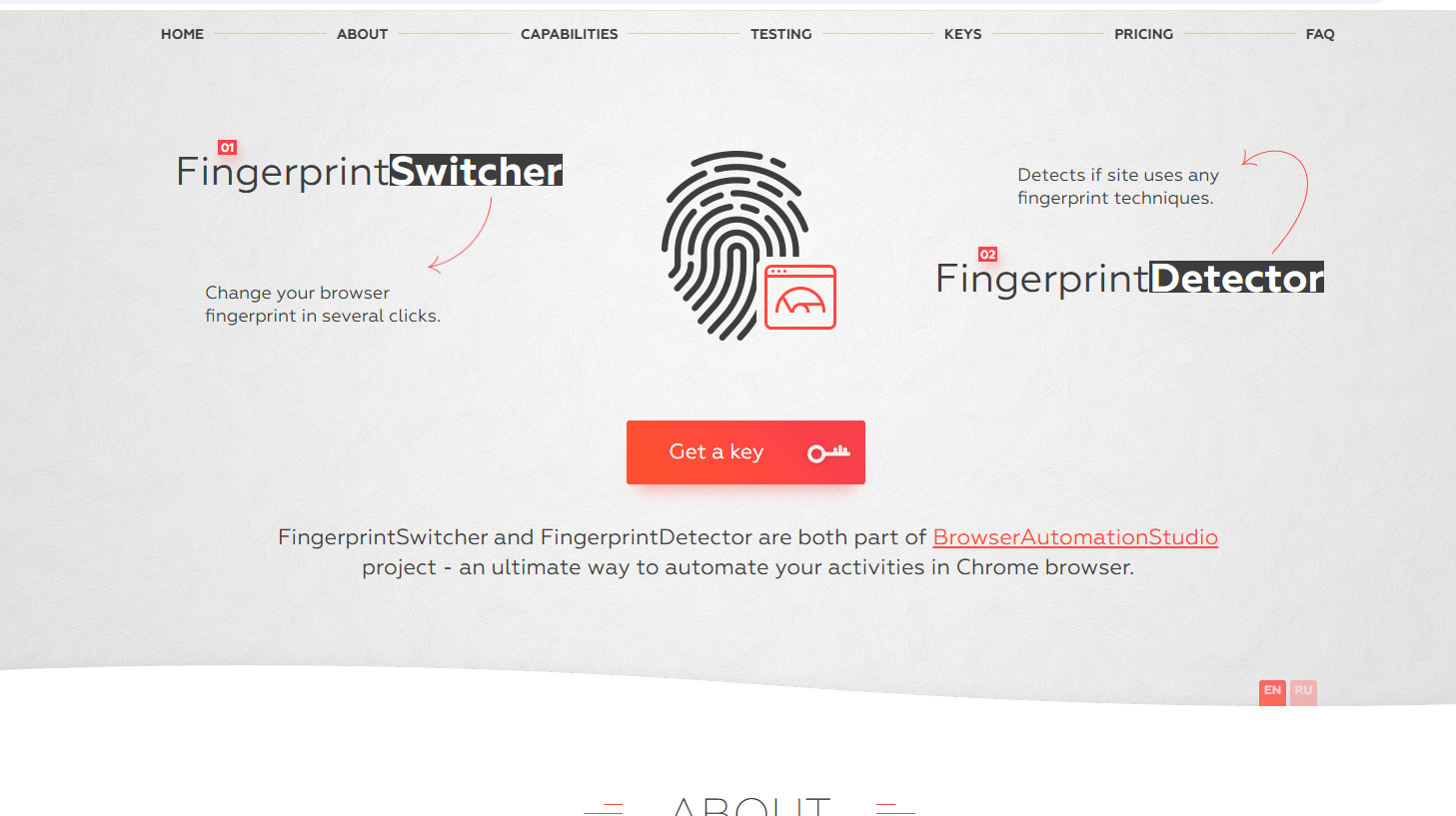
FingerprintSwitcher has access to a database containing more than 50,000 real fingerprints. These emulate the most widely used desktop browsers (Chrome, Firefox, and Edge) along with Android and iOS devices. It
Who Would Benefit Most from It?
Since fingerprinting is a reliable method of establishing a browser’s uniqueness, FingerprintSwitcher is a useful tool for users who perform automation at scale and need to get around blocks and bans such activities trigger.
Specifically, it provides the fingerprint spoofing element essential for website interaction automation. Large-scale web scraping is a good example since it hinges on mimicking the behavior of real users.
Using distributed servers and IP rotation via proxies helps. However, websites can still detect identical fingerprints (same hardware configuration, browser version, fonts, etc.) and infer bot activity.
FingerprintSwitcher is best suited for developers or specialists who create broader automation solutions that need fingerprint-switching integration to do their job effectively.
How Does FingerprintSwitcher Work?
FingerprintSwitcher is most commonly used during BAS’s script recording process. It’s classified as an action the final script will perform.
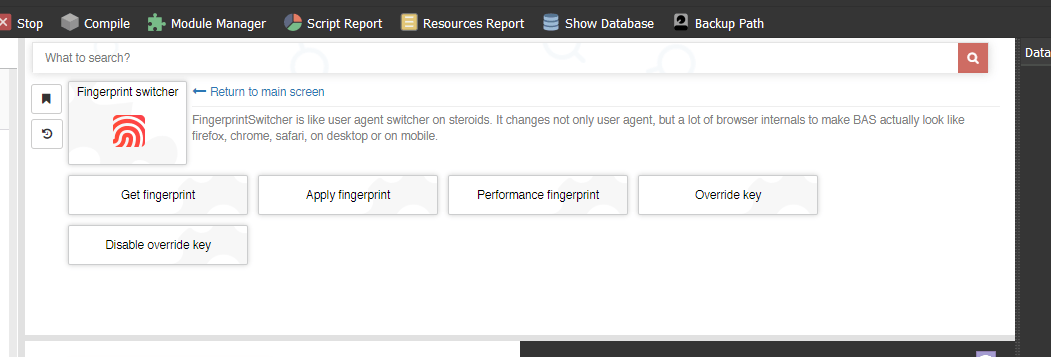
You have to select the appropriate action on the right and choose “Get fingerprint” first. This brings you to browser selection and lets you enter a paid key. Leave the “Service key” portion blank if you’re using the free version.
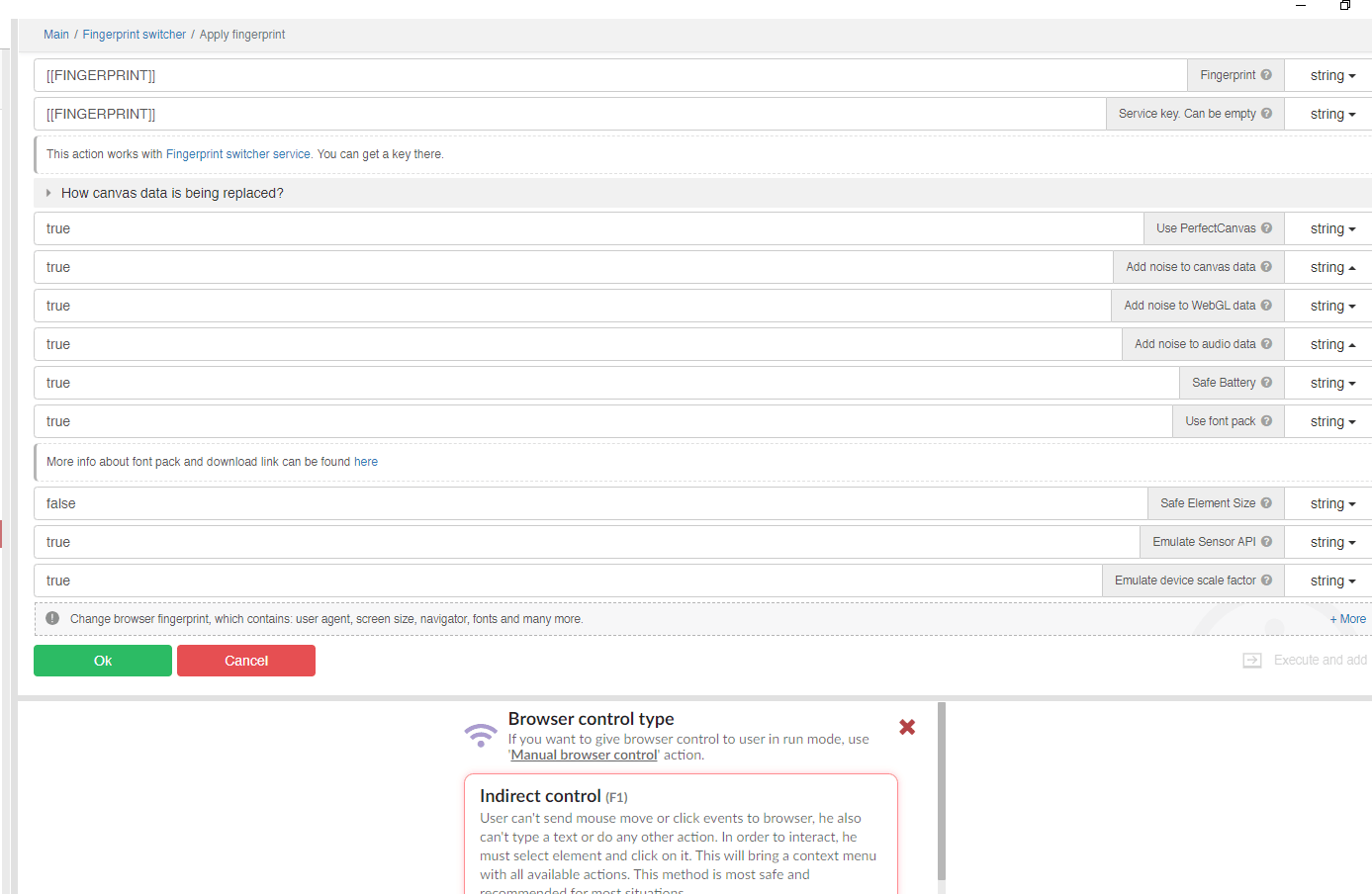
After hitting OK, you need to select “Apply key” and enter the “FINGERPRINT” string into the appropriate field. You may also tweak aspects of the replaced canvas data, like noise. Clicking OK again applies the fingerprint, making fingerprint retrieval part of the script.
How Much Does FingerprintSwitcher Cost?
As mentioned above, FingerprintSwitcher has free and paid versions. The free version is adequate for testing purposes but has limited features. You can only use it to emulate Chrome fingerprints. Moreover, it’s possible to only make a single request every three minutes, which can significantly slow down operation.

As mentioned above, FingerprintSwitcher has free and paid versions. The free version is adequate for testing purposes but has limited features. You can only use it to emulate Chrome fingerprints on Windows, no Firefox, Edge, Android, or iPhone emulation, and no access to FingerprintDetector, FingerprintManager, or PerfectCanvas. Moreover, it’s possible to only make a single request every three minutes, which can significantly slow down operation.
Pricing has gone up since our last check. A monthly subscription now costs $30 (up from $20), and a three-month commitment runs $60 total (up from $40) — working out to $20/month, which is exactly what a single month used to cost outright. Premium unlocks Chrome emulation across all platforms, plus Firefox, Edge, Android, iPhone, and other browser/platform combinations, along with full access to FingerprintDetector, FingerprintManager, and PerfectCanvas, and a much higher rate limit, listed as either 100 or 1,000 requests per three minutes depending on the specific plan tier.
Luckily, you can try both options for free. We already discussed FingerprintSwitcher’s related limitations and its recent price increase, but Gologin has a restriction-free 7-day trial, with paid plans now starting at $9/month (or $4.50/month billed annually) for 10 profiles via a flexible slider, scaling up to $119, $299, or $449/month for larger teams.

How Does FingerprintSwitcher Compare to Anti-Detect Browsers?
It wouldn’t make sense to directly compare FingerprintSwitcher to an anti-detect browser since their operating principles and target audiences differ.
Even though BAS is a no-code platform, using FingerprintSwitcher is still far more technically involved than running multiple profiles through an anti-detect browser.
Competent anti-detect browsers offer an intuitive environment where users of different skill levels can set up and manage as many profiles as they need. While fingerprint assignment is a major part of profile creation, it’s a task users can exert control over either through batch creation or on an individual basis without the need for manual injection.
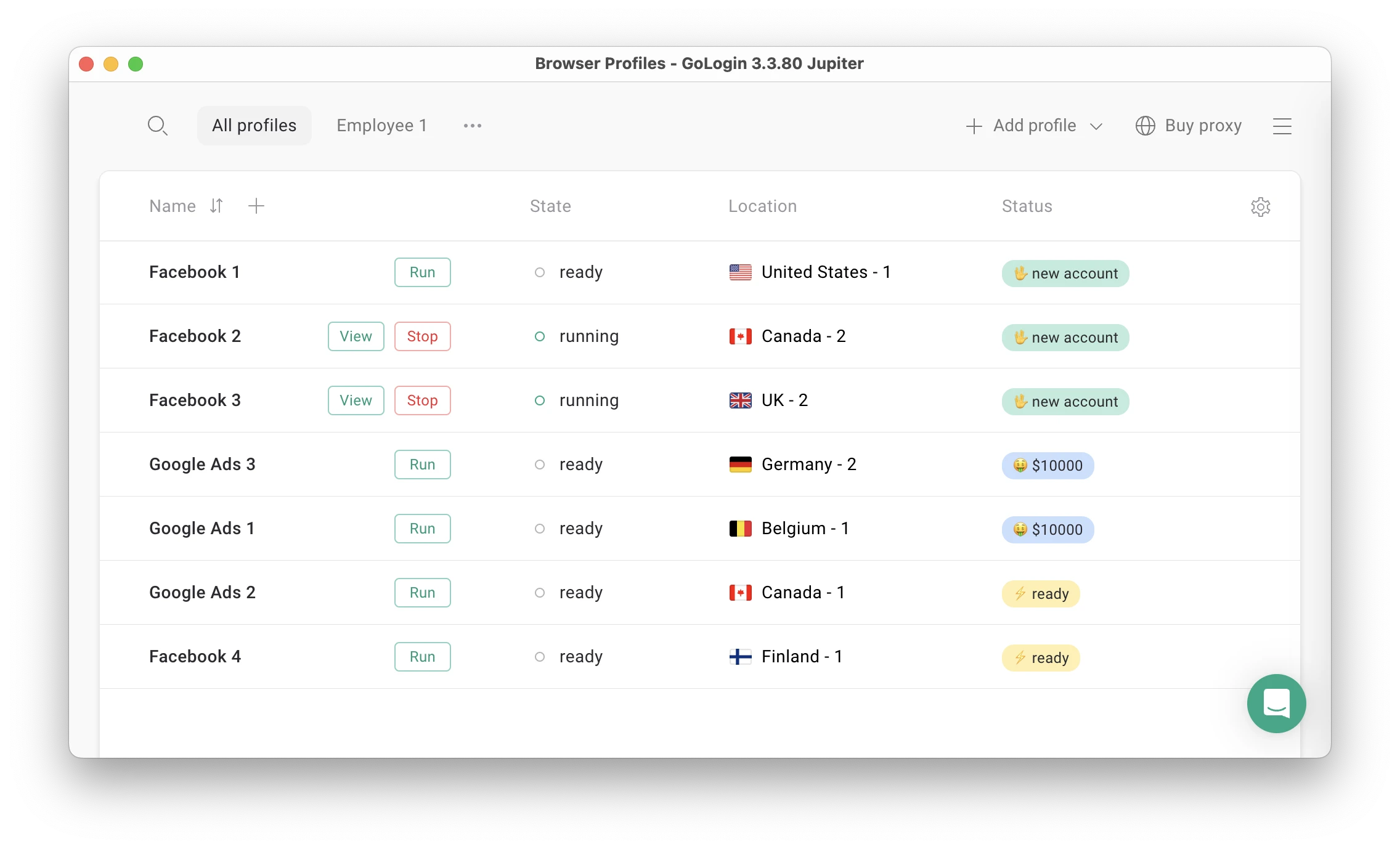
An anti-detect browser is also more suitable for use cases that don’t benefit as much from automation. For example, a social media manager who works with several brands and influencers can take advantage of an anti-detect browser’s multi-accounting features to keep on top of things but still needs to attend to each account individually to engage with the audience, respond to complex customer inquiries, etc.
Conclusion – Is FingerprintSwitcher Worth It?
Whether FingerprintSwitcher is the right fit for you depends on several factors. Are you a tech-savvy user already or willing to learn how to use software like BAS for script creation?
Does your use case rely on at-scale account automation more than manual account handling? Do you need in-depth control of fingerprint manipulation? If the answer to these questions is yes, then FingerprintSwitcher might indeed be worth looking into.
User-friendliness, collaboration features, and an emphasis on profile customization & management makes anti-detect browsers like Gologin viable alternatives, especially if your multi-account activities benefit from human interaction and oversight.
Luckily, you can try both options for free. We already discussed FingerprintSwitcher’s related limitations, but Gologin has a restriction-free 7-day trial. Take the time to create and customize as many profiles as you need and put Gologin’s acclaimed fingerprint masking capabilities to the test.
Read other posts about Reviews of browsers:
- Kameleo browser review
- Best virtual browser
- Multilogin chrome browser
- Adspower browser vs gologin
- Morelogin browser alternative
- Incogniton vs gologin
- Best proxy browser
- Browserjet review
- Roxybrowser review
- Gologin vs hidemium
- Xlogin review
- Insomniac browser review
- Swspybrowser review
- Yunlark review
- Loginways review
- Nstbrowser review
- Hydraheaders browser review
- Maskfog review
- Vision-browser review
- Ultimate orb review
- AntBrowser-browser-review
- Vmlogin browser review
- Gologin-vs-identory
- Gologin-vs-switch antidetect
- Antikbrowser review
- Camoufox review
- Geelark review
- Dicloak online browser
- Vmmask antidetect browser
- Hidemyacc browser review
- Rebrowser review
- Session-box-vs gologin
- Multibrowser-review
- Accovod-vs-gologin
- Xbrowser review
- Undetectable browser
- Bitbrowser-review
- Aezakmi browser review
- Marketerbrowser review
- Genlogin browser review
- Linken-sphere review
- Indigo-browser
- Xpass browser alternative
- Wade browser review
- Surfinite review
- Lalicat-browser review
- Masq-antidetect review
- Octo-browser vs gologin
- Dolphin-anty vs gologin
- Mulogin review
- Aqum-browser review
- Lauth review
- Che browser vs gologin
- Logii review