Merely letting you log into multiple accounts to manage your socials, scale affiliate marketing, or excel at ad arbitrage makes anti-detect browsers an indispensable tool for doing business online.
The subject of this in-depth review, Nstbrowser, takes things a step further. In addition to a more or less complete set of standard anti-detect browser features, Nstbrowser provides powerful automation tools and a framework for adventurous users to create their own.
Does that sound appealing, and is it enough to shift users away from tried and tested staples like GoLogin? Check out our detailed comparison and make your mind up based on facts.
TL;DR – You’ll also find a comparison table at the bottom. While not as comprehensive as the review, it will give you a general idea of what to expect.
Nstbrowser – Multi-Accounting on Rails
Homepage & Installation
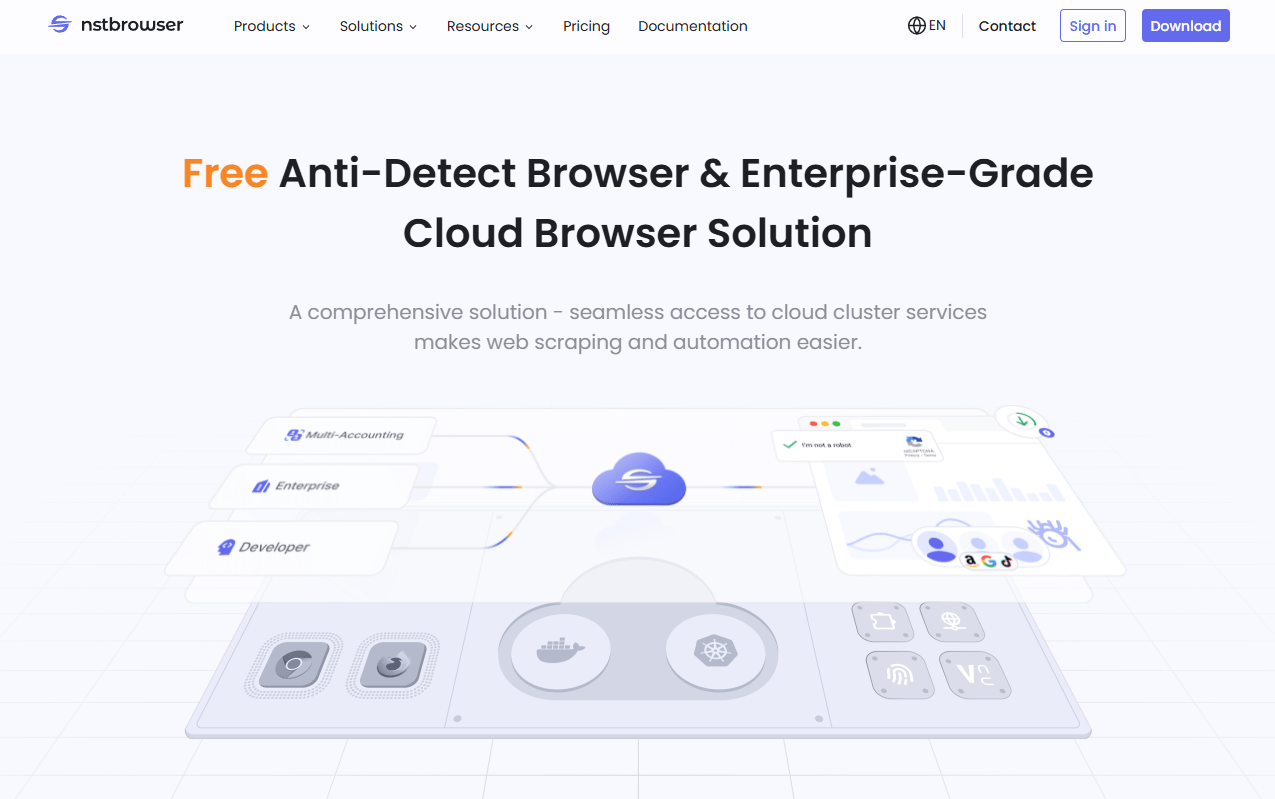
The Nstbrowser homepage provides an informative and professional-looking introduction to the anti-detect browser’s features and use cases.
The free tier is featured prominently, and you can learn about features like browserless mode and the no-code automation workflow.
The blog offers helpful guides for tasks like bypassing Cloudflare Turnstyle checks or setting up APO integration with automation tools like Puppeteer.
Registering a free account and downloading the agent went smoothly. Some users experienced trouble during this stage and were vocal about it in their reviews.
Other than half a minute or so of waiting for the client to sync with the online dashboard, we didn’t have any issues.
Profile Creation & Management
Experienced users shouldn’t take long to adjust to Nstbrowser’s extensive UI and start setting profiles up. Sadly, the user experience isn’t as smooth for newbies.
There’s no introductory tour for them to get their bearings, and the two video tutorials you can find on Nstbrowser’s YouTube channel only provide a barebones overview.
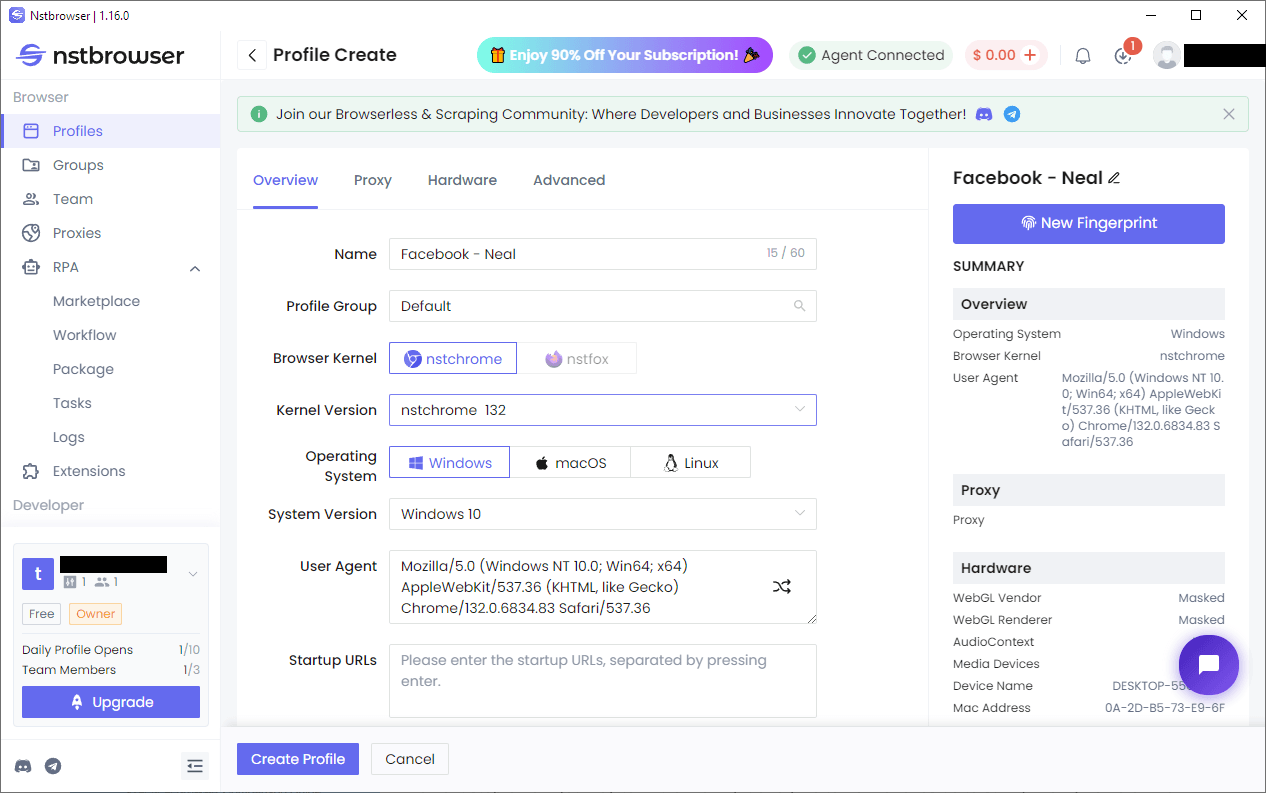
On the other hand, profile creation can be as straightforward or comprehensive as users’ needs and knowledge allow. You may create them individually or in batches, and batch imports are supported as well.
The simplest version of profile creation has you enter a name, assign the profile to an existing group, and choose which combination of operating system & browser to use. Chromium and Windows 11 were the defaults.
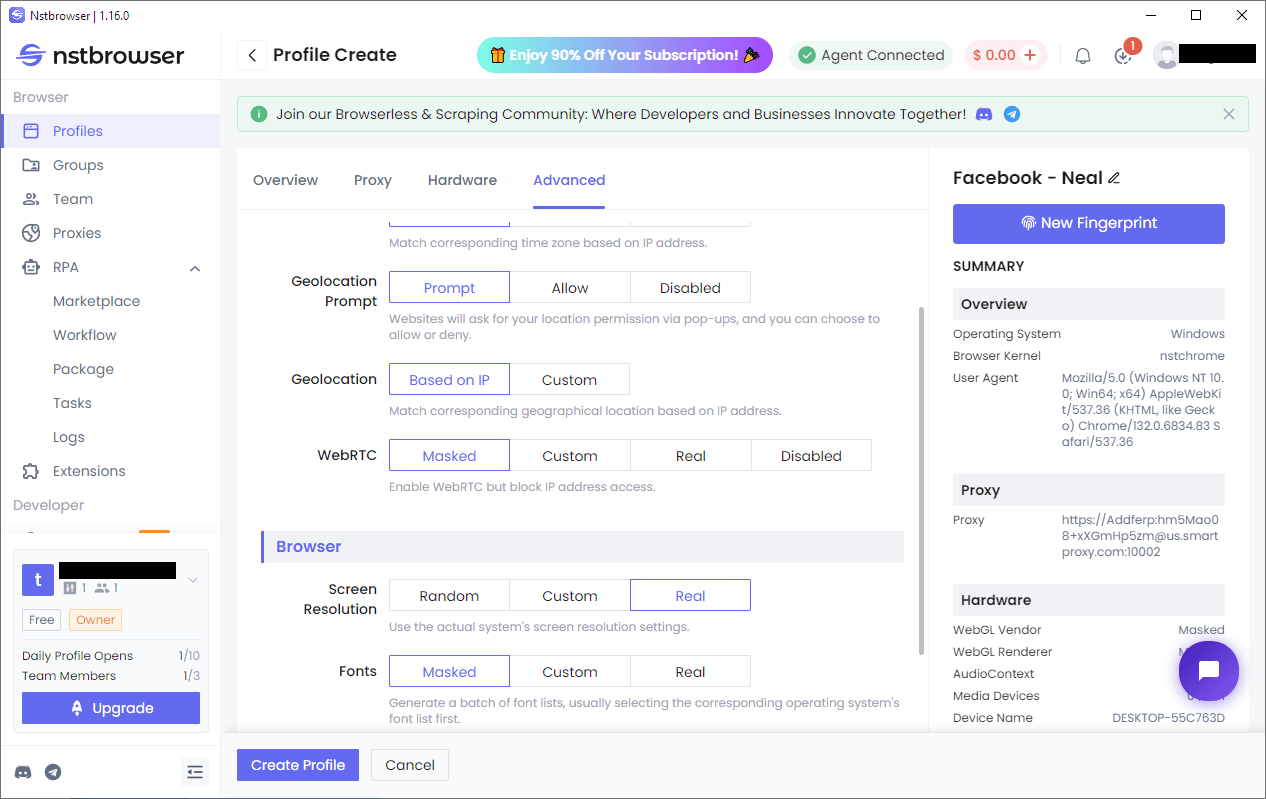
Newbies likely won’t know that using an OS other than the native one significantly improves the chance of detection and may be at a disadvantage here. If there’s a discrepancy, Nstbrowser won’t point it out.
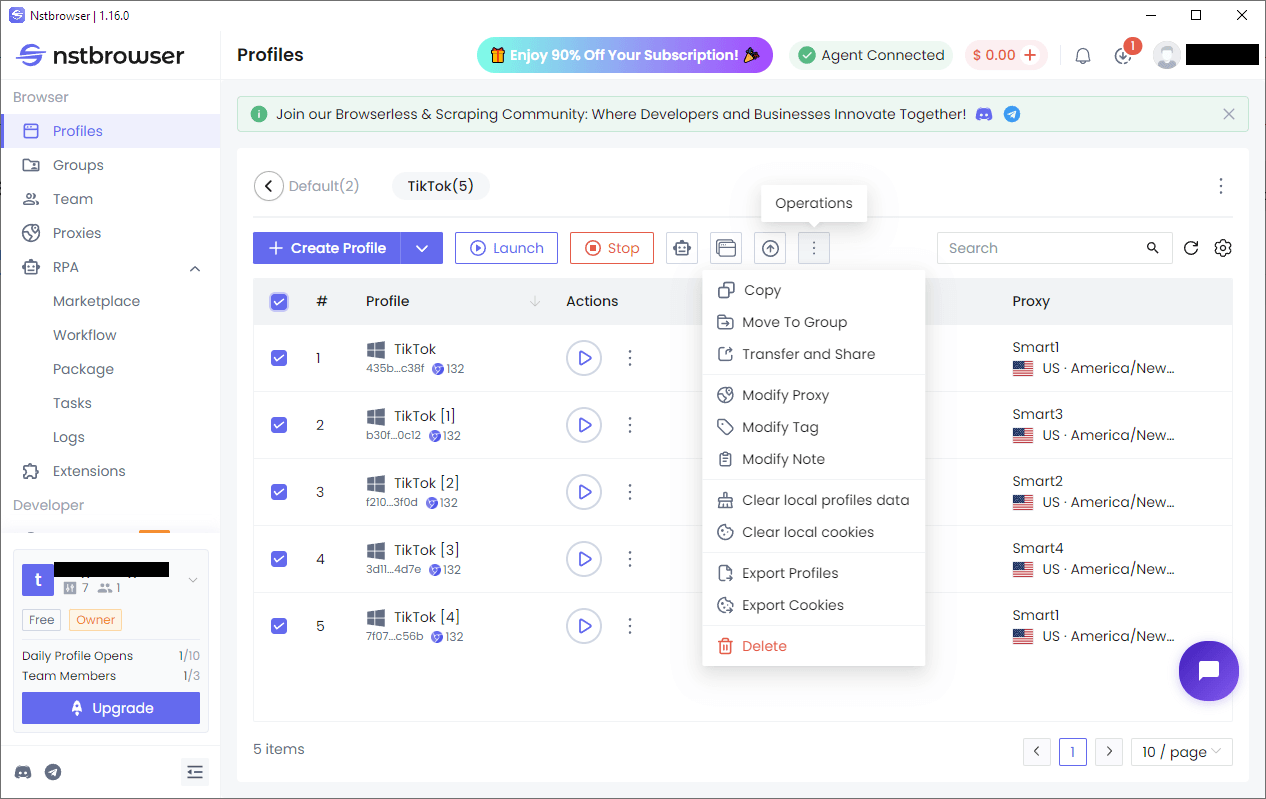
Groups and mass actions simplify profile management. The dashboard has a fixed area with profile names, launch buttons, and individual options. A few more are accessible via the bottom scrollbar. You can only rearrange profiles by name and launch time, though.
Proxy Setup & Fingerprint Masking
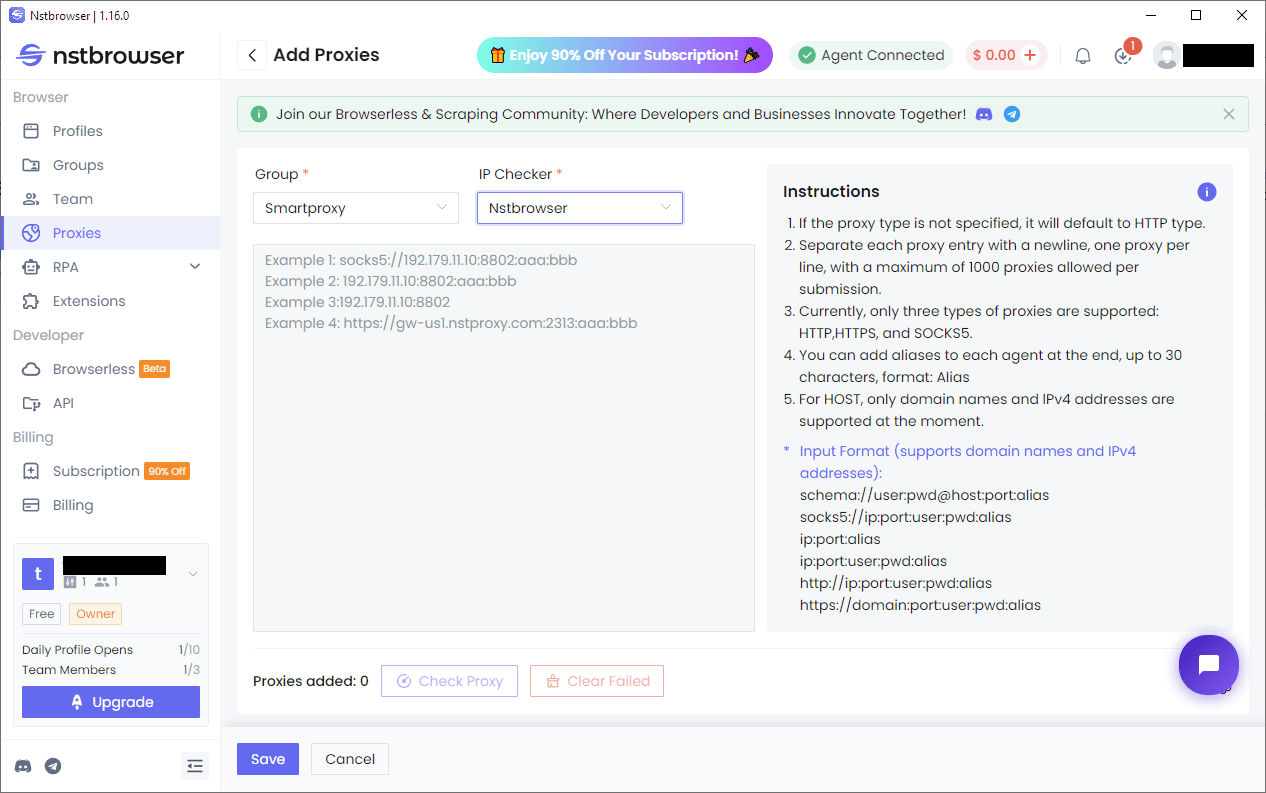
Nstbrowser requires you to create a proxy folder before allowing you to add some. Luckily, the process becomes straightforward after that since you can copy-paste proxy information in several formats.
Nstbrowser supports batch testing, but it only becomes available once you add some proxies and select them in the eponymous tab.
Experienced users can fine-tune each profile’s fingerprint during profile creation. More advanced options include changes to noise settings, RAM, MAC addresses, and other fingerprint components.
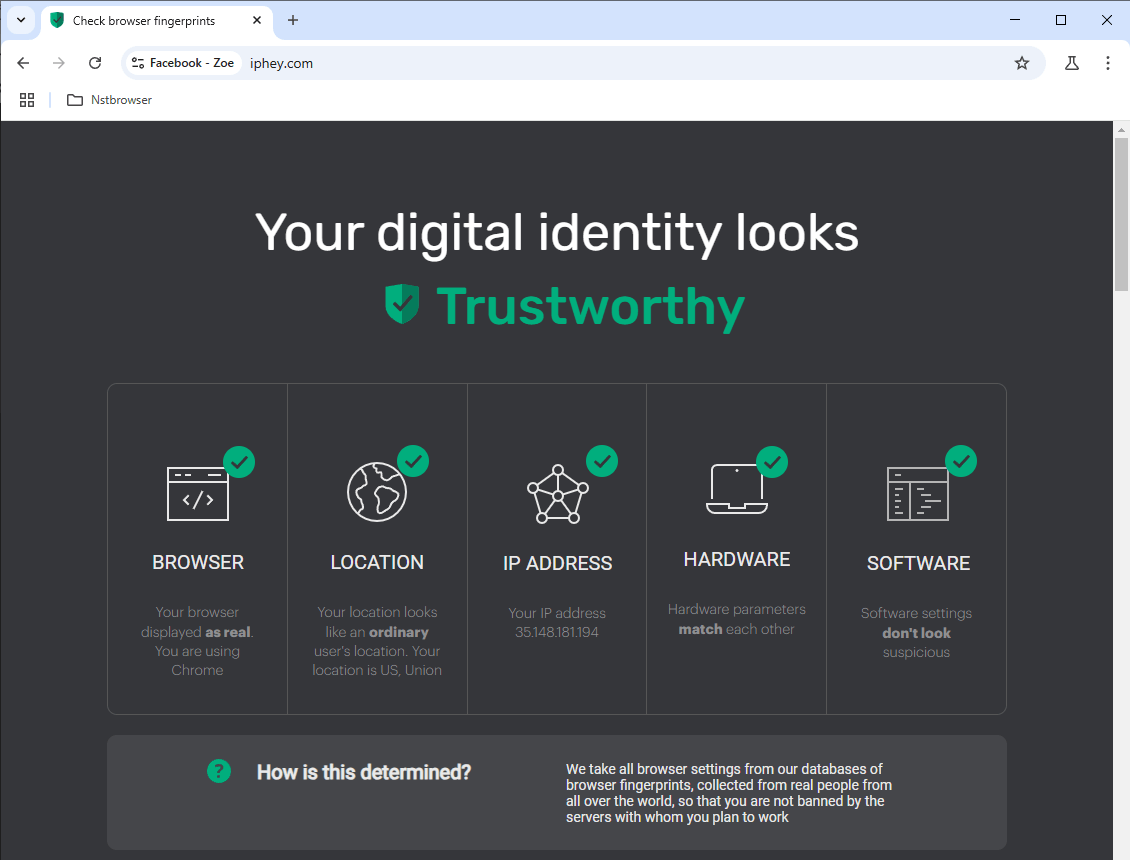
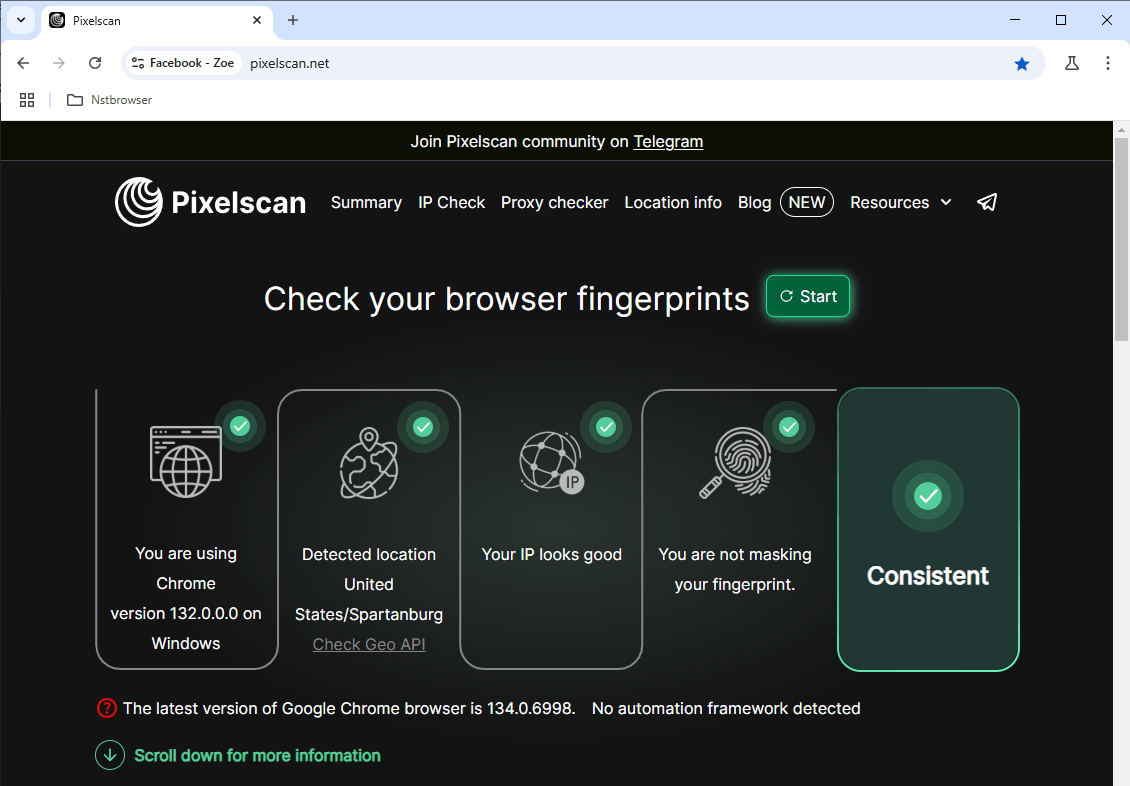
Nstbrowser passed our IPhey and Pixelscan checks right off the bat.
Automation Features
Robotic Process Automation (RPA) is one of Nstbrowser’s standout features. It simplifies and democratizes various automation tasks, allowing even users with limited or no coding experience to create custom scripts designed for specific scenarios.
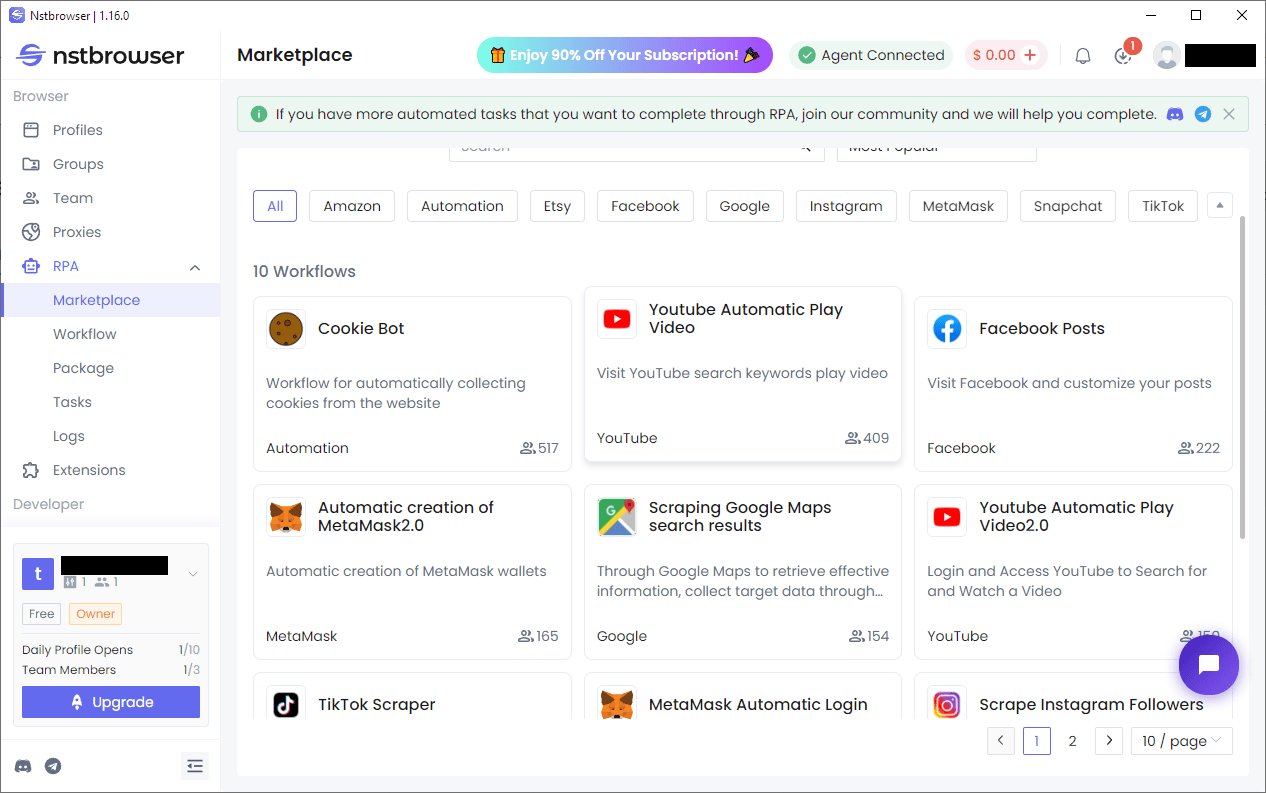
Nstbrowser sets the ball rolling by providing a marketplace with universally useful RPAs for retrieving cookie data, scraping Amazon listing information, and more.
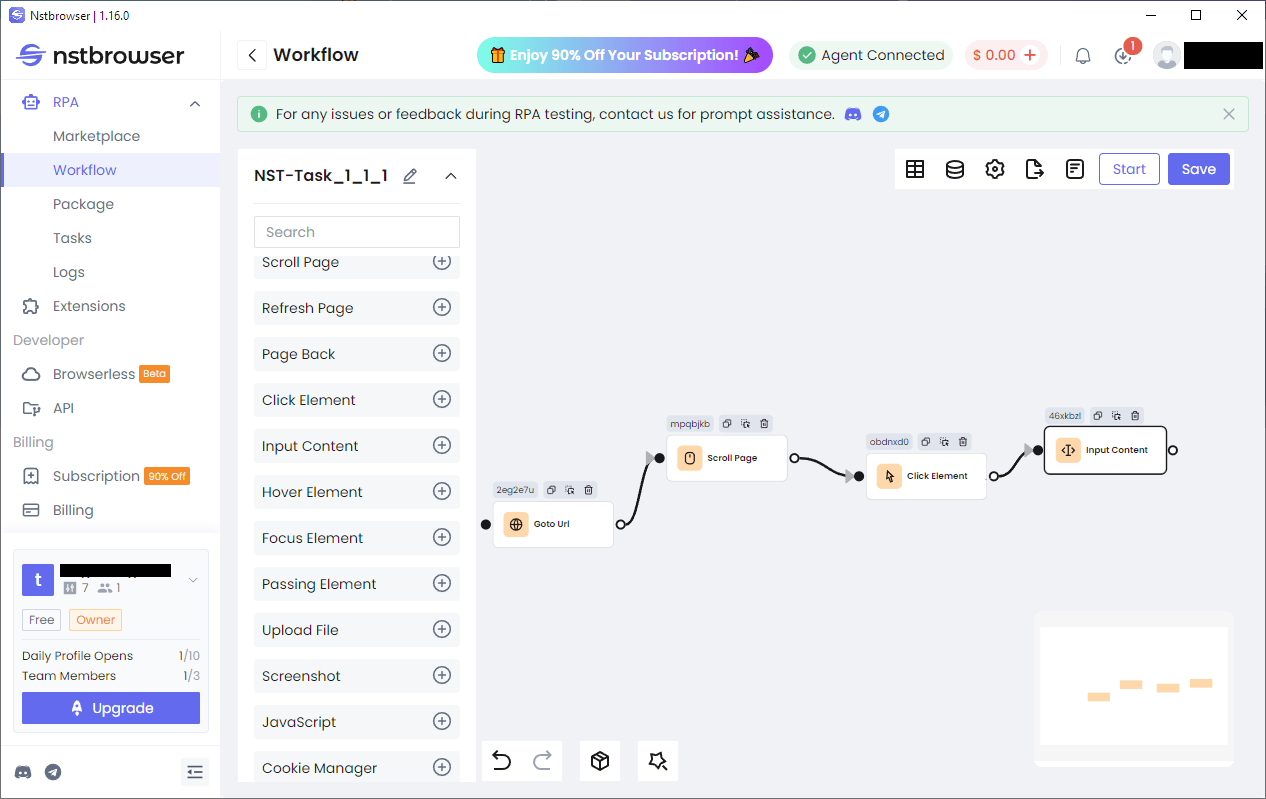
The Workflow tab features a node-based no-code interface for in-depth automation creation. While most nodes are self-explanatory and there are a few videos to watch on what to do, we wish this feature had more in-depth documentation.

Browserless is Nstbrowser’s version of headless mode. It’s useful for running automation tasks like data scraping in the background. Going browserless consumes fewer resources while also being harder to detect since there are no GUI element discrepancies to trigger alarms.
Nstbrowser reviews
Nstbrowser isn’t doing much to advertise online, but proxy seller sites and the competition are nevertheless paying attention. You’d think that offering a free tier would attract more users and a healthy online community, but we found no evidence of one.
However, one theme kept ringing out as we were researching Nstbrowser – general user dissatisfaction with the changes they made to the free plan. In 2024, you could launch 1,000 profiles per day and work with five team members for free. That is no longer the case.
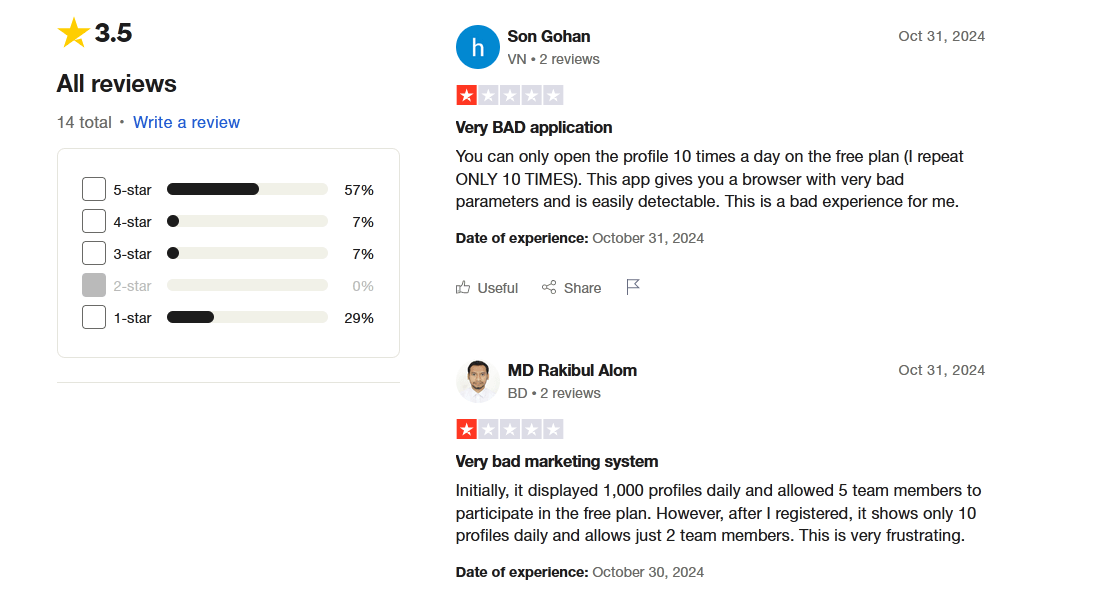
Users were upset with the change. They were even more upset with the fact that Nstbrowser’s developers didn’t communicate it beforehand. That left many scratching their heads and suddenly unable to do tasks that required more than 10 daily browser launches. The reputation hit was severe, and burnt users likely won’t trust Nstbrowser as willingly in the future.
Technical support is another service that could be improved. Support staff are available 9 AM – 6 PM Hong Kong time on weekdays only. Users cite slow response times and unresolved issues even then. European and Asian customers may still make it work. Since the time difference is more pronounced for Americans (Hong Kong is 16 hours ahead of LA and 13 hours ahead of New York), no working hours overlap.
Download GoLogin for free and manage multiple accounts without bans!
GoLogin – The Trusted Alternative for Teams & Users of All Experience Levels
Let’s now briefly look at GoLogin and examine why its feature set presents a compelling alternative to Nstbrowser.
User Experience
GoLogin leaves a positive first impression on new users as soon as they run the client. It helps them set up a tailored experience with a few intro questions After that, new users get pointers on navigating the interface and the first steps of profile creation.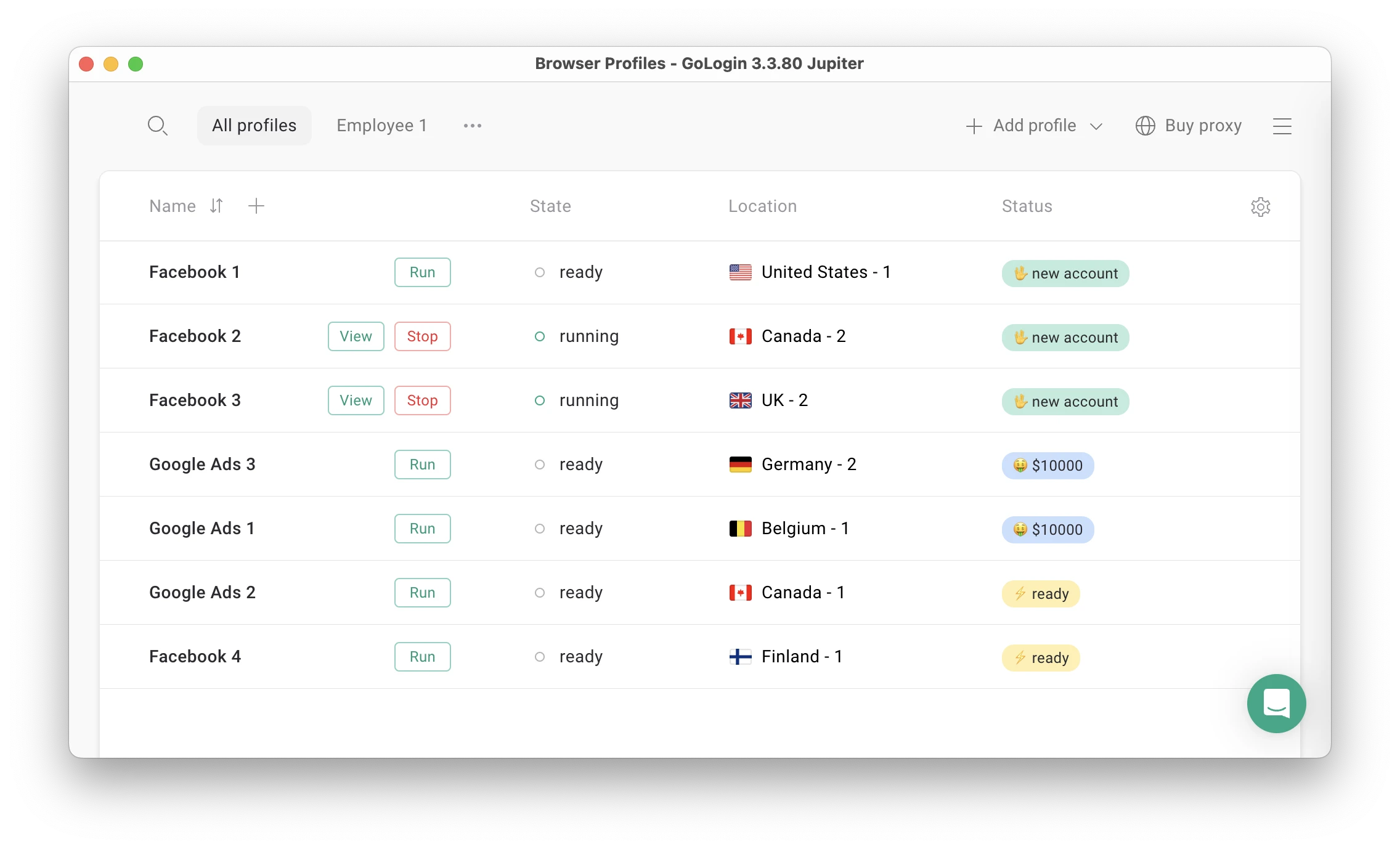
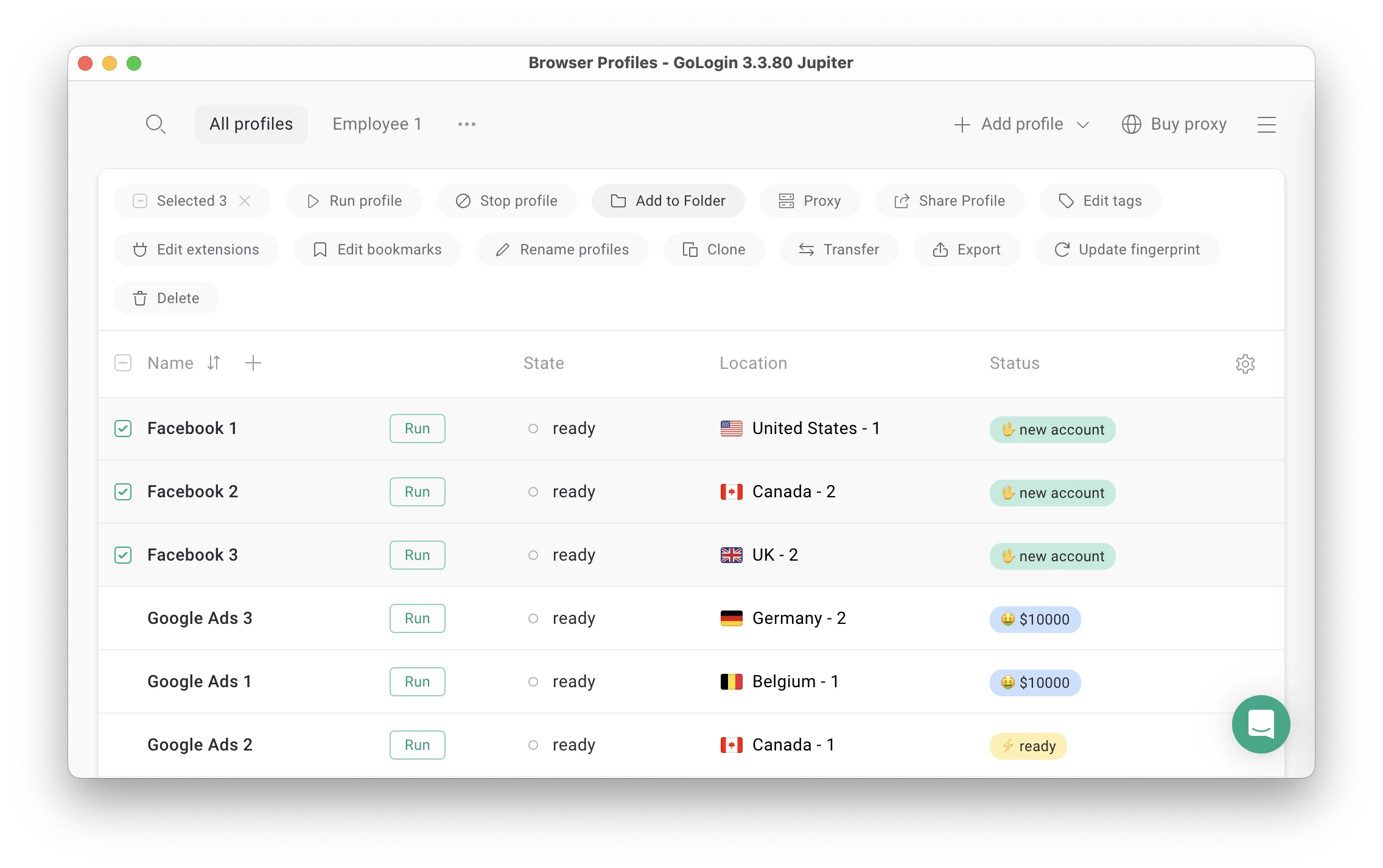
As they grow, users can gradually expand GoLogin’s extensive features without sacrificing their preferred overview or interactivity. Profiles are easy to arrange in any way you see fit, including by any from an extensive list of criteria. Mass actions are also easily accessible and deep.
Remaining undetected while tending to your SMM tasks, scraping, or running multiple online storefronts comes easier when you don’t have to worry about proxy sourcing. With GoLogin, reliable proxies routing to several key locations in the world are part of the deal.
Reputation & Customer Support
GoLogin remains in good standing ever since launch, with hundreds of genuine reviews across trusted aggregators like G2, Capterra, and Trustpilot. Ease of use is the number one feature reviewers point out, followed by how dependable GoLogin is at masking fingerprints. Many also like the customizable UI, praising the flexibility that allows for a detailed dashboard or a minimalist yet feature-rich control panel as the need arises.
Much of an anti-detect browser’s worth is revealed when something goes wrong. That’s where having 24/7 professional support can make the difference between resolving an issue quickly and losing precious time & money while waiting for a resolution. Both anti-detect browsers let you contact support directly from the client. Only GoLogin puts responsive expert staff at your round-the-clock disposal.
Nstbrowser vs GoLogin – Pricing Comparison
Trials & Free Plans
Nstbrowser doesn’t have a trial. It doesn’t need one since the free plan doesn’t limit core functionality. That being said, there is a catch potential customers need to be aware of.
The free version supports up to 500 profiles and three team members. That would make it the most generous free version on the anti-detect browser market if not for a daily profile cap. It’s possible to run only ten profiles each day for free. At least you can launch the same ones multiple times, and it won’t count against the total.
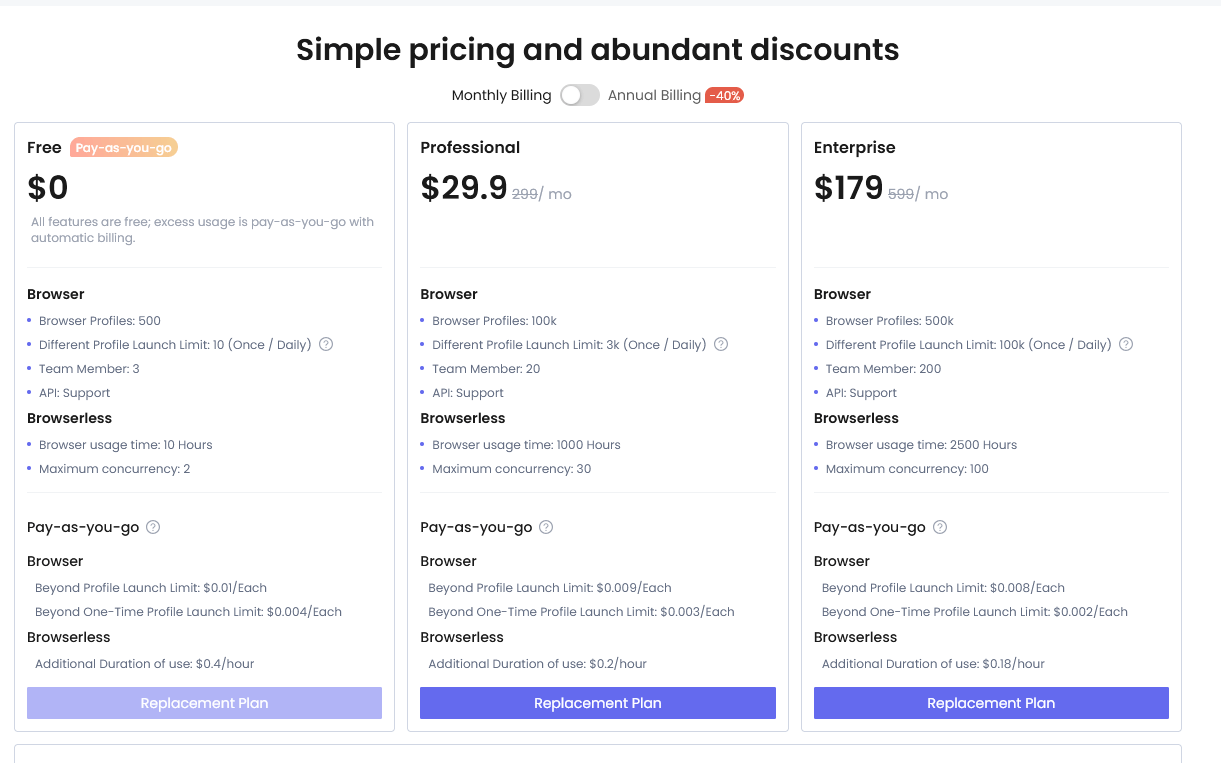
Additionally, browserless mode is limited to a runtime of only 10 hours per month. That’s nothing if your business strategy depends on regularly scraping dynamic pricing information from an online store with thousands of products, for example.
GoLogin keeps things simple and transparent. New users get to experience it for seven days without restrictions and are better able to choose a suitable paid plan afterwards. They may also continue using three profiles for free indefinitely from the Android app.
Paid Tiers
Disparate pricing models make a direct comparison between Nstbrowser and GoLogin tricky. Let’s break each down instead and see what you’re actually getting.
Nstbrowser
Rather than select the first paid plan, you can top up your balance and pay for any profile launches or browserless hours you exceed. Each extra profile launch costs $0.01, while another hour of browserless usage will set you back $0.40.
Let’s say you use 100 profiles daily. That’s 10 free plus 90 paid profiles times 30 times $0.01 and comes out to $27/month. That’s more expensive than a long-term subscription for GoLogin’s “Professional” plan, with fewer features.
Nstbrowser’s first paid tier, “Professional”, costs $29.90/month and is on a permanent “90% discount.” Silly marketing tactics aside, the tier unlocks 100,000 profiles with a daily usage cap of 3,000. Browserless hours jump to 1,000/month, and you can run 30 profiles in browserless mode concurrently.
The “Enterprise” tier boosts the profile max to 500,000 with 100,000 daily launches and supports up to 200 team members. Browserless usage rises to 2,500 hours/month. Both paid tiers cost 40% less if you commit for a year.
GoLogin
While it isn’t as focused on providing absurd profile amounts, GoLogin’s pricing scheme remains competitive.
For example, “Professional” (not to be confused with Nstbrowser’s namesake) gives limitless access to 100 profiles, free proxies, the Android app, 24/7 expert technical support, and a single cloud profile launch.
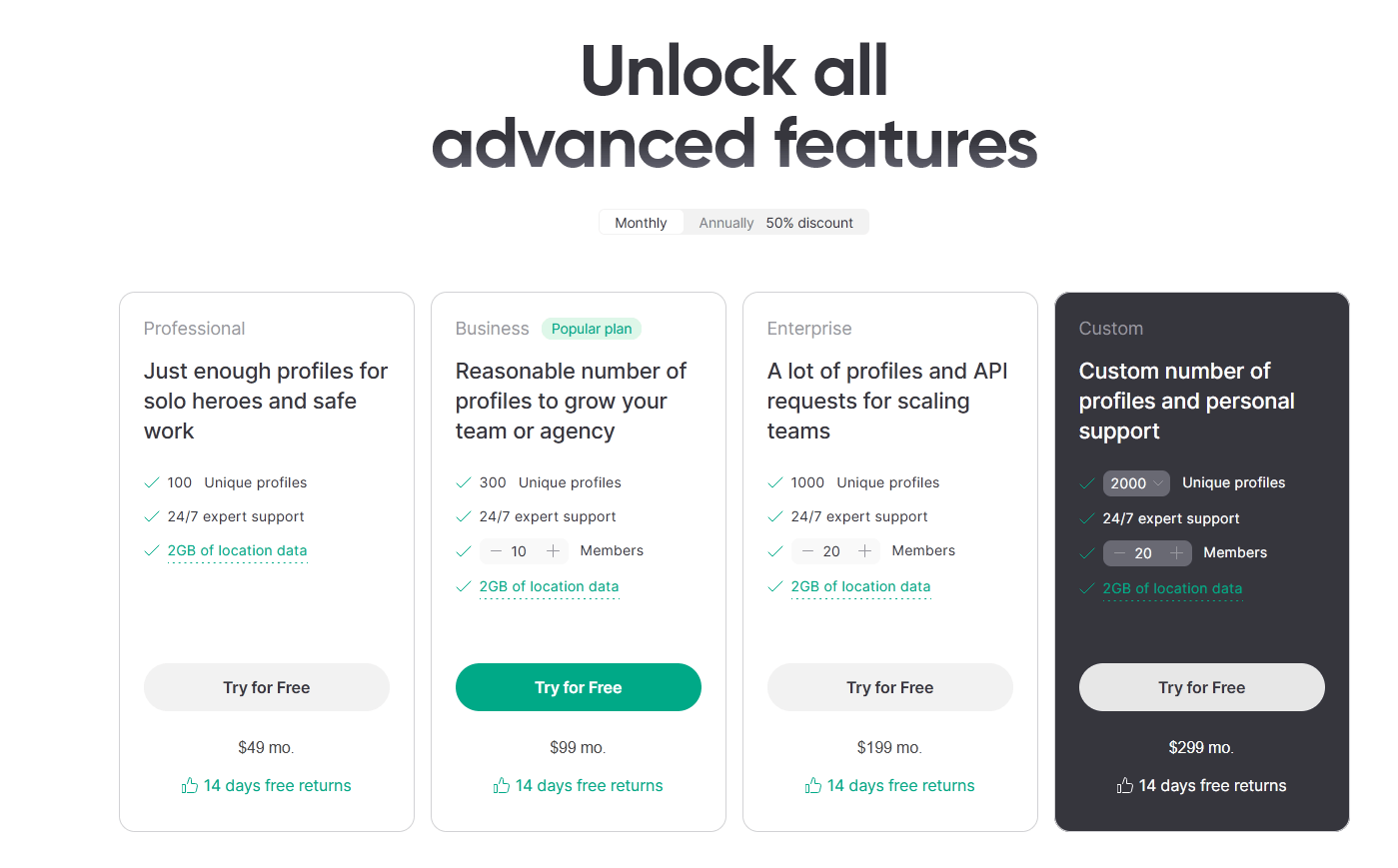
The “Business” tier extends the number of profiles to 300 and opens up GoLogin’s extensive collaboration options for ten team members or more. Subsequent tiers increase profile counts, team member seats, and cloud launches to meet enterprise client expectations better.
Nstbrowser vs GoLogin – Final Thoughts
Before we cast our verdict, here’s a comparison table that will tell you what each anti-detect browser offers at a glance:
| Comparison Criteria | Nstbrowser | GoLogin |
|---|---|---|
| Free plan | ❌ | ✅ |
| Free trial of paid plans | ❌ | ✅ |
| Feature-rich | ✅ | ✅ |
| Beginner-friendly | ❌ | ✅ |
| Country of origin | 🇭🇰 | 🇺🇲 |
| Update frequency | ✅ | ✅ |
| Affordable paid plans | ✅ | ✅ |
| Comprehensive customization | ✅ | ✅ |
| Mobile app | ❌ | ✅ |
| Profile cloud launch | ❌ | ✅ |
| Free in-app proxies | ❌ | ✅ |
| Trusted reputation | ❌ | ✅ |
On the whole, Nstbrowser is a competent browser that lacks some of the finishing touches and transparency we’d like to see in a true GoLogin rival. It expands upon the usual anti-detect offerings with a focus on automation.
While we welcome catering to advanced users and developers, not accounting for first-timer needs may be alienating part of Nstbrowser’s already small user base.
Anti-detect browsers already provide services in a precarious field, so customers take any breach of trust even more seriously. Who’s to say that paying customers won’t be the next to find Nstbrowser made unexpected changes without notifying them?
Reasonable yet iffy pricing and a strong core feature set make Nstbrowser an interesting choice for tinkers and advanced users who’ll want to leverage its automation features to create niche solutions. For everyone else, GoLogin remains the more logical option.
Download GoLogin for free and manage multiple accounts without bans!