Why do you need the best antidetect browsers?
When working with multiple accounts in social networks, advertising or affiliate marketing, it is important that sites do not recognize the accounts are maintained by one person. The usual means (incognito mode, VPN) are enough to disguise one person, but what if you require 2-6 or more? Also, these means do not disguise everything: VPN will change the IP, but will not change browser parameters. Sites collect and analyze a lot of data – User-Agent (browser ID), list of plugins, Canvas/WebGL signatures, time zone, language, screen resolution, device characteristics (CPU, memory), fonts, etc.
These combinations form a unique browser fingerprint. If two accounts log in with the same or mismatched fingerprints, blocking cannot be avoided. Anti-detect browsers solve this problem: they allow you to create isolated profiles with different browser fingerprints, emulating completely different users on different devices.
We have a tool that creates a unique profile in place, but where is the guarantee that the protection claimed by anti-detect browsers really masks “sensitive” information from sites? I will test a few browsers on a technical level and find the safest anti-detect browser for working with social networks. We will check it in the real conditions, not by descriptions on the tool sites. What does that mean? Let’s run each of the test participants through two tools – PixelScan and IPhey.
What are the Pixelscan and Iphey checkers, and why these, not others?
Pixelscan and Iphey are online tools that simulate antifraud system checks. You can be skeptical about these services, you can distrust them, but at least these tools are quite common and accessible to the average user, without complex scripts.
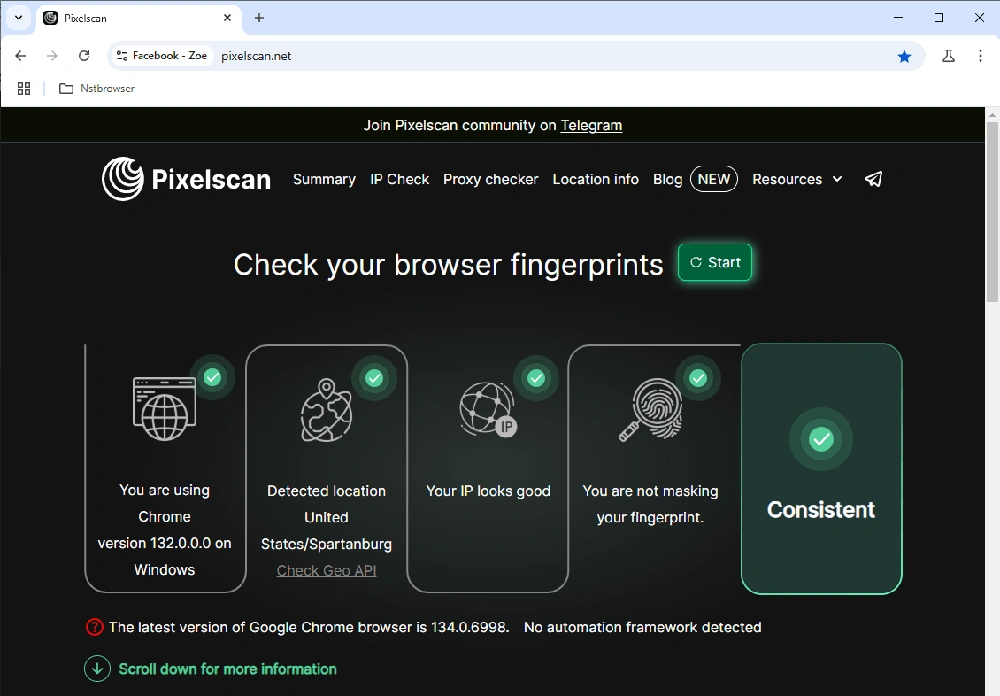
With PixelScan and IPhey, you can analyze your digital browser footprint for integrity and veracity. For example, the PixelScan service checks hundreds of parameters – from browser version to the presence of WebRTC leaks – and provides an overall verdict. If all 5 key characteristics agree with each other, the profile is considered consistent (realistic). Otherwise, PixelScan marks the fingerprint as suspicious (non-consistent status).
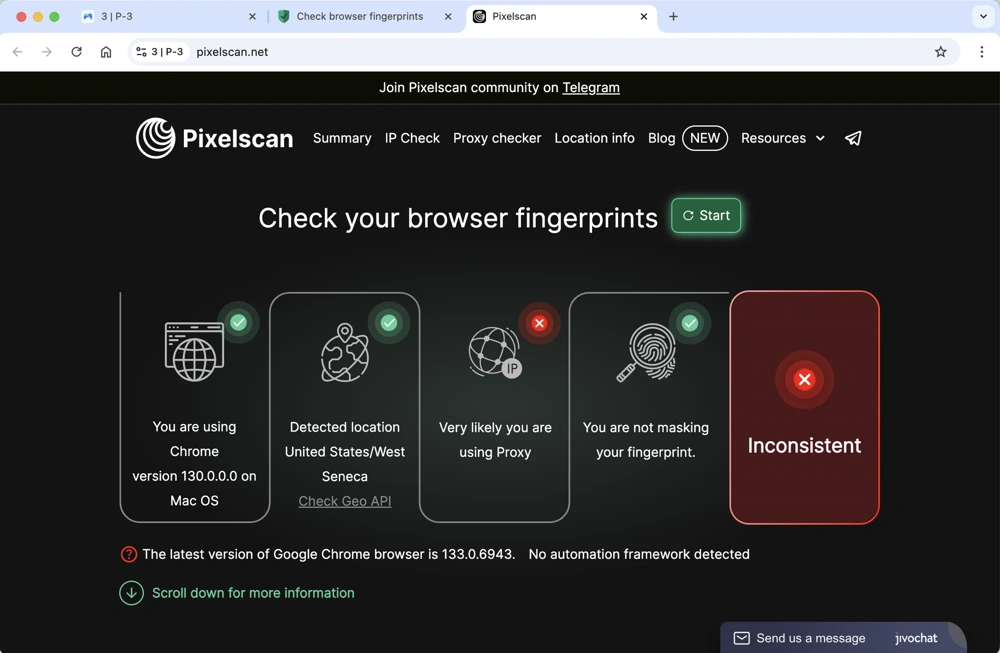
If the parameters do not match – for example, if you specify a browser version that does not match the declared OS, or if the IP address of the proxy does not match the geolocation/time zone – the checker will issue warnings with red flags.
IPhey.com works in a similar way – the service evaluates the reliability of a profile based on databases of real fingerprints. If masking is successful, IPhey gives the status “Digital identity looks reliable”.
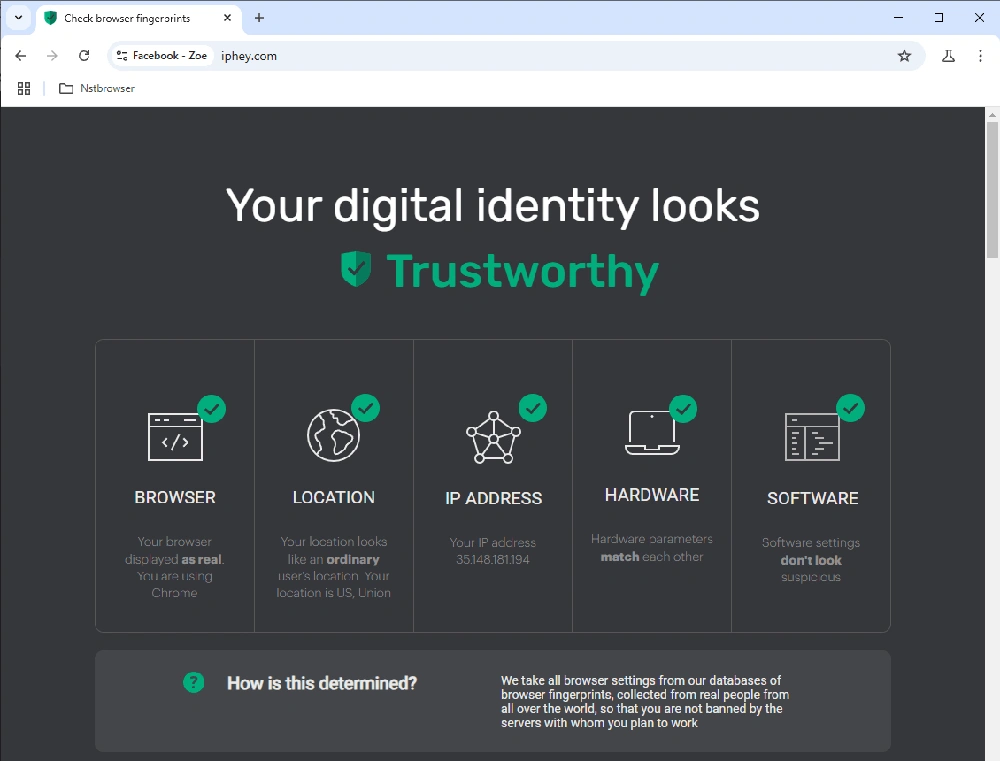
Key parameters and risks
The most important characteristics of the footprint are User-Agent matching with the claimed platform, correct canvas and WebGL footprints, time zone and language consistency with the IP address, no real IP leaks (WebRTC, DNS), and no suspicious values (e.g., bloated font list or no audio engine).
Modern antifraud systems also check for smallest inconsistencies in hardware (you have Windows in your browser and some of the parameters point to Linux) or the use of automation (presence of Selenium, Puppeteer). Therefore, the anti-detect browser should not just change individual fields, but fully emulate the real environment. Even a trivial engine update affects stealth.
What are User Agent, Hardware, Canvas and WebGL?
- User Agent – the string by which the site identifies your browser and OS;
- Hardware – device parameters: CPU, RAM, GPU. Inconsistencies with the OS make the profile suspicious at once;
- Canvas/WebGL are unique graphic prints that are created when rendering. They are different for each device;
- Audio context, fonts, timezone, languages are additional “cues” that form your digital portrait.
Modern social networks and advertising platforms are able to link accounts based on hundreds of browser characteristics. If several profiles match key fingerprints, the system quickly determines that they are the same operator and bans them. That’s why it’s important not only to change IPs, but also a complex disguise: consistency of User Agent, time, language, graphic fingerprints and absence of leaks (WebRTC, DNS).
How to check if your browser anti-detect protects your accounts from being detected by anti-fraud systems?
- Clean browser footprint – the profile should pass PixelScan, IPhey and similar services without red flags. Perfect scenario is complete absence of warnings. This is a basic indicator that the browser is masked (but not the only one).
- Relevance and regularity of updates – the team should keep track of browser core updates and release them without delay. If an anti-detect is rarely updated, its footprint becomes “atypical”. At a minimum, it is important to check when the browser team last updated its engine and how fresh it is relative to the real one (this data should be freely available on the browser’s anti-detect website).
- Correct work with proxies is the most important factor of anonymity. The browser should pick up proxies without leaking real IP (including via WebRTC), transmit correct geolocation headers. And in no case it should not “show up” on checkers (if a real ip is detected there – be sure that in combat conditions it will be noticed for sure).
- Performance and stability – Profile launch time and overall responsiveness is important not so much for masking, but for the overall experience of interacting with the browser. If you maintain dozens of accounts, the browser should bring up profiles quickly and not freeze.
Test participants
In the review we will compare and find the best in terms of masking anti-detect browser among:
- Gologin
- 1Browser
- Multilogin
- Morelogin
- Incogniton
- NSTBrowser
- Kameleo
- Geelark
Test methodology
As you know, in traffic arbitrage, multi-accounting, SMM, web scraping and other business areal it is extremely important to completely isolate accounts from each other. In this regard, the main parameter worth comparing in antidetect browsers for these areas is anonymity.
Deep testing is necessary because absolutely all browsers on the market claim to be 100% anonymous. But, as you and I understand, it is extremely difficult to realize the real security of an anti-detect due to the high technical complexity of the browser and constant changes in target website algorithms.
So here’s what we’ll be comparing to test anonymity:
- Passing browser checker Pixelscan.net
- Passing browser checker Iphey.com (we take 2 reputable checkers for a more objective result)
- New profile launch time with a proxy – a baseline measure of browser performance under a simple operation
- CPU / RAM load – performance indicator for mass operations
- Test of built-in proxies (if applicable) –
- Ease of adding, connection speed, availability of different types of proxies
- Proxy quality – matching the IP type and country as declared
- Test additional / unique features (if any) – RPA automation, cloud phones, etc.
- Check the frequency of browser updates. It’s simple: rare or chaotic updates indicate that the team is probably not very security-conscious.
- Price overview – which customer segments are the target for the browser.
So, let’s get started!
1. Gologin – Best For The Money
Gologin antidetect browser is aimed at a wide range of users. It can be called a golden mean: it offers powerful fingerprint masking capabilities at a relatively low price and a friendly interface. Gologin uses its own Orbita browser (a fork of Chromium) and allows you to create hundreds of profiles with isolated data.
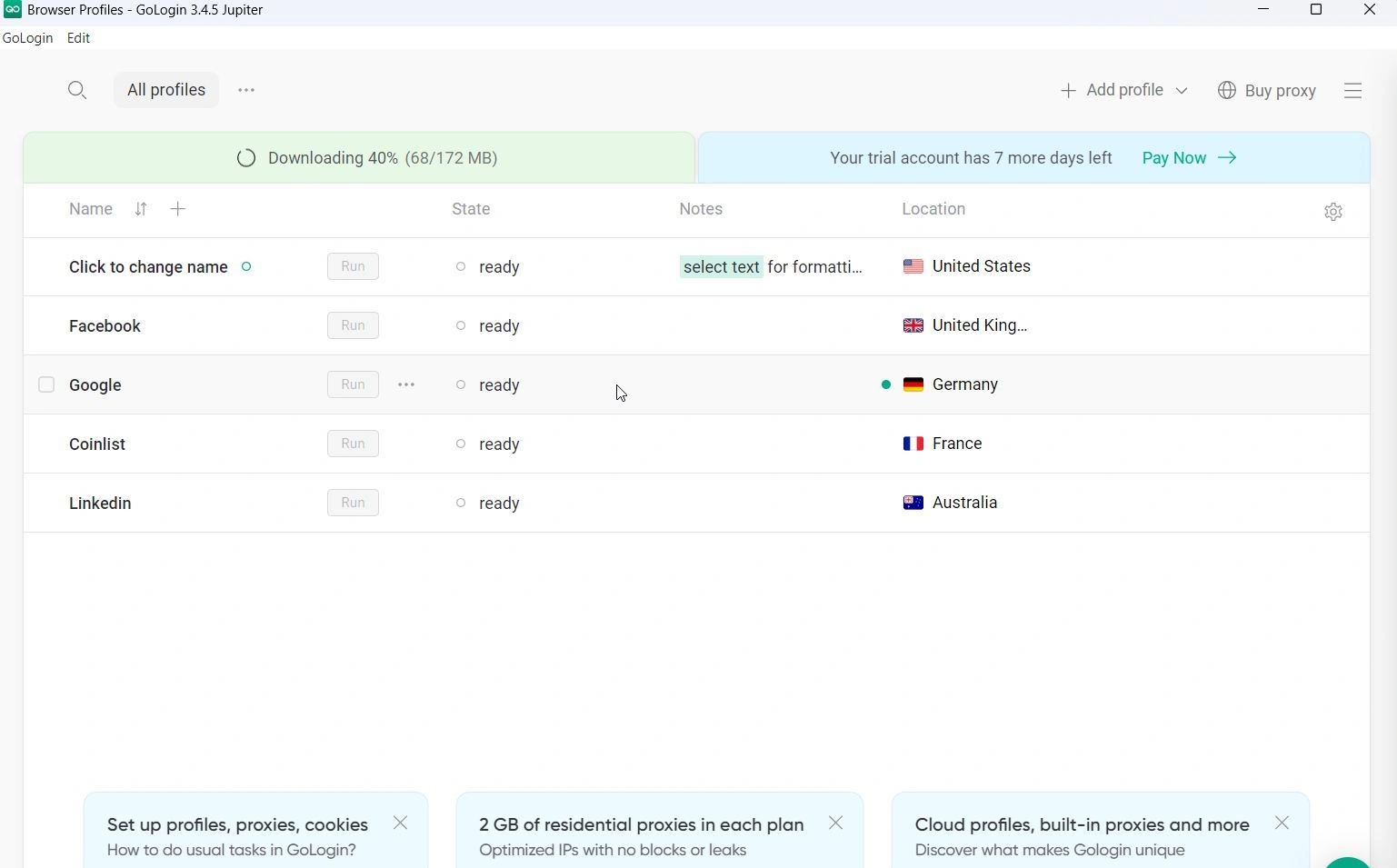
Fingerprint verification
In our tests Gologin confidently passed all checks – profiles showed themselves as “clean” on both checkers. Both PixelScan and IPhey showed no inconsistencies. We ran several profiles on different proxies, and the result was the same – all running browsers were in the green zone.
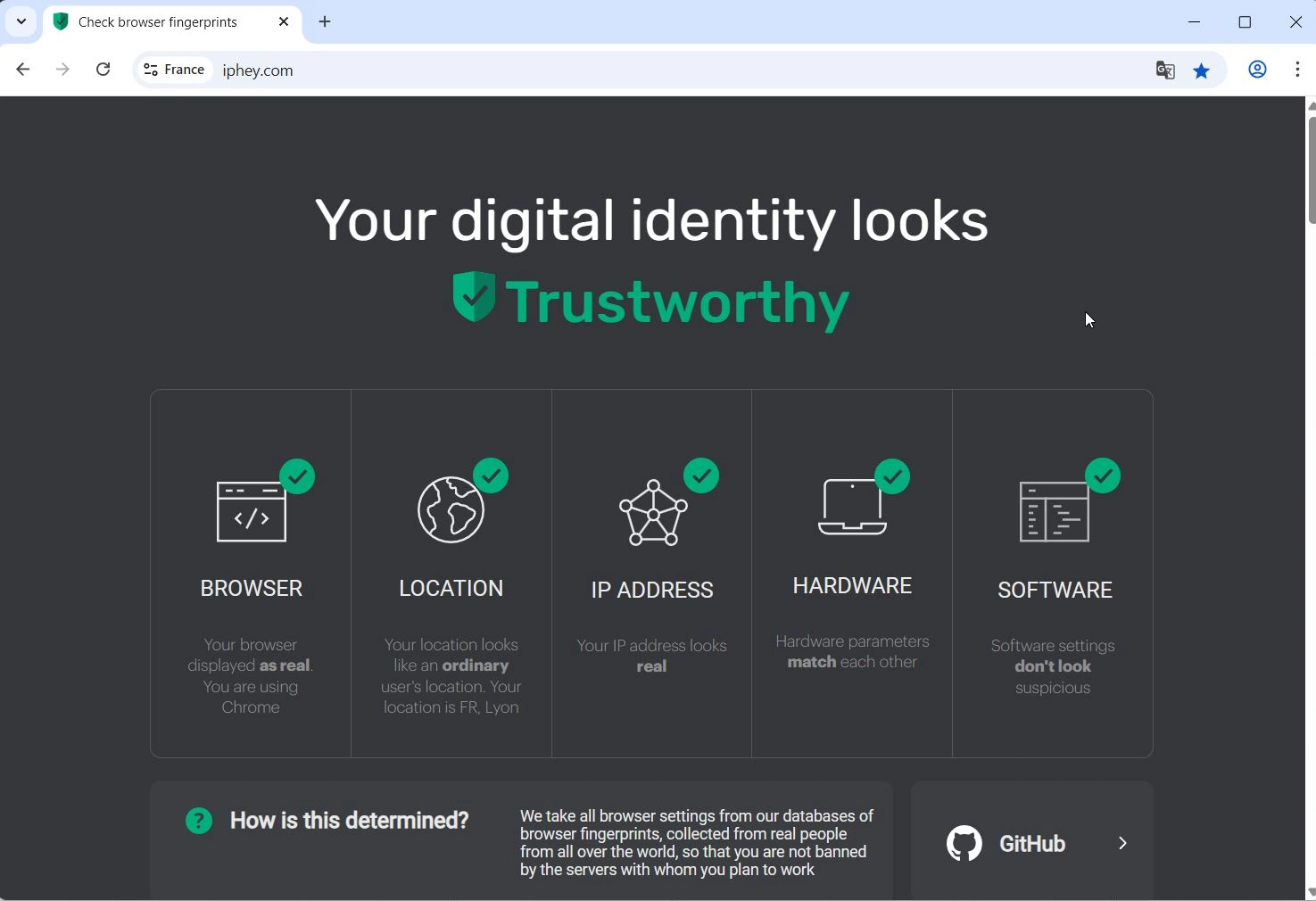
Comparison criteria
- Speed and performance: Gologin also showed excellent speed – a profile is launched in 3.5 seconds. We managed to run several profiles in parallel without noticeable delays. The interface shows the profile status and you can quickly stop or restart them. Mass launch is also available, via local API or scripts.
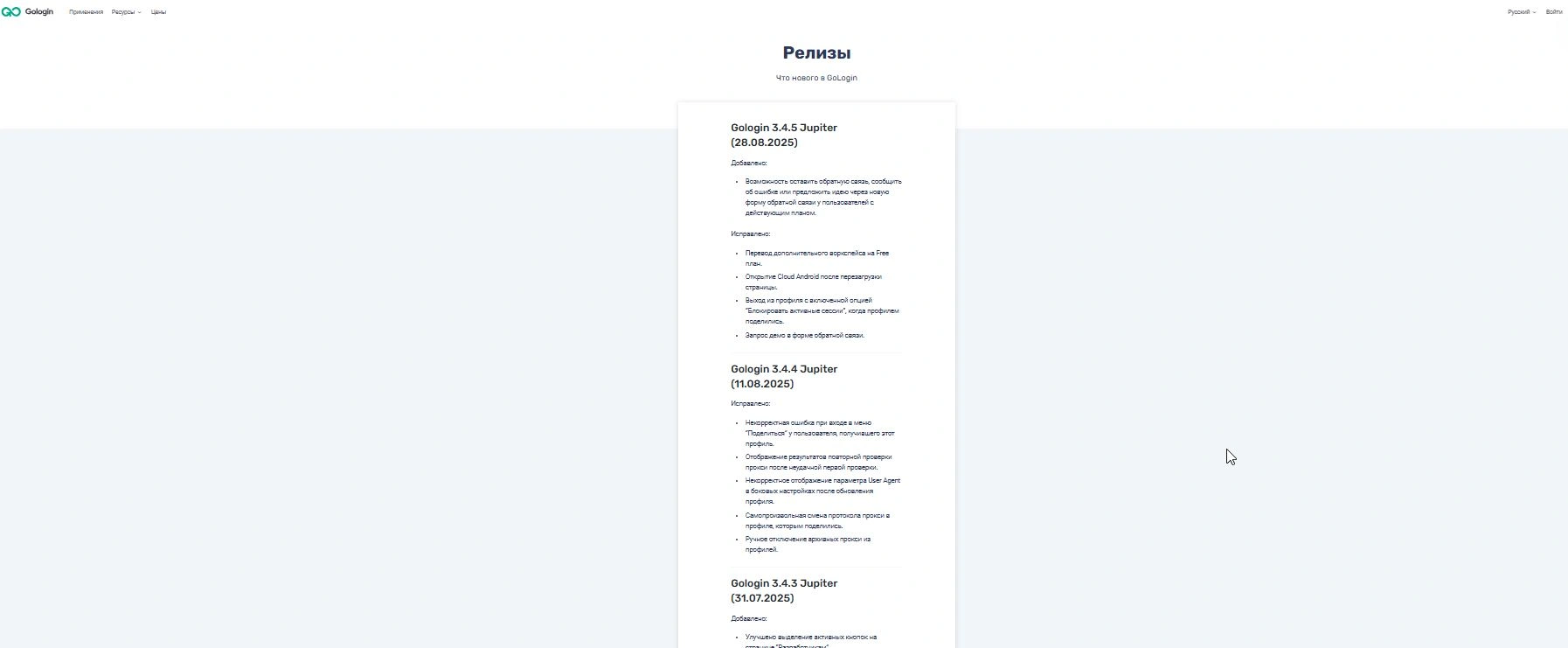
- Updates and support: Gologin is actively developing – releases are frequent, new features are being added as well. According to the update log, the team updates the browser core almost every few weeks or even more often when new versions of Chrome are released. This has a positive impact on security: fingerprints don’t become obsolete.
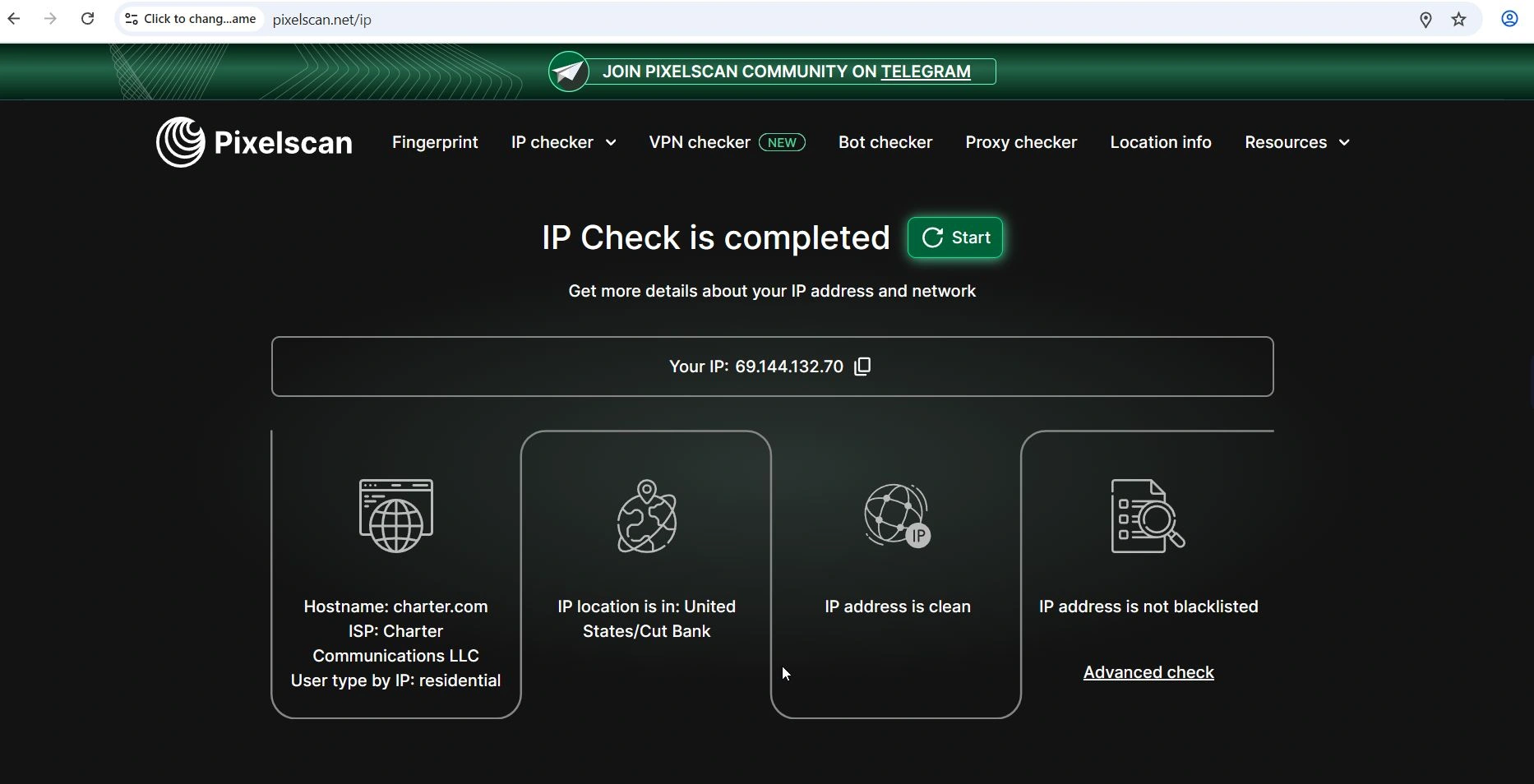
- Proxy test: We tested several Gologin profiles with both our own and built-in proxies. The built-in free proxies are usually datacenter IPs (given 5 locations to choose from on the Free plan), but in case of Gologin they were residential proxies. PixelScan marked these proxies as anonymous, and determined that they were resident proxies. There were no critical flags on them. For more important tasks we would still recommend to connect your own residential proxies or buy paid ones from Gologin, as free ones will be enough for testing only. Paid proxies can be purchased from $7/Gb for resident and mobile, datacenter go cheaper. All of these proxies are of high enough quality for the money. Gologin supports HTTP(S) and SOCKS5, you can bulk import proxies in a list.
- Price and plans: Gologin’s pricing policy is fairly balanced. There is a 7-day test period, which is enough to test the app from all sides. Prices start at $24/month for 100 profiles (with an annual subscription) – this is cheaper than a number of competitors, and the quality is at the same level or better.
According to a bunch of factors, Gologin can be called the best in its price segment: intuitive interface (suitable even for total beginners), wide functionality (API, cloud features, teamwork, mobile and web application) and moderate cost.
Bottom line: Gologin is a balanced solution for multi-accounting. It is suitable for solopreneurs, small teams and agencies. It is the optimal choice for safe work without bans.
2. 1Browser – free antidetect browser with solid built-in proxies
1Browser is a final bonus of this rating, quite special in that it’s completely free (with basic restrictions), and this tool aims to make antidetection accessible to everyone. 1Browser offers 10 profiles for free, good built-in proxies to choose from, and an interface that looks as much like regular Chrome as possible.
There are free and paid built-in proxies. Basically, it’s designed for beginners or those who need a couple dozen profiles without complicated requirements. We gave it the nomination “best free antidetect browser”, as alternatives are usually either severely cut down, dangerous or expensive.

Digital imprint and anonymity
Free of charge shows its marks – 1Browser wasn’t perfect. On default, free proxies, it did not pass IPhey and PixelScan – you need better proxies. Pixelscan had problems with IP, and Iphey detected fingerprint spoofing and gave the browser a red flag.
However, with paid residential proxies 1browser passed all 5 Pixelscan items, so the problem here is in the free proxies – not bad for a free antidetect.

Comparison criteria
- Interface and usability: 1Browser strives to be as simple as possible. It looks like a regular Chrome with a system of user profiles. The idea is that the user doesn’t feel the complexity of customization. Probably a matter of taste, but after 7 technically complex solutions, such an interface was not enough. You create a profile and make all the settings already inside the browser, it’s confusing. Essentially, 1Browser is Chrome with cloud-based profile isolation. The target audience of 1Browser is private individuals, freelancers, small marketers who need a simple out-of-the-box solution.
- Performance: 1Browser is super lightweight. Profile launches instantly (even less than 2 seconds). We tried opening 5 profiles at the same time – the system stood up easily, apparently there’s a good cloud backend. Perhaps partly because 1Browser doesn’t do any deep emulations – it isolates the environments. In any case, speed is a plus, especially compared to heavyweight antidetects. But still, speed is not the most important thing when it comes to protection, and the browser works well only with paid proxy.
- Limitations: You should realize that 1Browser is not for complex cases. It will not allow you to fine tune the fingerprint for some rare situation. If a site is very strict about checking browser fingerprints, 1Browser may not be the best solution. The free version only keeps profiles for 2 months, then they can be deleted if you don’t upgrade to a paid plan.
Bottom line: 1Browser is inferior to the leaders in terms of features, but it fulfills the main task – separates fingerprints and IPs by profiles, and also gives good proxies out of the box, including free ones for basic needs. We call it the “bonus” of our review – it’s an acceptable option for a starter or as a simple proxy browser.
3. Multilogin – premium solution for corporate level
Multilogin is an old-timer on the market and actually the creator of the term anti-detect browser itself. It is believed that Multilogin is suitable for the enterprise segment and is oriented towards big players: agencies, large teams, corporations. It’s hard to argue, as testing of this browser is initially obstacled by paid access. Trial goes for $2 for three days.
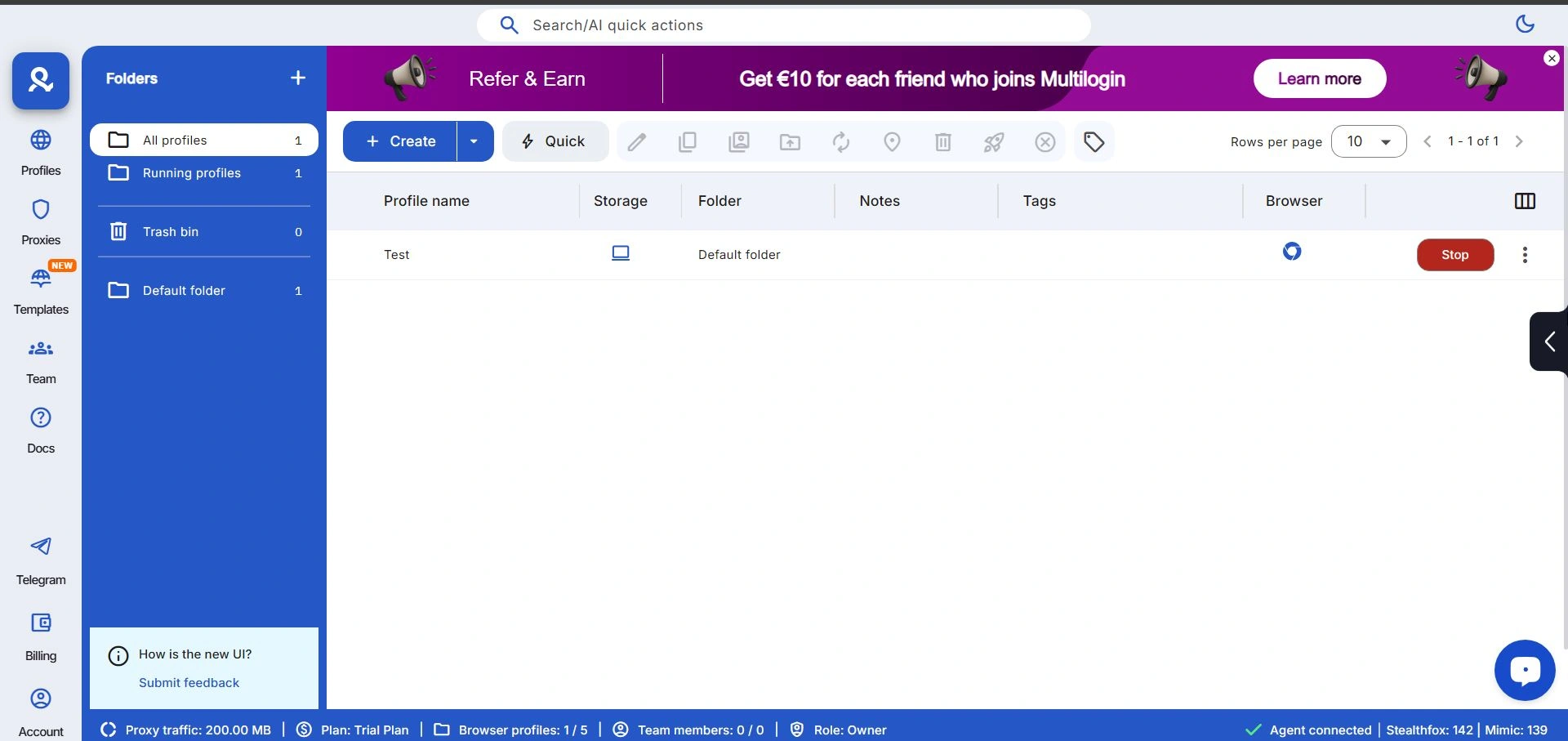
In any case you need to buy it. Multilogin claims an advanced spoofing engine – it uses proprietary browsers Mimic (Chromium) and Stealthfox (Firefox) with deep customization. Multilogin is one of the most expensive solutions on the market.
Digital browser fingerprints and anti-detection
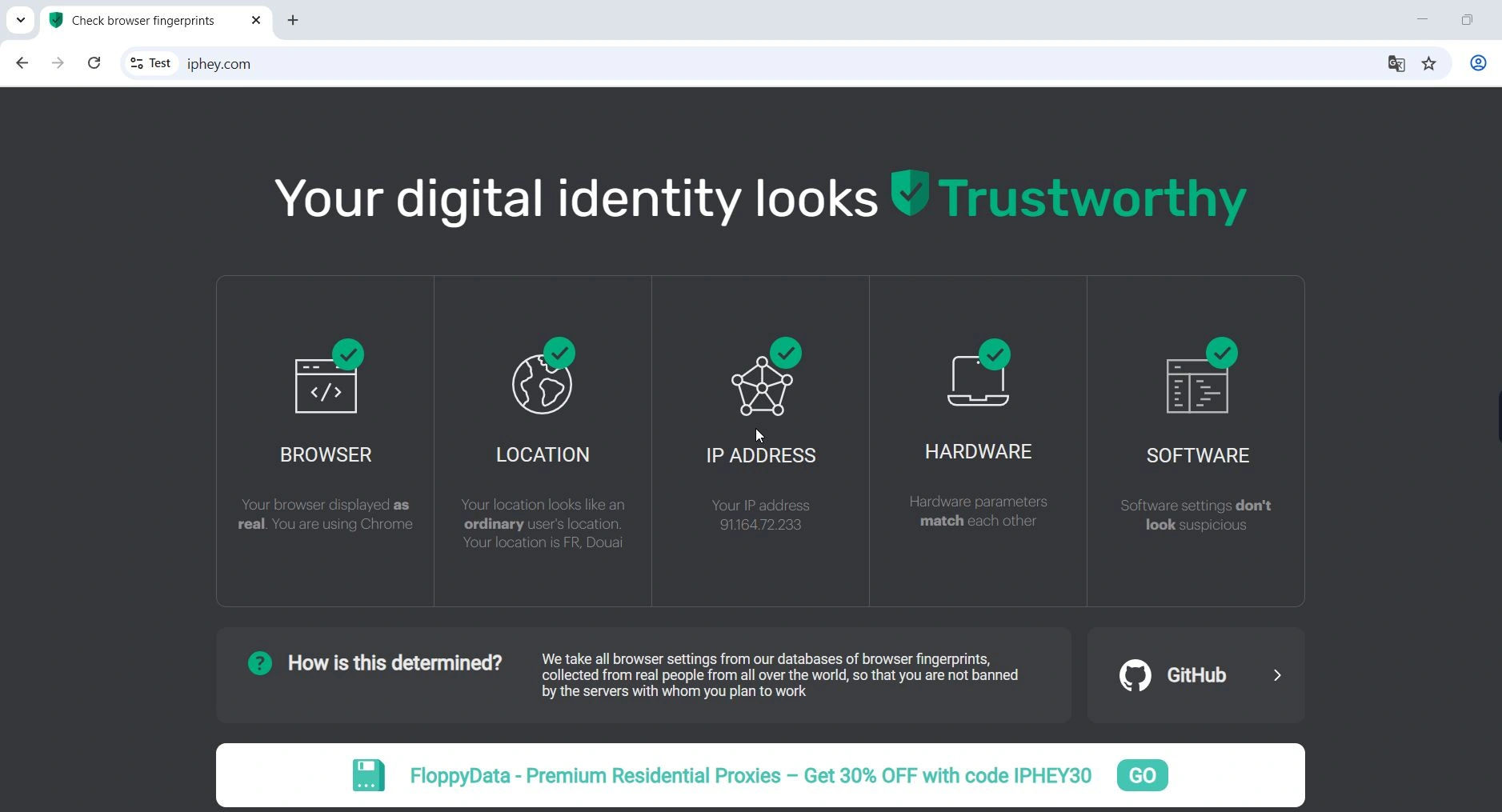
Multilogin was originally designed to completely hide the fingerprint – it generally worked, the profiles passed all checks, as did Gologin. Both Pixelscan and IPhey did not reveal any inconsistencies. No questions for the browser here.
Comparison criteria
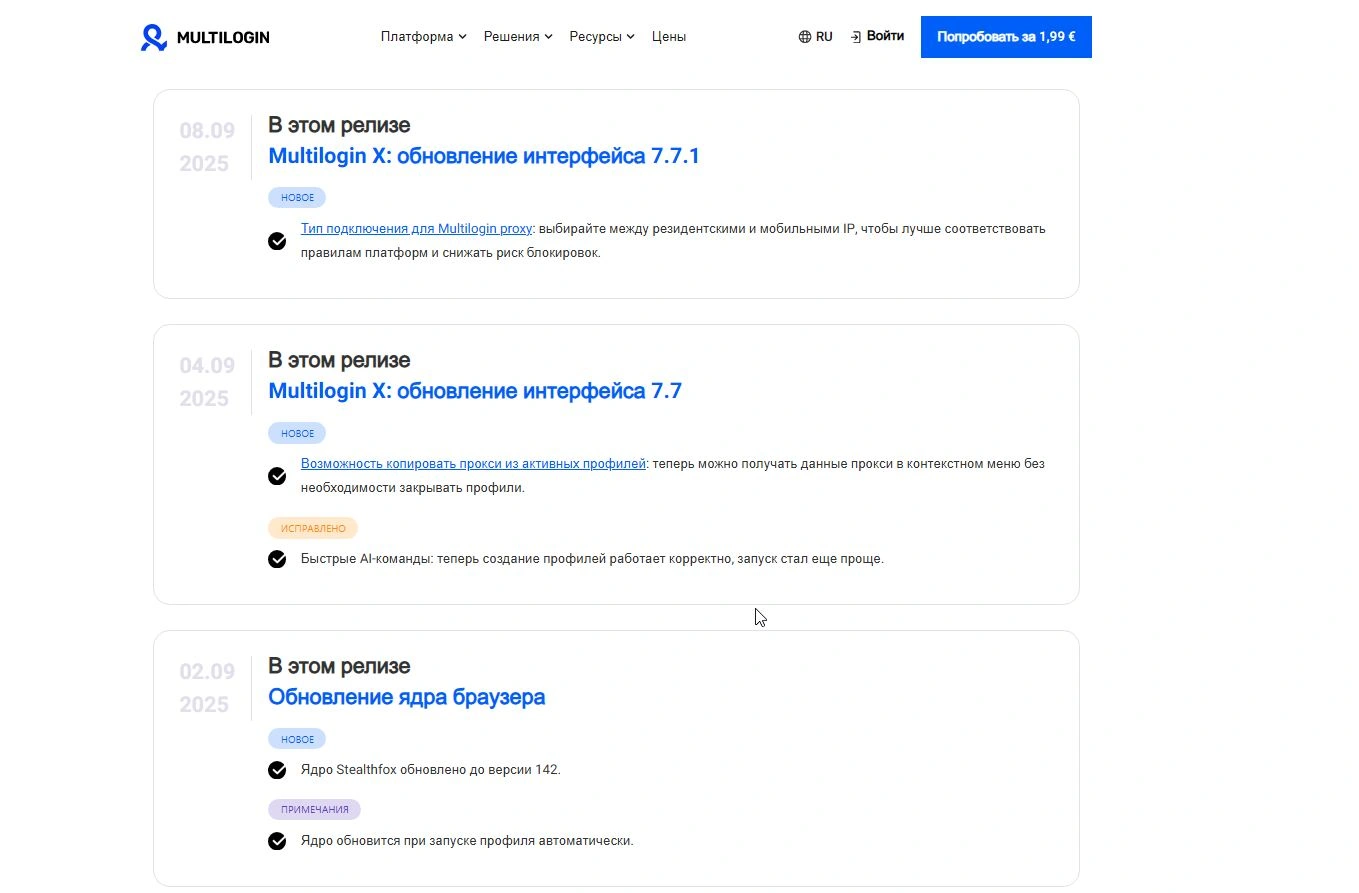
- Frequency of updates: The Multilogin team actively supports the product, following frequent Chrome/Firefox releases. For example, the Mimic browser quickly receives updates to the current version of Chromium. Because of this, fingerprints don’t lag behind – PixelScan doesn’t catch Multilogin on an outdated engine.
- Working with profiles and speed: The interface in Mulogin is minimalistic, but still somewhat incomprehensible at first. All settings are made in the personal cabinet of the service, that is, there is now no desktop application as such, which seemed strange. You need to download only the agent that runs the browsers themselves, you can create quick profiles with auto-configuration or fine-tune each parameter manually Multilogin is slightly inferior in simplicity to such competitors as Gologin (for example, in ML you can’t see the time of the last launch of a profile right in the list), but this is not a substantial nuance.
- Performance is average: profiles launch quickly, but still not as fast as the main competitor Gologin (about 5 seconds). Multilogin is the only one that provides two engines (Chromium and Gecko) to choose from, which is interesting in itself.
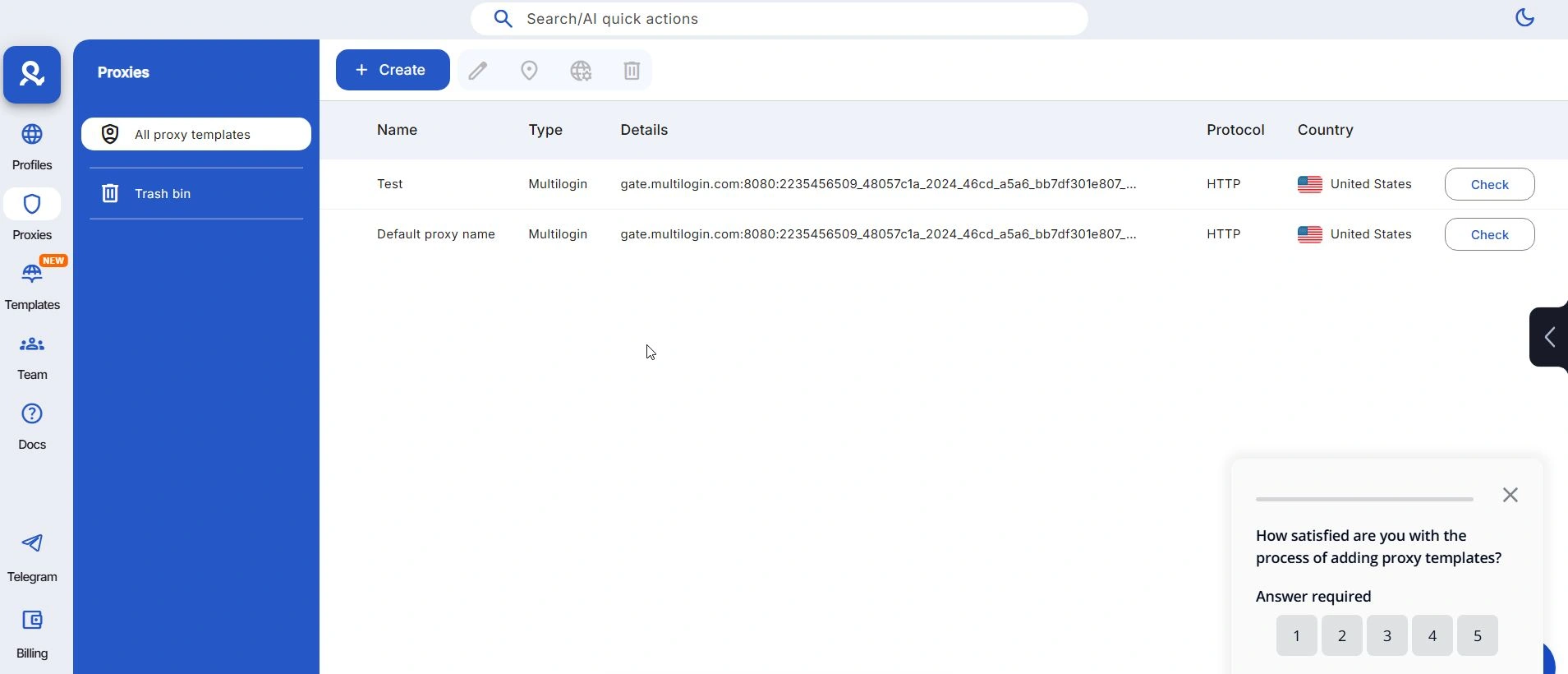
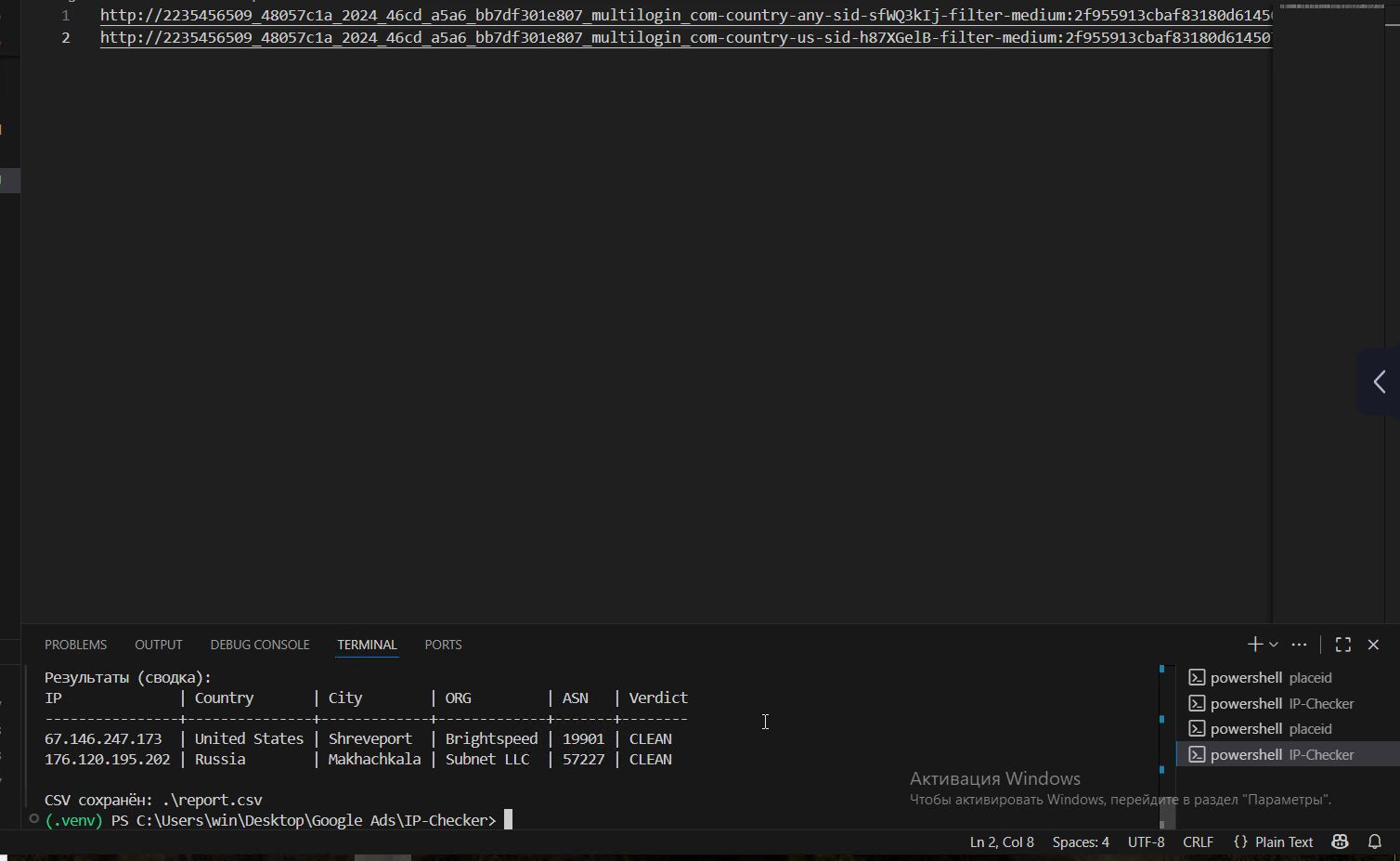
- Proxies and additional features: Multilogin, like Gologin, has its own proxies. Each plan includes from 1 to 10 GB of residential traffic. If you want, you can buy more from them (from €85 for 12 GB). Integration is convenient, in the proxy section you can generate proxies with simple settings. Despite the fact that Multilogin supports both HTTP and SOCKS5, it was not possible for me to raise default SOCKS5 proxies. GEO of the generated proxy is displayed incorrectly, the real region was not USA but Russia, which is not very good.
- Price and positioning: Multilogin is the most expensive of the presented services. The basic Starter plan costs €29/month, but it includes only 10 profiles. In fact, for a full-fledged work you will have to take a higher plan: Solo (€79) – 100 profiles, higher – €159 for 300 profiles. Custom plans (1000+ profiles) are available for teams and corporations. There is no trial period, only refunds in case of dissatisfaction. Compared to its competitors, Multilogin is more expensive: for example, Gologin charges $49 for 100 profiles, while Multilogin charges €79.
Multilogin is for those who need maximum reliability and budget is not so important. Many large agencies are willing to pay for its reputation and quality.
Bottom line: Multilogin remains a decent anti-detect browser in terms of masking quality and features. It is ideal for large teams where hundreds of accounts need to work and reliability is required.
If you need enterprise functionality – distribution of projects between employees, encryption of data on their servers, scalability – Multilogin justifies its price. However, for individual users with a limited budget, its capabilities may be excessive.
4. MoreLogin – budget option with mobile browsers
MoreLogin is a Chinese anti-detect browser gaining popularity due to its low price and unusual features. It follows AdsPower’s approach in many respects, and in some ways resembles their interface.
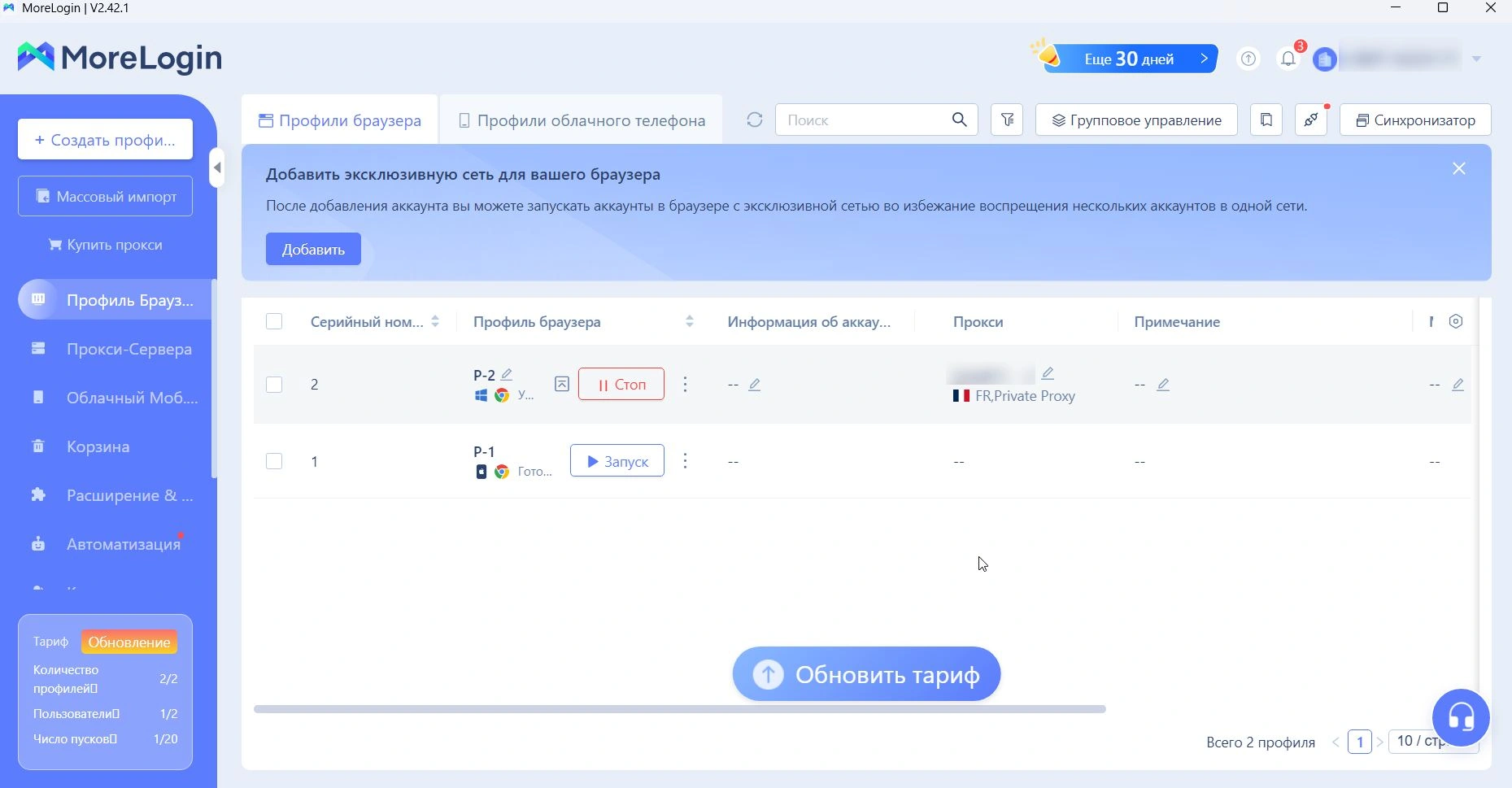
The main feature to tell MoreLogin from competition is an integrated cloud-based mobile platform (Cloud Phone) for working with mobile applications. This attracts, for example, TikTok-marketers farming accounts. In our list, MoreLogin stands out as the cheapest paid tool: starter plans start at $9. However, as is often the case, the low price hides compromises – some features are simplified or require manual customization.
Checking the digital fingerprint
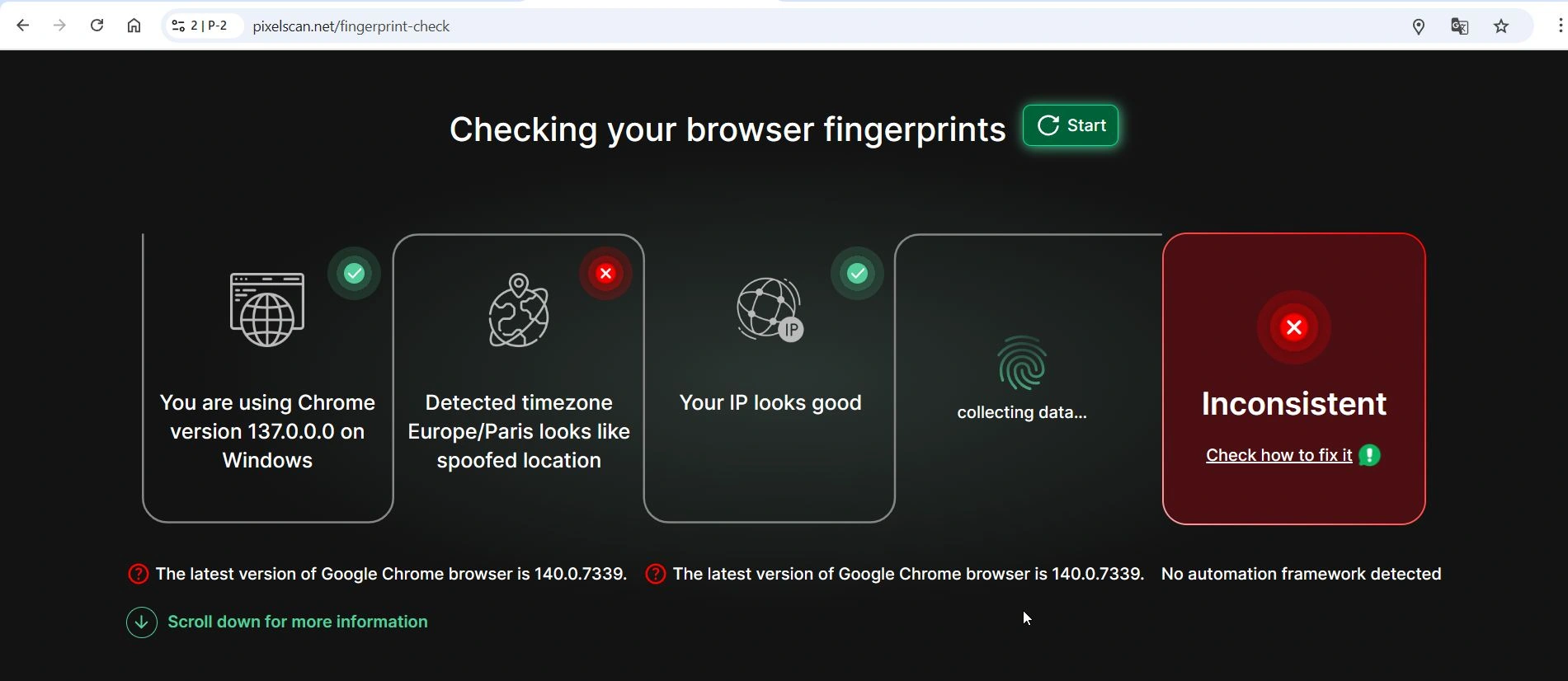
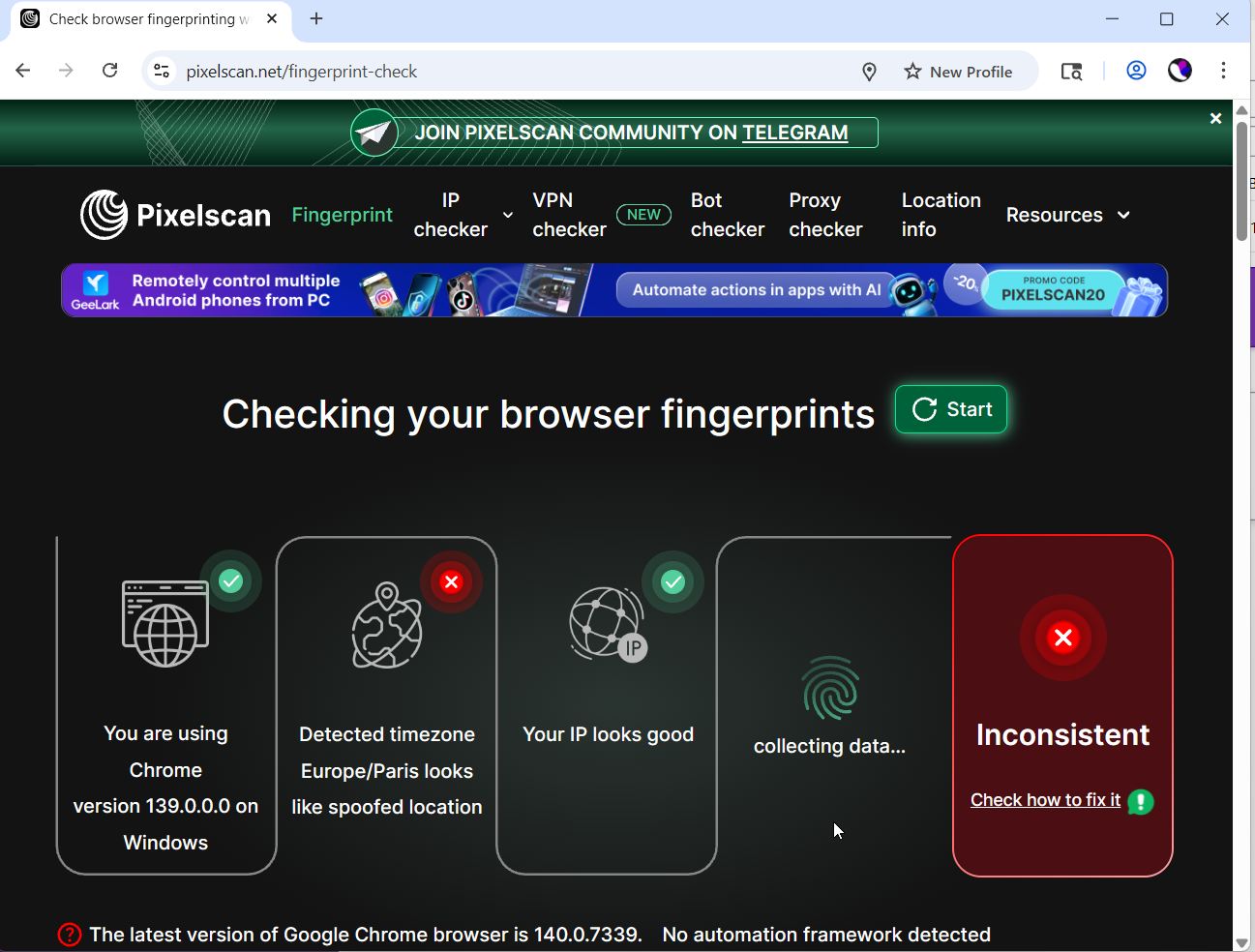
In basic tests MoreLogin showed contradictory results. On the one hand, it tries to mask browser fingerprints (there is a choice of engine and OS for the profile). On the other hand, PixelScan detected inconsistencies on default settings: when creating Quick Profile (Chrome browser, Windows OS – matching the real one), the service gave Inconsistent status. The PixelScan report showed that there was a suspicion of time zone and location mismatch. Apparently, the built-in configuration did not perfectly match some parameters.
When checking via IPhey for the same profile, no problems were detected – all categories were in the green zone. That is, the browser looked normal externally, but PixelScan noticed a small thing.
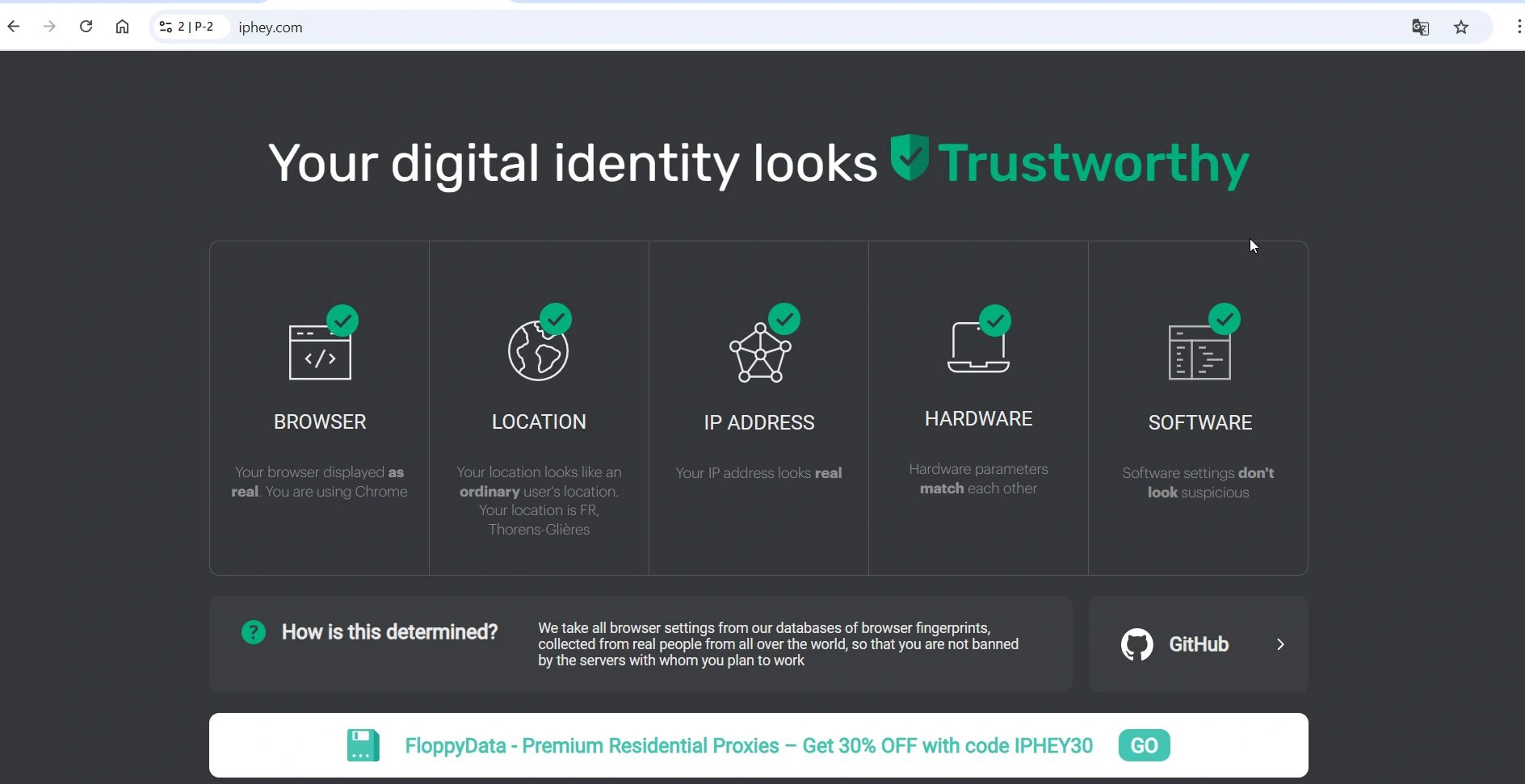
Out of the box, MoreLogin is slightly inferior to Gologin, at least according to PixelScan. Plus, PixelScan noted that MoreLogin’s browser was not using the latest Chrome (version 137, while the current version is 140), meaning that kernel updates are a bit laggy.
Cloud Phone – an advantage for mobile social networks, MoreLogin’s unique feature. In MoreLogin, you can run profiles not only as a browser, but also as a cloud-based Android device. This is extremely useful for working with mobile apps (TikTok, Instagram, etc.) where a simple browser is not always suitable.
Cloud Phone provides emulation of a real phone with access to applications. And it uses a pool of real Android devices in the cloud – in essence, you rent a virtual phone with unique mobile OS fingerprints.
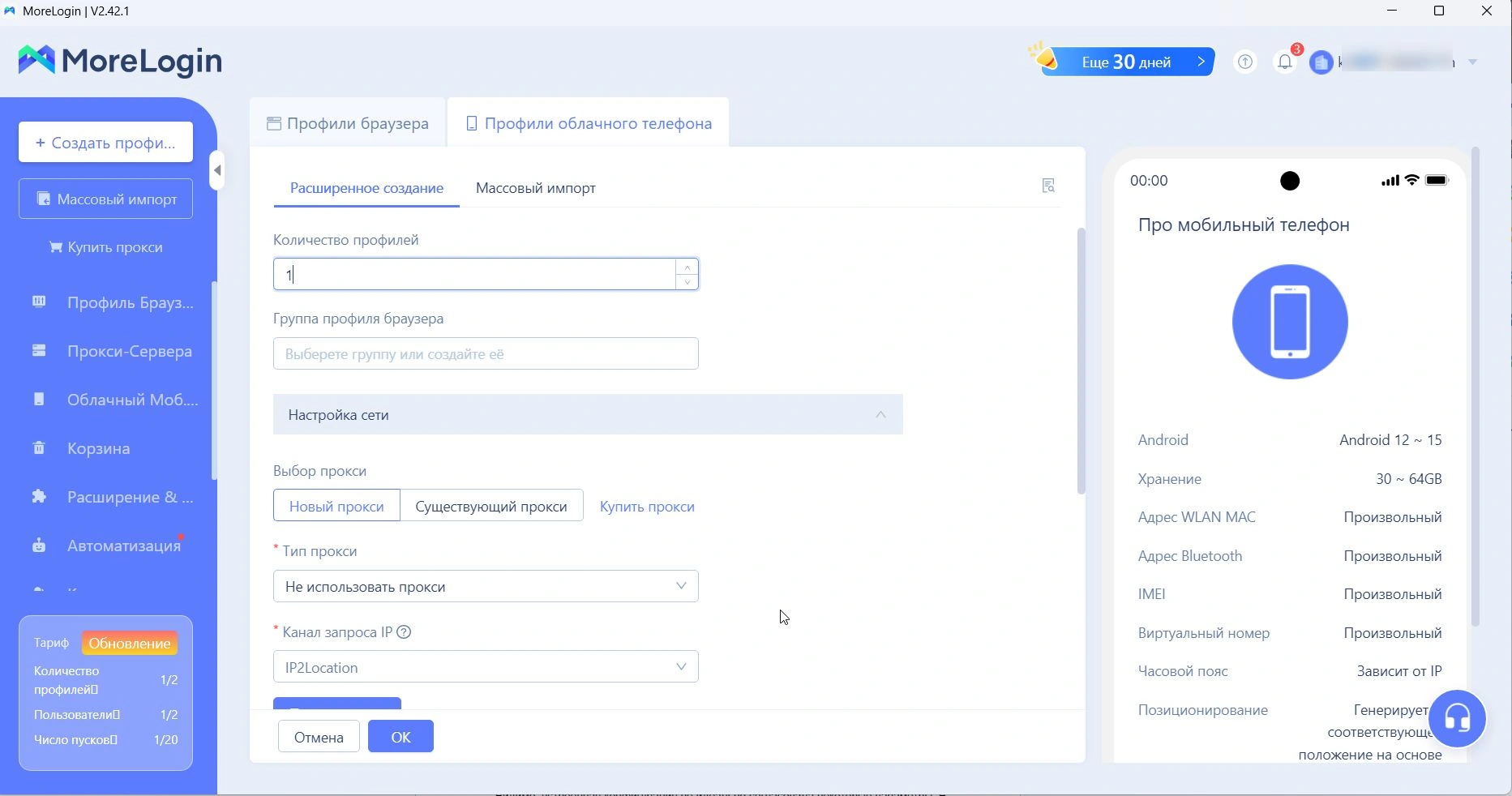
MoreLogin can be recommended to those who need to work with mobile applications for less money. For purely web tasks, this option is not necessary.
Comparison criteria
- Interface and usability: On the one hand, MoreLogin strives to be simple: the site and the program are designed quite user-friendly, there are ready-made presets for different platforms (Facebook, Google, Amazon, etc.) when creating a profile, like in Gologin, for example. On the other hand, the Russian translation of the interface is quite poor, in some places Chinese terms pop up – it feels that the main market for them is Asia. There is also some UI overload (for example, when adding proxies there is a lot of unnecessary things that confuse you), although after a while you get used to it.
- Performance: MoreLogin proved itself at a decent level. Launching a profile took 4 seconds on average, while Gologin took 3.5 seconds and Multilogin took 5 seconds. Not critical, but it is noticeable on a large volume. At the same time, the application itself consumes a lot of memory – with three profiles running, it consumed more than 50% of memory on 16 GB. However, the stability is good: no crashes occurred, profiles worked without failures.
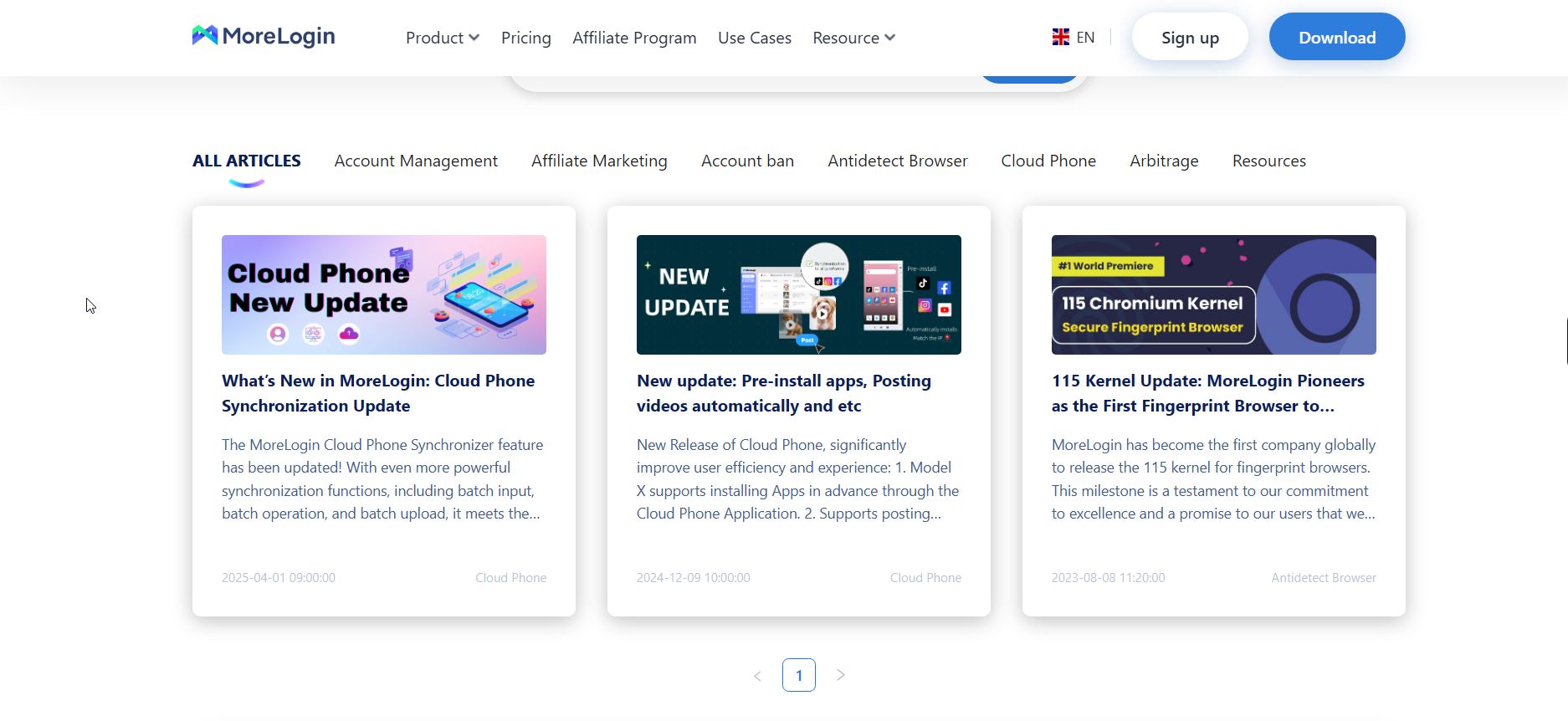
- Updates are not released regularly – the last update was in April 2025. Infrequent updates can mean slightly outdated prints, but so far no major problems are visible.
- Pricing and Limits: This is where MoreLogin is really out of the competition. The free plan gives you 2 profiles and 2 simultaneous launches (but limit: maximum 20 profile launches in total). There is no full trial period – the free plan is used as a trial.Paid plans start at $9/month for 10 profiles – this is one of the cheapest entry thresholds. For $29/month you can already get 100 profiles (though without some teamwork features). Thus, MoreLogin attracts those for whom Multilogin or Gologin seem expensive. It should be taken into account that cheap plans may have limitations in terms of functionality (for example, Cloud Phone is available only on higher plans or for a separate fee).
Bottom line: MoreLogin is a controversial but interesting player. On the one hand, very low cost and useful Cloud Phone option for mobile accounts. On the other hand, the product is clearly oriented to the Chinese market, and to a Western user it may seem “raw” in interface and approach.
We give it the nomination “best budget anti-detect with a focus on mobile platforms”. It will suit enthusiasts who are ready to tinker with settings a bit and value economy.
For example, if you are mining TikTok or running ads from dozens of cheap accounts and your budget is limited – MoreLogin will give you basic fingerprint protection for ~$9 per month. But for tasks that require maximum reliability, it may be better to pay extra for more mature solutions.
5. Incogniton – for the techies and geeks
Incogniton is an antidetect browser from the Netherlands, positioned as a simple and reliable tool for multi-accounting. It attracts attention with its free plan (up to 10 profiles for 2 months for free) and relatively low price at the start.
Experience of use shows that this browser is more suitable for technically savvy users: its interface and settings are quite complex, and it is not easy to achieve a perfect result without knowing the subtleties of browser fingerprints.
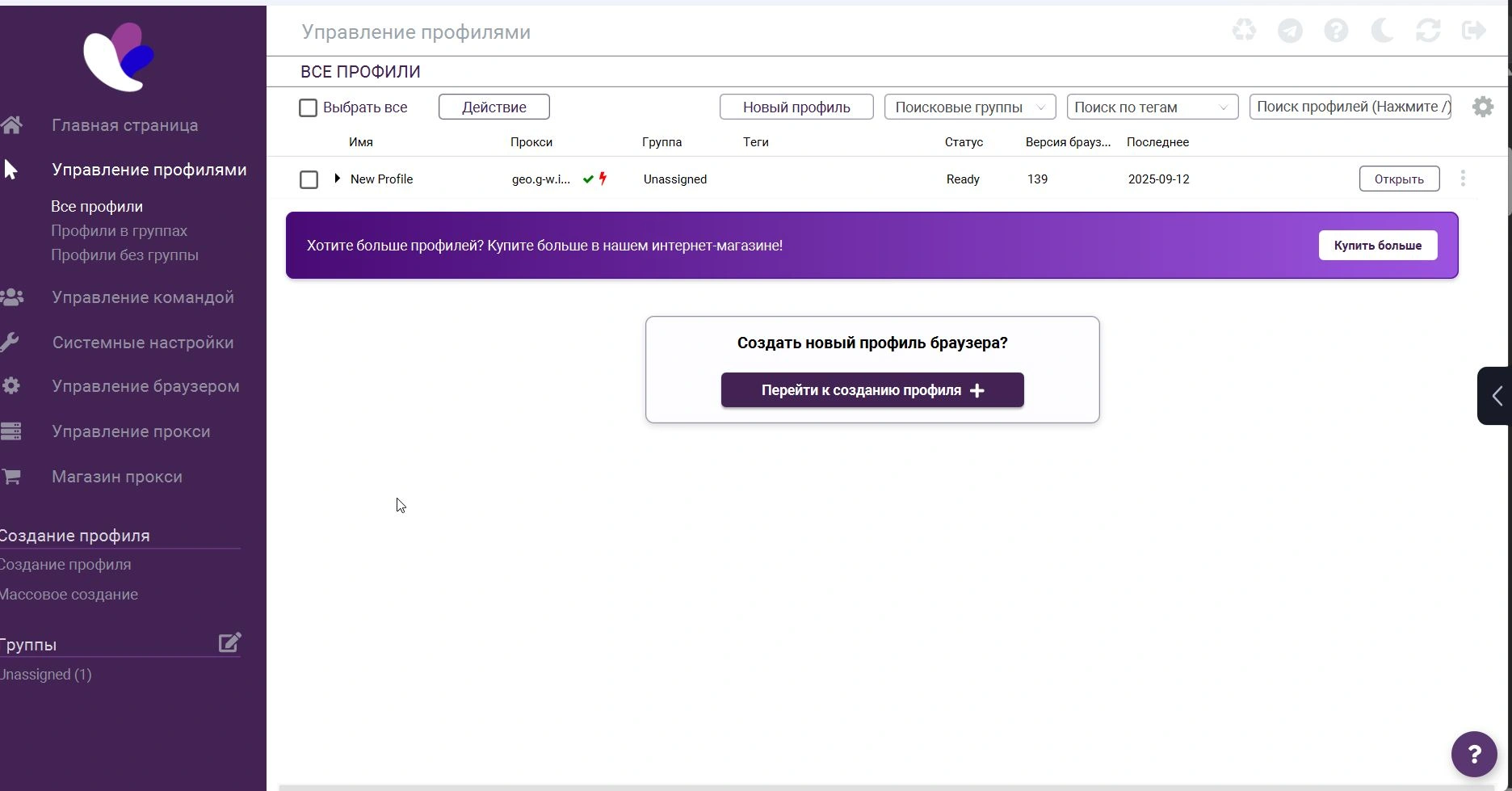
But most importantly, it is incredibly glitchy at the start. It took us much longer to create an account and then to enter the service itself than it did with competitors. We had to send a confirmation code and reset the password twice. Already at the stage of resetting the password, I just wanted to give the service a minus and move on to the next one.
Browser fingerprints and default issues
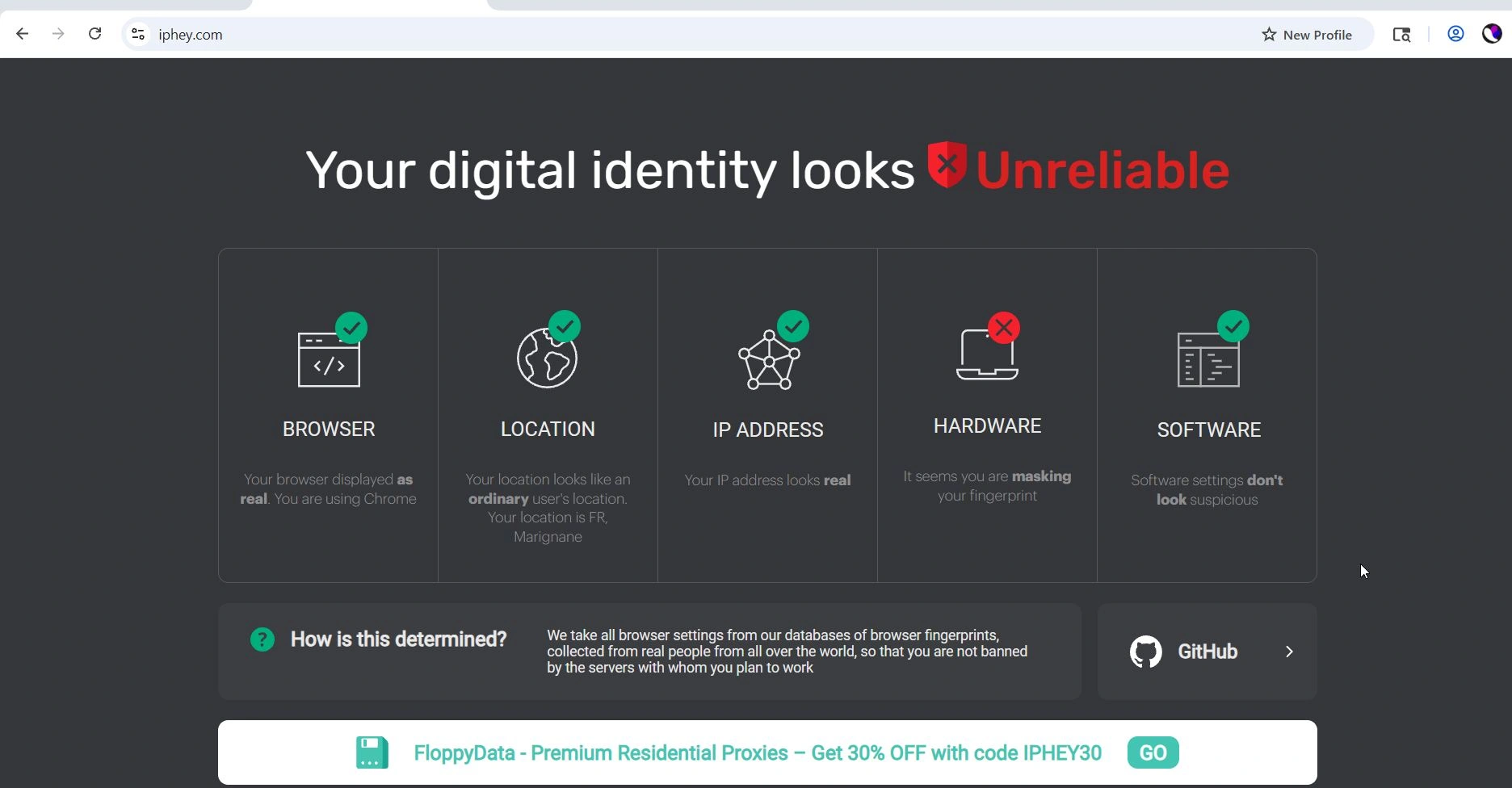
Our tests revealed an important nuance – out-of-the-box Incogniton does not provide perfect masking. Having created several profiles with default settings (automatically generated fingerprint for the current OS), we found that all of them failed PixelScan and IPhey tests at the level of hardware parameters. PixelScan revealed problems with IP (proxies used were the same as those used in competitors’ tests).
IPhey issued warnings that the profile has problems with the uniqueness of the fingerprint. In the screenshot below you can see: IPhey marked key parameters in red, and showed a failure in the Hardware category. That is, the default generation of the fingerprint was not realistic enough.
The probable reason is that Incogniton does not set some fields, expecting the user to configure them himself. The developers themselves are aware of this and have published a guide on how to achieve Trustworthy status on IPhey by setting a number of parameters manually.
Thus, Incogniton is not forgiving of mistakes: if you leave everything by default, the risk of getting “burned” is higher than in automatic solutions like Gologin.
Comparison criteria
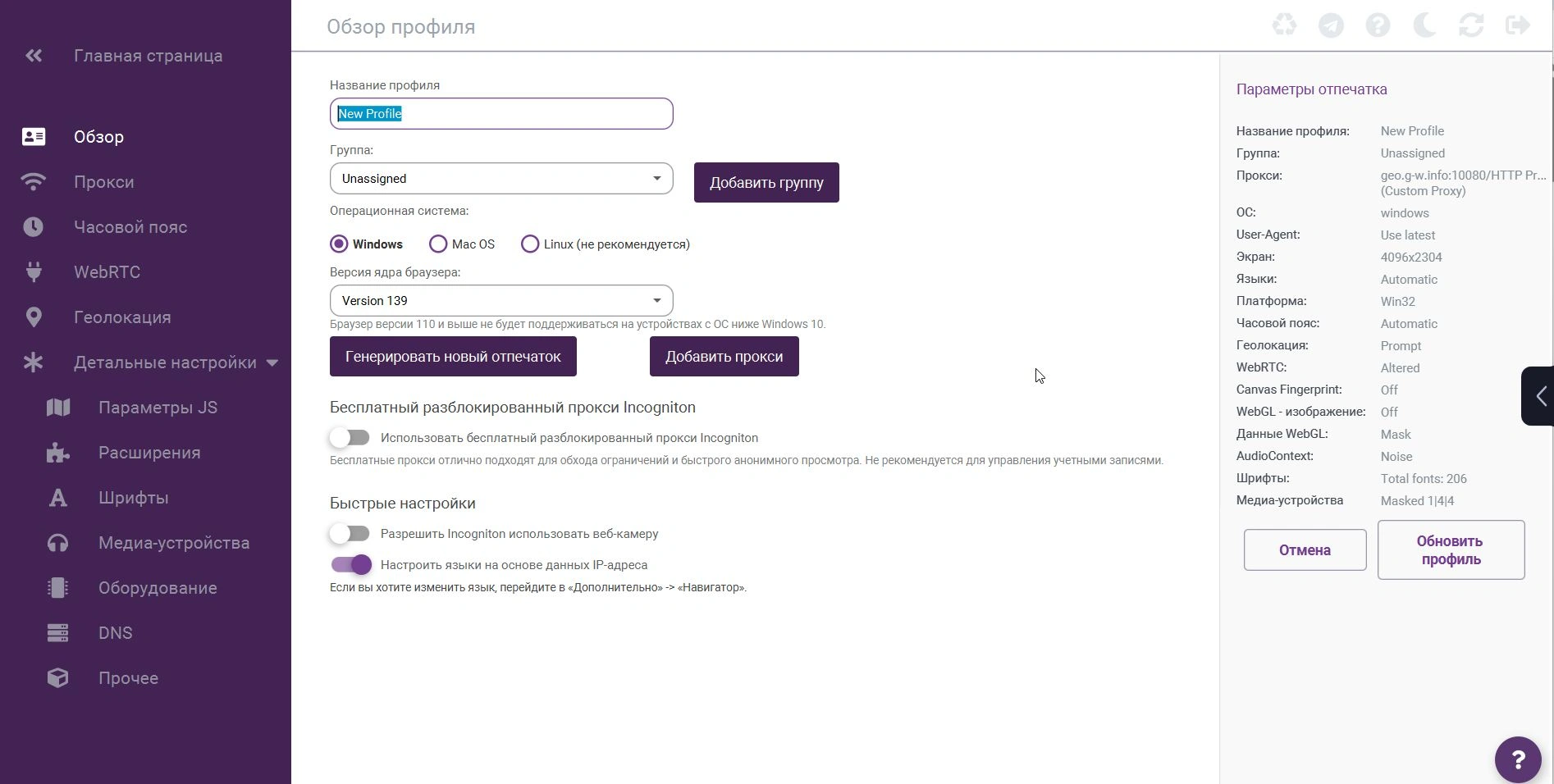
- Interface and functionality: Incogniton looks and feels somewhat outdated. It is not a modern web style, but a classic desktop application with tables and a lot of settings. For newcomers it may seem confusing: there are no interactive hints, a lot of technical terms. For advanced users, the interface has a lot to offer – you can create profiles via CSV, synchronize actions between profiles (the “Synchronizer” feature – repeating actions in several profiles at once, but works only on Windows), set up hotkeys for control. Those who like fine control will like the possibility of manual editing of each profile parameter. And for those who want quick results, it will be a bit difficult.
- Speed and mass usage: Incognition’s performance, at the level of its competitors, is weak. A profile is launched in about 6+ seconds. Mass launching is possible (there is a Run All function), but it consumes a lot of resources. When testing 5 simultaneous profiles, the application started to freeze a bit. Apparently, optimization for dozens of concurrent sessions is weaker than in Multilogin.
- Proxy and additional services: Incogniton supports all types of proxies, but their management is inconvenient. Adding a proxy is probably the most complicated place: you need to create a record, manually specify the type, pass the check. There is no mass import – only one by one or through a file.There is a proxy store right in the program: you can buy proxies of different types (mobile, resident) through the interface, but the prices there are not the most competitive. No free proxies are provided. In general, it is highly recommended to have your own good proxies for Incogniton; the built-in options do not provide much value.
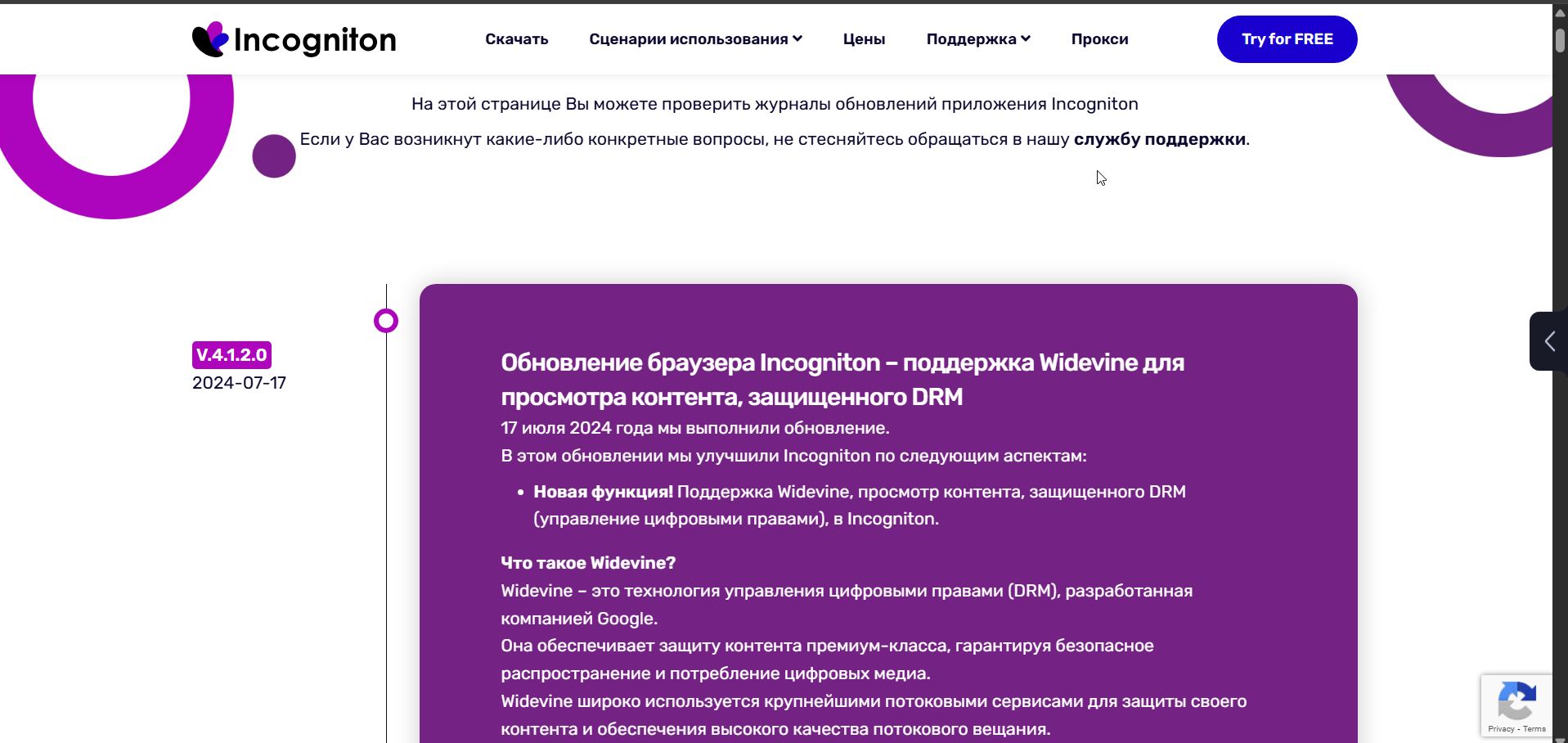
- Updates and support: Here Incogniton is also inferior to its competitors. Updates are released irregularly and unpredictably. The last update record recorded in the log is 2024. Support is provided only via email and Telegram – there is no live chat on the site. Nevertheless, they respond quite quickly. Incogniton is rather a product for a narrow circle, without a large community.
- Pricing: The strength of Incogniton is the affordable rates and free mode. Incogniton’s free plan allows up to 10 profiles for 2 months, then reduces to 3 profiles (unless you upgrade to a paid plan). Paid plans start at $14/month for 10 profiles, which is very inexpensive. However, this basic plan doesn’t have access to the API and commands. For $21/month you get 50 profiles + automation support (Selenium, Puppeteer).Top plans cost ~$105 for 500 profiles and ~$140 for 1000 profiles – much cheaper than analogs. Thus, Incogniton is one of the most affordable solutions for average task volume. In fact, for a price 2-3 times less than Multilogin, you get most of the same features (though in a more inconvenient form).
Bottom line: Incogniton can be answered as “the best for technicians and frugal users”. It is chosen by those who are willing to sacrifice convenience for price. The 10 free profiles are a big plus, attracting newcomers to try their hand at anti-detection. But to unlock Incogniton’s potential, you need to understand what you are doing: manually adjust the fingerprint, carefully select proxies, and be attentive. In skillful hands Incogniton provides a decent level of anonymity.
6. NSTBrowser – maximum automation for geeks
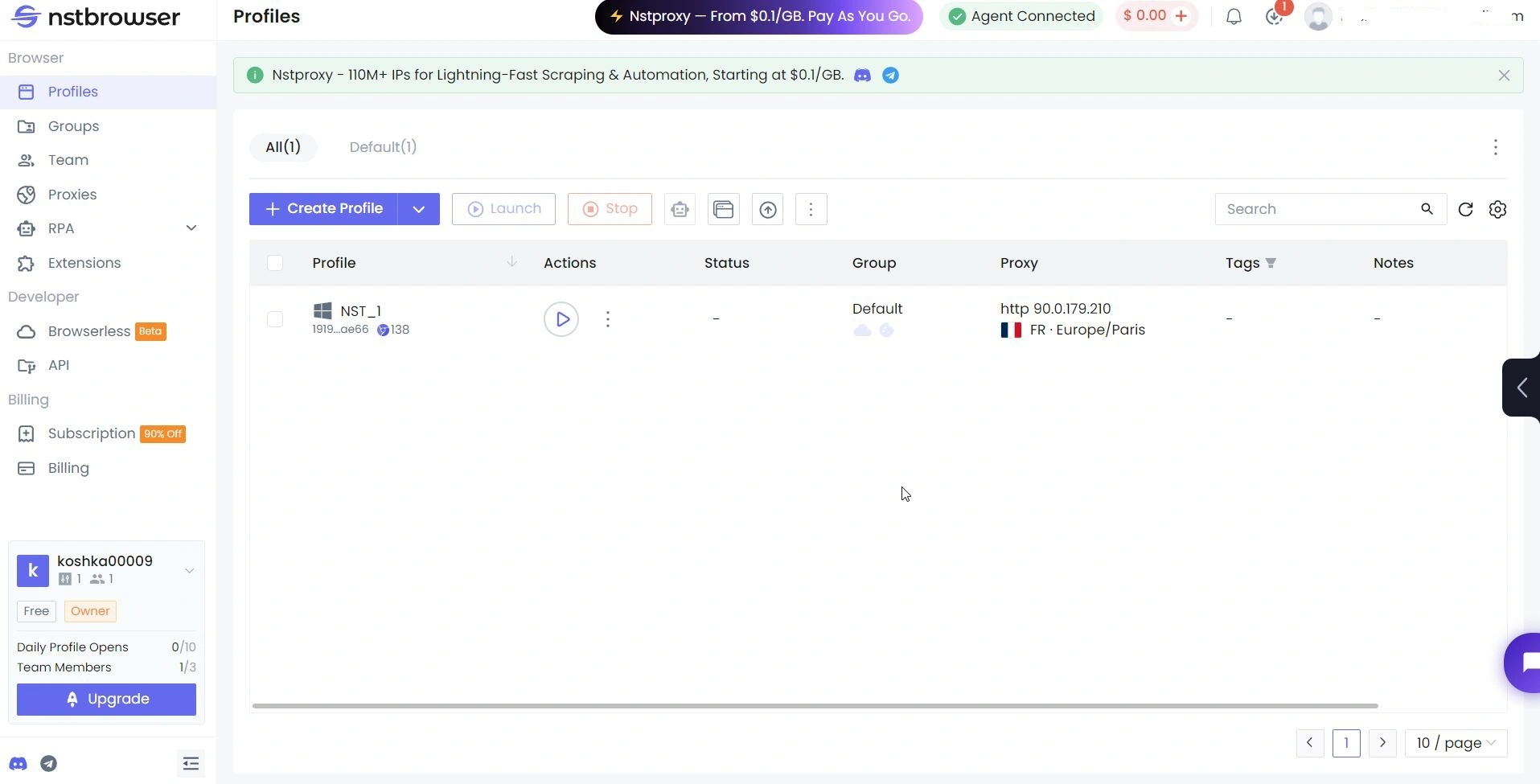
NstBrowser (or simply NST) is an advanced solution that appeared as a tool for developers and web scrapers. It is an antidetect browser with a focus on automation and scripting: it has an entire RPA framework built in for creating bots without code. NstBrowser offers unique features such as headless mode (background run without GUI) and a marketplace of ready-made RPA scripts.
It is often recommended to techies who need not just an anti-detection browser, but a platform for their scripts. In our comparison, NST gets the nomination “the best choice for techies” because it requires advanced knowledge, but also provides corresponding pros.
Digital fingerprint protection
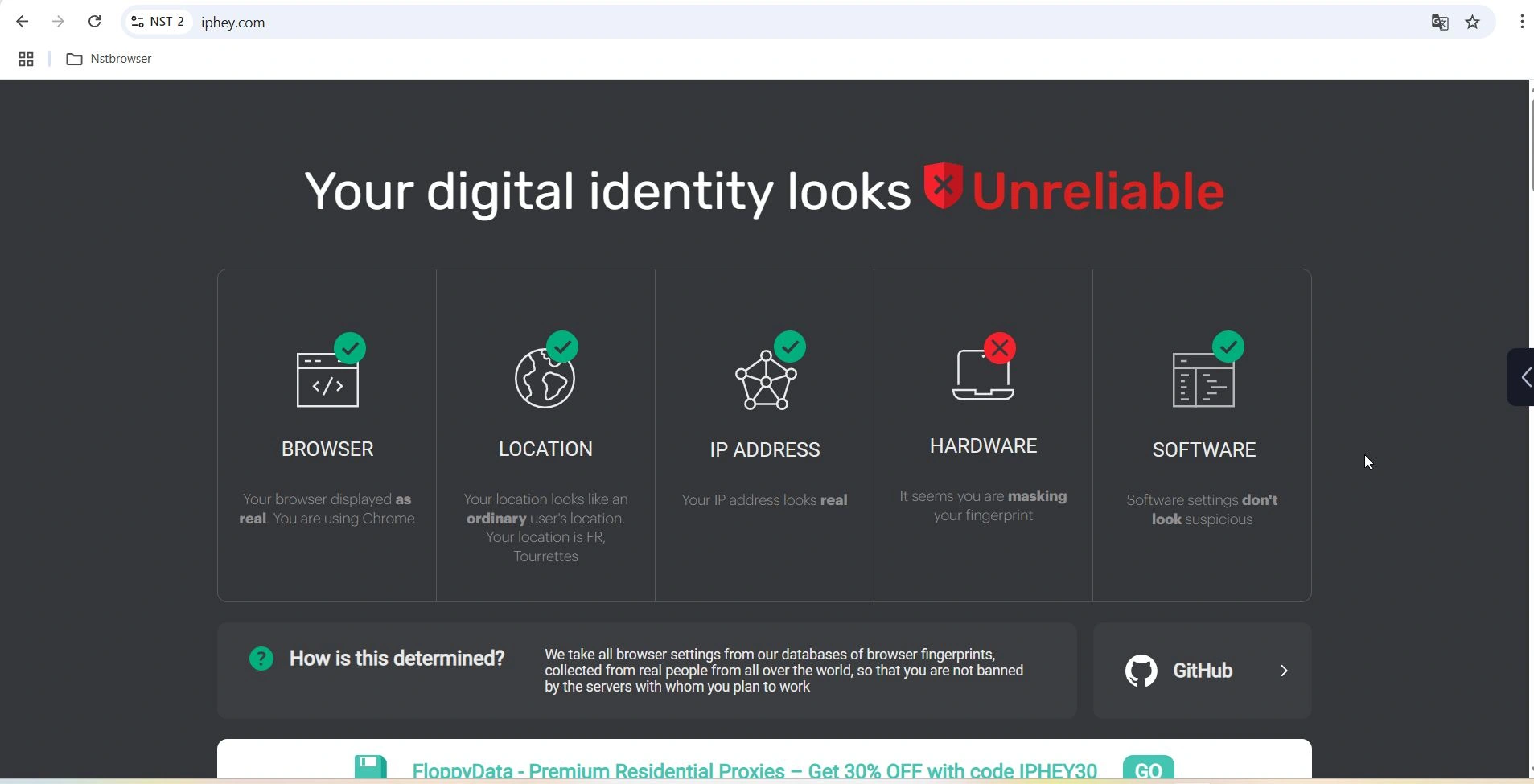
Despite the abundance of additional features, NstBrowser is average in its basic purpose. Our profiles created in NST successfully passed PixelScan, but there were problems with IPhey. Default browser fingerprints “spat” in front of the service, which is not good for beginners who are not familiar with fine-tuning and want an out-of-the-box solution. In general, however, NST is not spoiled when used correctly.
Comparison criteria
- The main feature: NstBrowser stands out because it turns an antidefect browser into a platform for Robotic Process Automation (RPA). Inside there is a visual automation editor (Workflow tab) – you can drag and drop blocks to create a script: for example, “visit the site -> click a button -> parse data”. For those who can’t code, it’s a great opportunity to automate routine actions like in Zennoposter. There are ready-made nodes for typical tasks (filling out forms, switching proxies, saving cookies).
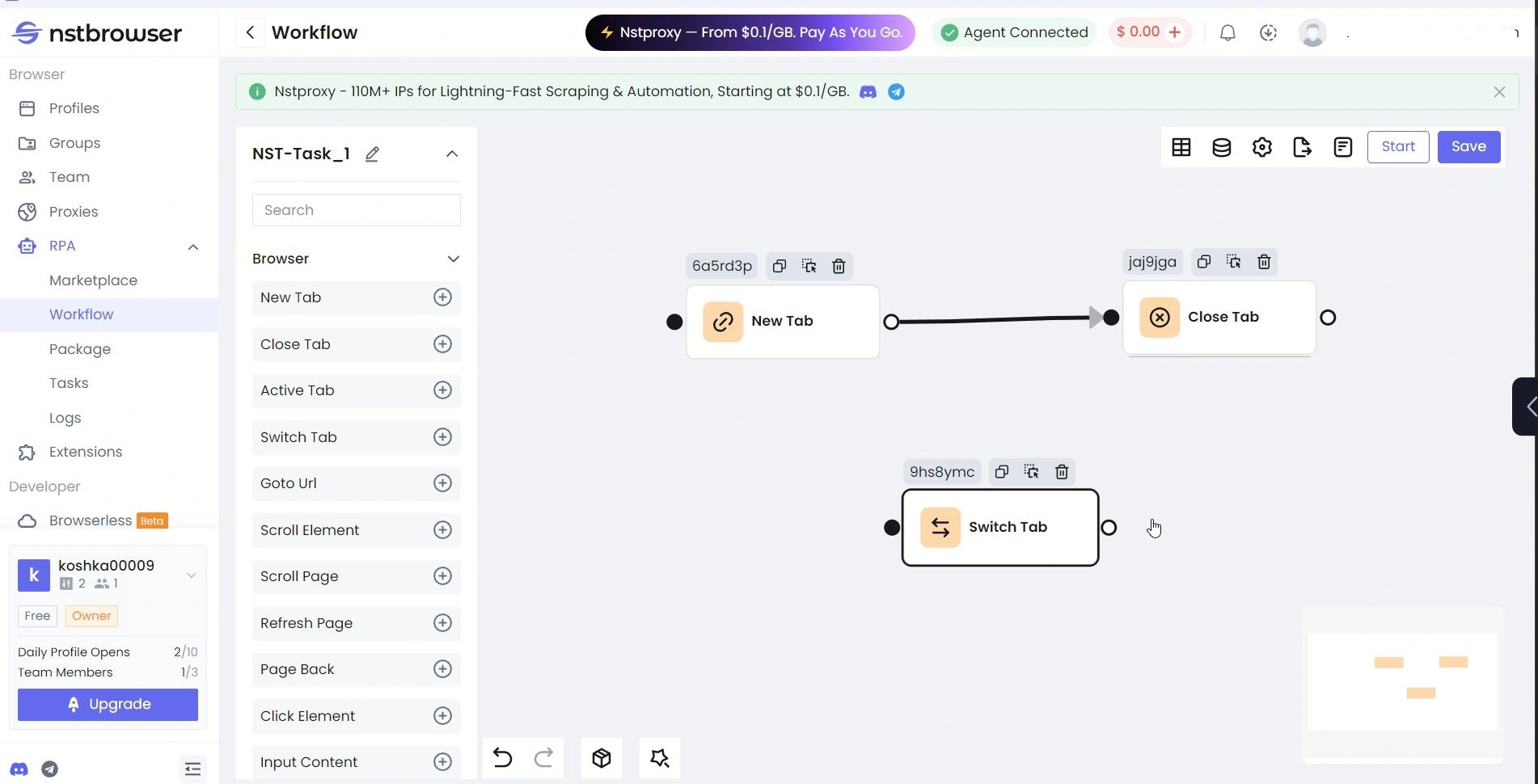
In addition, NST has a marketplace of RPA scripts where users share ready-made “robots”. There are scripts for collecting cookies, for registering accounts on Amazon, etc. (mostly English-language). Of course, it is far from the functionality of Zennoposter, but it is quite a unique feature for this market.

- Interface and work with profiles: The interface of NstBrowser is quite rich, but better to say – overloaded. You need to understand the concepts of groups, folders, templates. Creating a profile can be both simple (enter a name and immediately start with the default fingerprint) and complex – you can customize dozens of parameters (from RAM size to MAC-address of the device). The profile table displays a bunch of columns (up to the time of the last launch).

- Speed and resources: Due to the abundance of features, NST feels heavier. Kaspersky Antivirus dislikes it a whole lot. Not only it doesn’t let you download the installer distribution, but you can’t run nst with antivirus enabled (unless you add it to an exception). Launching a profile took about 4.5 seconds. With mass launching (3-5 profiles) the CPU load is noticeable. It is not the lightest anti-detect browser, it is rather for server machines with good parameters. It also consumes a lot of memory – considering RPA and other modules. But everything works quite stable: no crashes were recorded (except for a sudden activation of antivirus and an attempt to immediately remove a “malicious” app). I would not recommend NST to those who have a weak PC or who plan to work manually with 1-2 profiles – there will be an unnecessary load without benefit. But on powerful stations NST will open up: you can run dozens of threads in parallel (especially in headless mode).
- Support and community: NST is still modest here. Officially, support works weekdays 9:00-18:00 (Hong Kong time zone) – it’s not too convenient for other regions. They’re slow to respond. There is also no community as such. It was last updated in 2024 (or they don’t keep an update log)

- Pricing: Most interesting point. The free plan is very limited (10 launches/day and 1 user). The paid plans, however, move sharply into the enterprise segment: the minimum paid version costs $299 per month and gives you 100k profiles and users, the next plan is already $599 per month and 500k profiles. Either you put up with serious limitations for free, or you pay $299 right away. This is a very unusual model. It is explained by the fact that NST is aimed at large companies and not at the mass segment. For large businesses, this decision is probably justified. But for small teams – obviously not.
Bottom line: NstBrowser is not a product for everyone. We call it “for geeks” for the following reason: you need skills to use it effectively, and you need volumes to justify the price. If you’re a developer, an automator, have the task of setting up complex scripts or running thousands of accounts – NST is excellent. It will cover both anti-detection and automation in one box.
In our ranking, NstBrowser gets its place as the best choice for technical tasks and large-scale automation, while for day-to-day multi-accounting, a marketer would be better off looking at simpler alternatives.
7. Kameleo – mobile profiles and flexible customization
Kameleo is an antidetect browser known for its innovative approach to mobile devices. It is one of the few tools that allows you to fully emulate Android profiles along with regular desktop profiles. Kameleo is developed by a team from Europe and is positioned as a premium solution for advanced users – those who need maximum customization of browser fingerprints.
It is often compared to Multilogin and Gologin: by some parameters it is somewhere “in the middle” between them. In our review, Kameleo gets the unofficial title of “master of mobile browser fingerprints”.

Anti-detection and features of the digital fingerprint
Kameleo is famous for its high quality protection. It allows you to change almost any browser parameter. In Kameleo you can manually customize Canvas and WebGL (up to loading your own print generation scripts), AudioContext, font list, geolocation (up to specific coordinates), user-agent, languages and much more.
There are ready-made print templates, collected from real devices, which can be taken as a basis and slightly modified. However, neither Pixelscan nor iphey passed on the basic prints. PixelScan cussed at GEO (a lot of competitors also failed this test). And Iphey detected inconsistencies in the prints and marked the profiles as unnatural.


Comparison criteria
- Kameleo is one of the few antidetects with full mobile emulation. This means you can create a profile that sites will see as an Android smartphone (with a mobile browser). For example, you can emulate Chrome on a Samsung Galaxy with Android 12 – and the fingerprint will include all relevant attributes (screen resolution, DPI, list of mobile sensors, etc.). For platforms like TikTok or mobile versions of Instagram, this is a huge plus.
- Operation and interface: Kameleo interface is quite modern and convenient, considering the abundance of functions. The developers have clearly tried to make it understandable – there are tooltips, division into tabs. You can group profiles, export/import them. A lot of attention is paid to API and automation: Kameleo supports Selenium, Puppeteer and even Playwright (the only one that can work with Playwright).

- There are collaboration options for teams, although Kameleo is designed more for individual use or small teams – there is no cloud infrastructure like Multilogin or Gologin. Kameleo allows you to launch up to 10 browsers simultaneously (tariff limitation) – this is quite enough for most tasks. By the way, in terms of startup time, Kameleo proved to be worse than the others – 6 seconds.
- Updates: The Kameleo team claims about regular updates, although in fact they are released about once every 1-2 months. It is a bit less frequent than Gologin, but more frequent than NstBrowser, for example. About support: it is there, but it is not the fastest (they may respond in 24 hours). However, they answer on the point – the team is technically competent and knows their engine very well.

- Price: Kameleo is not a budget option. They have a free monthly plan, with a time limit (no more than 300 minutes per month and only 2 profiles, the time counter is reset once a month). Paid plans start at €45/month – up to €1125. In the first case, you get 10 simultaneous browsers. On more expensive plans – more simultaneous sessions and team functions. For 99% of users, the basic plan for €59 is enough – it is already more powerful than most competitors, where for a similar amount of money you get a limit of 100 profiles. If you translate it into “cost per profile”, Kameleo is very favorable for large scale. But if you need, say, 10-20 profiles, there are certainly cheaper options.
Bottom line: Kameleo has proven to be a powerful tool for those who want full control and mobility. We award it the title of “best for mobile multi-accounting“. It’s perfect if your projects are related to mobile platforms (TikTok, mobile apps) – Kameleo will give you believable mobile profiles that most competitors can’t.
8. GeeLark – cloud phones for TikTok and other mobile apps
GeeLark is a completely different take on the antidetect business areas. It’s not just a browser, but the industry’s first full-fledged anti-detection phone in the cloud. Simply put, GeeLark gives you remote access to real Android devices, each of which acts as a separate profile with unique mobile data. This platform is designed specifically for mobile SMM: TikTok, mobile games, apps.
Instead of spoofing your browser fingerprint, GeeLark isolates an entire virtual smartphone where you can put apps, change SIM cards (virtual), etc.. We give GeeLark the title “the best solution for mobile farms (TikTok, Instagram)” as it is almost unrivaled in this niche.

Digital browser fingerprints and passing checks
Since GeeLark actually gives you a real Android with unique identifiers (IMEI, IMSI, serial numbers), the concept of “device fingerprint” becomes somewhat irrelevant. Any app or website sees an almost clean device, just like a normal user. But they also have standard desktop browsers, these are the ones we tested. And these are the ones that don’t do so well.
IPhey generated two warnings, which was not the case with any antivirus on default settings. It’s up to you to use the desktop solution from GeeLark, but I wouldn’t.

As for the android browser, everything is quite decent, the browser passed the Iphey test 100%. The service showed a completely green profile.

Comparison criteria
- Working with profiles (phones): In GeeLark, the term “profile” means a cloud phone with certain characteristics. You can create such phones, start them, stop them, reset them to factory settings. GeeLark is a modern application (available on Windows and Mac). The control panel is similar to Gologin, only instead of profile rows there are devices. There are groups, tags, status (Online/Offline).When you start the phone, an emulation window opens – your Android is on the screen, which you can control (click with the mouse as on the touchscreen). Gestures, screen rotation, video recording, screenshots are supported. It feels a little laggy (like RDP), but within a couple seconds. The first startup of the phone takes a few minutes – the virtual device is initialized.

Subsequent runs are faster. In any case, it’s not instantaneous, because an entire OS is being brought up. This point is the price to pay for realism. By the way, the startup time of the desktop browser is about 11 seconds, but Geelark bets on mobile devices, so it’s not as important.
- Applications and automation: On a cloud phone, you can install and use any application as you would on a regular phone. GeeLark provides a catalog of popular applications – in fact, they are pre-prepared APKs that you can put on your phone in one click. You can also upload your own APKs. For example, you can deploy 50 phones, install TikTok and some VPN service on each phone, and start registering accounts – just like on real devices.
- Price: GeeLark has a pretty sophisticated model. There’s a free tier: 2 phones and 30 minutes free per month. That’s enough only to take a quick look. And there are two paid plans: Base ($19/month) и Pro ($29/month) – both include 50 profiles + 75 minutes per month. The difference is that Pro unlocks advanced features (synchronization, batch auto-tasks, AI video editor). Minutes are the total time of all phones (i.e. 75 minutes for all phones per month). If you need more profiles or minutes, you can buy more: flexible customization, up to 10k profiles. There is also an alternative approach: rent a specific phone for a month for ~$24.9 (no minutes limit) In general, the price tag can be called above average, but this is not a desktop, but more expensive mobile devices. For active work, most likely, you will have to take profiles + buy minutes.
Bottom line: GeeLark opens up new opportunities for those working with mobile platforms. It is essentially a mobile account farm in the cloud. We recommend GeeLark to those who are active specifically in apps (TikTok, Tinder, mobile Facebook, etc.) where browser emulation is insufficient or risky. With GeeLark you get real phones with maximum anonymity – no PixelScan will recognize it as an “emulated browser”, because it is a browser on real Android.
I would like to emphasize TikTok: TikTok algorithms detect emulators and fake devices – GeeLark solves this problem by providing unique devices. Of course, the threshold of entry is higher: you need to master a new approach, minute charging, long launch. But the payoff is corresponding – the security of accounts is maximum. In our list GeeLark comes as a bonus, as the best special solution for mobile multi-accounting. For webmasters who don’t need mobile apps, however, it’s rather redundant.
9. Dolphin Anty Antidetect Browser: The Affiliate Marketer’s Favorite
Dolphin Anty is a bit of a juggernaut in the CIS antidetect browser market. It was originally built to meet the strict demands of affiliate marketers driving traffic from Facebook, Google, and TikTok. Now, it has outgrown this narrow niche and evolved into a universal powerhouse. Its core philosophy is maximum convenience when working with hundreds or thousands of profiles simultaneously.

Browser Fingerprints and Antidetect Features
Because Dolphin was specifically tailored to bypass the strict anti-fraud systems of ad networks, their masking capabilities were top-notch right out of the gate. Unfortunately, the same can’t be said with absolute certainty today. There are some masking issues that could be described as “smoldering”-they tend to drag on from one update to the next. But let’s take it step by step.

Interface, Automation, and Speed
The Dolphin Anty interface is the gold standard for managing a massive number of accounts (which makes sense, given it was built by affiliates for affiliates). Assigning tags to a hundred profiles, changing their proxies in one click, or bulk-installing extensions-everything is done intuitively and fast. Profiles launch pretty briskly, averaging about 3 to 4 seconds.
Those deeply involved in automation will appreciate Dolphin Anty, as it plays extremely well with Playwright, Puppeteer, and Selenium. If, for instance, you’re writing scrapers and running them on remote servers, you can set up a local API integration with Dolphin, which, in theory, should save you a lot of headaches.
Why “in theory”? Because for certain tasks, the fact that the browser handles loads stably in headless mode simply isn’t enough-you also need proper masking. A typical scenario is using the antidetect browser to bypass a Turnstile captcha: if the security system flags something suspicious, you risk an unstable bypass (the captcha fails, the task isn’t completed, and both time and money are wasted).
Testing the Antidetect Browser’s Masking Capabilities
Honestly, these concerns aren’t unfounded. When testing the profiles via Pixelscan and IPhey, the results were a mixed bag. On one hand, it passed the Pixelscan check with no anomalies detected, even though the browser fingerprint check took longer than usual.

On the other hand, here is where the ambiguity kicks in: IPhey flagged inconsistencies across two separate parameters. Having even one red flag is a wake-up call, but in this situation, it’s ringing alarm bells-things are clearly not perfect when it comes to masking.

Proxy Management
There are no built-in free proxies here like in Gologin (only partner integrations for purchasing are available). However, Dolphin recently added the ability to quickly integrate with proxy providers, essentially in one click.
This is implemented via a fast email registration linked to your antidetect browser account. They advertise free plans at launch, but we couldn’t actually snag any free proxies. Still, the idea itself is fresh and interesting.

The standard proxy manager is implemented at a highly competent level. It supports bulk import via lists, automatic validity checking, and smart binding to profiles. Absolutely no complaints here.

Pricing and Plans
Dolphin Anty offers a great free-forever plan for 5 profiles (it used to be 10, but apparently, premium plan sales aren’t doing so hot, so they cut the quota). It’s an ideal starting point. Arguably, this is another major plus right alongside their well-executed interface.
The paid plans, where you can actually deploy serious workloads, bite a bit harder than those of their budget-friendly competitors: the Base plan for 100 profiles will set you back $89/mo. There’s an intermediate pay-as-you-go plan starting at $10 (up to 60 profiles, paid per unit). Team features (Team and Enterprise) start at $159/mo. It’s a bit pricey.
Verdict: Dolphin Anty is the ultimate solution for those who have multi-accounting running on a massive scale. It’s perfect for affiliate marketers, crypto enthusiasts, and automation specialists, with the caveat that you are willing to accept certain masking risks. We award it the title of “Best for Bulk Work and Affiliate Marketing.”
10. Hidemium Antidetect Browser: The Asian Newcomer with AI Scripts
Hidemium (hidemium.io) is a relatively fresh Vietnamese project actively winning over audiences by positioning itself as a more high-tech and modern alternative to popular Asian browsers (like MoreLogin or AdsPower). It’s frequently chosen for crypto projects, airdrops, e-commerce, and SEO.

An Interface Dictated by 90s Fashion
The website interface is pleasant, which is more than can be said for the console itself. It’s a cluttered dashboard that’s quite difficult to wrap your head around at first glance (finding the button to create a new profile took way too much time compared to competitors).
Overall, the design gave off strong late-90s web vibes-back when the internet was rapidly evolving and, like an edgy teenager, testing the limits of itself and everyone around it.

The profile setup looks extremely serious; the sheer number of settings and toggles creates an illusion of security, but the actual tests we ran on Hidemium profiles yielded rather mediocre results.
Perhaps finer tweaking could fix the situation, but there’s no proof of that-we couldn’t achieve an acceptable result, which we’ll cover next.

Launching a desktop profile takes about 4.5 seconds-a solid middle-of-the-pack performance.
The AI Assistant: “A Feature No One Else Has”
Hidemium’s killer feature, which they are incredibly proud of, is their built-in AI assistant, Prompt Script. You can describe a task using a text prompt, and the integrated neural network will write the browser automation script for you-no coding knowledge required.
It doesn’t run perfectly smoothly on complex scenarios just yet, but for routine tasks like “go to the site, scroll down, click the third link,” it’s a very handy tool. However, can you really surprise anyone with an AI tool in 2026?
Fingerprint Testing
In tests using default settings, Hidemium performed like a typical “budget” option. The browser couldn’t pass a single checking service without errors. The PixelScan check revealed issues with the proxy and a timezone mismatch.
By default, an antidetect browser should automatically match the language and GEO settings to the proxy. So, it missed the mark on two fronts right away.

On IPhey, Hidemium confirmed the desync issue between the device’s GEO settings and the installed proxies. Curiously, no proxy issues were found, which is strange given that IPhey is usually much pickier than PixelScan.
Just like with Incogniton, if you want the profile to look perfectly “green” to the strictest checkers, you’ll have to get your hands dirty and play around with the settings during profile creation. But as mentioned earlier, we simply couldn’t find that magic configuration to make the checks go green.

Proxies and Their Configuration
They offer a bit of traffic for free proxies (though, ironically, these aren’t available on the free plan). Naturally, you can also connect your own proxies (HTTP, SOCKS4, and SOCKS5 are supported). The manager is user-friendly and features an in-interface connection check. Overall, it’s a standard, run-of-the-mill tool, just like everyone else’s.
Pricing
Hidemium draws you in with aggressive pricing. There is a free trial, and the base paid tier starts at just $15 a month (limited to 30 profiles per day, 1 device). For $20/mo, the limits expand, and for $70/mo (Premium), you get access to a pool of 1,000 profiles and advanced AI tools. Keep in mind that you’ll have to pay extra for additional devices and team seats.

Verdict: Hidemium is an ambitious project with an interesting approach to no-code automation. We’re awarding it the title of “Best Emerging Browser with AI Automation.” It’s an excellent fit for those looking for a cheap alternative to the market giants, working in crypto or e-commerce, and willing to put up with some masking flaws and the occasional need to manually tweak fingerprints.
Summary table of test results
Now let’s summarize all the data in the table and compare the key indicators of the eight solutions: the success rate of PixelScan and IPhey checkers, the approximate time of profile launch, the availability of built-in proxies and the approximate cost of the initial plan:
| Browser | PixelScan check | IPhey check | Profile launch time | Built-in proxies | Starting price (per month) |
| Gologin | ✅ passed | ✅ passed | ~3.5 sec (fast) | ✅ 5 free DC + 2GB res. traffic | $24 (100 profiles). 7-day trial |
| 1Browser | ✅ passed | ❌ didn’t pass | ~2 sec (very fast) | ✅ 500 MB of proxy traffic | $0 (20 profiles free) paid from $9 (50 profiles) |
| Multilogin | ✅ passed | ✅ passed | ~5 sec (fast) | ✅ 1-10 GB res. proxy traffic incl. | €79 (100 profiles) no trial |
| MoreLogin | ❌ noticed inconsistencies | ✅ passed | ~4 sec (fast) | ❌ (proxies – only your own or purchase) | $29 (100 profiles) 2 profiles free of charge |
| Incogniton | ❌ didn’t pass | ❌ didn’t pass | ~6 sec (normal) | ❌ (no) | $29.99 (50 profiles) 10 prof. 2 months free of charge |
| NstBrowser | ✅ passed | ❌ didn’t pass | ~4.5 sec (fast) | ❌ (only your own) | $299 (100k profiles) free 10 runs/day |
| Kameleo | ❌ didn’t pass | ❌ didn’t pass | ~6 sec (normal) | ❌ (only your own) | €45 (∞ profiles, minute limit) 7-day trial |
| GeeLark | ❌ didn’t pass | ❌ didn’t pass | 12+ sec (slow) | ❌ (own only, need mobile proxy) | $19 (50 phones, 75 min) 2 phones free of charge |
| Dolphin Anty | ✅ passed | ❌ warning | ~3.5 sec (fast) | ❌ (only custom or from partners) | $89 (100 profiles), 10 profiles free |
| Hidemium | ❌ warning | ❌ warning | ~4.5 sec (fast) | ✅ (free proxies available) | $15 (30 profiles/day), free plan available |
And the top nominations, which we decided to award to each antidetect browser (each one was good at something).
The expert’s verdict on each of the competitors
| Location | Browser | Nomination |
| 1 | Gologin |
Best price / quality (“best for the money”, versatility and reliability)
|
| 2 | Multilogin |
Best enterprise solution (premium for corporations/large teams)
|
| 3 | Kameleo |
Best for mobile multi-accounting (“master” mobile footprints)
|
| 4 | GeeLark |
Best for mobile farms (TikTok/Instagram, cloud phones)
|
| 5 | NstBrowser (NST) |
Best for techies with RPA automation support
|
| 6 | Incogniton |
Best for techies and frugal users (cheaper, but requires fine manual customization)
|
| 7 | MoreLogin |
Best budget with a focus on mobile devices (has Cloud Phone + lowest entry threshold)
|
| 8 | 1Browser |
Best free anti-detect (20 profiles free, easy login + proxy)
|
| 9 | Dolphin Anty | Best for bulk work and affiliate marketing (Facebook, Google) |
| 10 | Hidemium | Best emerging browser with no-code AI automation |
The choice of anti-detect browser depends on your objectives and budget.
Final Conclusion
Choosing an antidetect browser comes down to your tasks, technical background, and budget. If you’re looking for the optimal balance of price, quality, and perfect “out-of-the-box” masking, Gologin is an excellent choice for daily tasks.
If your primary focus is hardcore affiliate marketing and managing hundreds of ad accounts where uncompromising bulk operations are a must, then Dolphin Anty is the undisputed leader. For large corporate teams that require premium features and enterprise-grade data security, Multilogin remains highly relevant.
If you’re on a tight budget and focused on mobile platforms, MoreLogin is quite interesting with its cloud phones. For techies and automation specialists (those who write their own scrapers and scripts), NstBrowser (powerful scraping) and Incogniton (tons of manual under-the-hood settings) are ideal. If you’re on the hunt for a budget-friendly alternative featuring an AI assistant for script writing, Hidemium is definitely worth testing.
If mobile social media (TikTok, Instagram) is your element, GeeLark is in a league of its own, offering access to actual cloud-based physical devices, while Kameleo provides the deepest level of manual mobile fingerprint emulation. Finally, for beginners and small projects, 1Browser will be an absolute lifesaver-a completely free option to get you started.
Brief results of the test
- If you need an optimal balance of price and quality – Gologin is a great choice: for a reasonable fee it offers reliable masking, regular updates and convenience for everyday work.
- For beginners and small projects, 1Browser can be a real salvation – free and easy, with less limitations than expected.
- If you represent a company and premium features and support are important to you – pay attention to Multilogin, although it is expensive, but it is a time-tested “enterprise”-level.
- With a tight budget and a focus on mobile platforms, MoreLogin is interesting – cloud phones and the cheapest entry threshold, though prepare for some compromises.
- For techies and automators, NstBrowser (powerful RPA and scraping) and Incogniton (lots of manual customization, but cheaper and has a free plan) are ideal – both require experience for full benefits.
- If the emphasis is on mobile social networks (TikTok, etc.) – GeeLark is beyond competition, giving a level of anonymity of real devices.
Read other posts about anti-detect browsers:
Best FREE Antidetect Browsers: Top 6 In 2025
10 Best Antidetect Browsers in 2025
What Is Antidetect Browser
The Ultimate Anti Fingerprint Browser List
Antidetect Browser for Android
Device Fingerprinting Explainer
Virtual Machine vs. Anti-Detect Browser