The world of anti-detect technology is nothing if not dynamic. Anti-detect browsers are its most established and well-known facet, offering privacy and fingerprint masking features vital for successful SMM, eCommerce, and data collection.
The tool we’ll be reviewing today – GeeLark – has a fresh approach to the anti-detect formula. Instead of browsers, it offers remote access to cloud phones. Each is unique and its own self-contained mobile ecosystem, opening up interesting possibilities for people with corresponding use cases.
What makes GeeLark so special, and is it capable of replacing traditional alternatives altogether? Read on and discover everything about GeeLark and its relationship to leading anti-detect browsers like GoLogin.
Feature Overview: Geelark
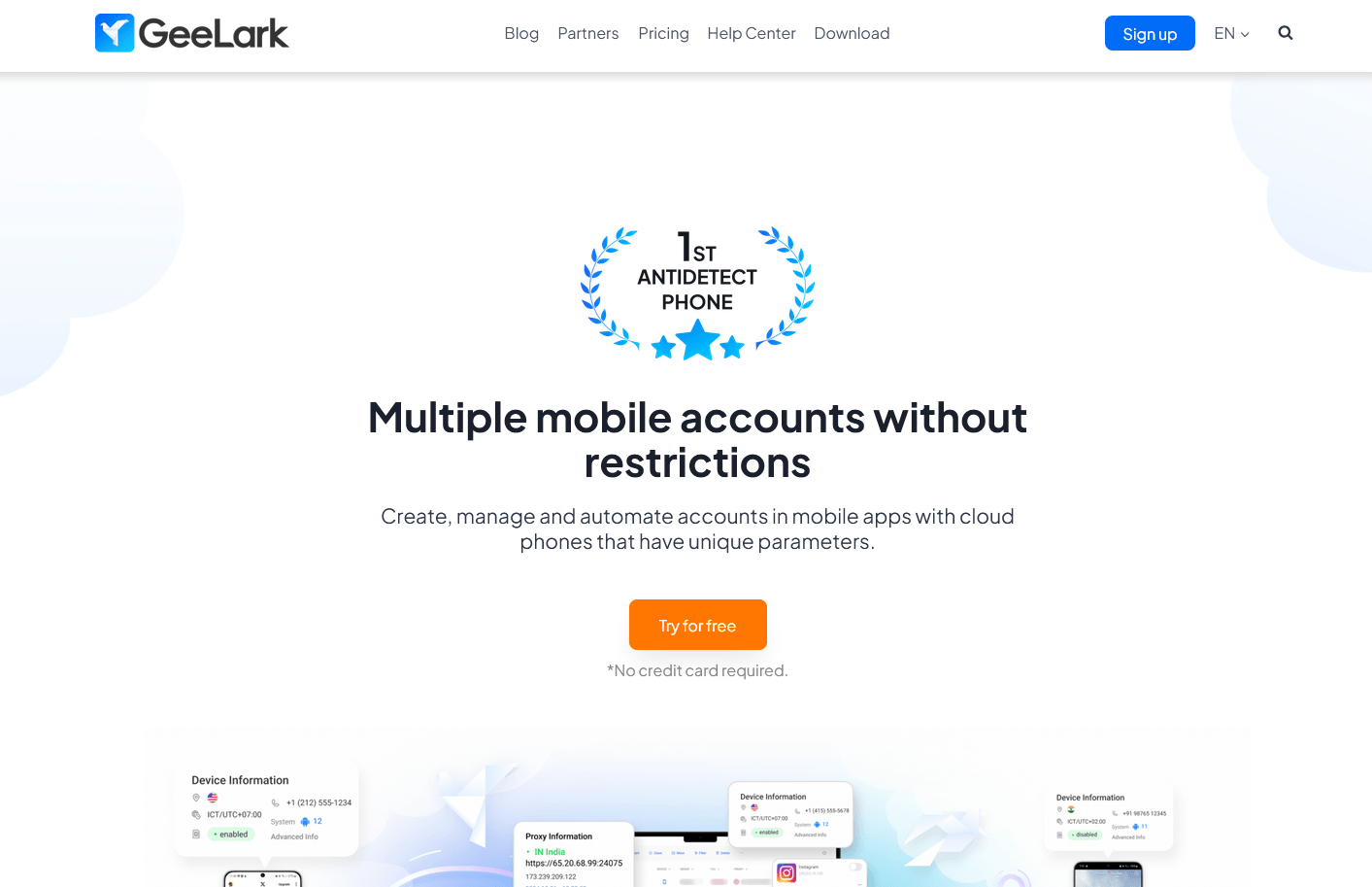
GeeLark’s clean homepage does a good job of introducing you to the concept of cloud phones. An even more detailed explanation of the differences between cloud phone services and anti-detect browsers is in the blog section.
Installing the software for either Windows or Mac is straightforward.
A brief 3-step intro highlights the most important operations upon first startup. It’s short and vague, so complete newbies may want to check out the in-depth documentation or instructional videos instead.
Profile Creation
Keep in mind that a profile in GeeLark isn’t the same as one in an anti-detect browser. Here it represents a cloud phone with corresponding identifiers like a working phone number, IMEI, etc. GeeLark virtualizes the entire phone, not just its mobile browser.
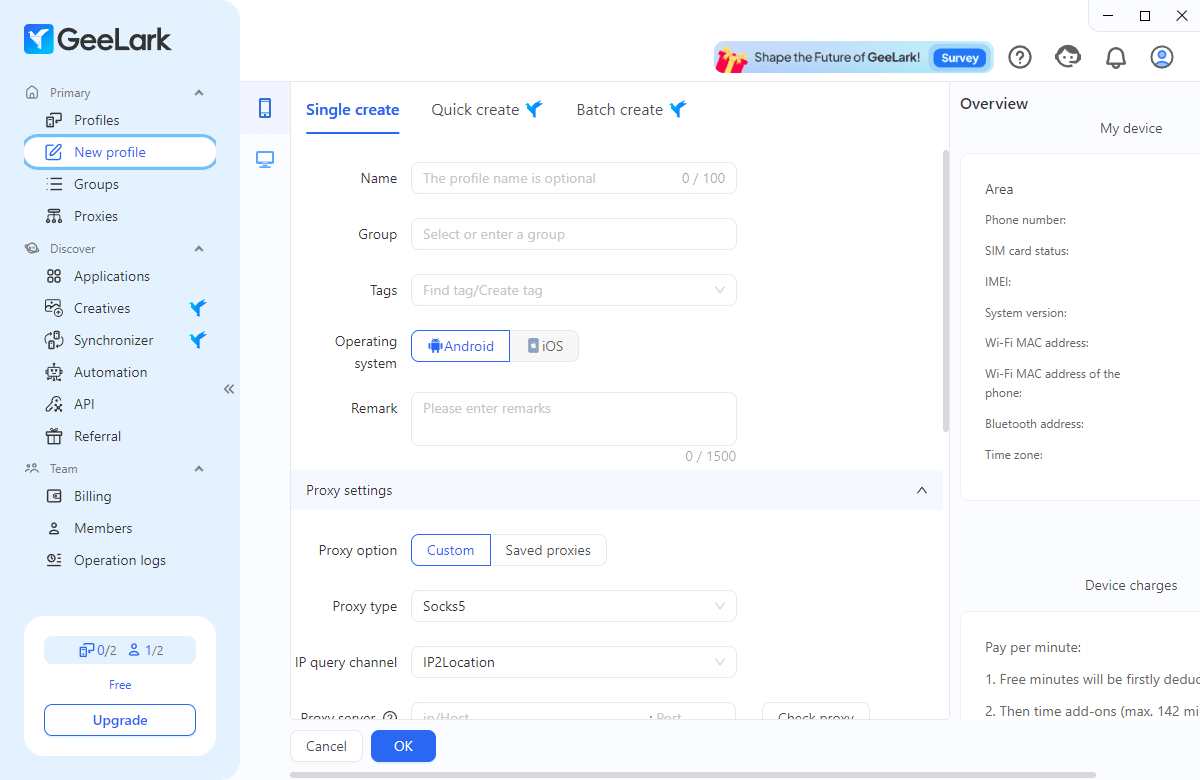
Profiles can be created piecemeal or in batches. You’ll need to have an active paid account for the latter. During creation, you can specify and even create groups and add tags to profiles to distinguish them better.
You may choose between Android and iOS, select several versions of each, and pair a proxy with it.
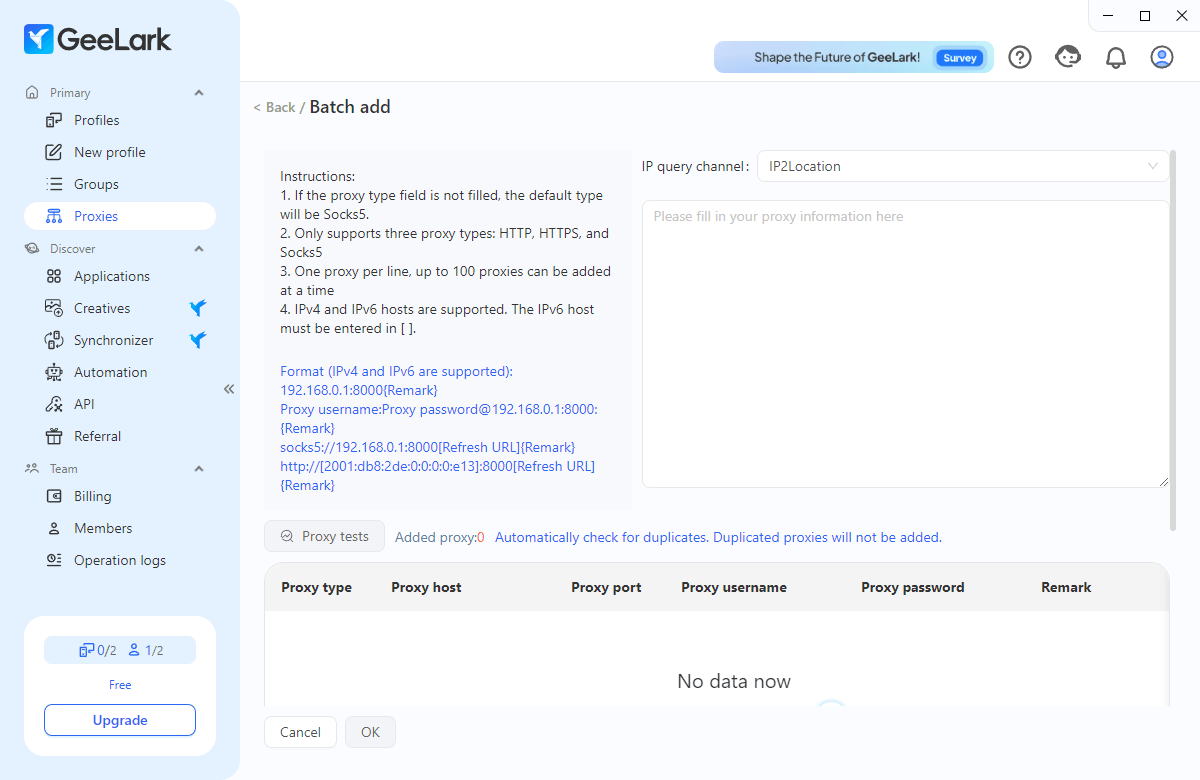
The proxy setup is straightforward and occupies a separate tab. You paste your provider’s information, check availability, and can then assign proxies to new phones as they’re created.
Cloud Phone Management
Once configured, profiles can be managed from the dashboard. Similar to GoLogin, there’s a fair degree of customization that lets you turn the dashboard into a simple monitoring tool or an in-depth control panel.
Clicking the Start button launches the corresponding phone. First-time initialization takes a few minutes. Later launches are quicker but do sometimes hang.
The window that pops up acts like a physical phone and supports functions like rotation, video recording, or screenshots.
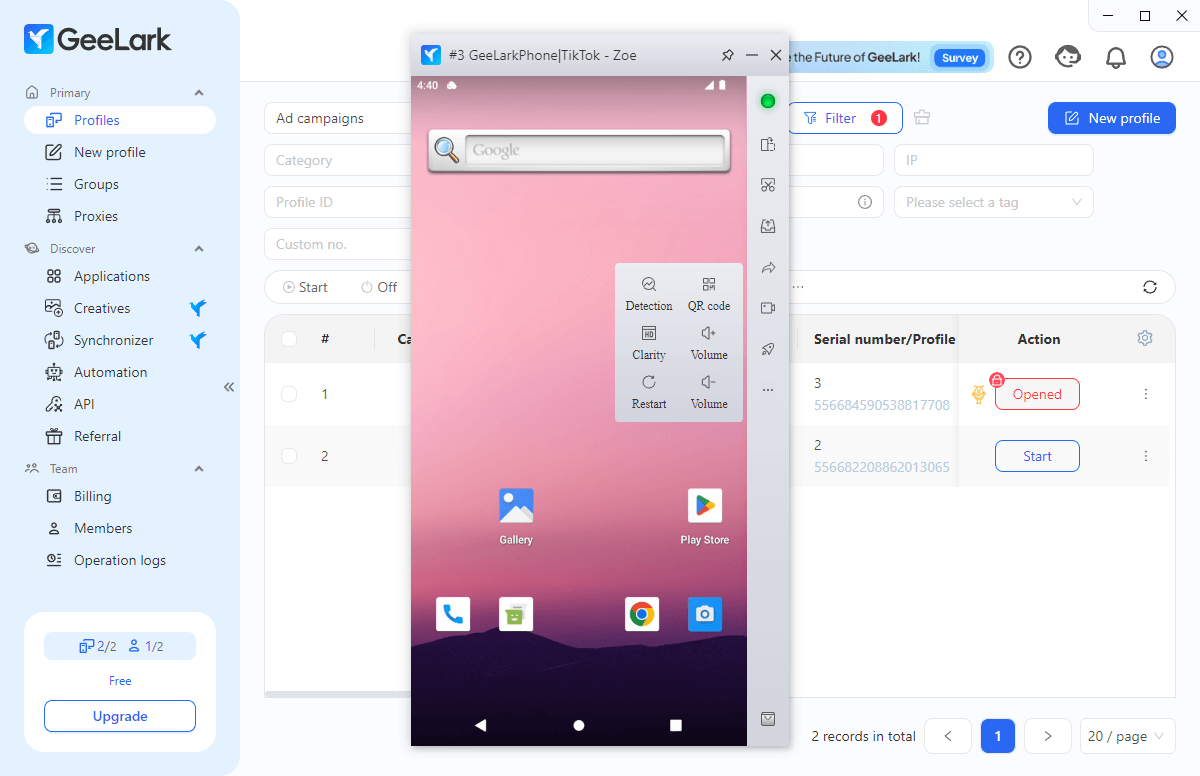
Users who switch from anti-detect browsers will notice they have no control over fingerprint customization. That’s because each cloud phone has a unique set of parameters.
Your input amounts to choosing a proxy location and having the phone synchronize with it to reflect authentic location data.
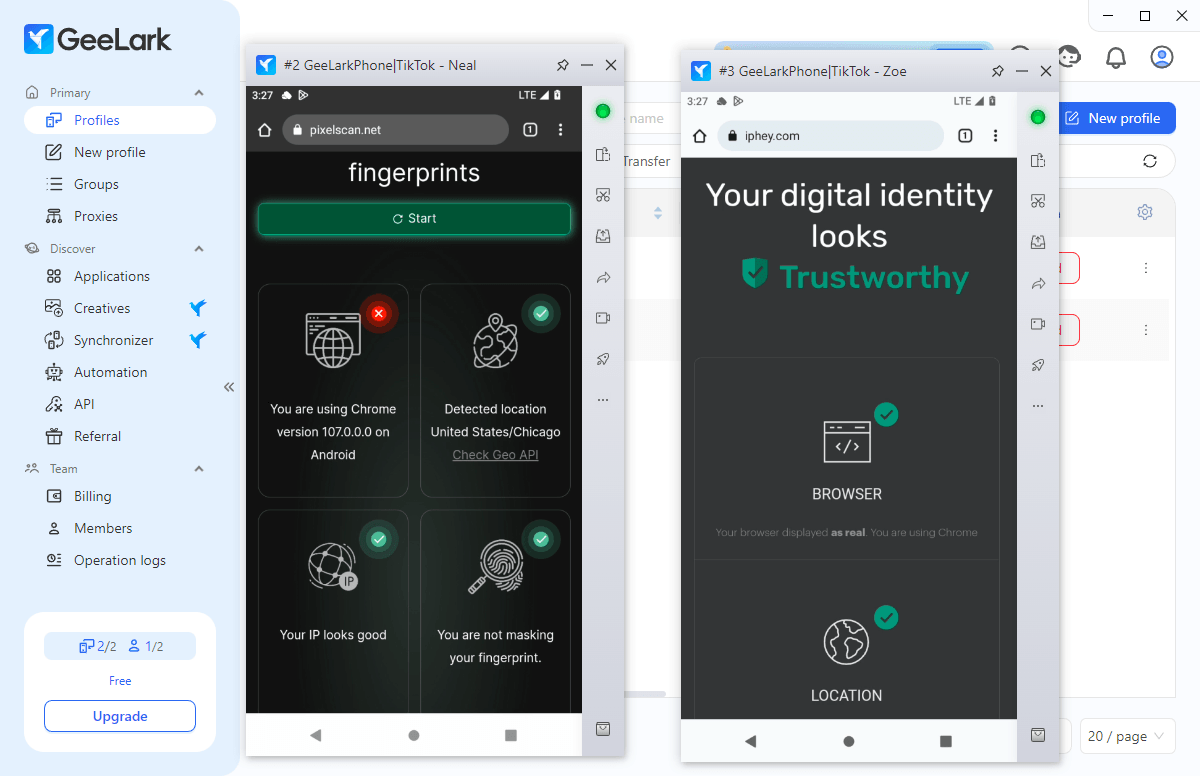
Provided you set the proxy up correctly, this creates a distinct fingerprint for each connected phone, allowing for multi-account work with little chance of detection. IPhey & PixelScan results confirm this, accurately detecting access from a mobile browser.
Applications & Automation
Since cloud phones behave like physical devices, you can load them up with different apps. The corresponding tab provides a selection of social media apps, Google’s app suite, games, and more. Most apps have several versions to choose from.
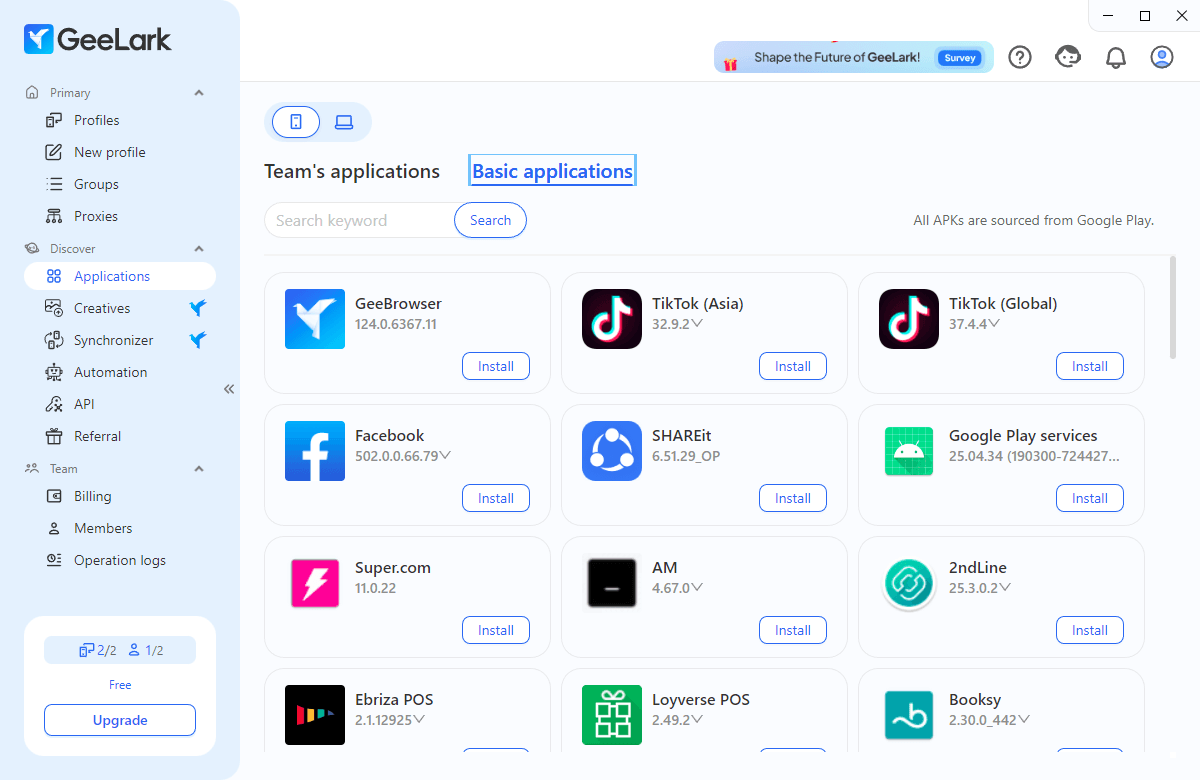
GeeLark’s developers tout it as a tool for social media management on mobile-centric platforms. They support this by providing several, mostly TikTok-oriented automation features.
These are useful for warming accounts up (emulating user behavior like commenting and liking so new accounts don’t become suspicious) and batch actions like logging in and profile editing, content posting, etc.
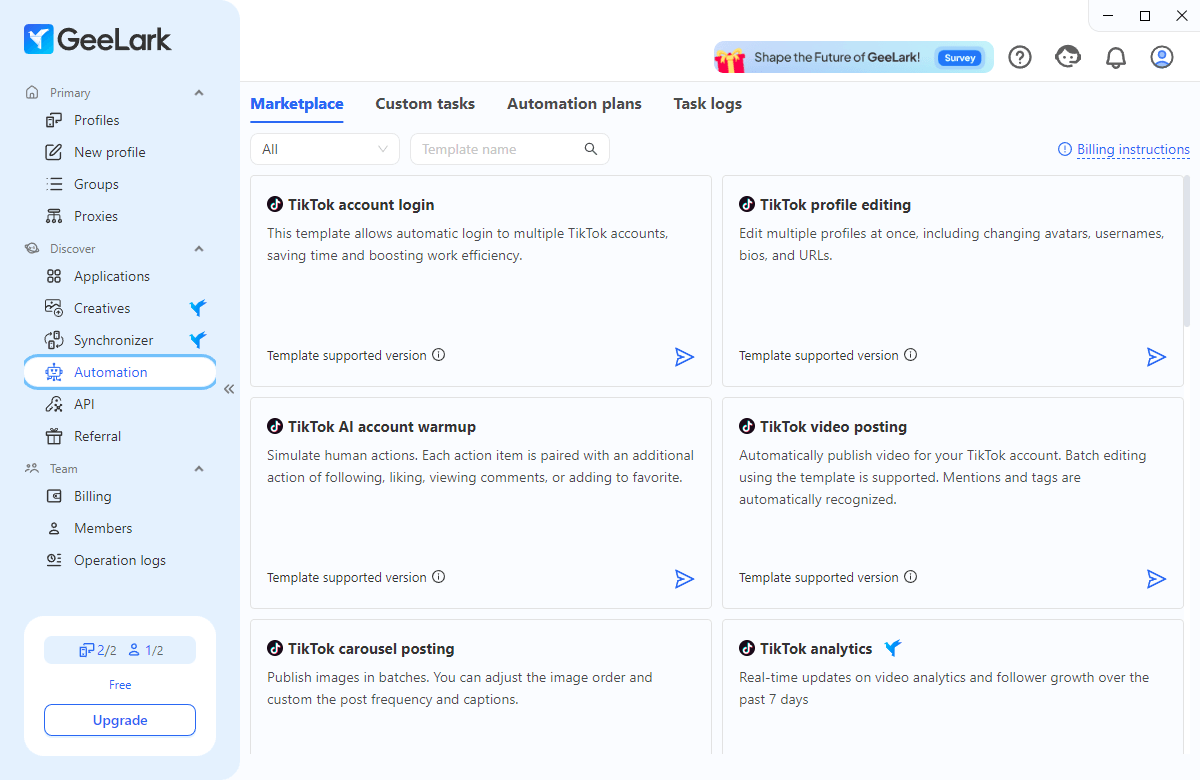
These can’t cover everything, which is where the Synchronizer tab comes into play. You can open several phones and start using one, and the actions will be mimicked on the others.
Useful for specific tasks like subscribing, claiming crypto drops, or doing daily quests on multiple mobile game accounts.
Team Management
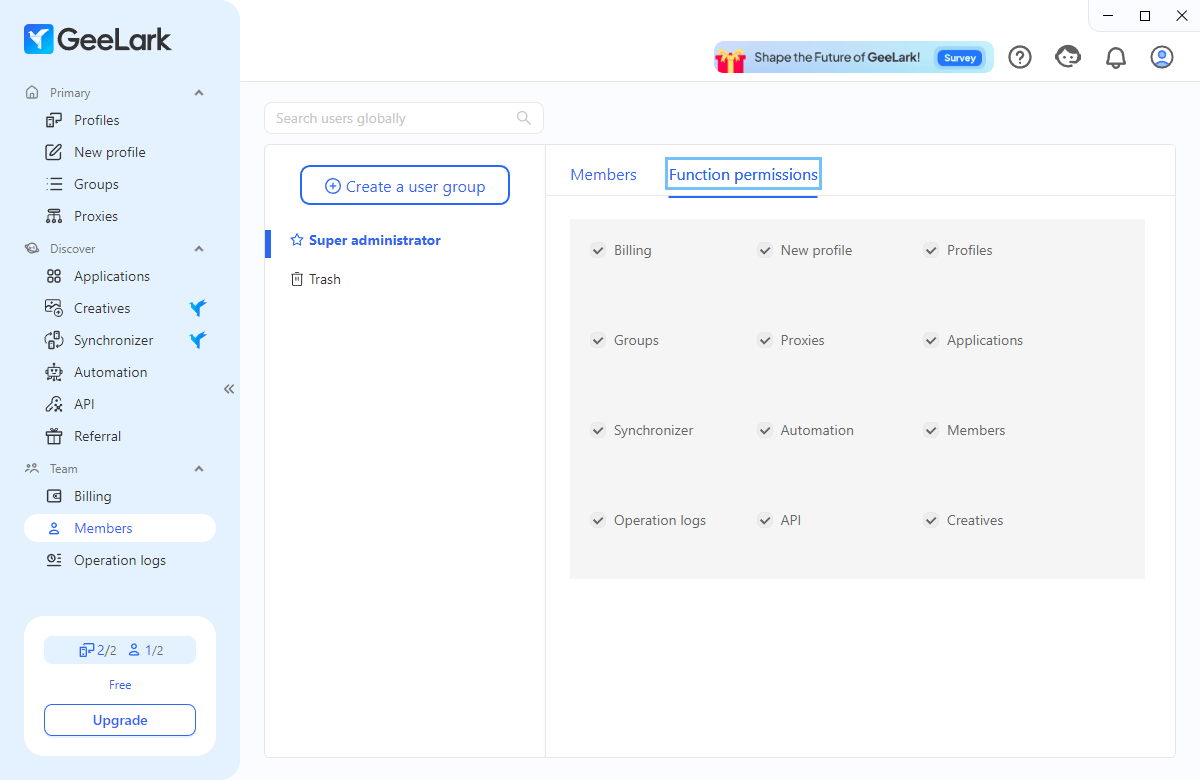
The Members tab houses several basic team management options. These boil down to permissions like profile creation and access to groups, tabs, etc. you set as the administrator. A second seat is already part of the free tier.
Geelark Pricing
GeeLark’s pricing is multifaceted and can be a bit confusing. We’ll break it down so it’s easier to follow.
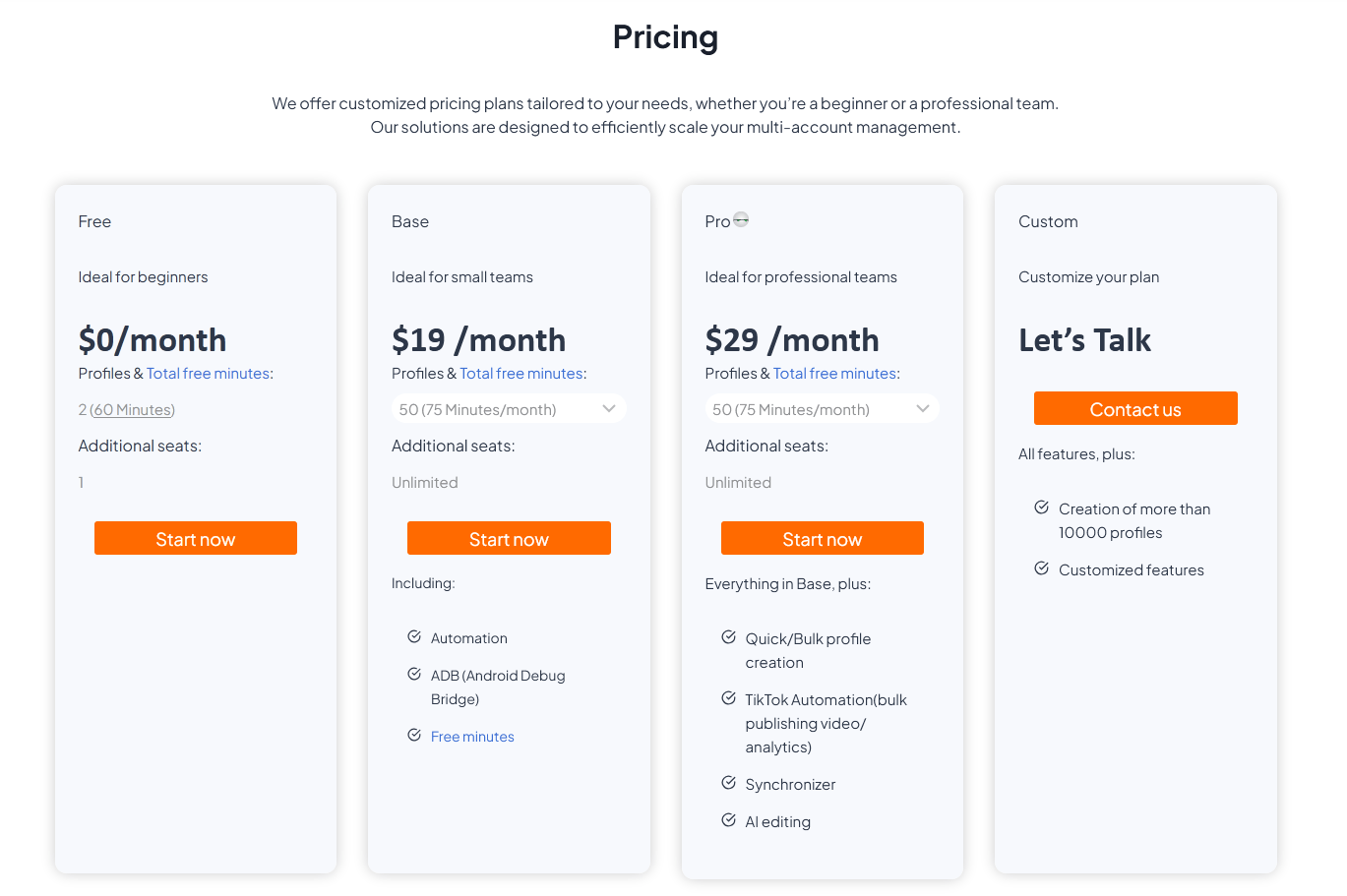
The basic pricing structure is tiered, similar to what you’d see with anti-detect browsers. The free tier provides two phone profiles and sixty free minutes. We’ll explain those shortly.
By default, the “Base” and “Pro” plans each come with 50 profiles and 75 included minutes. “Base” costs $19/month and unlocks automation features as well as ADB.
$10 more for “Pro” opens up the automation and synchronization features mentioned above, plus batch account creation and an AI editing tool. Both plans support unlimited team members.
Each paid tier has a minimum and maximum amount of profiles and corresponding free minutes. Enterprise clients may also inquire about a custom arrangement if they need more than 10,000 profiles.
Running a cloud phone depletes your minute allotment. How many free minutes you get depends on your subscription. Each extra minute costs 0.7 cents. A daily cap of $1 per phone means you can operate each for 142 minutes.
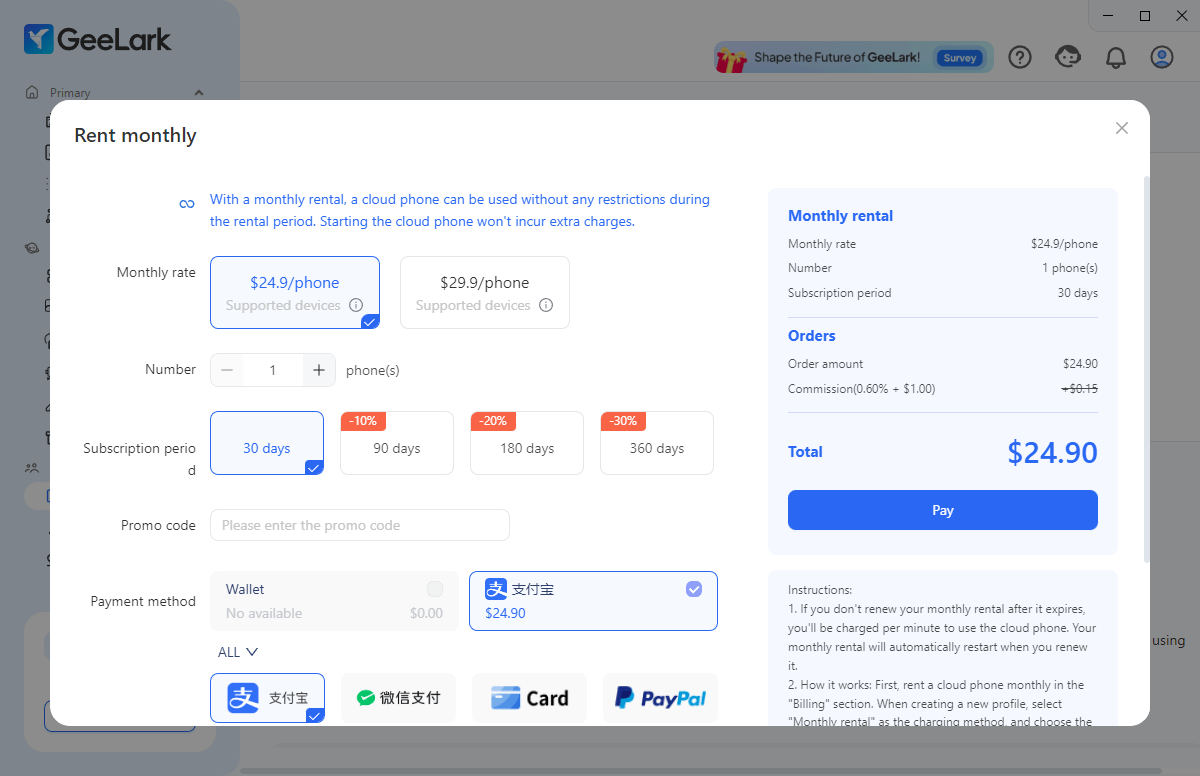
Alternatively, it’s possible to rent a smartphone for a month. Doing so lifts all daily usage restrictions for that particular phone. It costs $24.90/month, $5 extra if you want a phone running Android 14.
This is the method GeeLark is pushing for since it’s the only one with long-term incentives. Committing for 360 days (why not a year, GeeLark?) lowers the price by 30%, while 180 and 90-day rentals help you save 20% and 10%, respectively.
That’s a lot to process. The costs can quickly add up, especially if you’re an active user with a demanding daily workload.
Reputation & Customer Support
GeeLark entered the market in late 2023 but hasn’t grown much of an online presence since. You’ll find an official YouTube channel with several helpful videos in English, Russian, and Vietnamese. GeeLark also has a modest Instagram account.
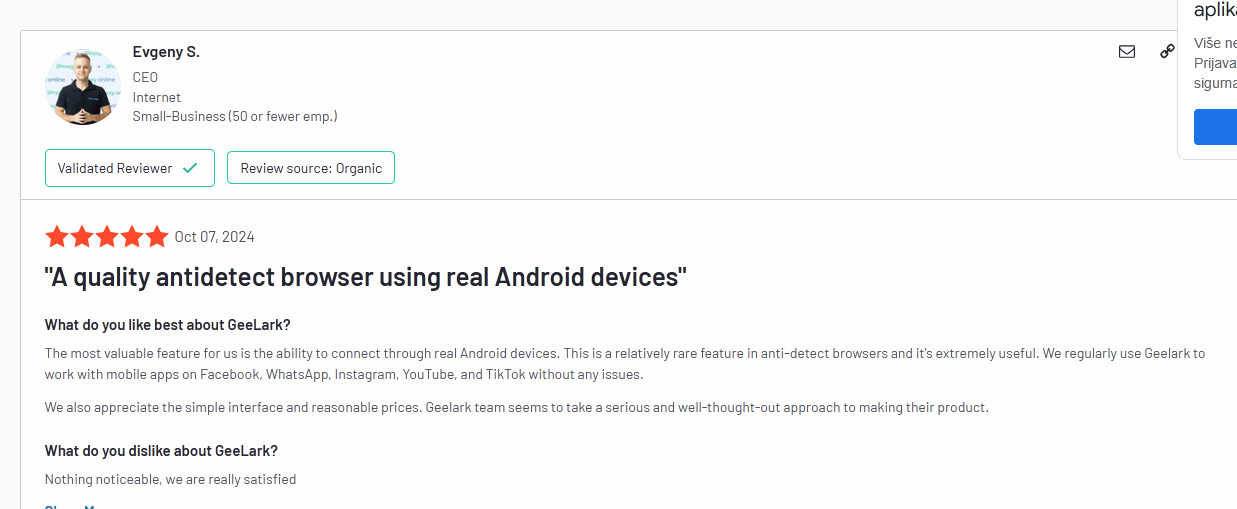
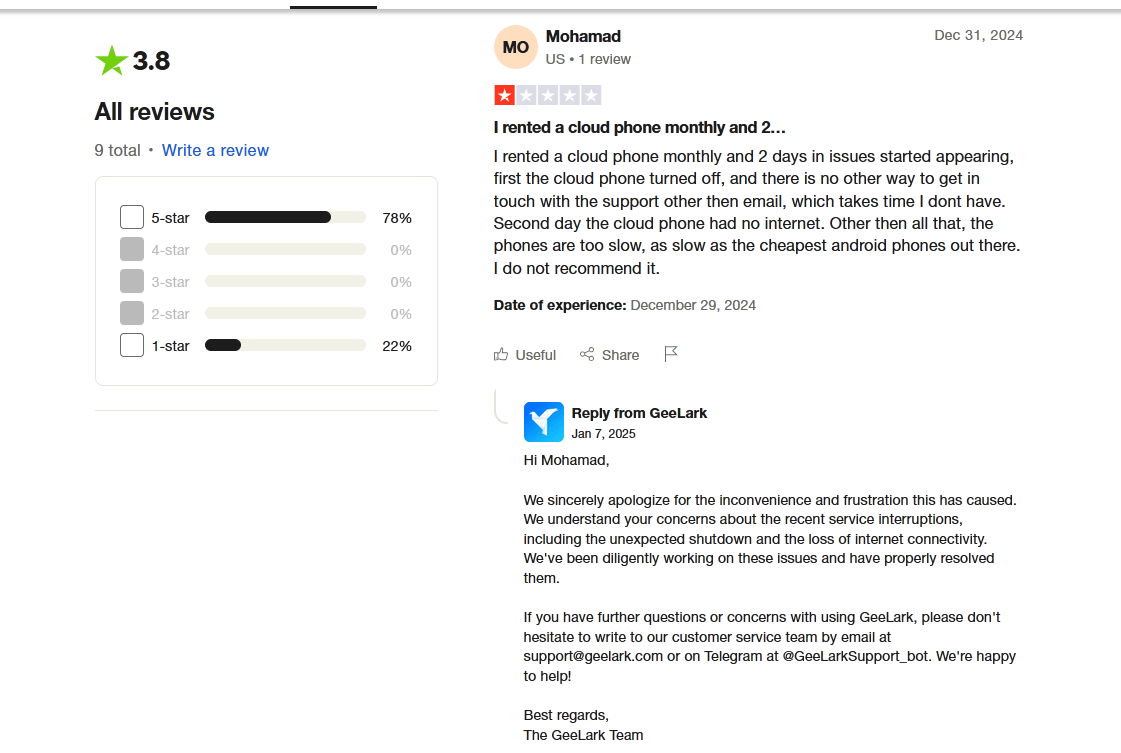
There aren’t many actual user reviews, and some on Trustpilot are clearly AI-written. The real reviews are mixed. Positive ones praise cloud phones’ ability to bypass detection and GeeLark’s prompt customer support.
Several negative ones highlight networking issues, mounting costs, and slow phone response times.
How Does GeeLark Compare to Anti-Detect Browsers Like GoLogin?
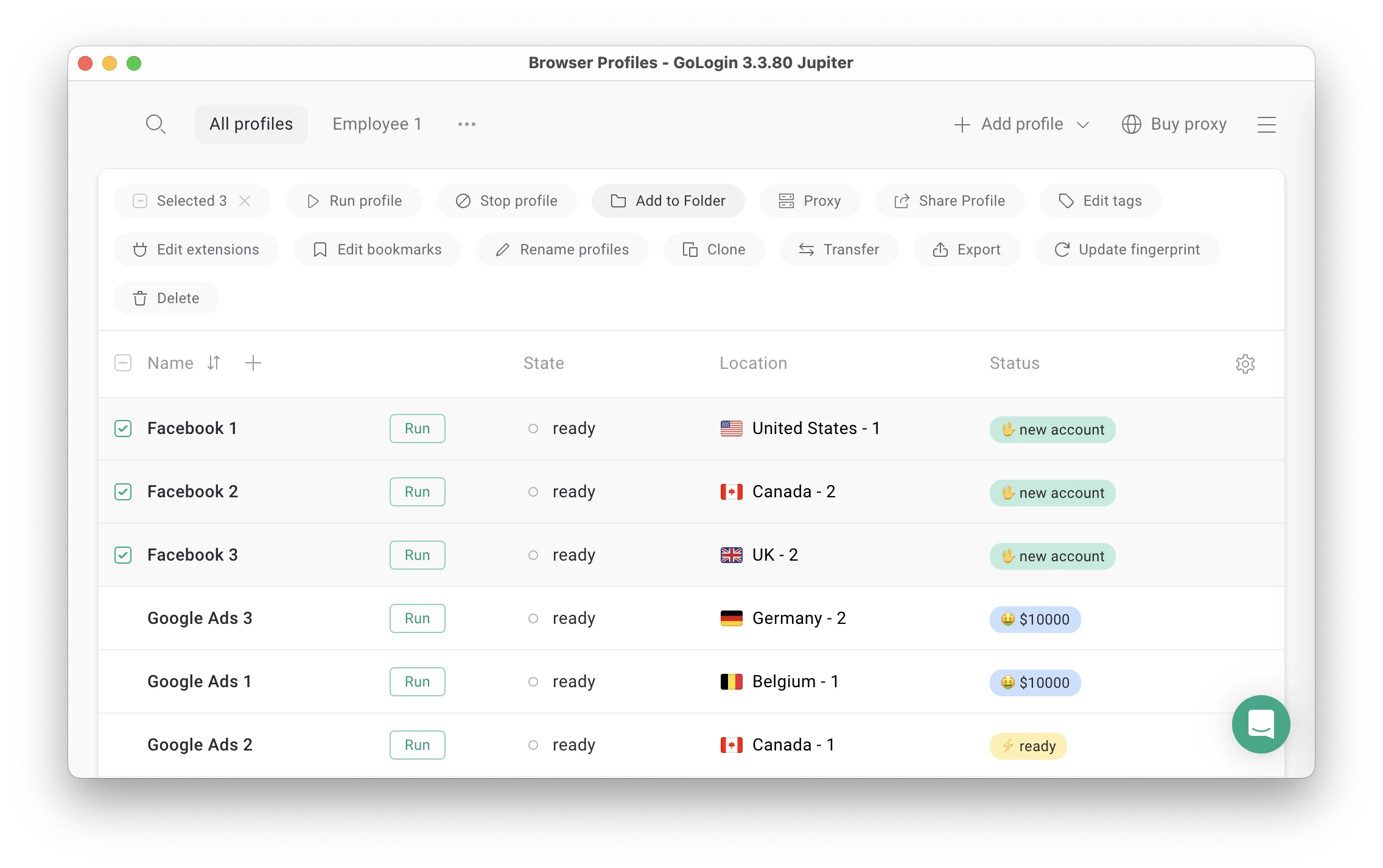
GeeLark and GoLogin share many similar features. Both tools are easy to set up, offer beginner-friendly navigation without limiting more advanced users, and let you extensively customize your experience. However, GeeLark’s specific feature set and associated limitations mean a direct comparison doesn’t make sense.
Everything about GeeLark is tailored towards mobile multi-account handling, which it does competently. Its ideal user runs social media marketing campaigns on TikTok and Instagram.
It’s also a good option for people who indulge in iGaming and need a tool to place multiple bets or take advantage of bonuses for new users like free spins.
In contrast, anti-detect browsers focus on providing and letting you fine-tune an environment in which desktop browser users can accomplish various multi-accounting tasks while remaining anonymous and safe from bans.
GoLogin Advantages
For example, GoLogin is a much better choice if you run ad campaigns through LinkedIn Business. You can set up as many unique browser profiles as you need and maximize your reach while staying undetected. Browser instances are less resource-intensive than GeeLark’s virtual smartphone environments, so they scale better on limited hardware.
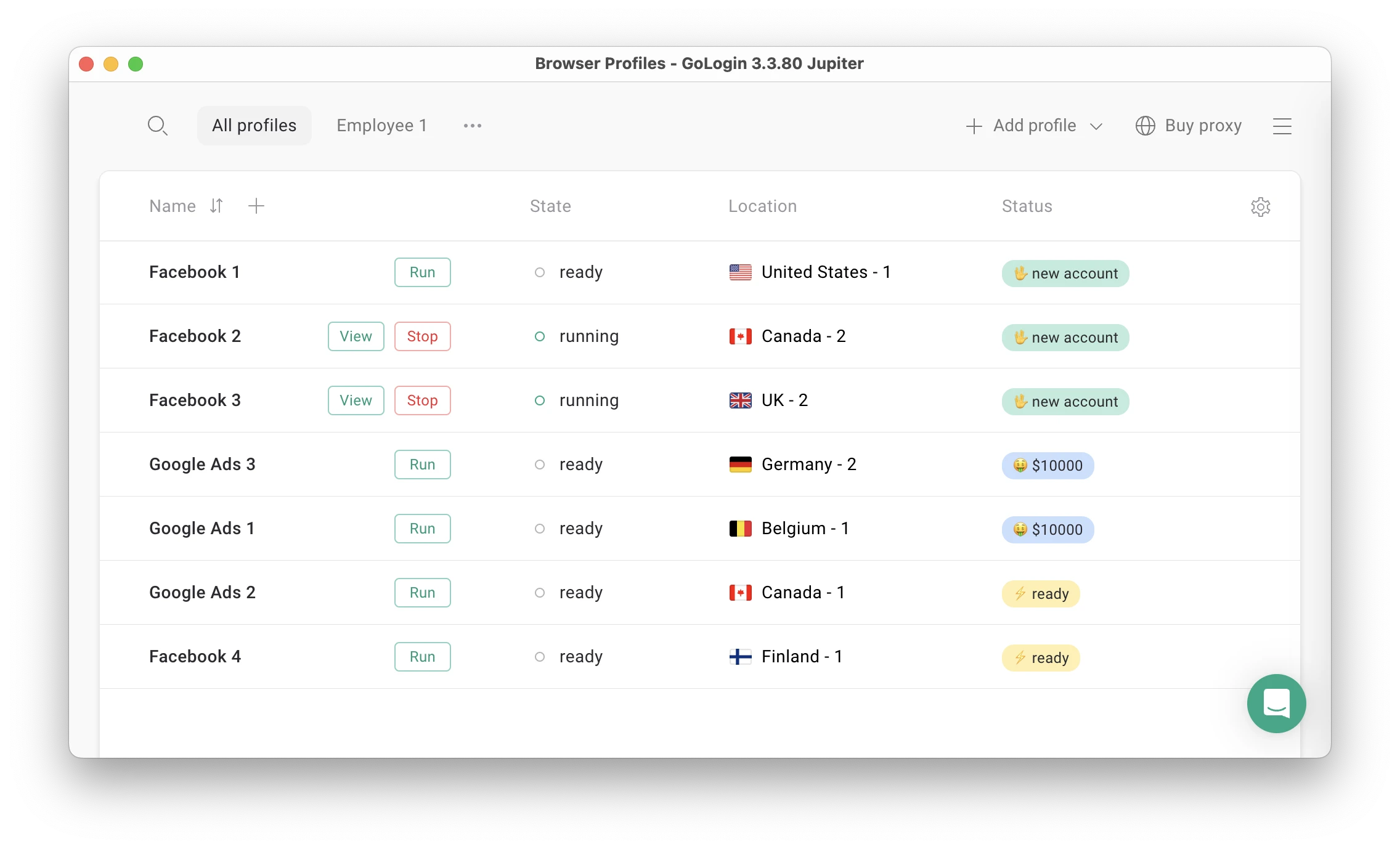 GoLogin is also a better solution for bot-based tasks like data scraping. You can use it to simultaneously run hundreds of bots, each with a unique IP and browser fingerprint, to quickly scrape large amounts of data without triggering anti-bot measures. Thanks to the flexible dashboard, it’s easy to keep track of them or divide bot management among several team members.
While it was never intended to mimic other smartphone capabilities, GoLogin works with mobile proxies to believably emulate mobile browsing. This lets it handle the ad campaign aspect of TikTok account management or help you tweak how users in different parts of the world experience these ads.
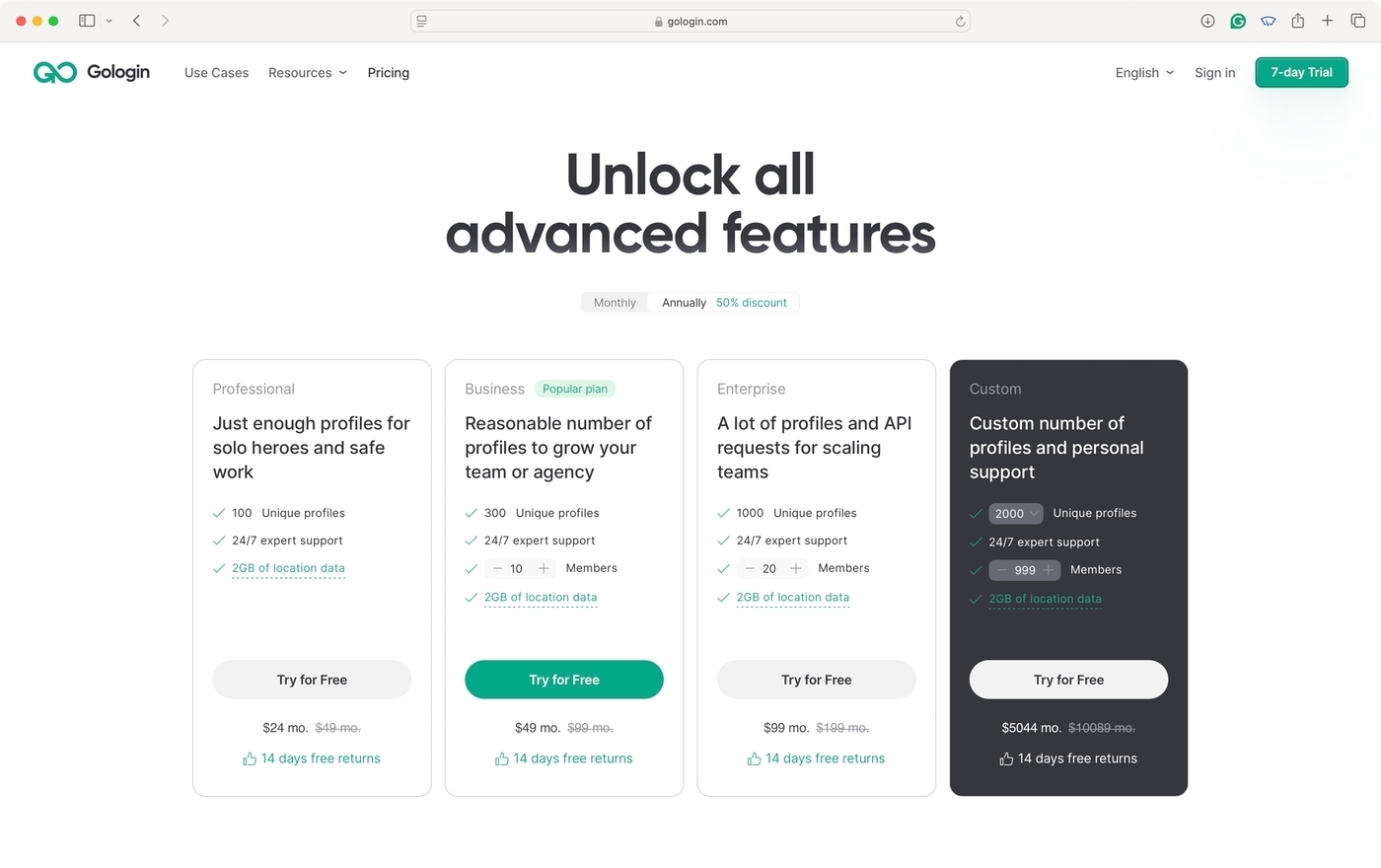
Price is another argument in GoLogin’s favor. Most importantly, it’s transparent. When you pick a plan like “Business” or “Professional”, there are no restrictions other than the maximum number of browser profiles and seats tied to each plan. The straightforward pricing scheme means you don’t have to keep track of profile usage or unexpectedly spend more than you intended.
 GeeLark doesn’t have a mobile app. It makes sense, as running cloud phones on top of your real one would be impractical and unfeasible given the resource demand. Since GoLogin emulates browser instances, its mobile app can launch several through the Oribta browser without impacting performance.
Cloud access is also available without having to install GoLogin itself onto a device.
Conclusion – Is GeeLark browser a Good GoLogin Alternative?
While a direct comparison wouldn’t be fair to either tool, a general side-by-side overview of their features is still helpful.
| Comparison Criteria | GeeLark | GoLogin |
|---|---|---|
| Free plan | ✅ | ✅ |
| Free trial of paid plans | ❌ | ✅ |
| Feature-rich | ✅ | ✅ |
| Beginner-friendly | ✅ | ✅ |
| Country of origin | 🇸🇬 | 🇺🇲 |
| Focus on mobile | ✅ | ❌ |
| Update frequency | ✅ | ✅ |
| Affordable paid plans | ❌ | ✅ |
| Comprehensive customization | ✅ | ✅ |
| Mobile app | ❌ | ✅ |
| Profile cloud launch | ❌ | ✅ |
| Free in-app proxies | ❌ | ✅ |
| Trusted reputation | ❌ | ✅ |
GeeLark is a new kind of anti-detect solution that’s sure to find a receptive audience. However, whether you’d benefit from it heavily depends on the amount and nature of mobile-centric tasks your multi-account work calls for. Even then, you may find that an anti-detect browser’s responsiveness and in-depth customization may still suit your needs better.
Your best bet is to download GeeLark and try it out. Those free minutes run out quicker than you’d think, though. Meanwhile, GoLogin’s 7-day free trial is great for assessing your real-world needs and experiencing the full benefits an anti-detect browser can offer whether you use it privately or as part of a business’s growth efforts.