How to Run Multiple Amazon Seller Accounts Safely in 2026
Try Gologin for free
Starting from 2026, Amazon does not require prior approval for maintaining multiple seller accounts. This policy change comes with specific stipulations. Each account must still be tied to a reasonable business rationale, such as managing different brands, product lines, or even geographical areas. It is also important to remember that all accounts are interlinked; any pending issues on one account affects the standing of the rest. Following Amazon’s rules and Amazon’s seller policies is crucial to avoid account suspension or banning.
As for Amazon requirements, the company states that if one account is suspended or deactivated, all parent accounts have the ability to suffer the same consequences. Therefore, constant oversights on account health are required, as the detriment faced on one account compounds with other accounts. Maintaining a good reputation with your first account is essential before opening any additional accounts.
Here’s what multiple Amazon seller accounts allow dropshippers and e-com sellers to do:
- scale their businesses
- segment products for a specialized shopping experience
- diversify the risks of relying on one account
- serve distinct business purposes, which is a legitimate reason recognized by Amazon for having multiple accounts.
And here’s the thing: you can create and run multiple seller accounts. When opening an additional account, you must use separate credentials and inform Amazon beforehand to comply with their policies. The thing is once one of your accounts is screwed up, Amazon algorithms check the related accounts and restrict them too. You can get into trouble even for seemingly innocent things such as working with contractors or using prep centers. Avoid engaging in fraudulent activities, such as using false information or creating accounts for prohibited reasons, as this can lead to immediate suspension.
To avoid business downtime, you need to eliminate ties between accounts as much as possible. We are here to offer a safe way to open multiple Amazon seller accounts.
This article was prepared with the help of the legal firm Solver. If you are already suspended because of multiple seller accounts, their team can help your business checking accounts and getting them back safely. They unban 99% of «related accounts» cases.

Introduction to Multiple Accounts
Managing multiple Amazon seller accounts is a strategic move for many e-commerce entrepreneurs looking to grow their business. With multiple accounts, sellers can diversify their product lines, reach new customer segments, and reduce the risk of relying on a single account. However, running multiple Amazon accounts comes with its own set of challenges, including strict Amazon policies, the risk of account suspension, and the need for careful management.
Understanding how to create, manage, and protect your Amazon seller accounts is essential for long-term success. In this guide, we’ll walk you through the benefits and risks of having multiple accounts, how to set them up properly, and best practices to keep your business running smoothly.
Amazon Requirements for Having Multiple Accounts
Here are the official Amazon rules for having multiple Amazon accounts: These rules apply whether you have just two or several amazon seller accounts.
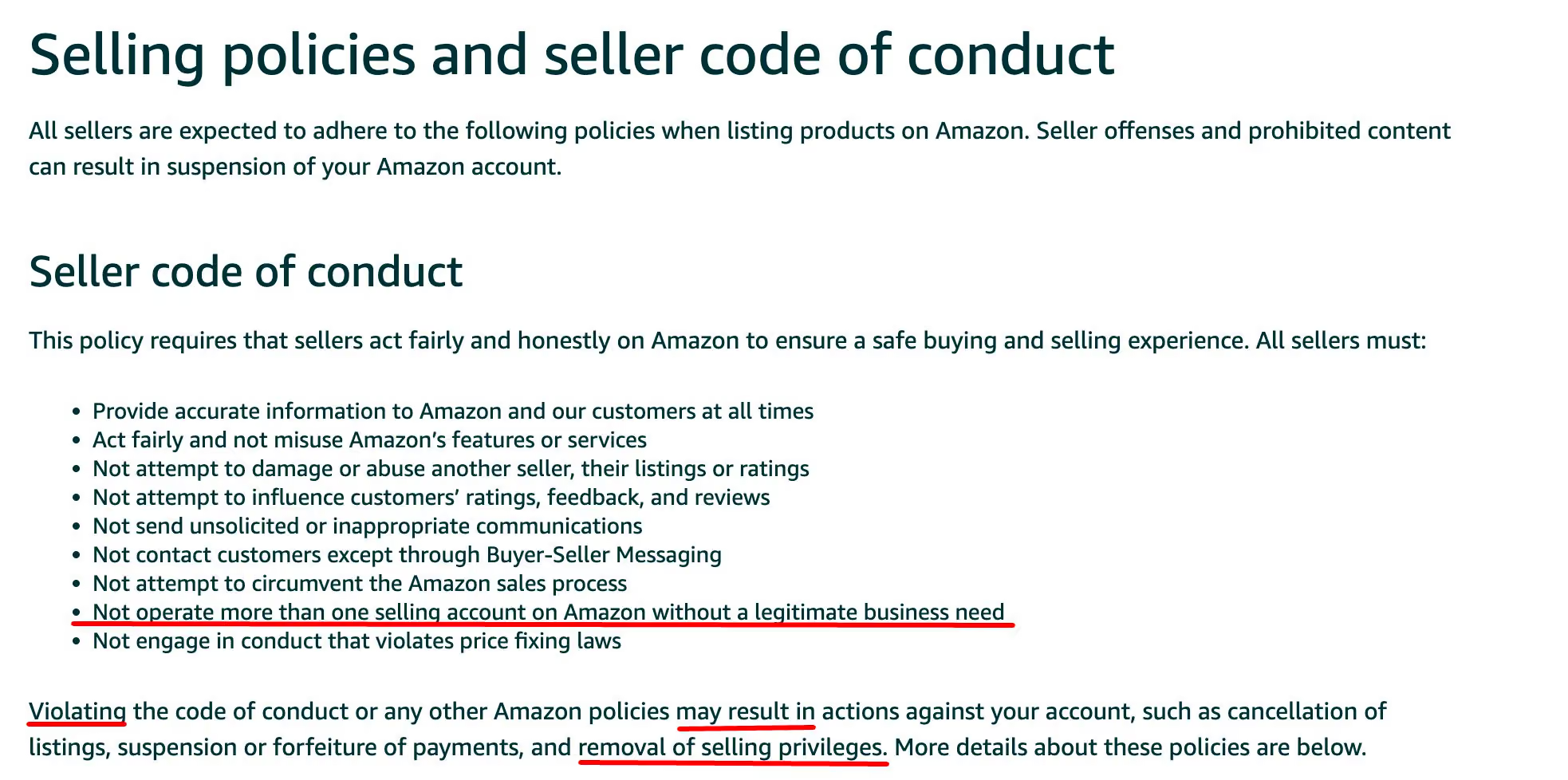
Legitimate business need
As it often happens, open sources lack defined criteria for determining legitimate business owners needs. Some of them are:
- Owning several brands and creating different business accounts for each
- Manufacturing products for two different companies.
This is obviously not a complete list.
Even if your reasons seem legitimate to you, still we do not recommend deliberately leaving associations between accounts. It is for the better safety and good standing of your business.
Let me explain. Let’s imagine you have completely studied and understood all Amazon’s blurry rules (which is actually a challenge), observed them, and made no mistakes. You even went to open a business bank account for each. Having a close association between several accounts (e.g. name, business details, IP), you may still be suspended:
- By simple algorithm mistake. For example, the same contractor works on 2 distinct seller accounts with permission and the accounts have associations ー the same time zone and the same OS version.
- Because of your competitors, who will derail you through ransom payments, negative feedback, complaints, etc.
The risk of seller account ban
In practice, being banned just for running multiple Amazon accounts is rare.
However, the more associations you have between your accounts, the higher the odds that all your accounts will suffer once one of them is restricted. Sometimes Amazon needs several factors to verify the accounts are related. Sometimes, however, it is enough to open a second account and have only 1 association between them.
Look at exactly how likely your accounts are to be marked related, based on types of associations:
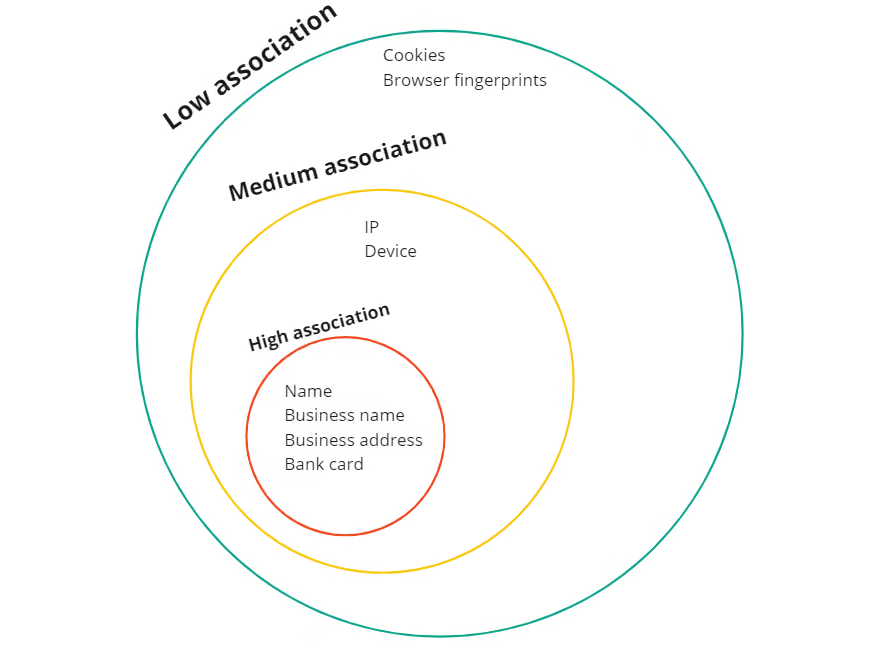
Examples of associations:
- Name
- The same credit card
- Same business address
- Same business entity
- Brand
- IP
- Device
- Cookies
- Browser fingerprint
How to Create a Seller Account on Amazon
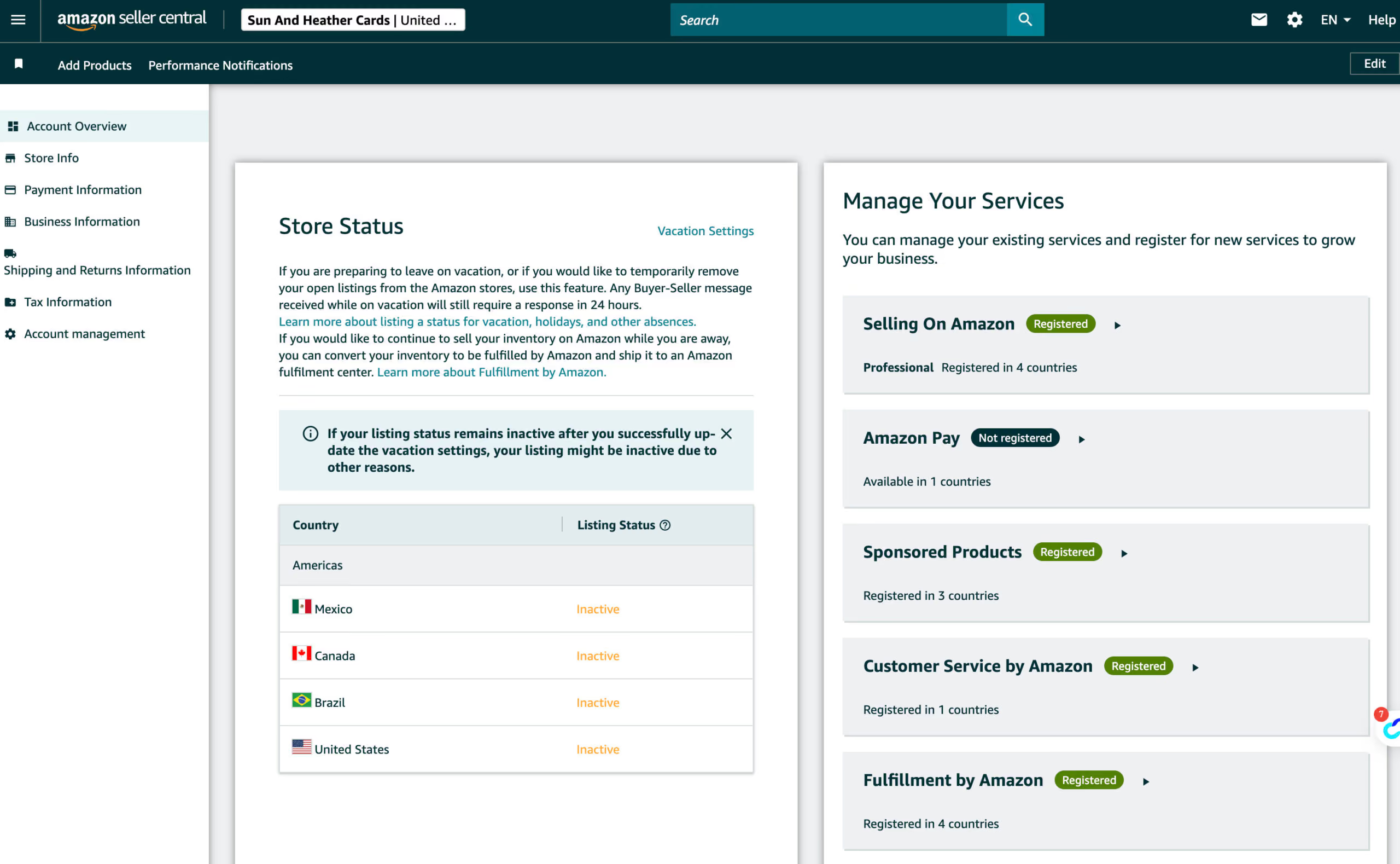
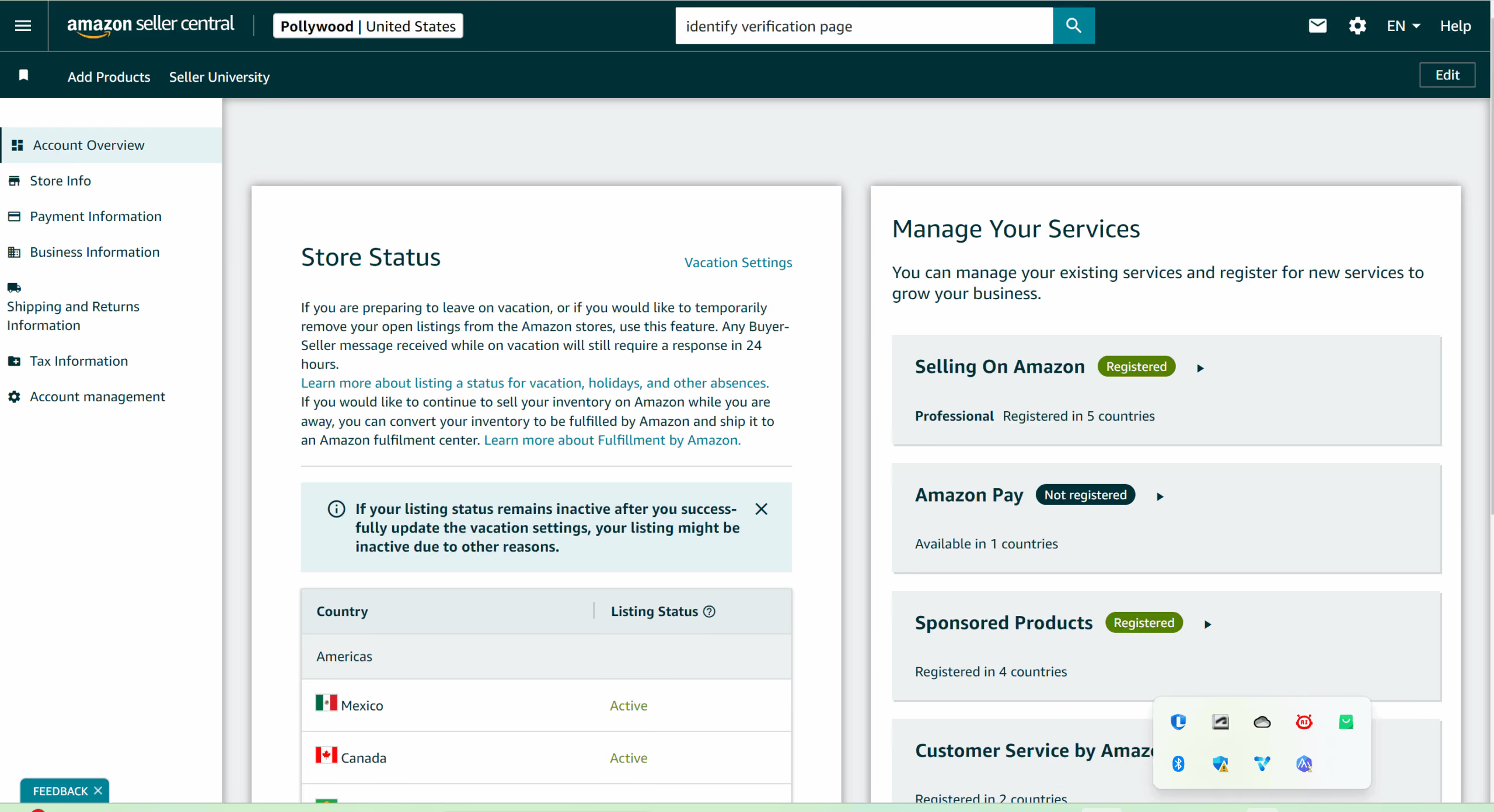
Setting up an Amazon seller account is a straightforward process that takes only a few minutes if you have the required information ready. First, go to the Amazon Seller Central registration page and sign in with your existing Amazon account or create a new one dedicated to your business. During the registration process, Amazon will ask for basic details such as your business name, address, phone number, and a valid credit card for billing.
You will also need to provide identity verification documents and bank account information to receive payouts. Once these steps are completed and verified, your seller account becomes active, allowing you to create product listings, manage inventory, and start selling on Amazon.
Step 1 — Go to Amazon Seller Central and click “Sign up”
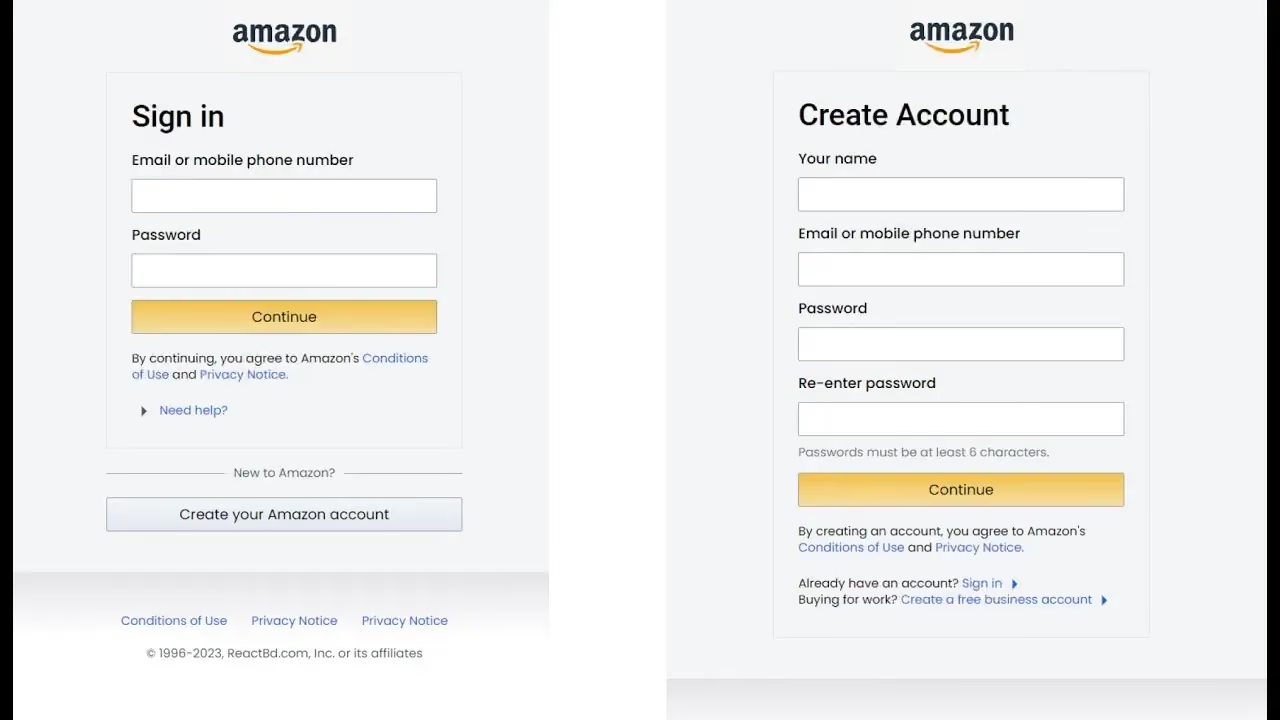
Open the Sell on Amazon page and click Sign up or Get started. You can log in with your existing Amazon account or create a separate one specifically for selling.
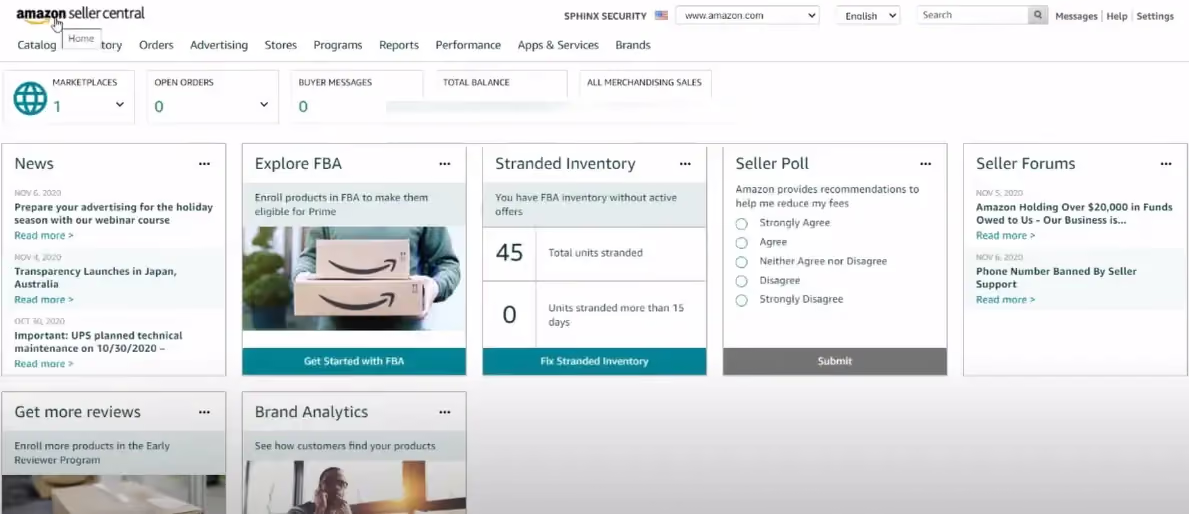
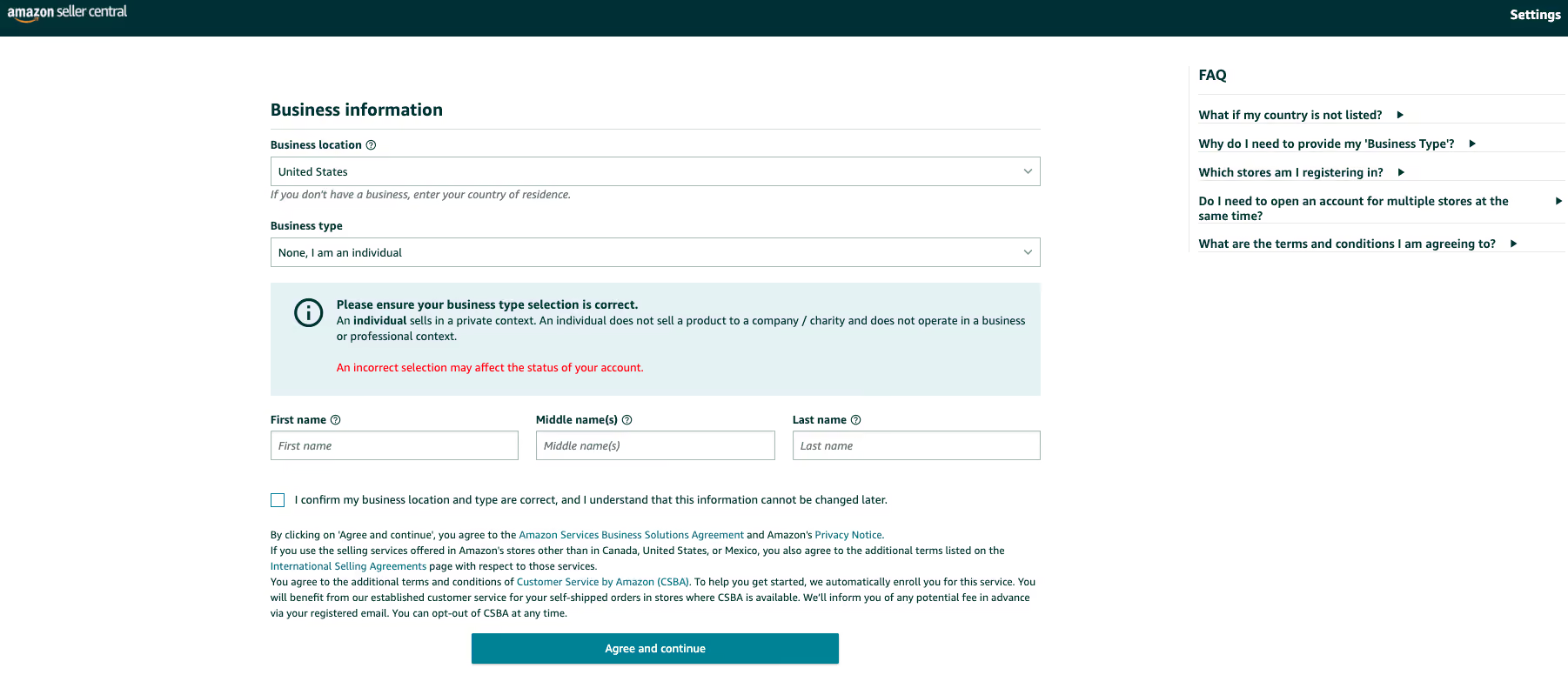
Step 2 — Enter your business and personal information
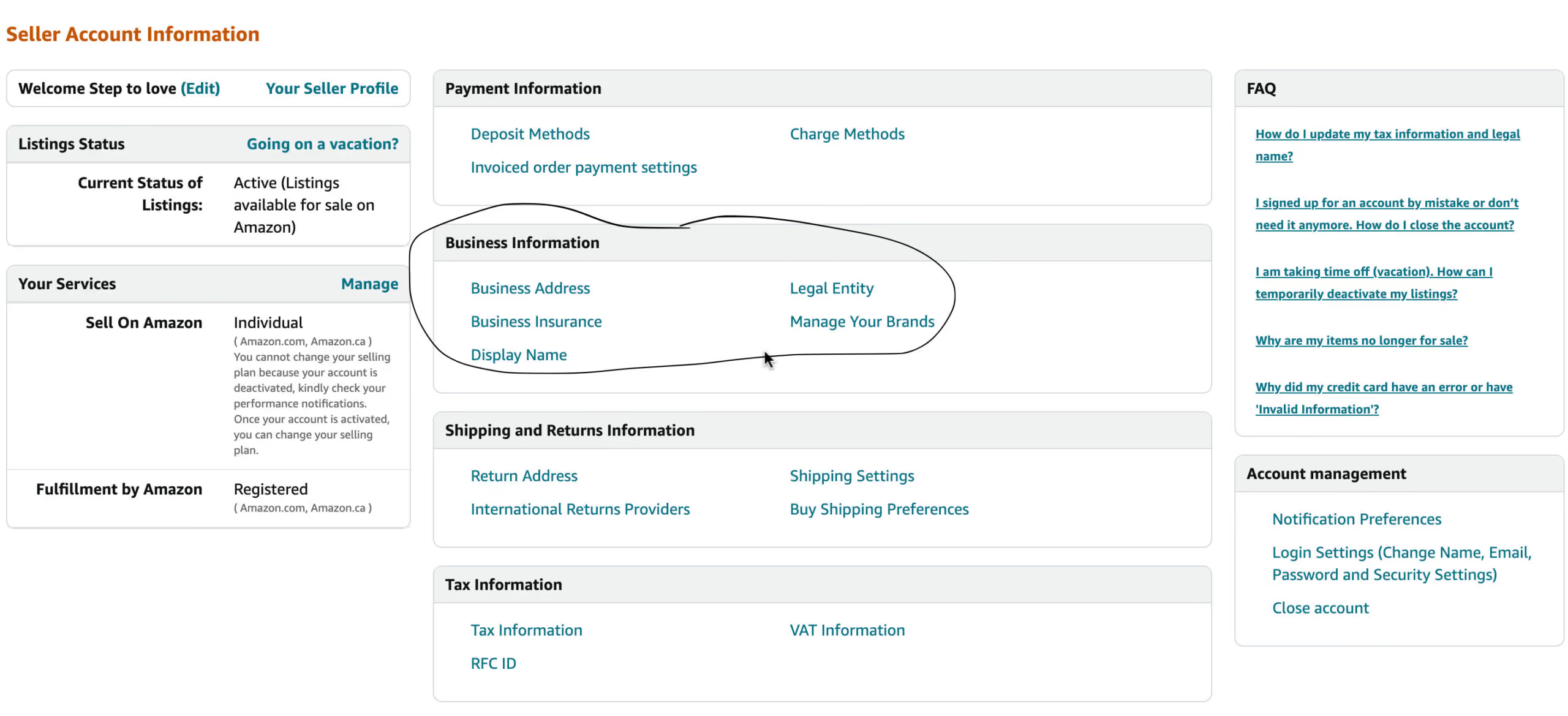
Provide your business name, country, address, and contact details. Amazon may ask whether you are registering as an individual or a company.
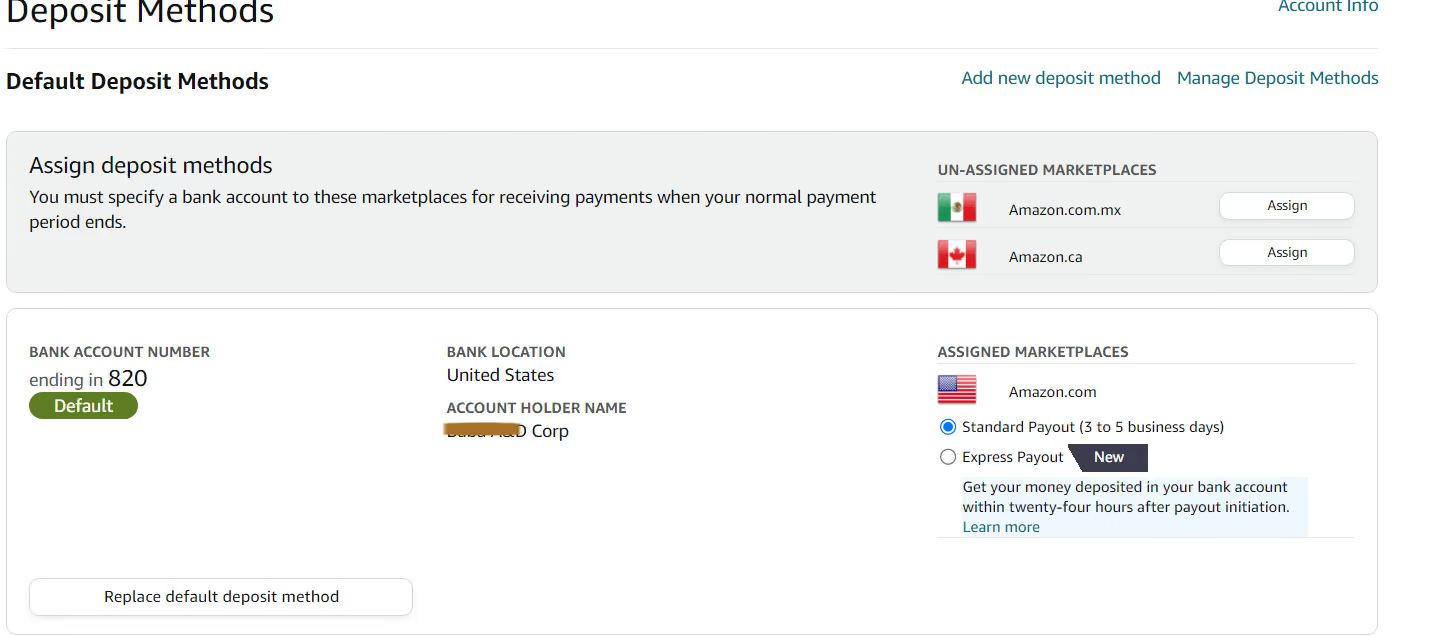
Step 3 — Add billing and bank details
Add Billing Information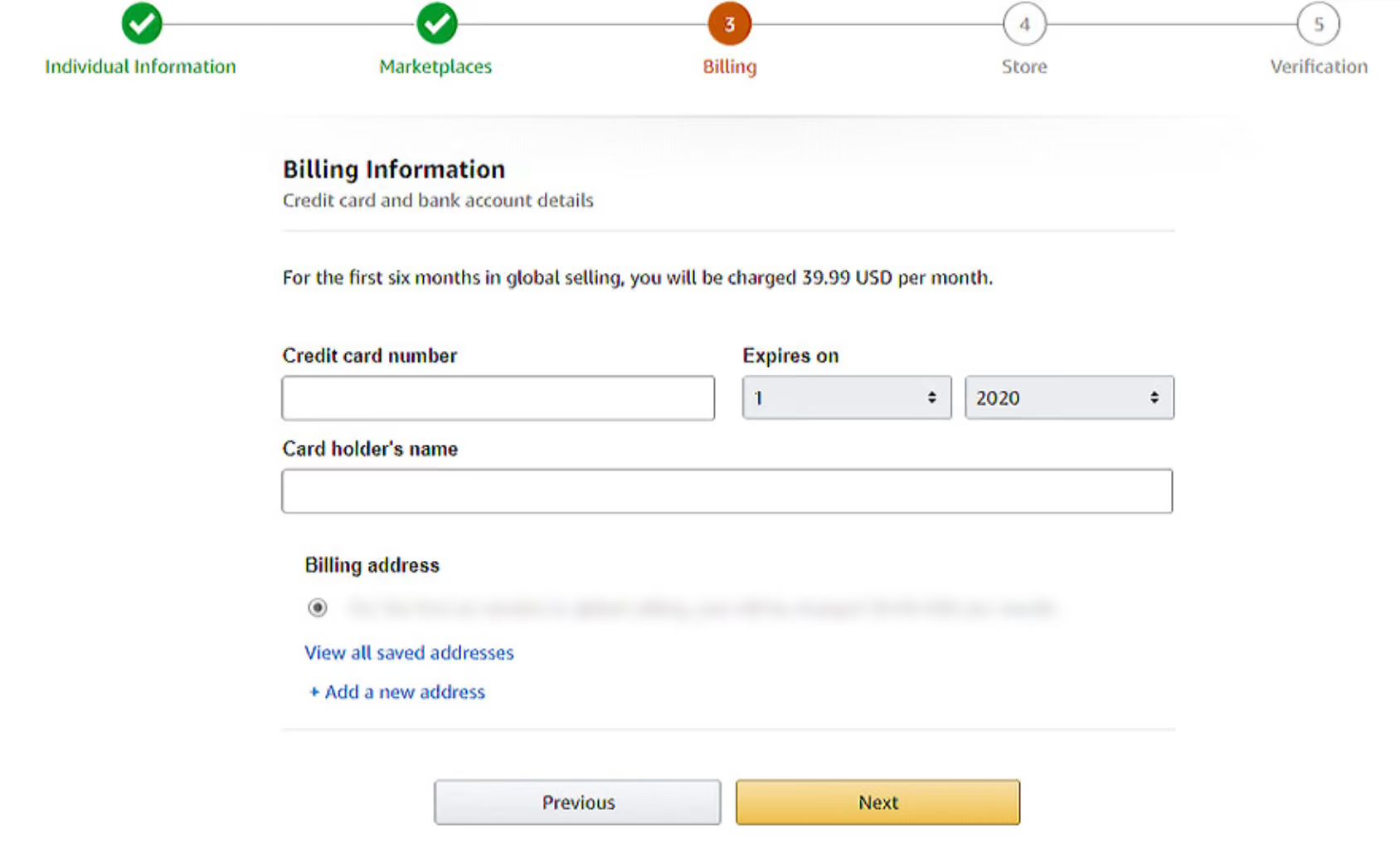
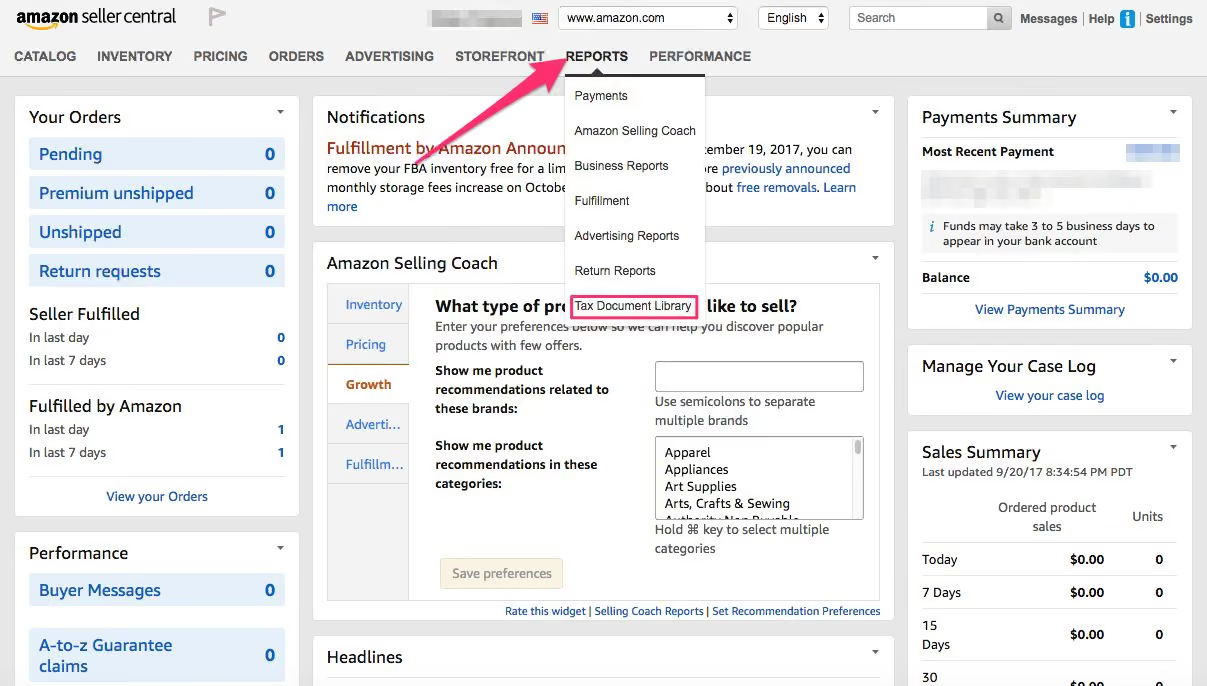
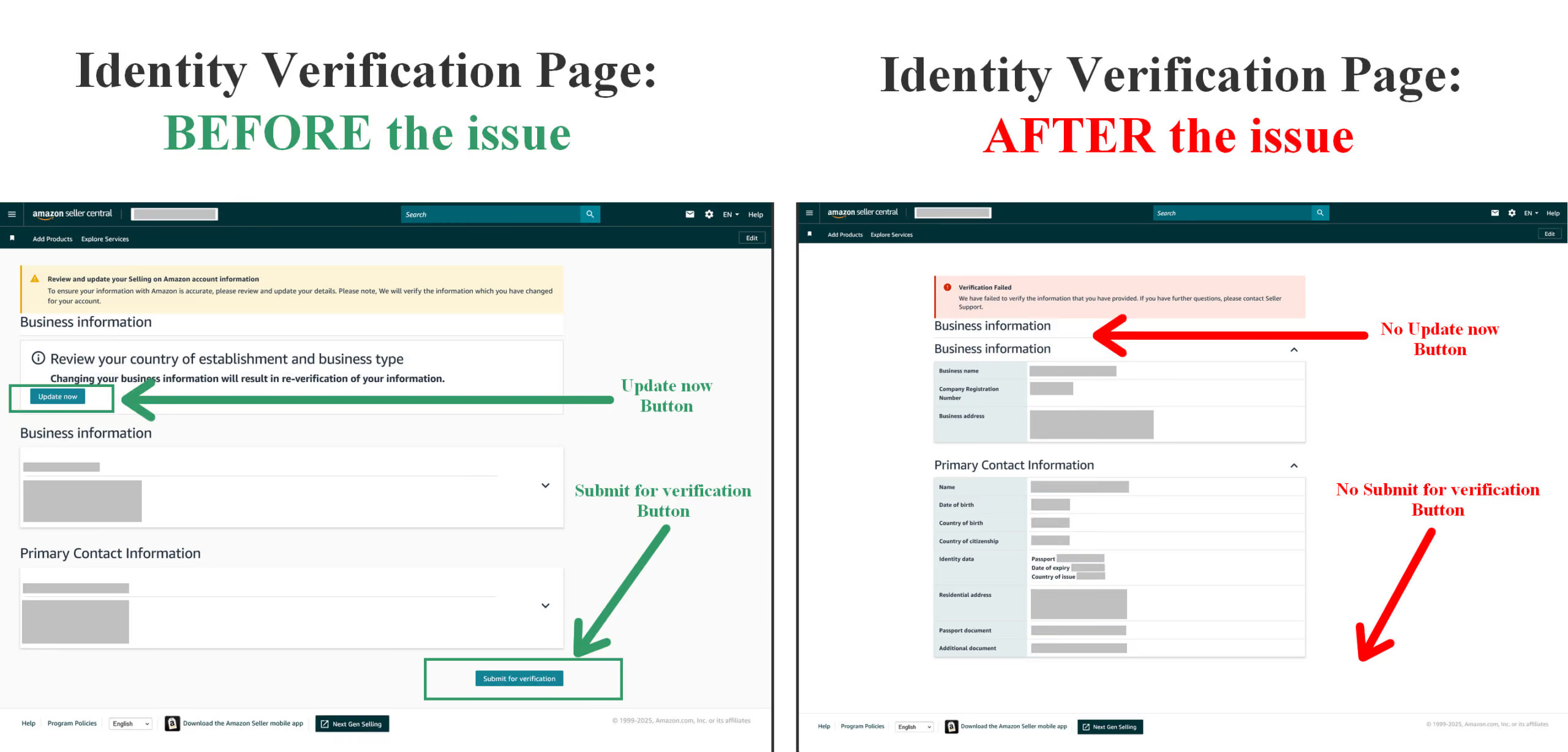
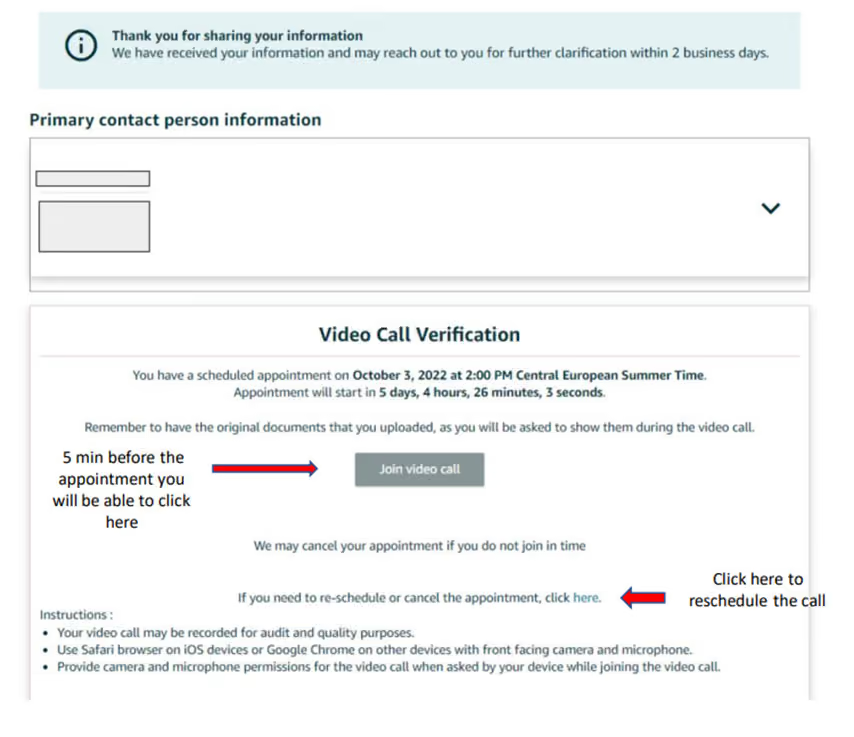
Step 4 — Complete identity verification
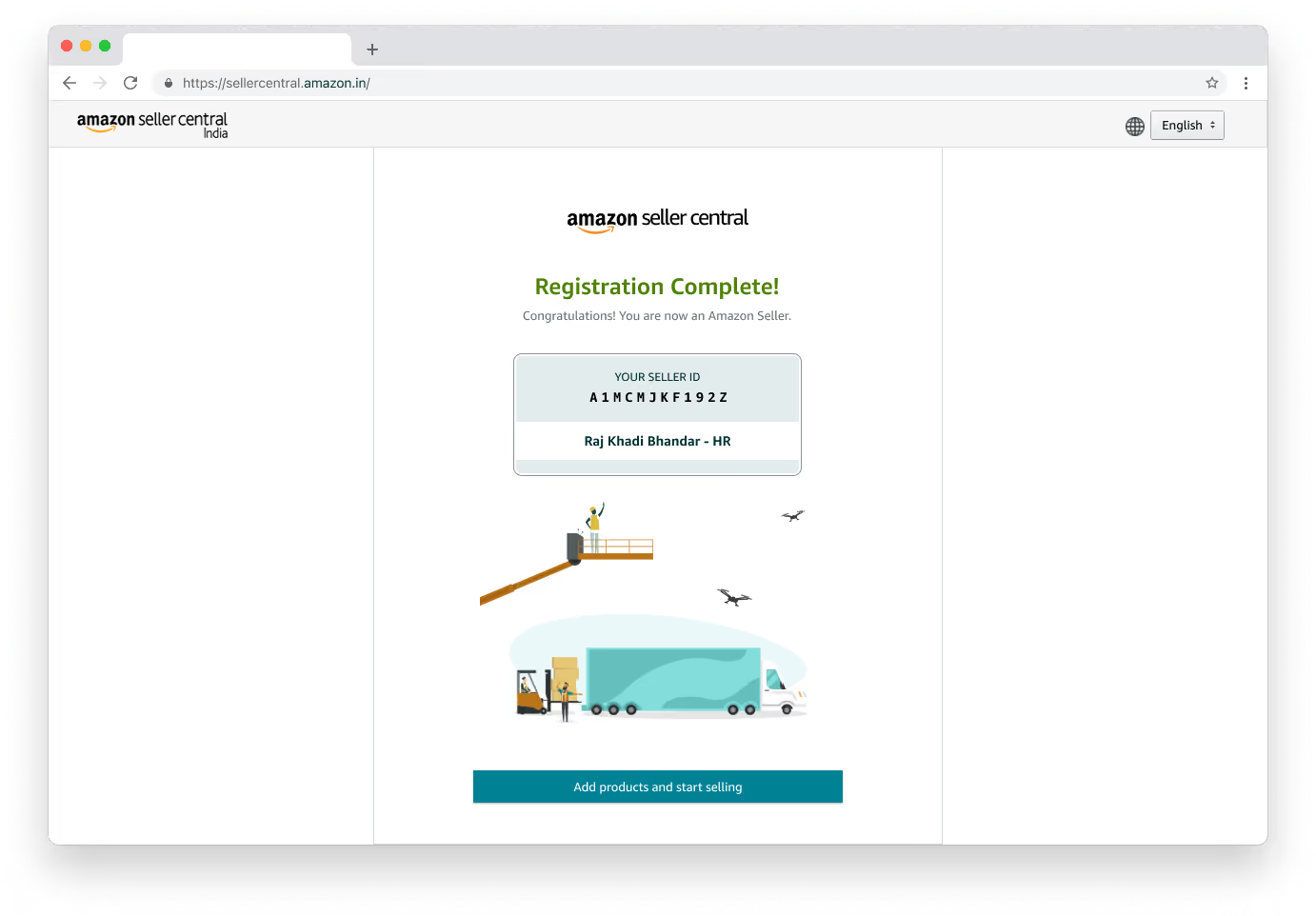
Upload identity documents such as a passport or national ID and confirm your phone number. After verification is approved, your seller account becomes active and you can start listing products.
Best Practices for Managing Multiple Accounts
For optimal oversight on various accounts under an Amazon seller:- Divided Accounts: Each account can alternatively be placed under different business entities to highlight their separation.
- Product Syndication: Each account can have varied cosmetics and unparalleled branding to further distance one from the other.
- Account Profiles: Utilize tools like Gologin (more detailed case study below) to manage separate browser profiles, ensuring distinct digital fingerprints for each account. It is crucial to maintain separate accounts with unique credentials and independent profiles to prevent detection and reduce the risk of suspensions. For added security, consider operating accounts from different devices or using a home laptop with specialized browsers to further minimize the risk of account linking.
How to safely run multiple Amazon accounts
Proxy
Simply create many accounts with different names, business bank accounts, separate email addresses, and phone numbers and use a proxy with a different setup for each account. Still, it will be a matter of time before you have problems with your accounts.
A proxy server acts as a middleman between your device and the web. You can leverage different proxies for each Amazon account to replace your IP address and location, making it harder to detect multiple accounts.
Only 2-3 years ago, proxies alone worked against Amazon’s tracking, but that time has passed. A high-quality proxy can bypass basic tracking and geo-restrictions, but modern sophisticated websites like Amazon use exhaustive browser fingerprinting to determine identity. In addition to IP addresses and device usage, Amazon also monitors payment details to enforce their policies against multiple accounts.
Compared to cookies and IP address, your browser fingerprint is really hard to deal with when we’re talking about privacy. It’s a set of your device parameters (around a hundred of them) in a unique logical order which is extremely difficult to manage. Fortunately, there are working third party tools able to do that.
The safest way to make sure your accounts are in a good and safe shape is to have a separate device for each account – or use a multi-accounting browser.
Multi-accounting browser
A multi-accounting browser is a safe web browser that allows users to manage multiple online accounts. Setting up multiple Amazon accounts to appear unrelated on the digital level (IP, device, cookies, browser fingerprints), can be challenging for non-technical individuals.
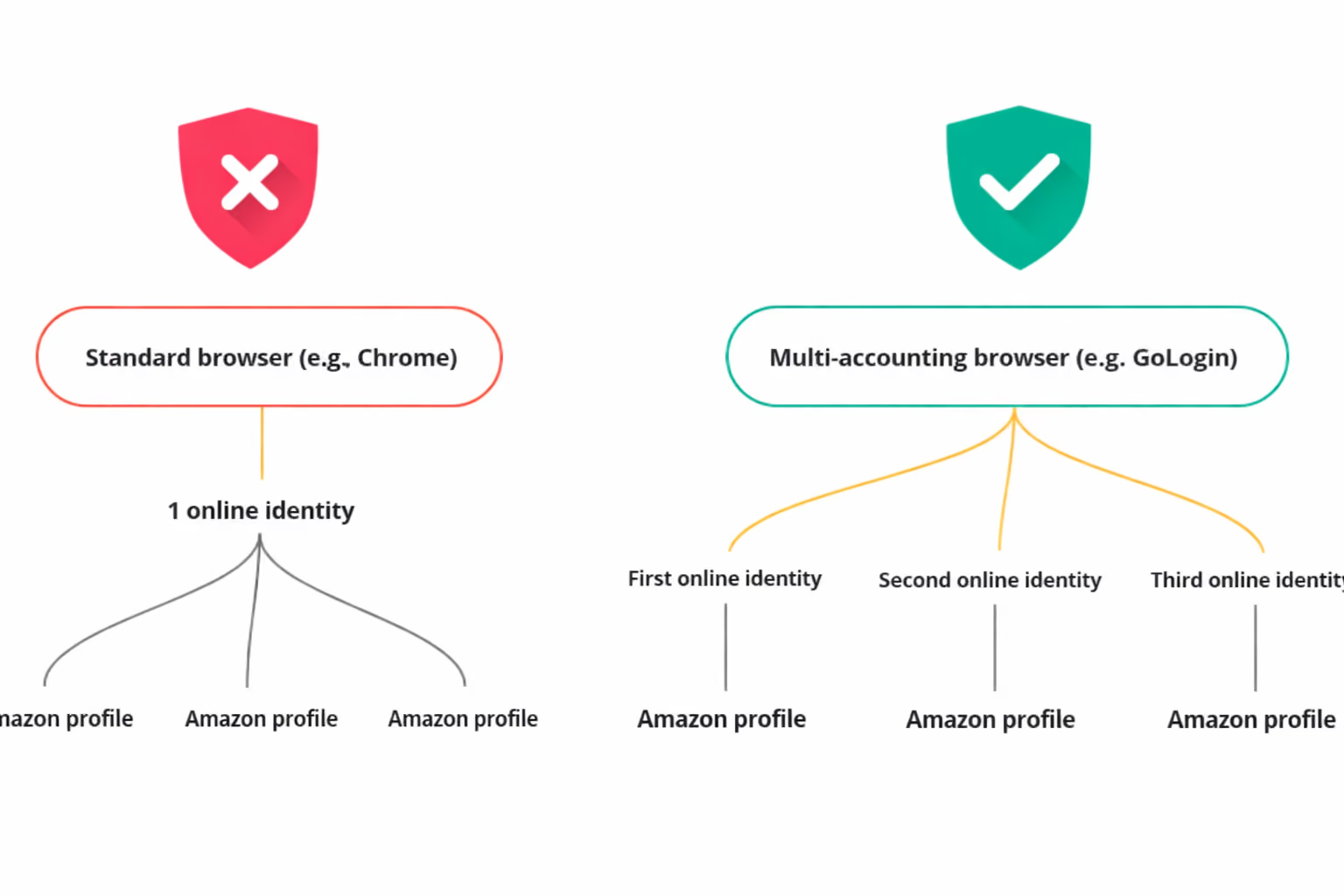
Multi-accounting browsers operate just like regular ones, such as Chrome or Firefox. The difference is that they enable users to have from 2 to thousands of browser profiles. Each of these will be unique and unrelated to others: that is reached with sophisticated browser fingerprint technology.
You can create a custom set of Chrome extensions, bookmarks, and more for each profile. These items will be saved when you close and re-open the profile.
Amazon and other websites will perceive these profiles as distinct users accessing the platform from a specific location and hardware.
You will find such a browser especially helpful for:
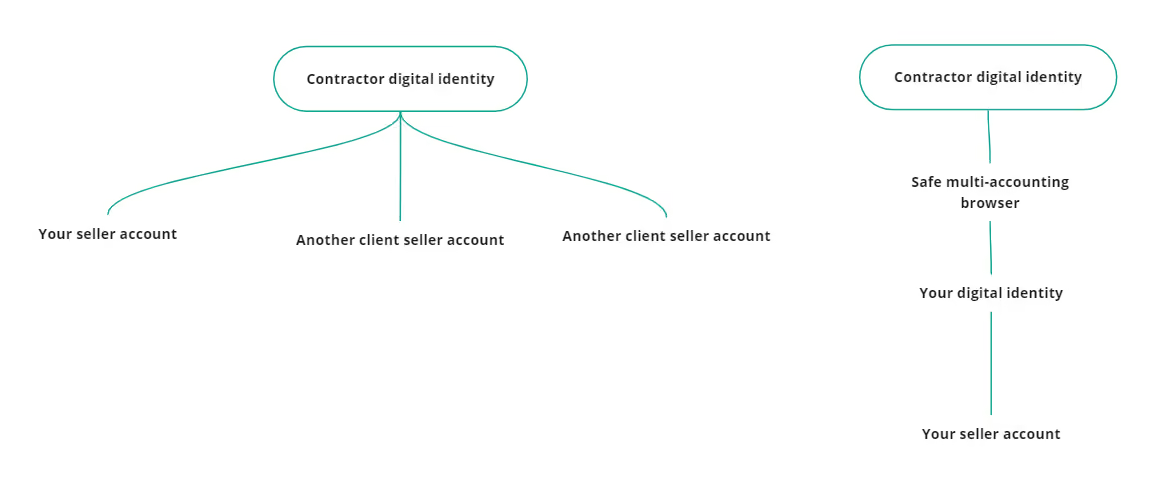
- Safe work with contractors. It is quite a common account association when one contractor logs into several clients’ accounts. With a multi-accounting browser, contractors can access your account via one of the browser profiles. Digital fingerprints will be the same. It will look as if you are using the account.
- Creating a new account after ban.
- Running multiple seller accounts without a headache.
We will show how everything works using Gologin as an example. This software is one of the top multi-accounting browsers on the market, rated by G2 as Easiest to use among competition.
How to use Gologin to create and manage multiple Amazon accounts
Downloading and registering
Head over to Gologin website and download Gologin on your device. The app is available for all major OS versions.
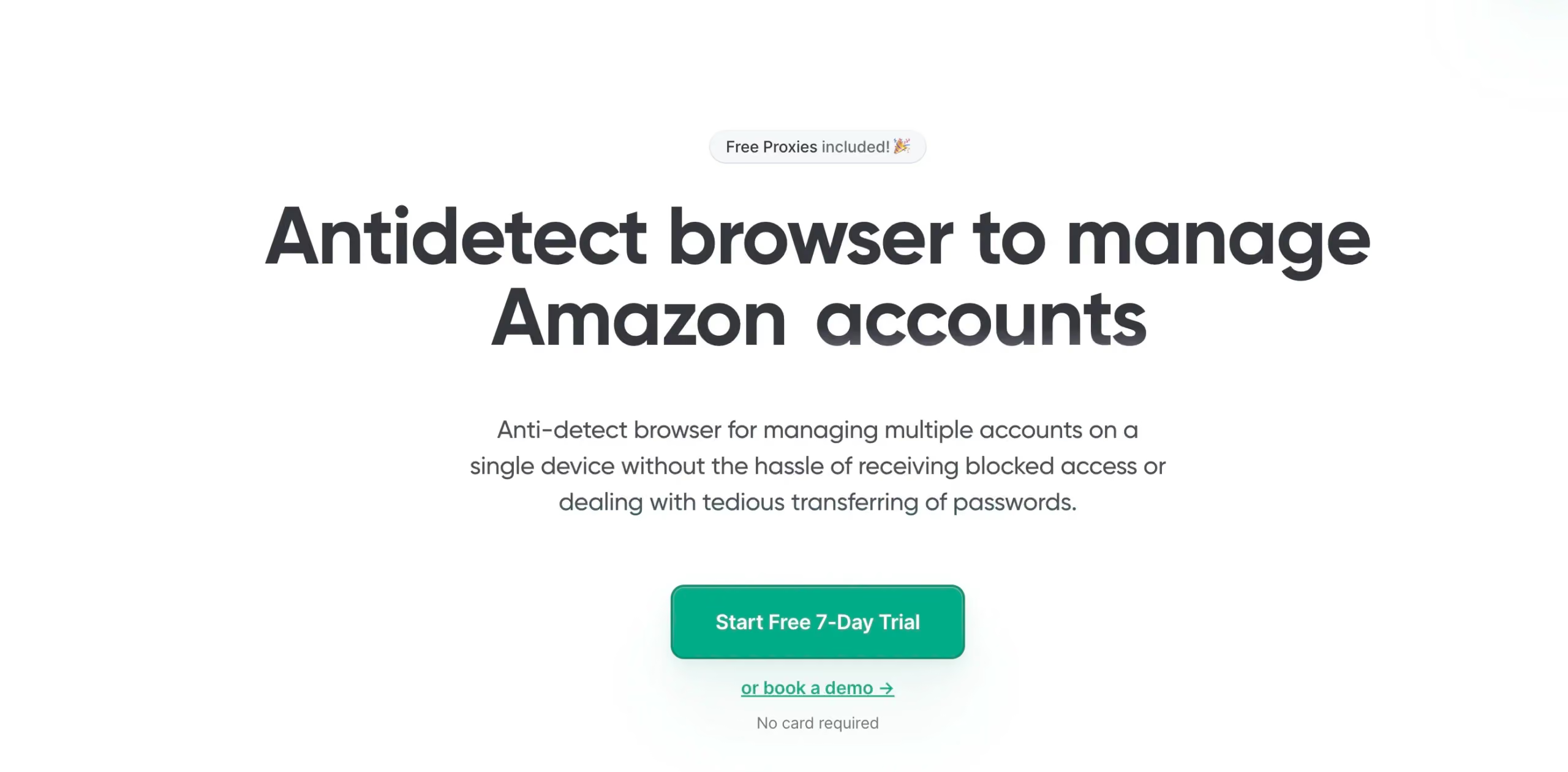 Gologin website
After you install the app, register an account with Google or e-mail. The sign up process includes a short quiz for marketing research.
A free 7-day trial of all features is activated after you sign up.
Creating a browser profile with a proxy
Your default main screen will contain a few ready-made browser profiles. These are isolated browser sessions that will not let Amazon link the accounts. Let’s create a new one, add a proxy and connect Amazon account to it.
First, click Add Profile on top right. You will get into profile creation screen. 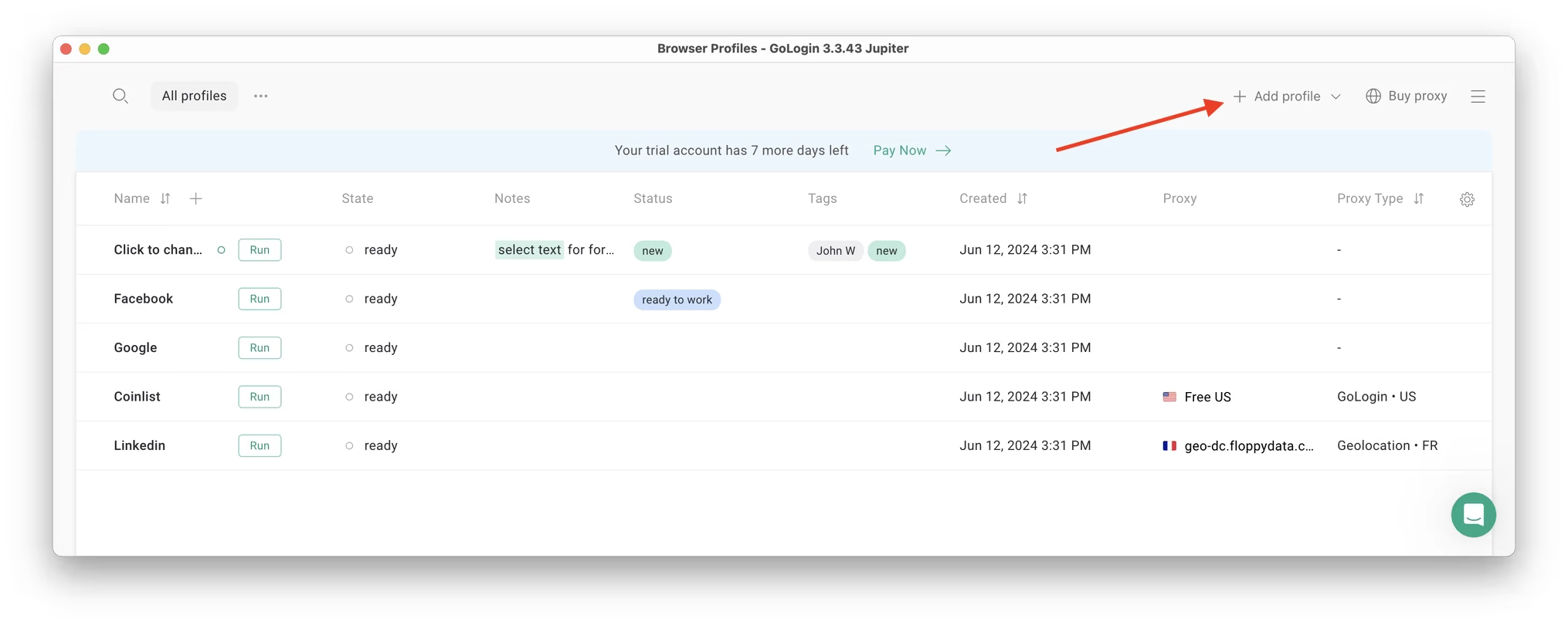
Here’s a visual guide on profile creation and choosing a proxy:
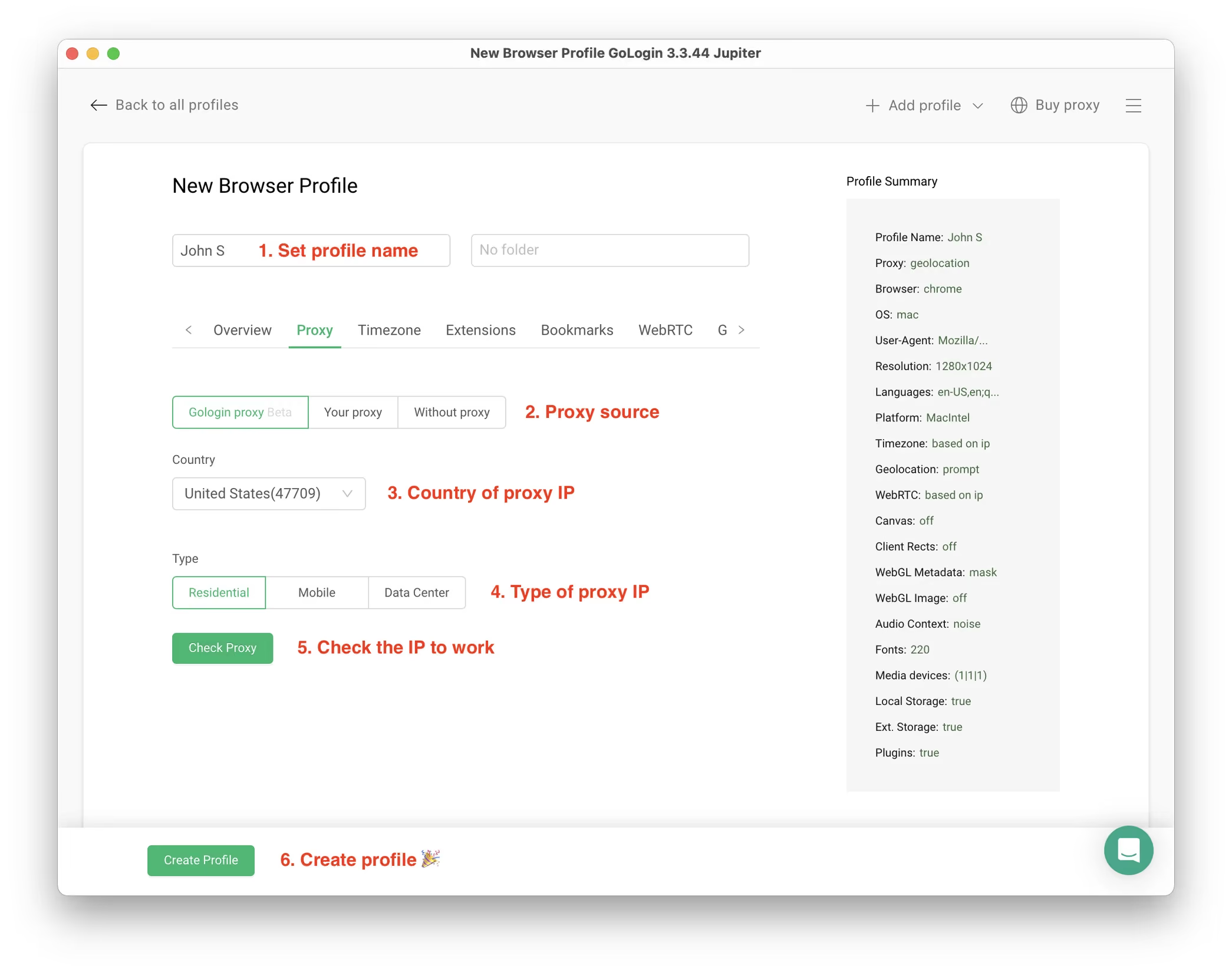
Notice that here you only need to set up the built-in proxy: all other profile settings are automatic. Let’s move!
1. Set your profile name. This can be done later as well.
2. Choose built-in Gologin proxy. Built-in proxies are paid per gigabyte, but you’ll get some free traffic to test them. Third party proxies can also be used here with no restrictions.
3. Pick country from the dropdown list.
4. Choose Residential proxy type. Residential IP address is a most common connection like you have at home or office.
5. Click Check Proxy to see your new IP details. Afterwards, click Create Profile. This will return you to the table of profiles. You’re good to go!
Running the profiles
Click on the Run button at your new browser profile.
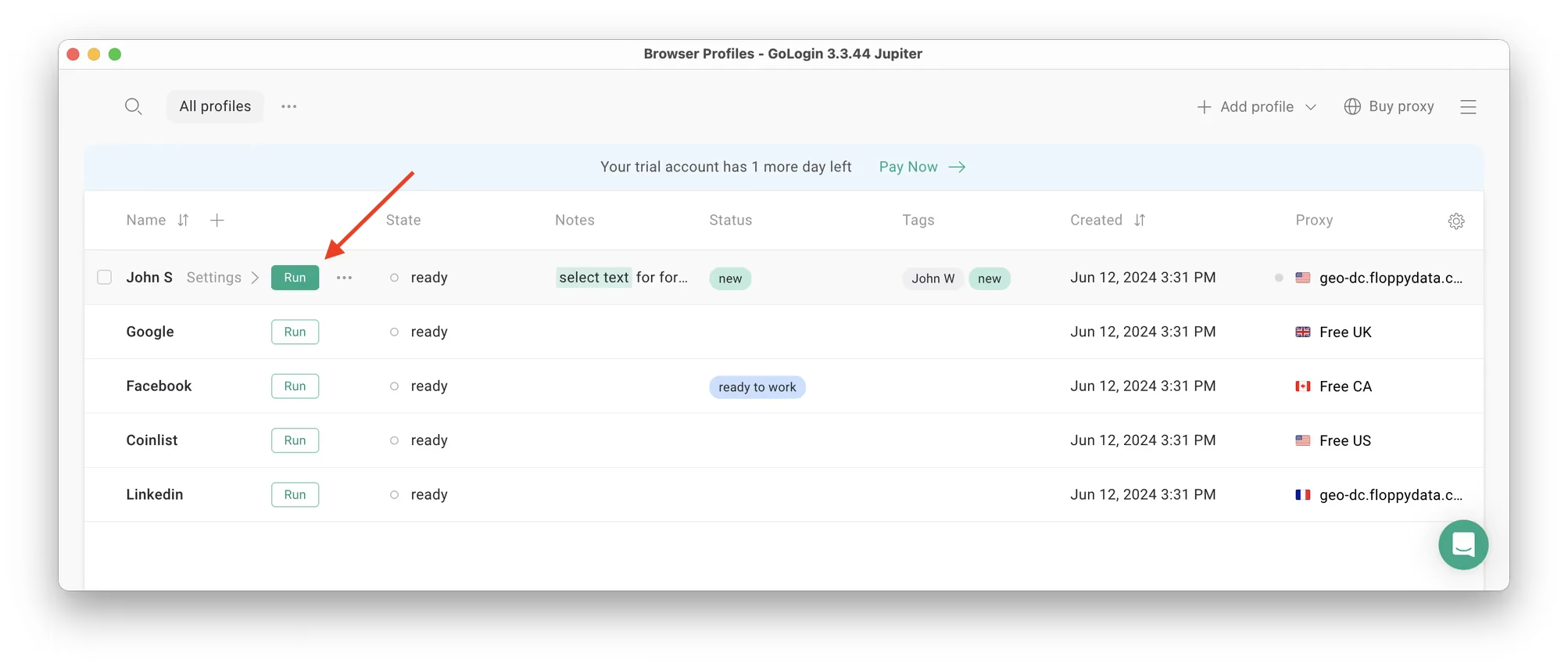 A new browser window will open, which is where you work with the accounts. You can use it like regular Chrome (i.e. tabs, bookmarks, extensions and history), but this session is completely isolated from your device and other profiles.
Connecting an Amazon account to a Gologin profile
In the new window, simply login into your existing Amazon account (or create a new one) – just like you would do in your regular browser. That’s it!
Amazon will see this browser session as a different real device, hence not blocking you for multiple business accounts.
Running multiple accounts
Next, create as many browser profiles as you need to operate multiple social media accounts. Remember each profile IP needs to be different. Best advice here to not mix the proxy IPs is to rename them after your browser profile name.
You can freely run multiple Gologin profiles at the same time with no problem. The amount of windows open simultaneously is not limited, depending only on your hardware. However, when managing two accounts or more on Amazon, be aware of the increased risks, such as higher time investment, potential for account bans, and the likelihood of mistakes that could lead to negative reviews.
When you restart the sessions, they simply continue – just like in a regular browser.
When you use a social account in a Gologin profile, you won’t have to enter passwords or 2FA codes. That’s because the session will pause and continue from a safe cloud server. To Facebook, each profile is a separate authentic device.
Stopping the profiles
When you’re done working in accounts, click Stop on your profile in Gologin. The browser window will close, and your session will upload to the safe cloud server.
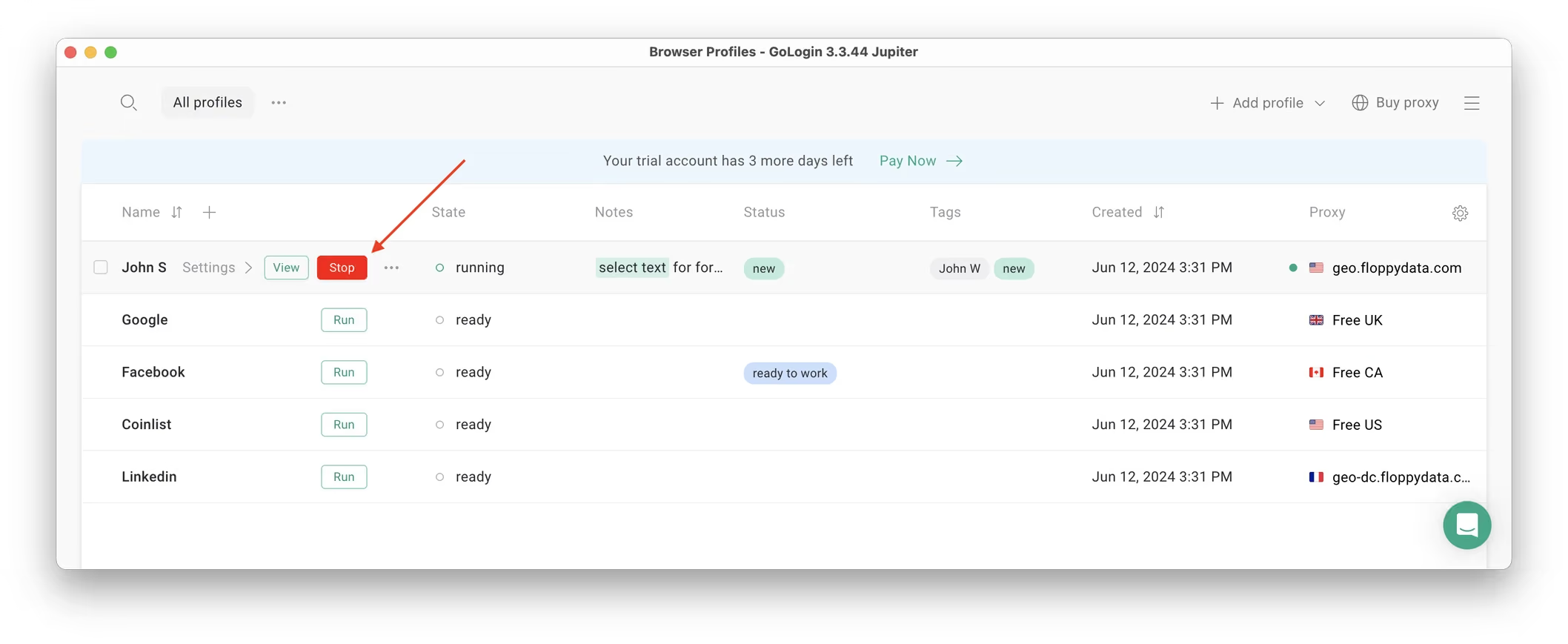
When you restart this profile next time you need to work, the browser session will continue exactly from where you left. This is extremely comfortable and saves tons of time for account managers, even on platforms with no account blocks such as Discord.
That’s it! Try using Gologin profiles for any social platform, marketplace or any other website. The profiles can be logged in from any location and device or shared with your partners. During the 7-day free trial, Gologin does not limit the use of paid features, so you can test the paid functionality.
Separate devices
Utilizing multiple devices is just as effective as using multi-accounting browsers for avoiding account linking. It is a cost-effective solution, unless you need more than five accounts (= five devices).
If you want to manage multiple Amazon accounts within a family or shared household, consider using the Amazon Household feature. Amazon Household allows up to two adults and up to four teens or children to share Prime benefits, such as free shipping and Prime Video, while maintaining separate purchase histories and account privacy. This way, you can share Prime benefits among family members or roommates without needing to merge accounts or share login details.
6 smartphones x $50 (the minimum for a working machine) = $300. Gologin’s cheapest plan with up to 100 browser profiles is $288 annually.
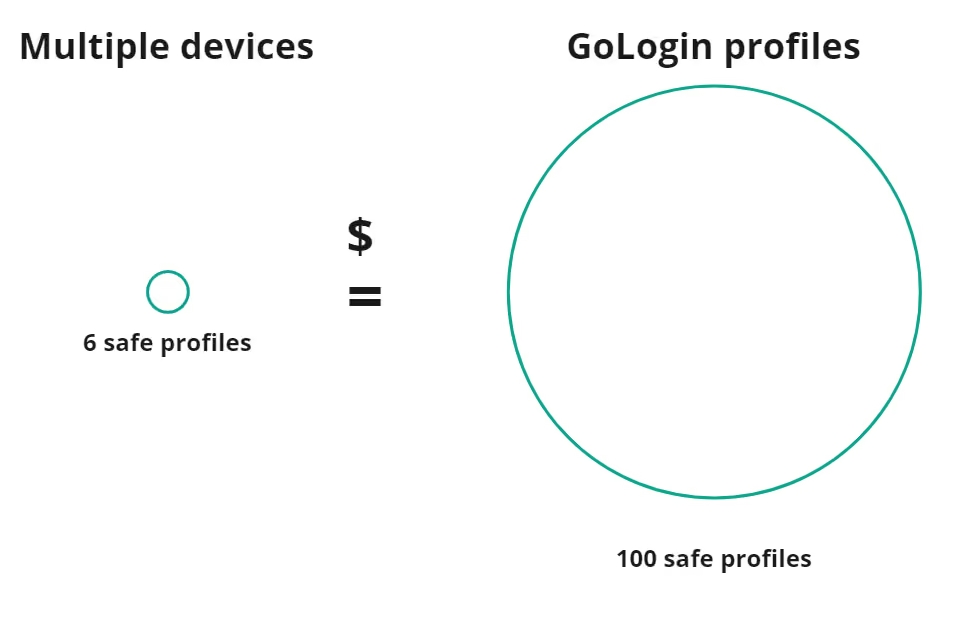
Gologin’s professional subscription allows you to create more seller accounts at the same price. Purchasing 100 devices at $50 each would total $5000!
Frequently asked questions
1. Can you have multiple Amazon accounts?
Yes, you can have multiple Amazon seller accounts. You won’t be restricted. However, each account should have a different identity: personal, business, and digital. Otherwise, you are always at risk. Once one of your accounts is suspended, related accounts will crash too.
2. How to manage multiple Amazon seller accounts?
You would need separate isolated browser identities for that, as Amazon is very strict about user uniqueness. Run Gologin, create several profiles with standard settings and assign separate proxies to each. Create your new accounts and use them only via Gologin. This way you will isolate your multiple seller accounts.
3. Can you have multiple amazon seller accounts?
You can have any number of Amazon seller accounts that are not connected to each other. Examples of associations: name, payment method, same business address, same business entity, brand, IP, device, cookies, and any digital fingerprints.
4. Is running multiple Amazon accounts legal?
Yes, it is legal. Amazon permits multiple accounts as long as there is a legitimate business need. For example, you own several brands. Nevertheless, Amazon does not provide a clear list of criteria that these accounts should meet to qualify as having a legitimate business need. That’s why we recommend a safe multi-accounting browser to avoid suspensions.
5. How does Amazon know if you have multiple accounts?
Amazon may detect multiple accounts through various means, including IP addresses, device information, payment methods, order history, and user behavior patterns. If they suspect a violation of their policies (e.g., creating multiple accounts to abuse promotions), they may investigate and take appropriate actions. We recommend a safe multi-accounting browser for comfortable account management.
6. Can you have 2 Amazon accounts in the same house?
Yes, it is possible for different individuals in the same household to have their own separate Amazon accounts. However, don’t get your multiple accounts linked for the same person, as this may be considered a violation and lead to a suspension.
7. Can I create 2 Amazon accounts with the same number?
No, each Amazon account should be associated with a unique phone number. Amazon uses phone numbers for account verification and security purposes.
8. How many amazon accounts can you have?
More than one Amazon seller account is permitted if you have a legitimate rationale for each, such as having separate brands or product categories for each. All accounts are required to follow Amazon policies and keep good standing.
Download Gologin to diversify your accounts and avoid business downtime at Amazon!
References:
- Haque S. M. T., Wright M., Scielzo S. A study of user password strategy for multiple accounts //Proceedings of the third ACM conference on Data and application security and privacy. – 2013. – С. 173-176.
- Lewis J., Cohen J. Browser Based Multi-Account Notifications. – 2017.
- Datta A. K. et al. Advances in fingerprint technology. – CRC press, 2001.
- Polacco A., Backes K. The amazon go concept: Implications, applications, and sustainability //Journal of Business and Management. – 2018. – Т. 24. – №. 1. – С. 79-92.
Read other posts about multiple accounting:
Can You Have Multiple Snapchat Accounts?
Can You Have Multiple WhatsApp Accounts On One Device?
How to Run Multiple Coinbase Accounts?
Manage Multiple Gmail Accounts
How To Run Multiple Telegram Accounts?
Can I Have Multiple Bluesky Accounts?
How To Run Multiple Etsy Shops?
Can You Have Multiple Airbnb Accounts?
Can You Have Multiple PrizePicks Accounts?
Can You Have 2 FanDuel Accounts?
Multiple Zillow Agent Login
Can I Run Multiple Craigslist Login?
Multiple Google Ads Accounts
Manage Multiple Google Accounts
Can I Run Multiple TikTok Accounts?
How to Run Multiple Ebay Accounts?
Can I Run Multiple Twitter X Accounts?
Managing multiple Reddit accounts
Best Way to Run Multiple Discord Accounts
Create and Manage Multiple Facebook Accounts
Manage Multiple Social Media Accounts
How to have multiple instagram accounts?
Can I Run LinkedIn Multiple Accounts?