MuLogin Review 2026: Pricing, Tests & Best Alternative
Try Gologin for free
Published by Gologin. I reviewed MuLogin 1.1.0.9 and Gologin side by side on Windows on November 17, 2026, using the same third-party rotating proxy endpoint.
Managing several accounts gets tedious when every session needs its own settings, cookies and proxy. MuLogin promises to put that work in one Windows app, with detailed profile controls and team access. I wanted to see how comfortable it actually feels once I move past the feature list.
I tested its signup, profile creation, proxy setup and everyday controls, then compared the browser checks and subscription costs with Gologin. MuLogin has useful tools, but my experience involved more waiting and manual work than I would want from a daily browser.
TL;DR
- MuLogin starts at $59/month for 100 profiles. Gologin charges $39/month for the same profile count, or $9/month for 10.
- MuLogin runs on Windows only. Gologin covers Windows, Mac, Linux, Android and iOS and offers cloud launch.
- MuLogin has useful manual controls, but the Personal plan excludes API access, batch profile creation, and profile transfer.
- My MuLogin profile showed a time-zone mismatch on Pixelscan and Iphey. Gologin returned Consistent and Trustworthy in the comparison; MuLogin’s extensive settings did not translate into a consistent profile in these runs.
| Feature | MuLogin | Gologin |
|---|---|---|
| Starting price | $59/mo; $44.25/mo annually | $9/mo; $4.50/mo annually |
| Free access | 3-day trial; 5 profiles; support activation | 7-day trial; 3 profiles on free forever plan |
| Pixelscan | Inconsistent | Consistent |
| Iphey / MX score | Unreliable; 90/100 | Trustworthy; 100/100 |
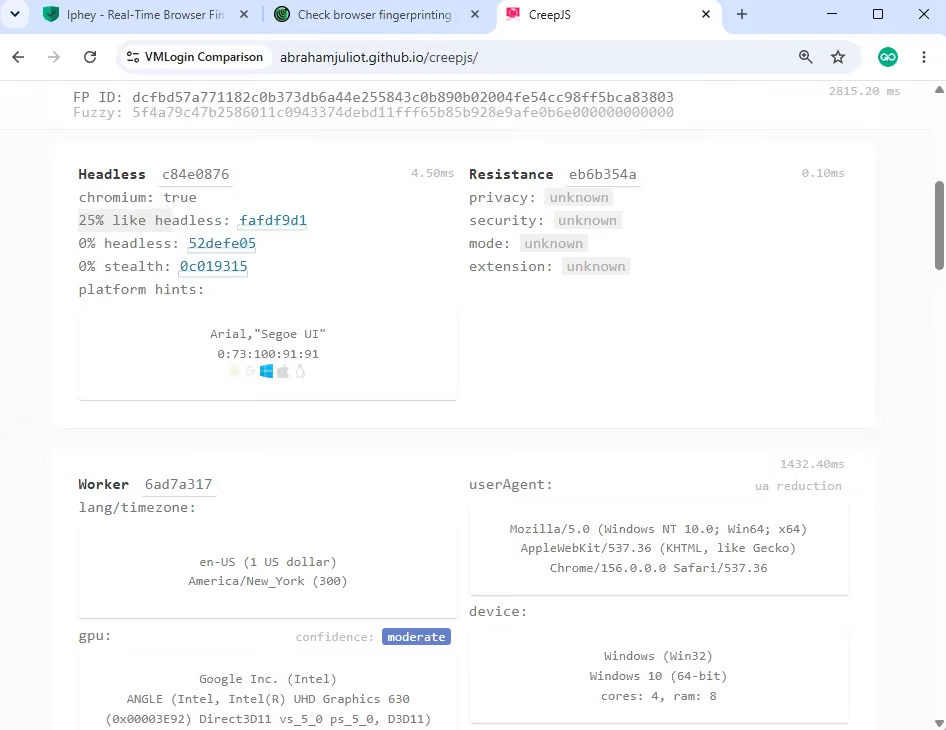
| CreepJS | 19% like-headless / 0% headless / 0% stealth | 25% like-headless / 0% headless / 0% stealth |
| Reported browser core | Chrome 150 | Chrome 156 |
| App launch time | App launch: 1 sec, Profile launch about 8 sec | App launch: 3-4 sec, Profile launch 2-3 sec |
| Native apps | Windows | Windows, macOS, Linux, Android, iOS |
| Mobile profiles | Mobile identity settings; no mobile app | Mobile profile options and Android cloud phone |
| Cloud access | Profile-data sync; local Windows browser | Remote launch; 1–4 concurrent profiles by tier |
| API / automation | Solo ($99/mo) and above; trial includes API | Every paid tier; request limits vary |
| Team features | 1/5/10/20 subaccounts; Personal shares only to own subaccount | Profile sharing; +$10/member on each plan |
USD prices checked November 17, 2026. Annual figures are monthly equivalents paid upfront. Launch times are approximate observations, not medians of three cold starts.
Head-to-Head Comparison of Gologin and MuLogin
MuLogin is a browser for keeping multiple account sessions in separate profiles. It gives Windows users detailed fingerprint controls, proxy settings, cookie tools, and automation on selected plans. That is a useful feature set, but it does not make a profile trustworthy by itself.
For this comparison, I focused on the steps that affect daily use: getting access, creating profiles, connecting a proxy, checking consistency and managing saved sessions. MuLogin’s included subaccounts are a genuine advantage for some teams, but I found its basic setup less straightforward.
Who is behind MuLogin?
G2 identifies Wuxi Jiuba Entertainment Technology Co., Ltd. as MuLogin’s seller. For my purchase decision, the more useful questions are how the current app works, how quickly support helps me get started and whether its browser settings agree with the proxy.
MuLogin’s small public review sample gives me limited customer experience to compare with my own. I put more weight on the current workflow and the results below than on broad claims about its popularity.
Supported Platforms & Devices
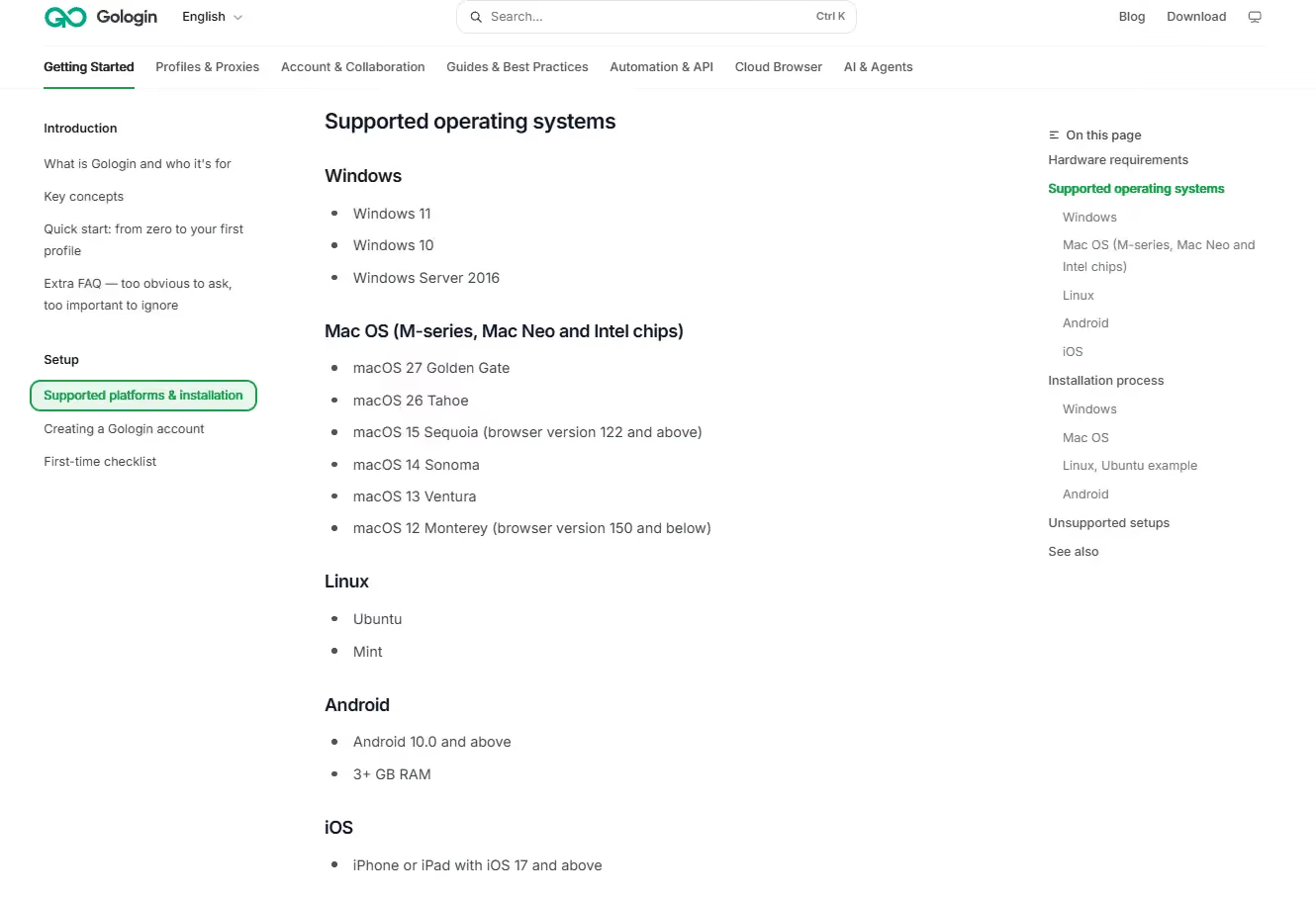
I can use Gologin on Windows, macOS, Linux, Android, and iOS. Its cloud launch also lets me open profiles through a regular browser. That flexibility matters if I work across devices or need to hand profiles to a mixed team.
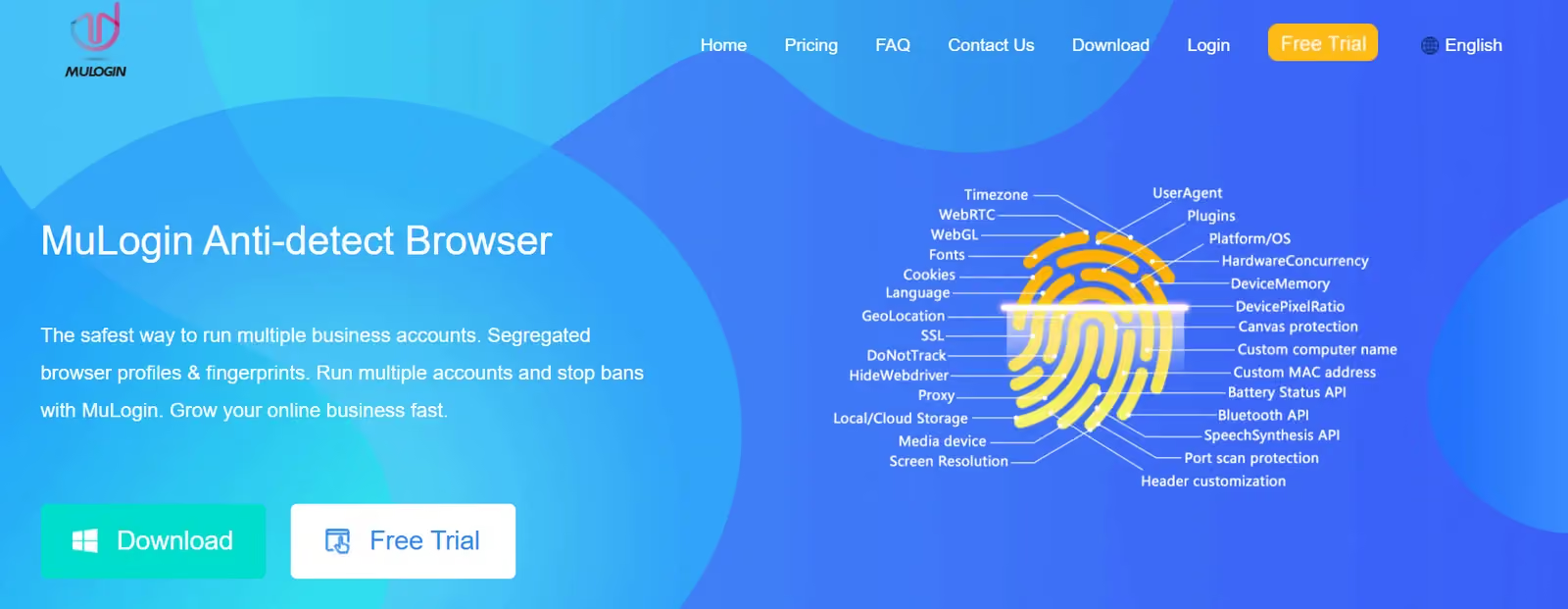
MuLogin is Windows only. Its system requirements say so, and I found no native macOS, Linux, Android, or iOS download. Choosing a Mac or mobile identity inside a profile does not turn it into an app for that device. If I need native support outside Windows, MuLogin is out of contention.
Is MuLogin still maintained?
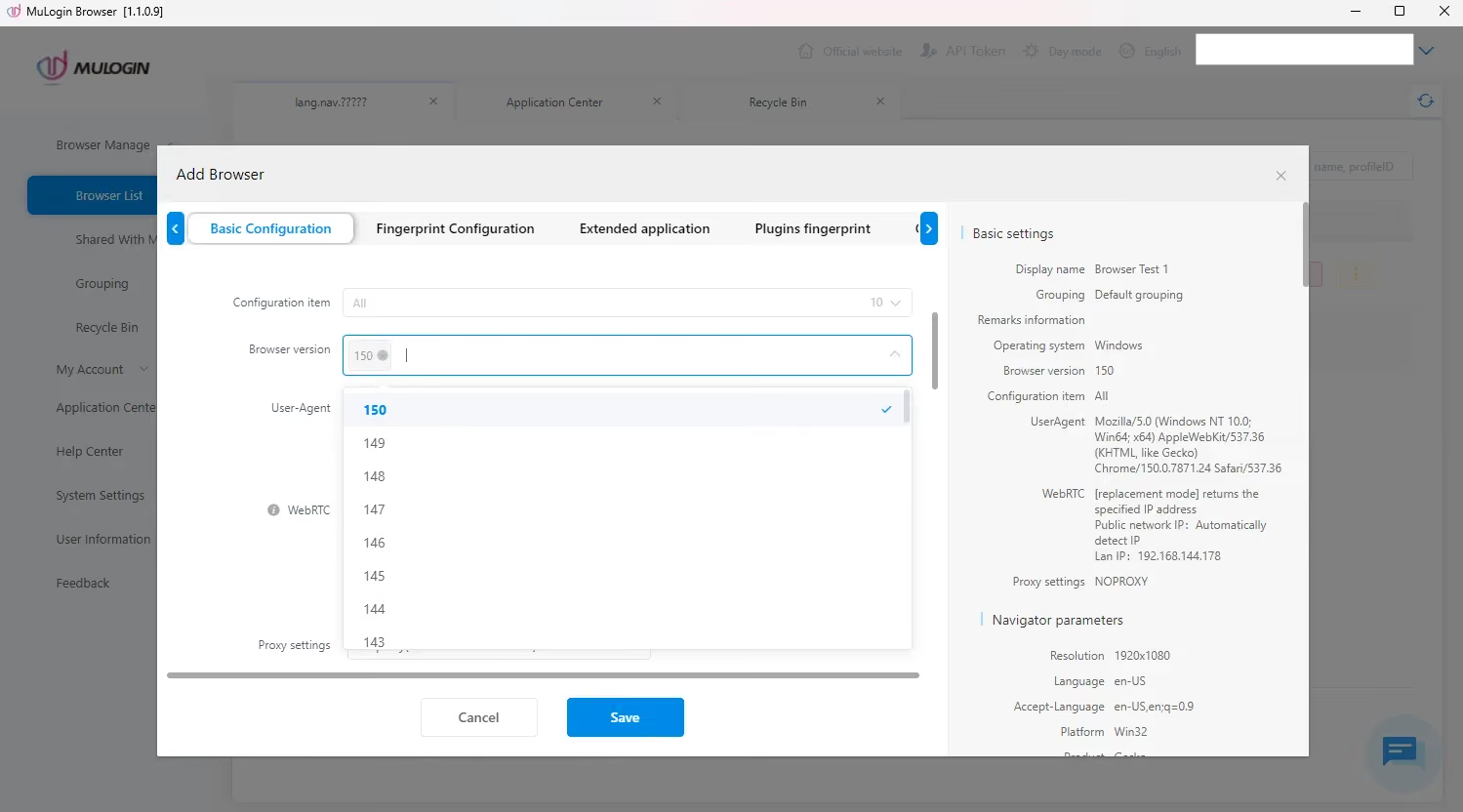
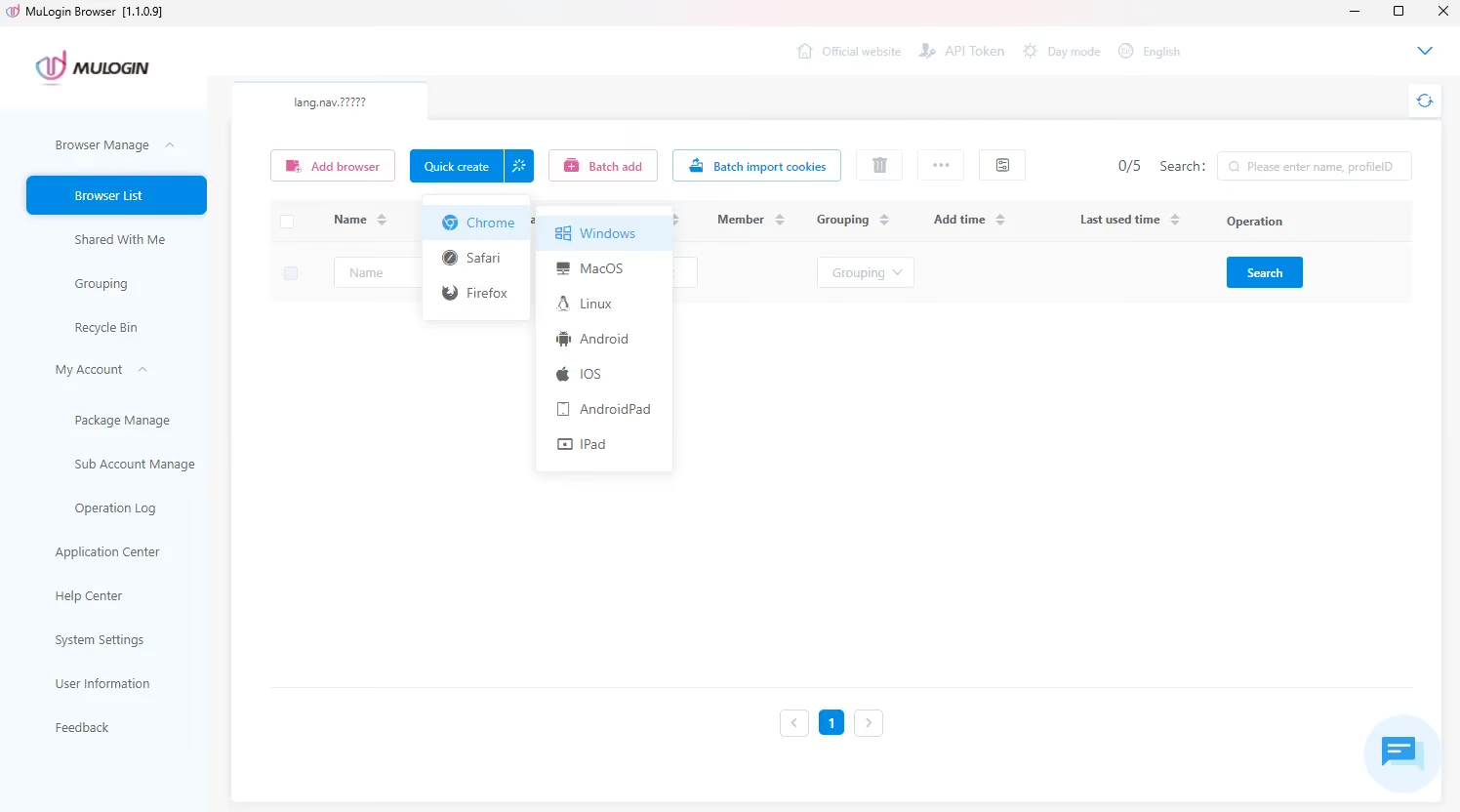
I used MuLogin 1.1.0.9. Its editor offered Chrome 150 as the newest available kernel, while Quick Create generated a Chrome 106 identity. Chrome 158 was the stable milestone on November 17, 2026, according to Chrome Platform Status. That puts the newest MuLogin option eight major versions behind the stable milestone.
The release history shows continued development, but the age of the engine available in my editor is still a drawback. Quick Create choosing an even older identity makes checking the version an essential setup step rather than something I can leave to the shortcut.
Registration & Initial Setup
Gologin offers a seven-day trial and a separate free plan with three profiles. I can start from its website or app and use the onboarding prompts to set up my first profiles. The longer trial gives me more time than MuLogin’s three days to check real workflows before paying.
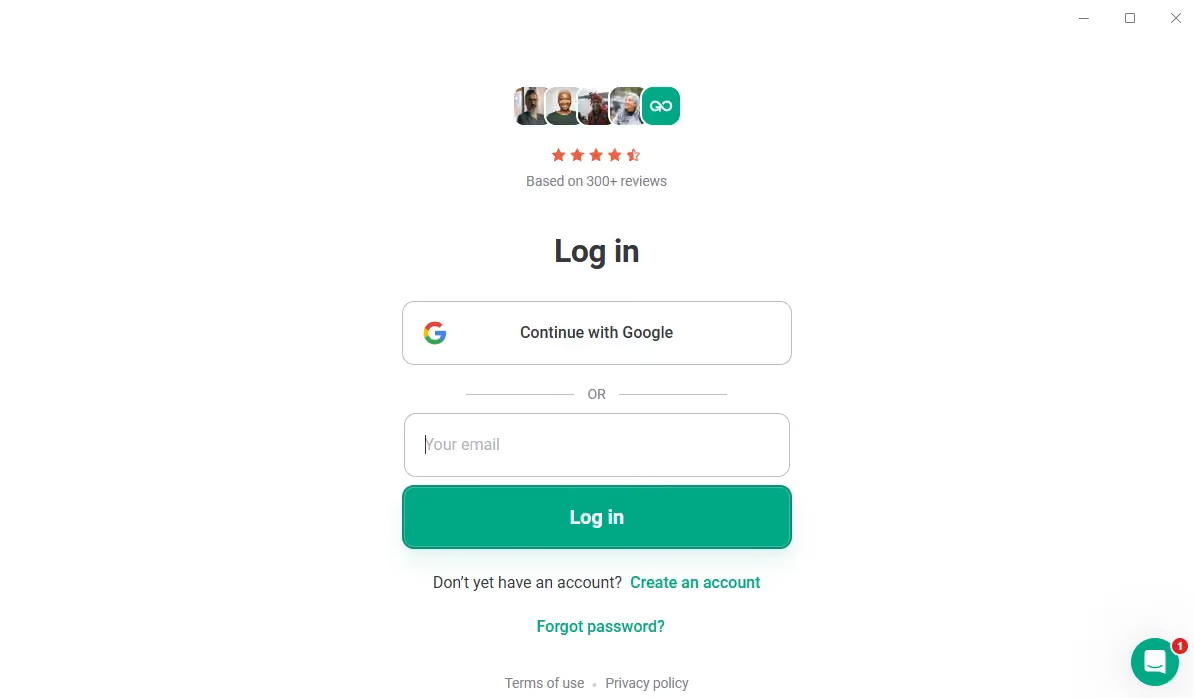
I prefer Gologin’s guided setup for a first session. It asks about experience and intended use, then helps with sample profiles. I still need to check the proxy and profile settings rather than assume the defaults fit every account.
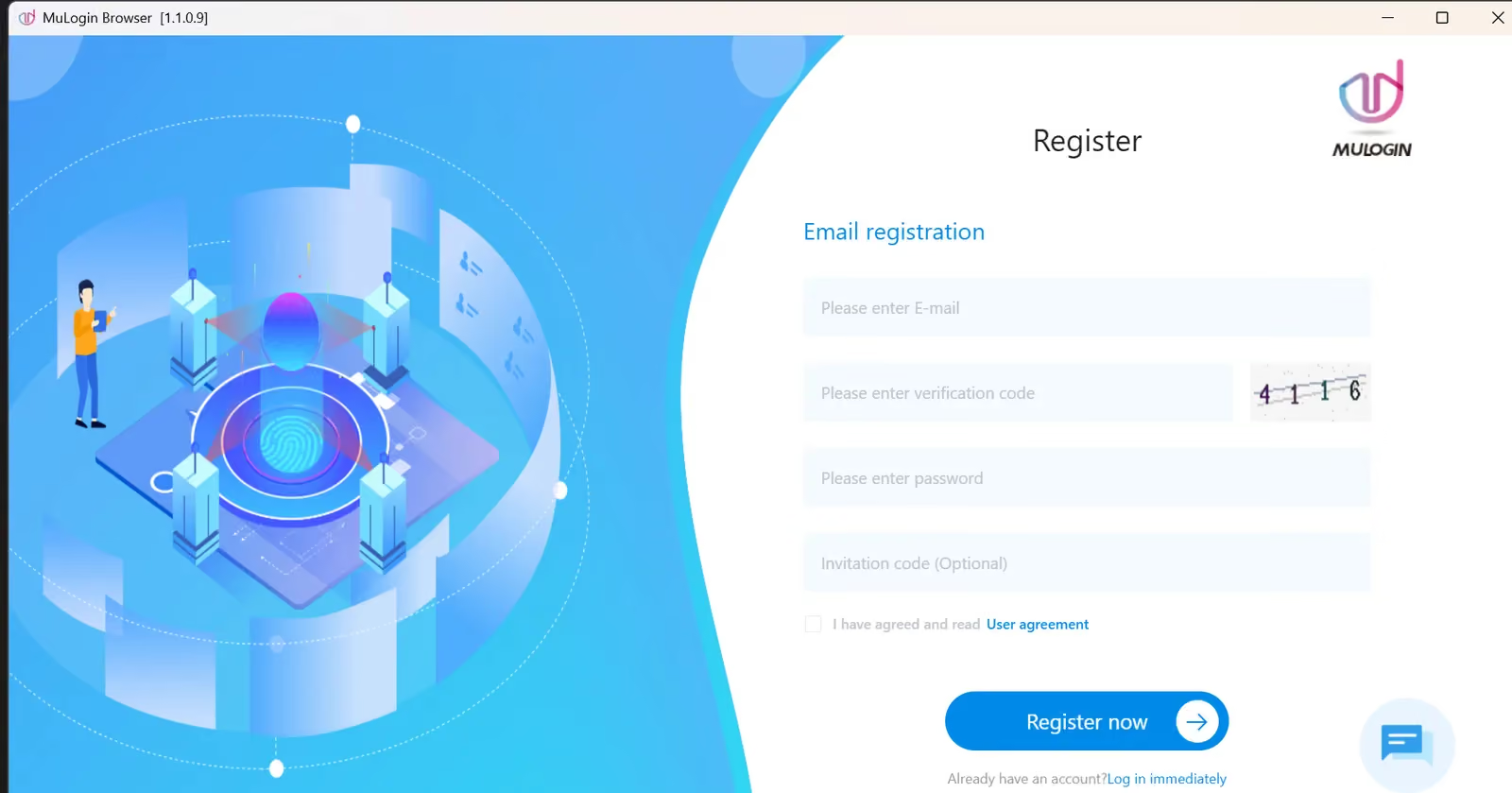
MuLogin’s registration form asks for an email address, password and image verification code. After creating the account, I contacted support for trial access and received activation two days later. Signup was simple; getting into the actual trial was slower.
The image code is part of the registration form. For everyday use, the bigger obstacle was the delay between signing up and being able to evaluate profiles: a short three-day trial is less convenient when access depends on a support reply.
Gologin’s automatically started trial feels more practical here. I can begin setting up profiles straight away instead of keeping track of an activation request.
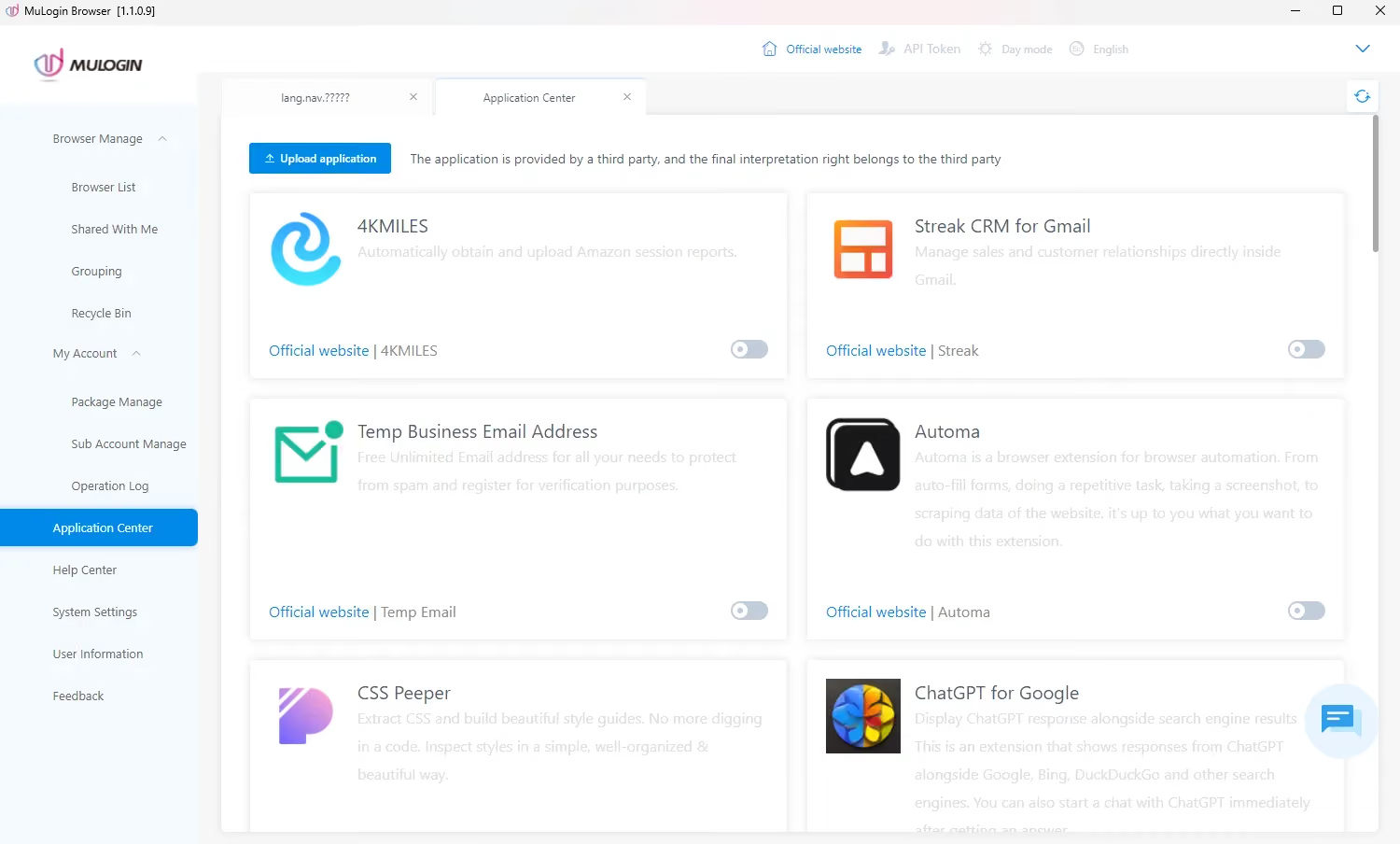
MuLogin’s trial lasts three days and allows five saved profiles. Its trial documentation includes batch creation and REST API access, while subaccounts, sharing and transfers belong to paid packages. The trial is temporary access rather than a continuing free plan.
API access during MuLogin’s trial does not carry over to the $59 Personal subscription. After the trial, I need Solo or a higher plan for the API, batch profile creation and profile transfers.
Setting Up Custom Profiles
I can create a Gologin profile with the plus icon, open the full editor with Add Profile, or create several profiles in bulk. I prefer having a quick route for ordinary profiles and a separate editor when I need to change the details.
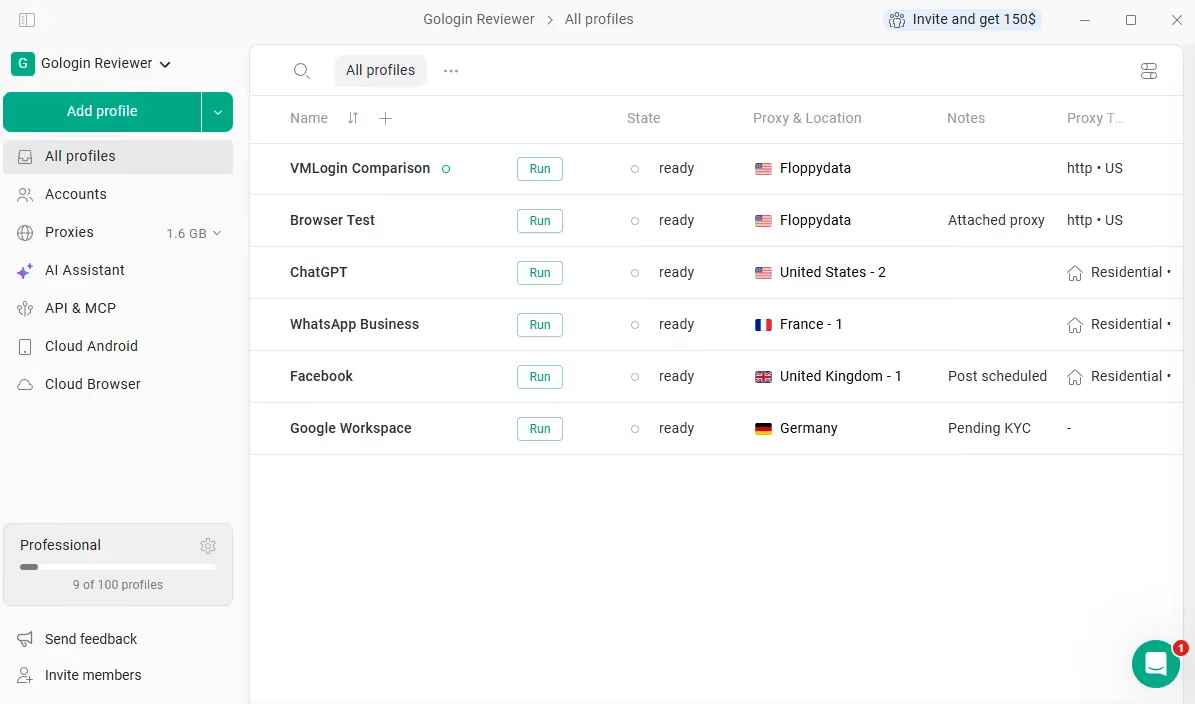
In Gologin’s profile editor I can select a built-in proxy, add my own provider, or use a direct connection. The settings cover operating-system identity, time zone, language, display, and hardware details, with support for bookmarks and Chrome extensions. I would keep those values consistent with the proxy location rather than change them at random.
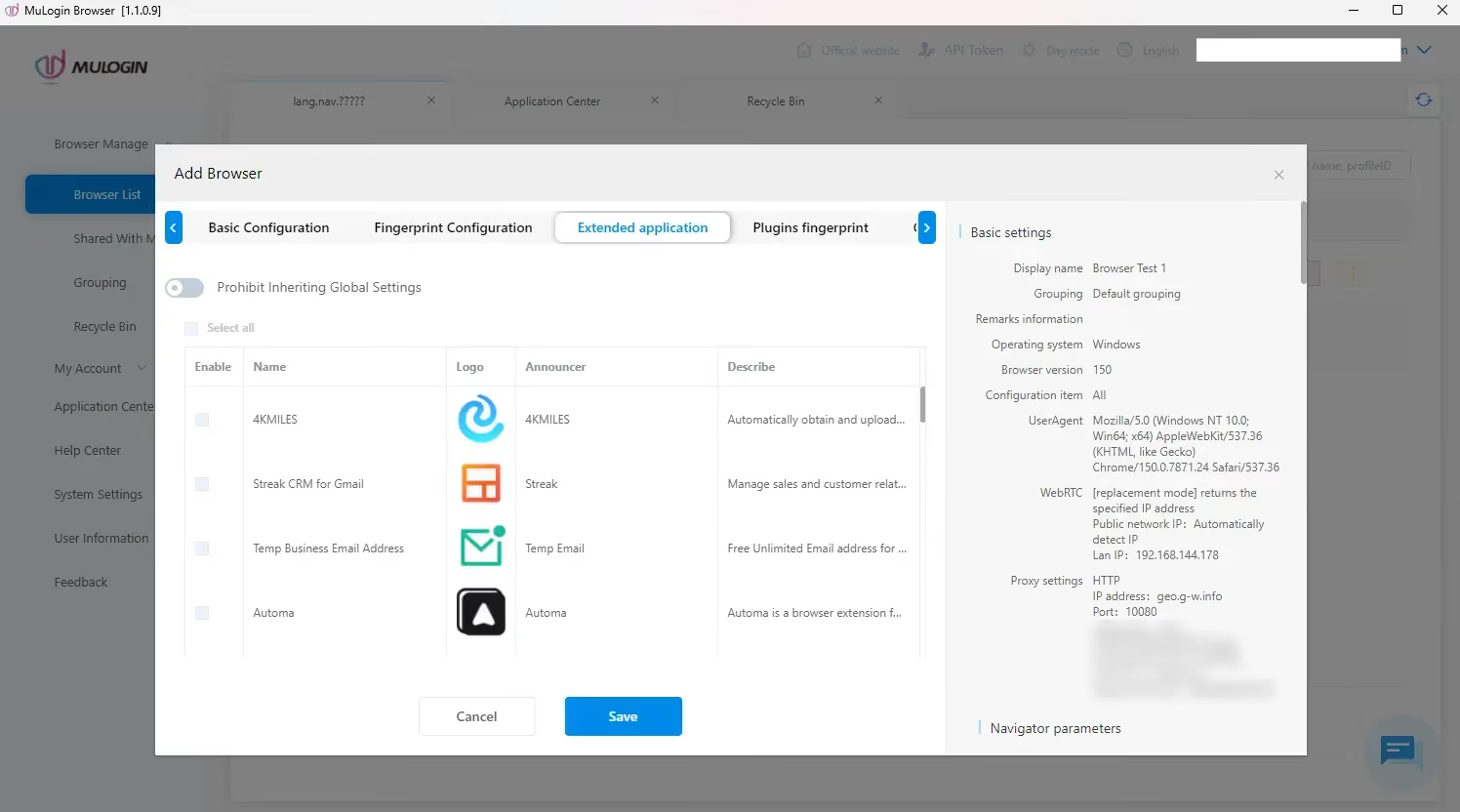
MuLogin’s editor offers Chrome, Safari and Firefox identities along with desktop and mobile device settings. These menu choices describe profile configurations; they are not evidence of three separate browser engines. My configured Windows profile reported Chrome 150 in the checker results.
Add Browser gives me the full settings form, with controls spread across several tabs. I prefer Gologin’s shorter route to a usable everyday profile.
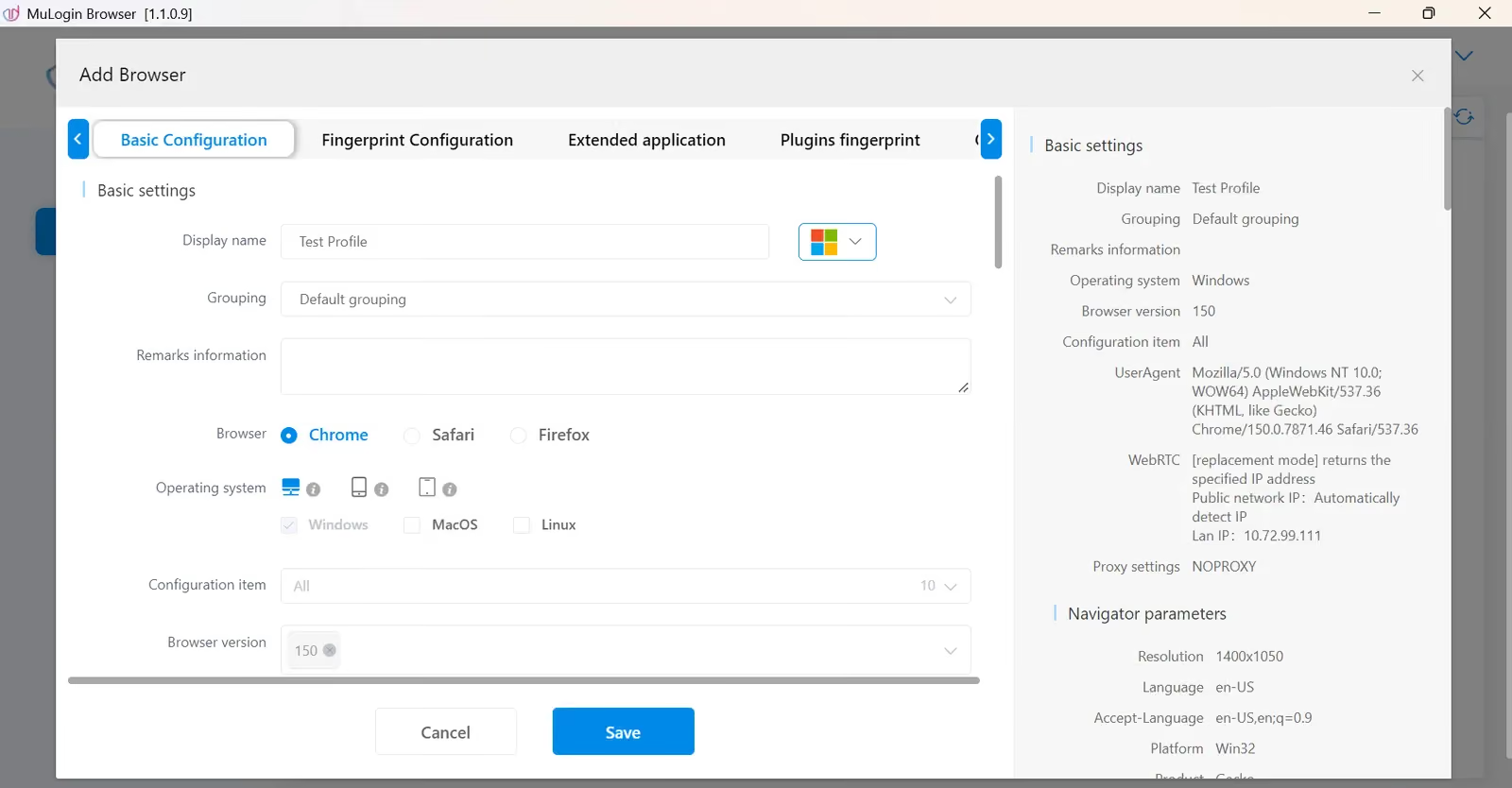
MuLogin exposes detailed browser, operating-system, display, hardware and location controls. That flexibility can help an experienced operator, but it also gives me more settings to reconcile. My configured profile still showed a time-zone mismatch despite selecting IP-based matching, and the quick profile showed the same problem.
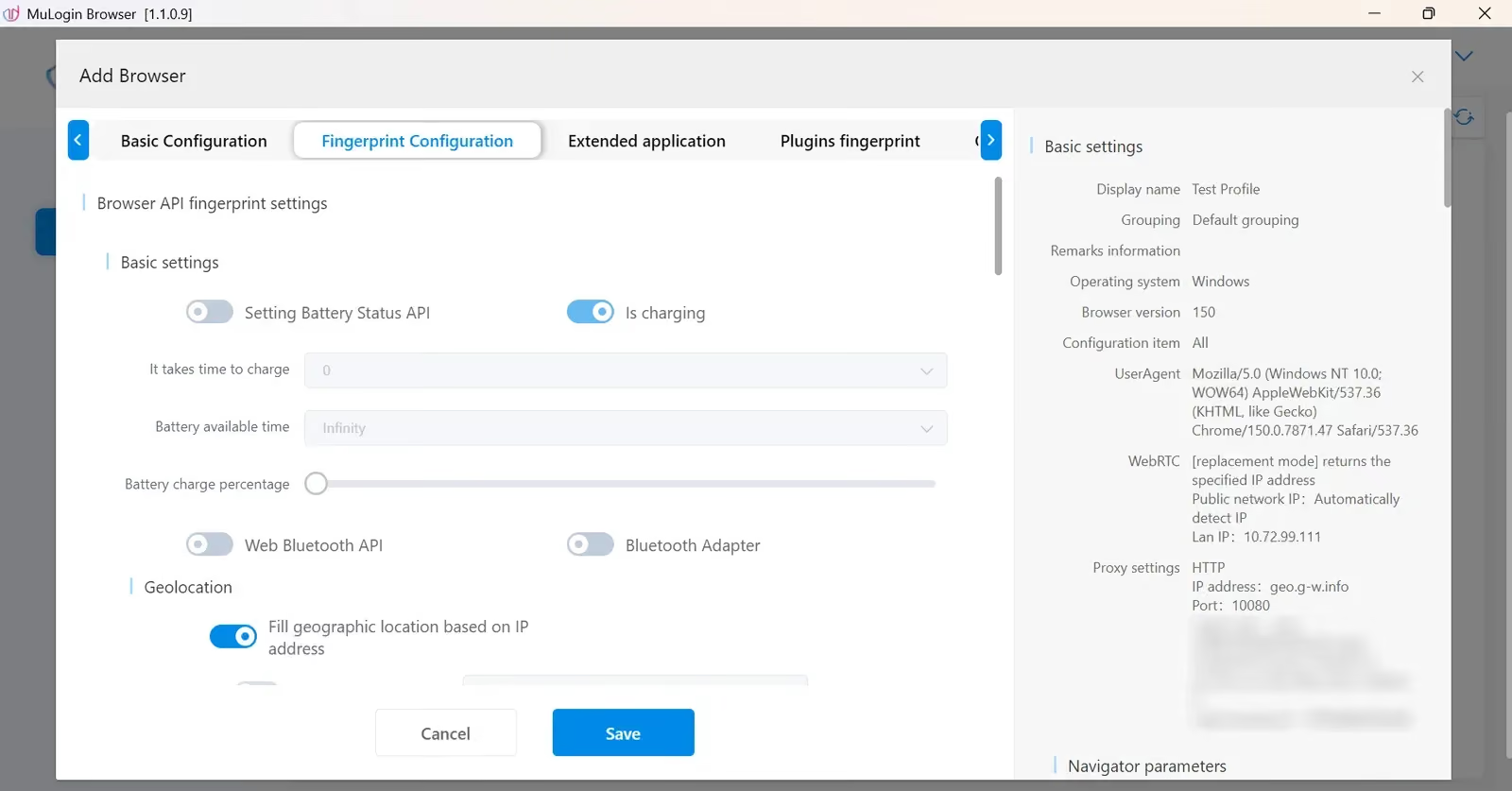
Quick Create is easy to find, but its output needed attention: it generated a Chrome 106 profile and I still had to edit it to add the proxy.
Features that matter in daily use
The useful distinction is how these features fit into an actual working day. MuLogin has profile isolation, groups, sharing, cookie tools and automation; the awkward setup and subscription restrictions are what make me hesitate.
- Fingerprint management: Both browsers let me configure separate profile identities. MuLogin gives decent profile editing options; Gologin makes a profile easier to set up. Gologin automatically matches the IP, geolocation and browser settings with your IP and ensures that your profile looks consistent.
- Interface: I find Gologin’s profile list and guided creation flow easier to follow. MuLogin’s dashboard is functional, but the key settings are buried inside a long list of settings which makes it hard for a beginner to create quality profiles.
- Automation: MuLogin documents a local REST API and browser automation integrations, but paid access starts at Solo, $99/month. Personal excludes the API and batch profile creation. Gologin includes REST API access on every paid tier, with request limits by plan. Gologin’s API can also start cloud browser profiles and manage proxies; MuLogin has no cloud launch.
- Cloud Features: MuLogin offers profile-data synchronization, groups, sharing and transfers. Personal includes one subaccount and sharing to that subaccount; Solo broadens sharing and adds transfers. Gologin also offers remote cloud browsing, cloud data sync to access profiles anywhere and add-on team members on all paid plans.
Proxy settings: MuLogin supports HTTP, HTTPS, SOCKS4 and SOCKS5 connections, including IPv6, but does not supply its own proxy traffic. I need a third-party provider. In the profile editor, I select the protocol and enter the host, port and any required credentials, then use Check the network to test the connection.
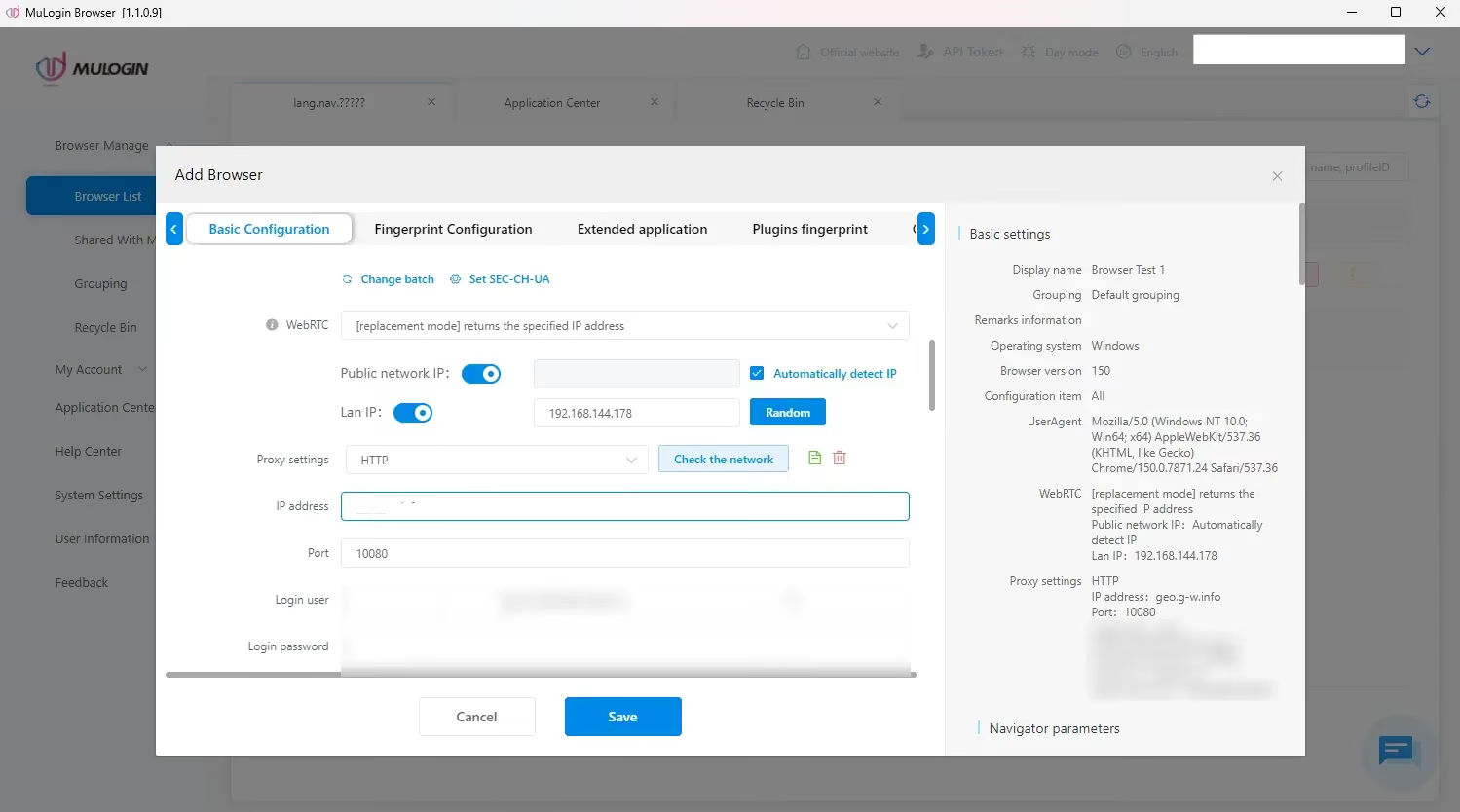
The paste control rejected my supplied string with a format-mismatch message, so I entered the fields manually. MuLogin documents a colon-separated host:port:username:password format and batch proxy import/export, so this is a limitation I encountered in the proxy setup. I found no dedicated proxy-management workspace in the app to edit/add bulk proxies. You can only assign a proxy during profile creation.
Performance: MuLogin’s app opened in about 1 second and its profile took about 8 seconds to launch. Gologin’s recorded app startup was about 3–4 seconds, with a profile opening in about 2–3 seconds. MuLogin reached the dashboard sooner, but Gologin opened the working profile faster. These are approximate observations rather than three-run cold-start medians.
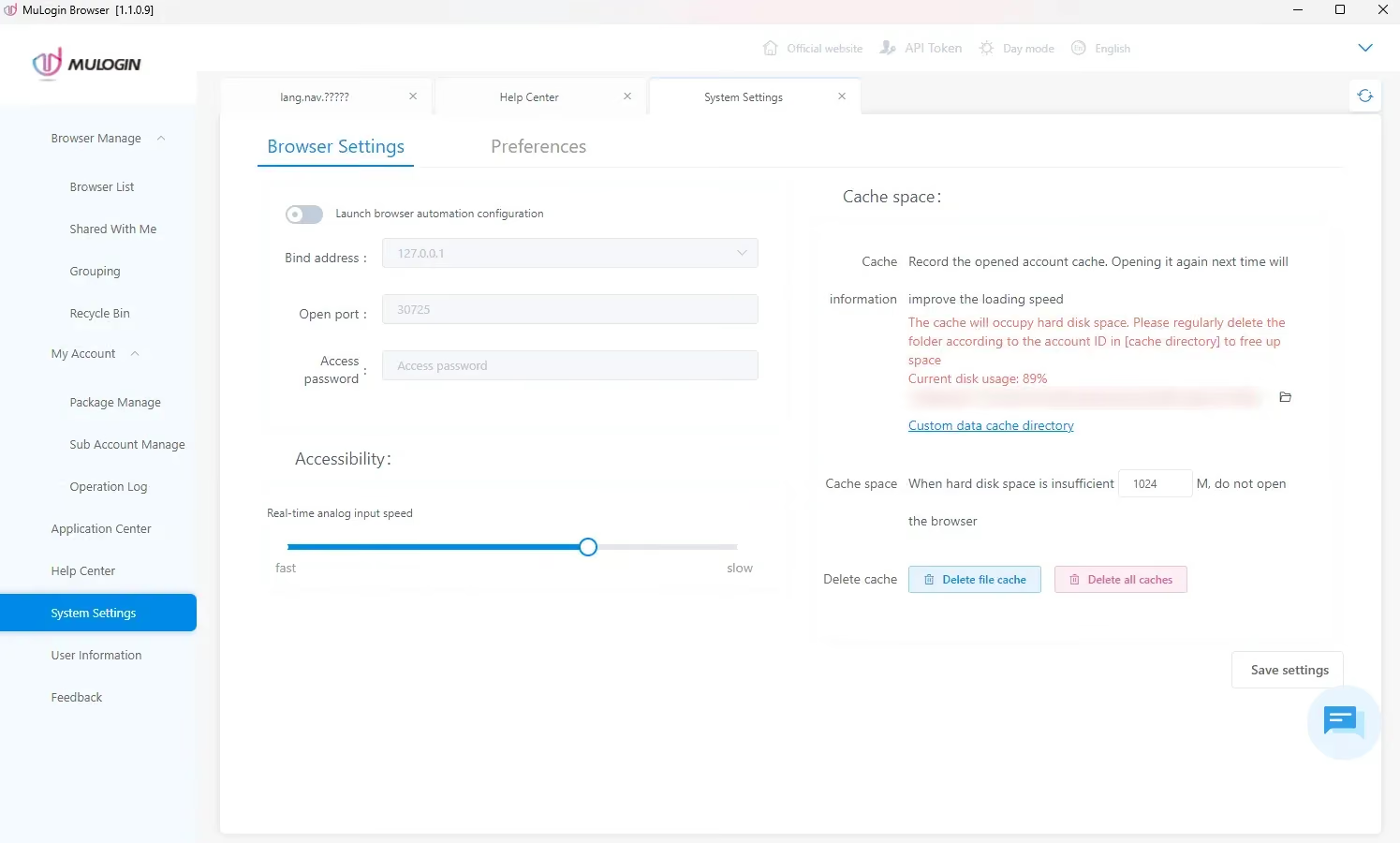
- Security and session storage: Both products separate saved profile sessions, but consistency still depends on the values a website can read. MuLogin’s location mismatch is the concrete problem in my results. A long list of controls, cloud sync or a review score does not turn that mismatched session into a consistent one.
MuLogin vs Gologin: Browser Fingerprint Test
I tested MuLogin and Gologin on Windows on November 17, 2026 using the same Floppydata proxy endpoint. I compared each session’s browser and location signals and recorded my results.
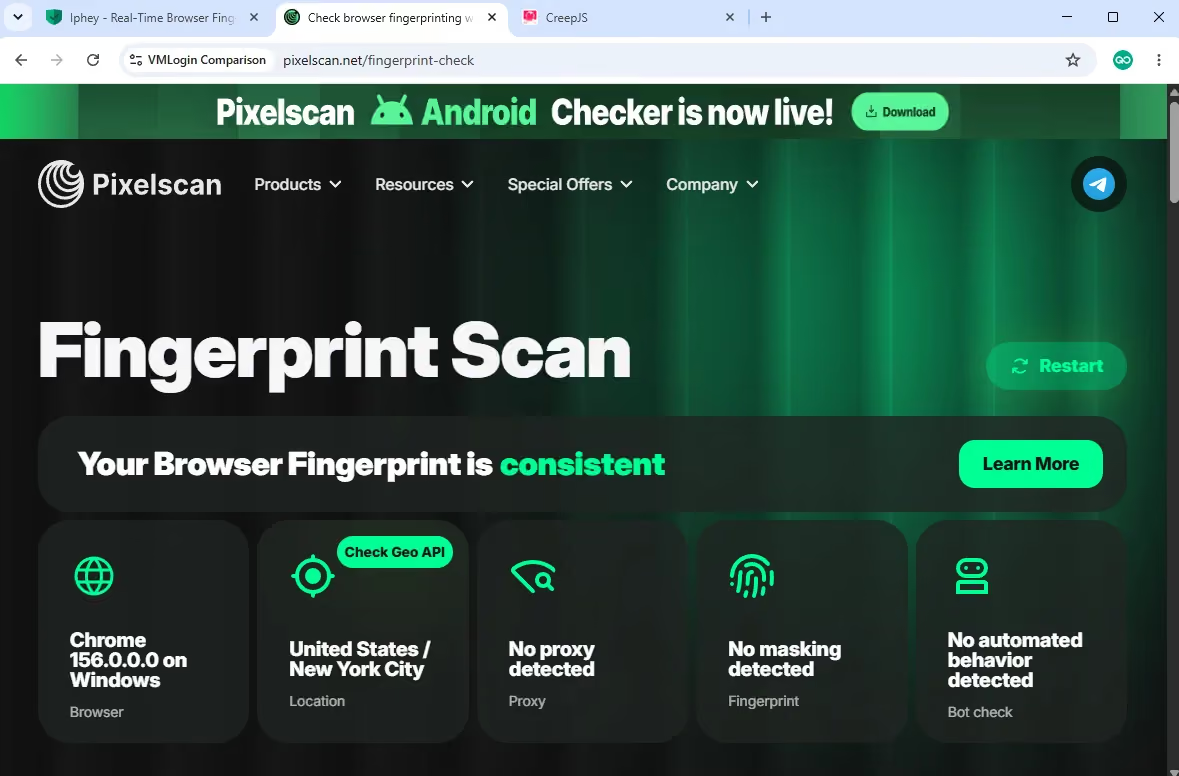
Chrome Platform Status lists Chrome 158 as the stable milestone for the test date. The configured MuLogin profile reported Chrome 150 and Gologin reported Chrome 156. I used Pixelscan, Iphey and CreepJS to look at different signals, so I interpret their results separately.
MuLogin Fingerprint Test Results
| Check | November 17 result |
|---|---|
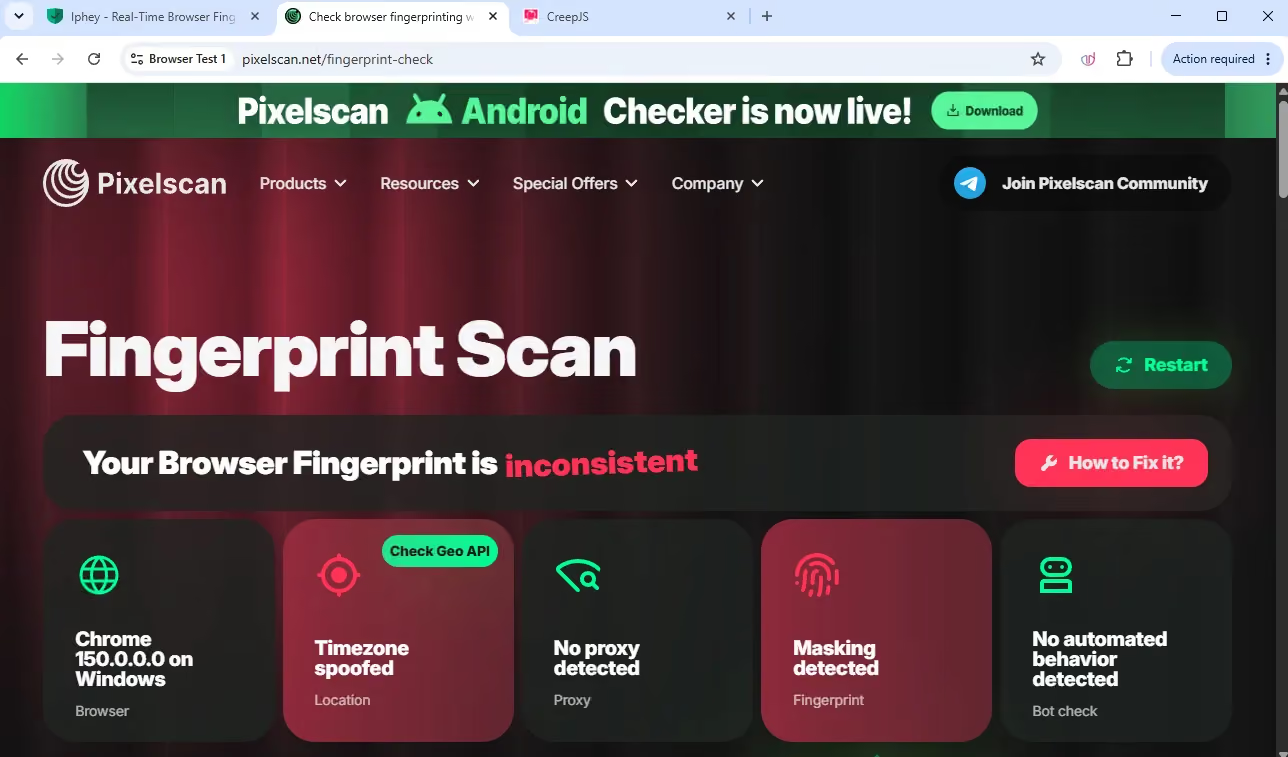
| Pixelscan | Inconsistent; time-zone and fingerprint inconsistencies |
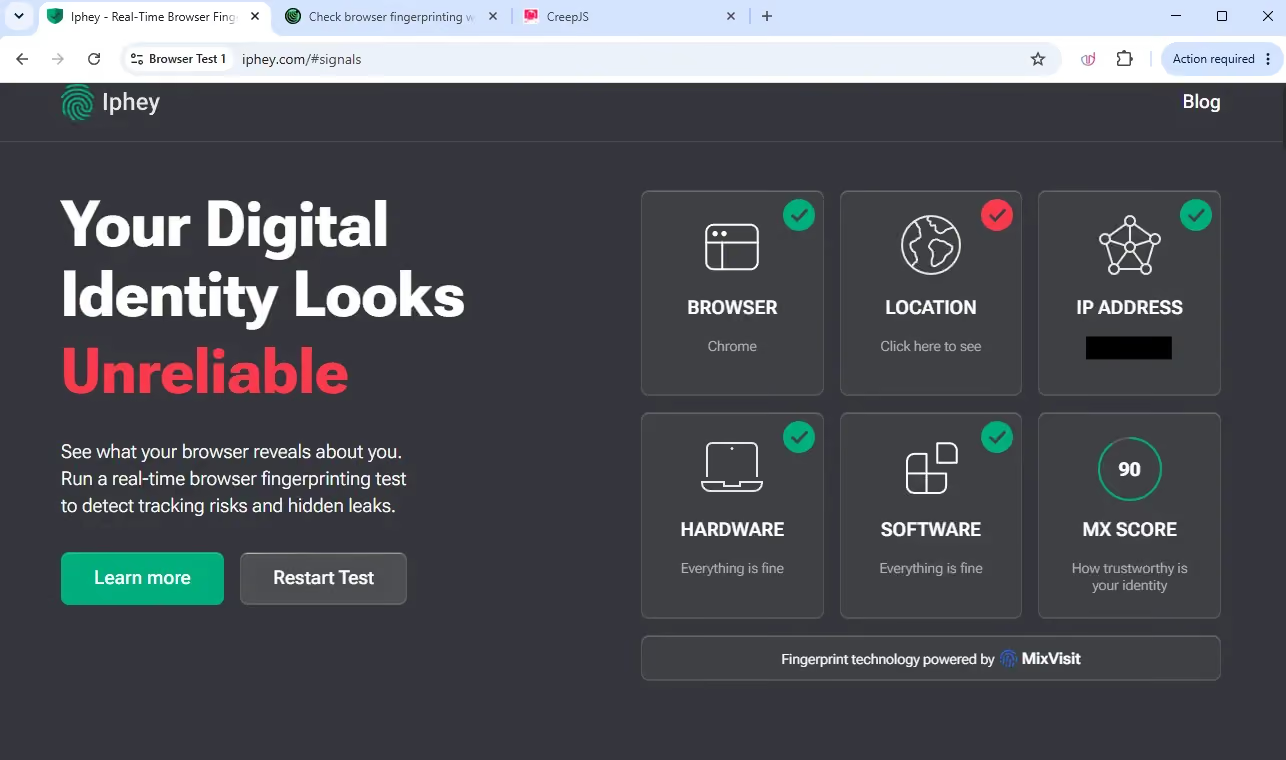
| Iphey | Unreliable; MX 90/100; location category red |
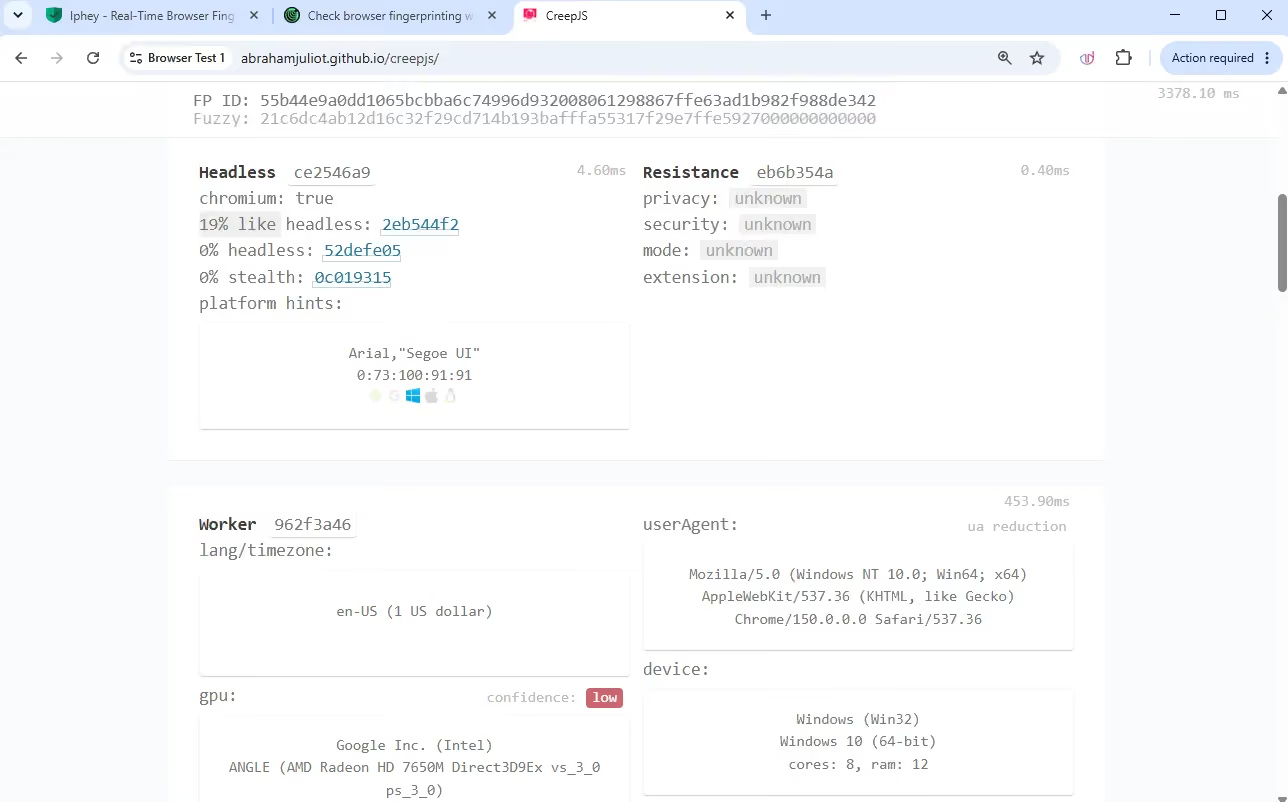
| CreepJS | 19% like-headless; 0% headless; 0% stealth |
| Reported browser | Chrome 150; stable milestone: Chrome 158 |
| Profile launch | About 8 seconds |
| App startup | About 1 second |
Pixelscan returned inconsistent and marked the time zone as mismatched, along with a fingerprint inconsistency. It reported Chrome 150 on Windows and no automated behavior. The proxy connection worked, but the browser signals did not form a consistent session.
Iphey returned Unreliable with an MX score of 90/100. Its location category was red while browser, IP address, hardware and software were green. This narrows the problem to the location signals rather than a failure in every category.
CreepJS showed 19% like-headless, 0% headless and 0% stealth.
Gologin Fingerprint test Results
| Check | November 17 result |
|---|---|
| Pixelscan | Consistent |
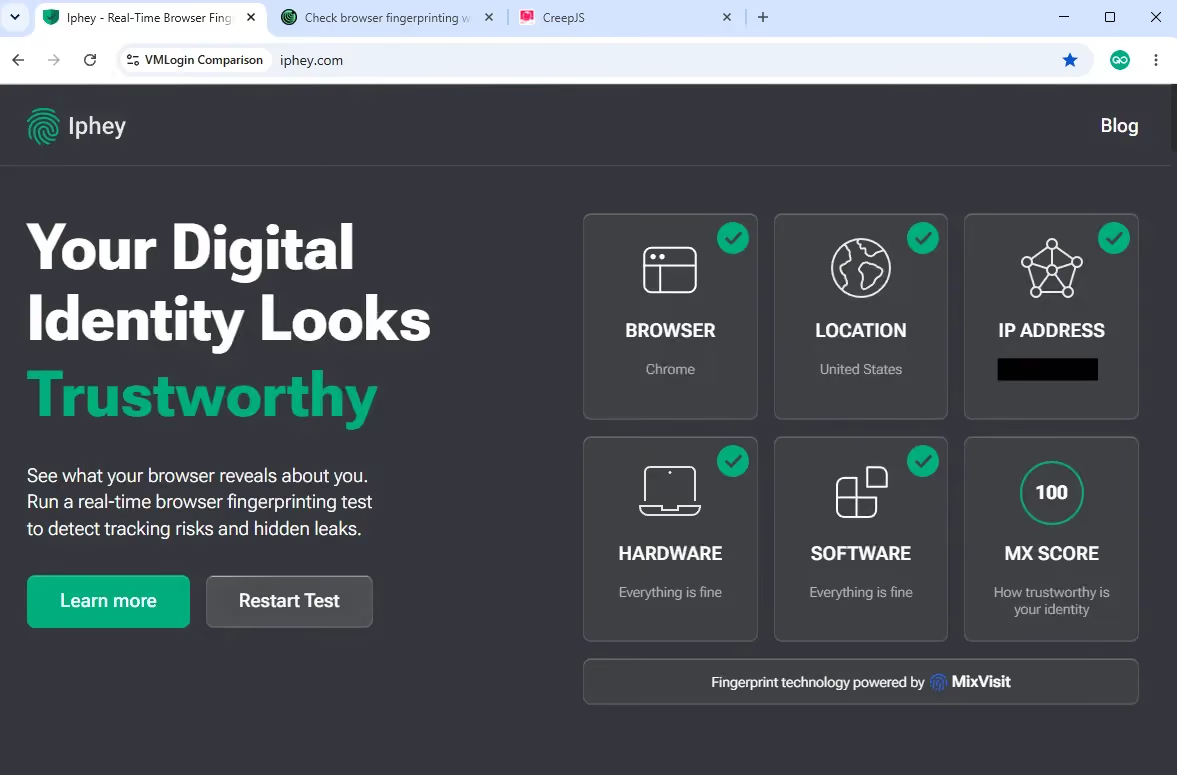
| Iphey | Trustworthy; MX 100/100; all five categories green |
| CreepJS | 25% like-headless; 0% headless; 0% stealth |
| Reported browser | Chrome 156; stable milestone: Chrome 158 |
| Profile launch | About 2–3 seconds |
| App startup | About 3–4 seconds |
I tested the Gologin Windows profile with the same third-party proxy setup on November 17, 2026. It reported Chrome 156, two major versions behind Chrome 158, the stable milestone on the test date.
Pixelscan returned Consistent. The captured checks showed no time-zone mismatch, giving Gologin the clearer result against MuLogin’s inconsistent session.
Iphey returned Trustworthy with an MX score of 100/100 and all five displayed categories green. MuLogin’s IP category was also green, but its red location category lowered the result to 90/100.
CreepJS showed 25% like-headless, 0% headless and 0% stealth. MuLogin’s like-headless reading was lower at 19%, but both showed zero on the other two checks.
MuLogin and Gologin: Pros, Cons, and Trustworthiness
Gologin
Here is where I think Gologin offers more flexibility, along with the limits I would budget for.
| Pros | Cons |
|---|---|
| Native apps for Windows, macOS, Linux, Android, and iOS. | Professional includes no team members; add-ons change the total. |
| Profile sharing and cloud synchronization for team workflows. | Custom automation still requires technical setup. |
| Paid plans start at $9/month for 10 profiles. | Paid plans only include 2GB residential proxy traffic |
| Cloud launch is available alongside local desktop use. | Only 1 concurrent cloud launch limit on professional plan |
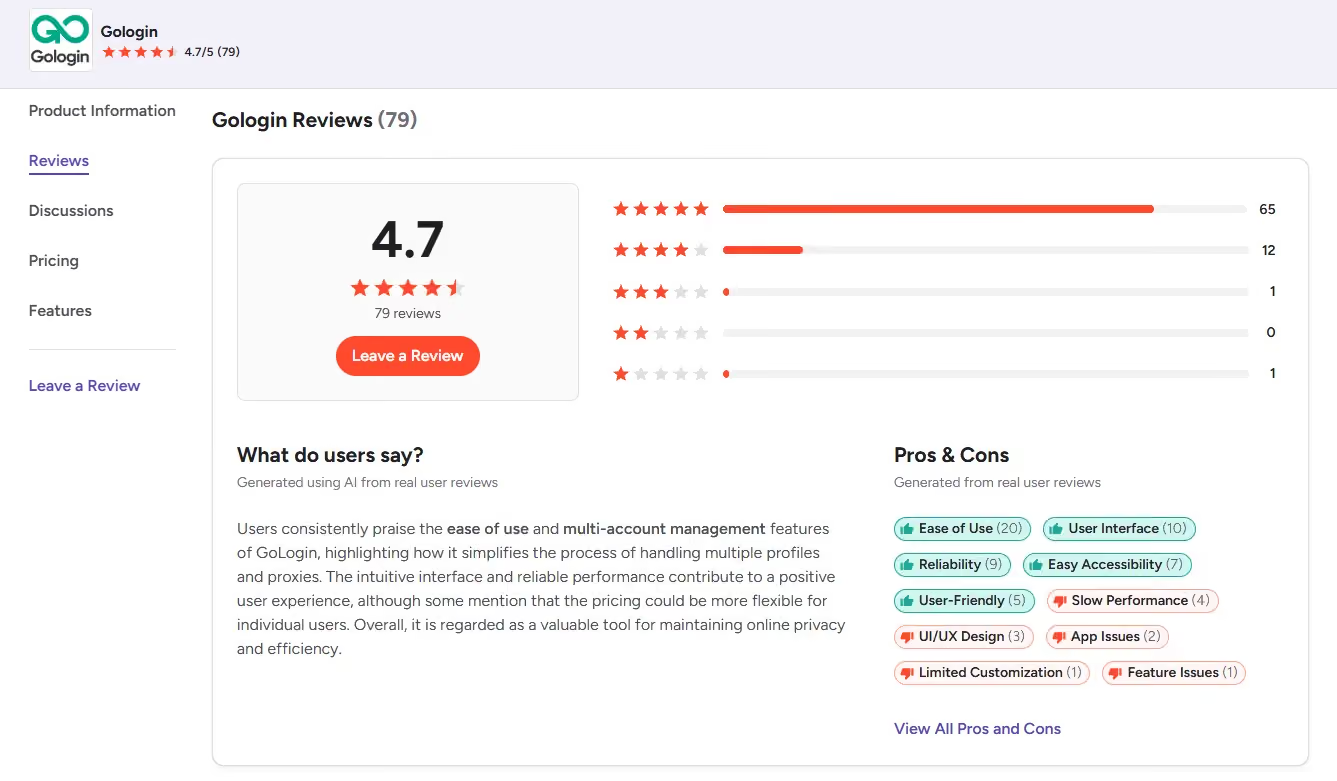
As of Nov 2026, Gologin is rated 4.7/5 on G2 (79 reviews), and 4.6/5 on Capterra (123 reviews). Feedback includes praise for profile management and support. In comparison, Gologin has a better public review history than MuLogin and a wider audience base.
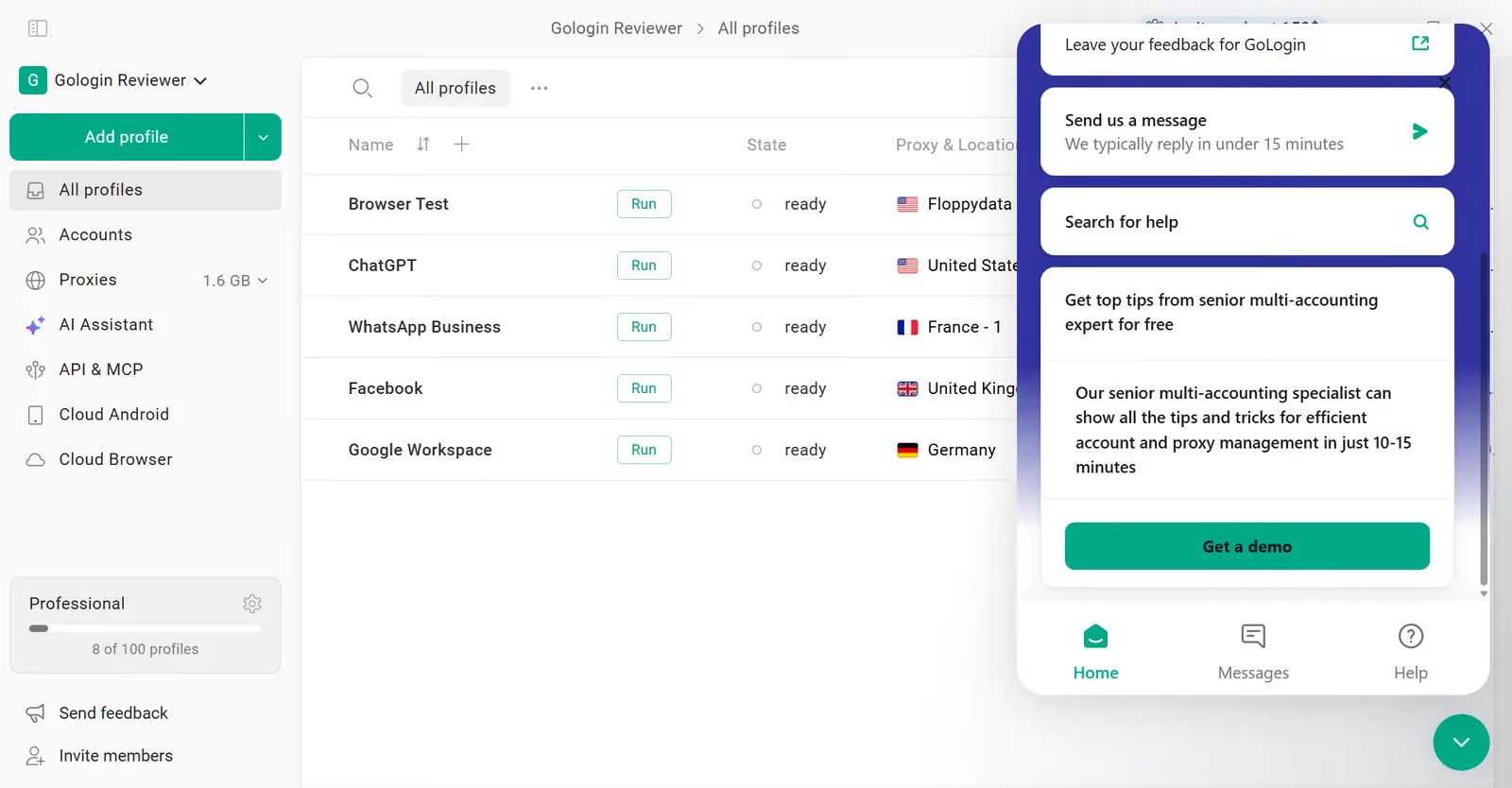
Every Gologin paid plan includes 24/7 expert support, so the team is available around the clock. Its website advertises a three-minute response commitment.
The team provides help on Live Chat, email, Messenger, WhatsApp and Telegram whenever you need assistance. The support quality is often mentioned on client feedback.
MuLogin
MuLogin has useful tools, but I would weigh these restrictions before subscribing.
| MuLogin strengths | MuLogin drawbacks |
|---|---|
| Detailed controls and team tools | More manual setup than I want for daily work |
| Quick Create and preset identities | Quick Create selected Chrome 106 |
| Extensive browser and hardware settings | Configured time zone disagreed with the proxy |
| Profile-data synchronization | Windows app; sync is not remote cloud browsing |
| Separate sessions and proxy connection checks | Trial activation took two days; trial lasts three days |
| REST API and batch creation from Solo | These tools require at least USD 99/month |
| One subaccount on Personal; more on higher tiers | Pixelscan Inconsistent; Iphey Unreliable at 90/100 |
On November 17, 2026, MuLogin’s Trustpilot page showed 3.9/5 from four reviews, with none posted in the last 12 months. G2 showed 5/5 from one February 2024 review. The small sample is not strong evidence of consistent quality.
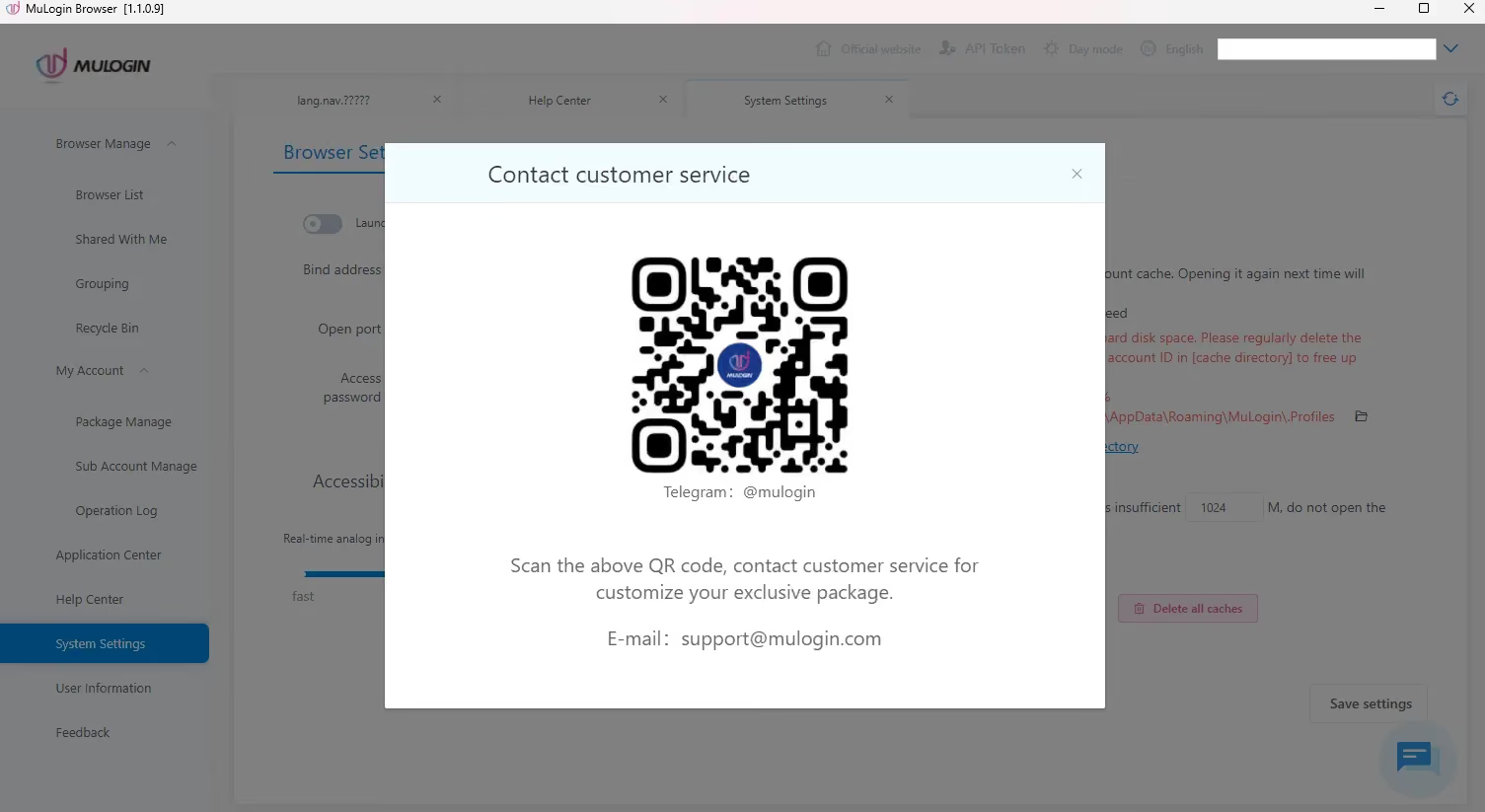
MuLogin advertises email and messaging assistance, including 12-hour service, 7 days a week. In my case, trial activation arrived two days after I contacted support. The in-app Help Center opened to a blank page, and the message bubble displayed contact details rather than an immediate conversation. That made the first session feel less supported than I expected.
Pricing and Plans
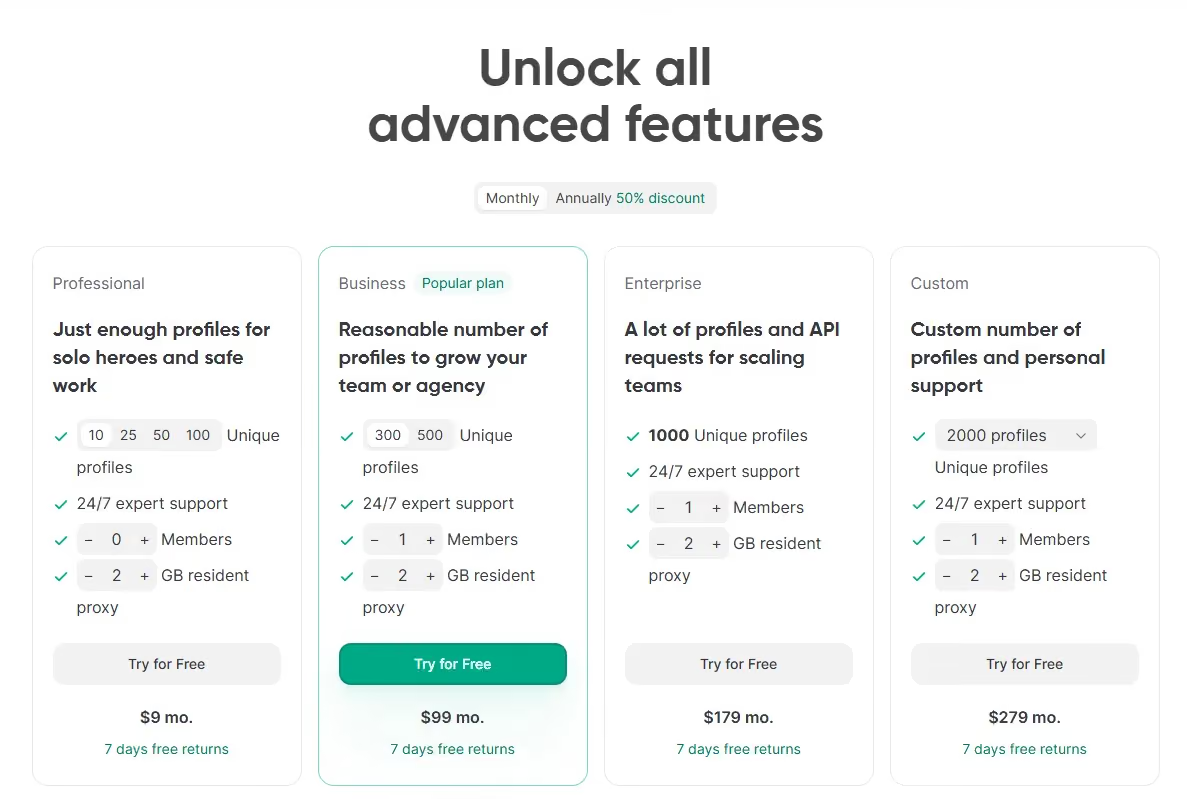
Gologin starts at USD 9/month for 10 profiles. At 100 profiles it costs USD 39/month against MuLogin’s USD 59. MuLogin Personal includes one subaccount; Gologin Professional includes no team member, so I would compare any member add-ons before treating them as equivalent. Gologin also offers a seven-day trial and three free profiles.
Base prices checked November 17, 2026 from Gologin’s pricing page. All figures are USD; annual totals require an upfront yearly payment.
| Gologin plan / profiles | Monthly | Annual total | Annual, per month |
|---|---|---|---|
| Professional / 10 | 9 | 54 | 4.50 |
| Professional / 25 | 19 | 114 | 9.50 |
| Professional / 50 | 29 | 174 | 14.50 |
| Professional / 100 | 39 | 234 | 19.50 |
| Business / 300 | 99 | 594 | 49.50 |
| Business / 500 | 139 | 834 | 69.50 |
| Enterprise / 1,000 | 179 | 1,074 | 89.50 |
| Custom / from 2,000 | From 279 | From 1,674 | From 139.50 |
Professional has no included team member; Business, Enterprise, and Custom include one. Extra members and resources cost more. REST API limits are 300/500/800/1,200 requests per minute by tier, and cloud-launch capacity is 1/2/3/4 concurrent profiles.
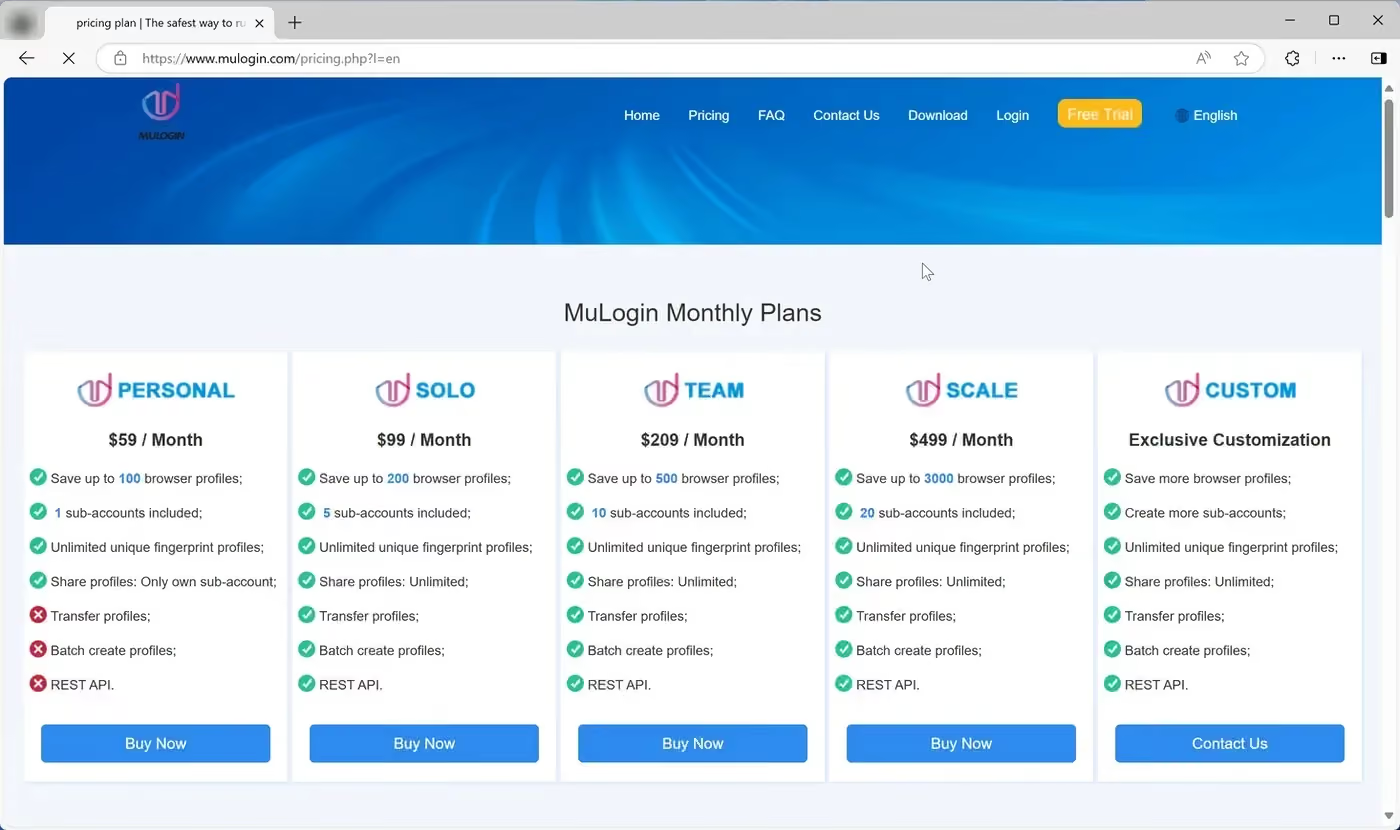
MuLogin Personal costs USD 59/month for 100 profiles and one subaccount. Solo costs USD 99/month for 200 profiles and five subaccounts, and adds REST API access, batch creation and transfers. Personal is cheaper, but I would budget for Solo if those tools are part of my normal workflow.
| MuLogin plan | Profiles / subaccounts | USD monthly | USD annual total | Annual, USD/mo | API / batch / transfer |
|---|---|---|---|---|---|
| Personal | 100 / 1 | 59 | 531 | 44.25 | No / No / No |
| Solo | 200 / 5 | 99 | 891 | 74.25 | Yes / Yes / Yes |
| Team | 500 / 10 | 209 | 1,881 | 156.75 | Yes / Yes / Yes |
| Scale | 3,000 / 20 | 499 | 4,491 | 374.25 | Yes / Yes / Yes |
| Custom | Negotiated | Quote | Quote | Quote | Confirm in quote |
Annual billing saves 25%. Personal tier restricts sharing to its own subaccount, while higher tiers provide broader sharing. Profile-data synchronization is separate from remote cloud browsing.
MuLogin includes more subaccounts than Gologin’s base tiers. That is a real advantage for a team that needs them but with a poorer fingerprint quality, lack of cloud launch and cloud Android phone profiles, MuLogin can’t compete with Gologin’s market leading features.
MuLogin vs Gologin: Final Verdict
I would choose Gologin for everyday account management. It has a lower entry price, works beyond Windows and opened the working profile faster in my recorded session. More importantly, its Pixelscan and Iphey results were consistent, while MuLogin’s configured profile showed a location mismatch.
| Decision point | Gologin | MuLogin |
|---|---|---|
| Entry paid plan | $9/mo; 10 profiles | $59/mo; 100 profiles |
| 100 profiles, monthly | $39 | $59 |
| 100 profiles, annual | $234 upfront | $531 upfront |
| Lowest paid API tier | Professional, from $9/mo | Solo, $99/mo |
| Included team access | Professional: 0 members; higher base tiers: 1 | Personal/Solo/Team/Scale: 1/5/10/20 subaccounts |
| Free access | 3 free profiles; 7-day trial | 3-day trial; 5 profiles; activation took 2 days |
| Native apps | Windows, macOS, Linux, Android, iOS | Windows only |
| Cloud synchronization | Yes | Yes; listed across all plans |
| Cloud access | Remote cloud browsing and data sync | Profile-data sync; browser runs locally |
| Tested Windows browser | Chrome 156 | Chrome 150; Quick Create chose 106 |
| Pixelscan / Iphey | Consistent / Trustworthy, 100/100 | Inconsistent / Unreliable, 90/100 |
| App / profile launch | About 3–4 sec / 2–3 sec | About 1 sec / 8 sec |
| CreepJS: like-headless / headless / stealth | 25% / 0% / 0% | 19% / 0% / 0% |
| Who I would choose it for | Most solo users and teams using different devices | Windows teams needing its controls and included subaccounts |
MuLogin has real strengths: detailed controls, groups, cookie tools and more included subaccounts at several price points. Its app also opened quickly. But the two-day wait for trial access, old default identity and extra proxy work made it harder to get started than the feature list suggests.
The time-zone mismatch is my main technical concern. I selected matching by IP, yet the browser and proxy location still disagreed, and the quick profile repeated the issue. At USD 59/month for Personal, I expect the basic setup to require less intervention.
My preference for Gologin comes from that combination of setup, checker results and cost. MuLogin’s CreepJS headline readings were reasonable, but they did not cancel out the location failures in Pixelscan and Iphey.
MuLogin FAQ
Is MuLogin free?
MuLogin has a three-day trial with five saved profiles rather than a continuing free plan. I received trial activation from support two days after requesting it. Paid subscriptions start at USD 59/month.
How much does MuLogin cost?
Monthly subscriptions are Personal at $59, Solo at $99, Team at $209, and Scale at $499. Annual billing is discounted by 25% and paid upfront. API access starts at Solo after the trial.
Is MuLogin safe and legitimate?
MuLogin is a working Windows product with detailed controls and team features. In my November 17 setup, Pixelscan and Iphey found location inconsistencies, so I would not treat the profile as ready for important account work until those signals agree.
Who owns MuLogin, and when did it launch?
G2 lists Wuxi Jiuba Entertainment Technology Co., Ltd. as MuLogin’s seller. The current review focuses on version 1.1.0.9 and its November 17, 2026 behavior.
Does MuLogin work on Mac, Linux, or mobile?
The app is Windows only. Mac, Linux, and mobile identities in profile settings do not provide native apps for those systems. Gologin offers native desktop and mobile options.
Does MuLogin include proxies?
MuLogin does not provide proxy traffic. It accepts external HTTP, HTTPS, SOCKS4 and SOCKS5 connections, including IPv6, and provides a connection-check control in the profile editor.
Is MuLogin better than Gologin?
I prefer Gologin for a simpler profile setup, lower pricing at 100 profiles, wider device support and the consistent Pixelscan and Iphey results in this comparison. MuLogin’s detailed controls and included subaccounts may suit a Windows team, but its location mismatch and extra setup work weigh against it for my daily use.