AntBrowser Review 2026: Pricing, Tests & Best Alternative
Try Gologin for free
AntBrowser is a privacy browser that allows you to work with modified browser profiles that protect your online identity. I tested AntBrowser and compared it with Gologin to see which browser handles multiple accounts better.
I spent more time fixing AntBrowser’s profiles than using them. Proxy setup failed in two different places, the app threw a JavaScript error, and profiles I configured as Chrome appeared as Edge in the tests. I would choose Gologin. Here’s why.
TL;DR
- AntBrowser’s low prices do not make up for the work it adds. I hit a startup error, awkward proxy import rules and conflicting browser identities.
- The default profile scored 100/100 on Iphey. Pixelscan still returned inconsistent, and changing advanced settings made the results worse.
- AntBrowser offers profile sync, team tools, extensions and cookie preparation. Its proxy store sends you to outside vendors; it does not supply a built-in traffic allowance.
- Gologin costs less at 10 profiles, delivers stronger control results, and adds residential traffic, cloud browsing, Cloud Android and an automation API.
| Feature | AntBrowser | Gologin |
|---|---|---|
| Paid entry, monthly | $4 for 2 profiles; $12 for 10 profiles | $9 for 10 profiles |
| 100 profiles, monthly | $22 | $39 |
| Free access | 1-day trial, 2 profiles | 3 free profiles forever; 7-day trial of pro plan |
| Desktop systems | Windows, macOS, Linux | Windows, macOS, Linux |
| Mobile and cloud | Mobile identities; profile sync; no cloud browsing or cloud phones found | Android and iOS apps (iOS syncs profiles with desktop), cloud browsing and Cloud Android |
| Proxies | Bring your own; outside vendor offers | 2 GB residential traffic included on every paid plan; extra 10–100 GB bundles at $1.19–$1.59 per GB; external proxies supported |
| Automation and teams | Heaters, extensions, shared resources; no public API | REST API, Playwright/Puppeteer; profile sharing and team permissions |
| Fingerprint results | Iphey 100/100 on default, failed or incomplete on edited profiles; Pixelscan Inconsistent in all 3 | Iphey 100/100; Pixelscan Consistent |
| CreepJS | 0% headless; 20% tampering; 25% like-headless in the 2 recorded runs | 0% headless; 0% tampering; 19% like-headless |
| Launch observations | App launch: 5-6 seconds; Profile launch: 4-5 seconds | App launch: 4 seconds; Profile launch: 3 seconds |
Disclosure: this review appears on Gologin’s blog. My verdict rests on the setup problems and checker results shown below.
What Is AntBrowser?
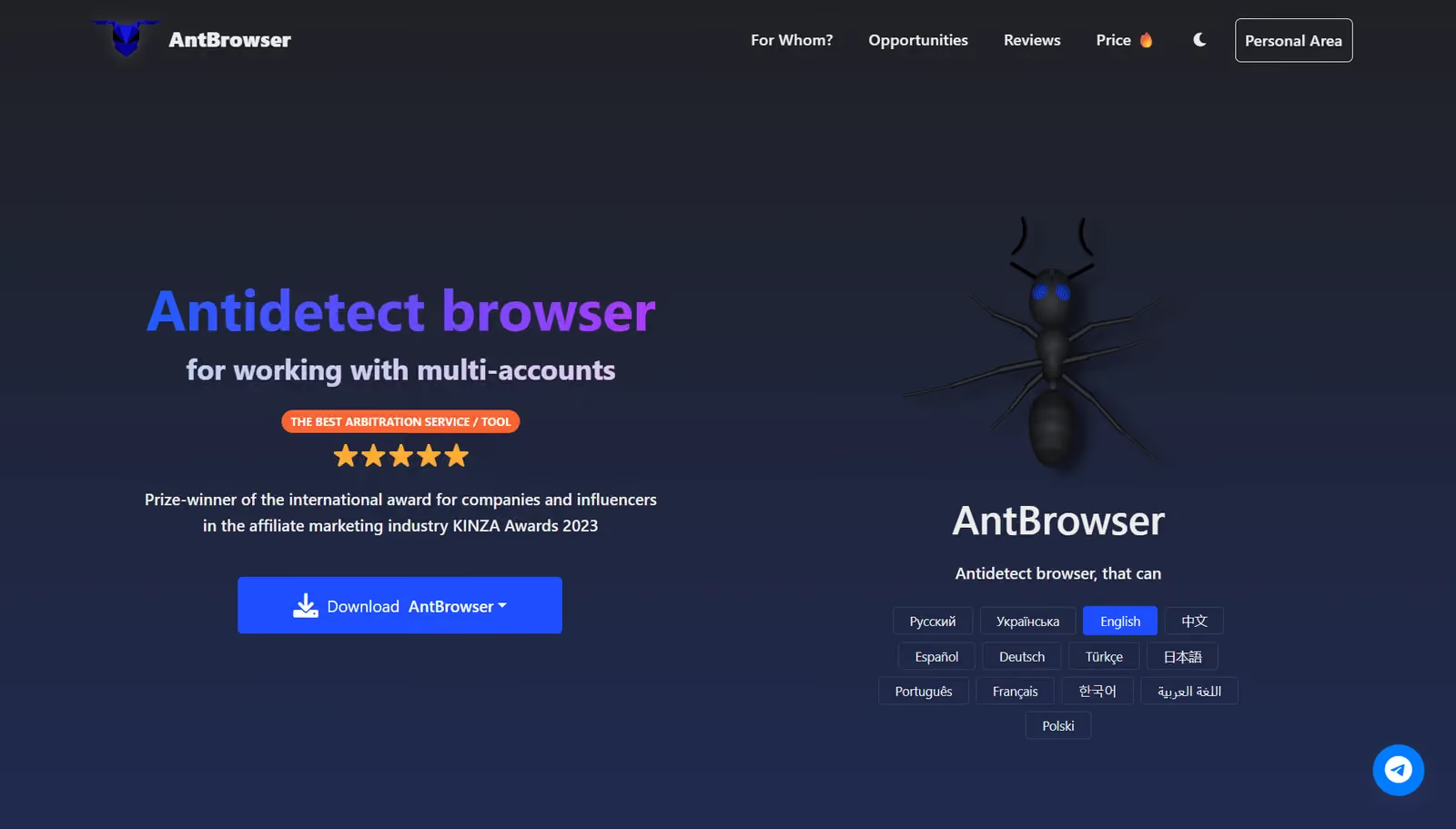
AntBrowser is a desktop browser for managing separate account profiles, cookies, proxies and browser settings. The current product describes itself as Chromium-based and supports profile synchronization between computers. It is sold by a company registered in Alanya, Turkey, and accepts Visa, MasterCard, crypto, Perfect Money, QIWI and YooMoney.
Let’s answer the most important question: Can I create a coherent profile that passes all fingerprint tests without any additional configurations?
AntBrowser: First Impression
I downloaded AntBrowser and activated the 1-day free trial that offers 2 profiles. I tried installing the app but Windows SmartScreen showed an unknown-publisher warning for AntBrowser 1.0.5. That warning does not prove the installer contains malware. It does mean the installation started with a trust warning that the vendor had not resolved for this download.
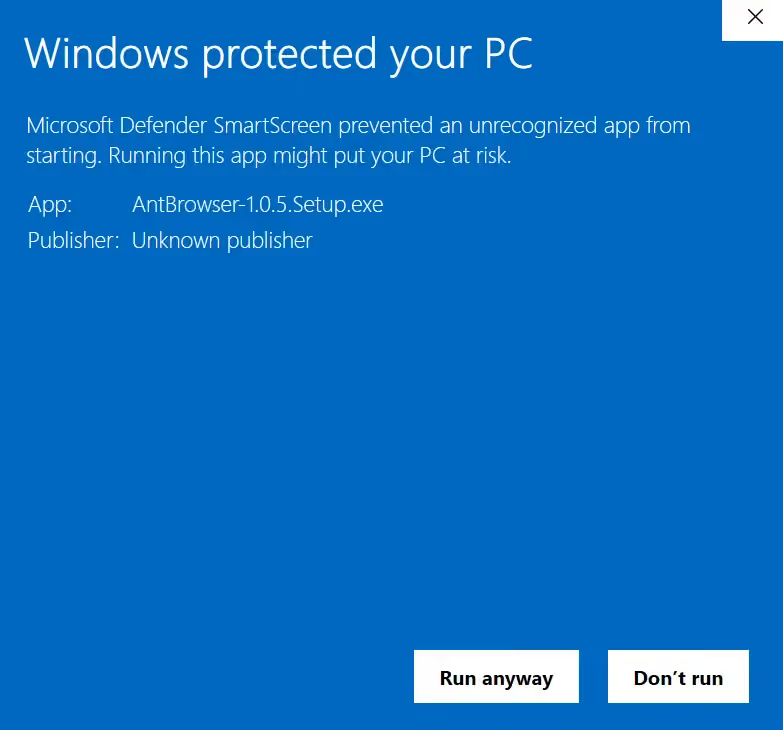
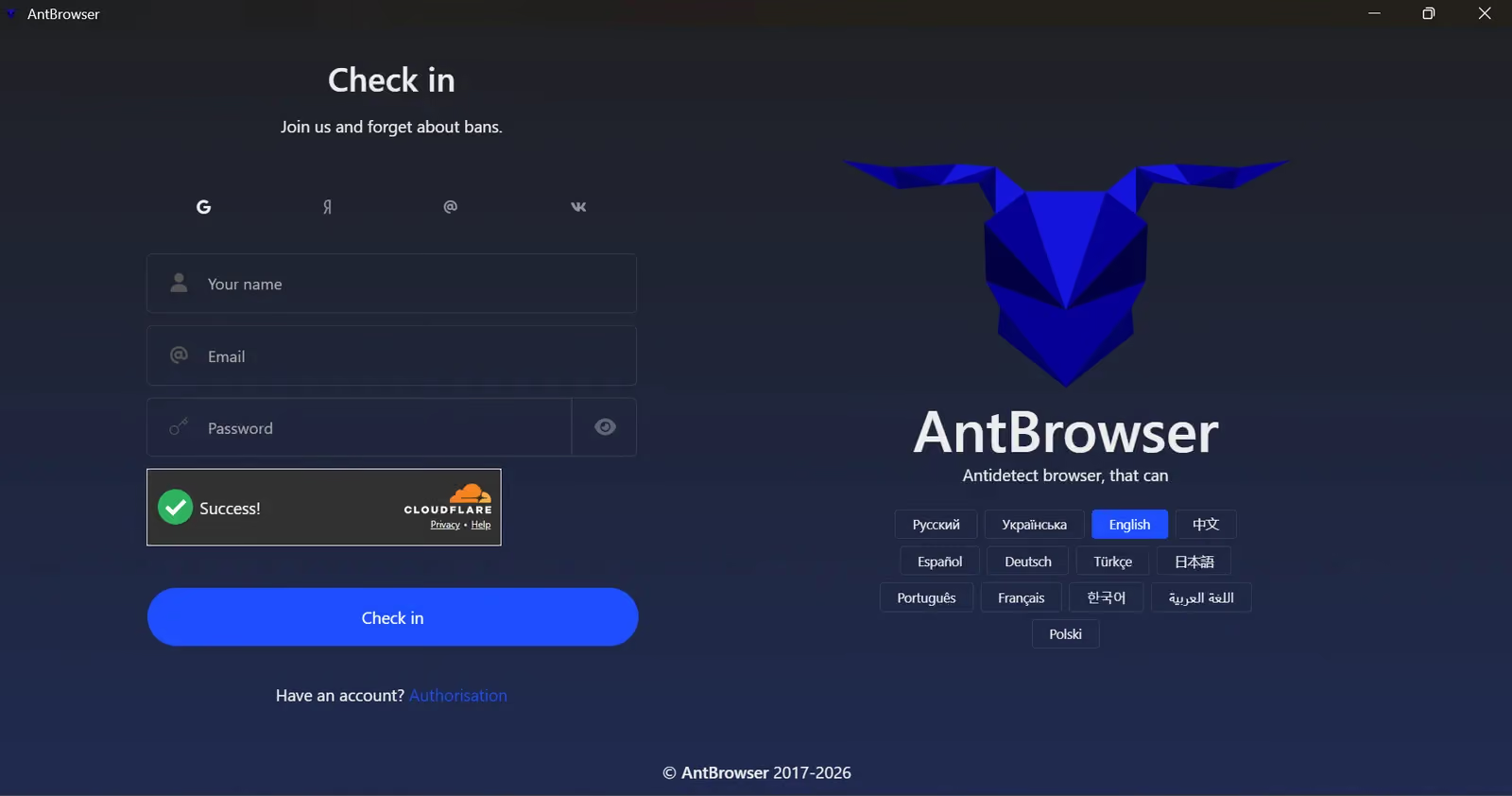
I went ahead and took the risk of installing it anyway for testing purposes. The registration screen offers email registration and external sign-in buttons. Its awkward English labels, including “Check in,” set the tone for an interface that feels unfinished.
Sign in with Google and other services does not work. You’re stuck on the login screen. I had to sign up manually using my email. AntBrowser did not even send a link or code to verify that I owned the email address. AntBrowser instantly created my account, which I did not expect from a browser that promises to keep your browsing secure.
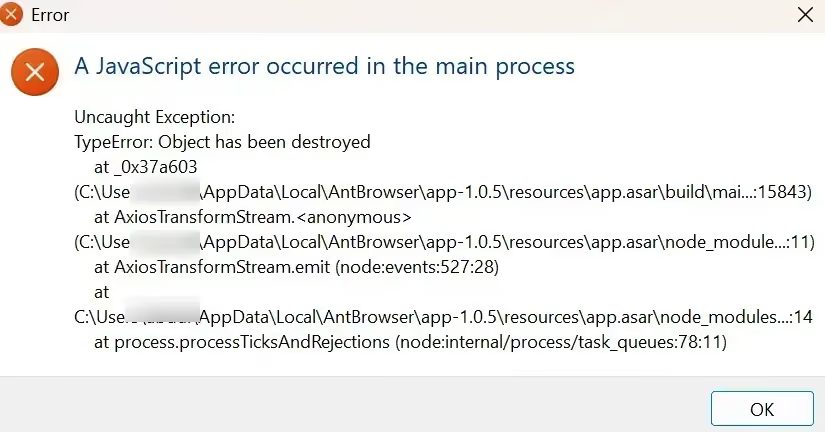
On first launch, the app displayed a JavaScript exception: “Object has been destroyed.” The warning kept returning, no matter how many times I closed it. I had to kill the background browser process in Task Manager. I expected a paid browser to handle its own startup flow better. Throwing a main-process error before I had finished setting up profiles was a bad first impression.
The app’s interface is not beginner-friendly
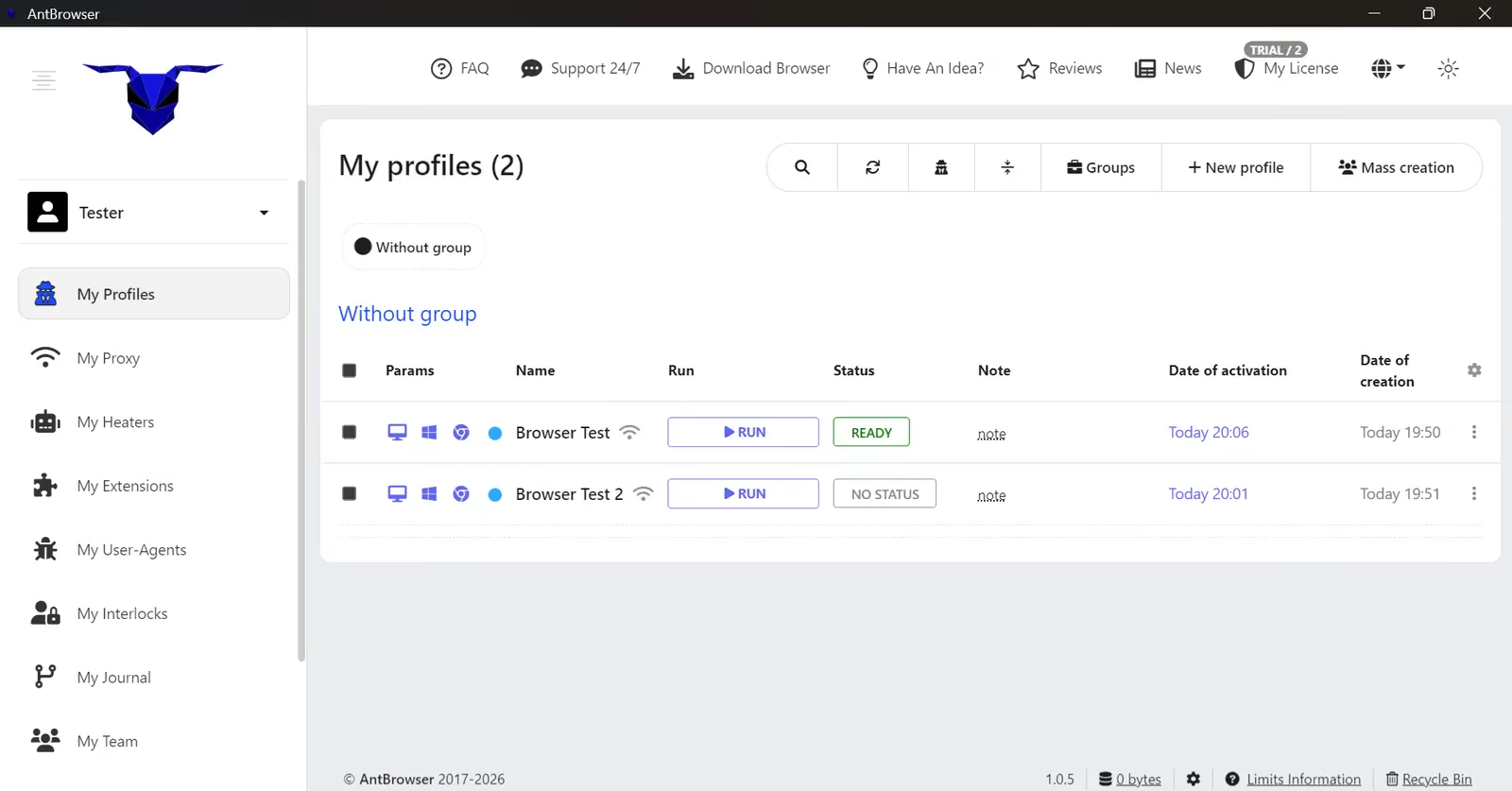
The dashboard puts profiles, proxy tools and several specialized sections in the sidebar. I could work out where to go because I already use profile browsers. I would not describe this as a beginner-friendly interface.
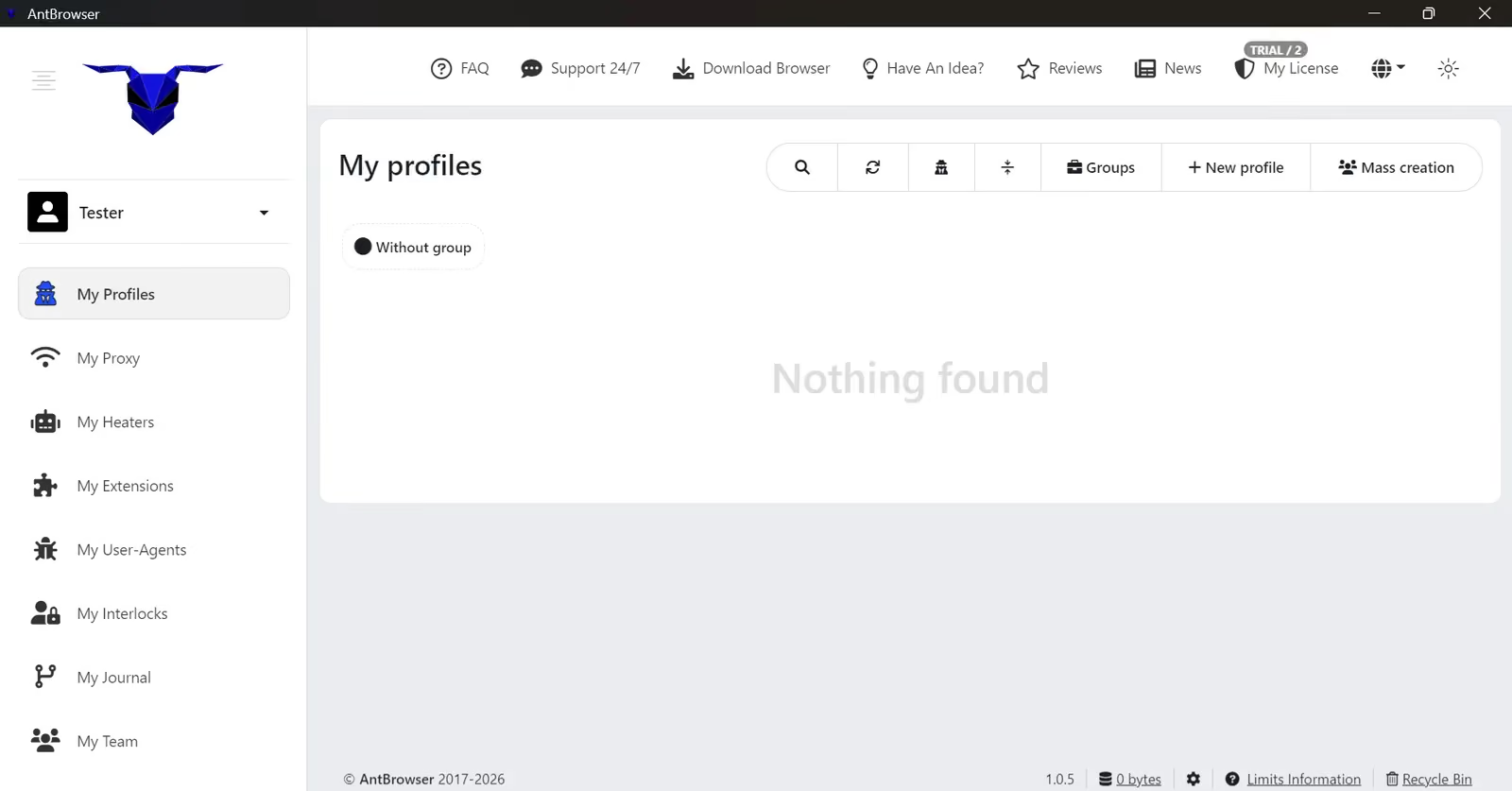
A Download Browser page also appears inside the installed Windows app. Why do I need to download the Windows app when I am already using it? This button makes no sense. To me, it suggests the interface has not had much polish.
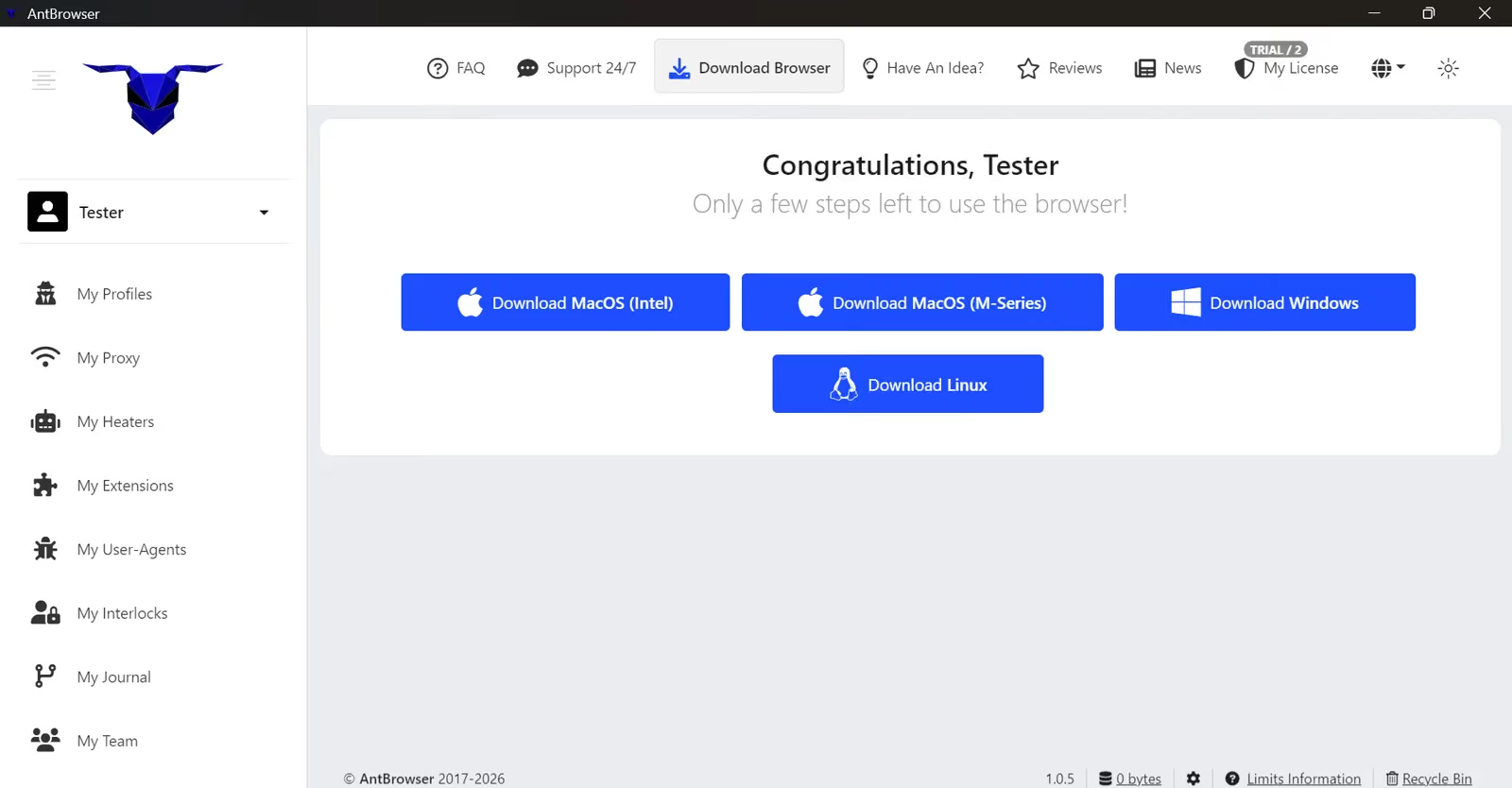
The vendor supplies Windows, macOS Intel, macOS Apple Silicon and Linux (.deb) downloads.
AntBrowser Proxies: Too Much Work for a Basic Setup
AntBrowser’s Buy Proxy section lists third-party providers and promotional offers. I did not find a native proxy pool or an included traffic allowance.
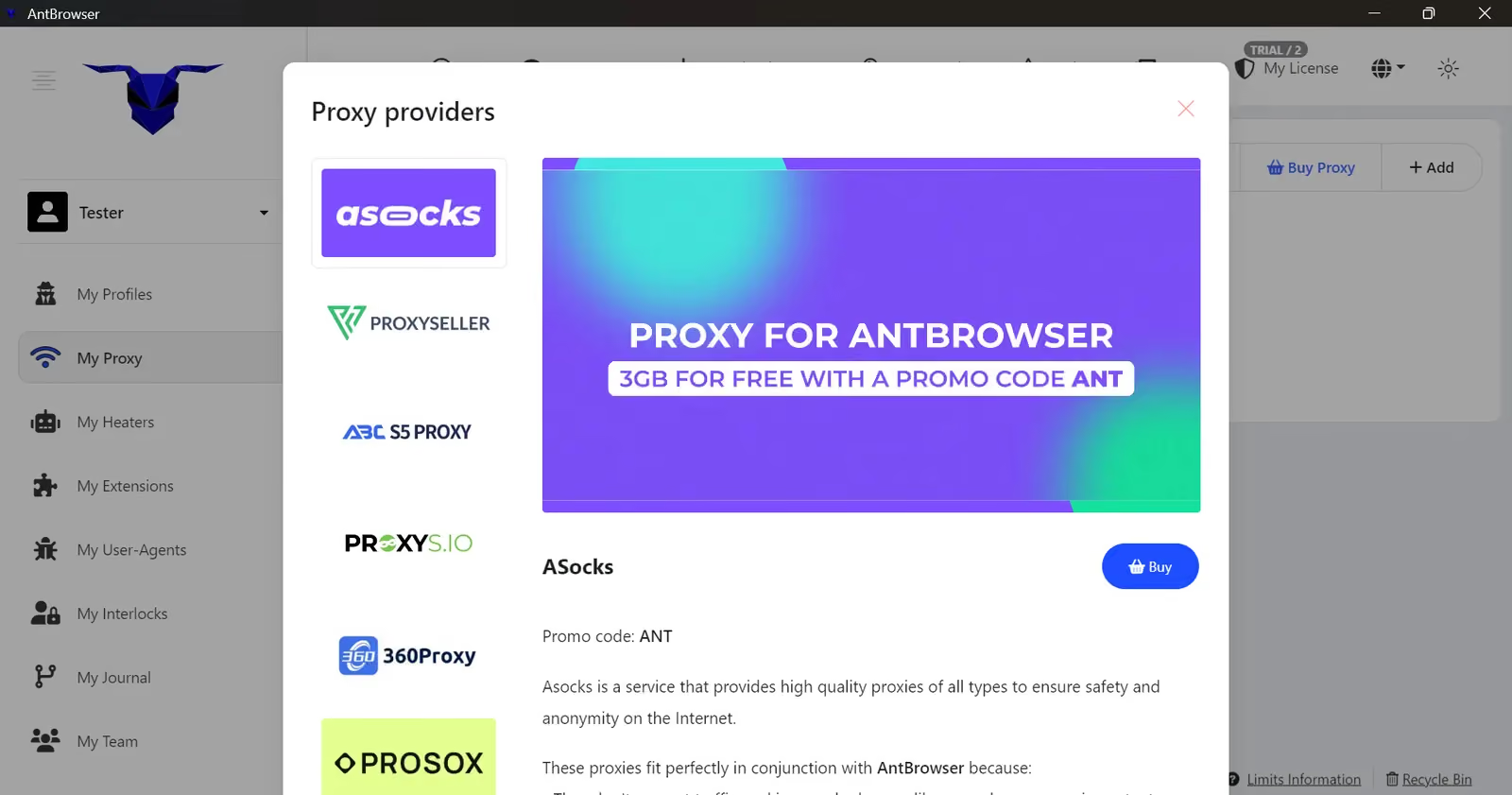
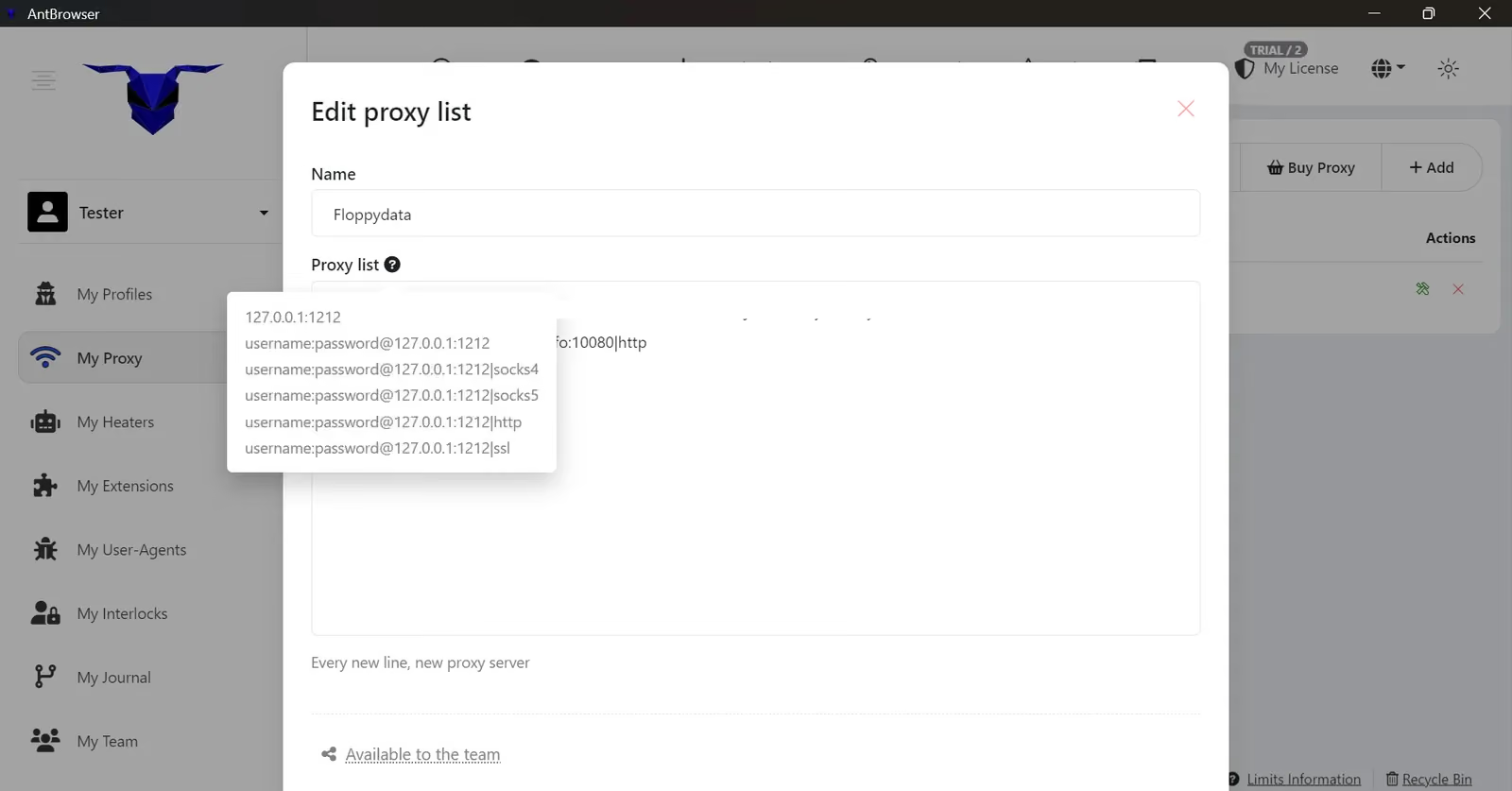
I tried importing my own external proxy for tests. My first pasted proxy did not work. I’ve never had a more frustrating experience trying to import a proxy in a browser. The accepted formats sit in a small “?” tooltip, and the error message did not say what was wrong. I had to check the tooltip and rewrite the string. A clearer error message would make a routine import much less frustrating.
During profile creation, I also entered the proxy details into the profile’s proxy fields. The profile returned a proxy error despite the details being in the correct boxes. Selecting the saved proxy I had already imported worked. That workaround let me continue, but I should not have needed two routes through the same configuration.
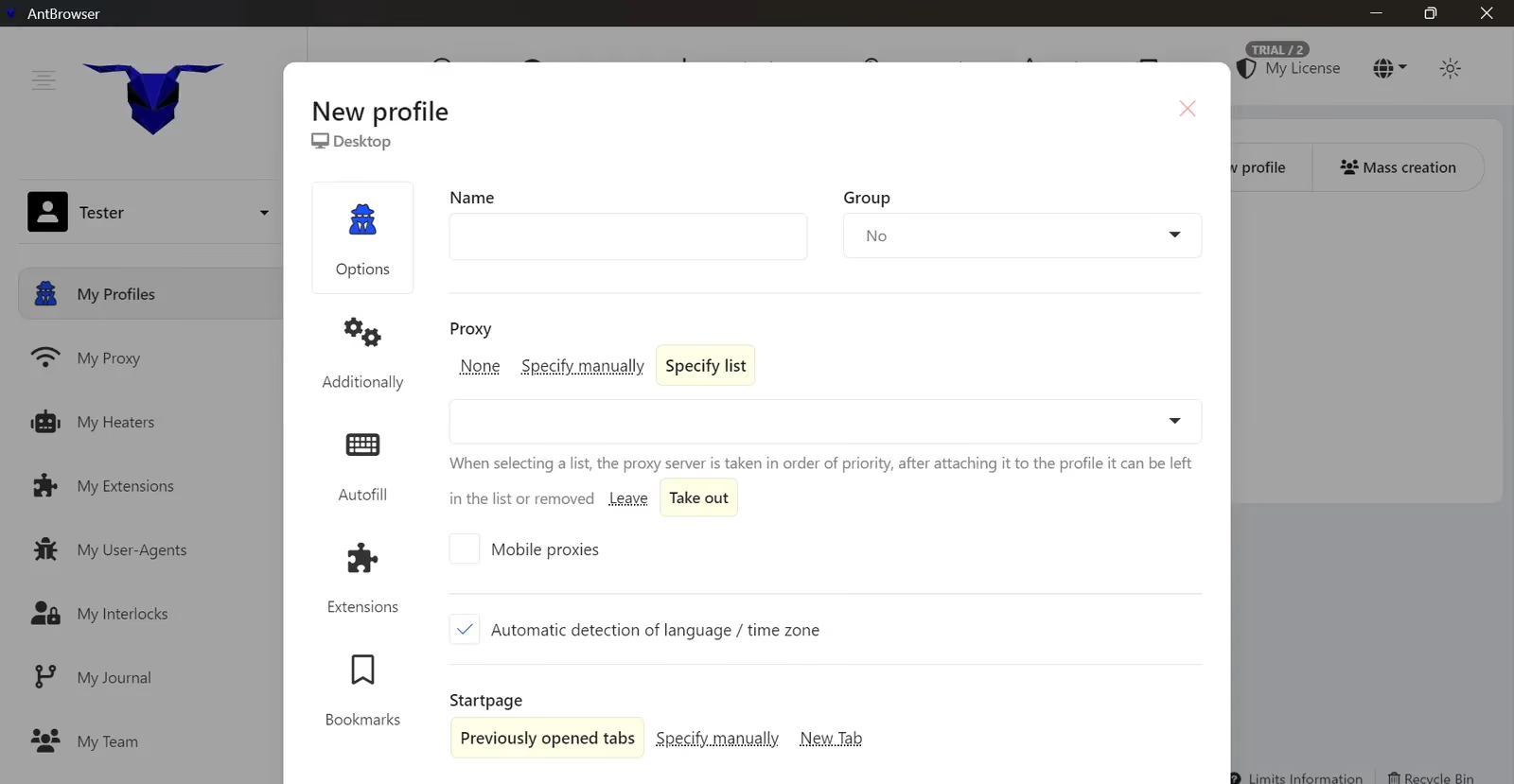
For a newcomer, this is a poor setup experience. A subscription should save me configuration work; AntBrowser made me troubleshoot the connection before I could judge the browser itself.
Profile Creation and Browser Settings
AntBrowser exposes operating system, browser identity, screen resolution, WebRTC, Canvas, WebGL and audio controls. It provides all basic fingerprinting options that I would expect from a browser. However, my results showed that most of them did not work as intended.
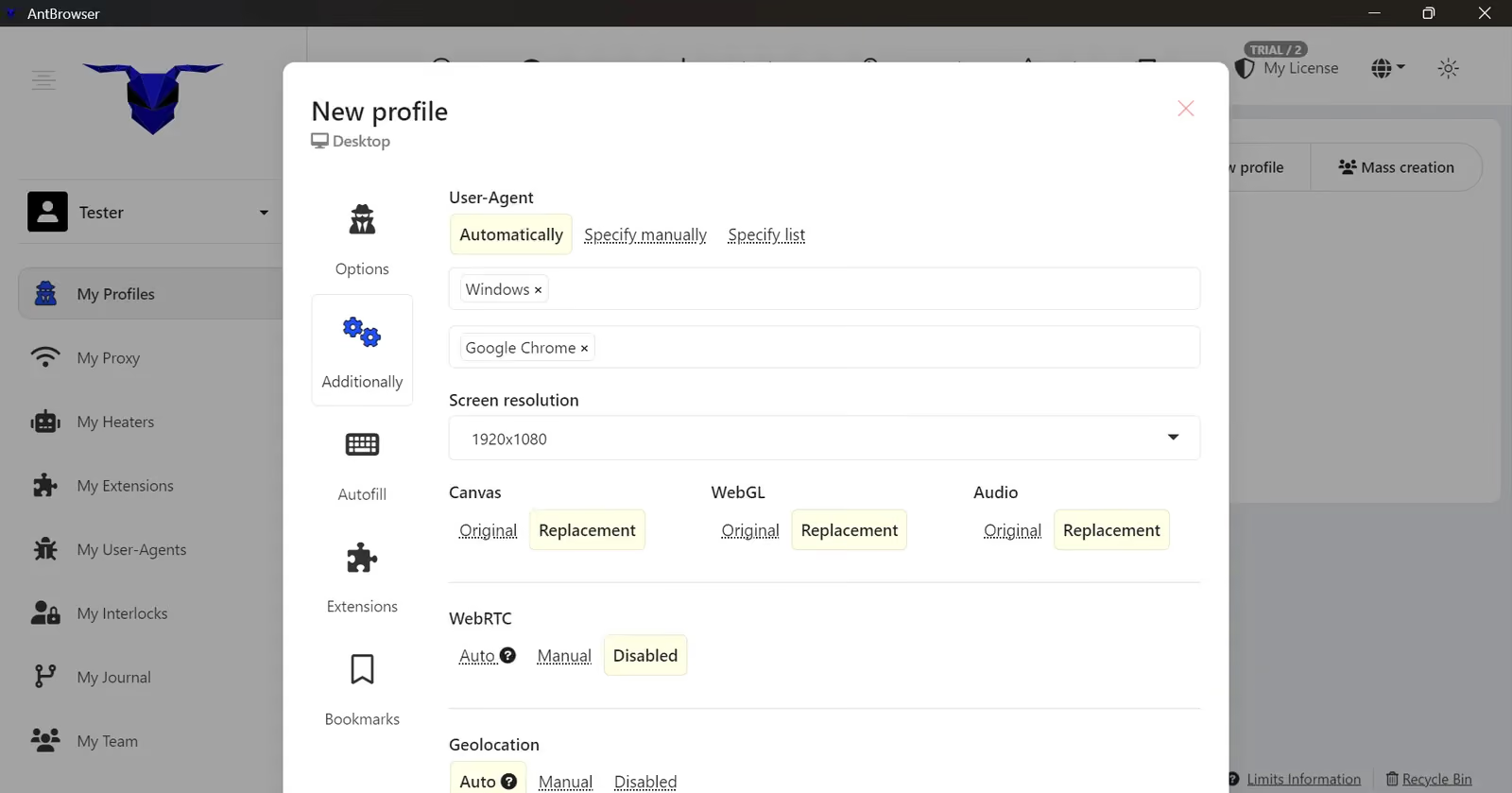
The advanced panel includes automatic, manual and list-based User-Agent options. AntBrowser puts these controls in advanced settings instead of making the identity choice clear during basic profile creation.
You cannot select a specific Chrome kernel for your user agent. AntBrowser selects it randomly.
I created two profiles, one with default settings, and the second with noise. The default profile showed Chrome 142 and AntBrowser assigned Chrome 132 to the edited profile. The checkers identified both as Edge, not Chrome. The current stable Chrome was version 157 (released November 3, 2026), so AntBrowser’s profiles were 15 to 25 versions behind.
My browser fingerprint tests below show how well AntBrowser’s fingerprinting technology works.
AntBrowser Features: What They Actually Do
Heaters: automatic visits to collect cookies
There is an option in the side panel called ‘Heater’. A Heater opens a list of URLs when a profile starts. I could choose the visit order and a dwell-time range, such as 5–30 seconds. This automates cookie collection and basic browsing preparation before you use the profile.
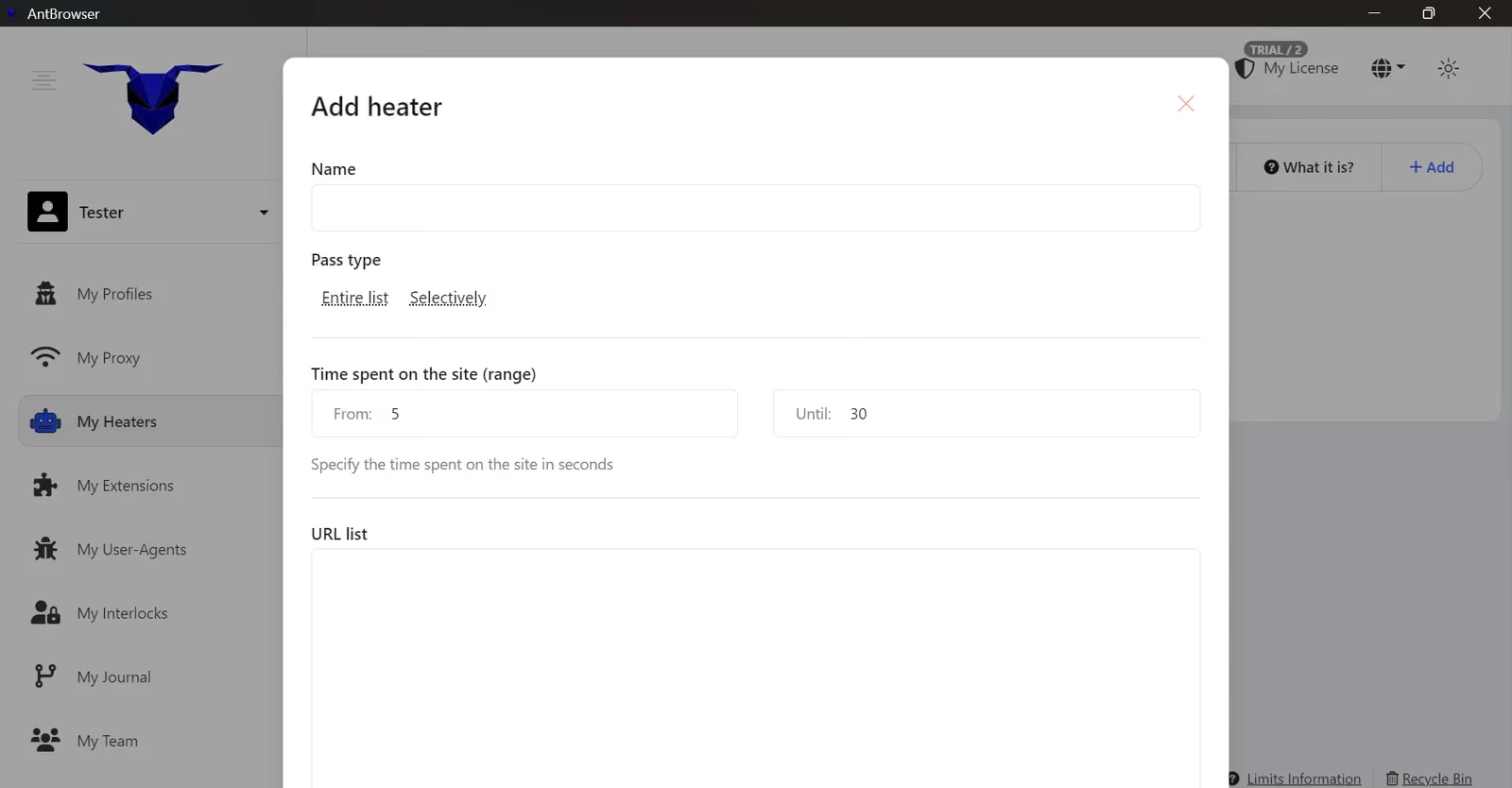
The vendor claims this preparation can reduce CAPTCHA prompts. I did not measure that claim. Collecting cookies also does not repair a conflicting time zone, browser identity or fingerprint. If your fingerprint is bad, the Heater option won’t do much.
Extensions: marketplace and local installation
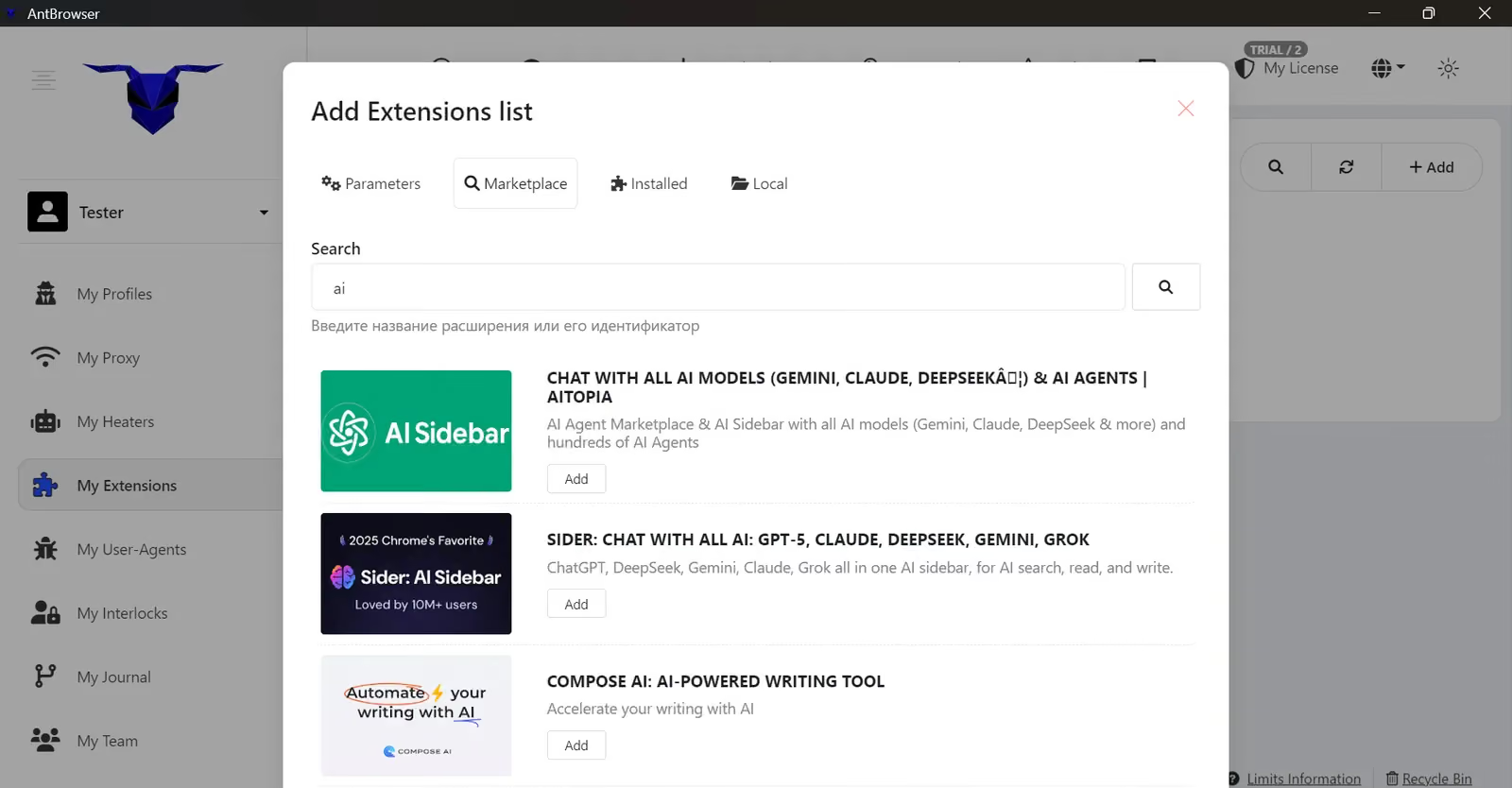
The Extensions section includes marketplace search, installed extensions and a local option. Centralizing extension setup can save time across profiles.
Extension search and local installation share the same workspace.
User-Agent lists: another layer of manual setup
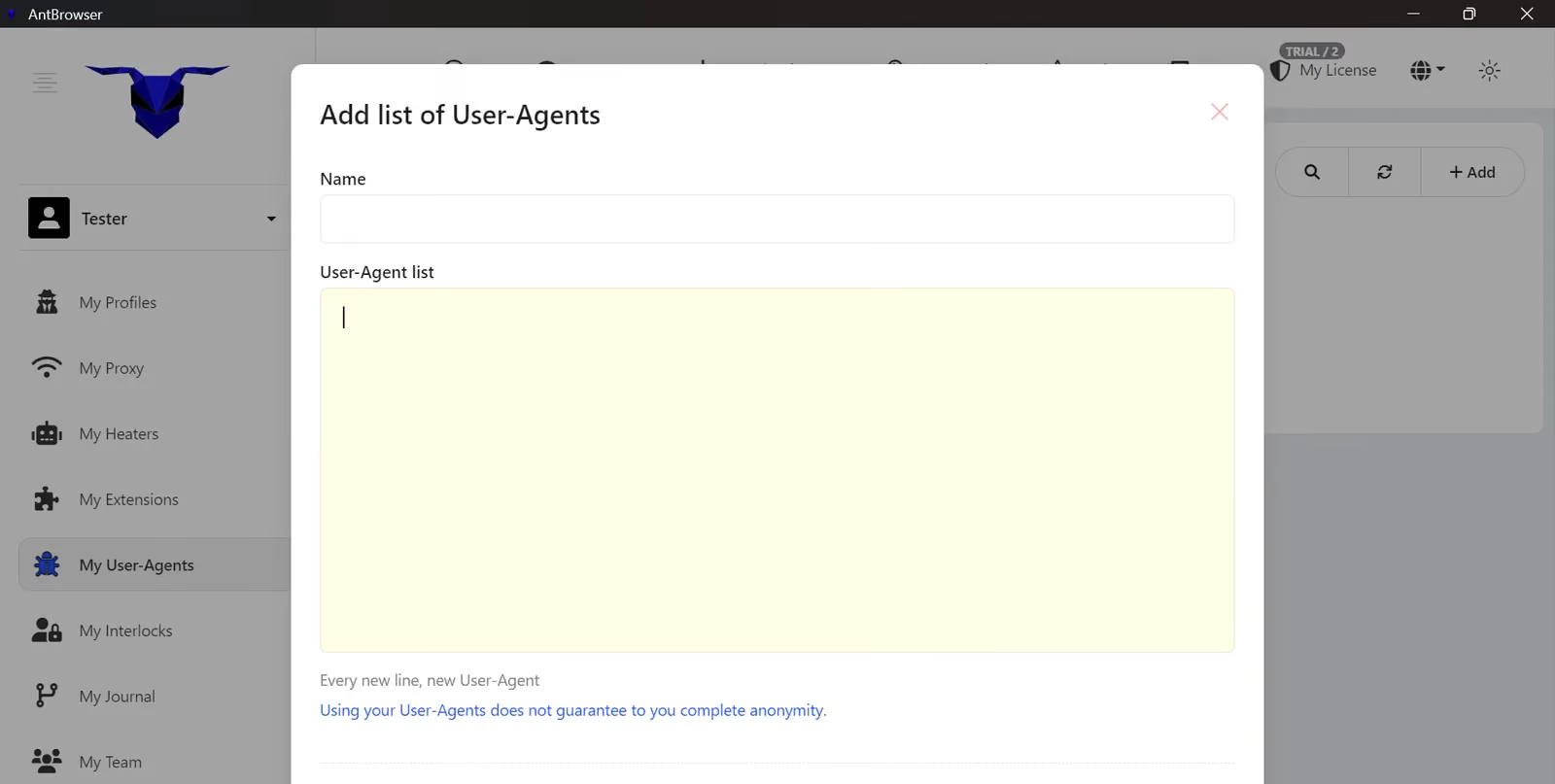
A separate dialog lets me prepare a list of User-Agent strings for profiles. That can serve a controlled testing workflow, but it is an awkward extra step for normal account work. I want the browser to supply a coherent identity by default.
Changing a string only changes one part of the identity. My manual Chrome 156 configuration still failed consistency checks in the testing section below, which is exactly why I would not buy this browser merely for editable User-Agent fields.
Interlocks: resource blocking and redirection
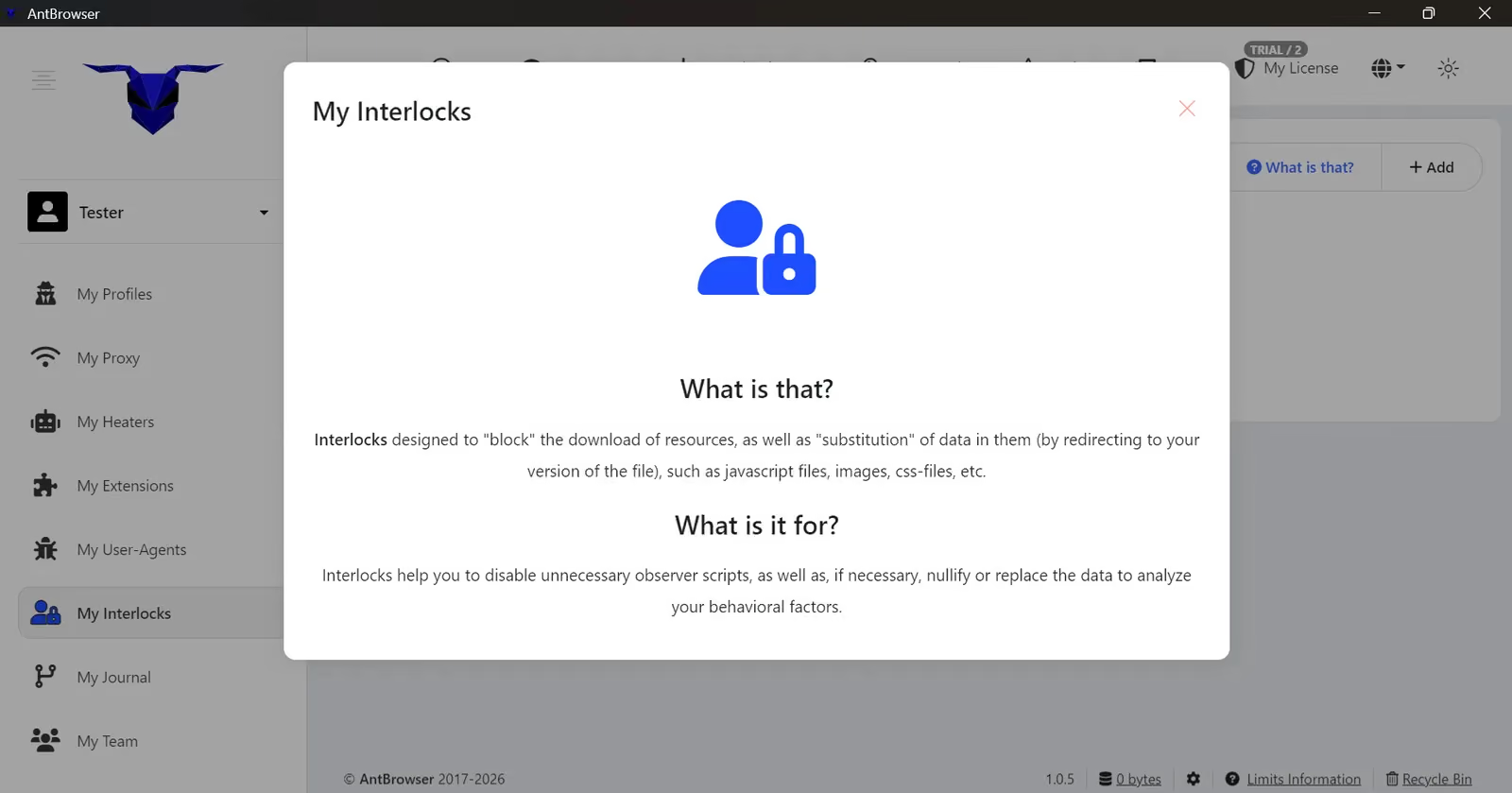
Despite the confusing name, Interlocks have a concrete purpose. They can block matching resources or redirect requests to another URL. That can help with development, controlled resource replacement or reducing unnecessary page requests.
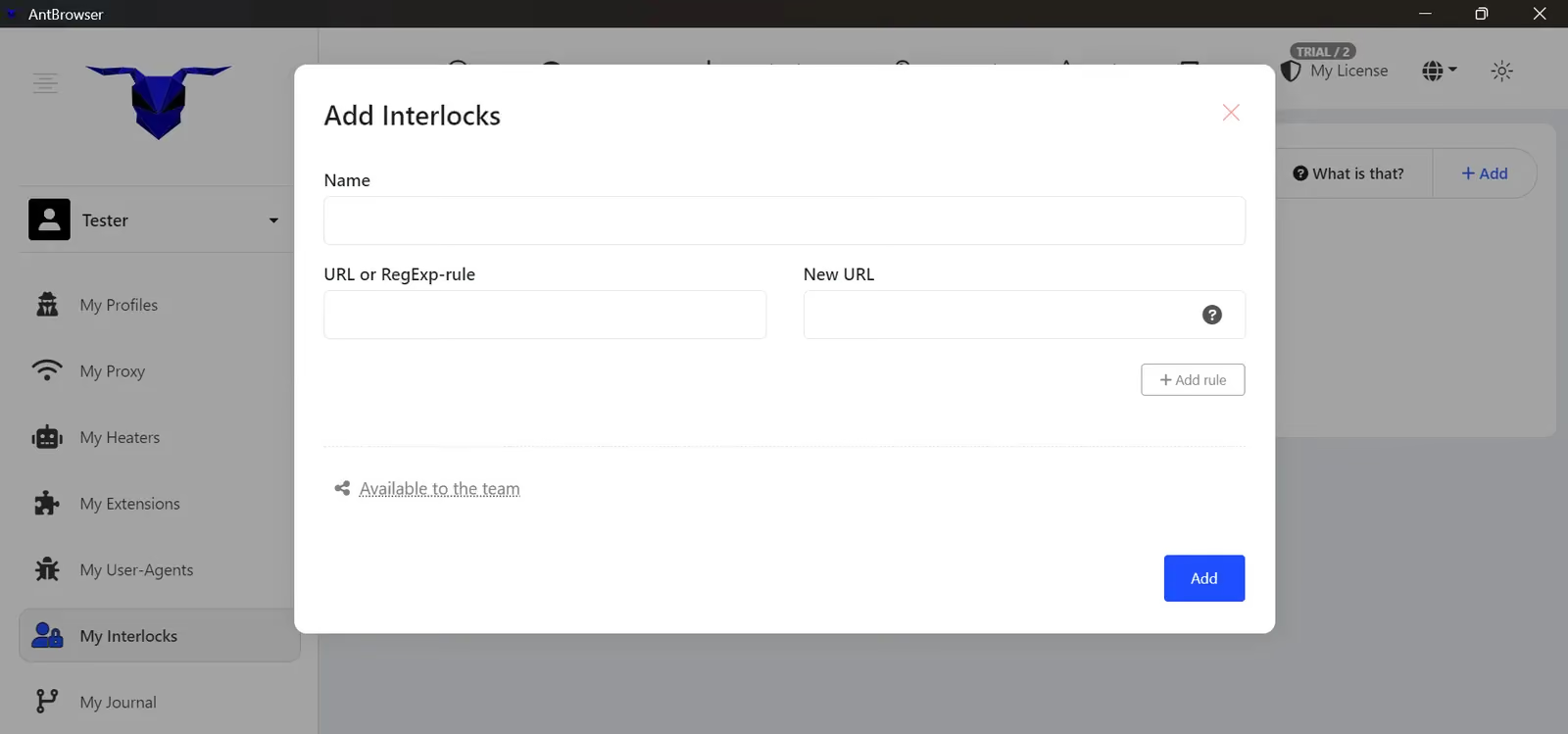
The rule editor accepts a URL or regular expression and an optional replacement URL, with a team-sharing option. This is a specialized request tool, not a substitute for profile consistency. I found its name and placement much less clear than its actual function.
Journal, Time Machine and teamwork
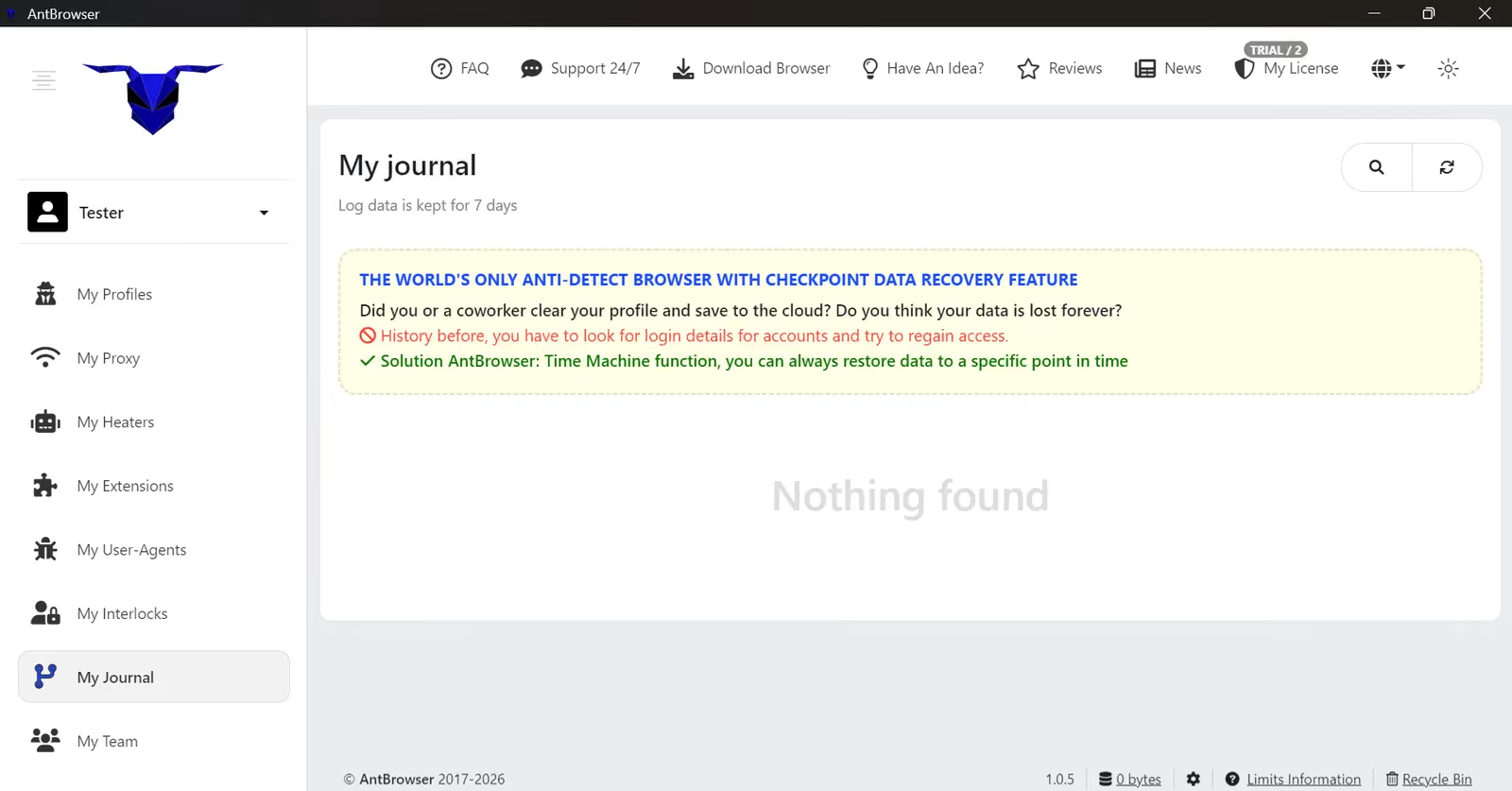
The Journal says it keeps events for seven days and offers checkpoints for restoring profile state through Time Machine. A checkpoint rollback differs from restoring a deleted profile from the Bin. Both can help recover from mistakes.
The Journal screen claims that AntBrowser is the world’s only browser with checkpoint data recovery. I could also create and run a 3rd profile on my trial despite its 2-profile limit.
AntBrowser: Browser Fingerprint Test
I used Pixelscan, Iphey and the official CreepJS page to examine the browser profiles. I first tested a profile with default fingerprint settings, then created a second profile and changed advanced settings, and finally tried a manual Chrome 156 User-Agent. These are three different browser profiles with the same Floppydata proxy; the exit IP changed between runs.
Here are the results for AntBrowser.
| Configuration | Reported browser | Iphey | Pixelscan | CreepJS |
|---|---|---|---|---|
| AntBrowser: default | Edge 142 | Trustworthy, 100/100 | Inconsistent; time zone and fingerprint warnings | 0% headless; 0% tampering; 25% like-headless |
| AntBrowser: advanced changes | Edge 132 | Loading did not complete; no score | Inconsistent; time zone, fingerprint and automation warnings | 0% headless; 20% tampering; 25% like-headless |
| AntBrowser: manual Chrome 156 | Chrome 156 string | MX 50/100, Browser and location inconsistencies; | Inconsistent; time zone and fingerprint warnings | 0% headless; 20% tampering; 25% like-headless |
| Gologin: default | Chrome 156 | Trustworthy, 100/100 | Consistent | 0% headless; 0% tampering; 19% like-headless |
Test Results for Profile 1 (Default profile)
Iphey returned Trustworthy with an MX score of 100/100 and all five categories green. I had selected Chrome, while the checker identified Edge.
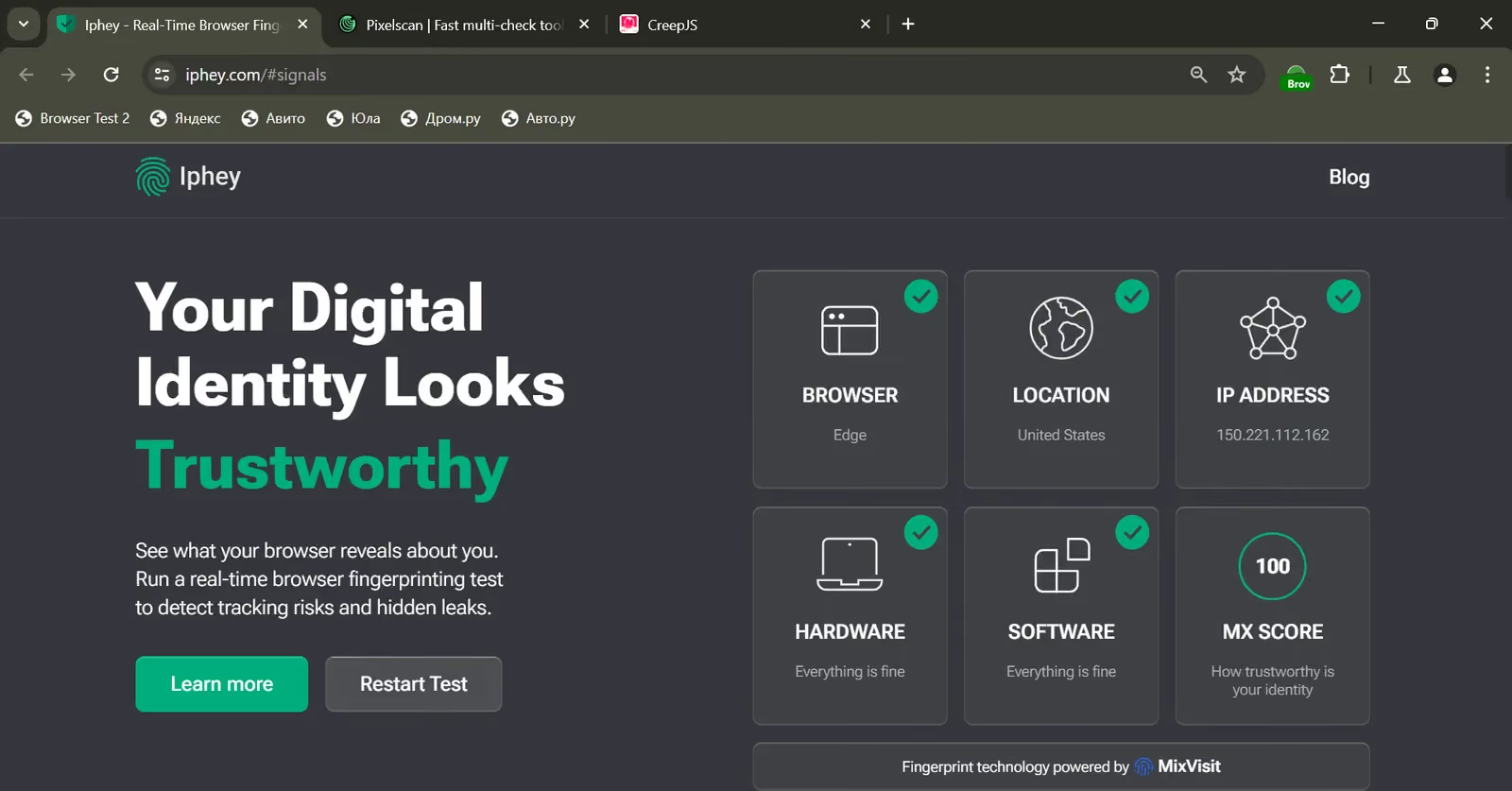
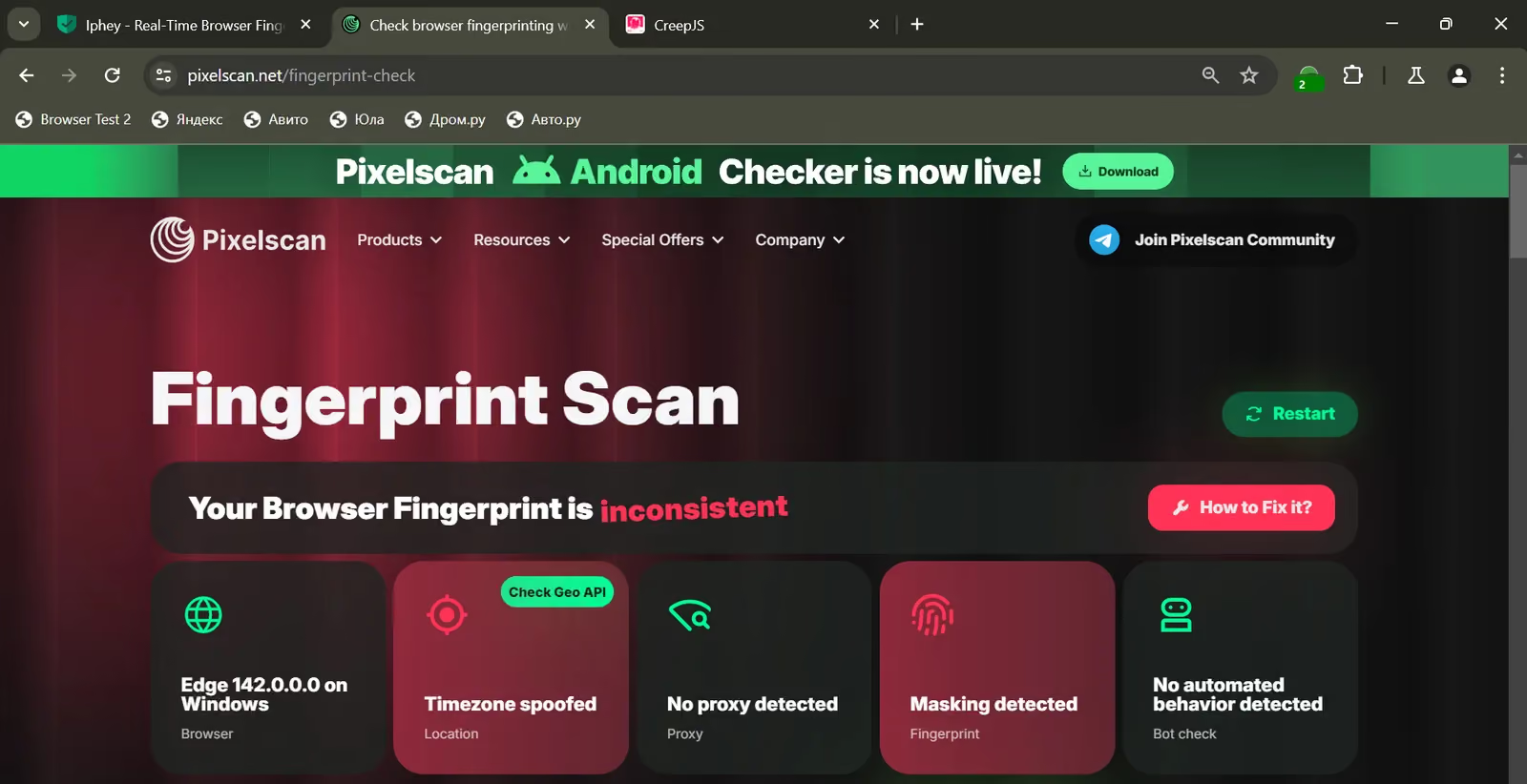
Pixelscan returned Inconsistent and identified Edge 142 on Windows. It marked the time zone and fingerprint as inconsistent, although it did not mark automated behavior in this configuration. A clean Iphey score and a failed Pixelscan result describe a mixed outcome, not a clean pass.
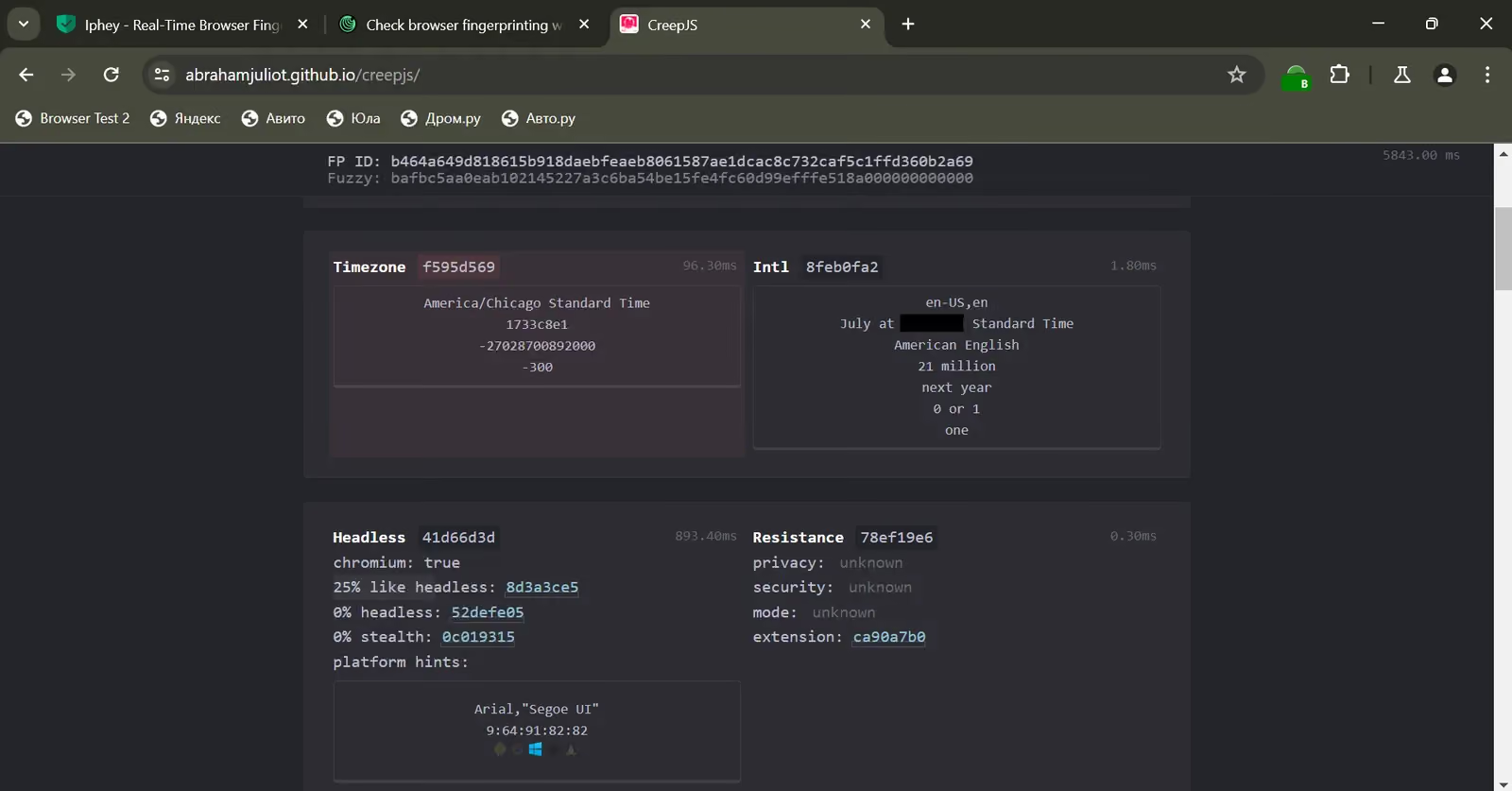
CreepJS reported 0% headless, 0% tampering and 25% like-headless. Its time-zone and internationalization sections also showed conflicting settings. I also found warnings around the screen, navigator, fonts, DOMRect and device signals when I inspected the detailed checks. I found my real timezone in CreepJS data which means that fingerprinting is very weak.
My verdict: the default configuration was not ready for work I care about. One checker accepted it, but the conflicting browser identity and Pixelscan warnings left me troubleshooting the basic environment.
Test Results for Profile 2 (Advanced changes)
For the second profile, I changed settings including Canvas, WebGL and audio from Original to Replacement. The checkers identified Edge 132 this time. Iphey did not finish loading, so there is no score.
Pixelscan again returned inconsistent. This time it also marked automated behavior alongside the time-zone leak and fingerprint warnings. More manual changes had not produced a better profile.
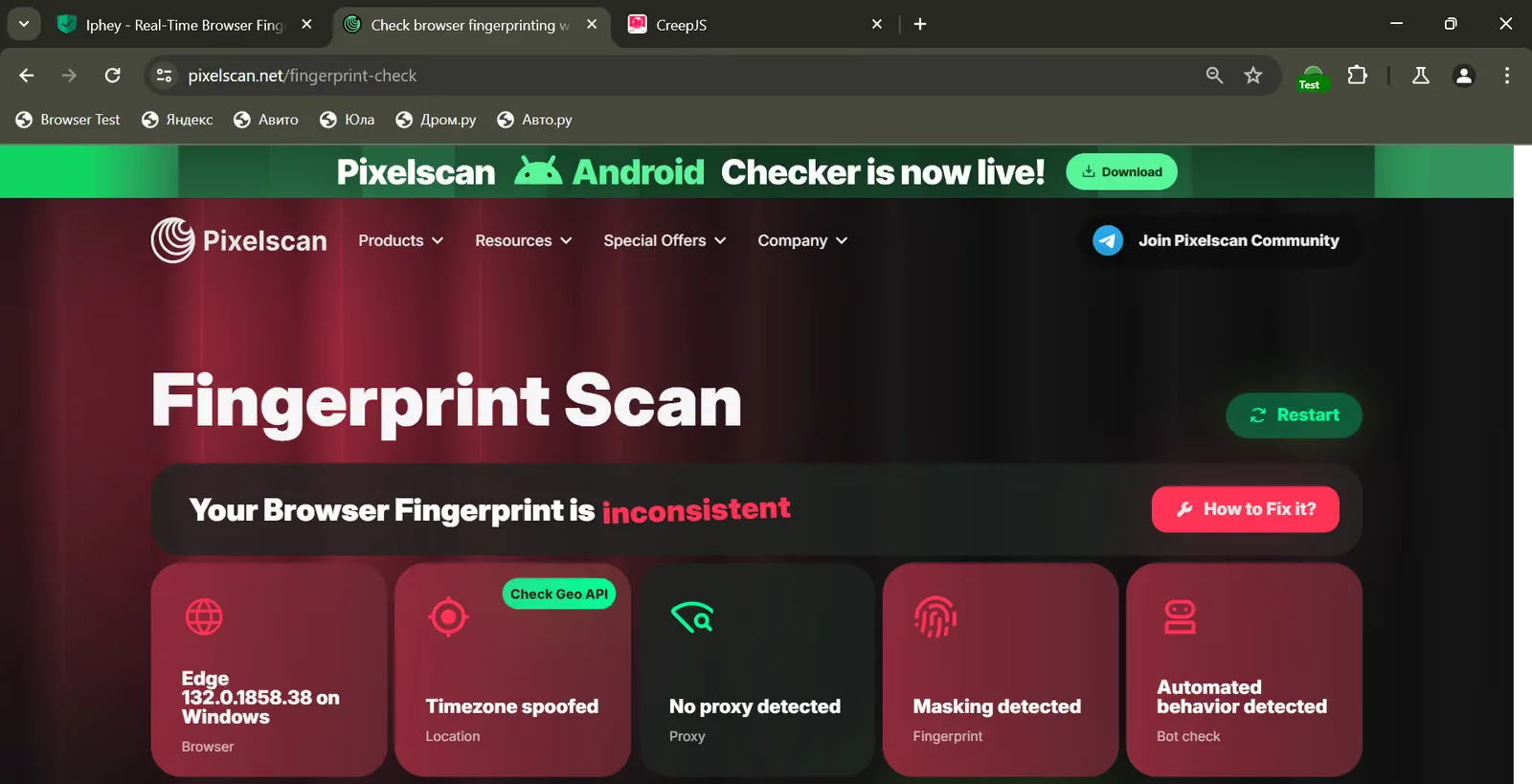
CreepJS still showed 0% headless and 25% like-headless, while tampering rose to 20%. That is the clearest reason I would not recommend blindly changing every advanced field. AntBrowser gave me controls, but the combination I tested produced more visible problems. The detailed checks also raised issues around the time zone, screen, WebGL, Canvas, audio, fonts, device and navigator settings.
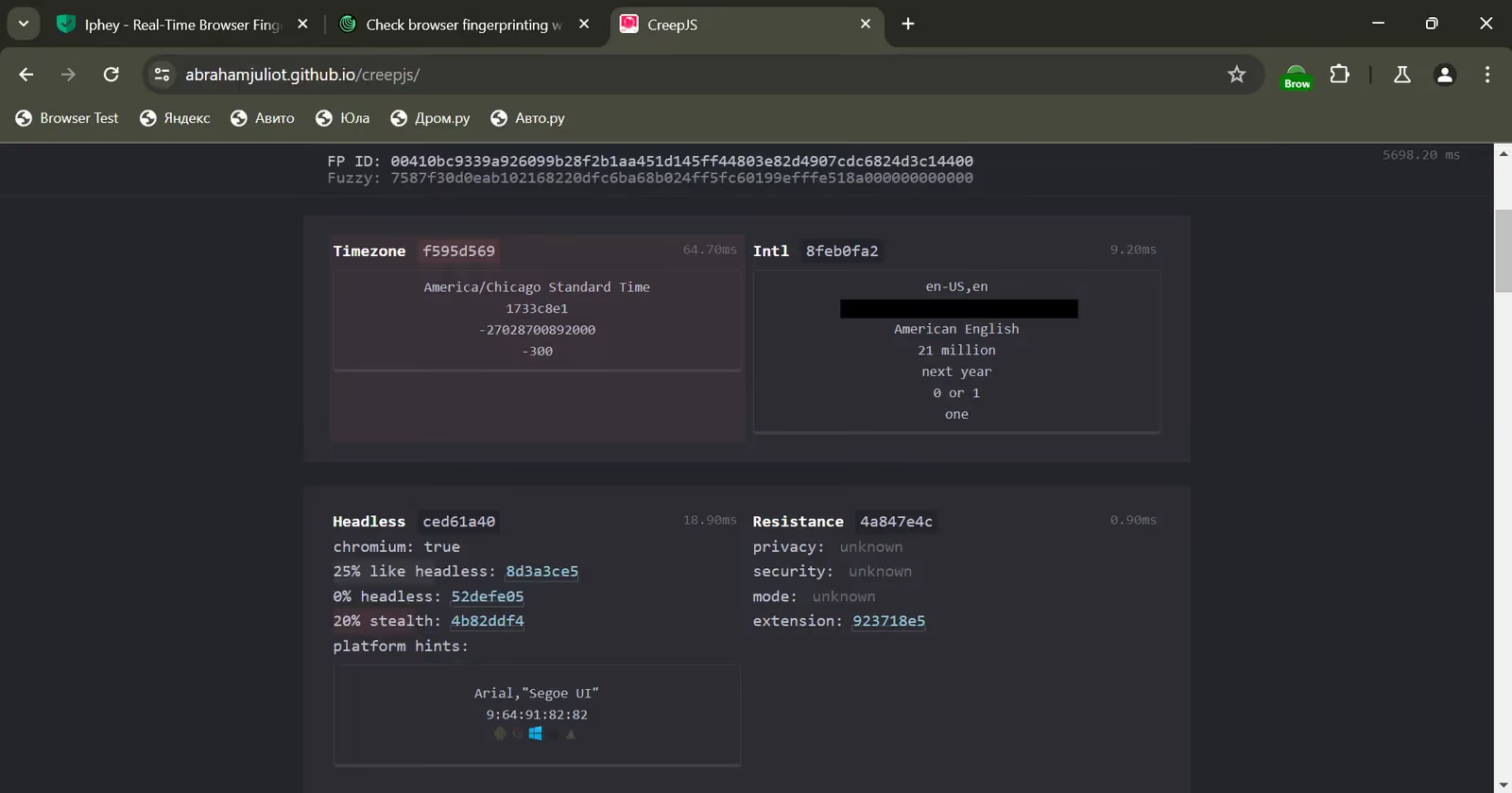
My verdict: the second configuration was worse. A browser that sells fingerprint control should make coherent defaults easier, not leave me guessing which combination of switches will hold together.
Test Results for Profile 3 (Manual Chrome 156 Agent)
I then supplied a Chrome 156 User-Agent myself. Iphey’s detail screen still showed browser and location inconsistencies.
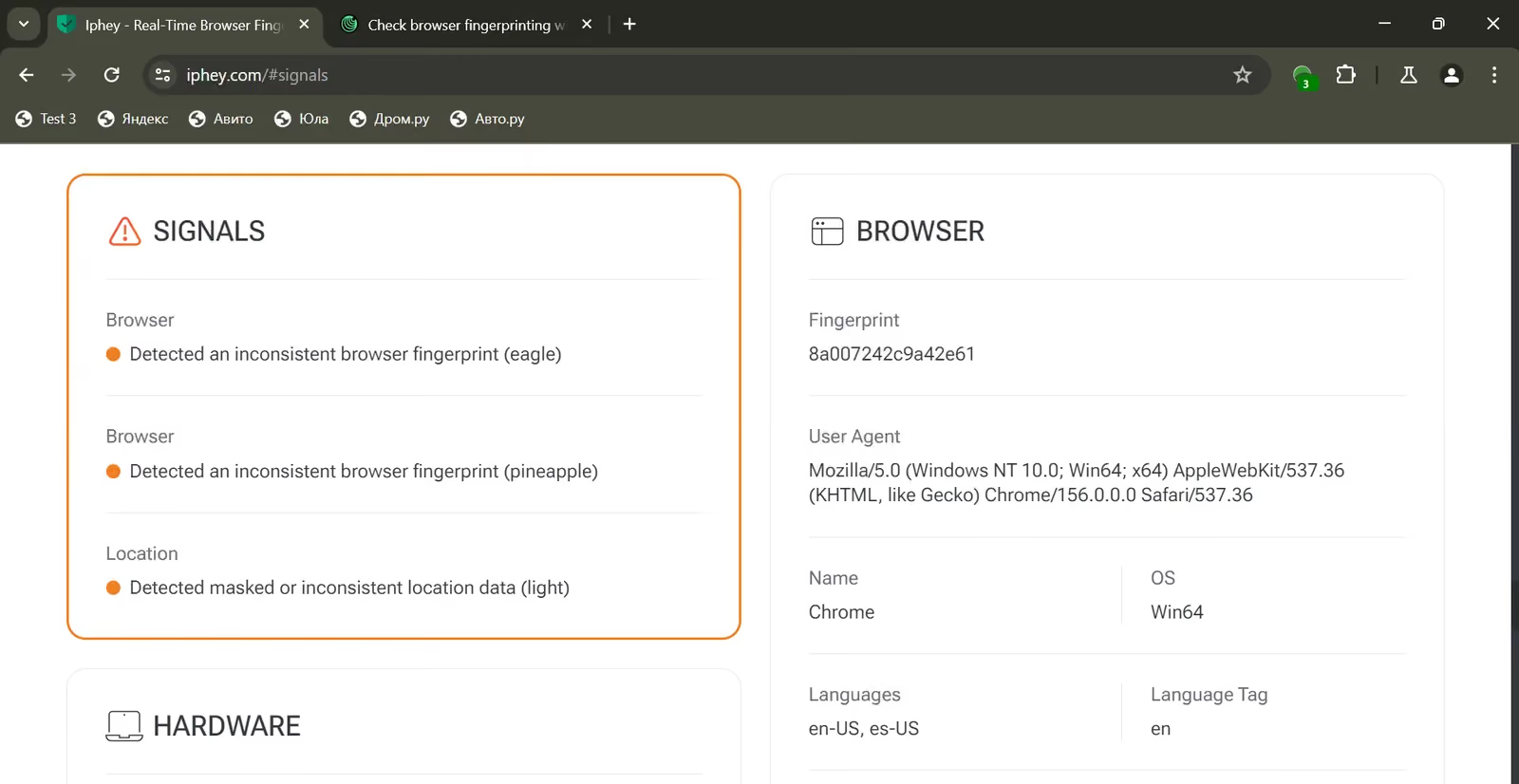
Pixelscan returned inconsistent again, with time-zone and fingerprint warnings. It did not mark automated behavior in this configuration. Updating the declared browser version did not align the rest of the environment.
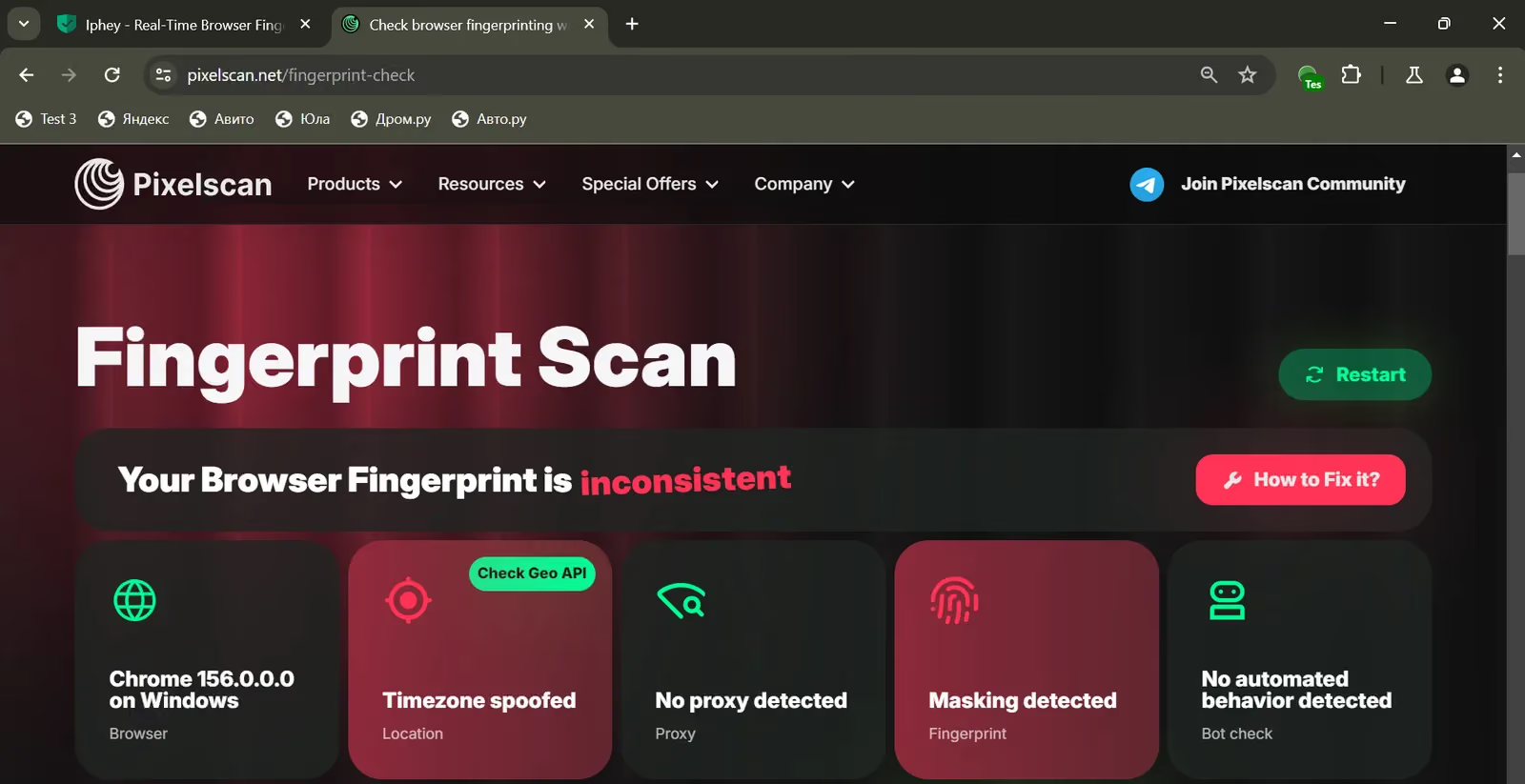
My verdict: I should not have to invent a browser identity and then debug the signals around it in a paid product. If I only needed a custom User-Agent for a controlled automation task, I could use an ordinary automation framework with help from an AI coding assistant. That would not automatically solve fingerprint consistency either. AntBrowser’s job is to solve the profile work for me, and it did not.
Gologin Browser Fingerprint Test
My Gologin app uses the actual Chrome 156 kernel on Windows so I ran the tests with the same proxy and checkers.
Pixelscan returned Consistent. Unlike the AntBrowser configurations, this profile did not leave me trying to reconcile an Inconsistent verdict with the browser identity I had selected.
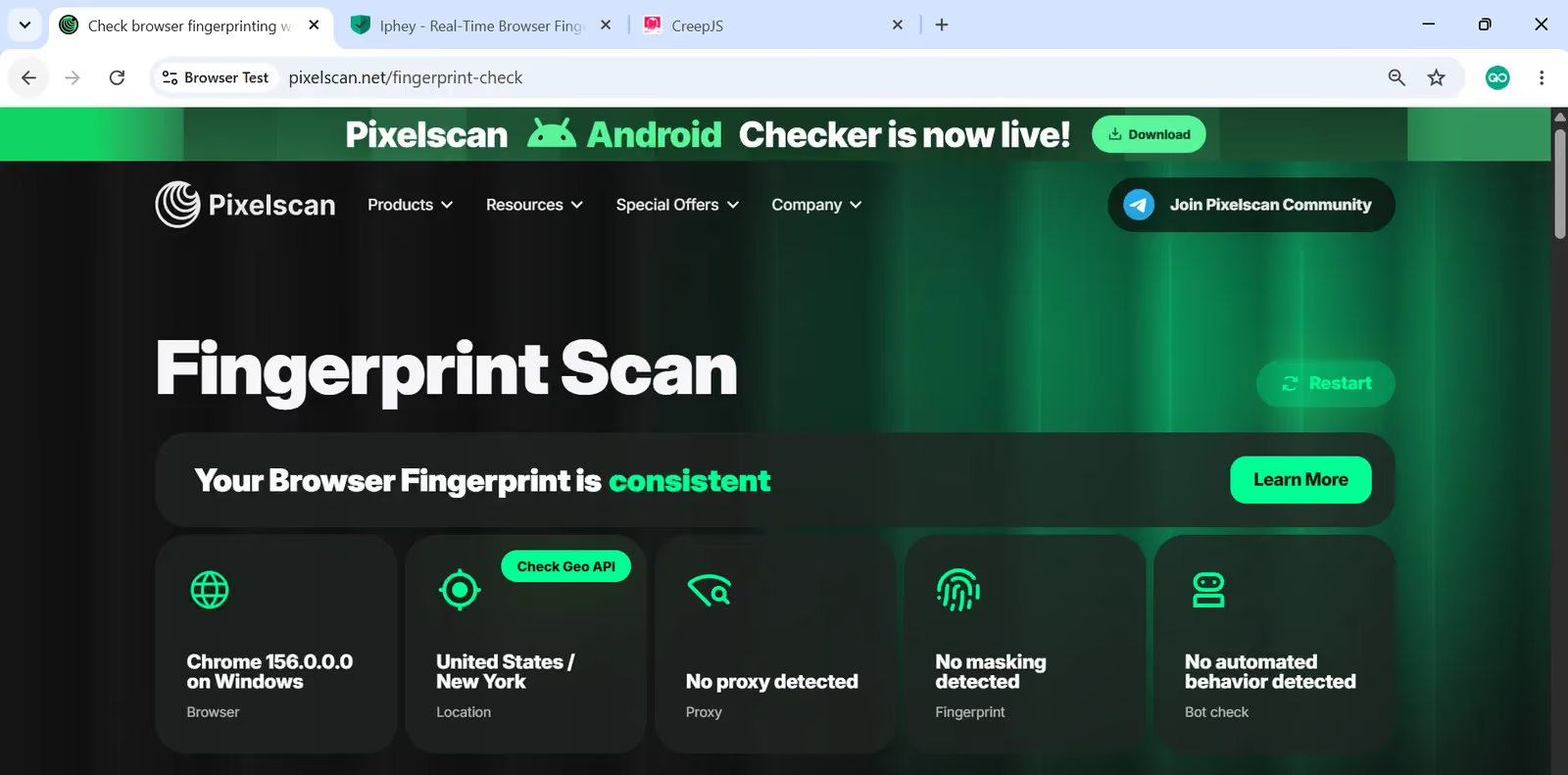
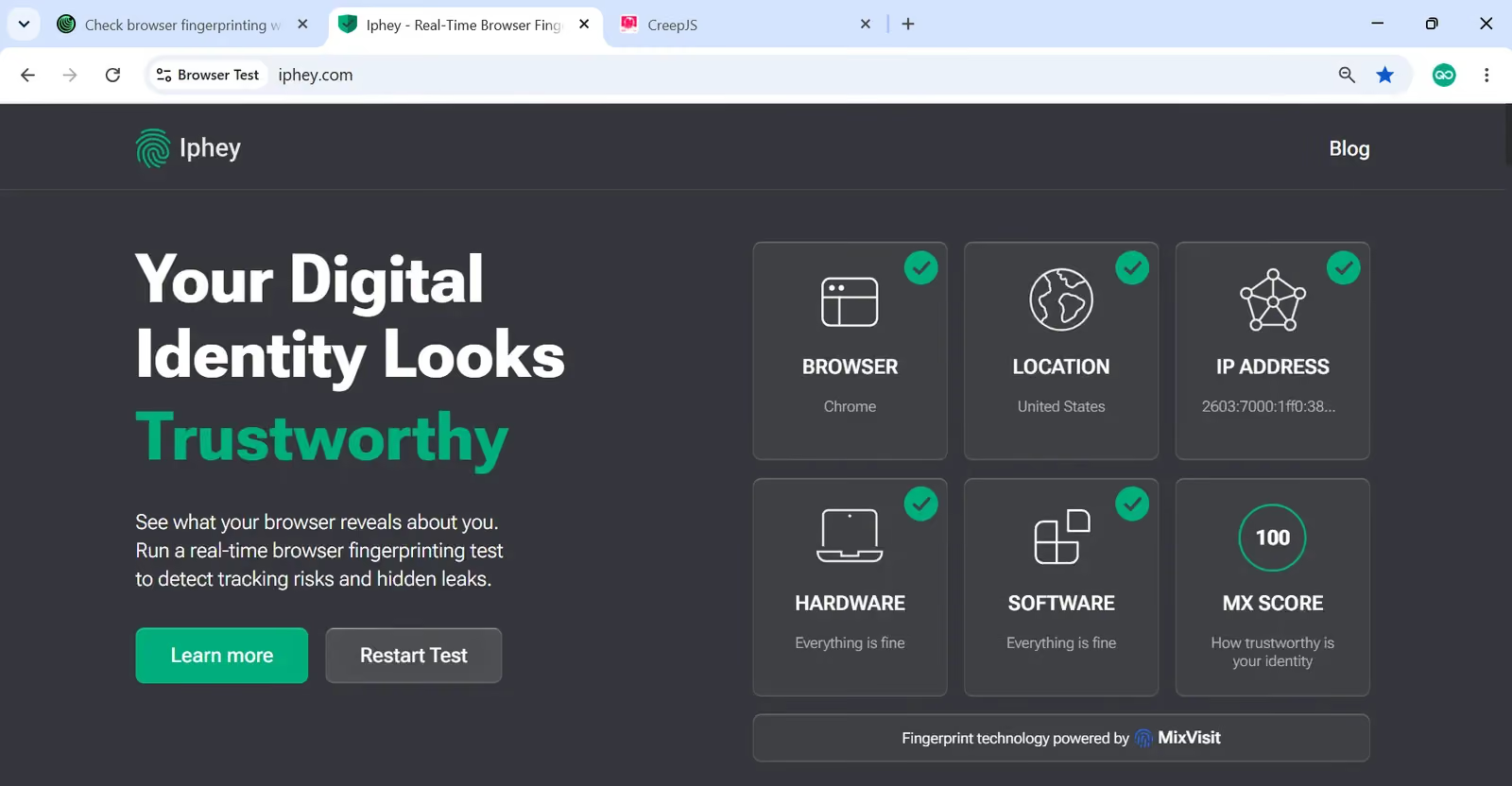
Iphey returned Trustworthy with an MX score of 100/100 and all five categories green. AntBrowser’s default profile matched that score, so Iphey alone does not distinguish the two.
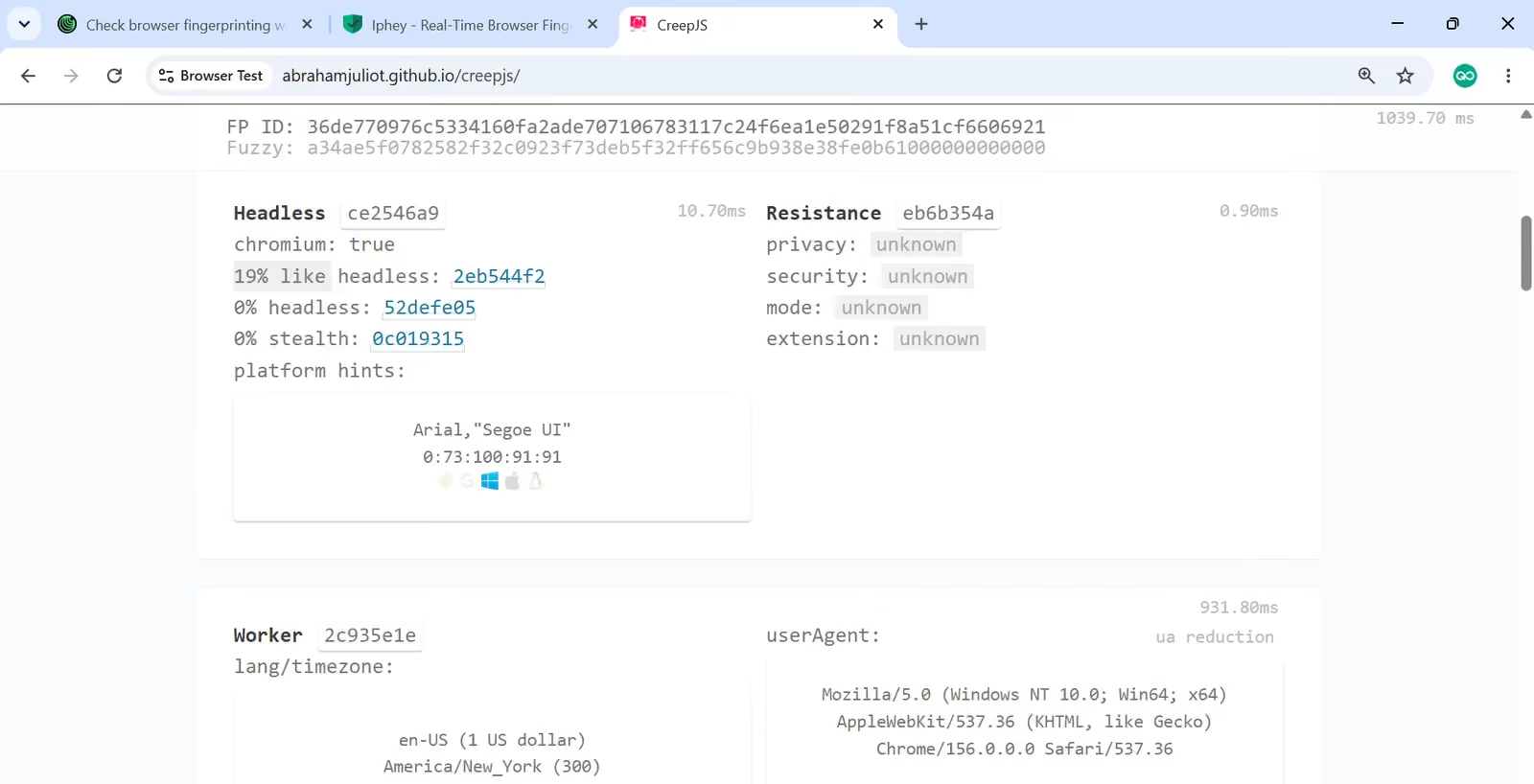
CreepJS reported 0% headless, 0% tampering and 19% like-headless. Gologin’s like-headless reading was six percentage points lower than AntBrowser’s two recorded CreepJS results. It also avoided the 20% tampering reading from AntBrowser’s adjusted profile.
I preferred Gologin because its results agreed across the tools without the manual identity repair I attempted in AntBrowser.
AntBrowser Updates & Support
As of November 2026, its latest public desktop release was v1.0.5, published January 5, 2025. The preceding releases were v1.0.4 on September 12, 2024, v1.0.3 on June 15, and v1.0.2 on May 21, 2024.
That leaves a public desktop-release gap of about 22 months. This is a poor maintenance signal for a paid browser because Chrome ships a new major version every two weeks.
In comparison, Gologin’s release notes list app 4.47.3 on November 11, 2026, following releases on November 6 and 4. This means that Gologin updates its desktop app multiple times per month. Gologin also offers 24/7 expert support.
AntBrowser advertises 24/7 support through its published contact channels, including Telegram.
I found no public reviews of the app on Trustpilot, and SourceForge lists AntBrowser with 0 reviews.
AntBrowser vs Gologin: Pricing and Value
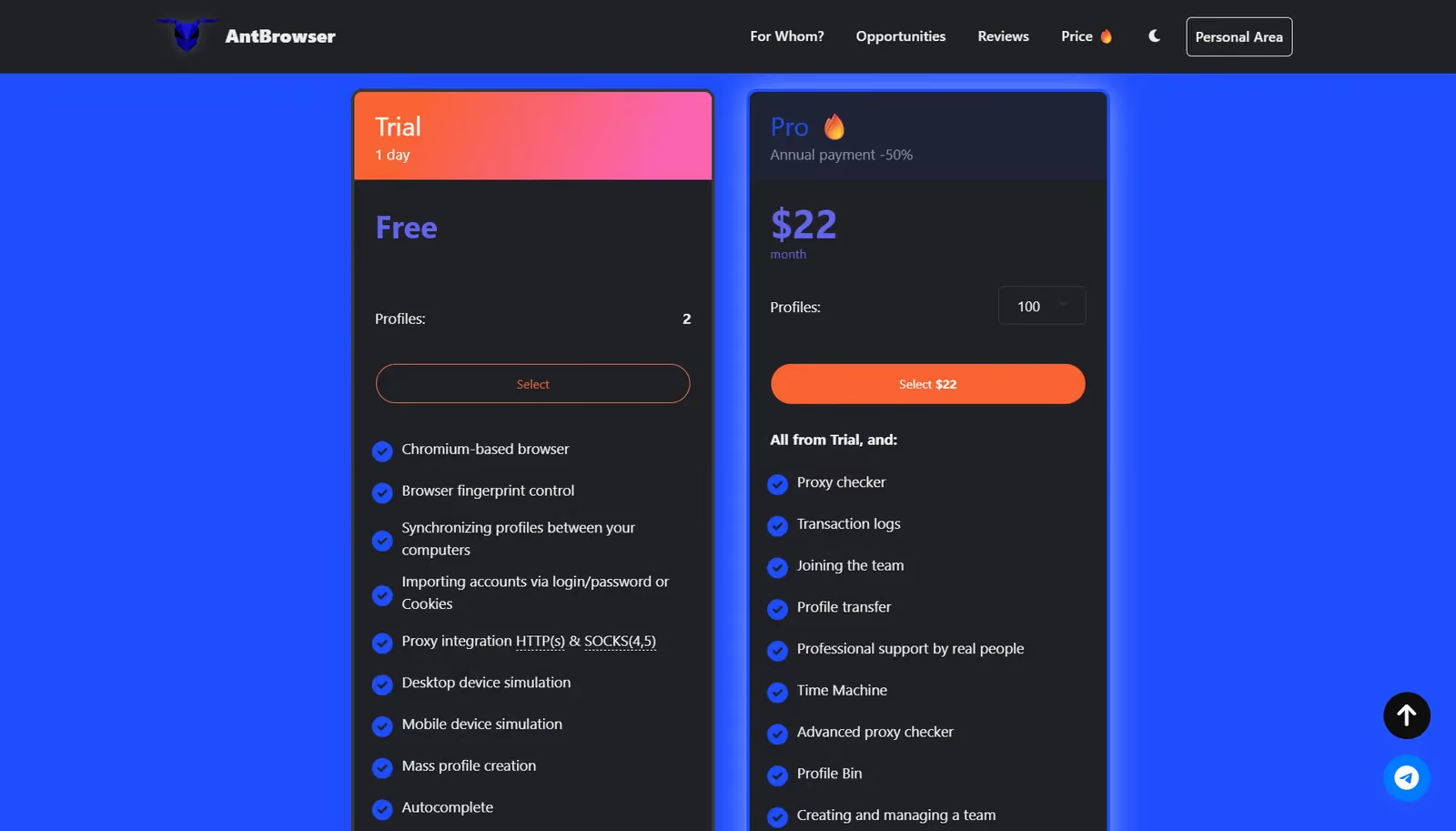
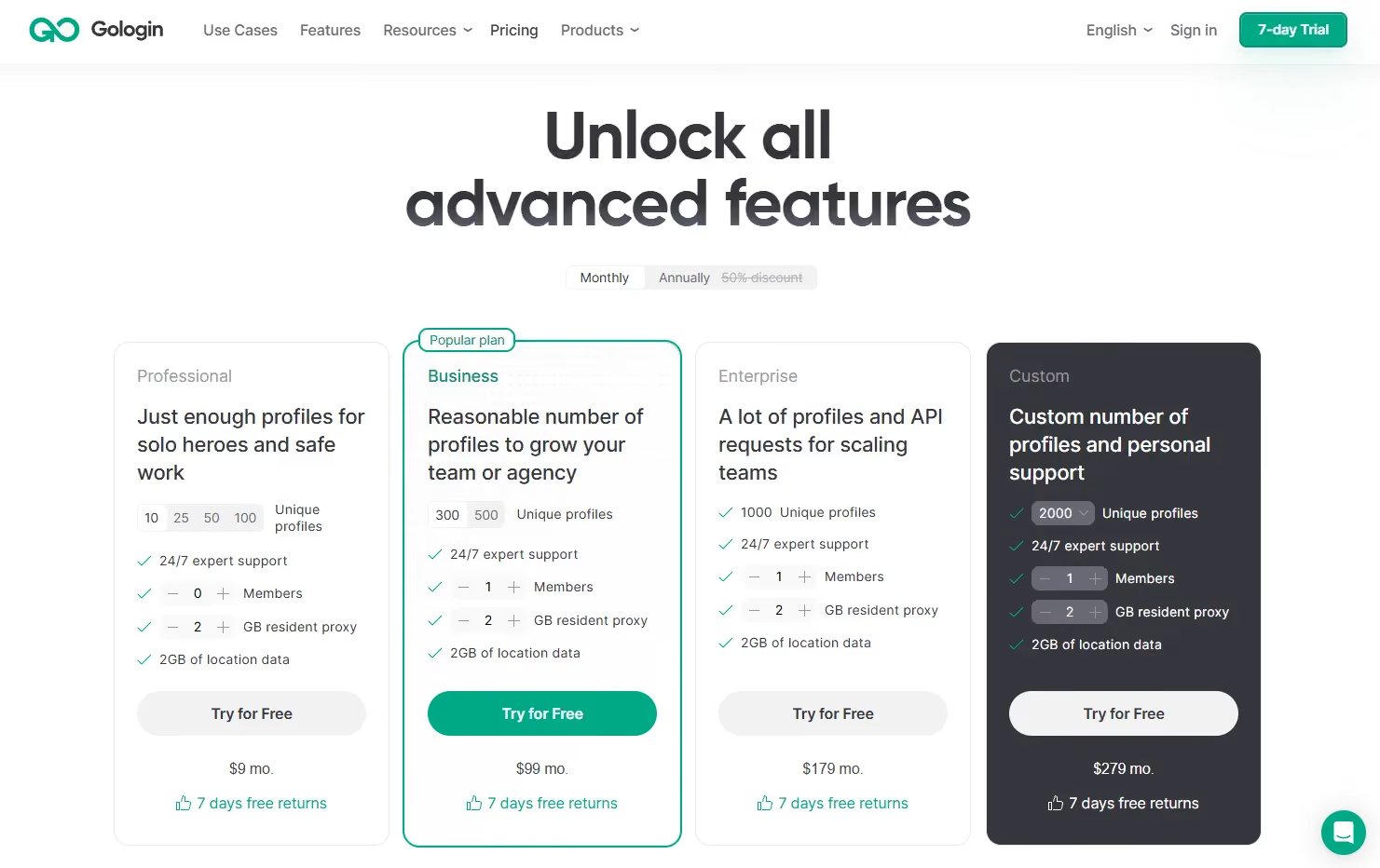
I checked both official pricing pages on November 13, 2026. AntBrowser sells Pro at different profile capacities, with a one-day, two-profile trial. That trial is not an ongoing free plan.
| Profiles | AntBrowser monthly | AntBrowser yearly total | Gologin monthly | Gologin yearly total |
|---|---|---|---|---|
| 2 | $4 | $24 ($2/mo) | Paid entry: $9 for 10 | $54 for 10 ($4.50/mo) |
| 10 | $12 | $72 ($6/mo) | $9 | $54 ($4.50/mo) |
| 100 | $22 | $132 ($11/mo) | $39 | $234 ($19.50/mo) |
| 300 | $36 | $216 ($18/mo) | $99 | $594 ($49.50/mo) |
| 1,000 | $85 | $516 ($43/mo) | $179 | $1,074 ($89.50/mo) |
| 10,000 | $715 | $4,296 ($358/mo) | $869 (Custom 10k) | $5,214 ($434.50/mo) |
At 2,000 profiles, AntBrowser costs $155 a month ($936 a year), while Gologin’s Custom plan costs $279 a month ($1,674 a year). AntBrowser is cheaper at 100 profiles and above, but its profiles failed Pixelscan in my tests, and it has no cloud browsing or cloud phones. Its profile sync carries profiles between computers, but you still run them in the desktop app.
Which features come with AntBrowser’s plans?
| Access | What the vendor includes |
|---|---|
| 1-day trial, 2 profiles | Profile sync, cookie import, proxy configuration, desktop/mobile identities, bulk creation, Heaters, Interlocks and extensions. |
| Paid Pro | Trial features plus proxy checking, Journal, transfers, Time Machine, Bin, team management, team statistics and shared resources. |
| Proxy traffic | Third-party purchase offers; no included native traffic allowance shown. |
Gologin offers three ongoing free profiles and a seven-day trial of paid features. Paid entry starts at 10 profiles and includes 2 GB of residential proxy traffic, alongside support for my own proxies. Extra traffic comes in 10–100 GB bundles at $1.19–$1.59 per GB. The free plan excludes profile sharing and team members.
Cloud browsing and REST API access start with the paid Professional tier. The pricing table lists one concurrent cloud launch and 300 API requests per minute on the Professional plan.
You should test AntBrowser before paying for it. Its refund policy generally treats purchases as nonrefundable, with exceptions where the service was not fully provided or did not match the order. Its stated 14-working-day review period is not a 14-day money-back guarantee.
Why I Would Choose Gologin Over AntBrowser
AntBrowser’s core failure was execution. The interface offered plenty of controls, but I still encountered a JavaScript exception, a failed proxy connection and conflicting profile signals. Gologin gave me the stronger result across the three checkers without the manual repair I attempted here.
My Gologin observations were about three seconds to launch a profile and four seconds for the desktop app to become ready.
Cloud browsing is different from profile sync
AntBrowser’s sync lets me carry a profile between computers. I still need its desktop browser to run that profile. I found no equivalent of Gologin’s cloud browsing, where the profile runs remotely and I access it through the web app or desktop app.
Gologin Cloud Browser also provides remote connections for Playwright and Puppeteer. Gologin Cloud Android supplies hosted Android environments for mobile apps. AntBrowser also offers mobile browser identities, but these are not cloud Android phones like Gologin’s.
Proxies and automation add practical value
With Gologin, the paid plan’s included residential traffic gives me a starting point without a separate proxy purchase. AntBrowser sent me to outside offers and then made importing my own proxy more work than it should have been.
Gologin’s documented API and MCP tools also offer a clearer route for integrating profile management with automation. I would choose that documented workflow over trying to build a larger operation around AntBrowser’s Heaters and extension menus.
AntBrowser Pros and Cons
| Pros | Cons |
|---|---|
| Free trial available for testing the app | All three tested configurations returned Inconsistent on Pixelscan; only the default profile passed Iphey |
| Pro costs less than Gologin at 100 profiles and above in the compared tiers. | I encountered a startup exception and two separate proxy-setup problems. |
| Extensions, Heaters and request rules cover specific repeat tasks. | Advanced changes increased CreepJS tampering to 20%; manual Chrome 156 did not fix consistency. |
| Profile sync and paid team/recovery tools exist. | The latest public desktop release dates to January 2025, and the trial lasts only one day. |
Gologin Pros and Cons
| Pros | Cons |
|---|---|
| Pixelscan returned Consistent and Iphey scored the control 100/100. | A checker pass does not guarantee acceptance by every website. |
| The $9 plan covers 10 profiles and includes 2 GB of residential traffic. | Higher profile counts cost more than AntBrowser in the compared tiers. |
| Cloud browsing, Cloud Android and API tools support different workflows. | Cloud concurrency, API rates and team allowances depend on the selected plan. |
| Three free profiles and a seven-day trial give more time to evaluate it. | The free plan excludes profile sharing and team members. |
AntBrowser vs Gologin: Final Verdict
AntBrowser was one of the worst profile browsers I have reviewed. The problem was not a missing decorative feature. I hit an app error, had to work around proxy setup, and could not get a Consistent Pixelscan result from the three configurations I tried.
There is no clear reason to pick AntBrowser over other alternatives. More switches, a newer User-Agent string and a longer feature menu do not make a browser worth paying for if its fingerprint quality falls short.
I would choose Gologin. It costs less for 10 profiles, produces stronger control results and includes useful extras such as residential traffic, cloud browsing and Cloud Android. At higher profile counts I would pay the difference for a tool that saves me setup work instead of creating more of it.
Start with Gologin’s three free profiles or seven-day trial and test the accounts and websites you actually use.
AntBrowser FAQ
What is AntBrowser used for?
AntBrowser manages separate browser profiles with their own cookies, proxy settings and browser identities. It also offers profile synchronization and paid teamwork tools.
Is AntBrowser free?
AntBrowser offers a one-day trial with two profiles. It does not list an ongoing free plan. Gologin offers three ongoing free profiles and a seven-day paid-feature trial.
How much does AntBrowser cost?
Monthly Pro pricing starts at $4 for two profiles or $12 for 10. The 100-profile package costs $22 monthly or $132 paid yearly. These prices were checked in November 2026.
Which platforms are supported by AntBrowser?
The official download page lists Windows, macOS Intel, macOS Apple Silicon and Linux (.deb). My hands-on findings cover the Windows app.
Is Gologin a better AntBrowser alternative?
I preferred Gologin because its control returned consistent on Pixelscan and 100/100 on Iphey, with fewer setup problems. Its included traffic, cloud tools and documented API also made it better value for my workflow.