Camoufox vs Gologin: Honest Review and Tests 2026
Try Gologin for free
TL;DR
- Camoufox is free, open-source and Firefox-based. I like its flexibility and direct Playwright integration, but setting up a usable profile takes more technical work than I want for everyday account management.
- Gologin was easier for me to get working. I could create a profile, add a proxy and launch it from the dashboard. It starts at $9/month, or $4.50/month billed annually, with three free profiles and a seven-day trial.
- Camoufox and Gologin both received Trustworthy 100/100 results on Iphey. Across three Camoufox Pixelscan runs, two were Consistent and one reported a timezone mismatch with GeoIP enabled. Official CreepJS reported 0% headless and 0% tampering for both.
- Gologin returned a consistent result on Pixelscan and Trustworthy with an MX score of 100/100 on Iphey. I preferred its simpler setup and ready-to-use profile defaults.
- My pick is Gologin for everyday use. I want profiles that work with minimal configuration and give me more confidence in their defaults. Camoufox makes more sense if you enjoy working with Python and browser automation.
Camoufox vs Gologin: comparison at a glance
| Metric | Camoufox | Gologin |
|---|---|---|
| Starting price | Free open-source software; proxies and hosting separate | From $9/mo; $4.50/mo billed annually |
| Free plan / trial | No software subscription required | 3 free profiles; 7-day trial |
| Operating systems | Windows, macOS, Linux | Windows, macOS, Linux, Android, iOS/iPadOS |
| Cloud launch | Local browser; self-hosting requires your own setup | Cloud browser available |
| API / automation | Python API; direct Playwright integration | REST API; browser automation integrations |
| Team features | No built-in team dashboard | Profile sharing and team access; plan limits apply |
Camoufox review 2026
I tested Camoufox to see how practical a free, open-source browser for many profiles could be for everyday use. I installed it, created a profile, connected a proxy and ran it through Pixelscan, Iphey and CreepJS. I used Gologin alongside it to compare the setup and results.
Camoufox returned Trustworthy 100/100 on Iphey and 0% headless and tampering on the official CreepJS page. Pixelscan was mixed: two of three runs were Consistent, while one reported a timezone mismatch. The browser otherwise felt like a base Firefox workflow, and I handled fingerprint and proxy settings through Python rather than an in-browser profile editor.
The biggest difference was ease of use. Camoufox gave me plenty of control, but I had to work through scripts and launch settings. Other alternatives like Gologin let me create and launch profiles through their dashboard. I found that much more convenient for everyday work. This blog reviews both browsers in detail and compares ease of use, fingerprint quality, launch time, and technical setup required to operate both browsers.
Comparison: Camoufox vs Gologin
I tested both Camoufox and Gologin to see how an open-source and more technical browser can hold up against a more consumer centric product that provides every functionality out-of-the-box with a clean UI. I compared both in terms of interface, ease of use, install, launch time, proxy configuration, and fingerprint customization capabilities.
Supported platforms and devices
You can use Gologin on Windows, macOS and Linux. It also has Android and iPhone/iPad apps for mobile access.
Camoufox runs on Windows, macOS and Linux. I tested it on Windows 11. Once it was running, I had a normal, visible browser window; the technical part was getting the right profile and proxy configuration into that window.
Registration and initial setup
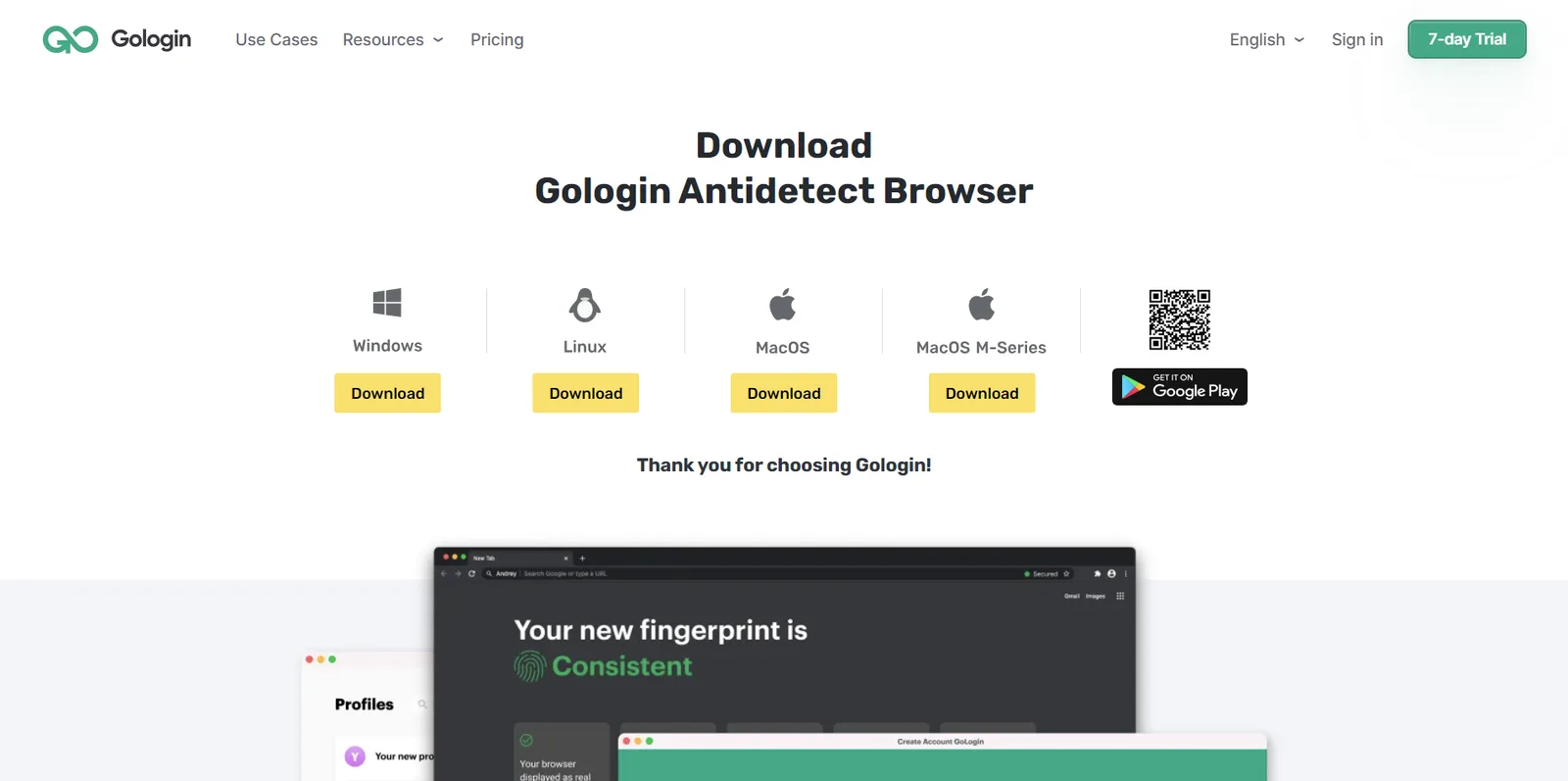
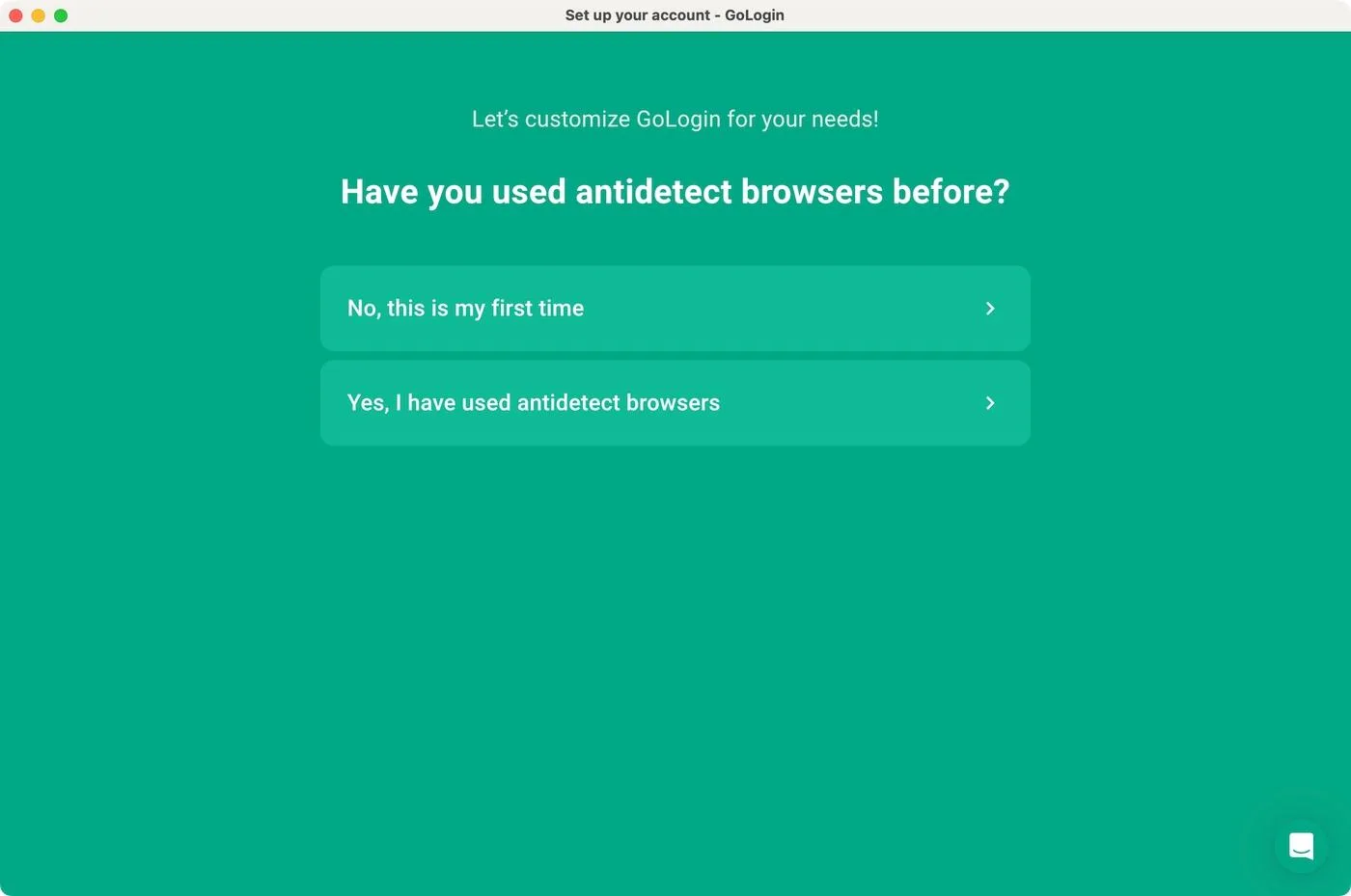
Getting started with Gologin felt familiar: Sign-up on the web, download the desktop app and install, and create a profile from the dashboard. I did not need to prepare a Python environment or a launch script. That matters to me because I want to spend my time on the accounts and websites I am working with, rather than on browser setup.
Since I had other profile browsers installed on my computer, Gologin identified them and offered to bring browser profiles and data over to Gologin which sounds convenient if you’re switching your browser.
Camoufox took more effort. I installed the Python package, downloaded the browser build and used a script to launch my configured session. There is an optional graphical manager for browser builds and GeoIP data, but I did not find it a replacement for Gologin’s profile-management dashboard.
I could launch Camoufox as a visible Windows browser, but the terminal remained part of my workflow when I needed a proxy and specific settings. For this review, I used a saved Python launcher from PowerShell. That worked, but it was less convenient than opening Gologin and clicking Start. In my recorded launch check, Camoufox took roughly 20-30 seconds including the PowerShell commands, while Gologin took about 15 seconds including opening the app and starting the profile.
Setting up and customizing profiles
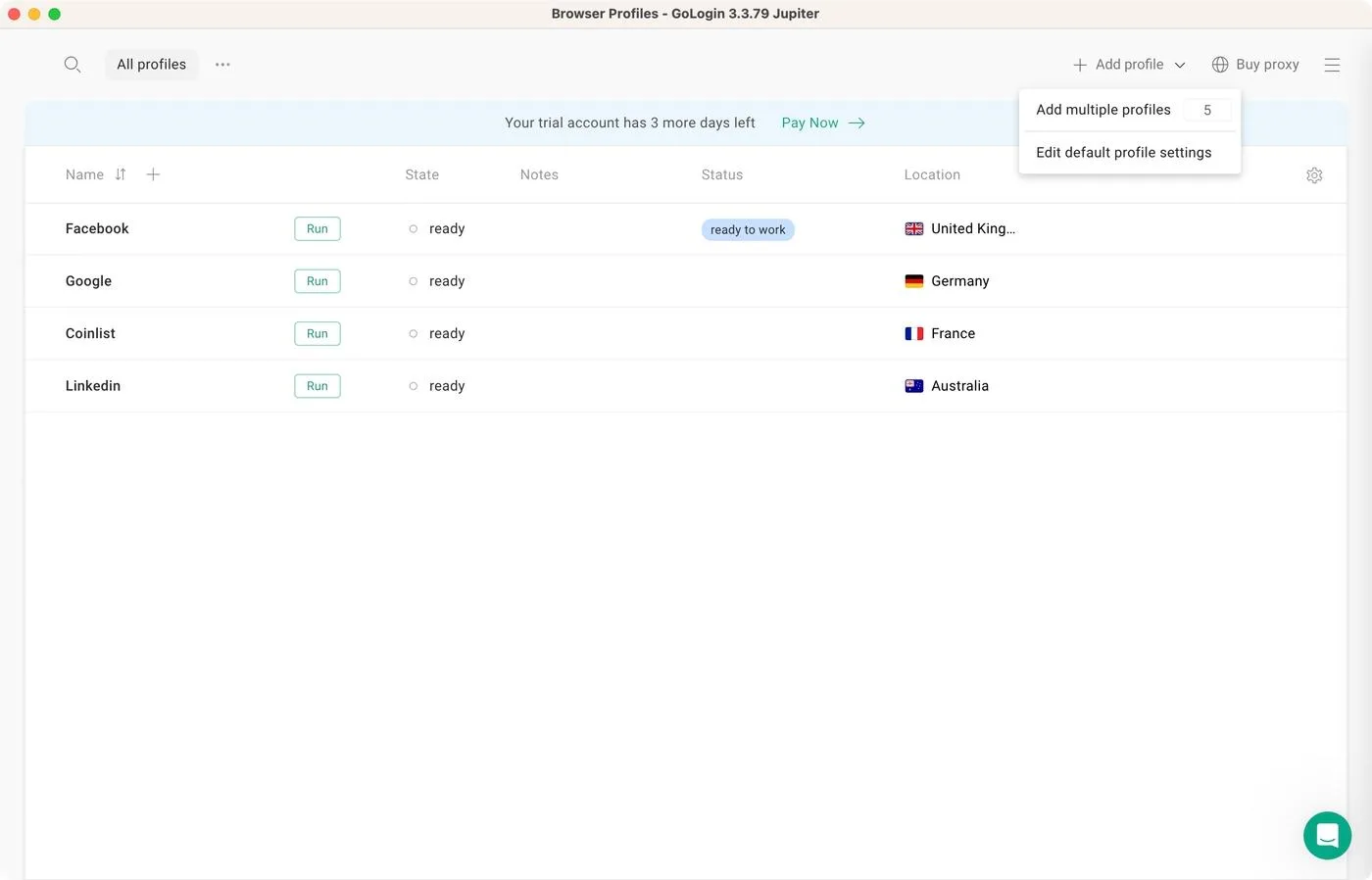
In Gologin, I could see my profiles in one place, create a new one and open its settings without leaving the app. I liked having proxy and fingerprint options in the same workflow. The quick-create option was particularly useful when I just wanted to get a profile running with the recommended defaults.
Camoufox gave me more of a developer’s toolkit than a guided profile-creation dialog. I could configure the operating system, fonts, screen constraints, locale, WebGL options, add-ons and cursor behavior through code but all that has to be done via Python scripts, not in browser settings. I like having that level of control available, but I do not want to maintain those settings myself for routine browsing.
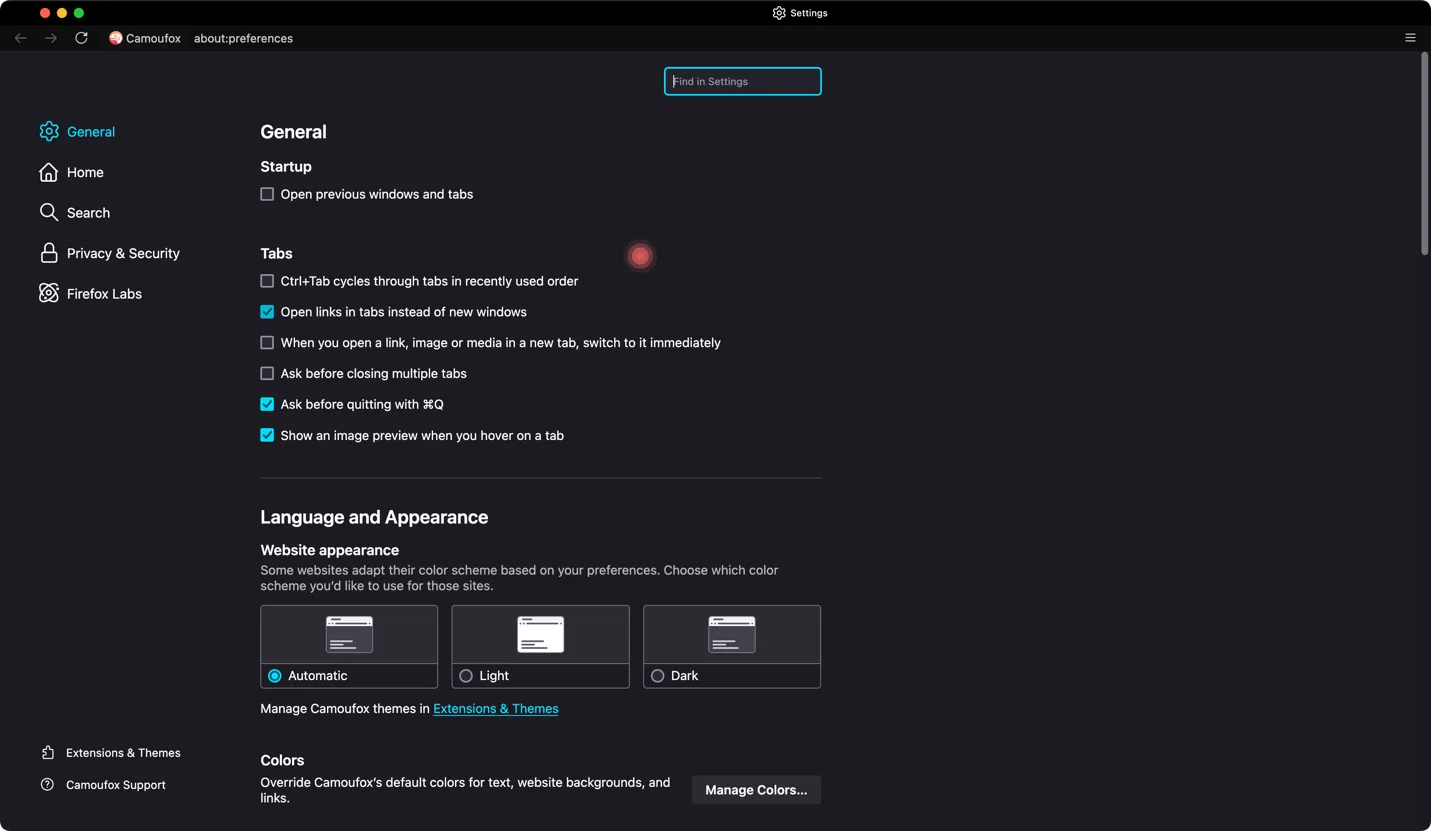
Camoufox can preserve cookies and local storage using a persistent context and a dedicated user_data_dir. That makes reusable profiles possible, but I still have to manage the configuration and storage behind them. Gologin’s dashboard is a better fit for how I want to organize and reuse profiles.
Proxy setup: Simple proxy launch vs GeoIP
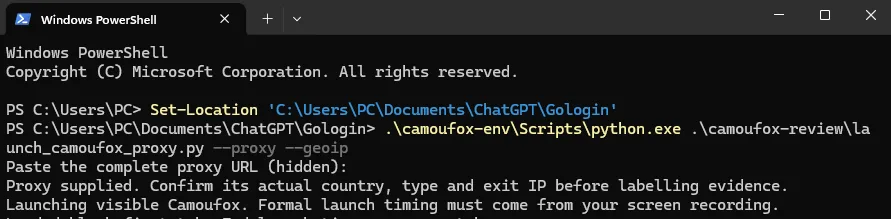
Adding a proxy was the part of Camoufox I found most frustrating. I could not find a straightforward proxy field in the browser’s visible profile settings. Instead, I had to pass the proxy server, username and password through the Python launcher and start it from PowerShell. Proxies are supported, but configuring them is harder than it needs to be for someone who wants a graphical workflow.
In the launcher I used, –proxy enabled the proxy setup and –geoip switched on Camoufox’s geoip=True option. The difference matters: the proxy routes traffic through another IP, while GeoIP also tries to align values such as timezone and locale with that IP. These flags are part of my saved launcher, rather than commands that work with every Camoufox installation.
I launched my proxy-enabled session with this command:
.\camoufox-env\Scripts\python.exe .\camoufox-review\launch_camoufox_proxy.py --proxy --geoipThe script prompted me for the proxy URL without displaying the credentials. I used both –proxy and –geoip for the checker tests below. In this launcher, leaving out –geoip would keep the proxy connection but omit the additional GeoIP alignment.
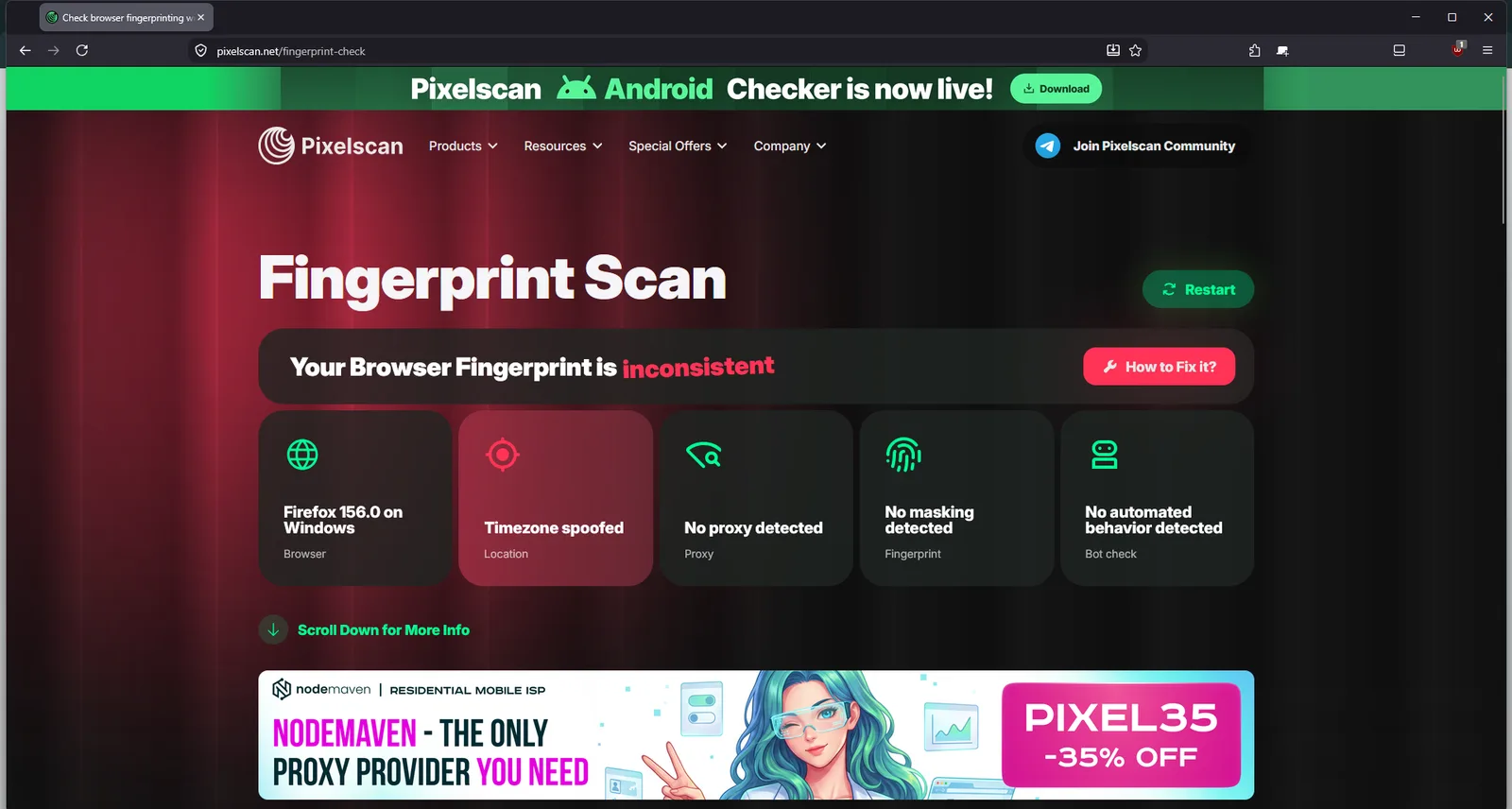
One of my three Camoufox Pixelscan runs reported a timezone mismatch with GeoIP enabled; the other two were Consistent. I treated it as an intermittent result, not a universal failure.
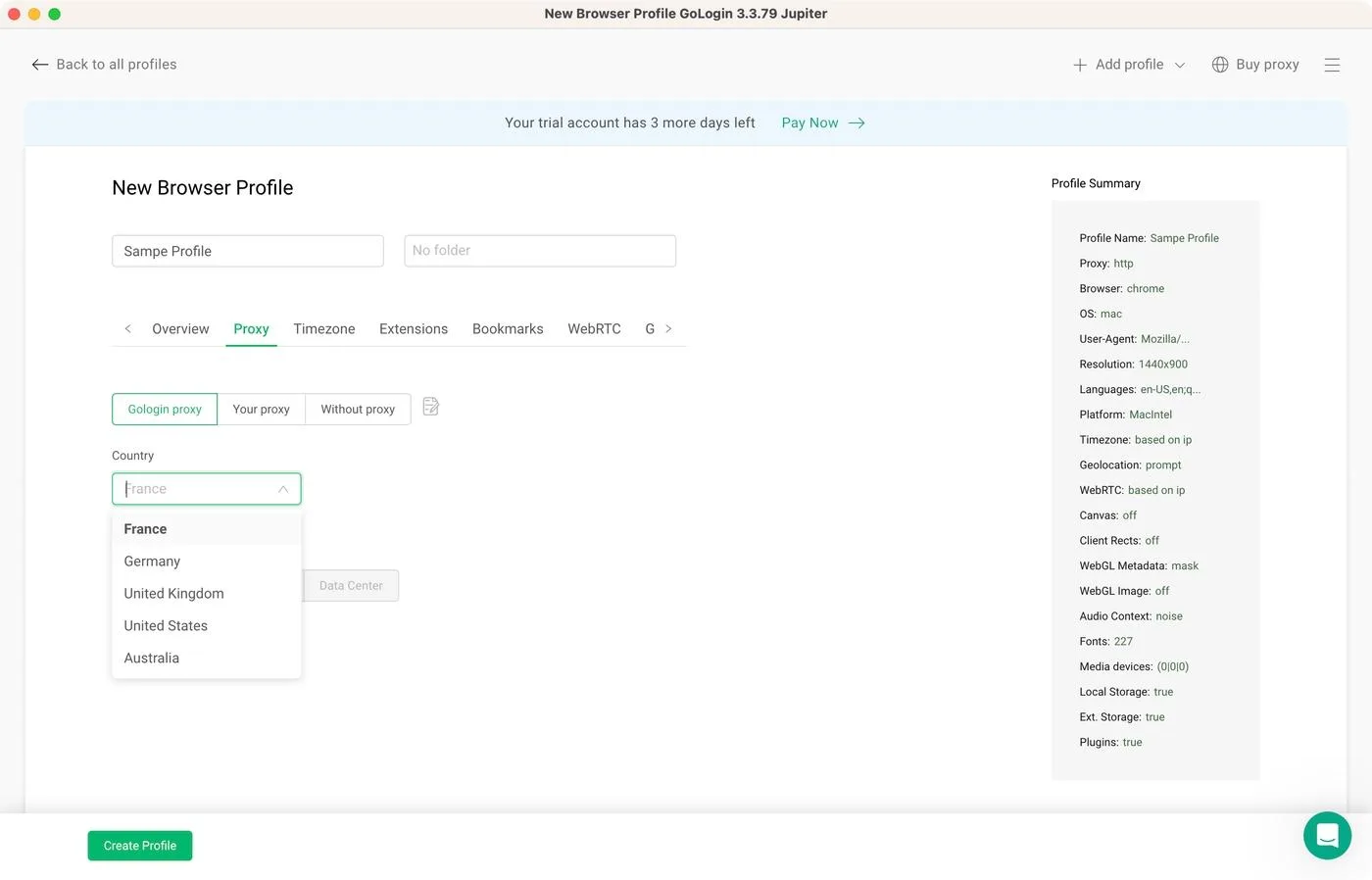
Gologin handled this step better for me. I could add the FloppyData URL inside the profile settings instead of maintaining a separate script. Gologin supports its own proxy traffic and third-party proxies, but the included traffic depends on the selected configuration, so I would check the current allowance before buying.
Pricing and plans in 2026
Camoufox is free and open source. I still need to pay for the proxy service and maintain the setup myself.
Gologin costs money, but saved profiles, cloud profile access and the app workflow are more convenient for me. Some configurations include proxy traffic, which can reduce the need for a separate proxy service, but the allowance is plan-dependent.
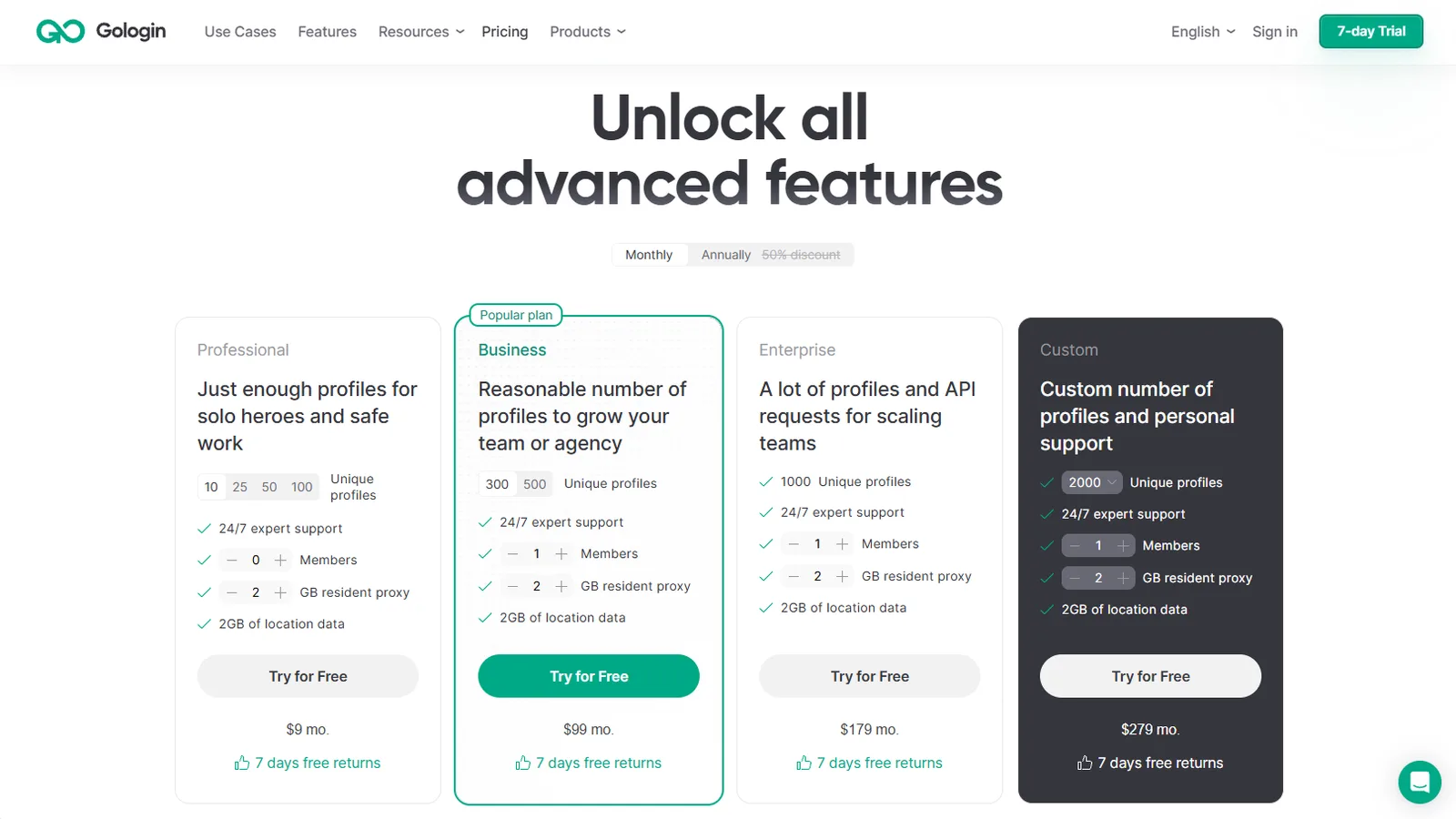
| Gologin tier | Monthly from | Annual equivalent | Profiles at starting selection |
|---|---|---|---|
| Free | $0 | $0 | 3 |
| Professional | $9 | $4.50/mo; $54/year | 10; 25/50/100 selectable |
| Business | $99 | $49.50/mo; $594/year | 300; 500 selectable |
| Enterprise | $179 | $89.50/mo; $1,074/year | 1,000 |
| Custom | $279 | $139.50/mo; $1,674/year | 2,000 starting selection |
Testing: Camoufox vs Gologin
On October 23, 2026, I ran Pixelscan, Iphey and the official CreepJS page three times per browser. Both used fresh profiles and the same rotating US residential FloppyData proxy URL.
Camoufox test results
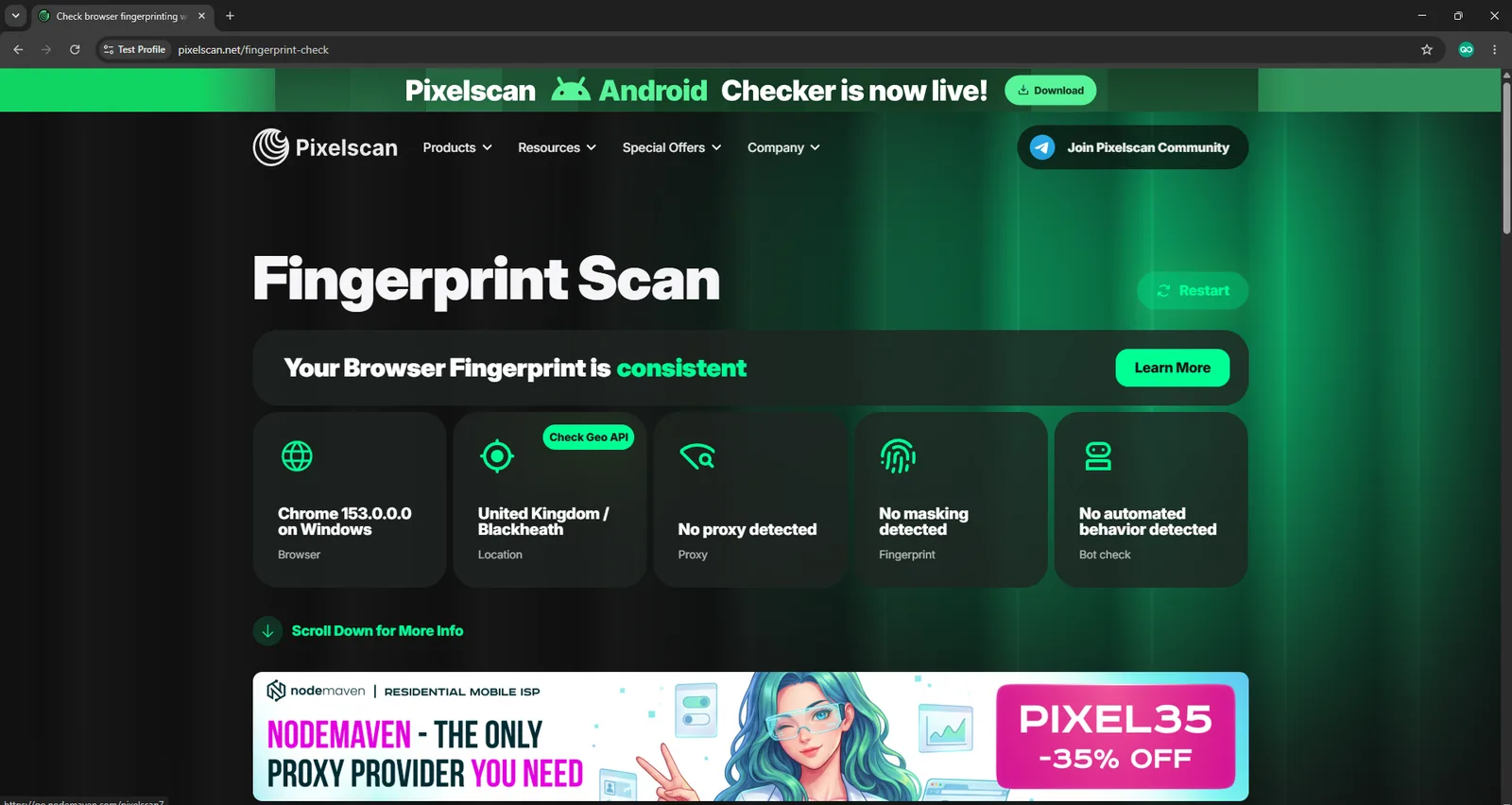
Pixelscan returned two Consistent runs and one Inconsistent run that reported a timezone mismatch while GeoIP was enabled. I used the same profile and proxy to rerun the tests and only 1 out of 3 times Pixelscan marked it as inconsistent which I think is more of a browser behavior issue. Gologin was more stable in this comparison with all 3 recorded runs producing consistent results with no proxy or automation flags.
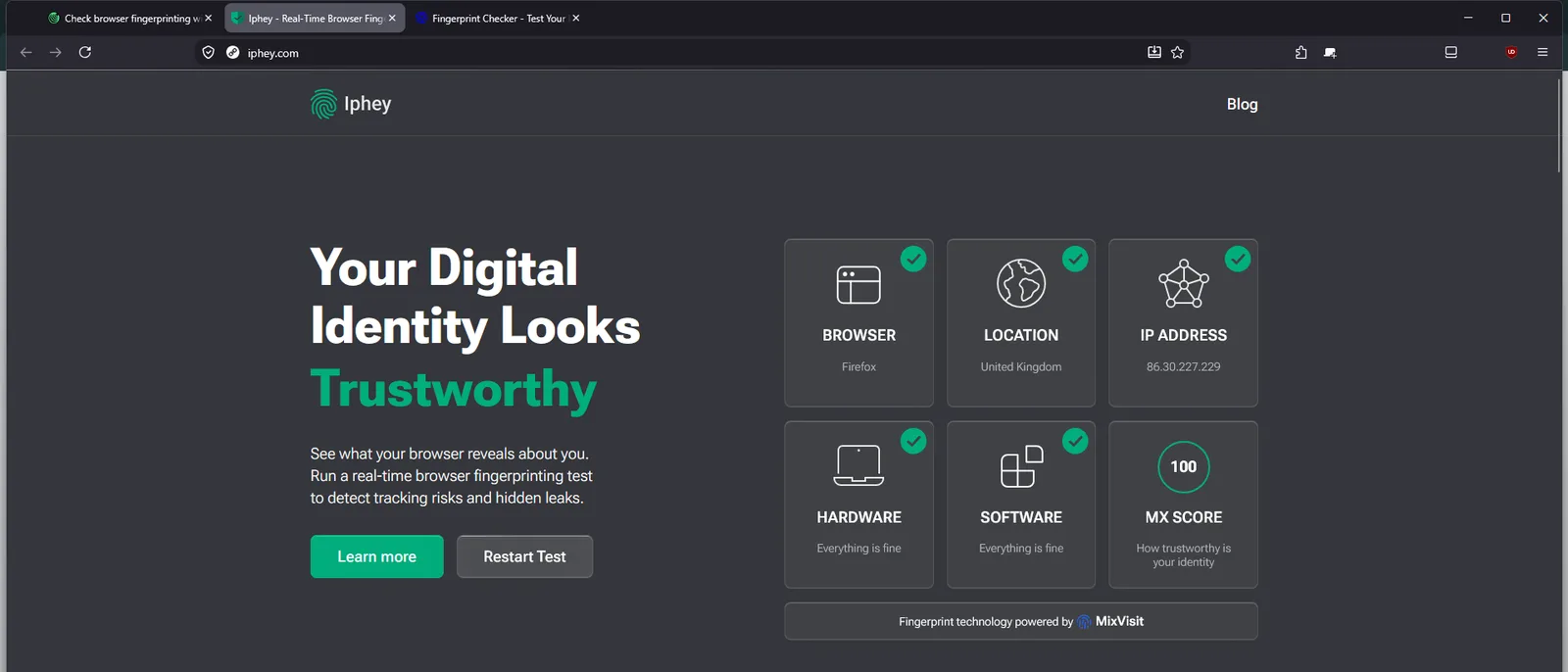
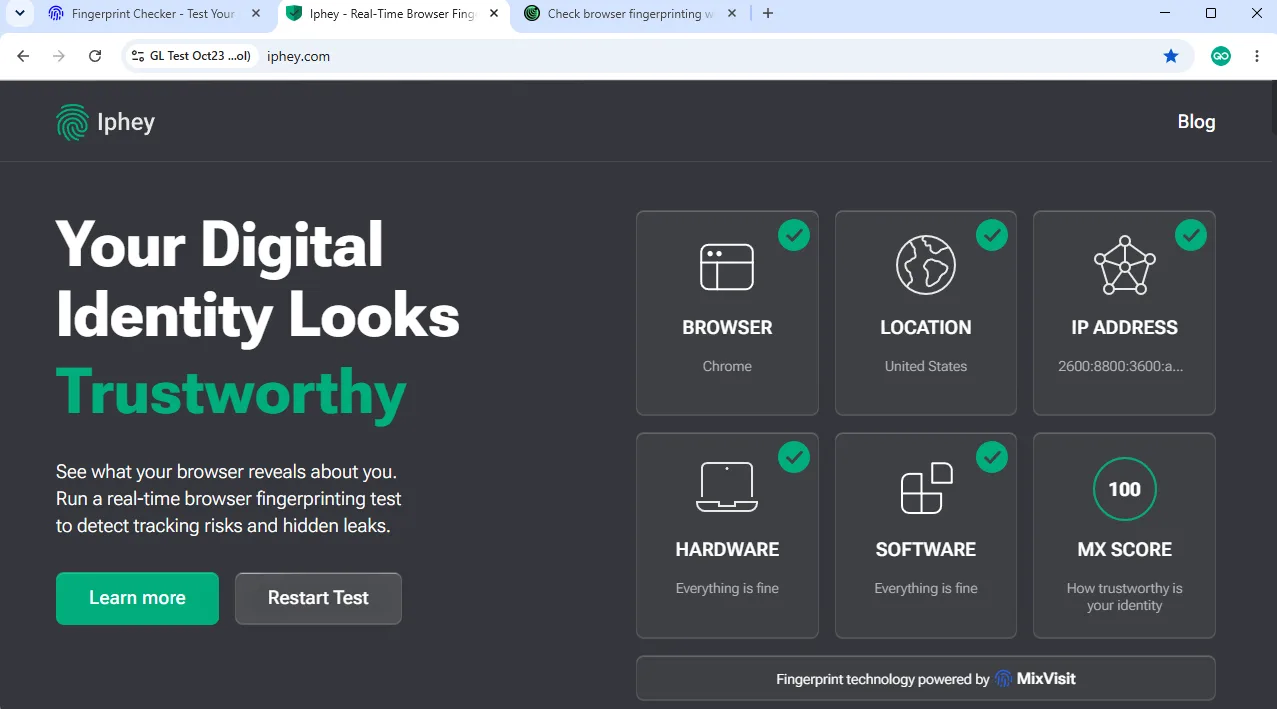
Iphey returned Trustworthy with an MX score of 100/100. The Browser, Location, IP Address, Hardware and Software checks were all green in the captured result, so Iphey did not identify a broad identity mismatch. Gologin earned the same verdict and score, making this checker a tie.
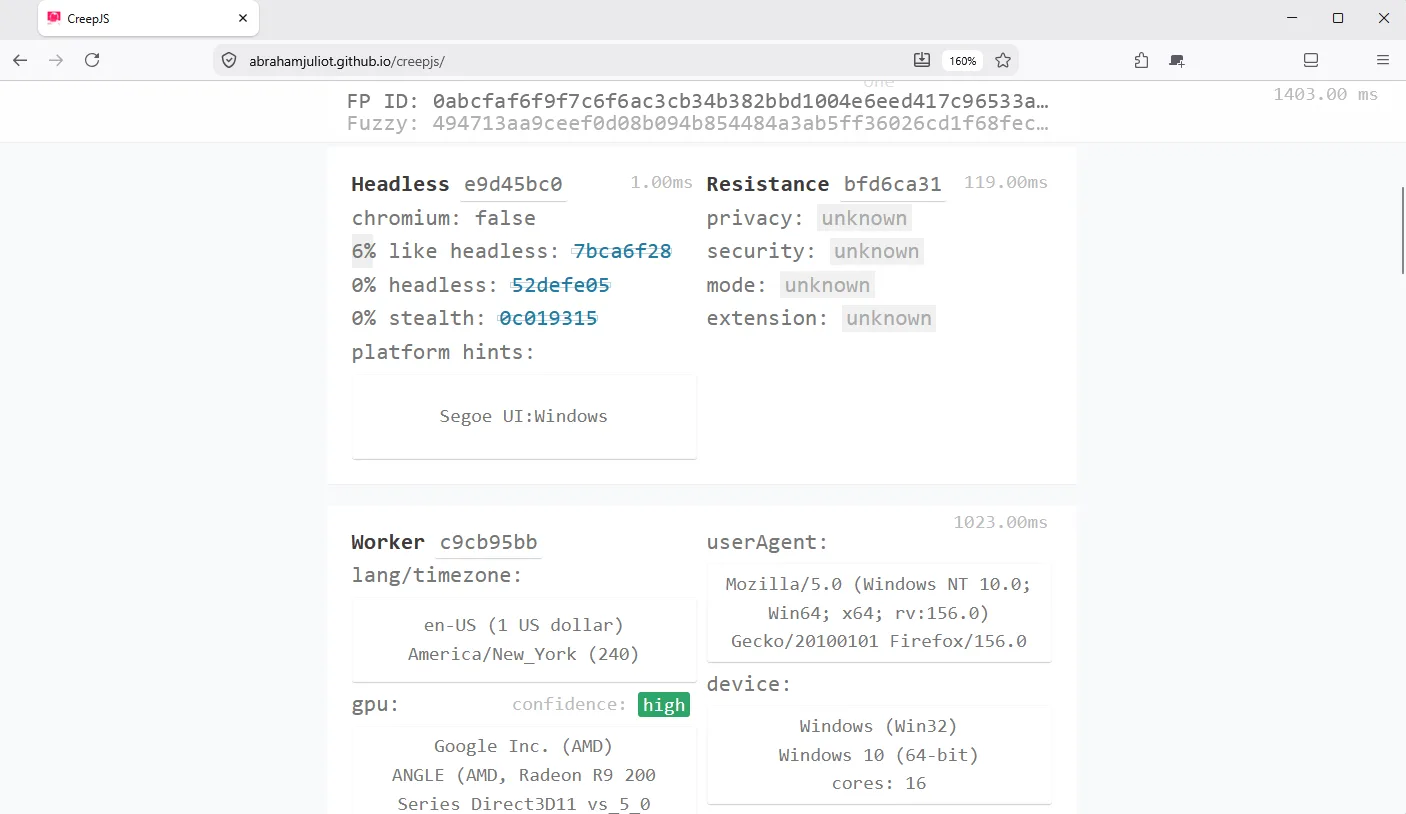
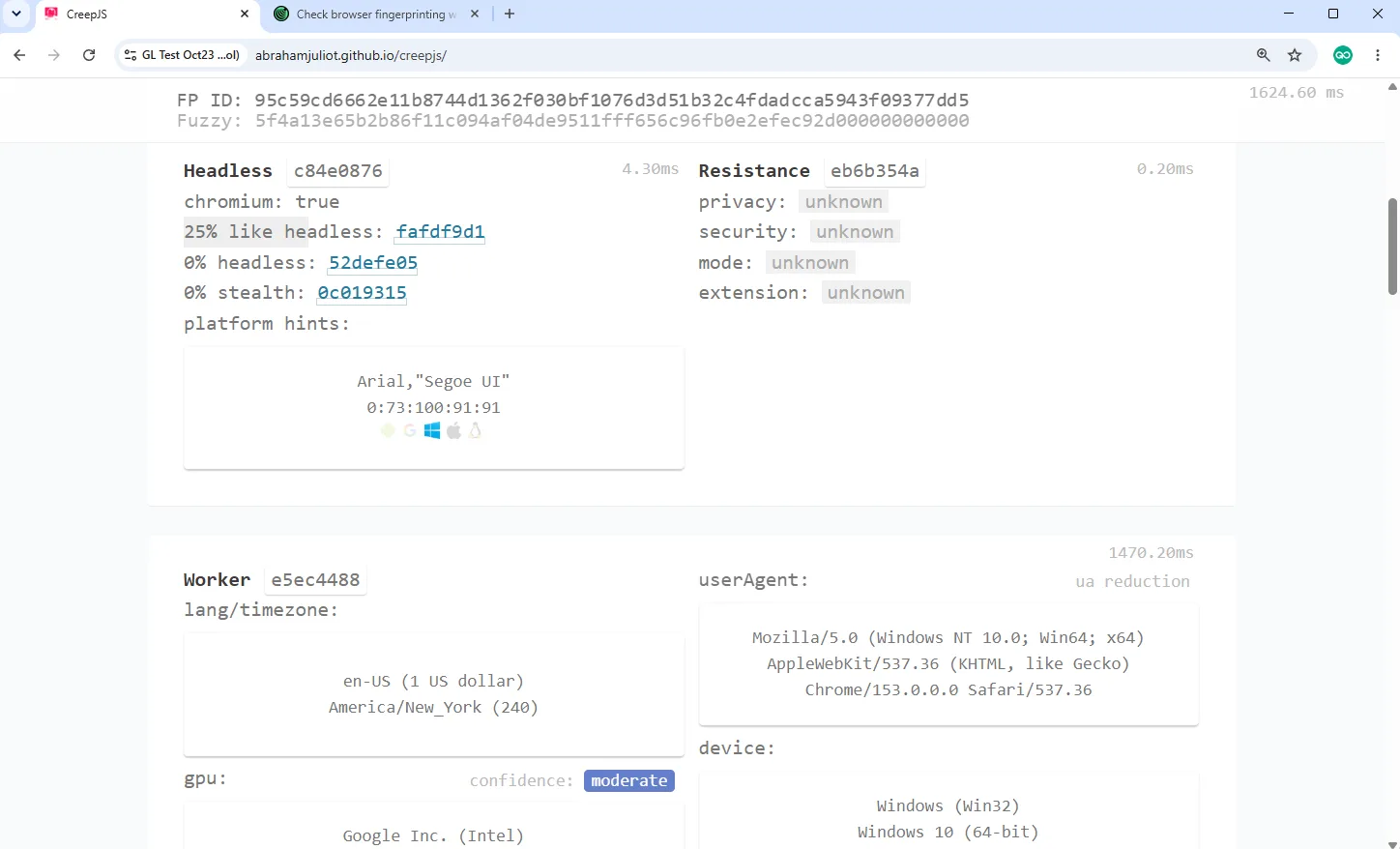
Official CreepJS reported 0% headless, 0% tampering and 0% like headless for Camoufox in two of three runs; the third run showed 6% like headless. The 6% like-headless score in one run is low, and the other headline heuristics stayed at 0%. Camoufox therefore performed better than Gologin on the like-headless measure, although these percentages are heuristics rather than an overall safety score.
Gologin test results
Pixelscan returned Consistent with no proxy or automation flags. The IP, WebRTC and timezone values aligned in the captured run, so Gologin avoided the intermittent timezone warning seen with Camoufox. This was the clearest practical difference between them on Pixelscan.
Iphey returned Trustworthy with an MX score of 100/100. Its identity blocks were green in the captured result, matching Camoufox’s overall verdict. Since both earned the same score, this checker did not separate the browsers.
Across the recorded Gologin runs, official CreepJS reported 0% headless, 0% tampering and 19% to 25% like headless across three runs. Camoufox recorded 0% like headless in two runs and 6% in one.
Comparison
| Test | Camoufox | Gologin |
|---|---|---|
| Pixelscan | 2 Consistent; 1 timezone mismatch | All 3 tests Consistent; no flags |
| Iphey | Trustworthy, 100/100 | Trustworthy, 100/100 |
| Official CreepJS | 0% headless; 0% tampering; 0% to 6% like headless | 0% headless; 0% tampering; 19% to 25% like headless |
Pros/Cons & Trustworthiness
Until now, we’ve compared Gologin and Camoufox by checking their features side-by-side. However, each solution has its own pros and cons. So, let’s check out those and report on what others are saying online.
| Gologin pros | Gologin cons |
|---|---|
| Easy Initial Setup: Getting started with Gologin takes only a few minutes and needs no technical knowledge. | Resource-Intensive: Running a large number of browsing sessions requires you to have a more powerful device. |
| In-Depth Fingerprint Protection: You can choose from 50+ fingerprint parameters and create all kinds of unique profiles. | Paid Software: Camoufox is free, while Gologin’s paid plans start at $9/month. |
| Built-In Proxies: Gologin allows you to use its own proxies, but you can also integrate it with any third-party provider. | Configuration Limits: Proxy traffic and team features depend on the selected plan. |
| Team Collaboration: You get the ability to share profiles, add sub-users, manage access-based restrictions, and more. | Profile Limits: If you plan on managing a larger number of profiles, you’ll need to pick a higher-end plan. |
| Helpful Support: Gologin comes with 24/7 live chat support and in-depth technical documentation, alongside other resources. |
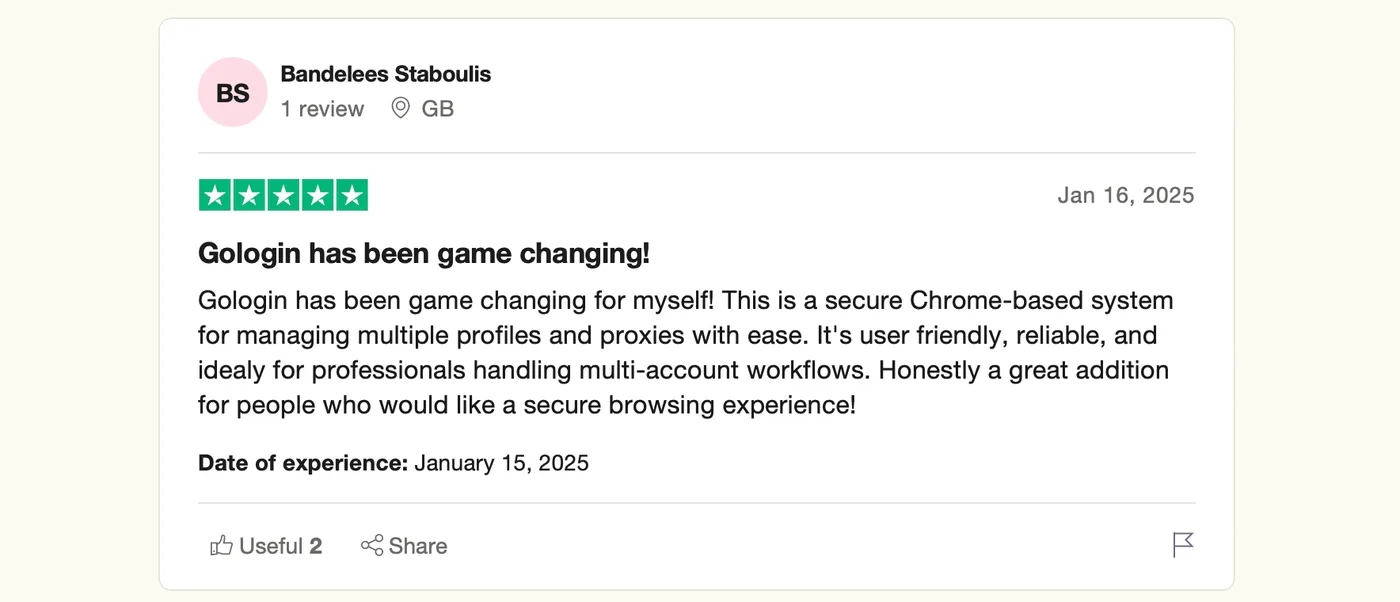
Regarding its online reputation, Gologin scores 4.7/5.0 on G2 and 4.6/5 on Capterra. Many praise Gologin’s ease of use, cloud-based syncing, and the ability to use various fingerprint parameters.
Next, let’s check the same for Camoufox.
| Camoufox pros | Camoufox cons |
|---|---|
| Playwright Integration: Camoufox works directly with Playwright, which suits Python automation projects. | Learning Curve: Customizing settings and parameters in Camoufox requires advanced technical knowledge. |
| Fingerprint Protection: This browser uses advanced methods to hide fingerprints and creates strong protection overall. | Project in Development: This browser is under active development and goes through various changes often. |
| Free of Charge: Camoufox is an open-source project, which means that it comes free of charge. | Smaller User Community: Since it’s used by a smaller group of users, you can’t count on community support. |
| Regular Updates: You can count on relatively frequent updates that focus on resolving bugs and improving performance. | No Graphical Profile Manager: Fingerprint and proxy settings live in Python scripts, not in a dashboard. |
| Limited Support: Don’t count on 24/7 live chat support or anything similar. You’ll be left on your own. |
Surprisingly, Camoufox can’t be found on the world’s biggest user reviews aggregators, such as Trustpilot or G2 since it is an open-source repository instead of a closed-source product.
This is a relatively niche open-source project, which means that it doesn’t have many users. In the long run, this could be an issue, as community support is crucial for open-source software.
My Honest Take: Camoufox vs Gologin
I would choose Camoufox for a Python or Playwright project where I wanted detailed control over the browser. For that kind of work, its flexibility and free software are appealing. I would use an AI coding assistant to help with the technical setup.
For my everyday work, I prefer Gologin. I want more confidence in my profile defaults, easier proxy configuration and profiles that are ready to use without a terminal session. Gologin gave me that experience, along with a consistent Pixelscan result and a 100/100 Iphey score. I am paying for convenience and profile management as well as the browser itself.
My verdict is that Camoufox suits people who want to work directly with browser setup. Gologin fits me better because I want a simpler profile workflow. Camoufox still returned two clean Pixelscan runs, Trustworthy 100/100 on Iphey and 0% headless and tampering on official CreepJS.
If, like me, you would rather manage profiles in an app than maintain launch scripts, Gologin is worth trying. I would start with its three free profiles or seven-day trial to see how the workflow fits before choosing a paid plan.
Camoufox alternatives
Gologin is my first choice here for a graphical profile workflow, easier proxy setup and team access. It suits the way I prefer to work: create a profile, connect a proxy and start browsing without maintaining a Python launcher.
Octo Browser is another option I would compare for graphical profile management. Our Octo Browser review covers its pricing, interface and test results in more detail.
AdsPower is worth a look if visual automation is a priority. Our AdsPower review covers its workflow and checker results; it offers a different approach from Camoufox’s code-based setup.
Multilogin is another alternative for managed profiles and team workflows. Our Multilogin review compares the features and costs with Gologin.
Frequently Asked Questions
Is Camoufox free?
Yes. Camoufox is free, open-source software. I did not need a paid Camoufox subscription for this review, but my proxy connection was a separate service. Hosting and development work can add costs if your setup needs them.
What is Camoufox used for?
Camoufox is a Firefox-based browser used for browser automation, scraping and testing. Its direct Playwright integration makes it particularly relevant to developers who want to configure and control browser sessions through code.
Is Camoufox safe or legitimate?
Camoufox is a legitimate open-source browser project. In my recorded tests, Iphey rated it Trustworthy at 100/100, official CreepJS reported 0% headless and tampering, and Pixelscan was mixed: two Consistent results and one timezone mismatch. These checks do not prove invisibility.
Does Camoufox support proxies?
Yes. I added an authenticated FloppyData proxy through a Python launcher and started it from PowerShell. It worked, but I found the configuration harder than adding a proxy through Gologin’s profile settings.
What does GeoIP do in Camoufox?
GeoIP tries to align location-related browser settings, including timezone and locale, with the proxy IP. A proxy connection by itself changes the traffic route; GeoIP adds that alignment step. In one of my three runs, enabling it did not prevent Pixelscan from reporting a timezone mismatch.
Why did Pixelscan report a timezone mismatch for Camoufox with GeoIP enabled?
In one of my three runs, Pixelscan reported a timezone mismatch in my Camoufox profile even though I had enabled GeoIP. The other two runs were Consistent, and the other Pixelscan checks were clean. Gologin returned a consistent result, which made it my preferred choice for a profile I could get working with less effort.
Can Camoufox run as a Windows app?
Yes. I used Camoufox as a visible browser window on Windows 11. I launched my configured session through a Python script in PowerShell so that the proxy and GeoIP settings were applied.
Should I choose Camoufox or Gologin?
I prefer Gologin for everyday profile management because its proxy setup and recommended defaults are easier to work with. I would choose Camoufox for a project that specifically needs its free, code-based Playwright workflow, ideally with an AI coding assistant helping me handle the technical configuration.