UPD: This post has been updated and edited in March 2025.
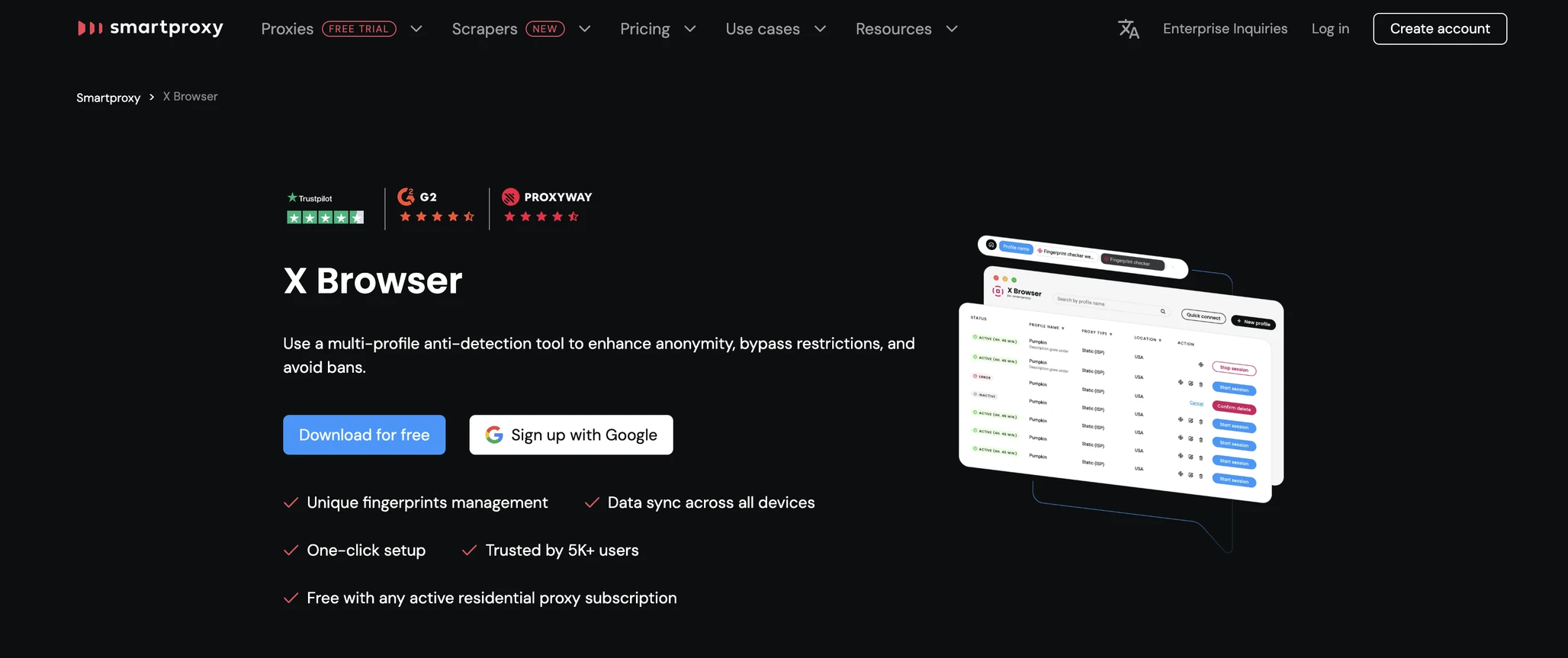
Today in my series of review comparisons I will look at a free alternative solution for multiple accounts: X Browser. Originating from Lithuania, X-Browser is a free antidetect browser from Smartproxy – a trusted proxy provider.
X Browser can be used for free, if you have an active subscription. Smartproxy has a good reputation in the proxy provider world, but is their antidetect browser as good? Let’s test it and find out!
TL;DR Skip to the end for a quick comparison table.
X Browser: What’s Changed In 2025?
Installation & First Launch
On their website, Smartproxy team offers several other tools for proxy management: Chrome and Firefox extensions. These have great reviews, but it looks like X web browser is just one of the proxy control tools.
In 2025 Smartproxy also offers Chrome and Firefox extensions for proxy browsing, which are pretty comfortable if you only need proxy.
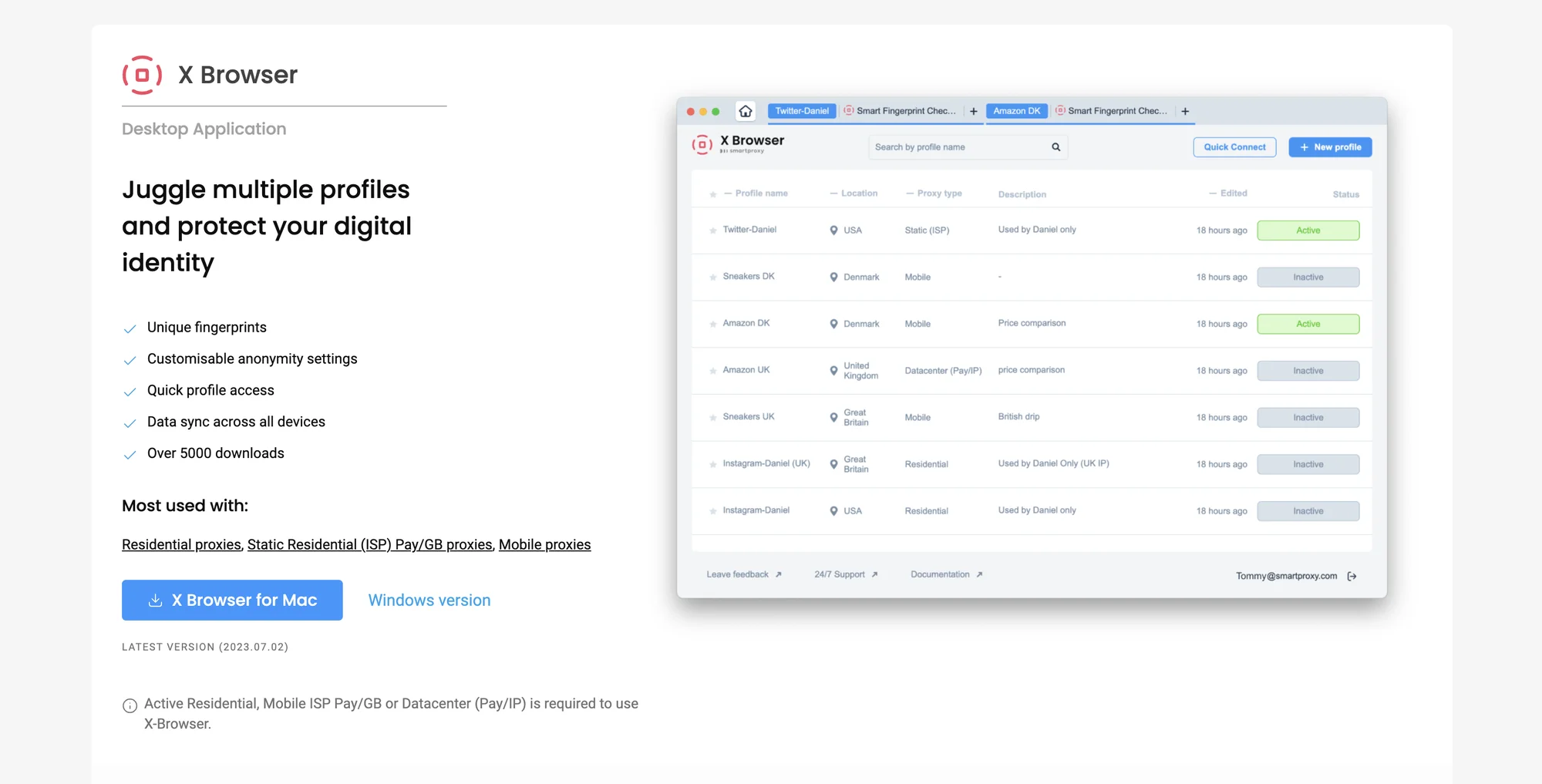
The MacOS app is very lightweight, it downloads and installs with no problem at all. The app login is automatic if you’re logged in to your Smartproxy account and have a subscription. This went smooth as well.
User Interface
The app has no tooltips or first session guides, but there’s no chance for a newbie to make a mistake here.
Creating and launching the profiles is quite straightforward, and there are no details or odd switches to stumble upon. The X Browser app is definitely on the minimalist side of things.
The browser profiles are basically just groups of tabs inside one browser window. This system is a bit better than similar one in Session Box One, because the basic grouping system allows for a bit more clear overview and control.
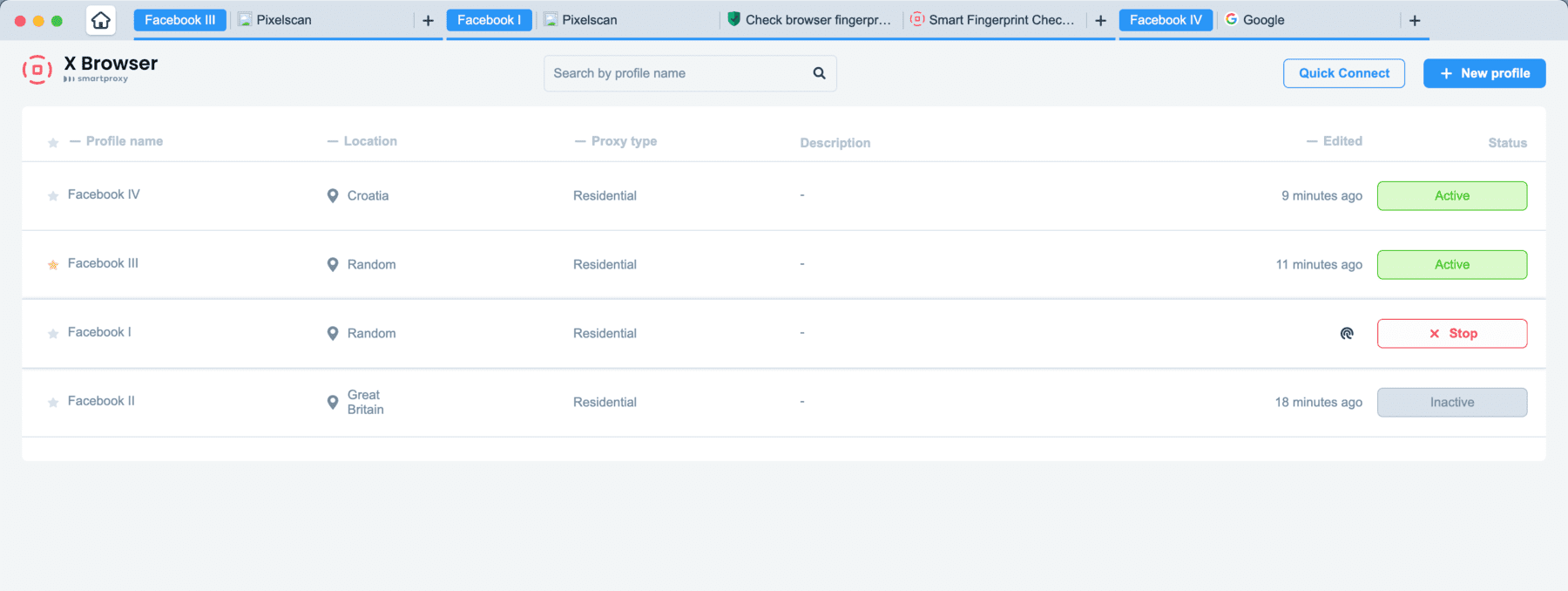
The tab group system does not seem a disadvantage here because X Browser is definitely not meant for running 10+ profiles or bigger business needs. It is a small tool for privacy browsing and quick proxy switching, and it does exactly that.
Creating And Launching Profiles
Creating a profile in X Browser is quite easy, but the profile settings are almost absent. However, this might be a positive factor for non tech-savvy people who just want to browse.
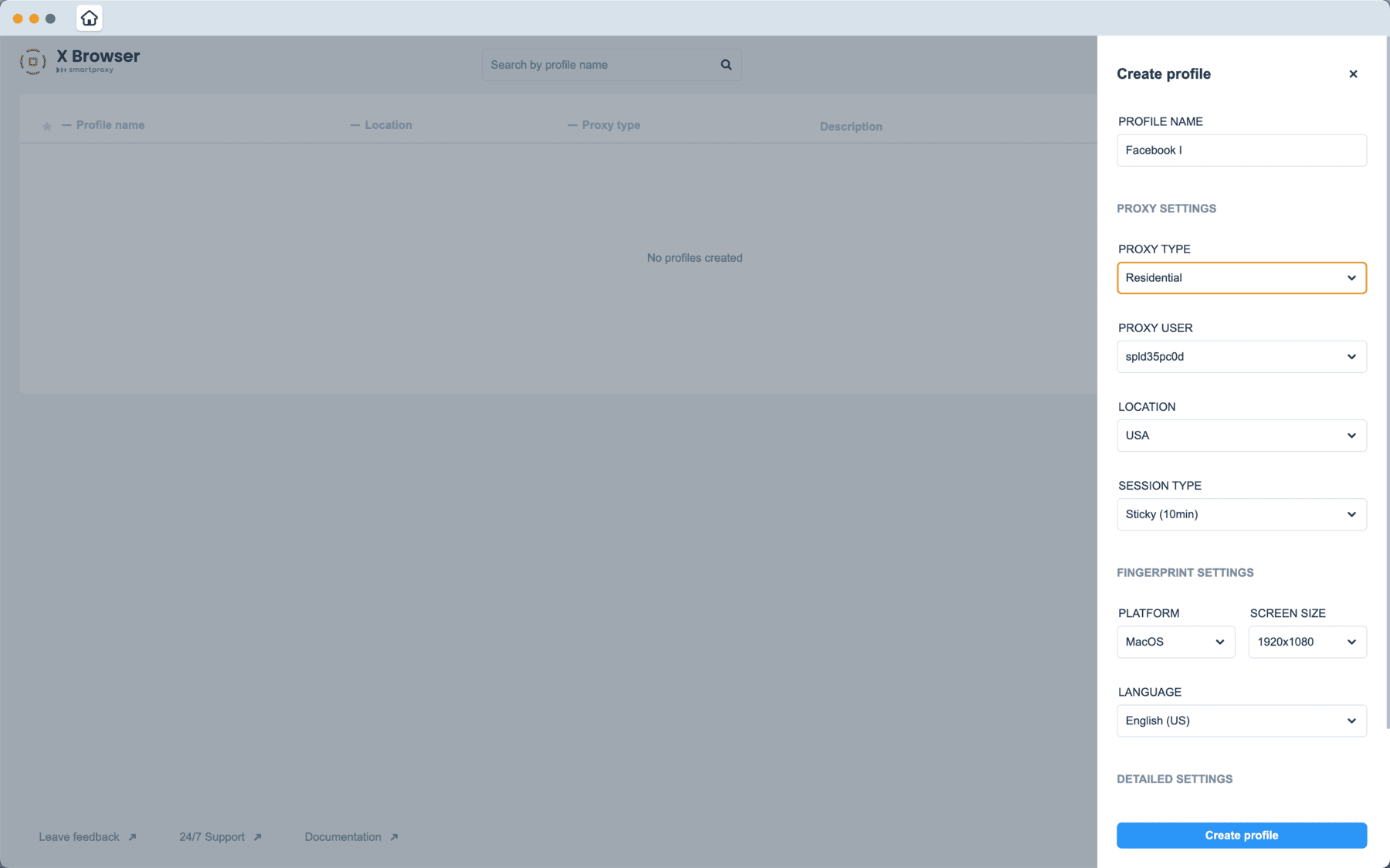
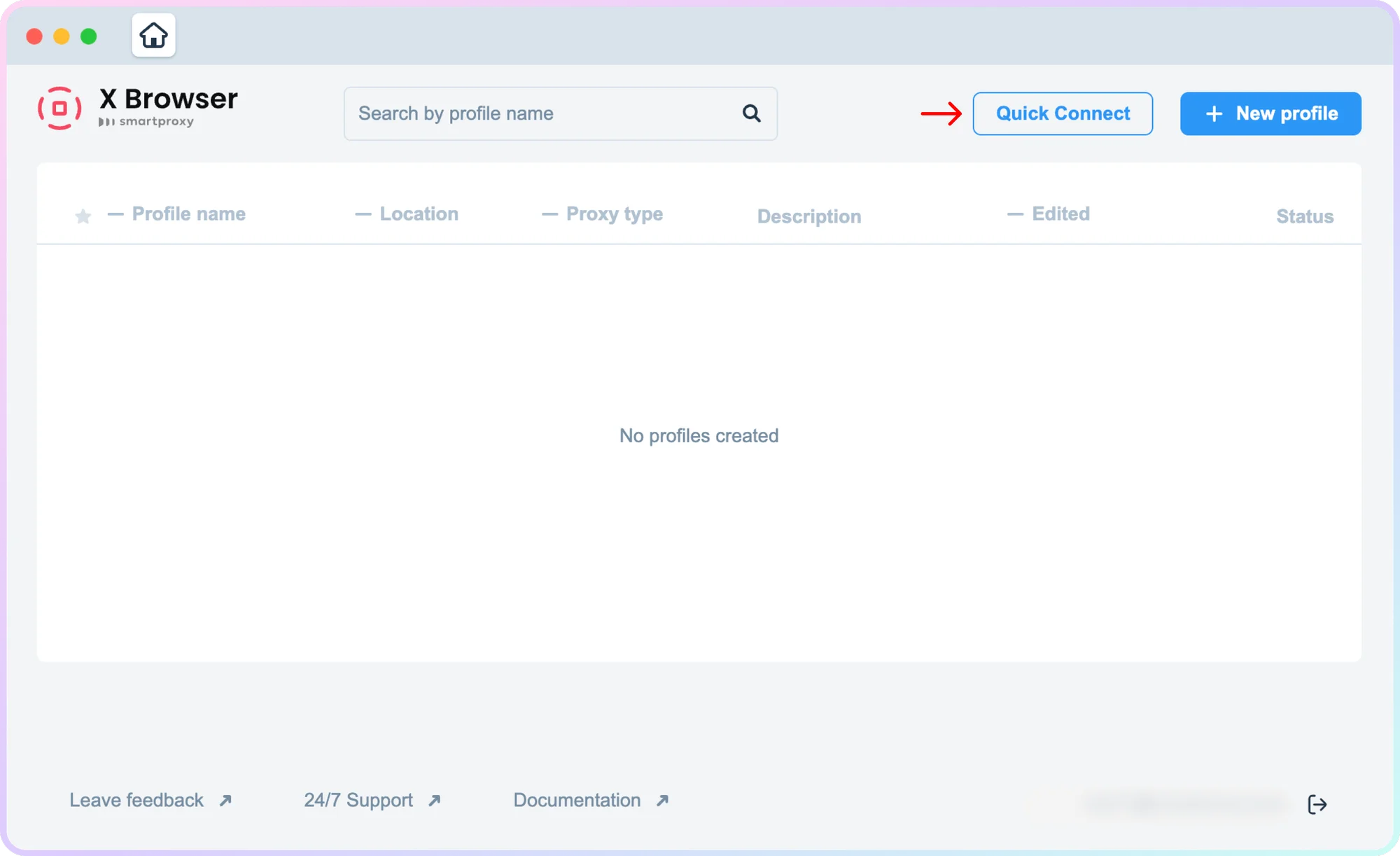
This tool is obviously pointed at people who just need to browse and add some proxies – that’s it. There are Quick Sessions which is an analog of temp profiles in other browsers. There are only a few fingerprint parameters to adjust: OS and screen resolution.
The browser window itself is quite limited and seems like a custom, non-Chromium engine. This creates extra limits to usability as many usual things like bookmarks are unavailable here.
Proxies seem to connect automatically from your Smartproxy account, which is a good speed bonus.
Support & Updates
Smartproxy is known for its great customer support, which is proven by a lot of reviews on major platforms. This is a legitimate EU company that can be trusted.
Considering the update frequency, I doubt X Browser gets enough attention, as it’s simply a proxy switcher tool. A trusted antidetect browser is quite a heavy kind of tool to maintain and keep up working.
Mobile Devices And Fingerprints
X Browser does not offer neither mobile apps, not mobile fingerprints. It is a free side tool for private browsing with proxies which has no extra ambition.
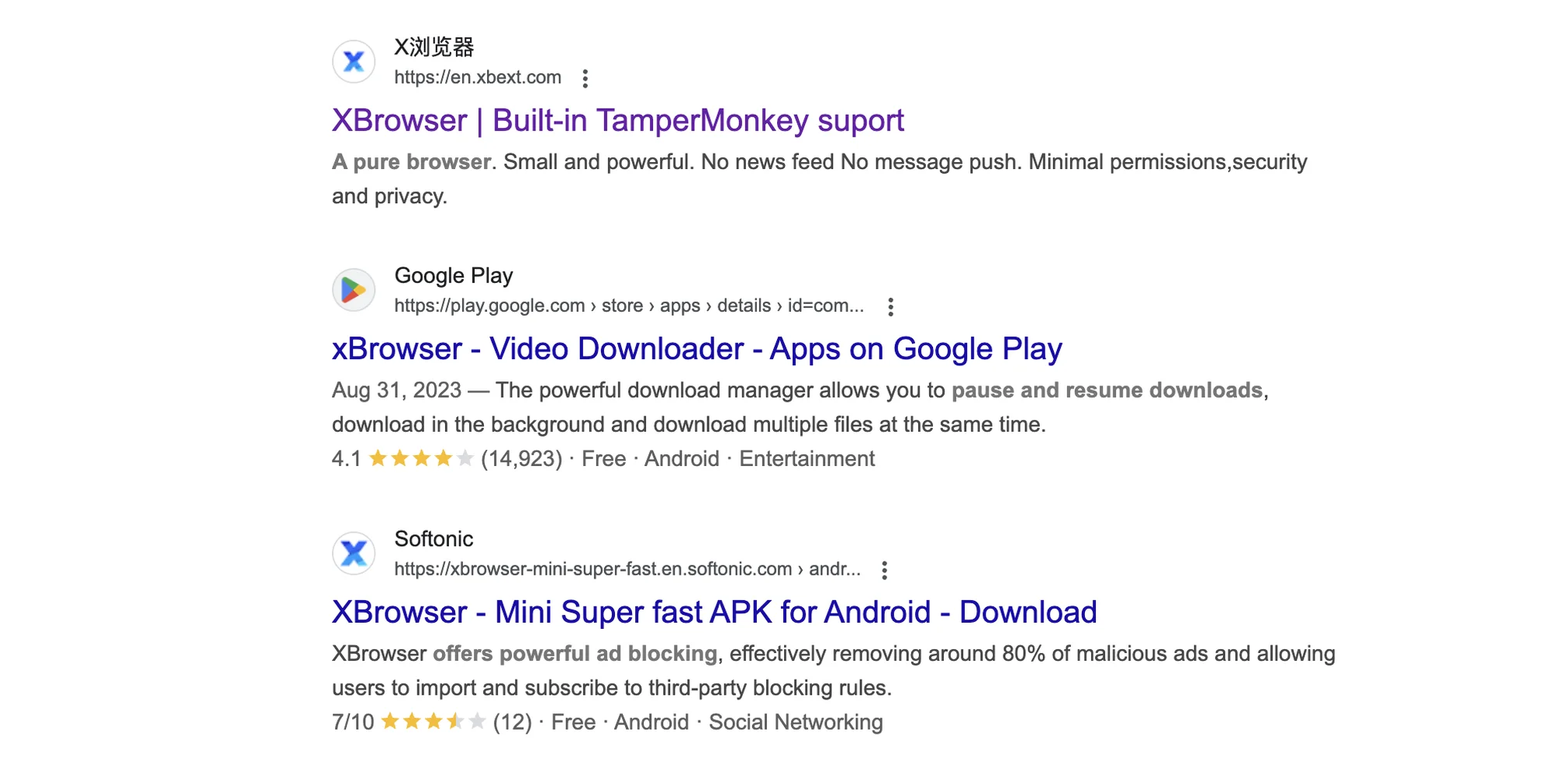
You may find mobile apps called X Browser on Play Store, but these come from other private vendors.
Verdict: X-Browser app might be enough for basic casual proxy browser use. It won’t be enough protection for business use, for example running ads on Facebook.
GoLogin: Great X Browser Alternative In 2025
Compared to the limited functionality of X Browser, GoLogin is a great example of how minimalism can be functional. GoLogin is quite a simple tool for a newbie, but there are great advanced features under the hood.
Let’s look at GoLogin to compare it to browser X, and at the end take a look at prices and rates.
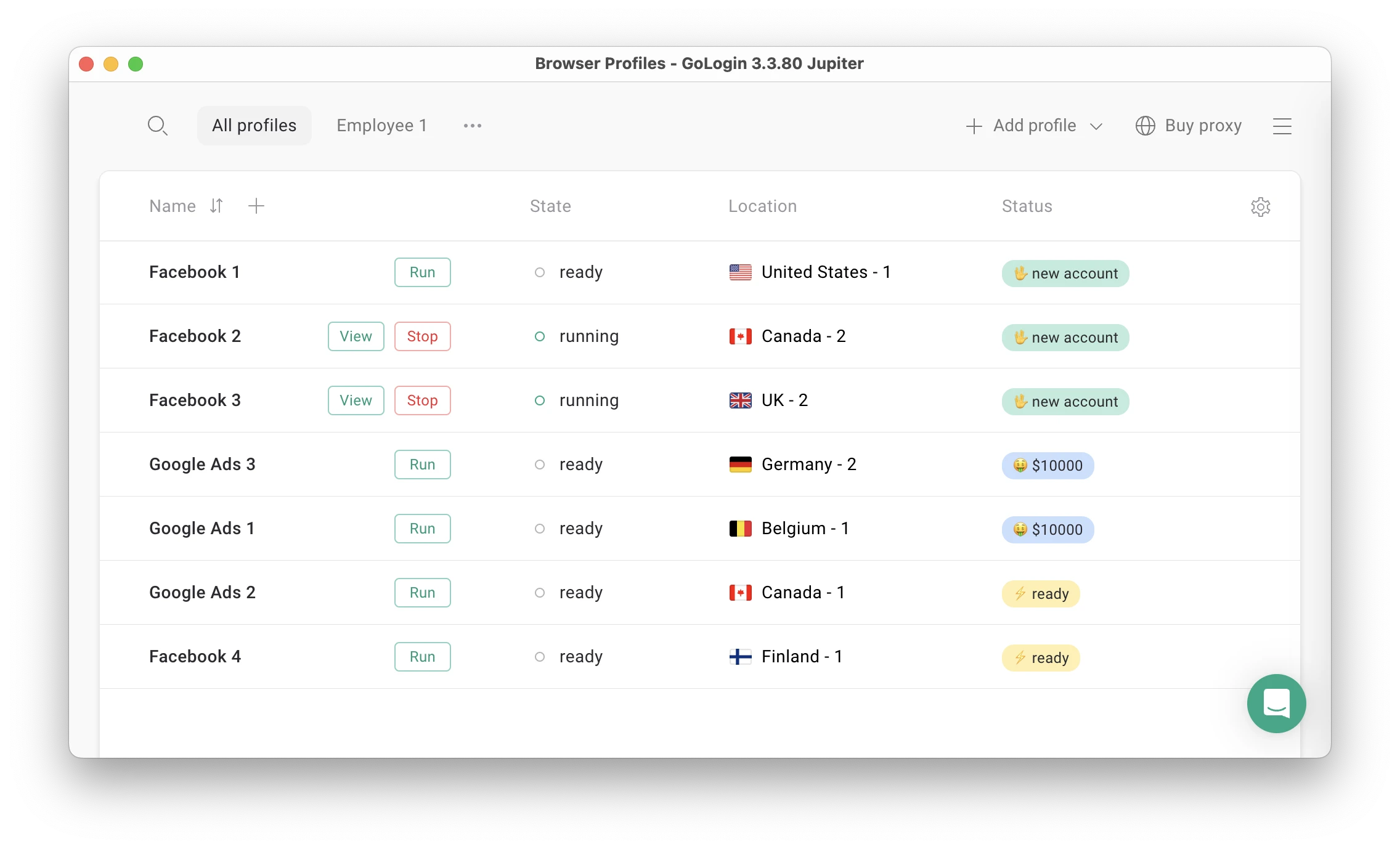
Features and UI
Unlike X Browser, GoLogin has:
- Free Forever plan – no credit card or subscription needed
- Built-in premium proxies (2Gb included in all paid plans)
- Chromium engine: looks and works just like regular Chrome
- Custom Profile table, easy to navigate even with 100 profiles
- 50 adjustable fingerprint parameters included in all plans
- Advanced teamwork and remote work options
- Mobile app and web version with cloud-based profile launching
- 24/7 support even for Forever Free users.
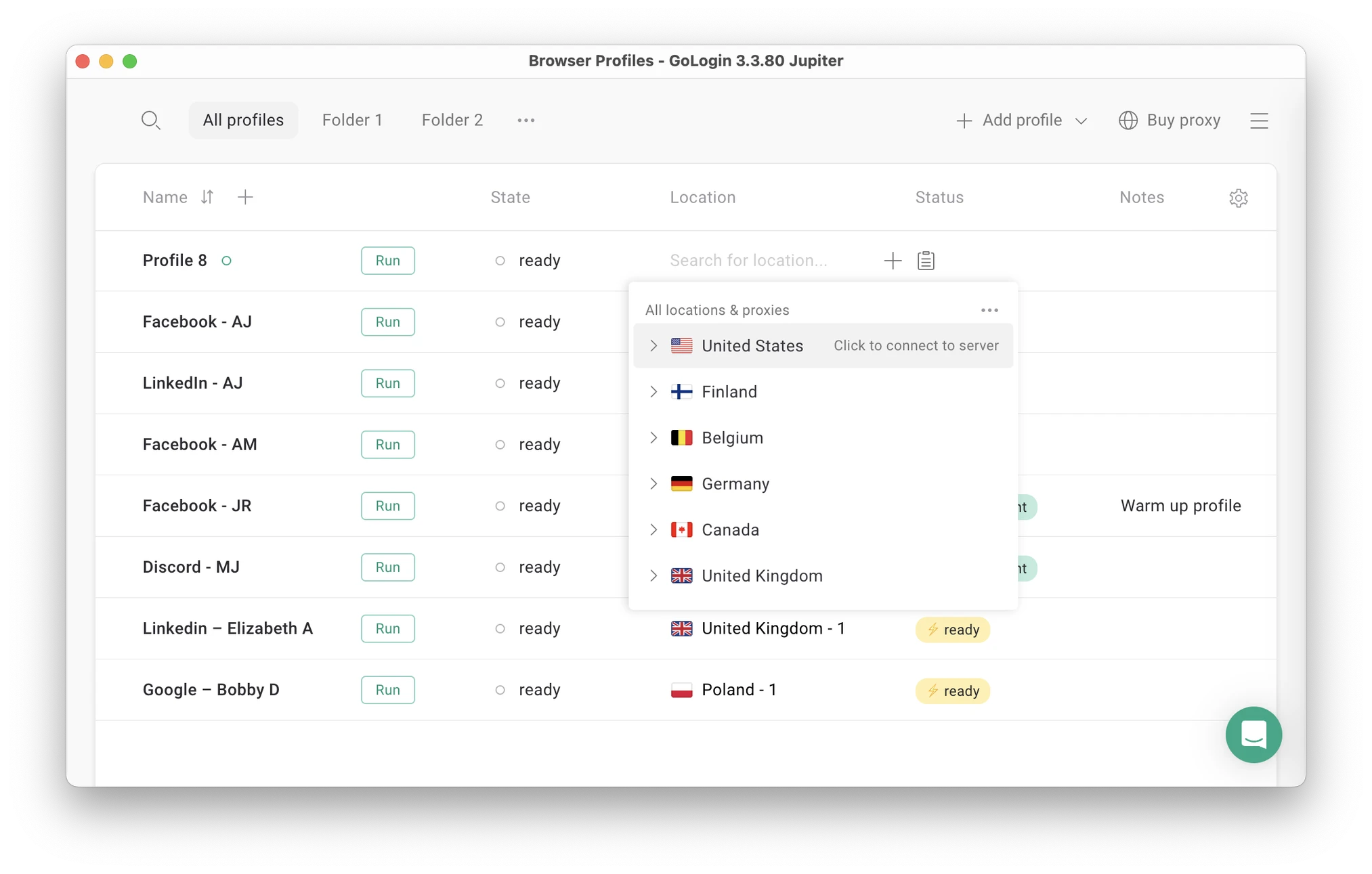
Browser Fingerprinting Protection
GoLogin provides top level, consistent fingerprint protection on all plans including Forever Free. All you need is already in the price without the fine print.
The default profile settings are already set up for best performance.
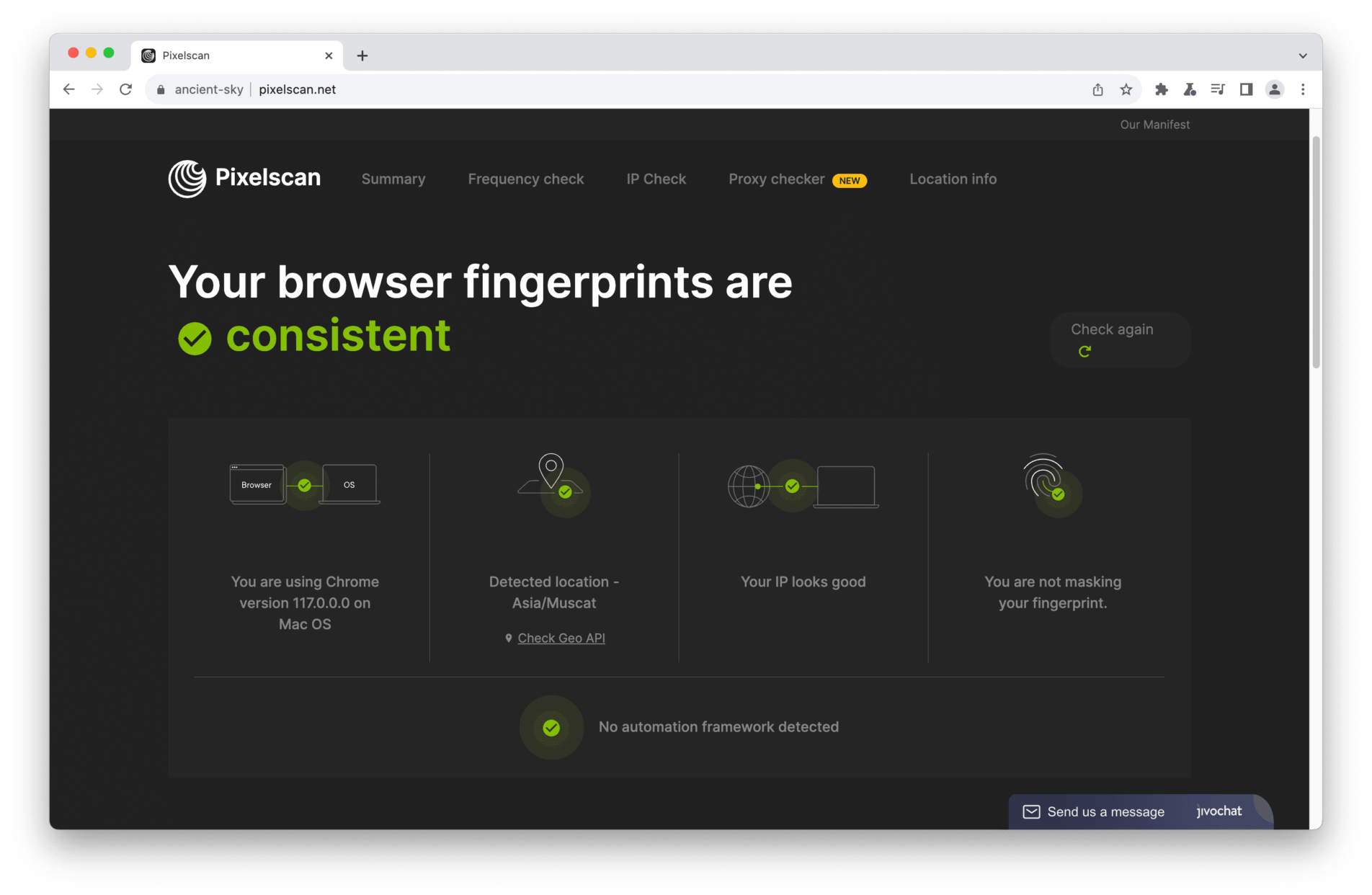
Teamwork
GoLogin allows to share work with partners, giving custom roles and access rights for each teammate via Workspaces. It fits for teamwork well because everything is well organized for a big amount of profiles and team members.
Profiles can be divided into Folders and assigned to separate managers right in the app. The number of device multi account sessions is unlimited on all plans. The team plans include a fair amount of team seats for the price.
Mobile app and web version
GoLogin has a web version, which can be accessed from literally any device. You can launch and edit profiles without a computer: they will work on a safe cloud server. GoLogin is also available as an Android app.
For comparison, you can download X Browser only on Mac and Windows.
Support and Updates
The support team quickly responds to all user requests and tries to help in any situation. GoLogin managers conduct user campaigns to collect customer feedback and suggestions, making browser updates as relevant as possible.
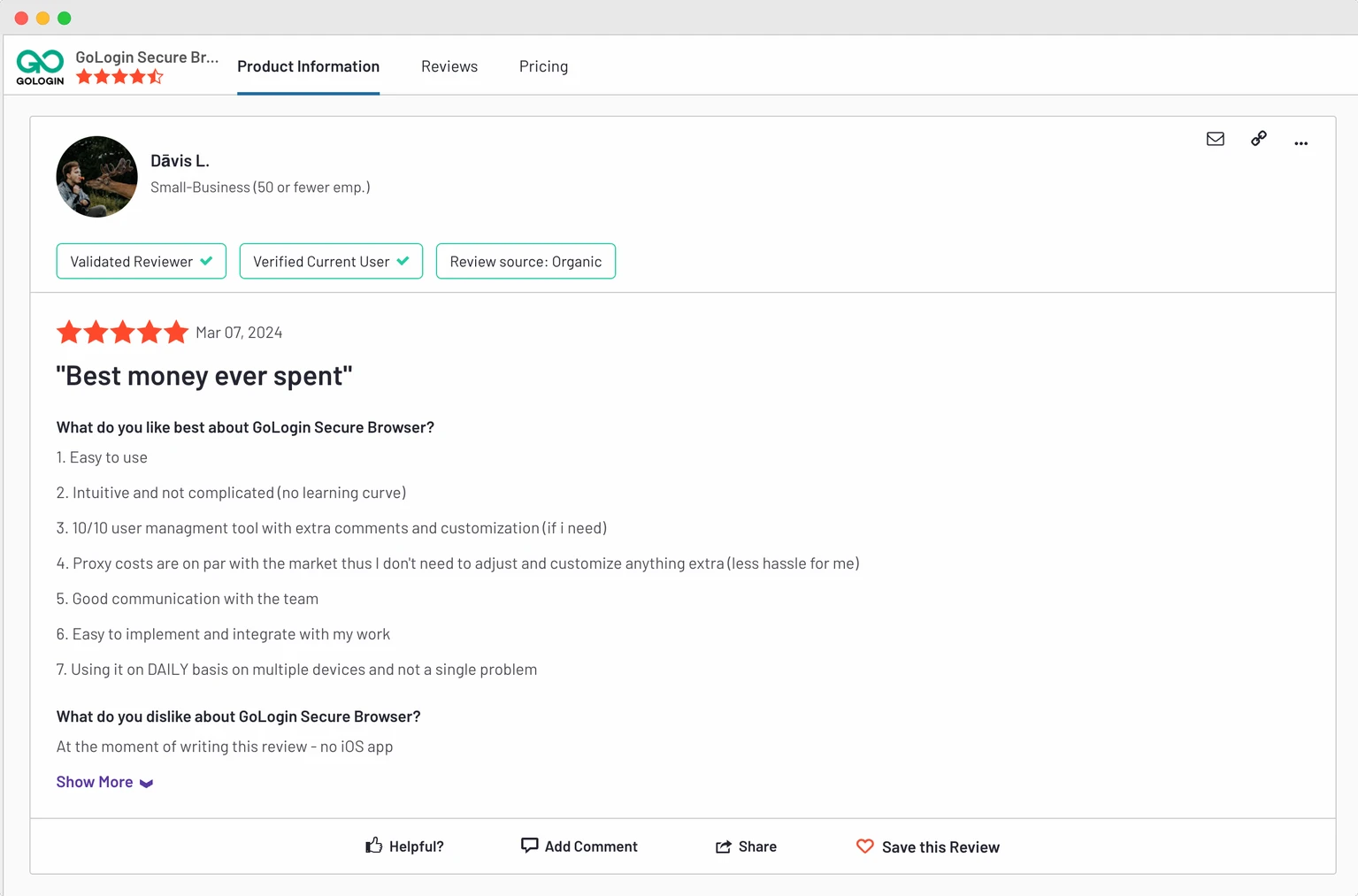
Clients often praise GoLogin for the stable profile work in 24/7 mode without downtime. The uptime stability factor is often the reason why users move from alternatives to GoLogin.
Let’s move on to the final part of the comparison: plans and pricing.
X Browser vs GoLogin – Pricing
I will briefly touch on pricing, as X Browser and GoLogin cannot be directly compared.
Free Plans
X Browser is claimed as a free tool, but you’re required to have a paid Smartproxy plan to use it. Depending on your use case, this scenario might come out either cheap or expensive.
GoLogin offers forever-free plan for 3 profiles + trial of paid features for 7 days. Free proxies are also included.
The free plan and trial period require no credit card or subscription.
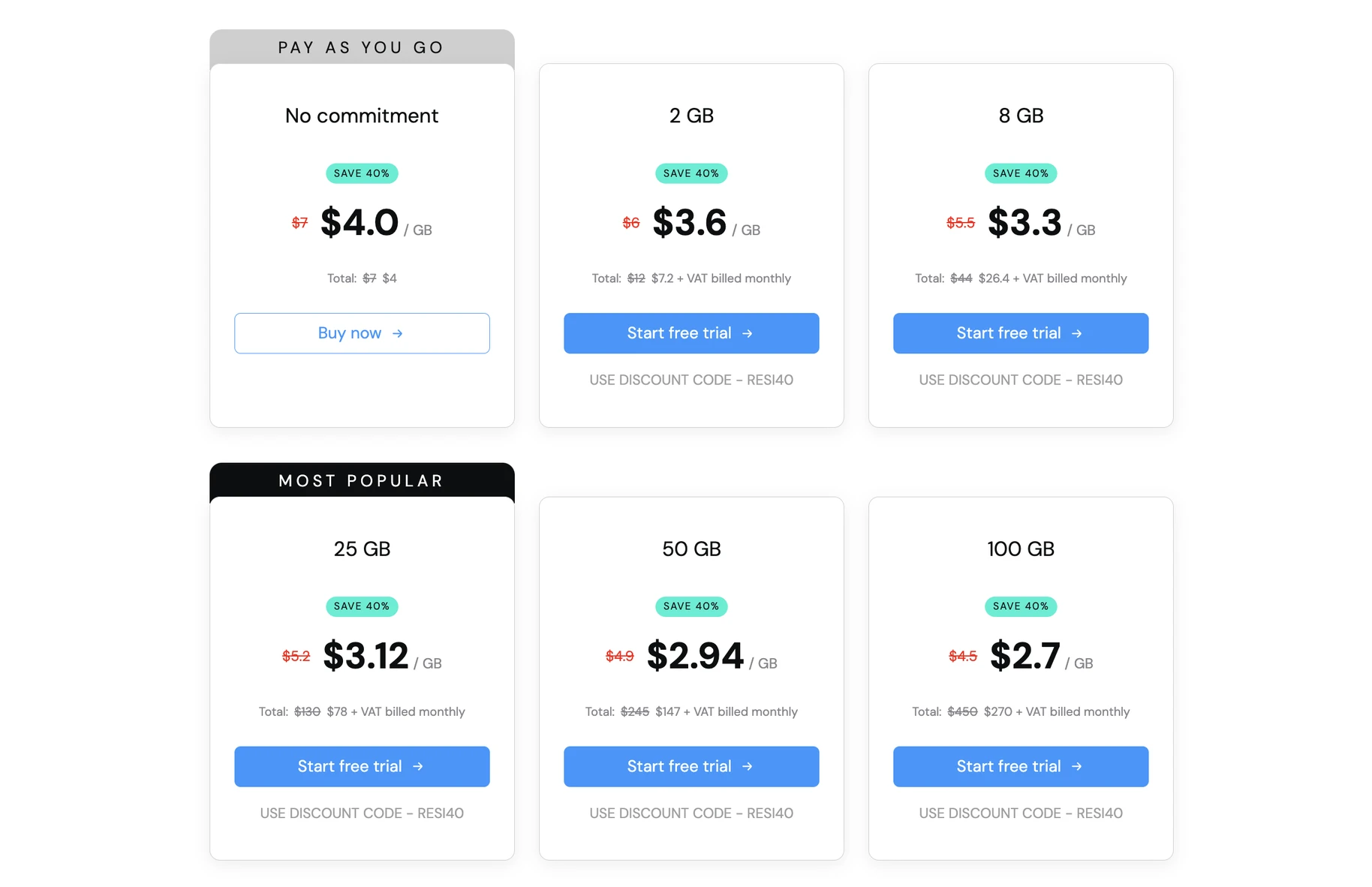
Smartproxy offers a lot of competitive plans for literally any type of proxies.
GoLogin Paid Plans
In 2025, GoLogin offers 2Gb of built-in proxies on all paid plans, which is a great usability addition.
GoLogin’s paid plans start from $49/month for Professional plan with 100 profiles. The price drops 50% if you buy an annual plan, making it only $24 per month.
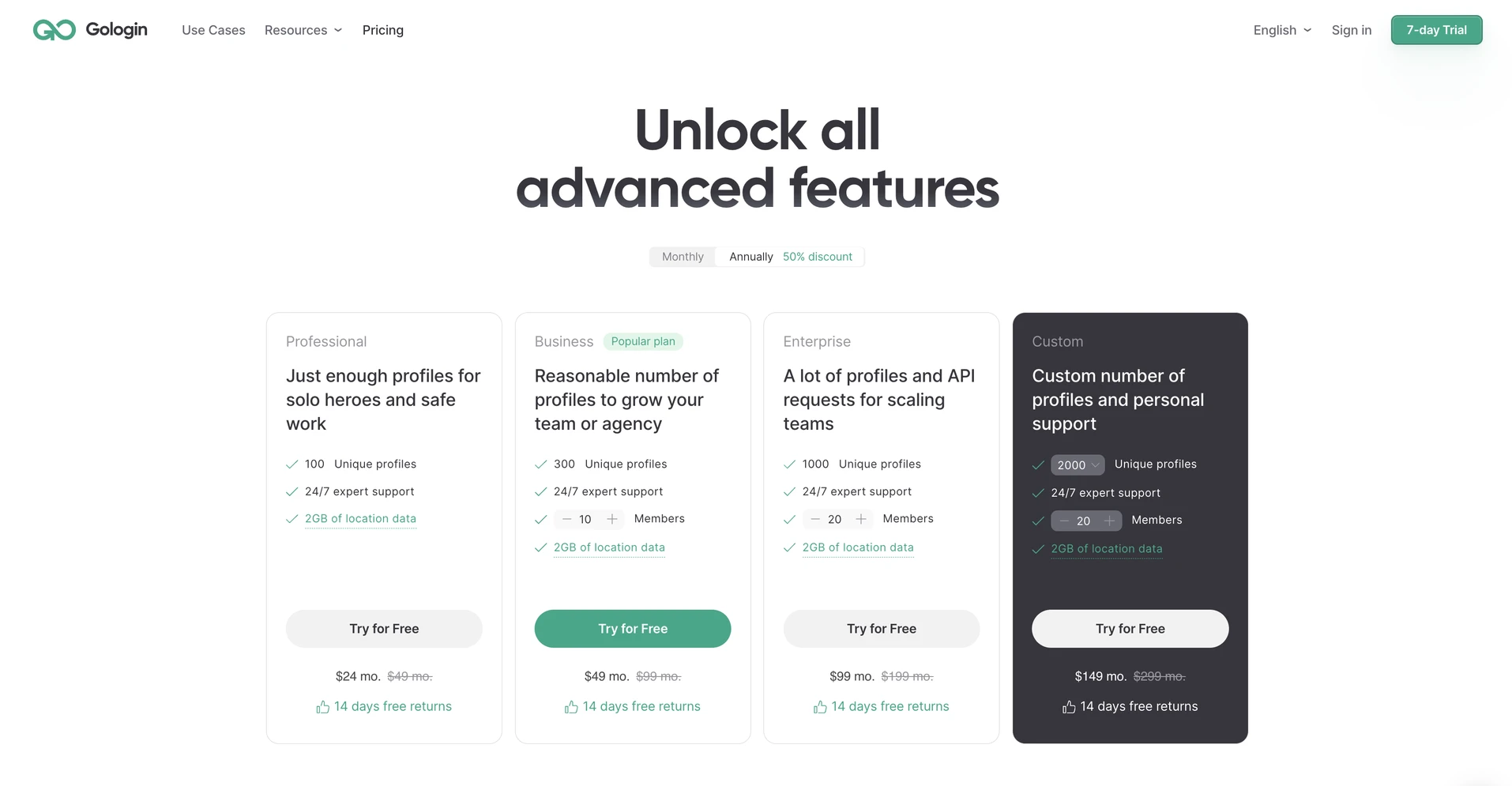
There is no fine print, hidden VATs or other limitations. GoLogin offers both premium proxies and safe antidetect browser environment on all tiers.
Visit the Pricing pages yourself, test both browsers and make your own considerations.
X Browser vs GoLogin: 2025 Summary
- X Browser is a great free tool for personal proxy browsing. It might be your option if you’re a Smartproxy client and need an extra layer of safety for your browsing.
- GoLogin provides higher safety level required for business tasks, for example operating client accounts. It also provides premium built-in proxies.
As always, I recommend to make your own decision. Here are some questions to help you choose the best antidetect for your situation:
- How many browser profiles do you need?
- Do you need to share profiles with partners?
- How much are you willing to pay for business software?
- Does the browser have a good reputation? What do reviews and forums say about it?
- Can you test the browser for free? If yes, which one suits you best?
To summarize the comparison, I have rounded up some pros and cons. Compare the browsers and count the costs on your own to find the best one.
| Comparison Criterium | X Browser | GoLogin |
| Free plan |
✅ |
✅ |
| Free trial of paid features |
❌ |
✅ |
| Free proxies |
❌ |
✅ |
| Chrome extension |
✅ |
❌ |
| Beginner-friendly |
✅ |
✅ |
| Country of origin |
🇱🇹 |
🇺🇸 |
| Updates frequency |
❌ |
✅ |
| Suits well for teams |
❌ |
✅ |
| Passes checkers |
❌ |
✅ |
| Mobile app |
❌ |
✅ |
| Profile cloud launch |
❌ |
✅ |
| Mass profile actions |
❌ |
✅ |
| Support quality |
✅ |
✅ |
Already using X Browser? I recommend to test GoLogin on a 7-day unlimited free trial. No credit card required.
Download GoLogin for free and manage multiple accounts without bans!