Mktlogin Browser Review 2026: Features, Pricing & Top Alternative
Try Gologin for free
You might have come across the MKTLogin browser, and its modern interface or the range of features may have impressed you.
While these things are true, there’s a huge caveat that makes MKTLogin nearly unusable for a large population outside Vietnam.
So before you go in and invest your time and money into it, I want you to read this MKTLogin review to understand why you may need to reconsider your decision.
I used the MKTLogin browser myself to find the good, the bad, and the ugly about it. Every key piece of information I found, I made sure to include in this article.
What is MKTLogin?
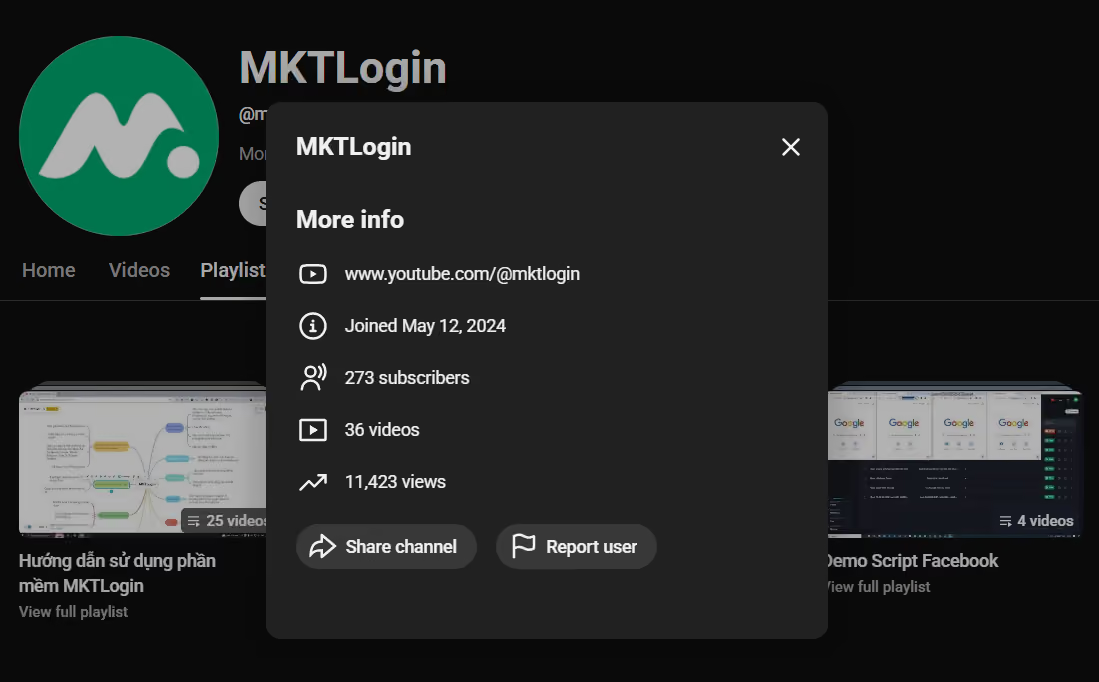
MKTLogin is an antidetect browser, based in Vietnam, likely launched sometime around May, 2024. This guesstimate has been formed from the time MKTLogin joined YouTube and the first mention of the browser on their Facebook page. There’s no publicly available official date of MKTLogin’s launch.
On the website, MKTLogin claims that the browser is meant for multi-accounting purposes. Multi-accounting means logging into multiple accounts on a platform simultaneously. Regular browsers don’t let you log in to more than one account on a platform at a time.
For example, you have to log out of one Facebook account first if you want to log in with another on a single browser, such as Chrome, for example.
Multi-accounting browsers like Gologin, and now MKTLogin, are made to end this limitation. They allow you to create multiple browser profiles, each of which acts as a separate device, and log in to a different account in each one of them. And that happens from a single browser on a single device.
To protect your accounts from receiving bans, multi-account browsers also offer browser fingerprinting spoofing and built-in proxy settings.
Each browser profile can have a different set of fingerprint parameters and an IP address, which prevents platforms from detecting that those accounts are being run by a single person from a single device. This is why these browsers are also called antidetect browsers.
MKTLogin also claims to offer advanced anti-detection features.
Other features they list on their website include the following:
- Ability to create automated workflows (account registration, nurturing, airdrop farming, etc.) with a drag-and-drop tool
- Ability to perform the same action across multiple browser profiles at the same time
- Mini App Market, where you can publish your automated workflows and earn from it
- Browser profile sharing/browser profile group sharing
- An affiliate program that rewards users for inviting others to use MKTLogin
MKTLogin Installation, Onboarding & UX
No one has written a review on the MKTLogin browser before. This is the first article to review MKTLogin. The browser isn’t listed on platforms like G2, Capterra, and Trustpilot either, so we don’t know how the users feel about the browser.
MKTLogin’s YouTube channel contains a good number of videos showing the browser being used, but they’re all in Vietnamese.
So I decided to use the browser and give my opinion on some key aspects of it.
Starting from the installation. MKTLogin gives you two installation options, one for Windows and the other for macOS users.
An old screenshot in MKTLogin’s documentation shows that there used to be a Linux option, too.
The browser has no web app either for those who haven’t installed the browser and want to access a shared browser profile.
I installed the Windows version of the browser, and the process was quick. The onboarding also went smoothly as there was an option to sign up with a Google account.
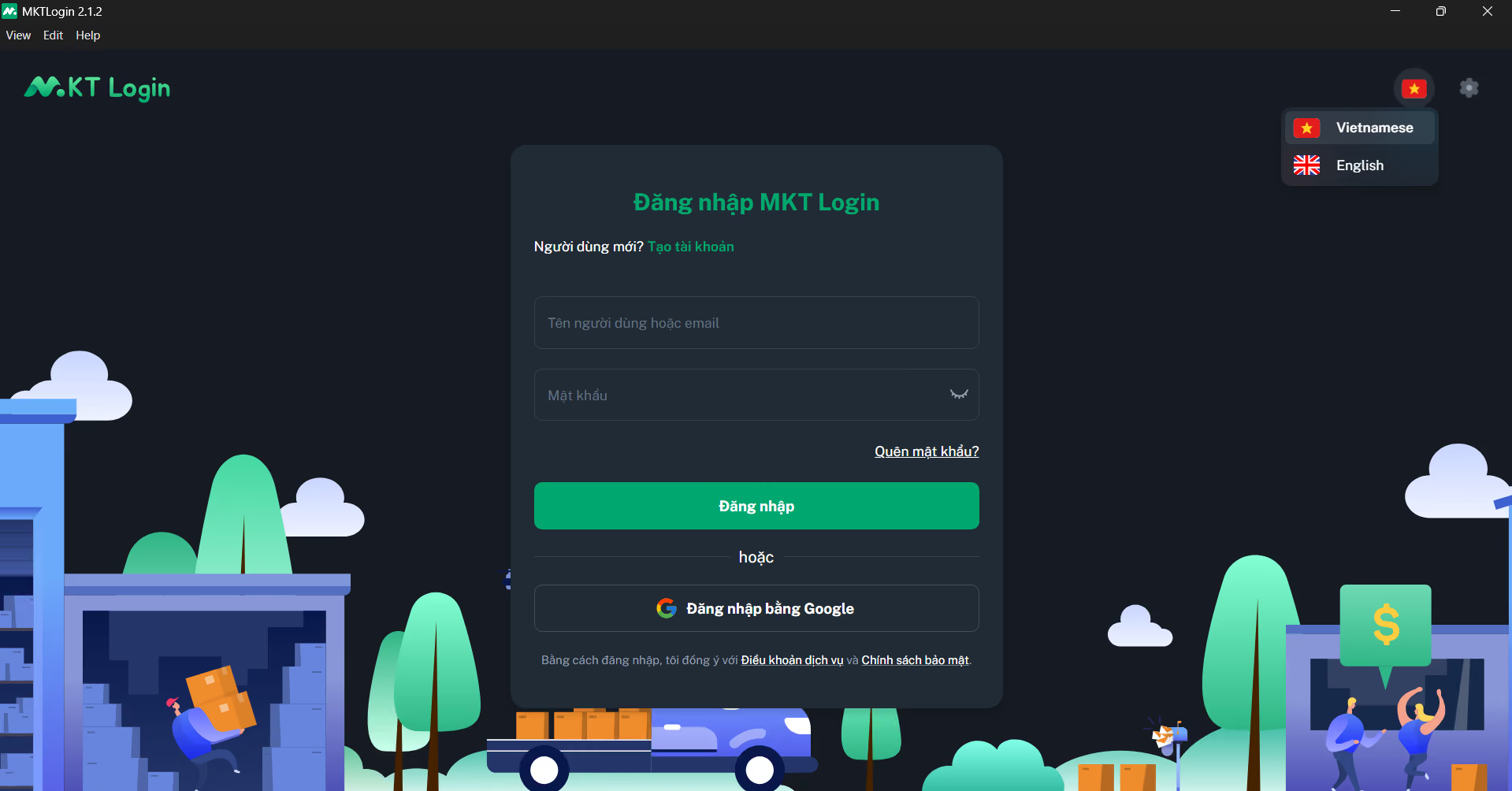
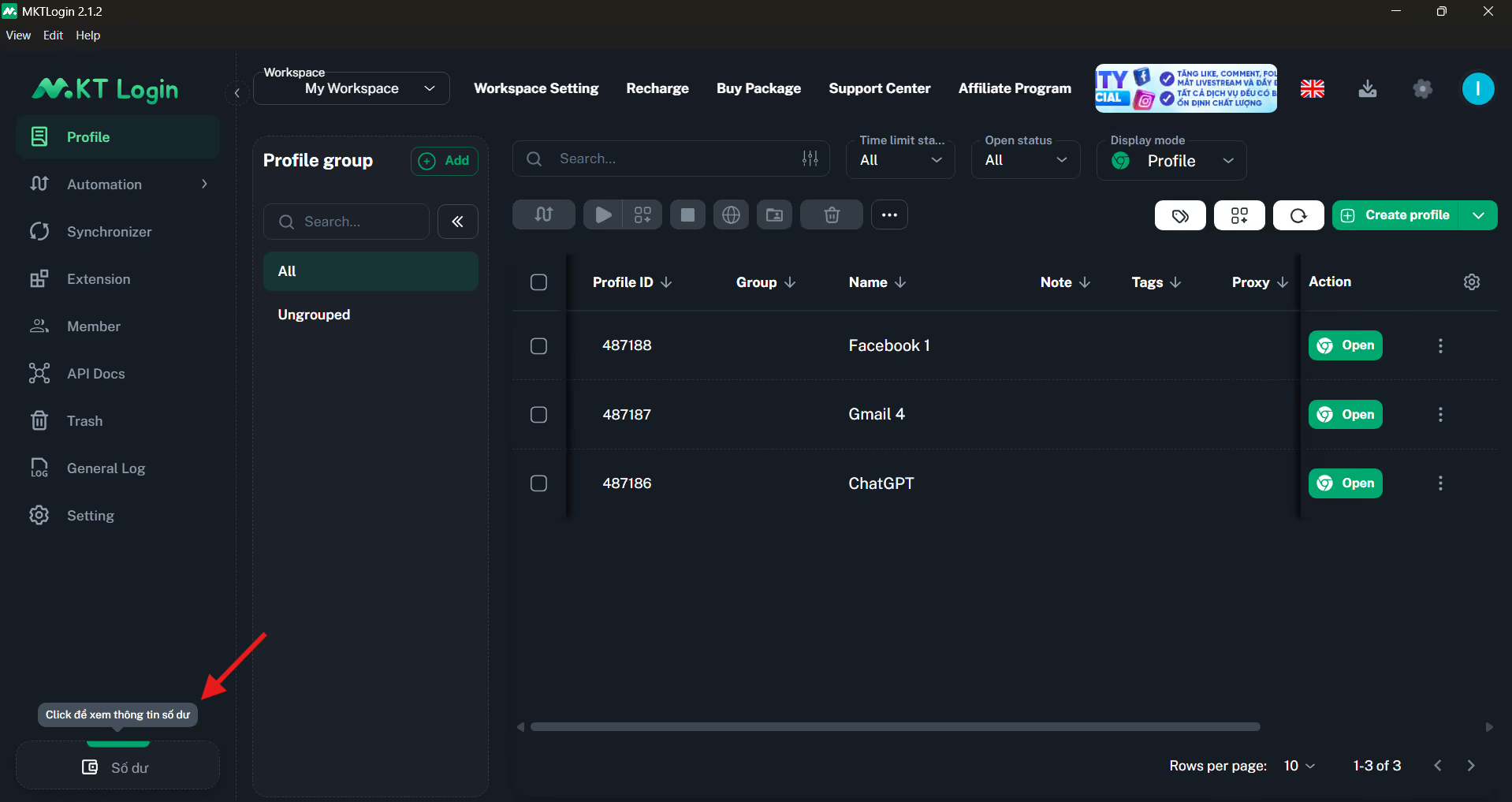
The app design is also quite modern and professional. Everything is nicely organized, and navigating between different sections was also a smooth experience.
The only flaw is that despite selecting English as the browser’s language, some parts of the app still use Vietnamese.
Creating Browser Profiles & Proxy Setup
When you click on the Create Profile button from the dashboard, a detailed profile creation page opens up.
You are given three ways to create profiles: Single Create, Batch Create, or create by importing a file.
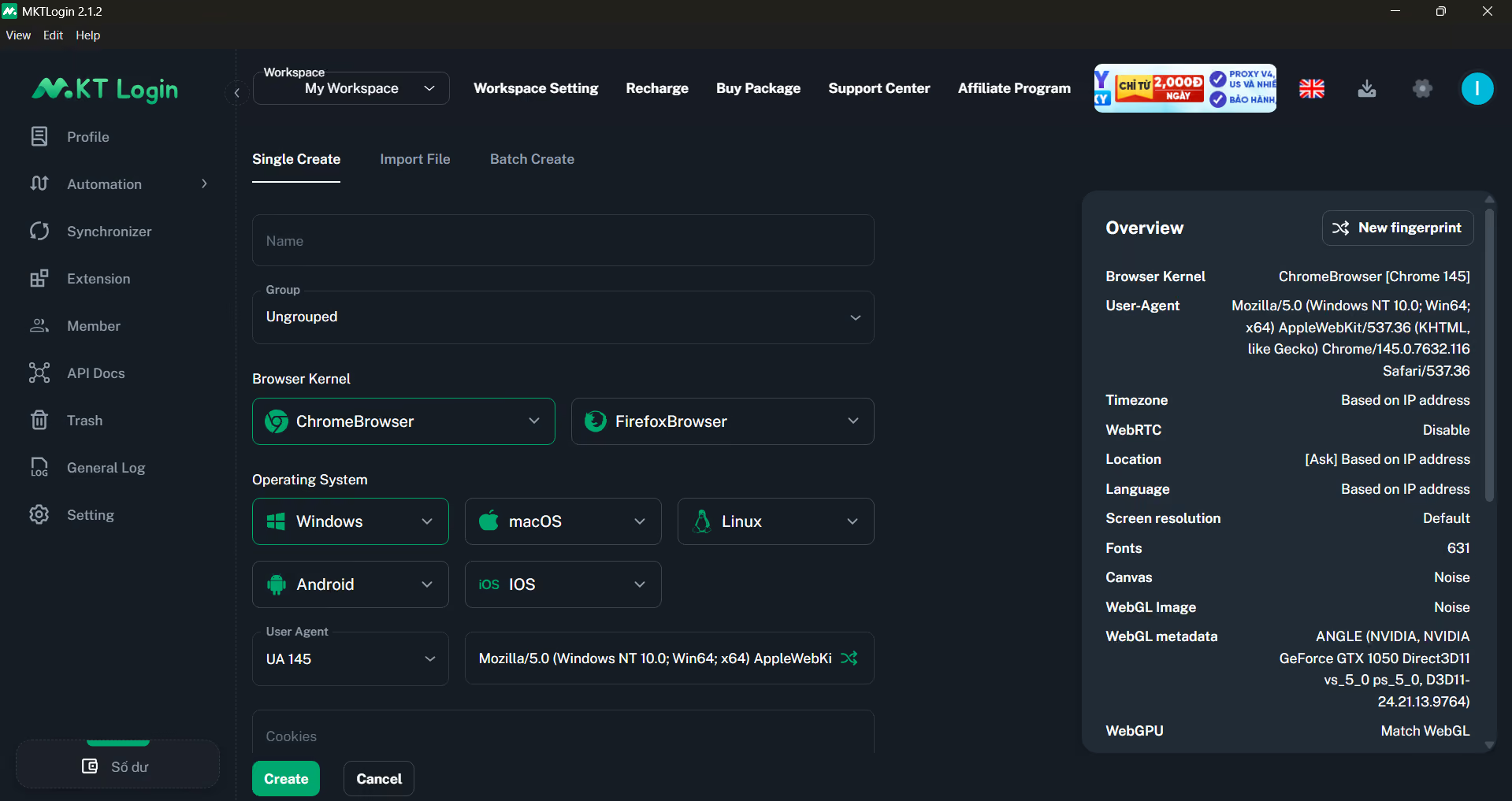
The Single Create method is as detailed as you’d find in any leading anti-detect browser.
You can customize the MKTLogin browser kernel, the operating system, user agent, and more. There’s also the option to paste cookies and set up a proxy for the browser profile.
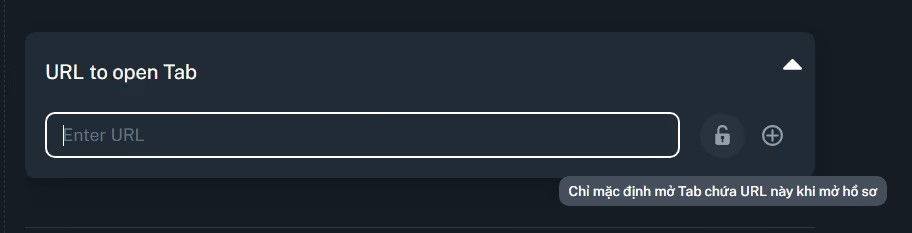
You can add one or more URLs to have them opened by default whenever you launch the browser profile.
An overview of the browser fingerprint is shown in a panel on the right-hand side. If you want different fingerprint parameters, you can generate a random fingerprint by hitting the New Fingerprint button. Or if you have a specific combination of parameters in mind, that can be configured in the advanced fingerprint settings.
Proxies can be configured in three ways:
- Common proxy: Choose a proxy type (HTTP, SOCKS4/SOCKS5 proxies) and enter the credentials of a proxy you were given by a third-party proxy provider.
- Proxy token: Enter the proxy token string
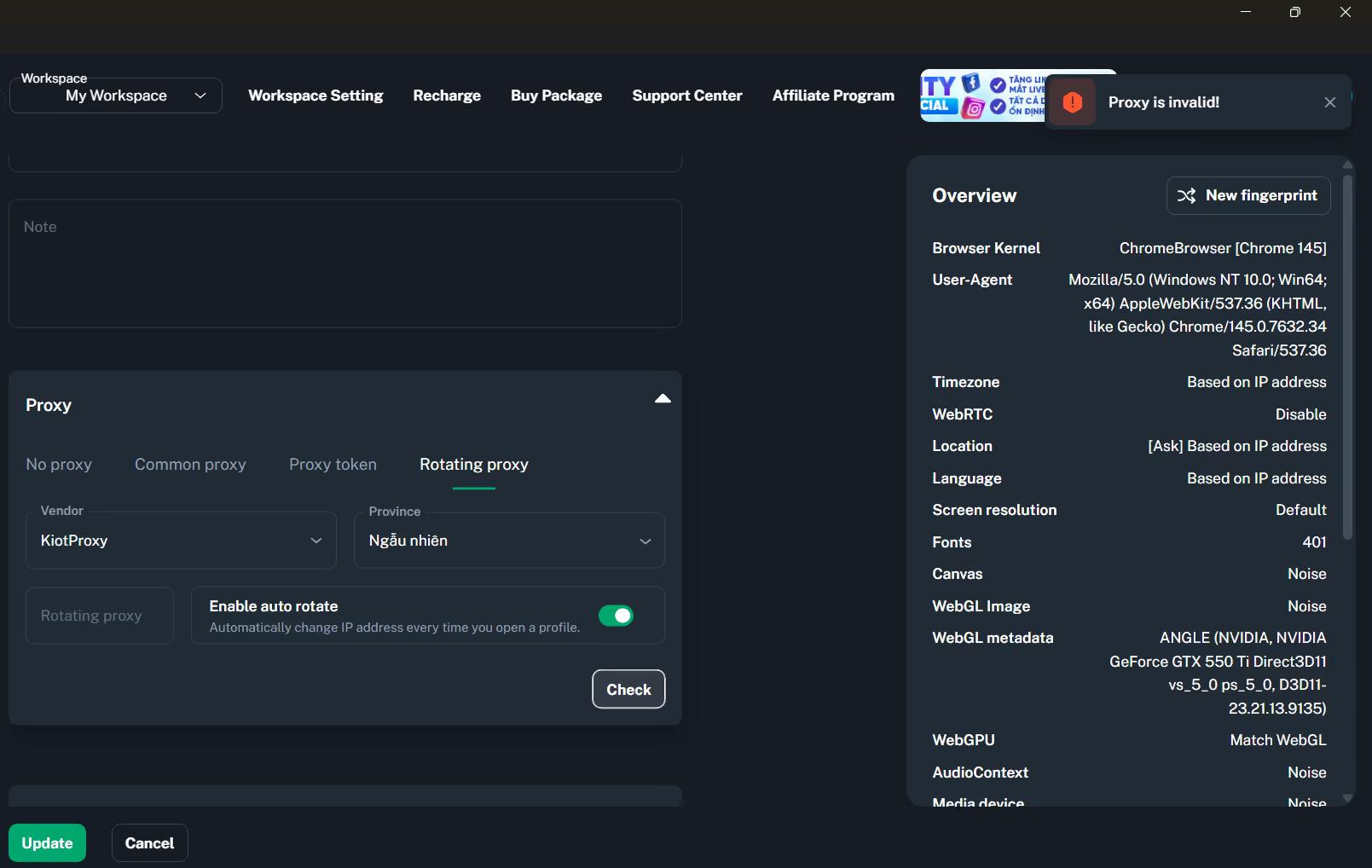
- Rotating proxy: Choose from a list of supported proxy vendors and Vietnam provinces. These proxies are apparently free.
There’s no built-in MKTLogin proxy.

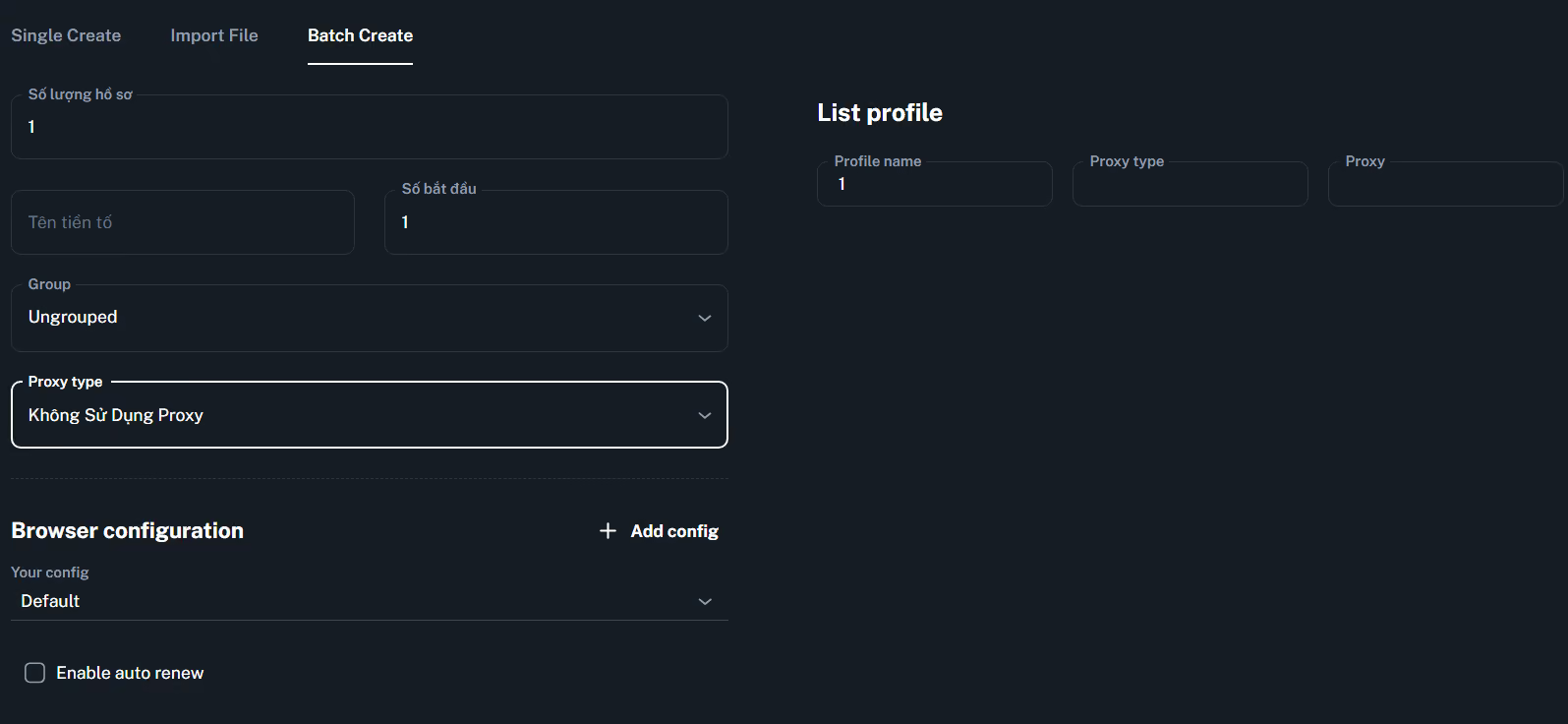
I also wanted to explore the batch create feature, but some key fields had Vietnamese titles. It wasn’t clear what was on the page, so I couldn’t complete the process.
Team Collaboration Features
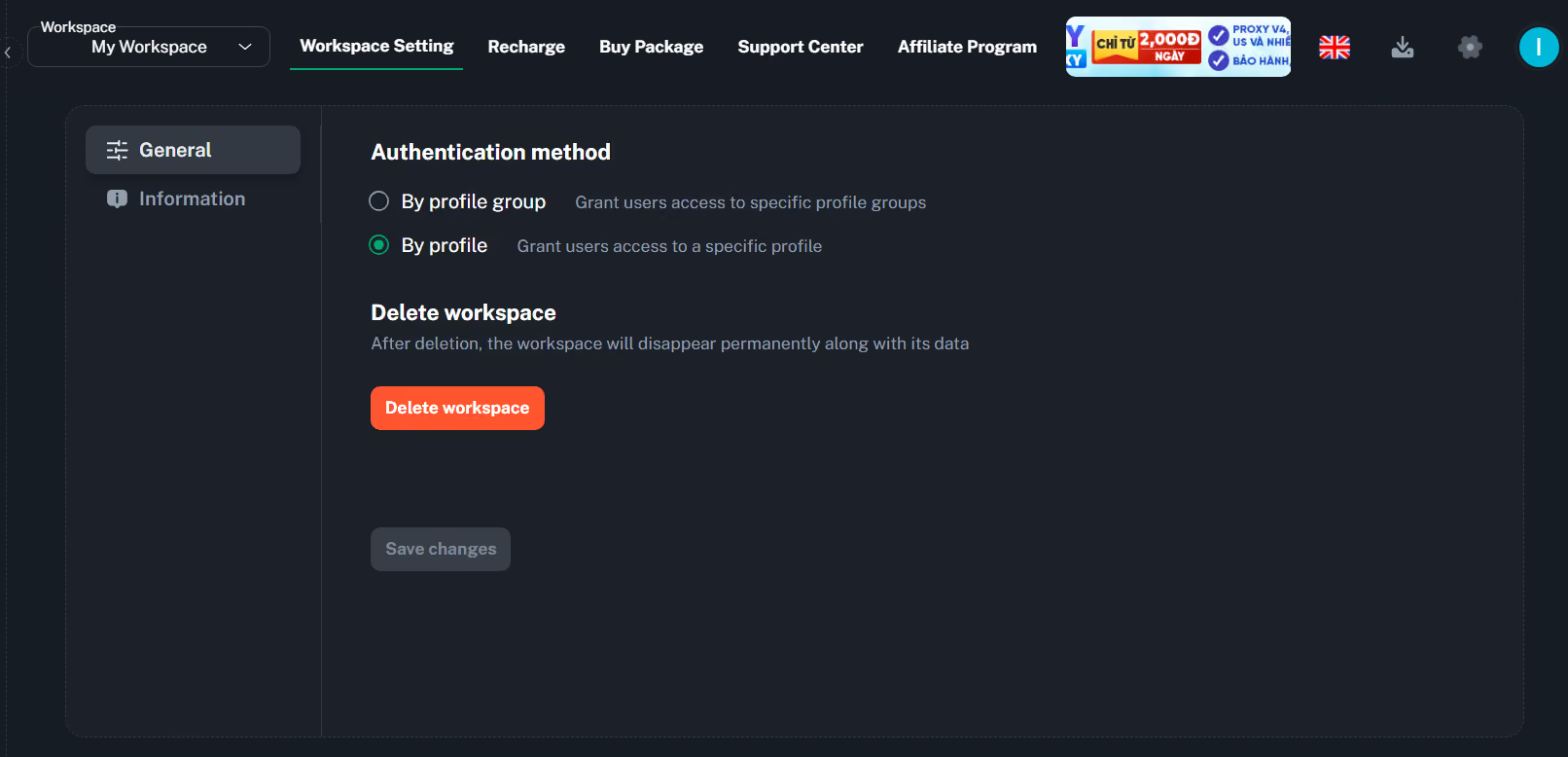
On the website, MKTLogin mentions its workspace features, which allow “granting permissions to individual files or groups of files.” Files here mean browser profiles.
I couldn’t wrap my head around how this feature works. From what I can tell, you can make multiple workspaces and grant access to the browser profiles in those workspaces to others. However, I could be wrong about this.
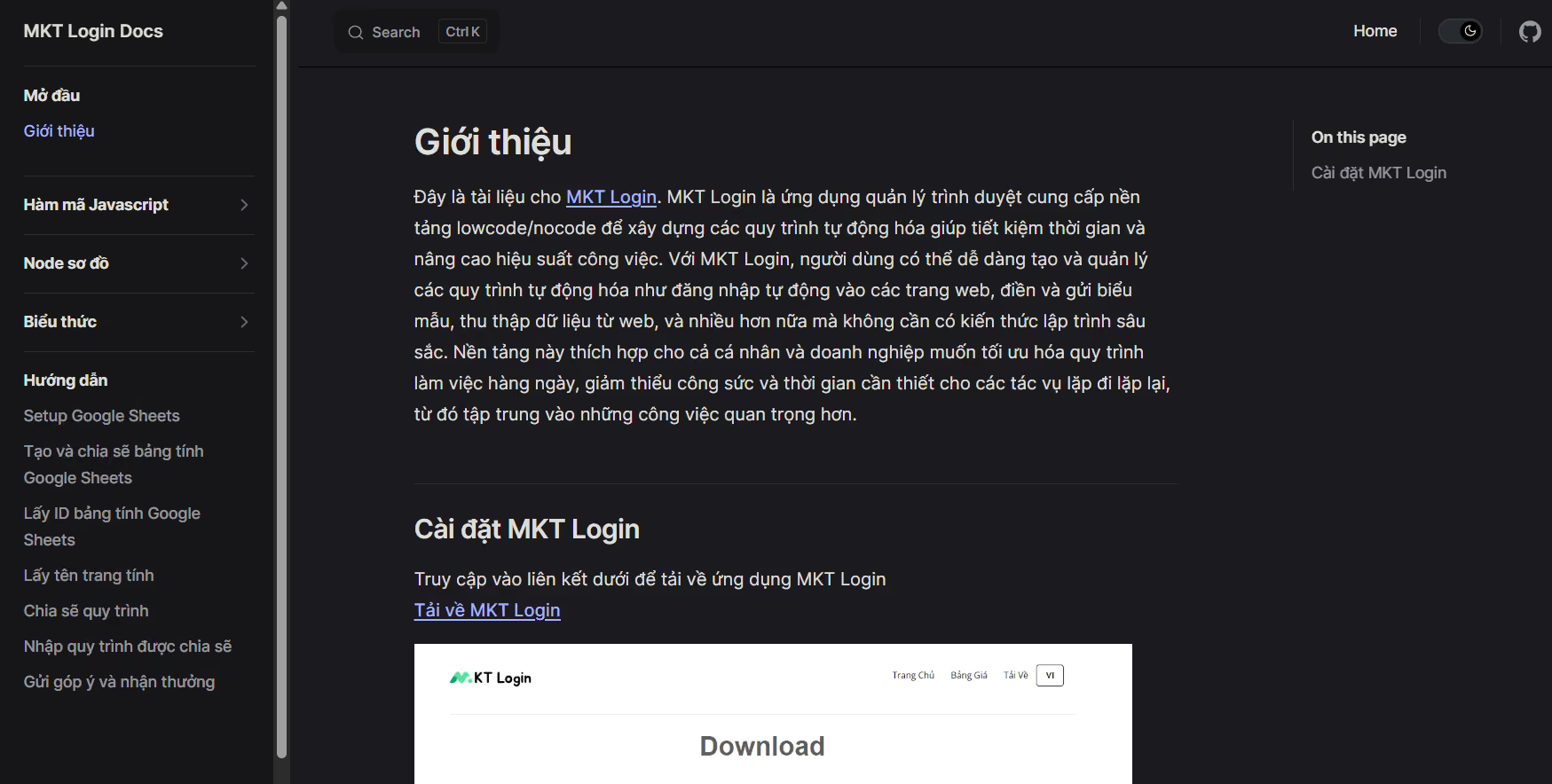
I tried seeking help from MKTLogin’s documentation, but to my surprise, the documentation is entirely in Vietnamese with no English translation option.
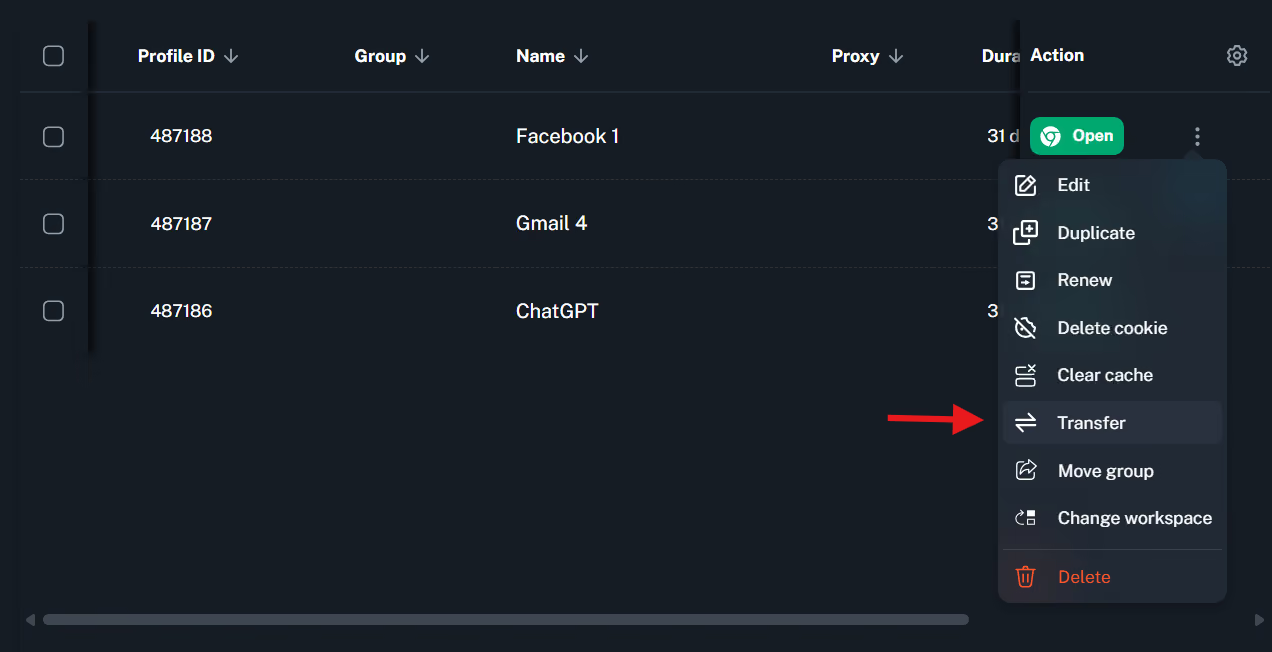
I dug a little more and found an option to transfer profiles. But transferring would mean making someone else the owner of the profile and withdrawing your access to it. This cannot be the same thing as profile sharing.
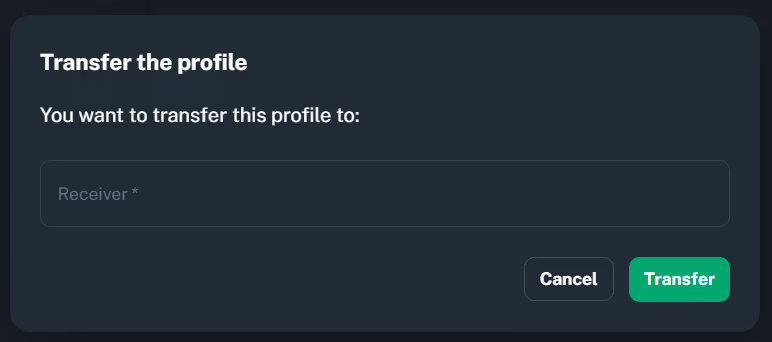
Also, it isn’t clear what information (email, username, or something else) is required to transfer the profile to someone else.
Fingerprint Testing
I launched the MKTLogin profiles and ran some fingerprint tests using websites like Iphey and Pixelscan.
These websites are made to detect whether a browser’s fingerprint looks real. In other words, they look for clues of fingerprint spoofing.
To run these tests, you open the browser profile and open the Pixelscan and Iphey websites within that profile. These two tools then start running their scans.
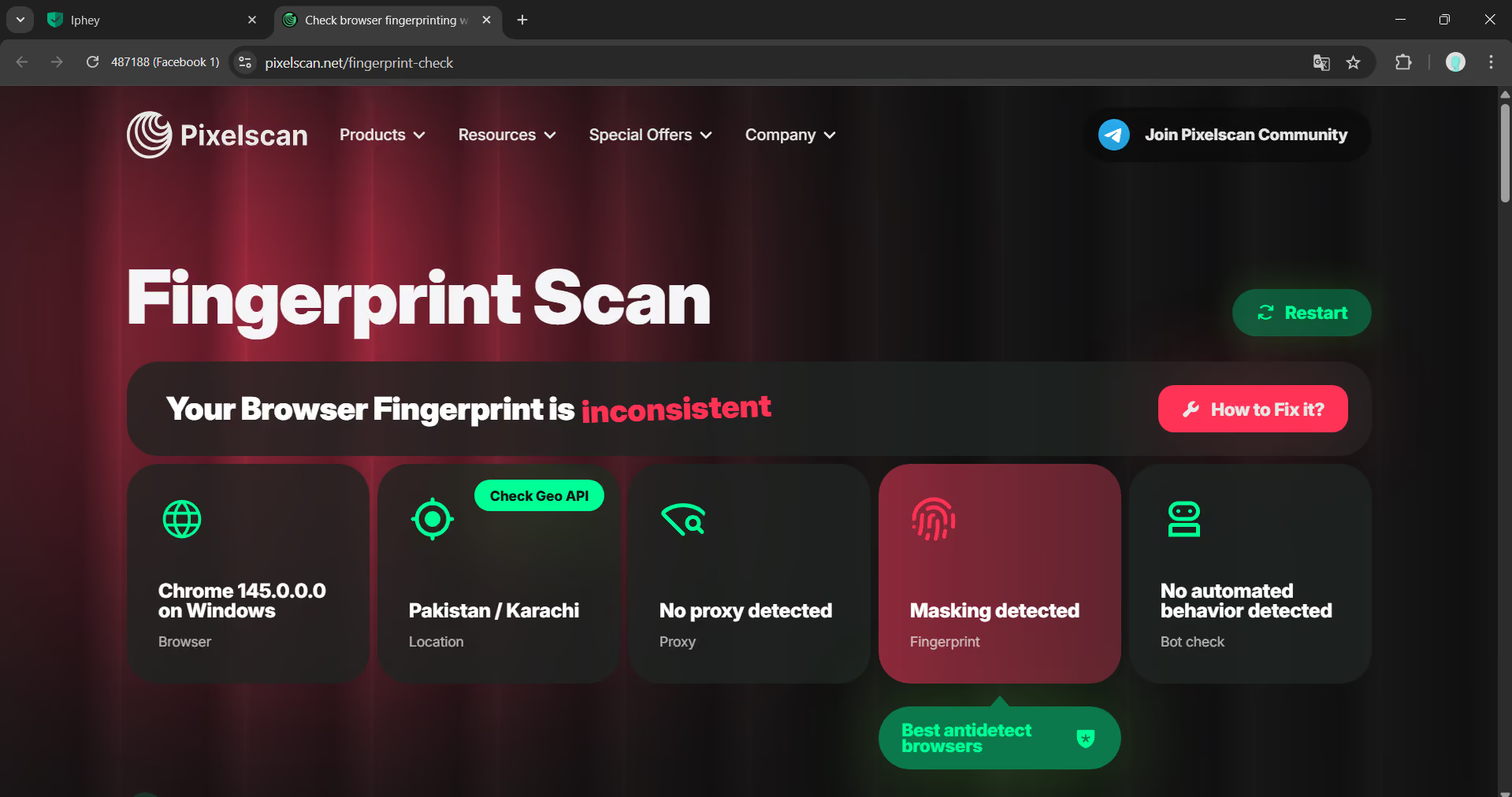
Initially, Pixelscan was struggling to detect which browser I was on. I had to run the scan multiple times to get the consistent fingerprint message, which means the browser’s fingerprint spoofing actually works.
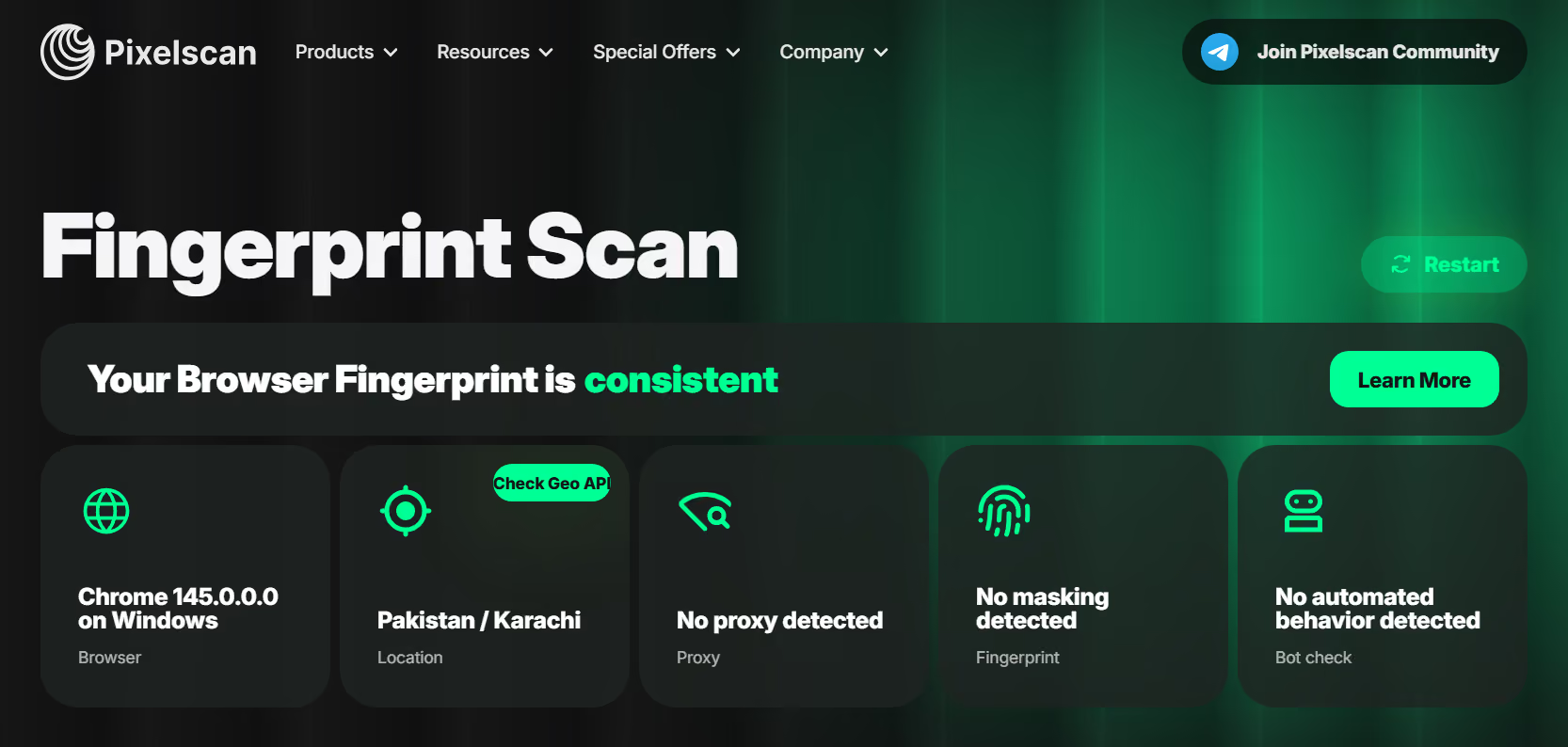
However, when I ran the scan one last time, Pixelscan managed to detect fingerprint masking.
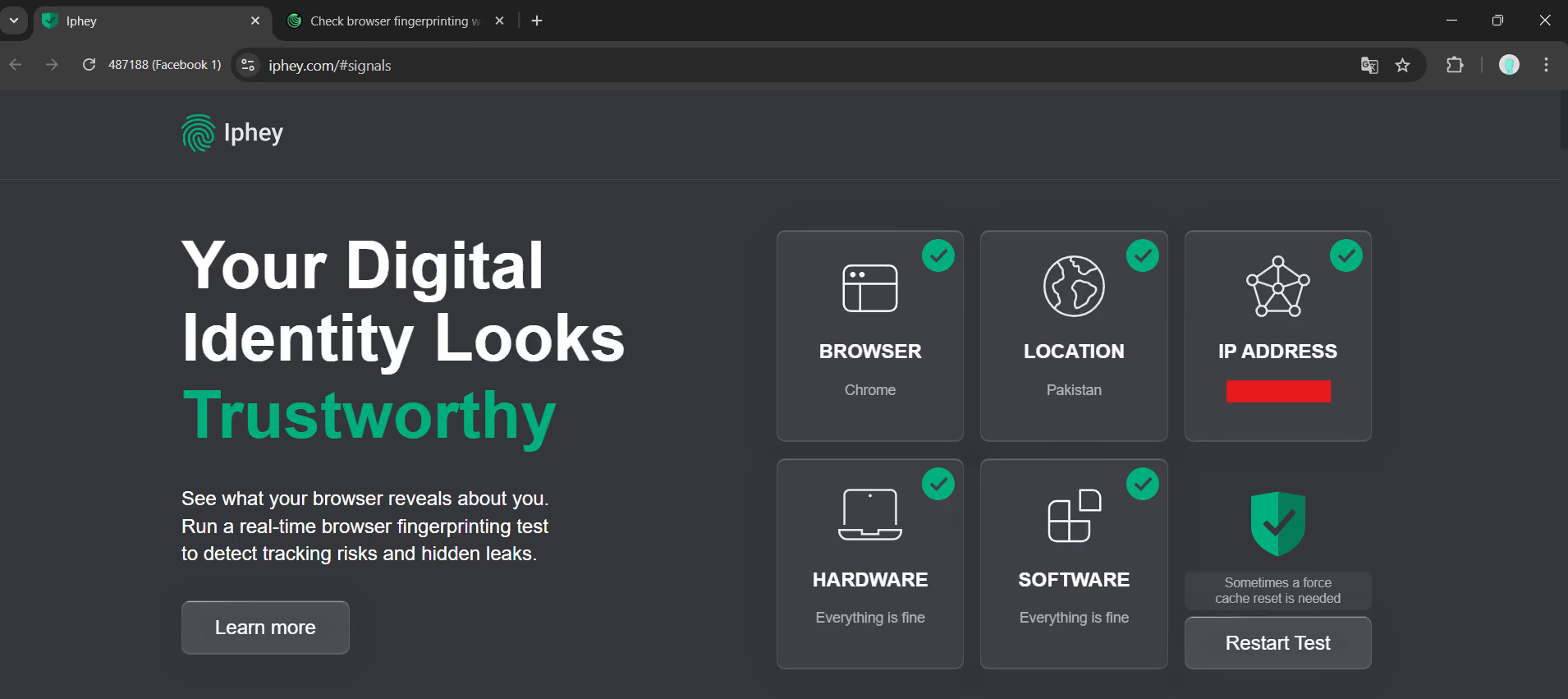
The Iphey scan went smoothly. It detected no issues with the fingerprint and declared it trustworthy.
I wanted to run the same tests after configuring a proxy. But no matter which proxy vendor I chose, their proxy would be invalid.
So when it comes to fingerprint testing, MKTLogin seems inconsistent.
MKTLogin Pricing
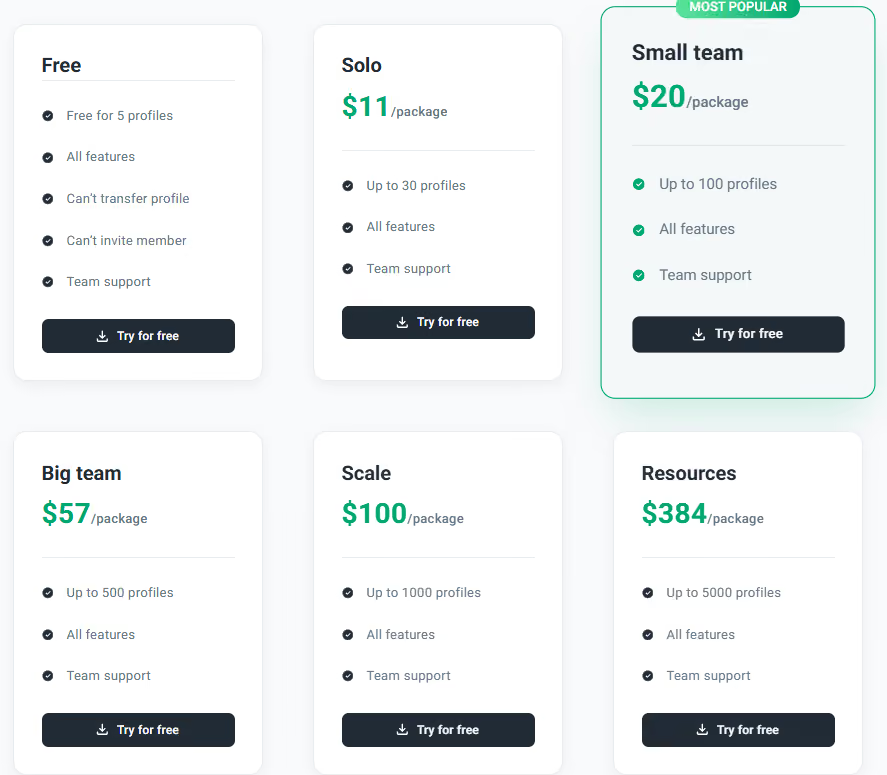
The MKTLogin browser has a free forever plan with access to all features. The only limitations are a total of 5 browser profiles, the inability to transfer profiles, and invite members.
Then there are 5 paid plans, all of which remove these limitations. The paid plans start from $11 and go up to $384/month.
All paid plans have the same features. The only difference is the number of browser profiles you can create on them. The cheapest plan allows up to 30 browser profiles. The most expensive plan allows up to 5000 browser profiles.
Trust & Reputation
MKTLogin doesn’t have a listing on G2, Capterra, Trustpilot, ProductHunt, etc. Therefore, there’s no way to gauge whether people like it or dislike it and for what reasons.
Considering the browser was launched in May 2024, it should have gained traction in the industry by now. But that isn’t the case. You’ll not see MKTLogin being recommended for multi-accounting or other use cases. That doesn’t mean the browser is untrustworthy.
The lack of buzz around MKTLogin could be because of limited marketing. Maybe the developers mainly wanted the browser to be used inside Vietnam.
It’s possible MKTLogin might be a popular anti-detect browser within Vietnam, but there’s no way to establish that without knowing Vietnamese and surfing the Vietnamese side of the internet.
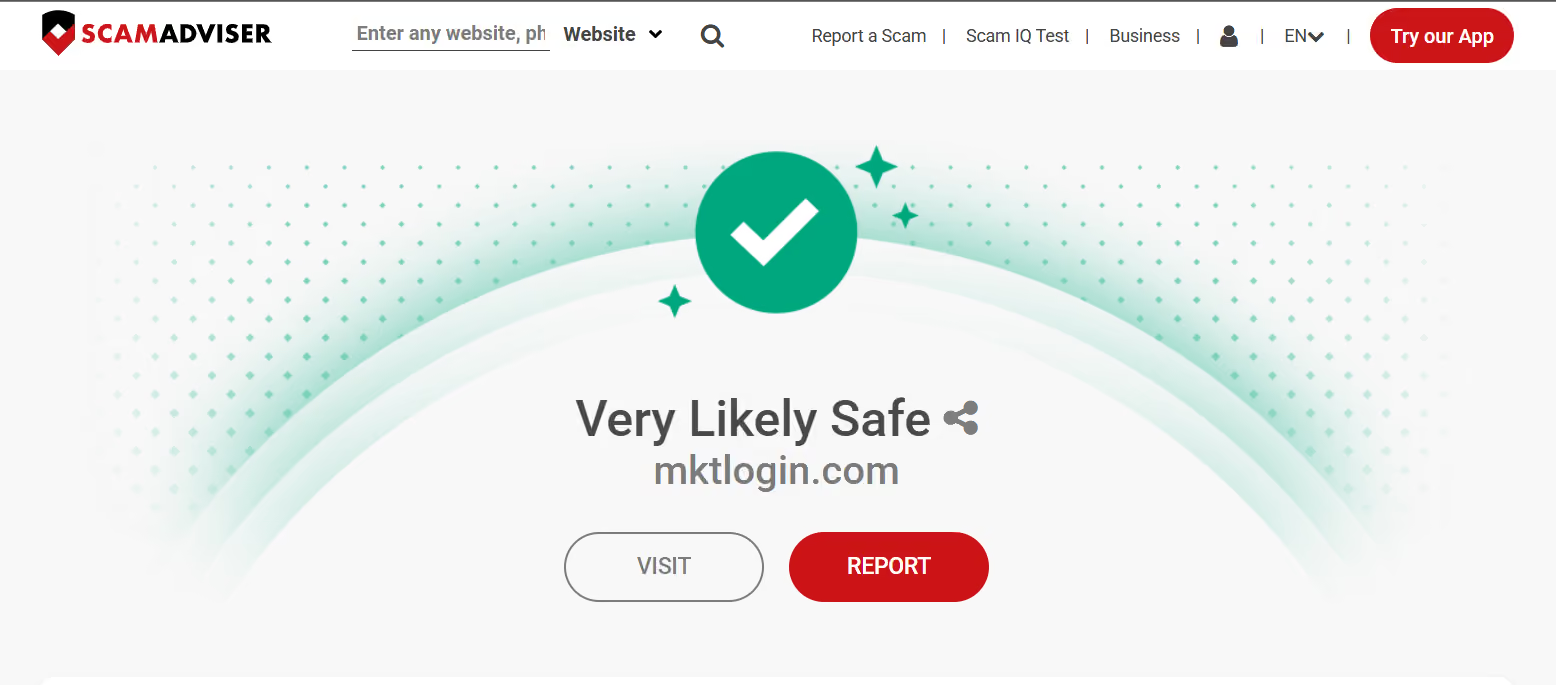
On Scamadviser’s scam test, MKTLogin’s website scored 100, meaning the website is very likely safe.
Gologin: The Best Among MKTLogin Alternatives
By now, you already know that the MKTLogin browser isn’t for everyone.
It has some nice features and works like a professional anti-detect browser, but there’s a language barrier for non-Vietnamese people at many points of the experience, which renders some features unusable without knowing Vietnamese.
It’s safe to say that MKTLogin might be a good option for Vietnamese people who don’t know English.
But what’s a truly universal anti-detect browser with good features? Gologin.
Gologin has a proper English version along with support for many other languages.
All the key features of anti-detect browsers are also there. Gologin’s profile sharing feature and the web app are worth mentioning here.
You can add other Gologin users to your browser profiles using their email, and they’ll be able to access the profile through Gologin’s web app without installing the application.
Apart from that, Gologin also offers built-in proxies along with support for a wide range of third-party proxy providers.
Gologin’s starting price is also quite low.
Here’s a brief MKTLogin vs Gologin comparison:
| Feature | MKTLogin | Gologin.com |
|---|---|---|
| OS Support | Windows & macOS | Windows, macOS, Linux, Android |
| Built-in Proxies | No | Yes (Free & Integrated) |
| Setup Speed | Instant | Instant / One-Click |
| Cloud Launch | No | Yes (Run in any Web Browser) |
| Update Frequency | Occasional | Weekly (Orbita Engine) |
| Mobile App | No | Yes (Android) |
| Targeted audience | Vietnam mainly | Global |
Gologin is free to use for 7 days (also has a free forever plan that allows the creation of 3 browser profiles). Sign up today with a free trial and continue using it with affordable plans.