Documentation Index
Fetch the complete documentation index at: https://gologin.com/docs/llms.txt
Use this file to discover all available pages before exploring further.
How to view available proxy traffic
To view the available Gologin proxy traffic, just click Buy proxy in the top-right corner of the Gologin app window. You will see a list of all available proxy types and the remaining traffic amount for each of them.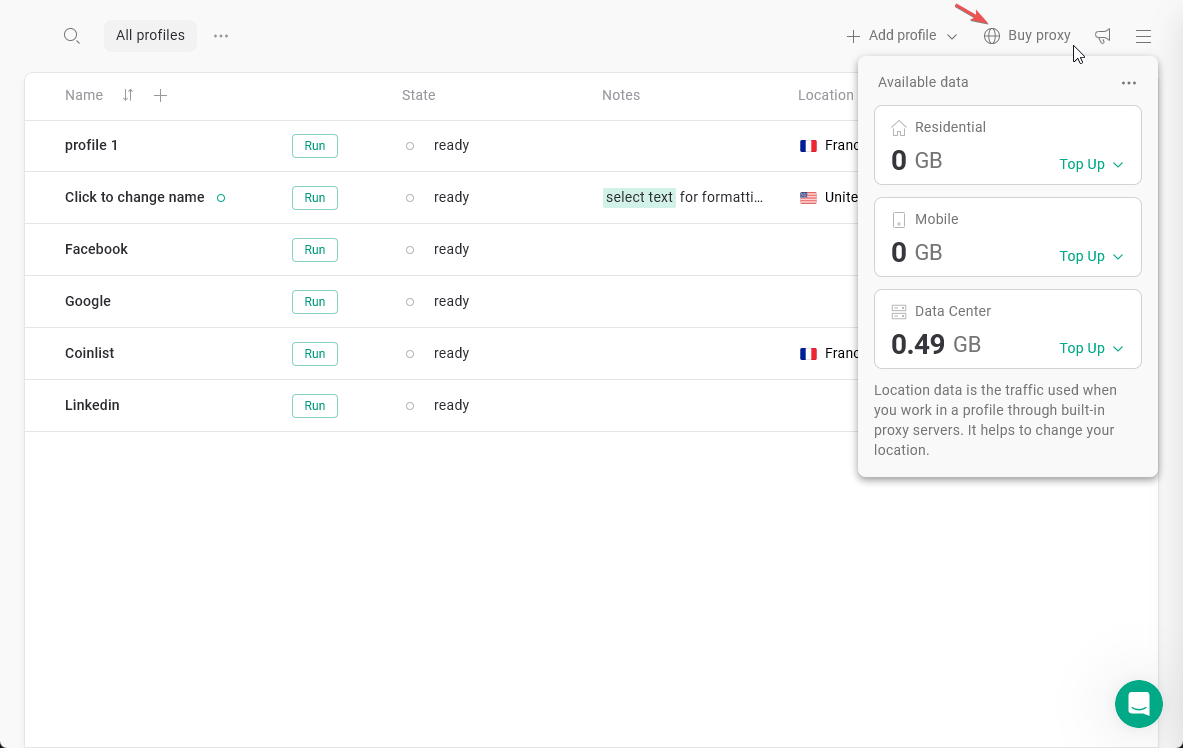
How to top up traffic
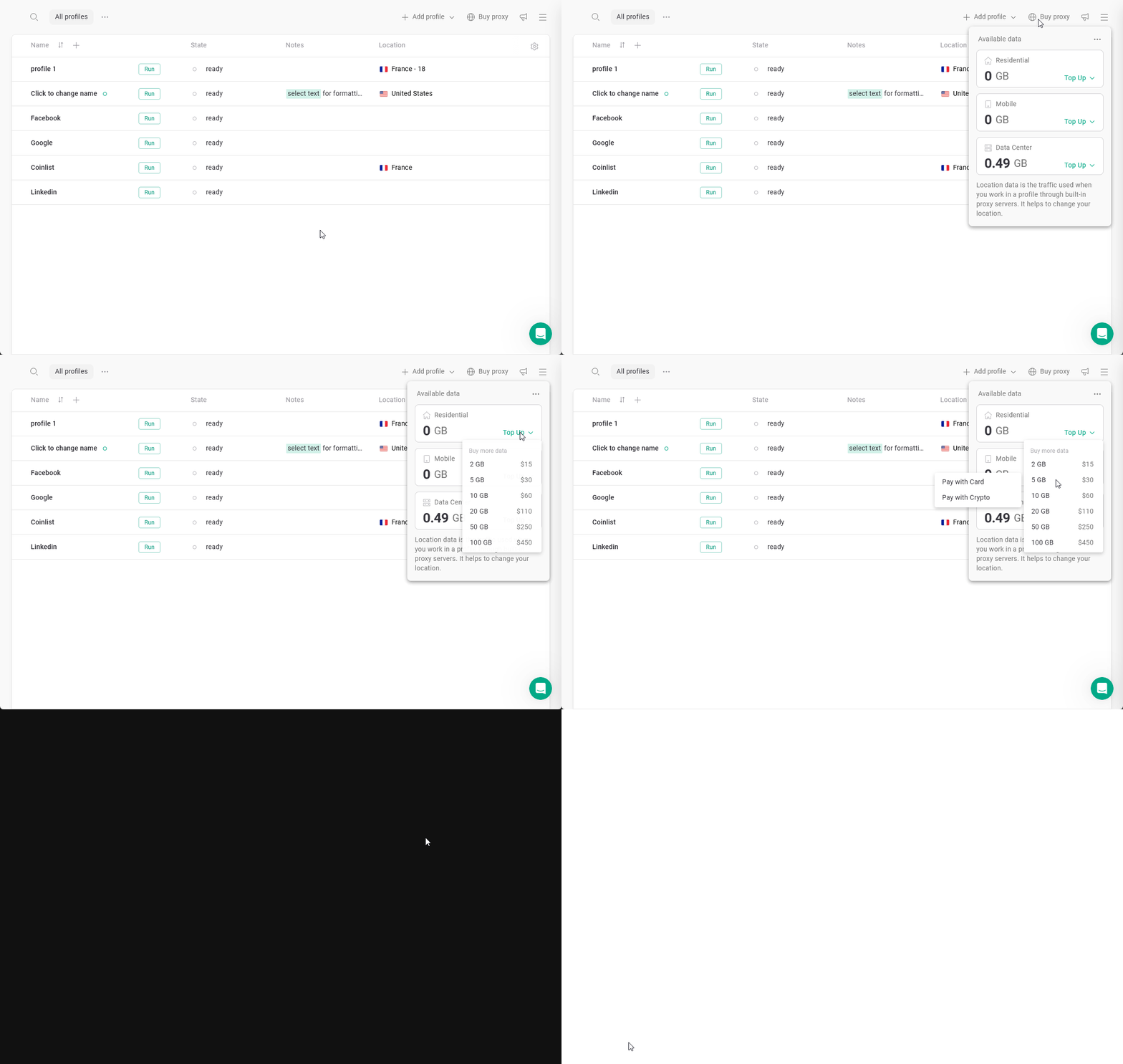
If you need more traffic, you can purchase it in just a few steps:- Click Buy proxy
- Click Top up next to the proxy type you want to add traffic to
- Select the traffic amount
The required amount depends on your use case. It mostly varies based on:
- How often you use your browser profiles
- How long your sessions last
- How much heavy content (such as videos, images, or audio) you load while working
- Choose a payment method We accept Credit Card and Cryptocurrency payments for proxy traffic.
- Complete the payment in the browser window
Adding proxy traffic into Gologin subscription
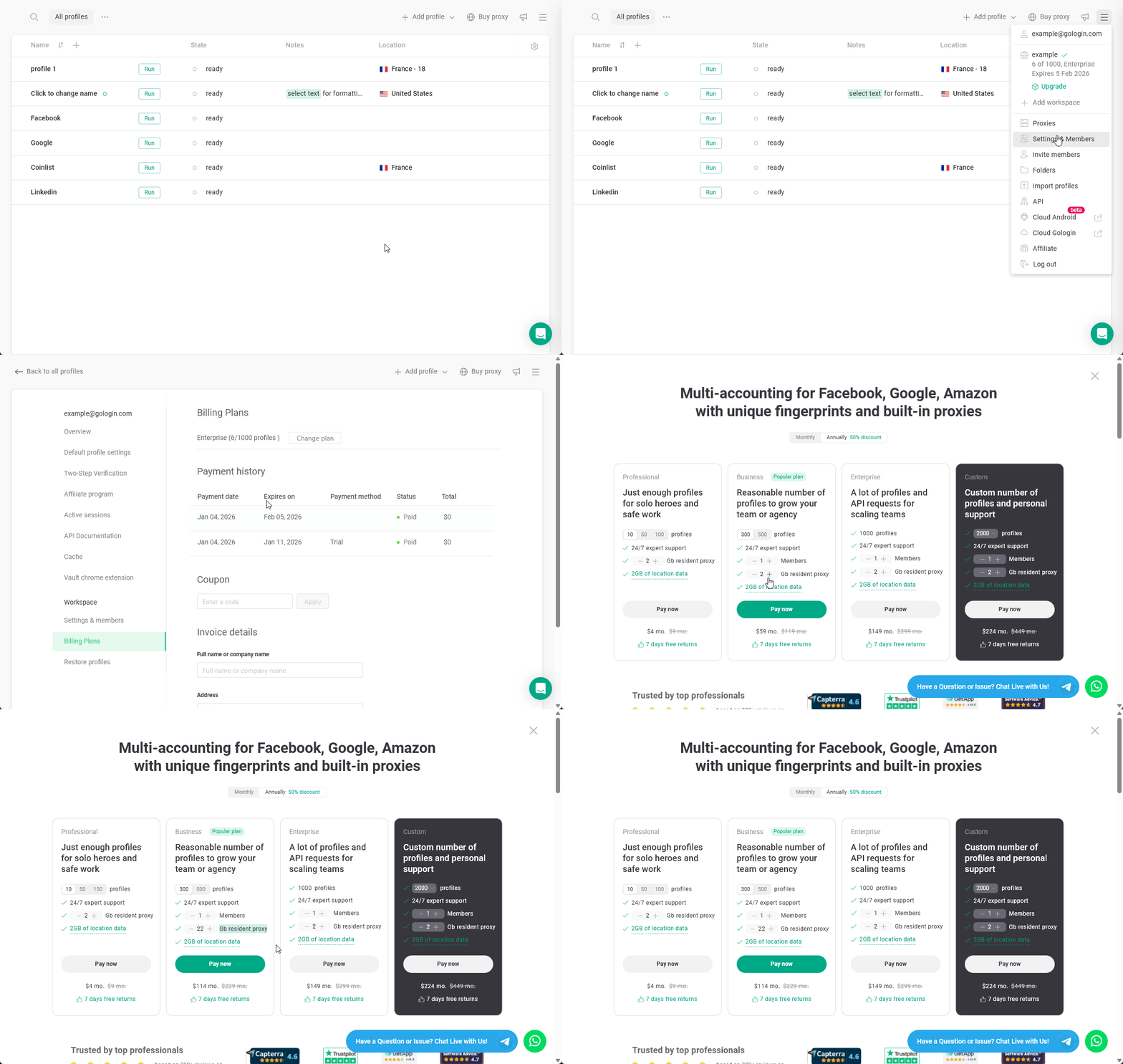
If you have a general idea of how much residential proxy traffic you need each month, you can add it directly to your subscription. This allows you to avoid manual top-ups and ensures that proxy traffic is added automatically on a monthly basis. To add the Gologin proxy traffic into your subscription:- Open the main menu and go to Settings & Members.
- Navigate to Billing plans.
- Click Change plan.
- Select the required amount of proxy traffic that will be added to your account every month.
- Complete the payment in the browser window.