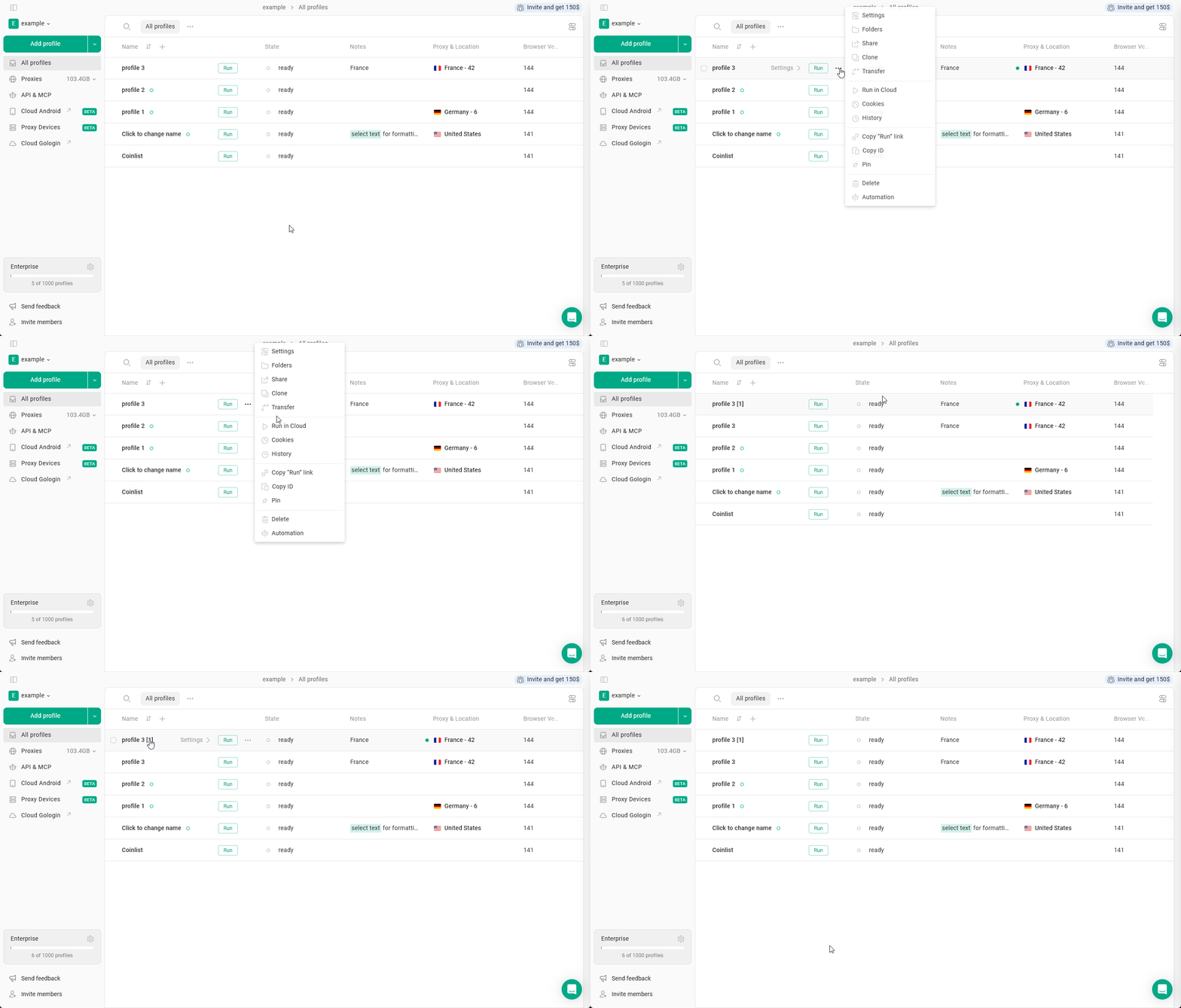
Cloning allows you to create a new profile based on an existing one.This is useful when you need to replicate an environment while keeping accounts separated.
Cloned profiles can inherit:
fingerprint parameters
browser settings
extensions configuration
You can then adjust the proxy or other parameters for the new profile.To clone an existing profile:
Go to the All profiles tab
Find the profile you want to duplicate
Click the three dots next to the profile
Select Clone
A new profile will be created with the copied configuration.