

- generate initial browsing history
- create natural cookies for websites
- warm up new browser profiles
- prepare profiles for account login or automation
How Cookie Bot works
Cookie Bot visits a list of common websites and simulates basic user interactions. These actions may include:- loading pages
- scrolling through content
- clicking buttons
- loading images
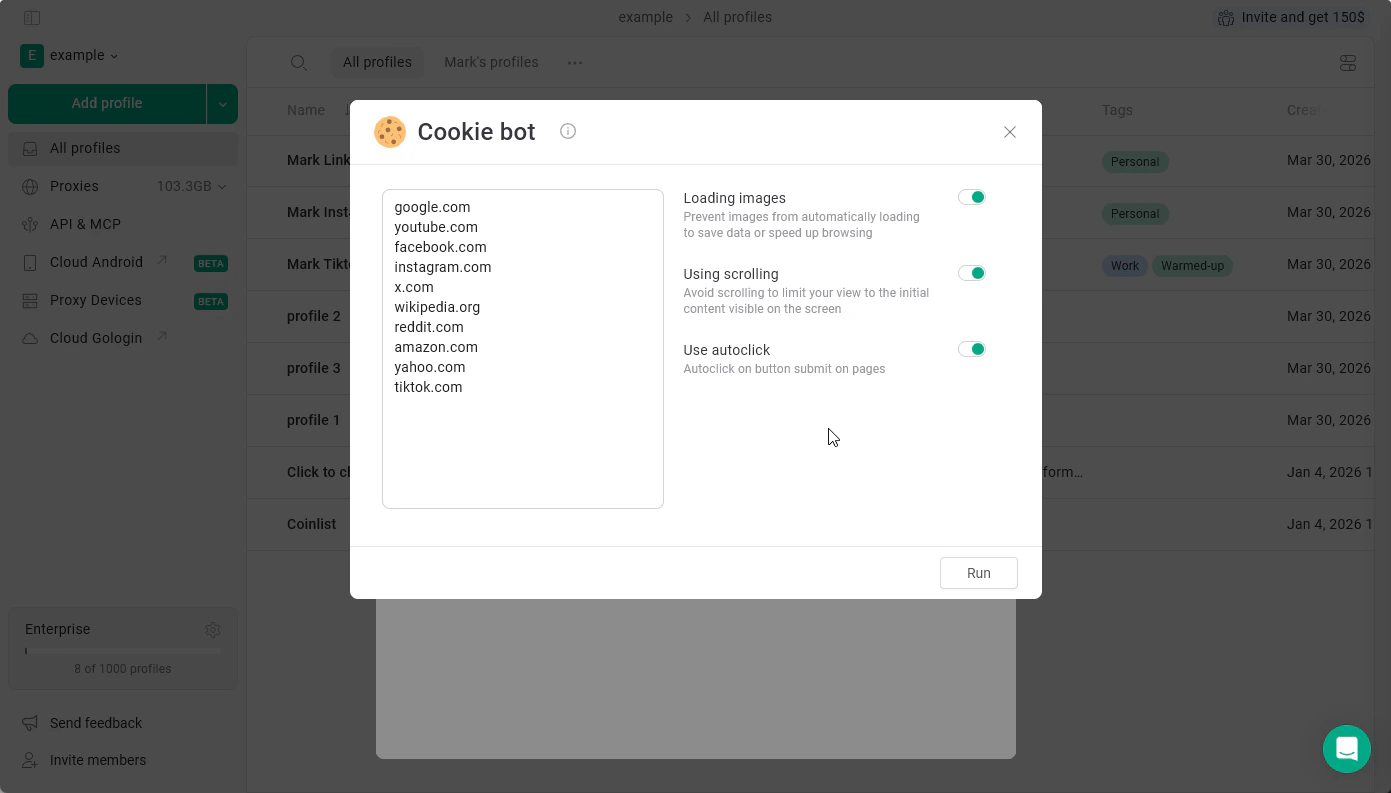
Cookie Bot features and settings
The settings you can set up now:- Loading images
ON - images will get loaded
OFF - images won’t get loaded, saving your proxy data - Using scrolling
ON - the bot will scroll through pages, imitating human behavior
OFF - bot will not scroll pages, continuing to the next step - Use autoclock
ON - will accept cookie requests for you
OFF - won’t click on anything
- Manually recording workflows for the bot to perform
- Customizing what the bot clicks
Running Cookie Bot
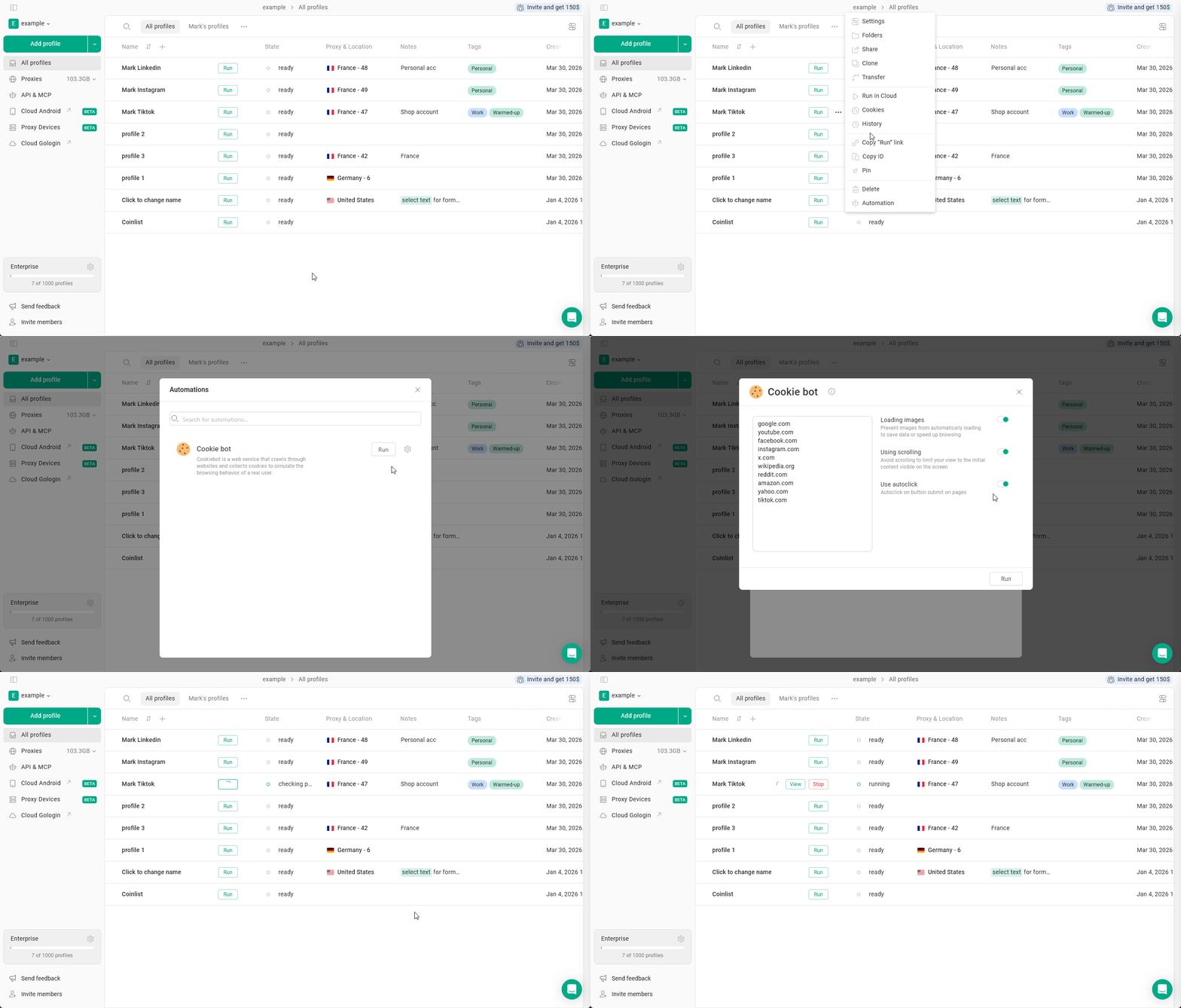
To run Cookie Bot for a single profile
- Go to the All profiles page.
- Click 3 dots on the profile.
- Select Automation.
- Review the list of websites the bot should visit.
- Adjust optional settings if needed.
- Click Run.
Running Cookie Bot for multiple profiles
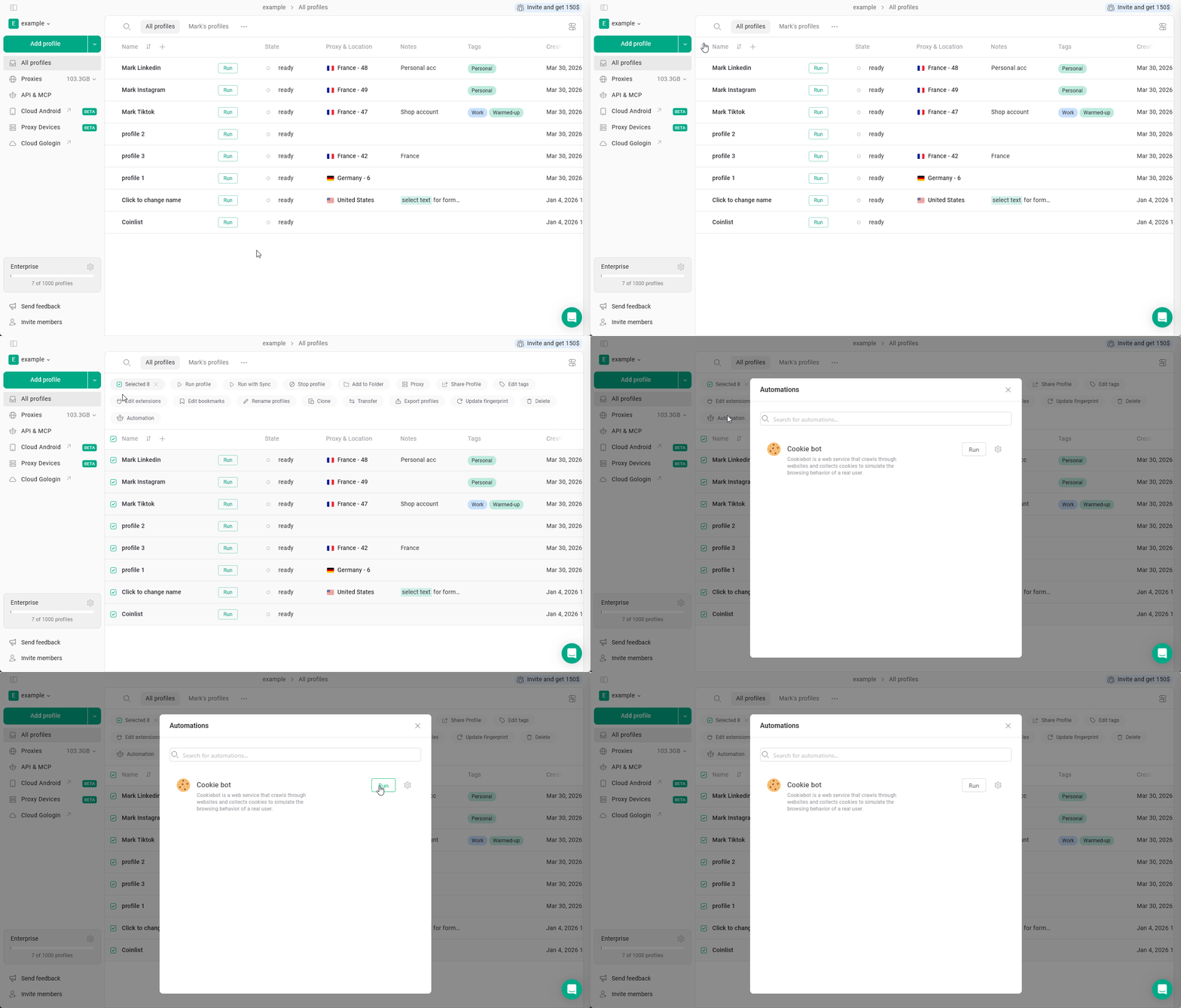
Gologin also allows you to run Cookie Bot for several profiles at once. To do this:- Select multiple profiles in the profiles table.
- Choose Automation.
- Configure the settings.
- Click Run.
Best practices
For best results:- run Cookie Bot before logging into new accounts
- keep the profile proxy enabled during the process
- avoid running Cookie Bot too frequently on the same profile