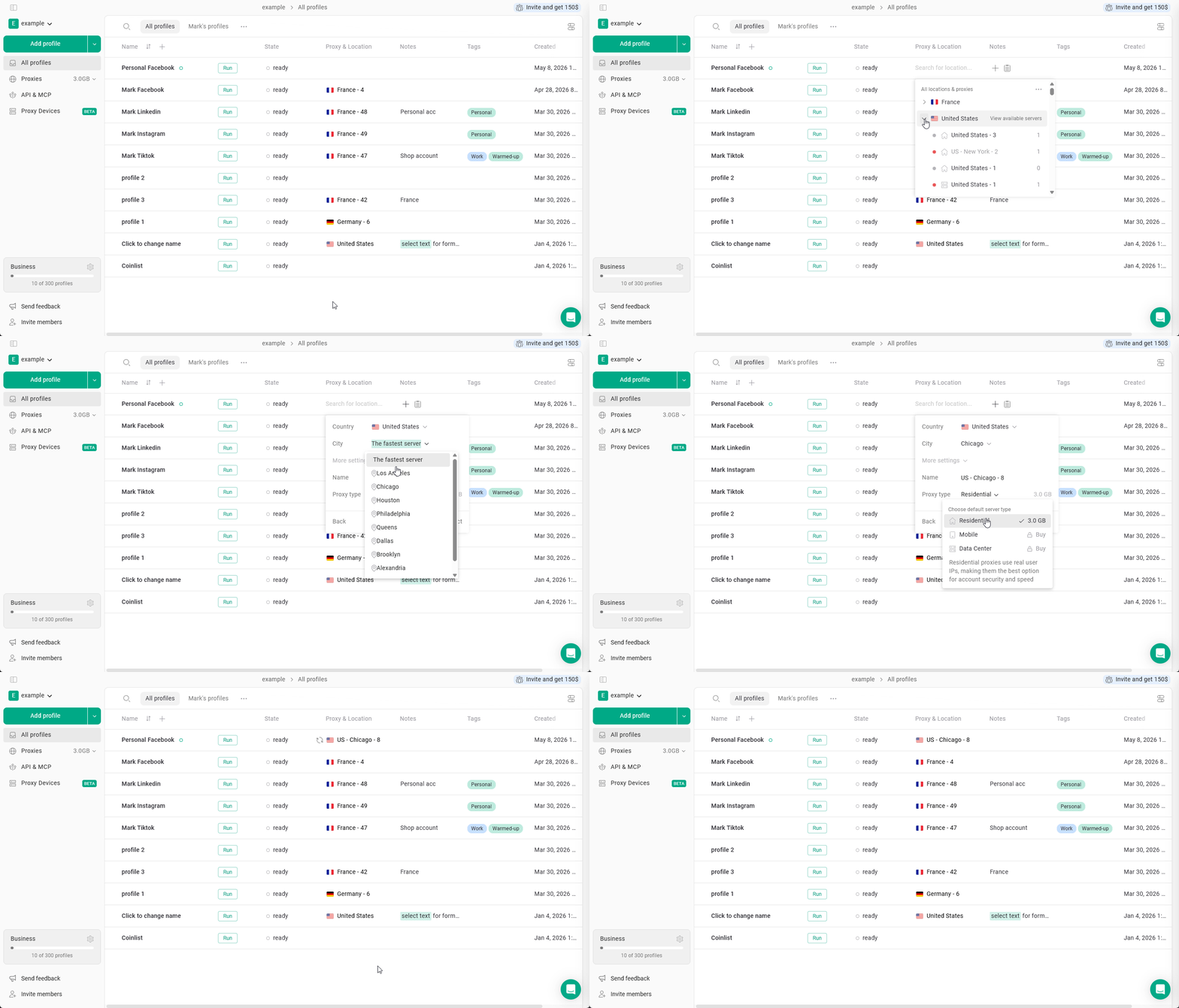
Available proxy settings
If you need to configure specific proxy parameters, you must create a new proxy connection.Note: You cannot change the settings of an existing proxy connection.
- Click Choose location or proxy in the browser profile.
- Click the arrow next to the selected proxy country.
- Select Add new server.
Here, you can configure the following parameters:- City - available for some of the most popular countries
- Name - a custom name for the proxy connection
- Proxy type - residential, mobile, or datacenter
- Click Connect to apply the new proxy.
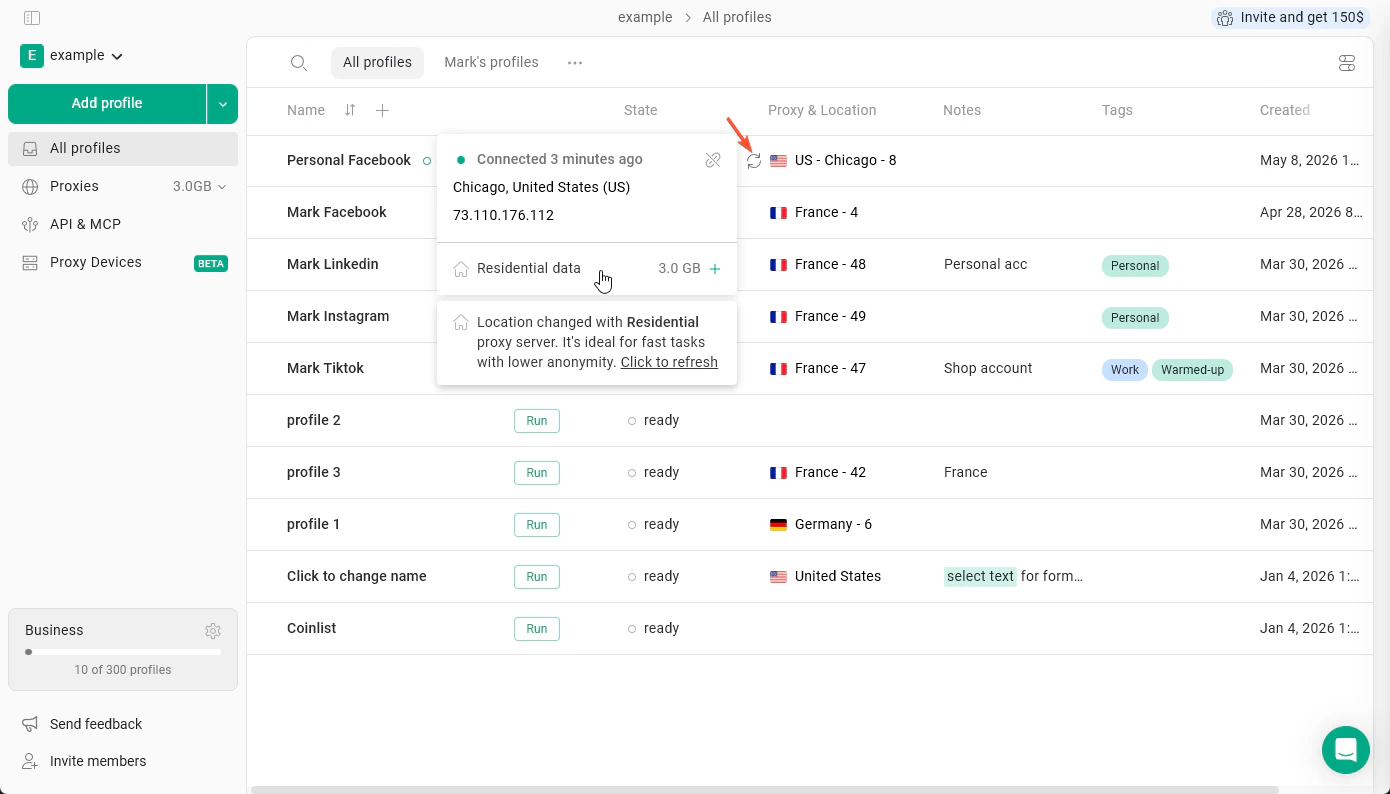
Checking connection and viewing proxy info
To verify that the proxy is working correctly and that you have enough available traffic, click the circular arrows icon next to the proxy flag. From this menu, you can also view:- City
- IP address
- Proxy type
- Remaining traffic
Unlinking a proxy
If you want to unlink a Gologin proxy from the profile: click on the proxy once and click X on it. The proxy will be unlinked from the profile but will stay in the proxy manager list.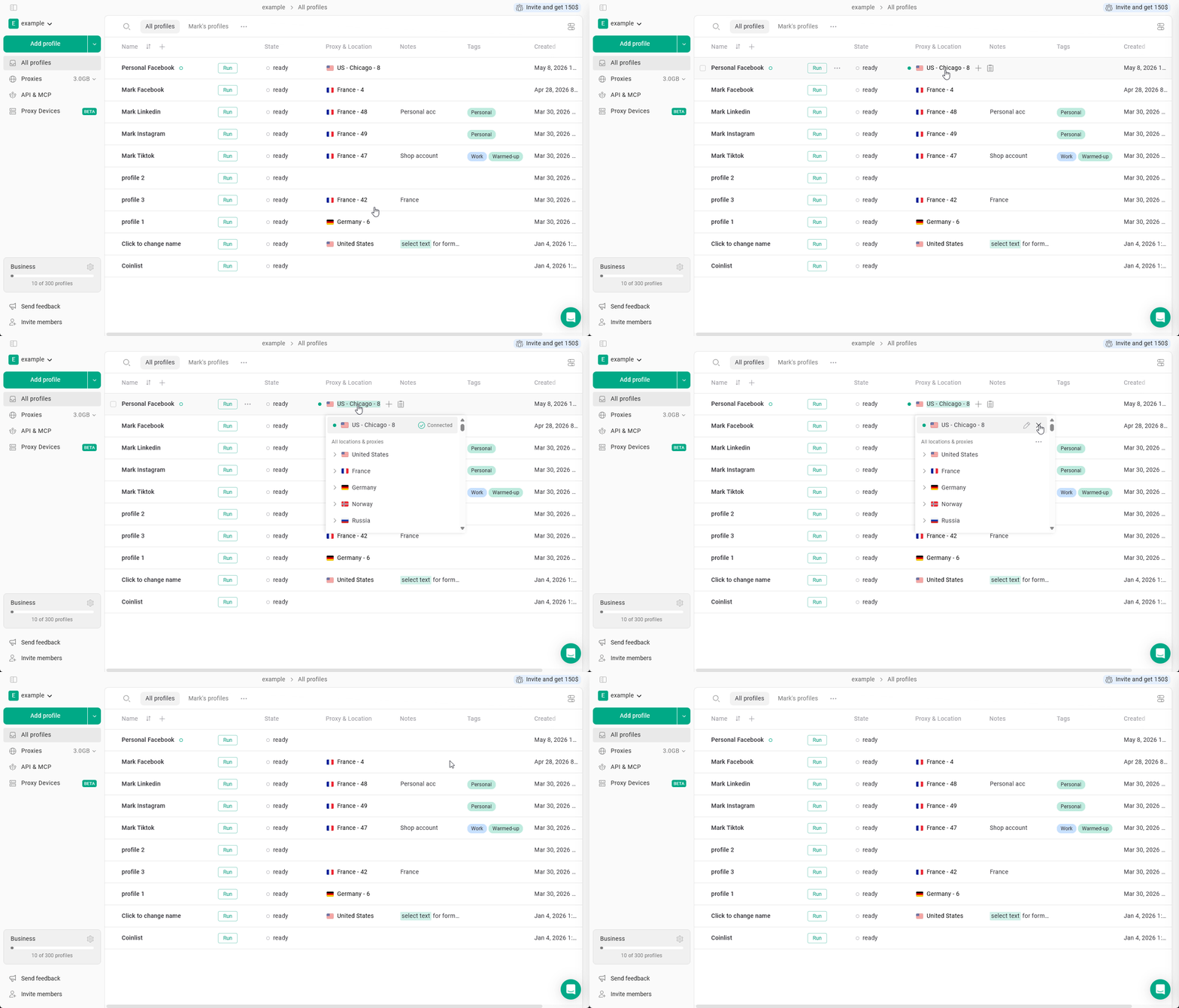
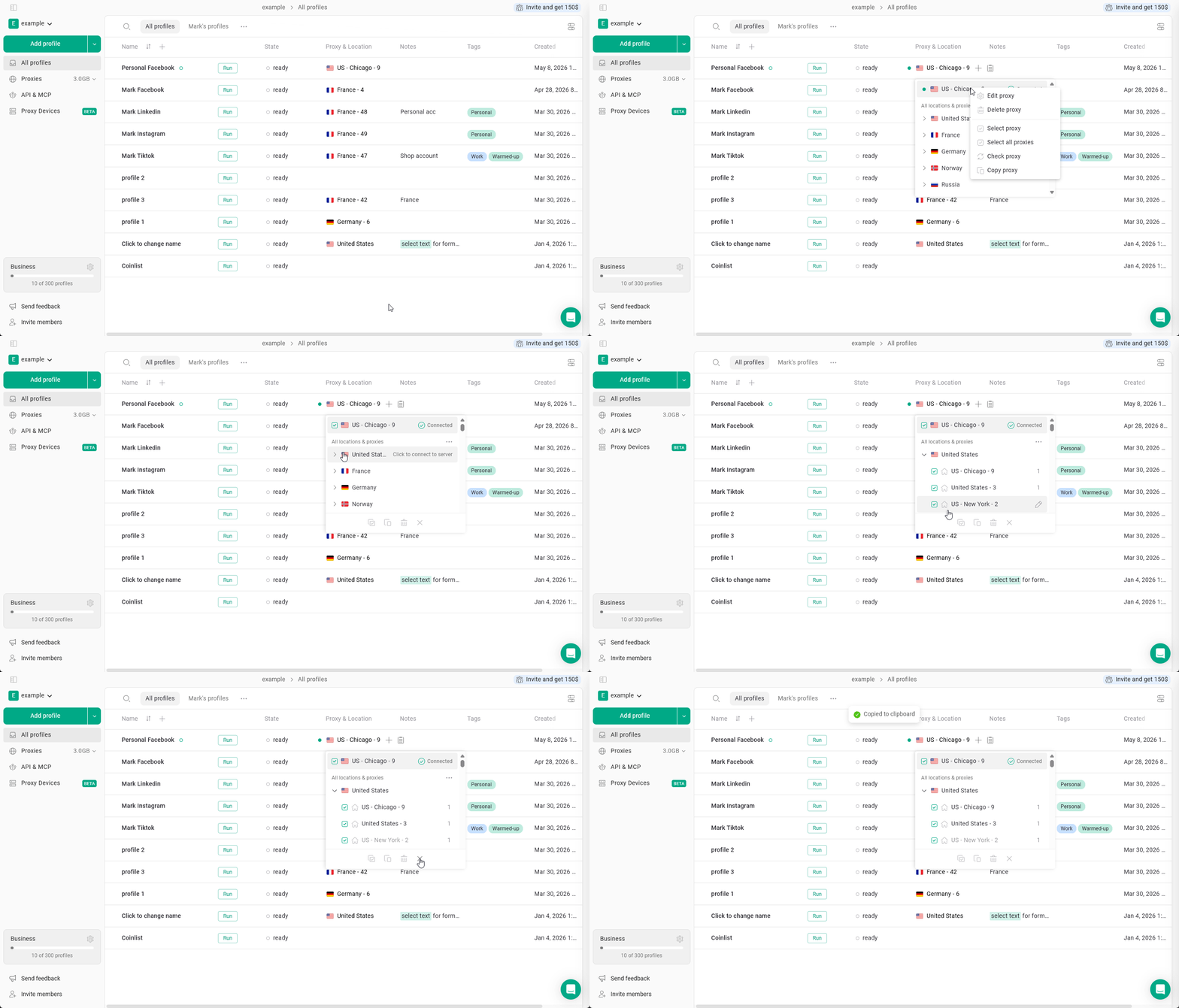
Deleting a proxy
To delete a proxy: just click the proxy on a profile once to enter the proxy manager, then right-click it > Delete proxy > confirm the choice. It will be deleted from your proxy list, available for restoring from the Proxy Archive.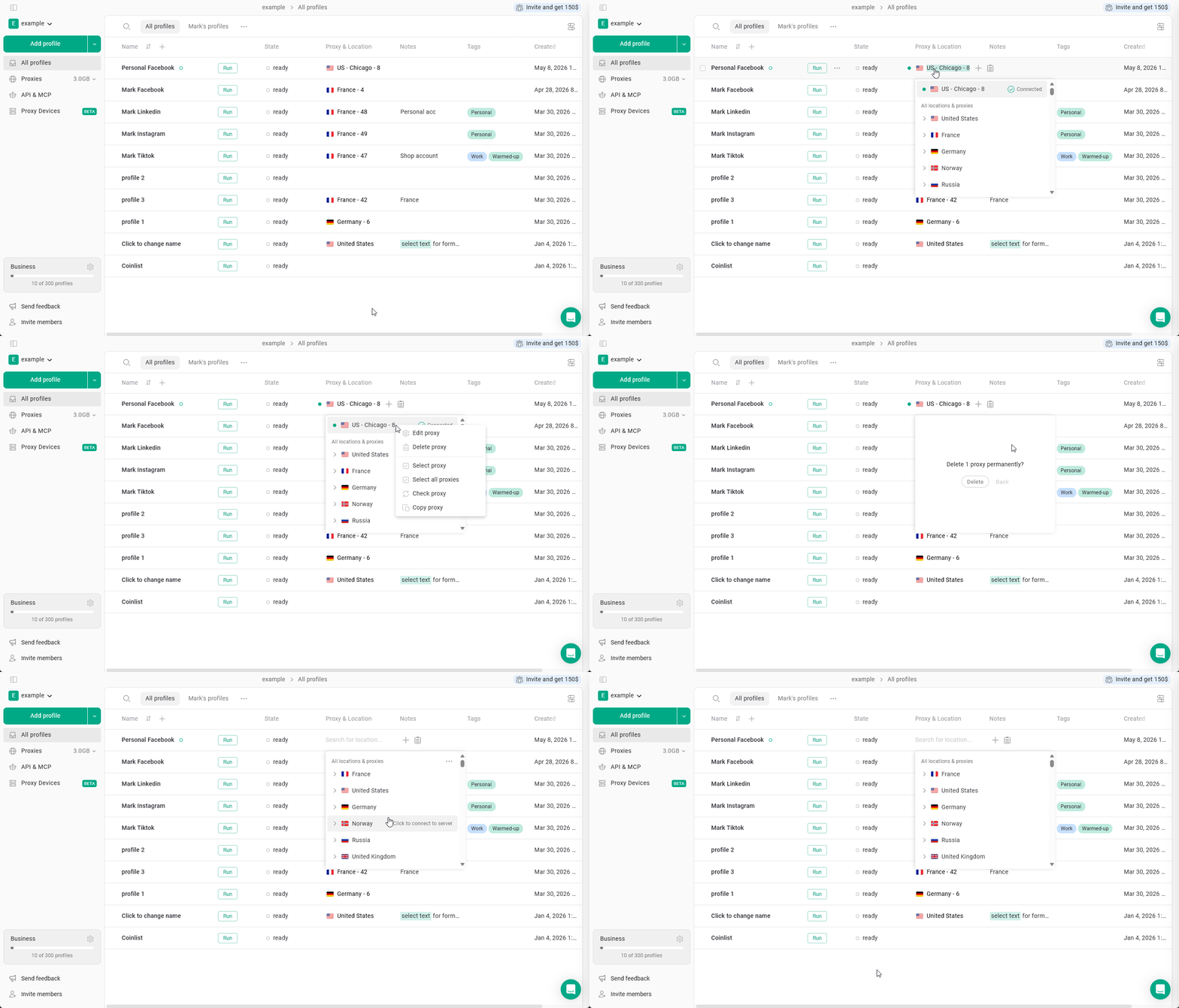
Copying proxy credentials
You can copy Gologin proxy credentials (host, port, login, password) to use them elsewhere. To do that: click on a proxy to enter the proxy manager > right-click it > Copy proxy.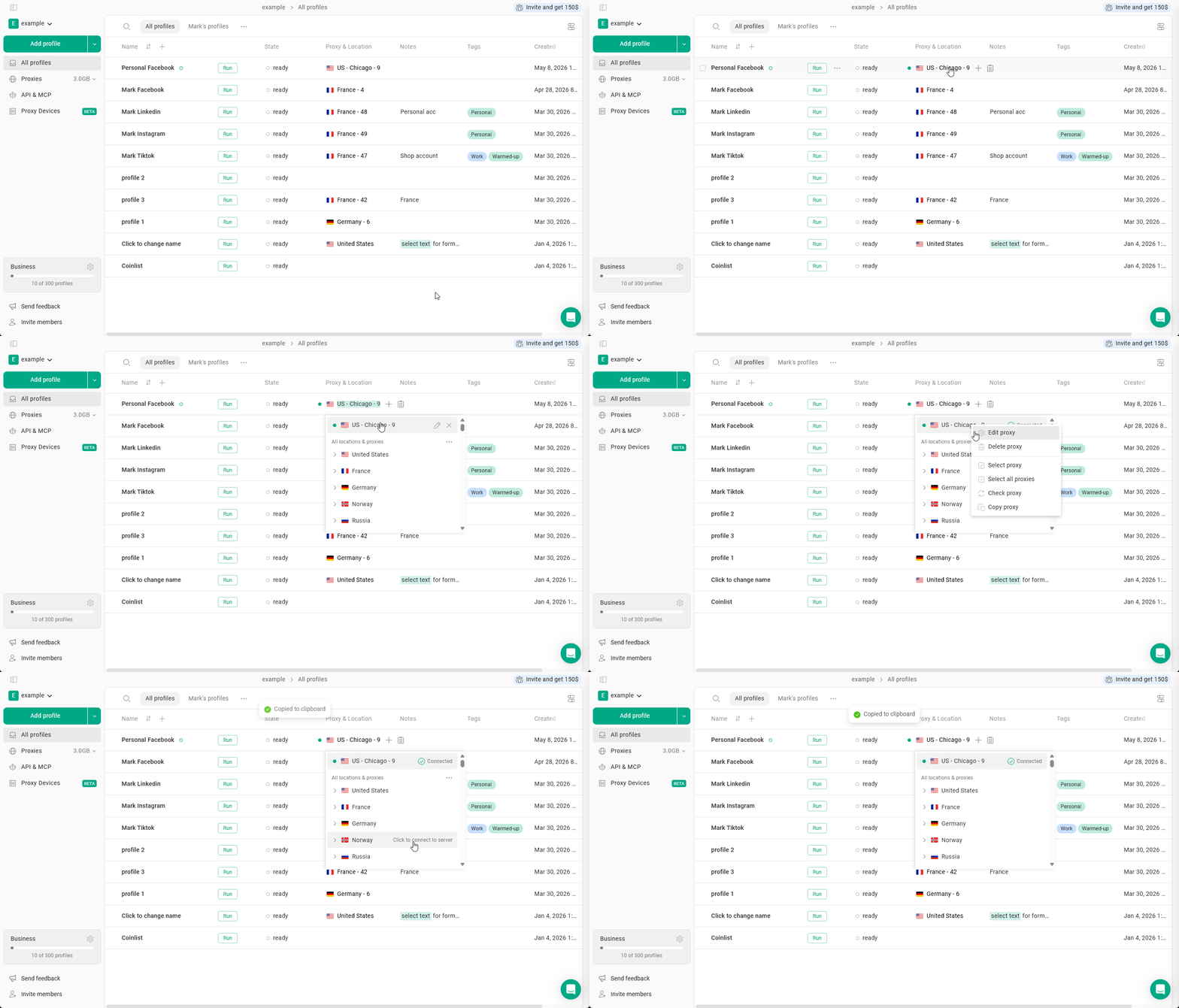
Bulk proxy actions
You can select multiple proxies in the proxy manager and perform actions, such as:- select all proxies
- copy proxies
- delete proxies