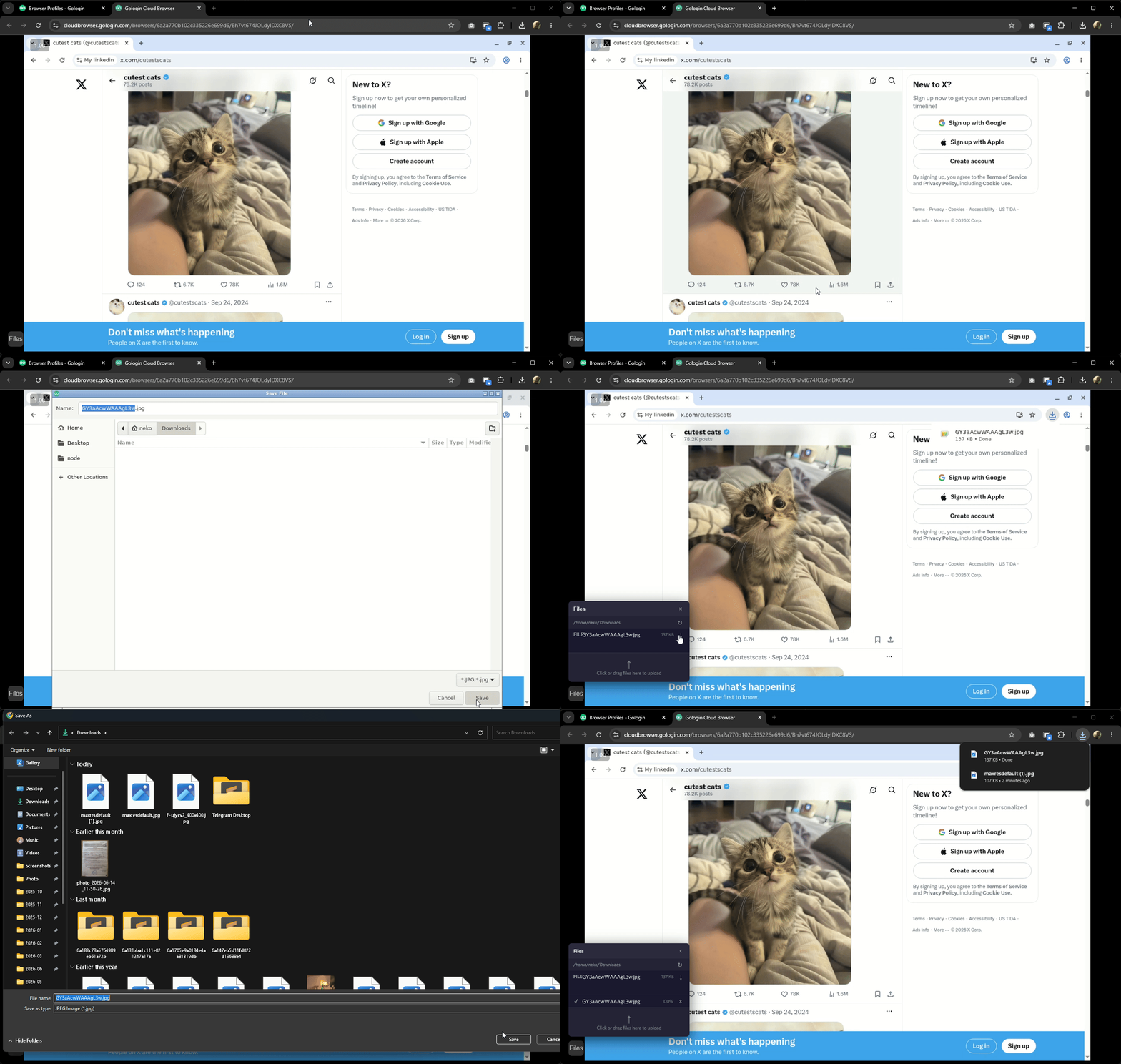
Downloading a file to your computer
- Download the file from the website as you normally would. The file will be saved to the cloud container, not your local machine
- Click the Files icon in the bottom-left corner of the cloud browser window
- Click the ↓ button next to the file name
- A file explorer window will open on your local computer. Choose a folder and save the file
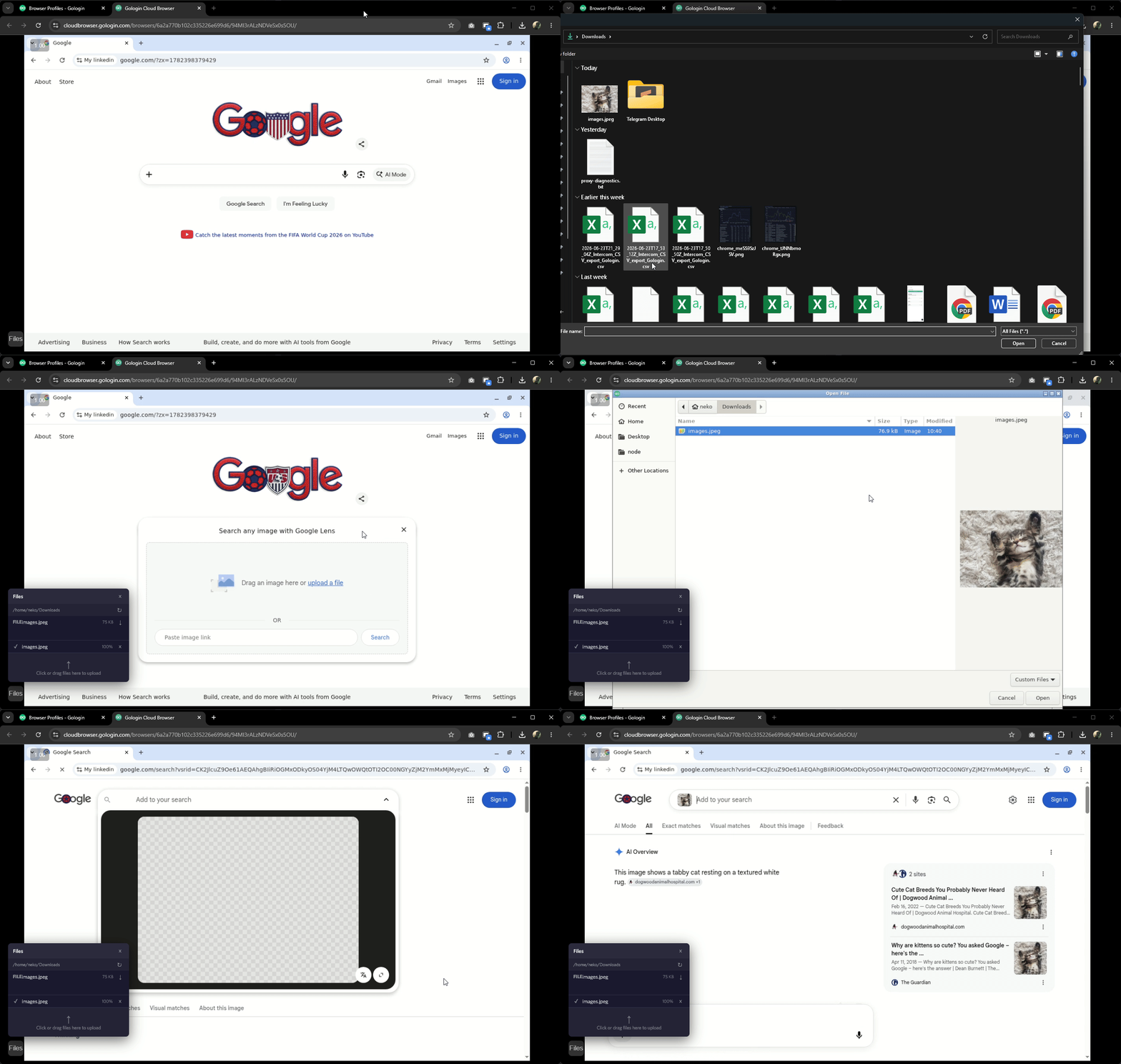
Uploading a file to a website
- Click the Files icon in the bottom-left corner of the cloud browser window
- Choose Click or drag files here and select the file from your local computer. The file will be uploaded to the cloud container
- On the target website, click the upload button
- A file explorer on the remote container will open. Go to the Downloads folder, select the file you uploaded, and click Open