Top 15 Safest Web Browsers for 2026: Expert Security Review
Try Gologin for free
Ever had a moment when you searched for an issue as simple as hair fall or password security on your browser, and the next thing you know, you are getting tons of relevant suggested content and heavily targeted advertisements for hair fall or password-protecting solutions?
That’s because the internet is like a big fish net spread wide and far with third parties, Internet Service providers (ISPs), advertisers, and websites laden with cookies acting as fishers looking for vulnerable people (in terms of security) and tracking every click and move you make in the digital space.
And what that means is that it’s not just your browsing activity that’s at the mercy of online exploiters but everything from your search data, purchasing behavior, and sensitive passwords, too! At present, there are more than 5.45 billion internet users around the world and can you believe just last year (2025), a staggering 353.2 million people were affected by data compromises in the US alone?
Quick Comparison: Safest Browsers at a Glance
The table below covers the key security dimensions for each browser. Use it as a fast reference before diving into the detailed reviews.
| Browser | Core Security Engine | Best For | Anti-Fingerprinting (1–10) | Open Source | Price | |
|---|---|---|---|---|---|---|
| 1 | Gologin | Chromium + custom isolation layer | Multi-account safety & identity protection | 10 | No | Free trial |
| 2 | Brave | Chromium + Shields engine | Everyday private browsing | 9 | Yes | Free |
| 3 | Firefox | Gecko + Enhanced Tracking Protection | Customizable privacy | 7 | Yes | Free |
| 4 | Tor Browser | Firefox + Onion routing | Anonymity & censorship circumvention | 9 | Yes | Free |
| 5 | LibreWolf | Hardened Firefox fork | Privacy purists | 8 | Yes | Free |
| 6 | Mullvad Browser | Firefox + Mullvad hardening | Anti-fingerprint + VPN pairing | 9 | Yes | Free |
| 7 | Ungoogled Chromium | Chromium minus Google telemetry | Chrome compatibility, zero telemetry | 6 | Yes | Free |
| 8 | Waterfox | Firefox fork | Legacy extension support | 6 | Yes | Free |
| 9 | Vivaldi | Chromium + privacy controls | Power users wanting customization | 5 | Partial | Free |
| 10 | Epic Privacy Browser | Chromium + built-in proxy | Plug-and-play privacy | 7 | No | Free |
How to read the Anti-Fingerprinting score: 10 = near-perfect fingerprint spoofing or isolation; 1 = no protection. Scores are based on PrivacyTests.org methodology and iphey.com benchmarks.
But is there a way out? Any way by which you can ensure your browsing experience is one for the books when it comes to its security and privacy? There sure is; the secret lies in the web browsers you use! Therefore, the first step is to choose a safe and secure browser for your privacy and business. Don’t know what are the safest browser options available? No worries, you have landed on just the right side of the web.
This page will help you understand the importance of choosing a secure web browser, what qualifies a browser as a safe one, and the list of the top 15 safest browsers in 2026. Read along.
Last Updated: April 2026 | Reviewed against 2026 threat landscape including AI-driven tracking, advanced browser fingerprinting, and deepfake phishing campaigns.
The 2026 Threat Landscape Has Changed Everything
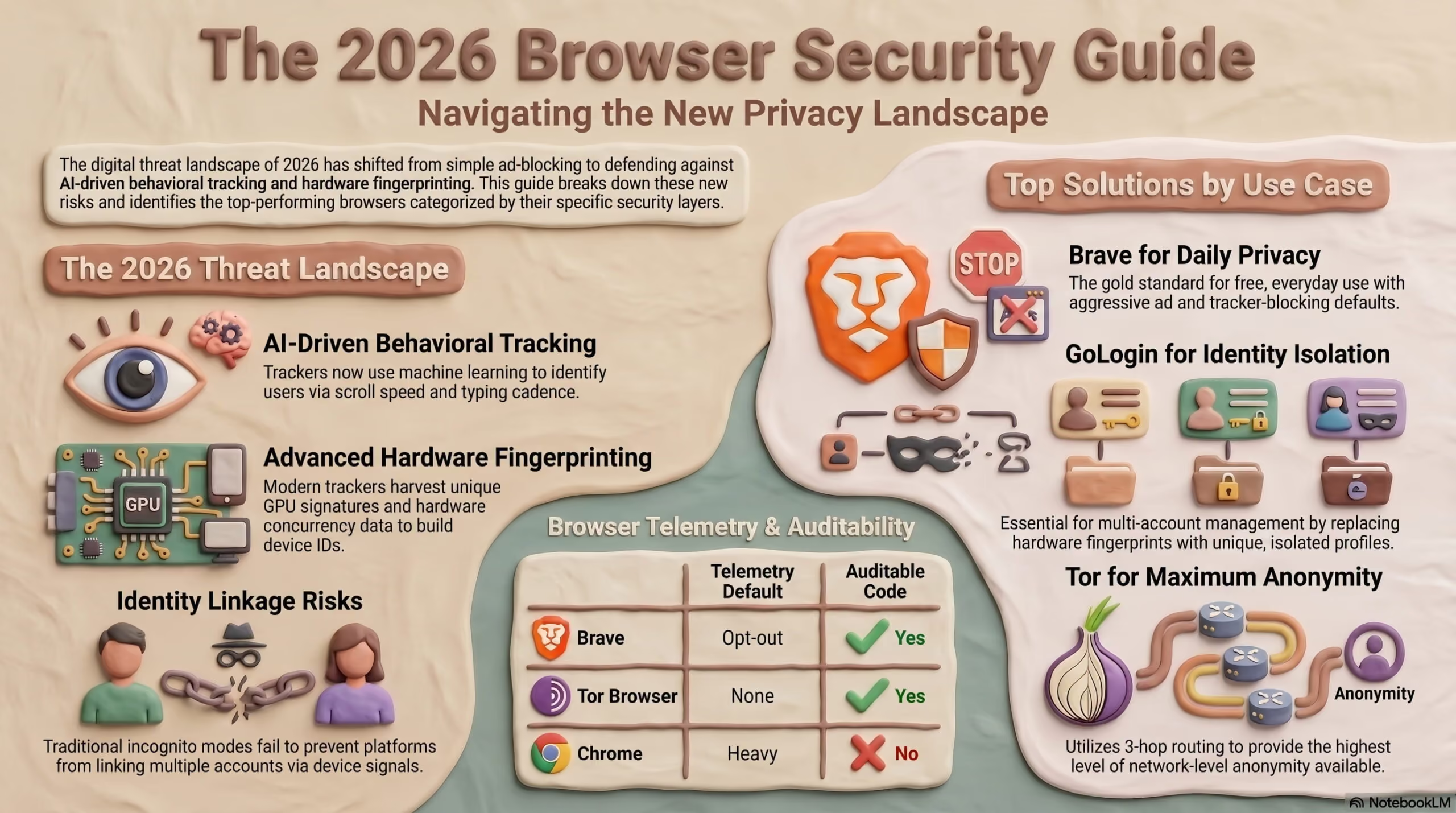
In 2026, choosing a browser isn’t just about blocking pop-up ads. The threat environment has fundamentally shifted:
- AI-driven tracking — Advertisers and data brokers now use machine-learning models that can re-identify you across sessions even after clearing cookies, by correlating subtle behavioral signals like scroll speed, typing cadence, and mouse movement.
- Advanced browser fingerprinting — Beyond the classic font and screen-resolution fingerprint, modern trackers harvest GPU render signatures, hardware concurrency data, and AudioContext output to build near-unique device IDs.
- Deepfake phishing — Social engineering attacks now incorporate AI-generated voice and video, making traditional phishing warnings insufficient. Your browser is often the first and last line of defense.
- Zero-day exploits targeting browser engines — Chromium and Gecko continue to be high-value attack surfaces. Sandbox escape vulnerabilities are discovered and patched monthly.
Picking the most secure browser in 2026 means understanding which layer of security you actually need. This expert review covers 10 browsers, ranked by their technical security architecture not marketing copy.
How to Choose a Safe Browser: The Security Layer Model
Before picking a browser, understand that online security is a multi-layer problem. No single browser solves all layers simultaneously.
┌─────────────────────────────────────────────────────────┐
│ LAYER 4: IDENTITY ISOLATION (Gologin) │
│ → Protects who you are across multiple sessions │
├─────────────────────────────────────────────────────────┤
│ LAYER 3: NETWORK ANONYMITY (Tor / VPN) │
│ → Hides your IP address and location │
├─────────────────────────────────────────────────────────┤
│ LAYER 2: TRACKER & AD BLOCKING (Brave / Firefox) │
│ → Blocks third-party scripts and cookies │
├─────────────────────────────────────────────────────────┤
│ LAYER 1: BROWSER ENGINE SECURITY (Sandboxing) │
│ → Prevents malicious code from escaping the tab │
└─────────────────────────────────────────────────────────┘
Most people only think about Layer 2 (blocking ads). But in 2026, sophisticated tracking operates at Layer 3 and Layer 4 — levels that most browsers don’t address at all.
First Up, Why Security and Privacy Should be Your Top Priorities While Browsing?
Do you want to live or work in a space where an intruder or outsider can see all your steps and actions? No, right? If you want the same while using search engines, want to hide your IP address, and have a safe search experience, choosing a platform that holds your security and privacy in a regard as high as you do is imperative.
Because let’s face it, in today’s digital scenario, where your every click can be tracked and analyzed, prioritizing your security and privacy while browsing isn’t a want but a need. You might not realize it, but the average person is exposed to numerous online threats daily, from data breaches to invasive tracking by advertisers. A study by the Pew Research Center found that 79% of Americans are concerned about how their data is being used by companies. This concern is not unfounded; with cybercrime costs expected to reach $10.5 trillion annually by 2025, safeguarding your online presence has never been more vital.
When you browse the internet without adequate protection, you leave yourself vulnerable to identity theft, phishing scams, and unwanted surveillance. For example, many popular browsers collect and sell your data to advertisers, creating a profile that follows you around the web. This is where choosing the right browser becomes essential. A secure browser can significantly reduce these risks by employing advanced privacy features and technologies. That brings us to the idea of a safe browser, but what is it really?

What is the Safest Browser?
The safest browser for your online journey is simply the one that protects your privacy and security and has a good mix of reliable and cutting-edge technologies to ensure top-notch security and privacy.
Technologies Used by Popular Safe Browsers for Privacy and Security
Many browsers utilize various technologies to enhance user privacy and security. Here are some key features you should look for:
- Ad Blocking
Browsers like Brave automatically block intrusive ads that often track your behavior across websites. Research shows this feature not only protects your privacy but can also speed up your page loading times.
- Tracker Blocking
Most privacy-focused browsers prevent third-party cookies and scripts from monitoring your online behavior. This means no more ads mysteriously following you based on recent searches!
- Fingerprinting Prevention
Some browsers actively disguise your unique browser fingerprint, an identifier created by your browser settings, to make it harder for websites to track you across sessions.
- HTTPS Everywhere
This feature ensures that you connect securely to websites whenever possible, protecting your data as it travels across the web.
- Private Browsing Modes
While many browsers offer incognito or private modes, these often have limitations. For instance, even in incognito mode, your ISP can still see what you’re doing online. Browsers like Brave offer more robust private browsing options that integrate with Tor for maximum anonymity.
- Built-in VPNs
Some browsers provide integrated virtual private networks (VPNs) that encrypt your internet traffic, adding an extra layer of security against prying eyes.
- Data Control Features
Look for browsers that empower you to manage your data effectively, like deleting browsing history or disabling third-party cookies.
Comparison of the Safest Browsers Across Pricing and Support Aspects| Browser | Pricing | Free/Trial Plan and Duration | Platforms Support |
|---|---|---|---|
| Brave | Free | No trial; it’s completely free to use. | It is available on Windows, macOS, Linux, Android, and iOS. |
| Gologin | Subscription-based | Free trial available for 7 days. | It is available on Windows, macOS, and Linux. |
| Epic | Free | Completely free with no trial period. | It is available on Windows, macOS, iOS, and Android. |
| 1Browser | Free | Completely free with no trial period. | Available on Windows, macOS, Linux, Intel x86, iOS |
| Pale Moon | Free | Completely free with no trial period. | Available on Windows, Linux, and macOS |
| Vivaldi | Free | Completely free with no trial period. | Available on Windows, macOS, Linux, iOS, and Android. |
| Waterfox | Free | Completely free with no trial period. | Available on Windows, macOS, and Linux. |
| Puffin | Free with premium options available. | The basic version is free; a premium version offers additional features. | Available on Windows, macOS, Android, and iOS. |
| AdsPower | Subscription-based | Offers a free trial period. | Available on Windows only. |
| MarketerBrowser | Subscription-based | Offers a free trial period. | Available on Windows and macOS. |
| XPASS | Subscription-based | Offers a limited free trial. | Available primarily for developers; specific platform details may vary. |
| Iridium Browser | Free | Completely free with no trial period. | Available on Windows, macOS, Linux, and Android. |
| BitBrowser | Subscription-based | Offers a free trial period. | Available on Windows only. |
| Chromium | Free | Completely free with no trial period. | Available on Windows, macOS, Linux, iOS, and Android. |
| Microsoft Edge | Free | Completely free with no trial period. | Available on Windows, macOS, iOS, and Android. |
What is the Best Secure Browser for Privacy? Top 15 Safest Browsers in 2026
When it comes to online privacy, choosing the right browser can make all the difference. In a world where your data is constantly at risk, you want a browser that not only protects your information but also enhances your browsing experience. Let’s explore some of the top secure browsers for privacy in 2026:
1. Brave
Overall Rating (5 out of 5): ⭐⭐⭐⭐⭐
Do you want to surf the internet without the constant barrage of ads and trackers that slow you down and invade your privacy? With Brave, you can do just that. Brave is a chromium based browser designed with privacy at its core, which makes it more than just a browser. Rated well as the most secure browser, it’s kind of a bold step towards reclaiming your online privacy and enhancing your browsing experience.
Brave remains the gold standard for a free, everyday secure browser in 2026. Built on Chromium, it ships with aggressive privacy defaults that would take hours to configure manually in Chrome.
Sandboxing & Process Isolation
Brave inherits Chromium’s multi-process sandbox architecture. Each tab runs as an isolated process with restricted system call access via seccomp-BPF on Linux and equivalent mechanisms on Windows/macOS. A compromised tab cannot read the memory of another tab or write to the host filesystem.
In 2026, Brave has extended its site isolation to include cross-origin iframes — a significant improvement that prevents iframe-based clickjacking and cross-site data theft.
WebRTC & IP Leak Prevention
Brave’s WebRTC policy is configurable from brave://settings/privacy. By default, it uses “Default public and private interfaces” — we recommend switching to “Disable non-proxied UDP” for maximum leak prevention, especially if you use a VPN.
Zero Telemetry Policy
Unlike Chrome, Brave sends zero telemetry to Google. Brave’s own analytics (used for Brave Rewards) are opt-in and privacy-preserving by design using the STAR cryptographic protocol.
Key Features
-
Shields: Brave’s Shields are like your personal bodyguards on the web. They automatically block ads, trackers, and even fingerprinting attempts, giving you a clean and fast browsing experience right out of the box. You can customize these settings to suit your needs, ensuring maximum protection without compromising usability.
-
Private Browsing: For those moments when you want to take your privacy to another level, Brave also offers private browsing. This feature routes your connection through multiple servers, making it nearly impossible for anyone to trace your online activity back to you.
-
Brave Rewards: This innovative feature allows you to earn Basic Attention Tokens (BAT) simply by viewing privacy-respecting ads. You can use these tokens to support your favorite content creators or redeem them for gift cards, turning your browsing into a rewarding experience.
-
HTTPS Everywhere: Brave automatically upgrades your connections to secure HTTPS, ensuring that your data is encrypted and protected as you navigate the web.
Pros
-
Speed: You can load pages significantly faster with Brave, up to 6 times quicker than traditional browsers, because Brave blocks unwanted content before it even gets a chance to load.
-
User-Friendly Interface: Brave’s design is intuitive and easy to navigate, making it accessible for users of all kinds, no matter what your experience level is.
-
Data and Battery Savings: By blocking ads and trackers, Brave can not only speed up browsing but also conserve your data usage and battery life on your mobile devices.
Cons
- Website Compatibility Issues: Some websites may not function properly due to Brave’s aggressive ad-blocking features. You may occasionally need to disable Shields for certain sites to access their full functionality.
- Limited Extension Support: While Brave supports many Chrome extensions, its library is not as extensive as Chrome’s. If you’re reliant on specific extensions, this could be a downer for you.
2. Gologin
Overall Rating (5 out of 5): ⭐⭐⭐⭐⭐
Are you looking for a browser that allows you to navigate the web without leaving a trace, even while managing multiple accounts? Gologin can be your best choice. It is an innovative browser designed specifically for users who prioritize anonymity and security while navigating the internet.
Gologin occupies a unique position in browser security that most reviews miss entirely: it doesn’t just protect your connection — it protects your identity. This distinction becomes critical in 2026, where the most dangerous tracking happens not through cookies (which incognito handles) but through persistent device fingerprints.
Why Gologin Is Different From Other Browsers
Standard browsers — even privacy-hardened ones like Brave — give every website the same view of your real device. Your GPU model, screen resolution, hardware thread count, installed fonts, and timezone create a fingerprint that is statistically near-unique. Gologin replaces this fingerprint entirely, per profile, on every session.
Key Features
-
Multi-Profile Management: With Gologin, you can create multiple profiles tailored to your specific needs. Each profile can have unique settings and IP addresses, making it easier to manage different accounts without raising suspicion. This feature is particularly useful for social media managers, marketers, or anyone who needs to juggle several identities online.
-
Anti-Fingerprinting Technology: One of the standout features of Gologin is its anti-fingerprinting technology. This protects you from being tracked by disguising your digital footprint. By modifying over 50 parameters, such as time zone, screen resolution, and browser type, Gologin ensures that each profile appears as a unique user to websites.
-
Proxy Support: Gologin supports various proxy types, allowing you to route your internet traffic through different servers for enhanced anonymity. This feature is crucial for users who want to mask their location or access geo-restricted content.
-
User-Friendly Interface: Despite its advanced capabilities, Gologin boasts a user-friendly interface that makes it easy to navigate. You can quickly create profiles, manage settings, and switch between accounts without feeling overwhelmed.
Pros
-
Excellent for Managing Multiple Identities: If you need to keep several online accounts separate, Gologin provides an efficient way to do so without risking cross-account issues.
-
Strong Focus on Security: With its anti-fingerprinting technology and proxy support, Gologin prioritizes user privacy and security, making it a solid choice for you, especially if you are concerned about online tracking.
-
Free Trial Available: You can test Gologin with a 7-day free trial, allowing you to explore its features before committing to a subscription.
Cons
-
Subscription Costs: The subscription-based pricing model might be a barrier for some users who are looking for free alternatives or who don’t want ongoing expenses.
-
Technical Knowledge Required: While the interface is user-friendly, effectively setting up profiles and managing proxies may require some technical knowledge. As a new user, you might need time to familiarize yourself with all the features.
Gologin Profile Isolation and Incognito Mode
Standard Incognito Mode:
┌─────────────────────────────────────────────┐
│ ✅ No local browsing history saved │
│ ✅ Cookies cleared on close │
│ ❌ Real IP visible to websites │
│ ❌ Real browser fingerprint exposed │
│ ❌ Hardware profile (GPU, CPU) identical │
│ ❌ WebRTC leaks true local IP │
│ RESULT: Invisible to your DEVICE, not web │
└─────────────────────────────────────────────┘
Gologin Profile Isolation:
┌─────────────────────────────────────────────┐
│ ✅ No local browsing history saved │
│ ✅ Cookies isolated per profile │
│ ✅ IP masked per proxy assignment │
│ ✅ Unique fingerprint per profile │
│ ✅ GPU/CPU signature masked │
│ ✅ WebRTC fully controlled │
│ RESULT: Invisible to BOTH device AND web │
└─────────────────────────────────────────────┘
3. Epic
Overall Rating (4 out of 5): ⭐⭐⭐⭐
Are you looking for a browser that keeps your online activities private without the hassle of complex setups or subscriptions? Epic is a reliable option. It is a chromium based web browser that prioritizes your privacy and security above all else. If you’re tired of being tracked online and want a browsing experience that keeps your data safe, Epic might be just what you need. Its built-in features that block ads and trackers automatically will give you a secure environment without sacrificing speed or usability.
Key Features
-
Automatic Ad Blocking: Epic takes the hassle out of blocking ads by doing it for you. From the moment you start using the browser, it automatically blocks unwanted ads and trackers so you can enjoy a cleaner and faster browsing experience.
-
Built-in Proxy: Epic routes your internet traffic through a proxy server for added security. This feature helps mask your IP address, making it more difficult for third parties to track your online activities.
-
No History Tracking: One of the standout aspects of Epic is its commitment to privacy. The browser does not store any browsing history or cookies, ensuring that your online activities remain confidential. Once you close the browser, all your data is wiped clean.
-
User-Friendly Interface: Epic’s interface is straightforward and resembles popular browsers like Chrome, so you will find it easy to navigate.
Pros
-
Simplicity and Ease of Use: You can launch the browser and start browsing immediately. The user-friendly design makes it easy to get started without extensive technical knowledge.
-
Strong Focus on Privacy: With automatic ad blocking and no history tracking, Epic ensures that your online presence remains private without requiring additional setup.
-
Completely Free: Unlike many other privacy-focused browsers that come with subscription fees or trial periods, Epic is entirely free to use with no hidden costs making it a win-win situation for you.
Cons
- Limited Customization Options: While Epic excels in privacy features, it may not offer as much customization compared to other browsers. If you enjoy tweaking settings or personalizing your browsing experience extensively, you might find this limiting.
- Compatibility Issues: Some web applications may not function seamlessly with Epic due to its aggressive blocking third party, ads, and trackers features. You might come across sites that don’t load properly while using Epic or some that require adjustments in settings.
4. 1Browser
Overall Rating (5 out of 5): ⭐⭐⭐⭐⭐
Want to search results that aren’t heavily targeted and truly answer what you want? 1browser is a good choice. It is a web browser that puts your privacy as a user at the forefront while delivering a familiar and user-friendly browsing experience. If you truly value your online privacy but don’t want to deal with complicated setups or overwhelming features, 1Browser is a good option to use.
Key Features
-
Bypass Firewalls and Access Global Content: 1Browser can bypass firewalls. This means you can access websites that may be restricted by your school, workplace, or even in certain countries. Whether you’re trying to stream a show that’s only available in another country or access a website blocked in your region, this browser will make it possible for you to access it by routing your traffic through secure channels.
-
Privacy Mode: Another standout feature of 1Browser is its automatic privacy mode which means every time you finish a browsing session, the browser will clear your history and cookies, and make sure that no traces of your online activities are left behind.
-
Built-in Ad Blocker: 1Browser comes equipped with a built-in ad blocker that automatically removes ads and trackers from web pages.
-
Secure Search Engine Integration: To enhance your privacy further, 1Browser uses privacy-focused search engines by default. This means that your search queries won’t be tracked or stored and you will have peace of mind when looking for information online.
Pros
-
User-Friendly Interface: You won’t have to spend time figuring out how to use 1Browser; everything is straightforward and accessible.
-
Good Balance of Features: 1Browser will offer you a nice balance between essential privacy features and usability without overwhelming you with too many options.
-
Completely Free: Unlike many browsers that offer limited free versions or trial periods, 1Browser is entirely free with no hidden charges. This means you can enjoy all its features without worrying about subscription fees.
Cons
- Not as Feature-Rich as Other Competitors: While 1Browser will give you solid privacy features, it may not have as many advanced functionalities compared to other browsers like Firefox or Brave. If you’re looking for extensive customization or additional tools, you might find it lacking.
- Performance May Lag Behind Advanced Browsers: While it does provide a secure experience, there may be instances where it feels slower than its competitors.
5. Pale Moon
Overall Rating (3 out of 5): ⭐⭐⭐
Looking for a browser that combines speed with security? Pale Moon might be the right choice for you! It is one of the private browsers heavily focused on user privacy while giving you a pretty familiar browsing experience. It is built on a fork of Firefox, so it retains many classic features while optimizing performance and enhancing privacy.
Key Features
-
Customization Options: Pale Moon allows you to tailor your browsing experience extensively. You can adjust the interface, choose from various themes, and install add-ons that suit your preferences.
-
Privacy-Focused: With built-in privacy settings, Pale Moon aims to protect your online activities from prying eyes. It doesn’t track your behavior or sell your data, giving you peace of mind as you browse.
-
Lightweight and Fast: Pale Moon is designed to be lightweight, which often translates into faster performance compared to heavier browsers.
-
Support for Legacy Add-ons: Unlike many modern browsers that have phased out support for older extensions, Pale Moon maintains compatibility with legacy add-ons from earlier versions of Firefox.
Pros
-
Regular Safety Updates: Pale Moon although is based on Mozilla coding, it is regularly updated with the most recent security patches.
-
Strong Customization: With extensive options for personalization, you can make Pale Moon feel like your own browser tailored to your needs.
Cons
- Limited Features: While Pale Moon excels in certain areas, it may not offer as many advanced features as some other modern browsers like Chrome or Firefox.
- Performance May Vary: You may experience occasional performance issues or bugs, especially when using certain add-ons or features.
6. Vivaldi
Overall Rating (4 out of 5): ⭐⭐⭐⭐
Do you want to use a browser that can adapt to your needs rather than force you into a one-size-fits-all approach? Vivaldi is the one. It is a highly customizable web browser that aims to provide an exceptional browsing experience tailored to individual user preferences. If you’re someone who values personalization and productivity in your online activities, Vivaldi will help you with that. It was built by former Opera Software co-founder Jon von Tetzchner and combines powerful features with an intuitive interface.
Key Features
-
Extensive Customization Options: Vivaldi allows you to customize almost every aspect of the browser, from the appearance of the user interface to the layout of tabs and toolbars. You can choose color schemes, adjust themes based on website backgrounds, and even set custom keyboard shortcuts.
-
Advanced Tab Management: With features like tab stacking and tiling, Vivaldi will make it easy to manage multiple tabs efficiently. You can group related tabs together or view them side-by-side.
-
Built-in Tools: Vivaldi comes with integrated tools such as an email client, calendar, note-taking feature, and even a feed reader.
-
Privacy Focused: Vivaldi is against storing your browsing history for tracking and advertising purposes. With built-in ad blockers and tracker protection, it prioritizes user privacy while ensuring a smooth browsing experience.
Pros
-
Highly Customizable Interface: You can tailor Vivaldi’s appearance and functionality to suit your preferences perfectly, no two users need to have the same experience.
-
Powerful Tab Management Features: The ability to stack tabs and use tab hibernation will help you keep your workspace organized without overwhelming you with open tabs.
Cons
-
Learning Curve for New Users: The extensive customization options might overwhelm casual users.
-
Performance Issues with Heavy Customization: While Vivaldi is powerful, heavy customization can lead to slower performance compared.
7. Waterfox
Overall Rating (3 out of 5): ⭐⭐⭐
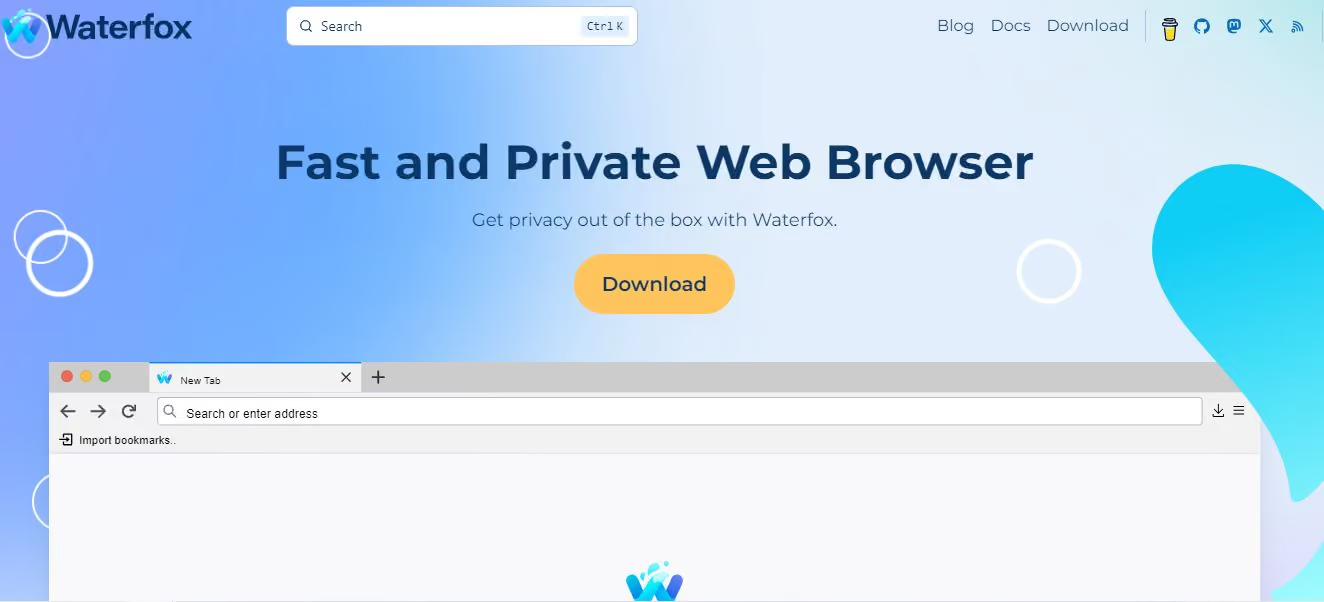
If you’re looking for a browser that offers the flexibility to tailor your browsing environment while ensuring your data remains private, Waterfox might be just what you need. It is built on the Firefox codebase with many preferred features but better performance and privacy.
Key Features
-
Enhanced Privacy: Waterfox implements features like enhanced tracking protection and minimal data collection, ensuring that your online activities remain confidential.
-
Extensive Customization Options: One of the standout aspects of Waterfox is its extensive customization capabilities. You can install legacy extensions, WebExtensions, and even NPAPI plugins, allowing you to modify the browser to suit your specific needs.
-
Compatibility with Firefox Extensions: Since Waterfox is based on Firefox, it maintains compatibility with many Firefox add-ons and extensions. This allows you to enhance your browsing experience with tools you already know and love.
Pros
-
Strong Focus on Privacy: With built-in tracking protection and no telemetry data collection, Waterfox ensures that your online footprint remains minimal.
-
High Performance: Users often report faster browsing speeds compared to other browsers, thanks to its lightweight design and efficient resource management.
Cons
-
Limited Mobile Support: While there was an Android version available, it’s no longer on the Google Play Store, leaving users without official mobile support unless they seek out APK files from trustworthy sources.
-
Occasional Performance Issues: Due to the focus on privacy and customization, you may deal with occasional glitches or slower performance with certain websites.
8. Puffin
Overall Rating (4 out of 5): ⭐⭐⭐⭐
Puffin is a unique web browser that redefines how you access the internet by emphasizing speed and security through cloud technology. If you want fast browsing without compromising your privacy or security and maintain phishing protection, Puffin can be your best choice.
Key Features
-
Cloud-Based Processing: Puffin routes your web traffic through its cloud servers, which means heavy lifting is done remotely. This results in faster page loads since content is processed before reaching your device.
-
Enhanced Security: By using cloud servers to handle web content, Puffin adds an extra layer of security between you and potentially harmful websites.
-
Flash Support: Puffin supports Adobe Flash content natively within the browser. This feature allows you to access Flash-based games and applications without needing additional plugins or software.
-
Data Compression: Puffin compresses data before it reaches your device, which can save bandwidth if you’re on a limited data plan.
Pros
-
Fast Browsing Experience: Thanks to cloud processing, you can experience significantly faster browsing speeds.
-
Strong Security Features: The added layer of security from cloud processing will protect you against malicious websites and unwanted tracking.
Cons
-
Dependence on Internet Connection: Since Puffin relies heavily on cloud processing, a stable internet connection is essential for optimal performance. If your connection drops or slows down, so will your browsing experience.
-
Limited Offline Functionality: Because most processing occurs in the cloud, offline browsing capabilities are limited.
9. AdsPower
Overall Rating (4 out of 5): ⭐⭐⭐⭐
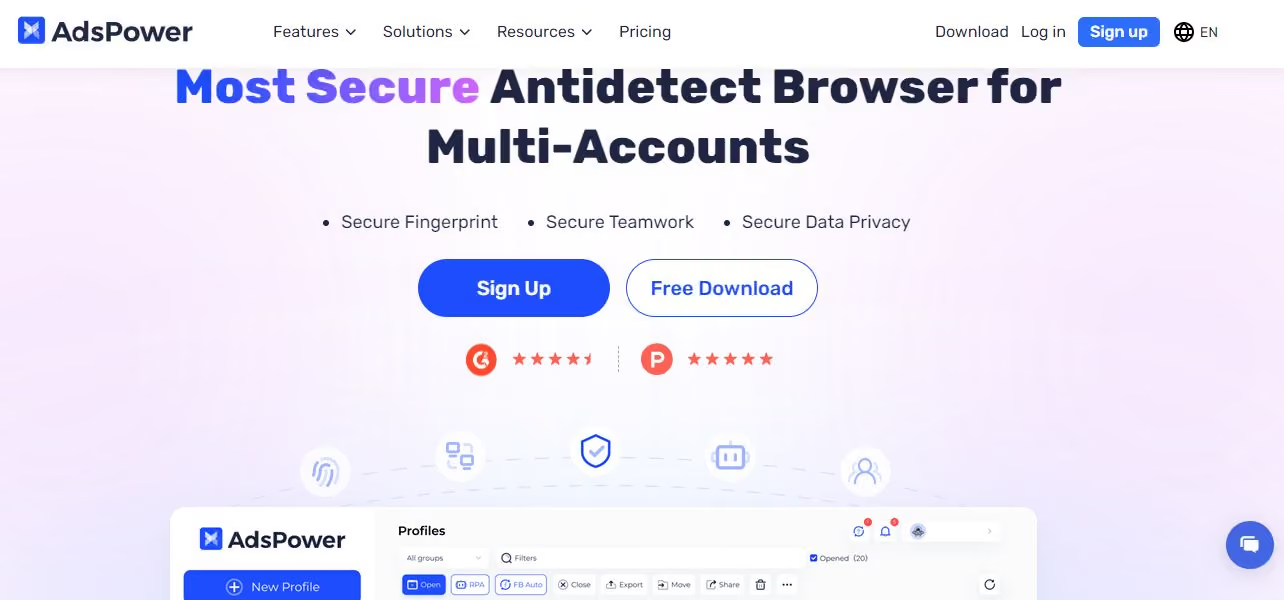
Are you someone who juggles multiple online identities, whether for marketing purposes or personal use? AdsPower could be the ideal solution for you. It is a specialized browser designed specifically for managing multiple accounts across various platforms while maintaining anonymity and security.
AdsPower has been involved in recent personal user data breach that cost users $4.1M in total crypto funds drained from their wallets. This is a serious thing to consider if you’re choosing a safe alternative.
Key Features
-
Multi-Account Management: AdsPower allows you to create multiple profiles with distinct settings for each account you manage. This feature is especially good if you need different identities for social media platforms or some e-commerce sites.
-
Anti-Fingerprinting Technology: To protect against tracking by websites that use fingerprinting techniques, AdsPower employs advanced anti fingerprinting measures that disguise your digital footprint across different accounts.
-
Proxy Support: With built-in proxy support, AdsPower allows you to route traffic through various proxies for enhanced anonymity while managing multiple accounts simultaneously.
Pros
-
Excellent Multi-Account Management Features: AdsPower excels at helping users manage multiple online identities seamlessly without raising red flags from platforms due to suspicious activity.
-
Strong Focus on Security: With anti-fingerprinting technology and proxy support, AdsPower will ensure your user privacy while navigating various accounts online.
Cons
-
Subscription Costs: The subscription model may deter some users who prefer free alternatives.
-
Limited Platform Support: Currently available only on Windows means if you use other operating systems, you will need alternative solutions or workarounds.
-
Personal User Data Leaks: A serious thing to consider if you’re planning to operate sensitive or financial information.
10. MarketerBrowser
Overall Rating (5 out of 5): ⭐⭐⭐⭐⭐
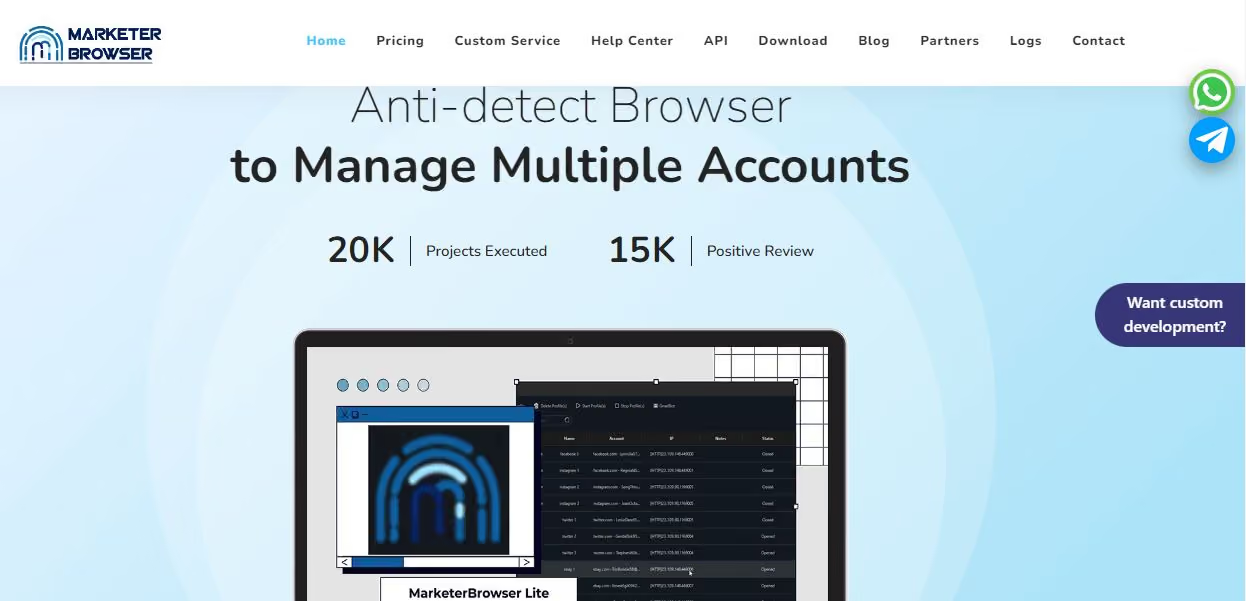
Another browser that can help you manage multiple accounts is the very aptly named MarkterBroswer. It is a specialized web browser designed to meet the needs of digital marketers and online entrepreneurs. With a focus on privacy, security, and efficiency, it will help you carry on with online marketing without compromising your personal data.
Key Features
-
Multi-Account Management: MarketerBrowser allows you to create and manage multiple profiles easily.
-
Anti-Fingerprinting Technology: To protect your identity online, it employs advanced anti-fingerprinting measures.
-
Proxy Support: With built-in proxy support, you can route your traffic through various servers for enhanced anonymity. This feature is essential if you want to access geo-restricted content or maintain privacy while managing multiple accounts.
Pros
-
Excellent Multi-Account Management: The ability to manage multiple accounts seamlessly is a significant advantage.
-
Strong Privacy Features: With anti-fingerprinting technology and proxy support, you can browse securely without worrying about unwanted tracking.
-
Intuitive Design: The user-friendly interface makes it accessible for both beginners and experienced users alike.
Cons
-
Subscription Costs: The subscription model can deter some users who prefer free alternatives or those who don’t require extensive multi-account capabilities.
-
Limited Platform Support: Currently available only on Windows and macOS means that users on other operating systems may need to look elsewhere.
11. XPASS
Overall Rating (4 out of 5): ⭐⭐⭐⭐
If you’re involved in software development or require precise control over your online identity, XPASS might be worth considering. XPASS is not just another web browser; it’s a specialized tool designed primarily for developers and advanced users who need robust fingerprint management capabilities.
Key Features
-
Fingerprint Customization: XPASS offers advanced fingerprint customization options that allow you to manipulate various aspects of your digital identity, including altering your IP address, user agent, browser language, time zone, and more.
-
Bulk Fingerprint Management: Designed for developers, XPASS enables bulk management of real device fingerprints. If you are someone who needs to test applications across different configurations or require multiple identities for automation purposes, this is the safest web browser for you.
-
API Integration: XPASS provides an API that allows developers to integrate its fingerprinting capabilities into their custom software solutions seamlessly.
Pros
-
API Flexibility: The API integration allows for seamless use in various applications, enhancing its utility beyond just browsing.
-
Secure Browsing Environment: XPASS provides robust security features that help protect your identity while working online.
Cons
-
Not User-Friendly for Casual Users: XPASS is primarily targeted at developers; so, as a casual user, you may find it complex and overwhelming due to its advanced features.
-
Subscription Costs May Be High: The subscription model might be a barrier for some users who are looking for more affordable options or free alternatives.
12. Iridium Browser
Overall Rating (4 out of 5): ⭐⭐⭐⭐
Are you someone who values transparency in how your data is handled but still wants the functionality of modern browsers? Iridium may be the perfect fit for you! Iridium Browser is an open source browser focused on privacy and security while providing a familiar browsing experience.
Key Features
-
Enhanced Privacy Settings: Iridium Browser comes with enhanced privacy settings that minimize data collection by default. It blocks third-party cookies and trackers to ensure that your browsing history remains private.
-
Open-Source Transparency: As an open source browser project, it allows users to inspect the code themselves, ensuring transparency in how the browser operates and handles data privacy.
-
Customizable Security Options: You have the ability to adjust security settings according to your preferences.
Pros
-
Strong Focus on Privacy: Iridium is committed to user privacy with minimal data collection.
-
Open-Source Nature: The transparency of being open source can allow you as a user to trust the software more fully since you can verify how your data is handled.
-
User-Friendly Design: The familiar interface will make it easy for you to transition from other browsers without feeling lost or confused.
Cons
-
Limited Features: While Iridium excels in privacy features, it may not offer you as many advanced functionalities as some mainstream browsers like Chrome or Firefox.
-
Performance Variability: Some users have reported occasional performance issues when loading certain websites due to the browser’s strict privacy settings.
13. BitBrowser
Overall Rating (4 out of 5): ⭐⭐⭐⭐
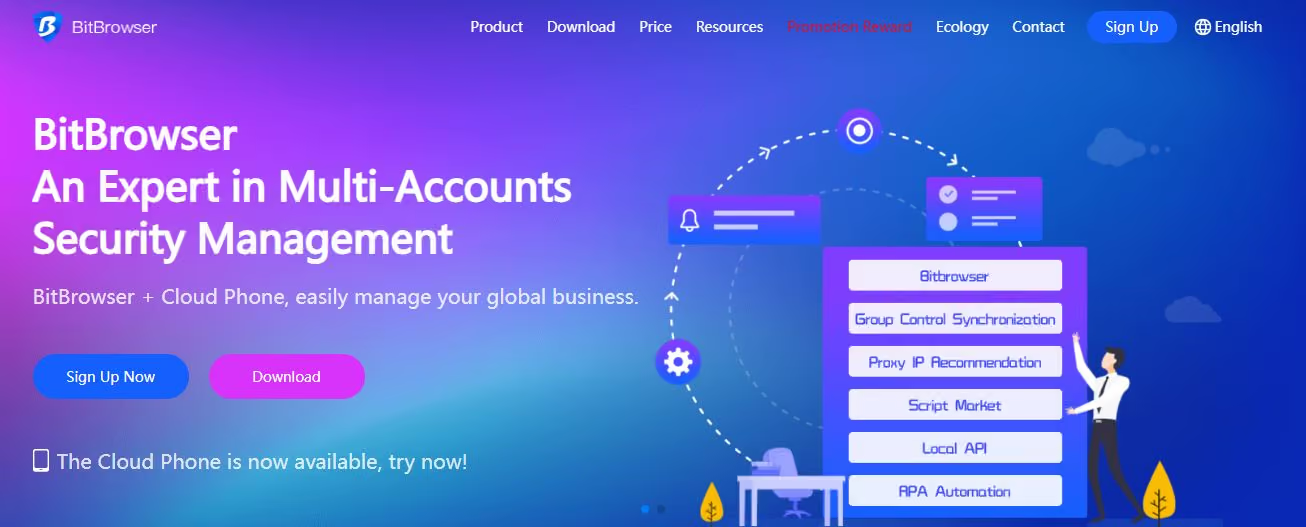
BitBrowser is a specialized anti-detect browser designed for users who need to manage multiple online accounts securely and efficiently.
Key Features
-
Multi-Account Management: BitBrowser allows you to create and manage multiple browser windows simultaneously, each with its own unique identity.
-
Anti-Detection Technology: The browser employs advanced anti-detection measures to simulate independent computer information for each account. This means that your activities across different accounts will remain isolated.
-
Centralized Account Management: You can easily manage your accounts through a centralized dashboard that allows for batch operations like importing or exporting account information.
Pros
-
Strong Privacy Features: With anti-detection technology and proxy support, you can browse securely without worrying about unwanted tracking or account bans.
-
User-Friendly Interface: Despite its advanced features, BitBrowser has an intuitive interface that makes it easy to use and manage your accounts.
Cons
-
Subscription Costs: The subscription model may deter some users who prefer free alternatives or those who don’t require extensive multi-account capabilities.
-
Limited Platform Support: Currently available only on Windows means if you’re using other operating systems, you may need to seek alternatives.
14. Chromium
Overall Rating (5 out of 5): ⭐⭐⭐⭐⭐
Chromium is the open source browser project that forms the foundation for many popular browsers, including Google Chrome. If you’re someone who appreciates speed, security, and customization in your browsing experience, Chromium might be the perfect fit for you.
Key Features
-
Open Source Flexibility: Being open source means that developers can modify Chromium’s code to create their own versions or add features.
-
Security Features: Chromium includes built-in security features like sandboxing technology that isolates processes to prevent malicious attacks from affecting your system.
-
Extensive Extension Support: Chromium supports a vast library of extensions from the Chrome Web Store.
Pros
-
Fast Browsing Experience: You can benefit from quick loading times and responsive performance when using Chromium.
-
Highly Customizable: The open-source nature can allow you to create tailored versions or add specific features based on your needs.
Cons
-
Privacy Concerns with Google Services: While Chromium itself is open source, some versions (like Chrome) may collect user data or track browsing behavior, something to consider if privacy is a concern for you.
-
Limited Official Support: As an open-source project, official support may not be as readily available to you compared to commercial browsers unless you’re using a version like Google Chrome.
15. Microsoft Edge
Overall Rating (4 out of 5): ⭐⭐⭐⭐
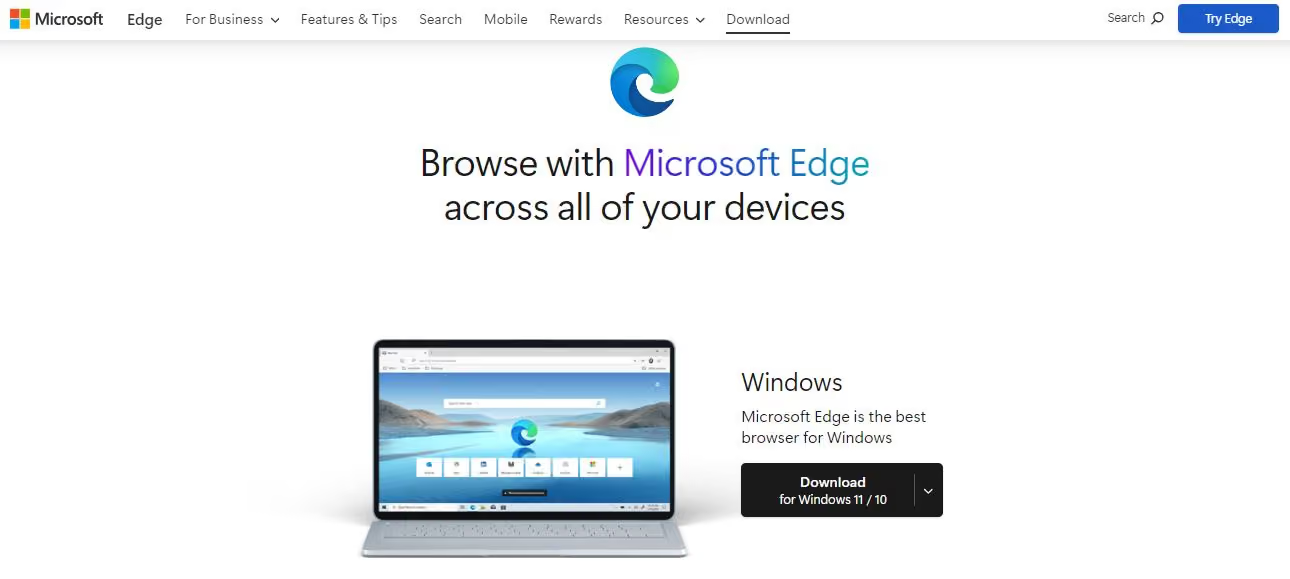
If you’re looking for a browser that balances functionality with security while offering a familiar interface, Microsoft Edge might be worth considering. Microsoft Edge has evolved significantly since its initial launch as the default browser for Windows 10. Now built on the same foundation as Chromium, it combines speed with enhanced privacy features.
Key Features
-
Integration with Microsoft Services: Edge seamlessly integrates with Microsoft services like Office 365 and OneDrive, making it an excellent choice if you’re already embedded in the Microsoft ecosystem.
-
Enhanced Privacy Controls: Edge offers robust privacy settings that allow you to control how much data you share while browsing. With options like tracking prevention and InPrivate browsing mode, you can enhance your online privacy significantly.
-
Collections Feature: The Collections feature can let you gather content from across the web into organized groups.
-
Built-in PDF Reader and Annotations: Edge includes a built-in PDF reader that will let you view and annotate PDF documents directly within the browser; no need for additional software!
Pros
-
Fast Performance: It is quick and responsive compared to other browsers, thanks to its Chromium base.
-
Strong Privacy Features: The ability to customize privacy settings can give you more control over your online data compared to many other browsers.
Cons
- Limited Extension Library: While Edge supports many Chrome extensions due to its Chromium base, it may not have as extensive a library as Google Chrome itself.
- Integration with Microsoft Services May Not Appeal to Everyone: If you’re not invested in the Microsoft ecosystem or prefer third-party services over Microsoft’s offerings, some features may feel unnecessary or intrusive.
Things to Consider While Choosing the Best and Safest Browser
When choosing the best and safest browser, here are some key factors to consider:
- Security Features – Will You and Your Data Be Safe?
Look for browsers that offer top-notch security measures, such as built-in phishing protection and tracking prevention. - Loading Times – Would you prefer Quick Load Times or Sluggish Ones?
Fast loading times enhance your browsing experience and keep you engaged, so double check on that. - Pricing – Is it Worth it?
Consider whether the features offered justify any costs associated with the browser. - Compatibility – Will it Work Well with Your Existing System?
Ensure the browser is compatible with your operating system and devices.
Additional Tips for Safe and Secure Browsing
Even after you have chosen the most secure browser, here are some additional tips that you must follow to ensure an overall safe browsing experience:
-
Delete Your Passwords: Even if it’s convenient, don’t save your passwords. Consider using a password manager instead.
-
Disable Cookies: This can help protect your privacy, although it may limit certain sites’ functionality.
-
Delete Your History: Regularly clear your browsing history to maintain privacy.
-
Uninstall Other Browsers: Reduce the number of browsers you no longer use to minimize security risks.
-
Don’t Sleep on the Power of Regular Updates: Keep your browser updated to make sure you have the latest security patches.
Technical Security Deep Dive: What Separates the Best from the Rest
Sandboxing & Process Isolation
All Chromium-based browsers inherit Chromium’s process sandbox, which uses OS-level mechanisms (seccomp-BPF, AppContainer, Seatbelt) to restrict what a renderer process can do even if compromised. Firefox’s Fission architecture provides equivalent protection on the Gecko side.
What to look for: Site Isolation enabled (each origin in its own process), renderer processes running with minimal OS privileges, strict Content Security Policy enforcement.
WebRTC & IP Leak Prevention
WebRTC was designed for peer-to-peer communication and, by default, negotiates direct connections that can expose your real IP address even through a VPN. A truly secure browser must either disable non-proxied UDP or expose fine-grained WebRTC policy controls.
Test your browser: Visit browserleaks.com/webrtc to check if your real IP is exposed. If you see your ISP IP despite using a VPN or proxy, your browser has a WebRTC leak.
Hardware Concurrency Masking
navigator.hardwareConcurrency exposes the number of logical CPU threads on your machine. On most devices, this is 4, 8, 12, or 16 — a stable, device-level signal that persists across sessions, browsers, and VPNs. It cannot be cleared with cookies. Gologin is the only browser in this list that spoofs this value per-profile, making it one of the most important differentiators for serious anti-fingerprinting.
Zero Telemetry Policies
“Telemetry” describes background data sent to the browser vendor. The key questions:
- Is telemetry opt-in or opt-out?
- Can it be fully disabled, or are some pings hardcoded?
- Is the telemetry code open source and auditable?
| Browser | Telemetry Default | Can Be Fully Disabled | |
|---|---|---|---|
| Gologin | Minimal | Yes | |
| Brave | Opt-out | Yes | |
| Firefox | Opt-out | Yes | |
| Tor Browser | None | N/A | |
| LibreWolf | None (removed at compile) | N/A | |
| Mullvad Browser | None | N/A | |
| Ungoogled Chromium | None (removed at compile) | N/A | |
| Chrome | Heavy | Partial | |
| Edge | Heavy | Partial |
The Identity Isolation Advantage: Why Gologin Goes Where Other Browsers Can’t
Every browser on this list protects your connection to varying degrees. But there is a security problem none of them solve for multi-account users, business operators, or anyone running more than one identity online: cross-account fingerprint linkage.
When you log out of Account A and log into Account B in the same browser — even in a private window — both accounts share the same:
- Device fingerprint (GPU, fonts, screen resolution, hardware concurrency)
- Browser fingerprint (User-Agent, plugins, Canvas hash)
- Behavioral fingerprint (typing cadence, scroll speed)
- Network signature (IP if no VPN, timing if VPN)
Platforms like Google, Facebook, and Amazon actively use these signals to link accounts that appear separate. This is why incognito mode doesn’t protect you from account bans or cross-account tracking.
Gologin’s approach solves this at a structural level by creating a completely isolated browser environment for each profile — separate fingerprint, separate storage, separate proxy, separate process. From the perspective of any website, it is a different physical device and different person.
This is the distinction between privacy (hiding what you do) and identity isolation (protecting who you are). In 2026, you need both.
Browser Security Benchmarks: How We Evaluate
We use three primary benchmarks to evaluate browsers in this review:
1. EFF Cover Your Tracks (coveryourtracks.eff.org) Tests whether your browser has a unique fingerprint and whether it blocks tracking ads and invisible trackers. A “randomized fingerprint” scores higher than “unique fingerprint.”
2. PrivacyTests.org Open-source browser privacy tests covering: navigation tracking, link tracking, session replay, CNAME cloaking, tracking through redirects, referrer tracking, and more. Updated with each browser version.
3. BrowserLeaks.com Comprehensive set of WebGL, Canvas, WebRTC, IP, DNS, and JavaScript API leak tests. Essential for verifying VPN/proxy effectiveness.
We recommend running all three against your current browser before and after switching.
Final Verdict: Choosing the Right Security Layer for Your Needs
| Use Case | Recommended Browser | Why |
|---|---|---|
| Daily private browsing | Brave | Fast, free, strong defaults, Tor mode available |
| Maximum anonymity | Tor Browser | 3-hop routing, fingerprint uniformity |
| Multi-account management | Gologin | Complete identity isolation per profile |
| Developer / power user | Firefox + arkenfox | Full control, open source, non-Chromium |
| VPN pairing | Mullvad Browser | Same fingerprint across all users |
| Zero telemetry on Chrome codebase | Ungoogled Chromium | All Google beacons removed at source |
| No-setup plug-and-play privacy | Epic Privacy Browser | Zero configuration required |
FAQ
What is the safest browser for banking in 2026?
For banking, use a dedicated browser profile that you never use for other browsing ideally a separate Brave or Firefox profile, or a Gologin profile assigned a residential proxy. The goal is to prevent any cross-contamination between your banking session and other tracked sessions. Enable HTTPS-only mode and disable all extensions except your password manager.
Is Tor Browser safer than Brave?
They protect different threat models. Tor Browser is safer for network anonymity, it hides your IP address from the sites you visit. Brave is safer for everyday browsing, it loads pages faster, blocks ads/trackers, and is easier to use. For maximum anonymity (e.g., whistleblowing), use Tor. For daily private browsing, use Brave.
Does incognito mode protect my privacy?
No — not from websites. Incognito mode prevents your device from recording your history. Websites still see your IP address, your browser fingerprint, and your behavioral signals. It provides no protection against network surveillance, fingerprint-based tracking, or WebRTC leaks.
What is browser fingerprinting and can it be stopped?
Browser fingerprinting is the process of identifying a specific browser (and thus user) by combining dozens of browser attributes — fonts, screen size, GPU, timezone, language, and more. It cannot be blocked the way cookies can, because it requires no storage on your device. The only effective countermeasures are: (a) randomizing the fingerprint (Brave, Firefox with RFP), (b) making all users look identical (Tor Browser, Mullvad Browser), or (c) replacing the fingerprint entirely per-session (Gologin).
Which browser is best for privacy and security combined?
For single-identity everyday use: Brave (free, fast, strong defaults). For maximum anonymity: Tor Browser (slow, but near-untrackable). For multi-account or business use: Gologin (identity isolation no other browser provides).
Is Chrome safe enough in 2026?
Chrome has excellent sandboxing and receives rapid security patches. However, it sends substantial telemetry to Google, does not block trackers by default, and provides no fingerprinting protection. It is the world’s most surveilled browser. For security-sensitive use, it is not recommended.
What is the best browser for privacy on Android?
Brave for Android is the strongest option for mobile privacy. Firefox for Android with uBlock Origin is a close second. Neither provides fingerprint isolation for that, use Gologin’s mobile-compatible cloud browser profiles.
References & Further Reading
- PrivacyTests.org — Open-source browser privacy benchmarks
- BrowserLeaks.com — WebRTC, Canvas, and IP leak tests
- Tor Project — Tor Browser documentation
- arkenfox/user.js — Firefox hardening guide
- Gologin Browser Fingerprint Test — Check your current fingerprint exposure