

Purchasing team member seats
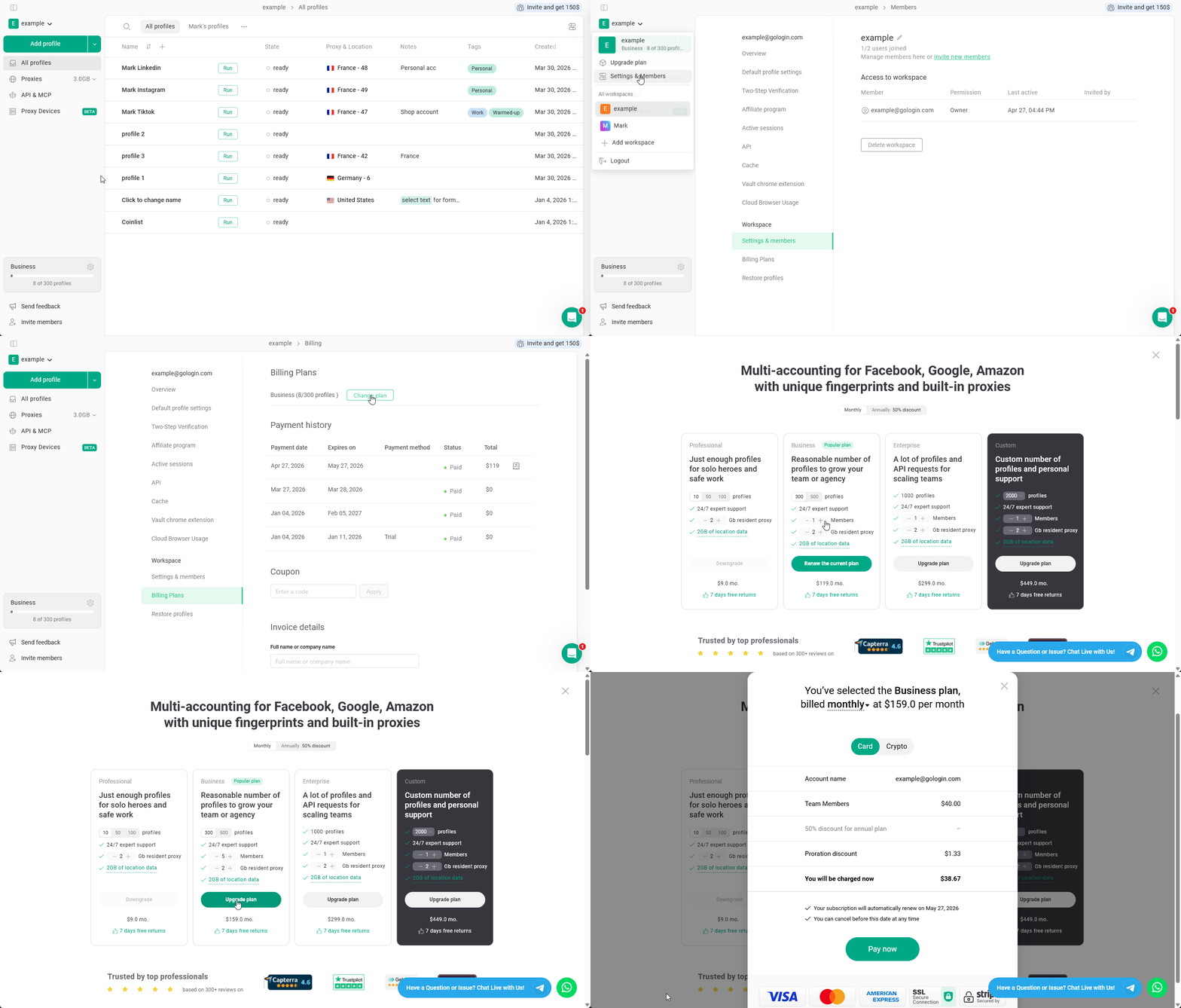
By default, the Business, Enterprise, and Custom plans include one additional team member seat. If you’re working as a team and need more seats for collaboration, you can purchase additional ones:- Open the main menu by clicking the workspace name on the top-left
- Go to Settings & Members
- Open the Billing Plans tab
- Click Change plan
- Find your current plan
- Specify the new team member seat number
- Click Upgrade plan and complete the payment
Access options
You can share access to the either the entire Workspace or only to the specific folders:- Workspace access - provides access to your whole workspace, including all the profiles and folders.
- Selected folders - grants access to the selected folders only. The team member will not be able to manage folders.
Roles & Permissions
Roles
Whether you are giving access to folders or to a workspace, there is a set of roles and permissions available:
As you can see, your team member will gain control over your folders and members only if they have workspace-wide access.