

How to get there
- Click your workspace name in the top-left corner.
- Select Settings & Members
- In the left sidebar, click Affiliate program
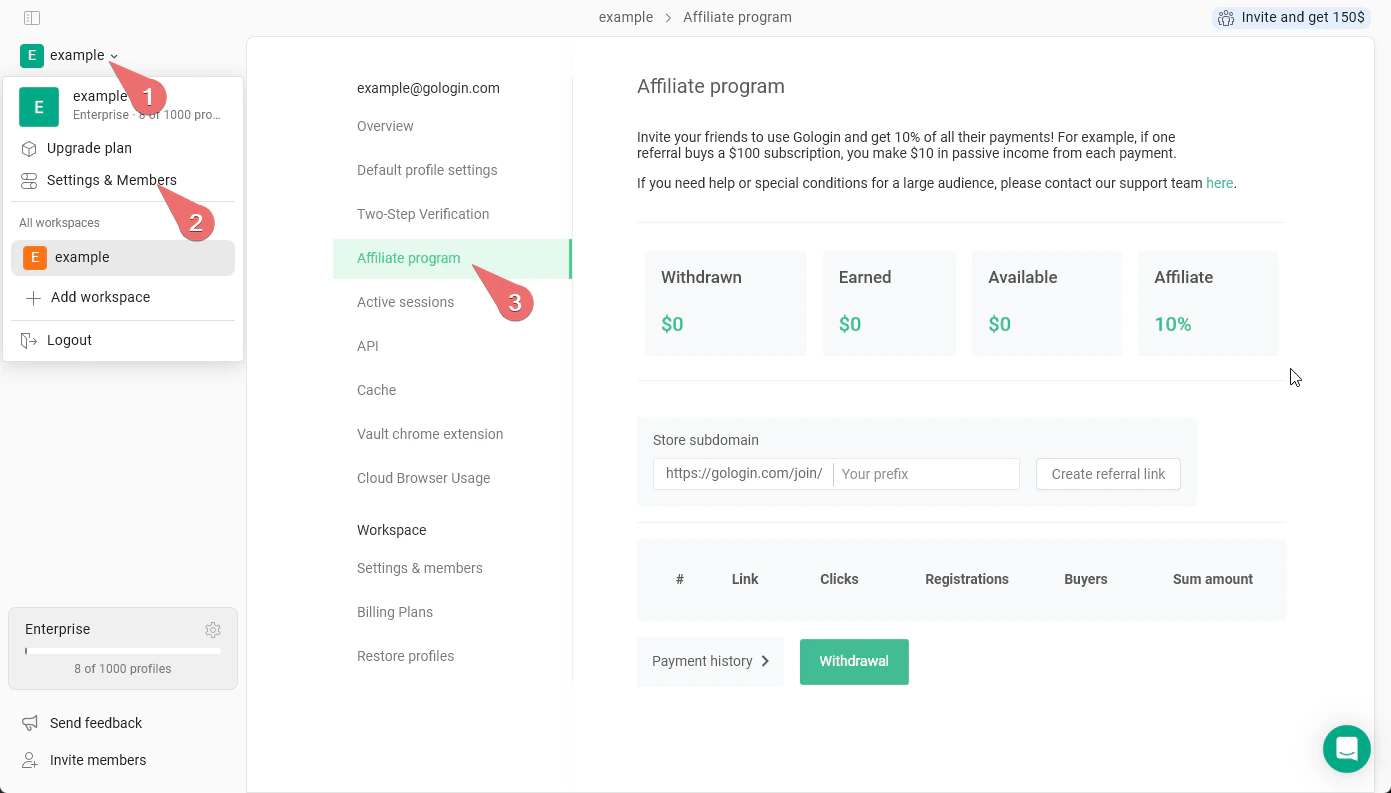
Creating Your referral ink
Enter a custom prefix in the Store subdomain field and click Create referral link. Your link will follow the format:https://gologin.com/join/your-prefix
Share this link anywhere - social media, blogs, YouTube descriptions, or directly with potential users.
Tracking performance
The table below the link builder tracks all your referral activity:- Link - which referral link was used
- Clicks - how many times the link was clicked
- Registrations - how many clicks converted to signups
- Buyers - how many signups converted to paying customers
- Sum amount - total revenue generated from that link
Withdrawing earnings
Click Withdrawal to request a payout of your available balance. You can also review past payouts under Payment history.We may request your payment address and other details to provide the payment. Please reach out to the support team if your payment isn’t credited for more than one week.