Navigating the shared profile
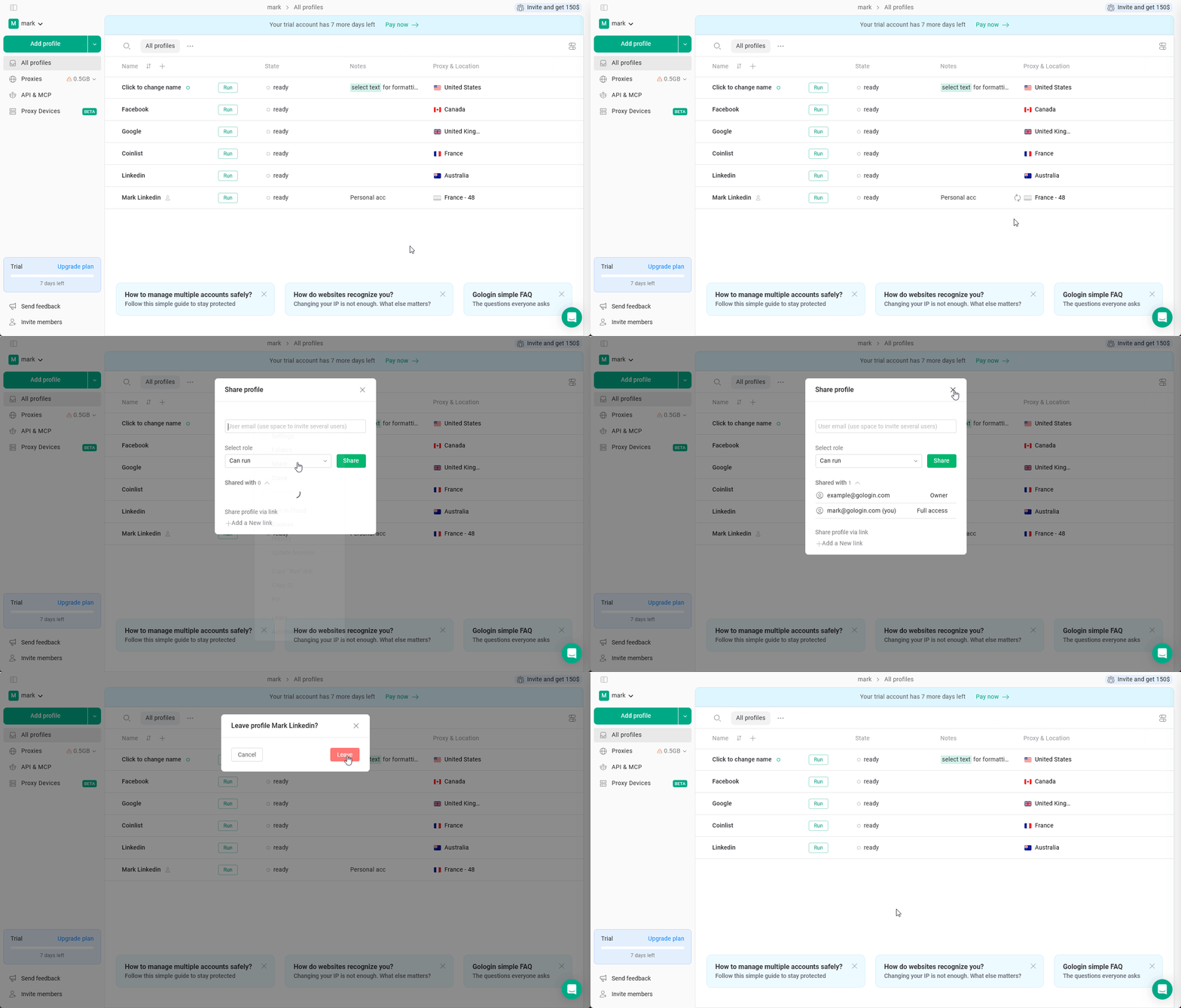
To access them, just login into your Gologin account. All the profiles that has been shared to you are available on the All profiles page, marked with the human icon next to the profile name. You can examine your permissions by clicking 3 dots on the profile > Share