

What you’ll find there
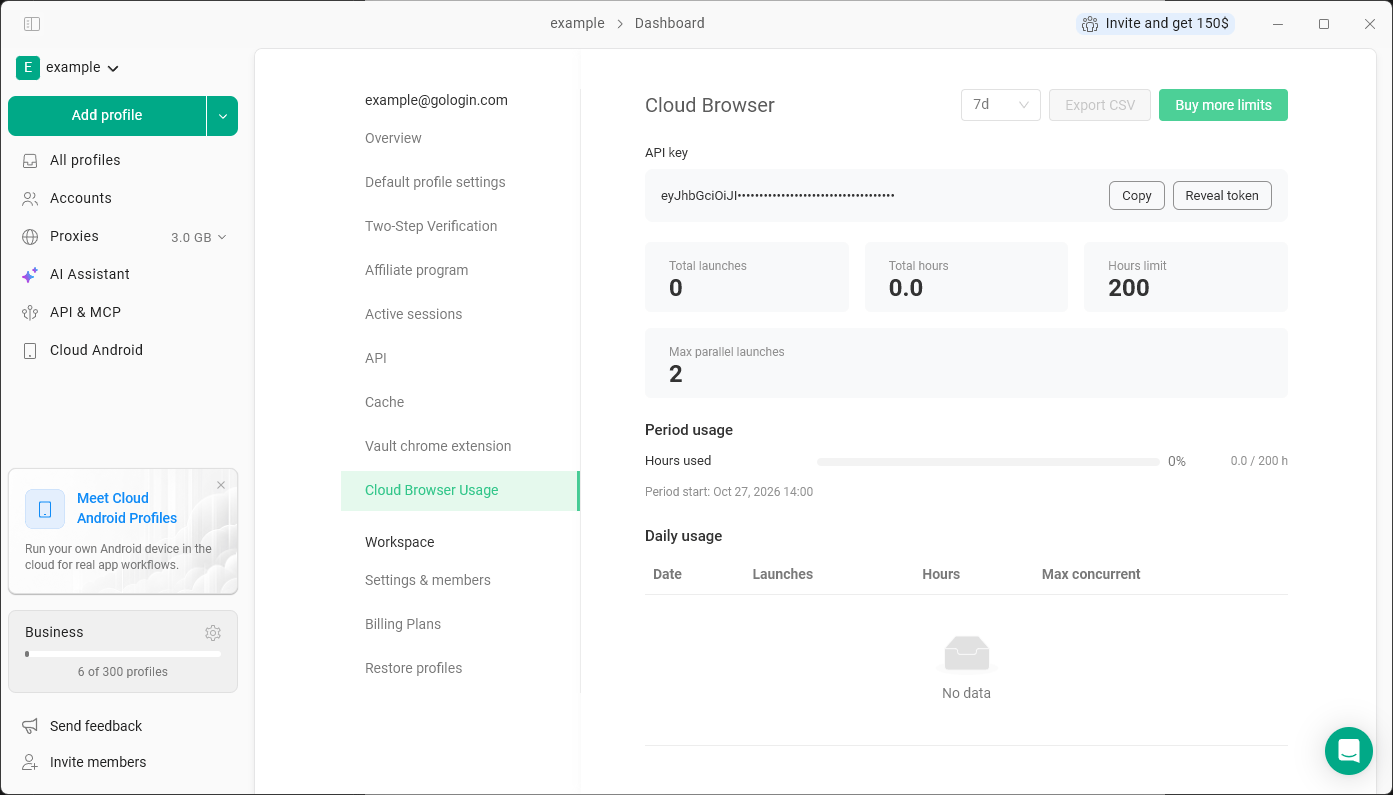
- API key - the token for the Cloud Browser API. Click Reveal token to see it or Copy to copy it.
- Total launches and Total hours for the selected period
- Hours limit - cloud hours available per month on your plan
- Max parallel launches - how many cloud profiles can run at the same time
- Period usage - hours used in the current period and when the period started
- Daily usage - launches, hours and the maximum of concurrent sessions per day. Use Export CSV to download it.
Buying more cloud limits
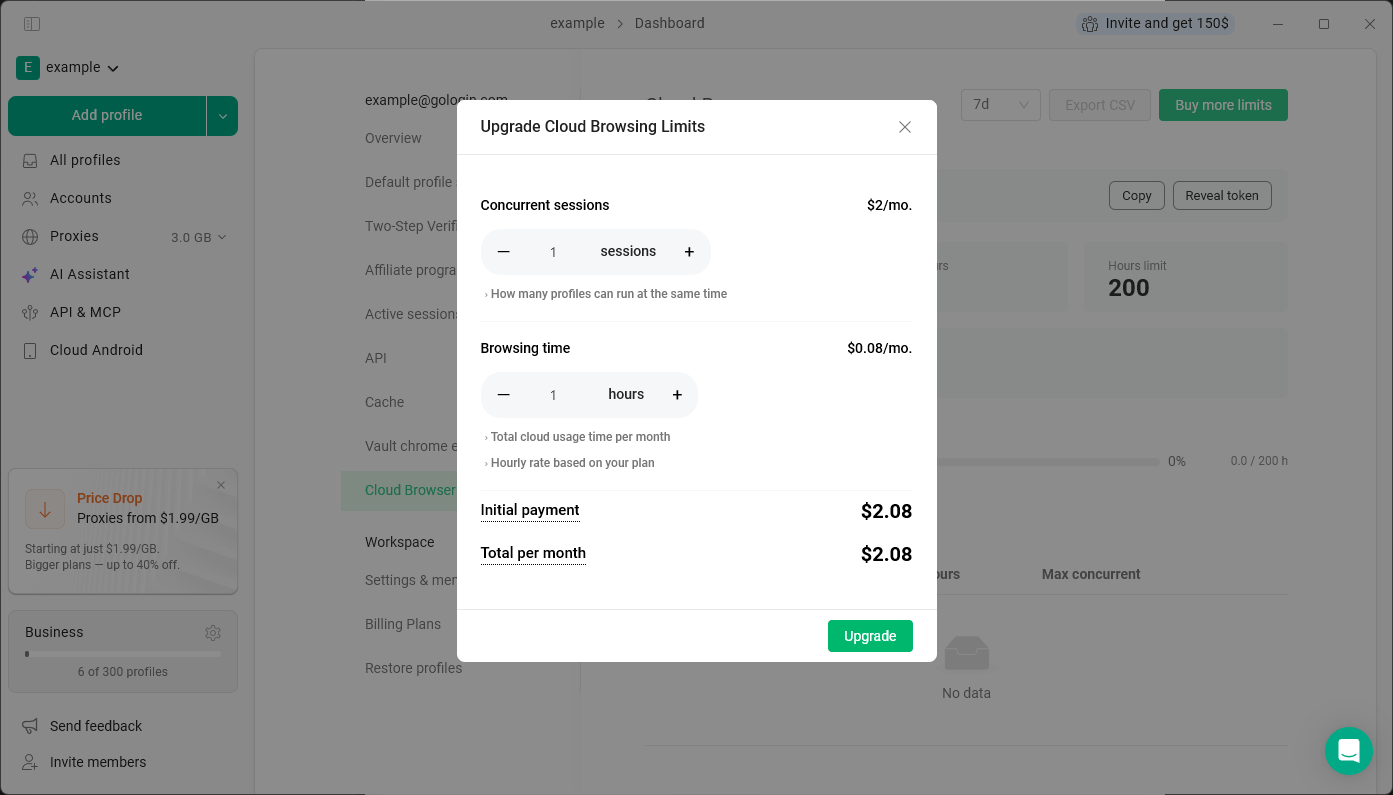
Click Buy more limits and choose what you need:- Concurrent sessions - $2 per session per month. Sets how many profiles can run in the cloud at the same time.
- Browsing time - extra cloud hours per month. The hourly rate depends on your plan: $0.09 on Professional, $0.08 on Business, $0.07 on Enterprise and $0.05 on Custom plans.
How billing for extra limits works
The price of extra limits is the same for monthly and annual plans, but you’re charged differently:- Monthly plan - you pay for the extra limits only until the end of your current billing period. After that, they renew together with your plan.
- Annual plan - you pay for one month at a time. Extra limits are then charged separately every month until your annual plan ends.
Cloud browser profiles and extra cloud limits are available on paid plans only.