

Activating a promo code
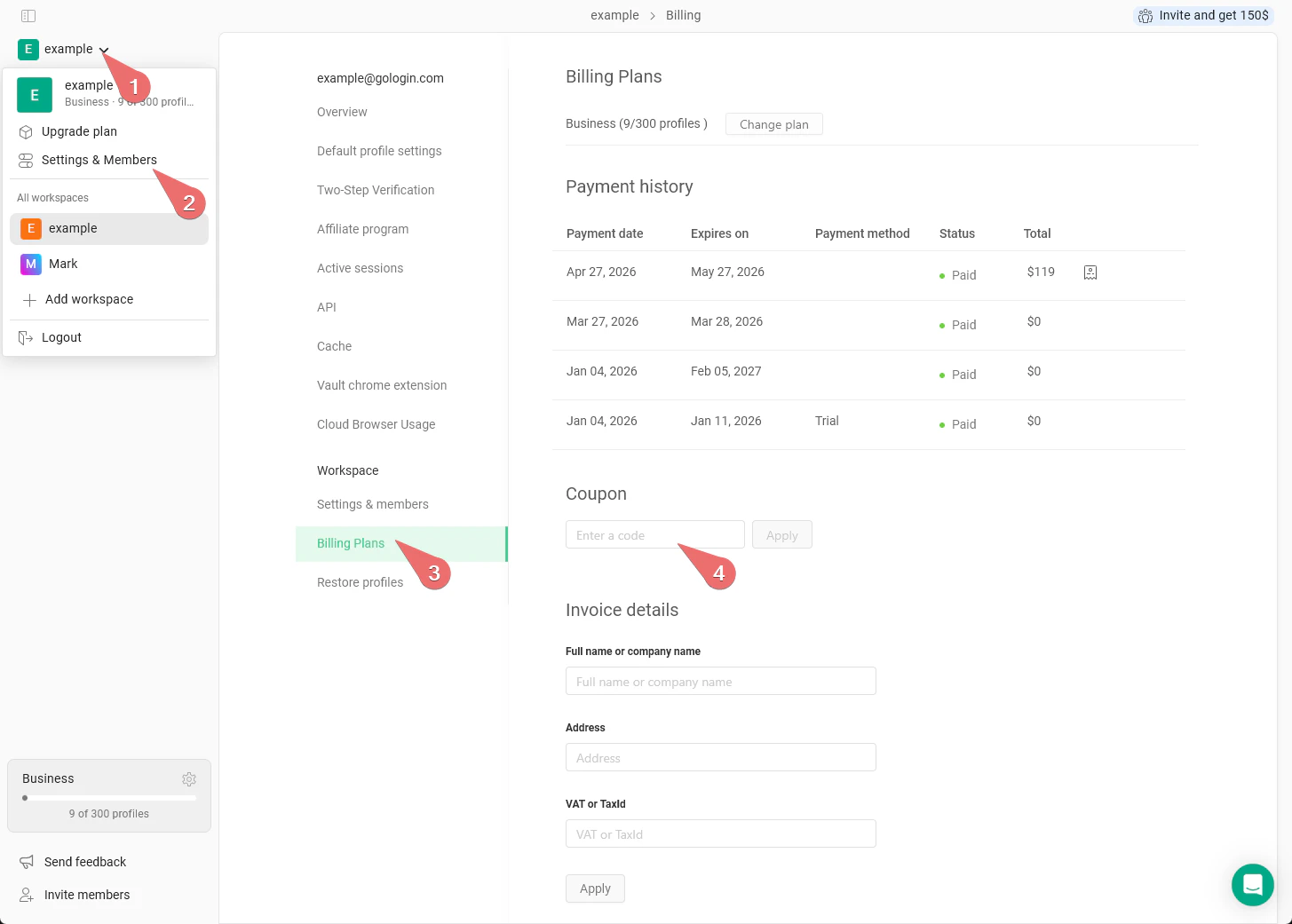
If you are not subscribed yet, you can use a coupon code before the first purchase. To activate it:- Go to main settings on the top-left > Settings & Members
- Navigate to the Billing plans tab
- Under the Coupon section, insert the promo code and hit Apply
- Now you can choose your subscription plan by clicking Change plan, the promo code will be applied at checkout.
When the promo code can be activated
The coupon code can be activated if you do not have prior purchased subscriptions in the account, it is available for the first monthly subscription only. There are no promo codes for the yearly subscription, as it provides the 50% discount automatically. Promo codes work for all the available payment methods except for PayPal. Promo codes cannot be used in several cases:- if promo code is invalid or expired
- if you have previously used a promo code
- if you’ve subscribed before
- if you’re trying to buy annual subscription
- if you’re trying to pay with PayPal