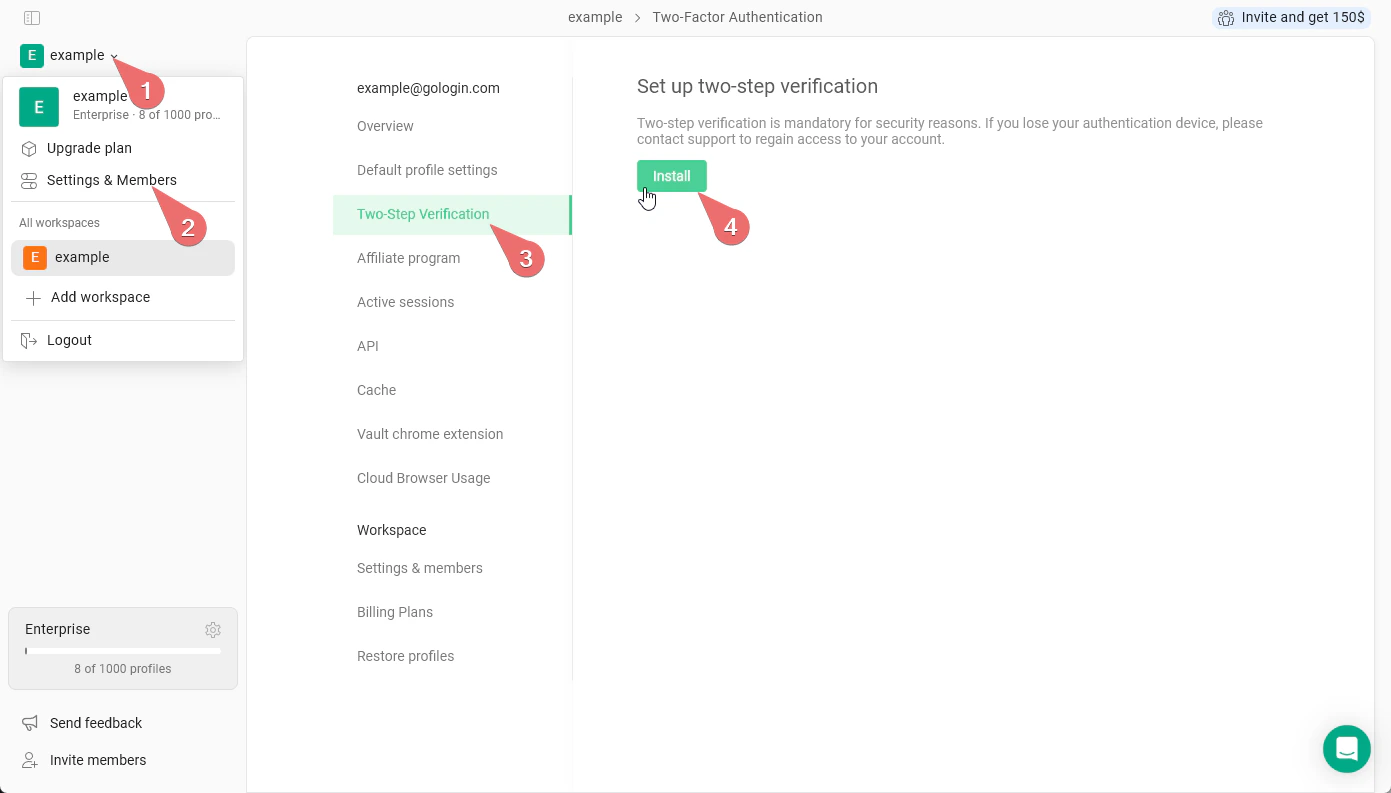
- Go to the main menu at the top-left > Settings & Members
- Click the Two-Step Verification tab
- Click Install and enter your account password. You will get the 2FA QR code
- On your iOS or Android phone, install the Google Authenticator app
- Tap + > Scan the QR code
- As soon as the code is scanned, give a name to your new 2FA authentication method and confirm the changes