Fiverr Account Suspended? Recovery Guide 2026
Try Gologin for free
You logged into Fiverr this morning and got hit with “Your account has been disabled.” Or maybe your Gigs just vanished from search overnight with zero explanation. If that’s you right now you’re not alone, and you’re not imagining it.
Fiverr’s 2026 enforcement wave is real, it’s aggressive, and it’s catching sellers who genuinely did nothing wrong. Here’s why: Fiverr has quietly undergone one of the biggest platform strategy shifts in its history this year.
The company is doubling down on high-ticket, AI-native work think $500+ projects, not $5 logo gigs and their anti-fraud systems have been retooled accordingly. That means their automated filters are now hunting for patterns they barely cared about in 2024.
This guide is going to walk you through exactly what’s happening, why your account got flagged, how to fight it, and if appeals fail how serious freelancers are building clean, stable presences on Fiverr in 2026.
Top 5 Reasons for Fiverr Bans in 2026
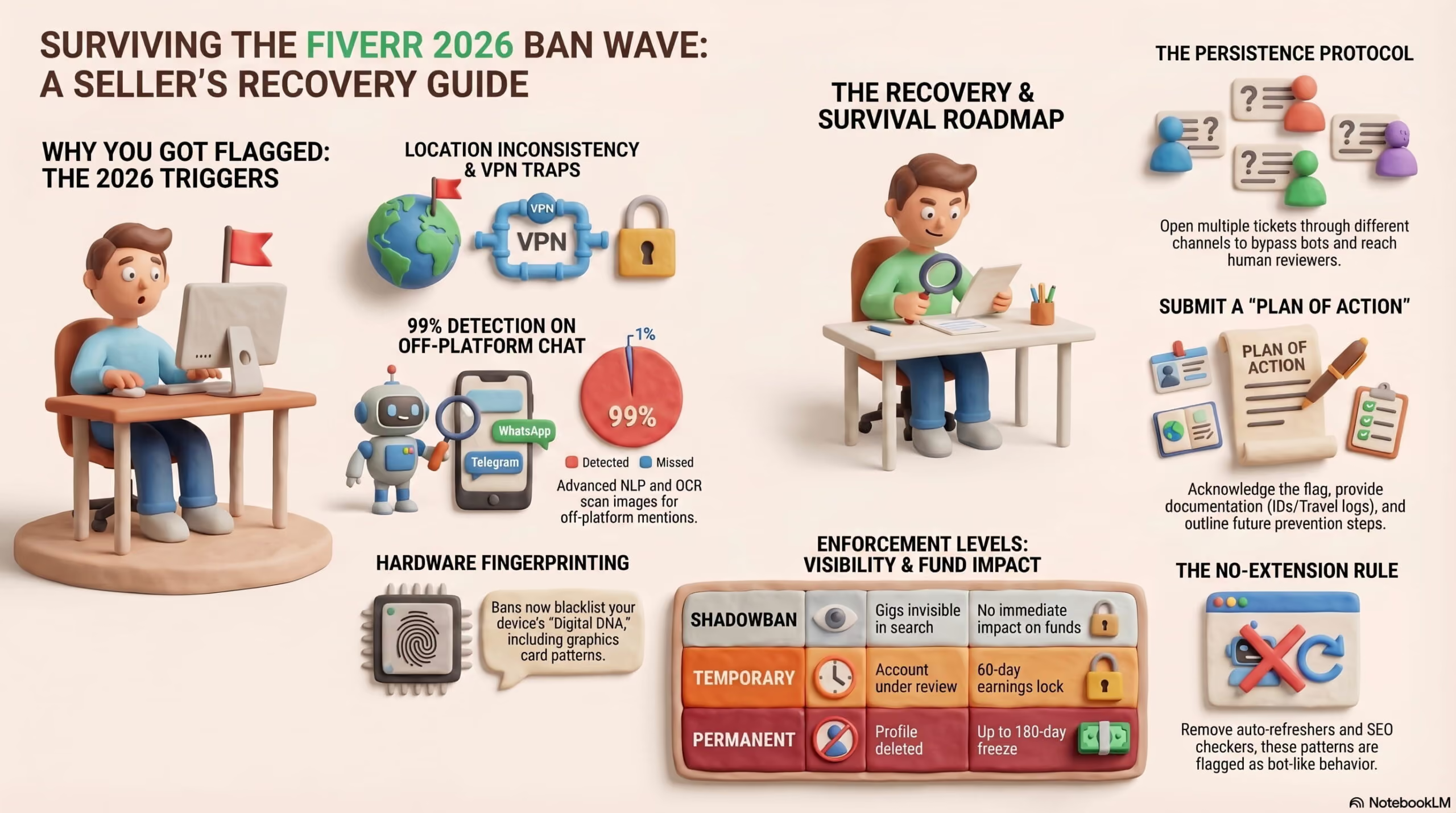
Before we go deep, here’s what’s actually triggering suspensions right now:
- Location inconsistency — logging in from a different country or using a poorly configured VPN
- Off-platform communication attempts — Fiverr’s NLP catches these even in image files and PDFs
- Malicious attachment false positives — .zip and .exe deliveries triggering automated malware scans
- Device fingerprint linked to a previously banned account
- Automated behavior detection — browser extensions, auto-refreshers, or unusual click patterns
The 2026 Fiverr Landscape — Why the Ban Wave Exploded
Fiverr’s “AI-Native” Pivot Changed Everything
Fiverr’s strategic repositioning in 2026 isn’t subtle. The platform has been public about shifting toward what they’re internally calling “complex, high-value AI-assisted work.”
Gigs under $30 are being actively deprioritized in search. Their seller approval process has gotten significantly stricter — new accounts now go through a multi-stage identity and quality review that didn’t exist 18 months ago.
The business logic makes sense. Fiverr gets a 20% cut. They’d rather have 100,000 $500 transactions than a million $5 ones. The problem is that their anti-fraud infrastructure was rebuilt around this new model — and it’s now flagging legitimate sellers who simply don’t fit the “ideal” behavioral profile of a high-value freelancer.
If your account looks even slightly inconsistent — wrong location, wrong device behavior, slightly odd login patterns — the automated system doesn’t give you the benefit of the doubt in 2026. It acts first and asks questions later.
The #1 Ban Trigger: Location Inconsistency
This is responsible for more bans than anything else right now, and most affected sellers have no idea it’s even a thing.
Fiverr’s AI now builds what they call a “Regional Consistency” profile for every seller account. It tracks your typical login location, your IP’s geolocation, your timezone, and even the language settings of your browser.
If there’s a mismatch — you traveled, you switched to a VPN, your ISP assigned you a new IP from a different region — the system flags you for potential “Location Spoofing” or “Account Flipping.”
Account Flipping, in Fiverr’s model, means someone bought or sold a verified seller account from a different country. It’s a real fraud problem.
But their detection is a blunt instrument, and it catches legitimate sellers who happened to log in from an airport lounge in Frankfurt when their account was registered in Karachi.
The cruel irony is that using a cheap VPN to protect your connection actually makes this worse. Commercial VPN IP ranges are almost entirely flagged by Fiverr’s IP intelligence systems in 2026. The very thing you might use to “protect” yourself triggers the location inconsistency alarm.
The Malware Scanner That Gets It Wrong
In early 2026, Fiverr quietly rolled out automated scanning for all .zip and .exe file deliveries. The stated goal is preventing sellers from delivering malicious code to buyers — which is a legitimate concern.
The problem is false positives. Any compressed file containing certain libraries, executable components, or code that pattern-matches Fiverr’s malware detection parameters can trigger an instant permanent suspension with zero warning.
Developers, software freelancers, and anyone delivering packaged digital products are at elevated risk. One false positive. Account gone.
The NLP That Reads Your Invisible Messages
Fiverr has had off-platform communication detection for years, but in 2026 it’s operating at a completely different level. Their Natural Language Processing now catches attempts to share contact information even when sellers embed that text inside images or PDFs in deliveries.
If a buyer asks you to share your WhatsApp and you write your number on a screenshot and send it as an image file — Fiverr’s system reads it.
It uses OCR to extract text from images in messages and deliveries. The catch rate, by most accounts from sellers who’ve tested it, is close to 99%.
Mentioning “WhatsApp,” “Telegram,” “Payoneer” in a message even in the context of “I don’t use WhatsApp, please keep communication here” — can be enough for the NLP to tag your conversation for review.

Decoding Fiverr Bans — Not All Suspensions Are Equal
Understanding exactly what happened to your account determines your recovery strategy. These are three different situations requiring three different responses.
The Shadowban: When You’re Invisible But Don’t Know It
The most frustrating type of enforcement because Fiverr never tells you it’s happening. Your account works. You can log in, you can see your Gigs, you can deliver orders. But your Gigs have disappeared from search results for everyone else.
Signs you’re shadowbanned: your Gig impressions dropped to zero in the analytics dashboard, you stopped getting new messages from potential buyers, but your existing orders still function.
If you were getting 3–5 inquiries per week and suddenly got none for 10+ days, check your Gig impressions. If they’re at zero, that’s your answer.
This is typically the first enforcement step — Fiverr is watching your account before deciding whether to escalate.
Temporary Restriction: The 60-Day Quarantine
A step up from the shadowban. You’ll receive an email stating your account is under review, your Gig rankings are dropped, and your earnings are locked.
This 60-day window is Fiverr’s investigation period — they’re reviewing your account history, transaction patterns, and communication logs.
Many sellers make the critical mistake of going silent during this window. Don’t. This is exactly when you should be actively appealing (more on that in Part III). If you do nothing, a temporary restriction almost always graduates into a permanent ban at the end of the 60 days.
Permanent Suspension: The Full Termination
“Your account has been disabled.” Your Gig listings are deleted. Your seller profile is gone. Your 2026 Seller ID — a unique hardware and behavioral fingerprint Fiverr now generates for every account — is permanently blacklisted.
And here’s the part sellers don’t find out until it’s too late: your earnings are frozen for up to 180 days after a permanent ban. Fiverr’s terms allow them this window to process any outstanding buyer disputes or chargeback claims. After 180 days, you’re entitled to request withdrawal of remaining funds.
The 2026 Recovery Roadmap — How to Actually Appeal
Why Your First Two Appeals Will Get a Bot Response
Fiverr’s support system is heavily automated. When your account gets suspended, the first point of contact for any appeal is an automated response system that checks whether your stated reason matches a pre-approved resolution pathway. In the vast majority of cases, it doesn’t — and you get a canned “our decision is final” response.
This is where most sellers stop. That’s the wrong move.
The Persistence Protocol is what actually works: you need to open multiple, separate tickets through different contact pathways to reach a human Trust & Safety officer.
Use the appeal form, use the main support contact form, and use any seller-specific support channels. Reference your account, your track record, your completed order count, and your earnings history. Be professional and specific in every message.
Human reviewers have the authority to override automated decisions. Bots don’t. Getting to a human is the entire game.
The “Plan of Action” — Fiverr’s Version of the Amazon Appeal
If you’ve sold on Amazon, you know the Plan of Action. Fiverr’s 2026 appeal process now rewards a similar structure. Here’s the counterintuitive part: even if you did nothing wrong, partially acknowledging how the automated system might have misread your behavior works better than pure denial.
A strong appeal has three components.
- First, briefly acknowledge what the system likely flagged — “I understand my account showed a location inconsistency when I accessed Fiverr from [city] while traveling.”
- Second, provide documentation that explains the legitimate reason — a hotel booking confirmation, a flight itinerary, a utility bill showing your actual registered address.
- Third, outline the specific steps you’re taking to prevent the flag from recurring — “I will access Fiverr exclusively from my home IP going forward and notify support before any travel that might create a location change.”
This structure demonstrates awareness, accountability, and a concrete resolution plan. It’s what human reviewers are trained to respond to.
Resolving a Location Flag Specifically
If your ban was triggered by location inconsistency, here’s the exact documentation package Fiverr’s Trust & Safety team is looking for in 2026:
A government-issued ID matching your registered country. A current utility bill or bank statement showing your registered home address. If you were flagged while traveling, proof of travel — a booking confirmation or boarding pass works. And a written explanation of why you were accessing your account from a different location.
If you’ve relocated internationally, Fiverr requires more substantial proof: a residency permit, a work visa, or official documentation showing your current legal status in your new country. This is a real hurdle for freelancers who’ve moved in the past year.
Bypassing a Fiverr Ban Using Gologin
If appeals genuinely fail or if you’re managing a freelance agency with multiple legitimate seller accounts this section covers the technical reality of what it actually takes to maintain a clean presence on Fiverr in 2026.
Why “Just Make a New Account” Doesn’t Work
The single most common mistake banned sellers make: creating a new account on the same device with the same browser. Fiverr’s system detects the new account within minutes and applies what’s called a hardware blacklist — your device’s “Digital DNA” is flagged, not just your email.
That Digital DNA is built from dozens of signals your browser emits without you knowing:
- your Canvas fingerprint (how your graphics card renders invisible test patterns),
- WebGL renderer information,
- audio API output,
- screen resolution,
- font list, and your hardware concurrency readings.
These signals combine into a unique fingerprint that’s stored against your account when you’re banned.
A new email, a new SIM card, even a full browser reinstall none of these change your underlying hardware fingerprint. Fiverr’s system sees through all of it.
How Gologin Creates a Genuinely New Digital Identity
Gologin works by generating completely isolated browser profiles where every hardware signal is uniquely spoofed. Each profile produces a unique Canvas fingerprint, a different WebGL renderer, a distinct audio API output, and custom screen and font parameters. To Fiverr’s detection layer, each Gologin profile looks like a completely different physical computer operated by a completely different person.
This is the only reliable technical solution to a hardware-level ban. A different device would also work, but it’s not practical for most users, and a different device connected to the same IP address still creates a linkage risk.
Maintaining Regional Stability with Static Residential Proxies
Gologin profiles pair with proxies to complete the digital identity picture. This is where the combination becomes genuinely powerful for location-flagged sellers.
A static residential proxy gives your Gologin profile a fixed IP address tied to a real residential ISP — not a data center, not a VPN provider. Fiverr’s IP intelligence sees it as a normal residential internet connection from a specific city.
Pair one profile with one static residential proxy, and Fiverr will always see that account logging in from the exact same “house” — even if you’re physically in a different country.
This solves the Regional Consistency problem at a technical level. Your Fiverr session shows consistent geolocation, consistent ISP, consistent browser fingerprint. The location flags that are ending careers in 2026 simply don’t trigger.
Safe Multi-Account Management for Agencies
Step 1: Create Your Gologin Account
To create your Gologin account, visit Gologin.com and sign up.
Use a promo code «ROKAYSTUDIO» offers a 40% discount on your first Gologin purchase and 2 GB of proxy traffic.
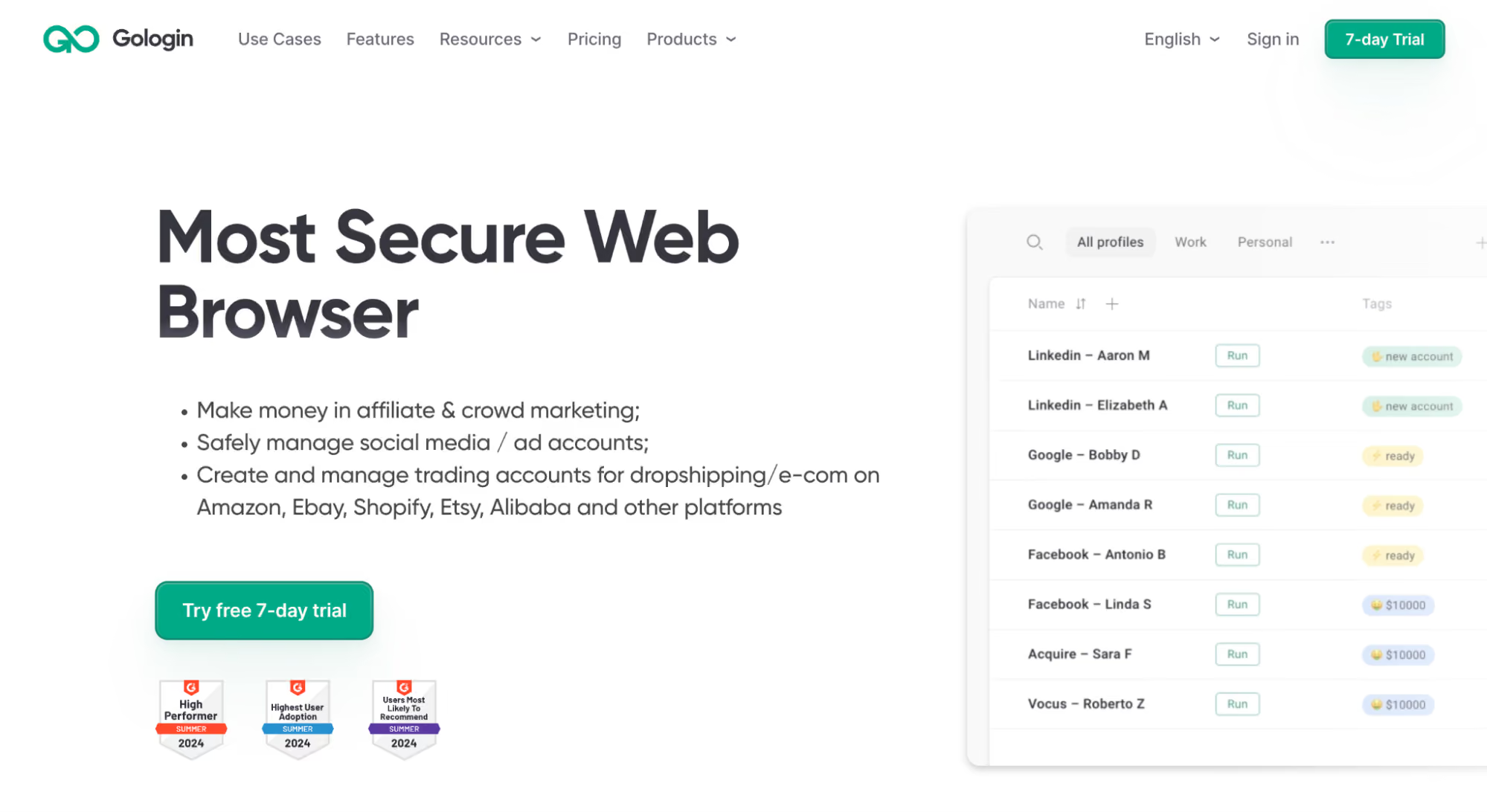
Once you’re logged in, download the Gologin app and open it on your device. Then you’ll see the main dashboard, where you’ll manage all your browser profiles.
Step 2: Create a New Browser Profile For Each Fiverr Account
Click on the ‘Add Profile’ button to create your first browser profile.
Gologin will then create a unique browser fingerprint for your profile. This will cover things such as your User Agent, Screen Size, Timezone, Language, and WebGL.
You don’t have to configure these settings.
You can then proceed to give your profile a clear and distinct name. You can use something simple, such as “Fiverr Account 1” or the actual name of your Fiverr Niche.
Step 3: Assign a Unique Proxy to Each Profile
This is an important step. Inside each profile’s settings, navigate to the proxy section and enter your proxy settings and enter your residential proxy’s information.
Make sure you assign each account its unique proxy server. Do not use one proxy for two different Fiverr accounts.
Step 4: Launch the Profile and Log into Fiverr
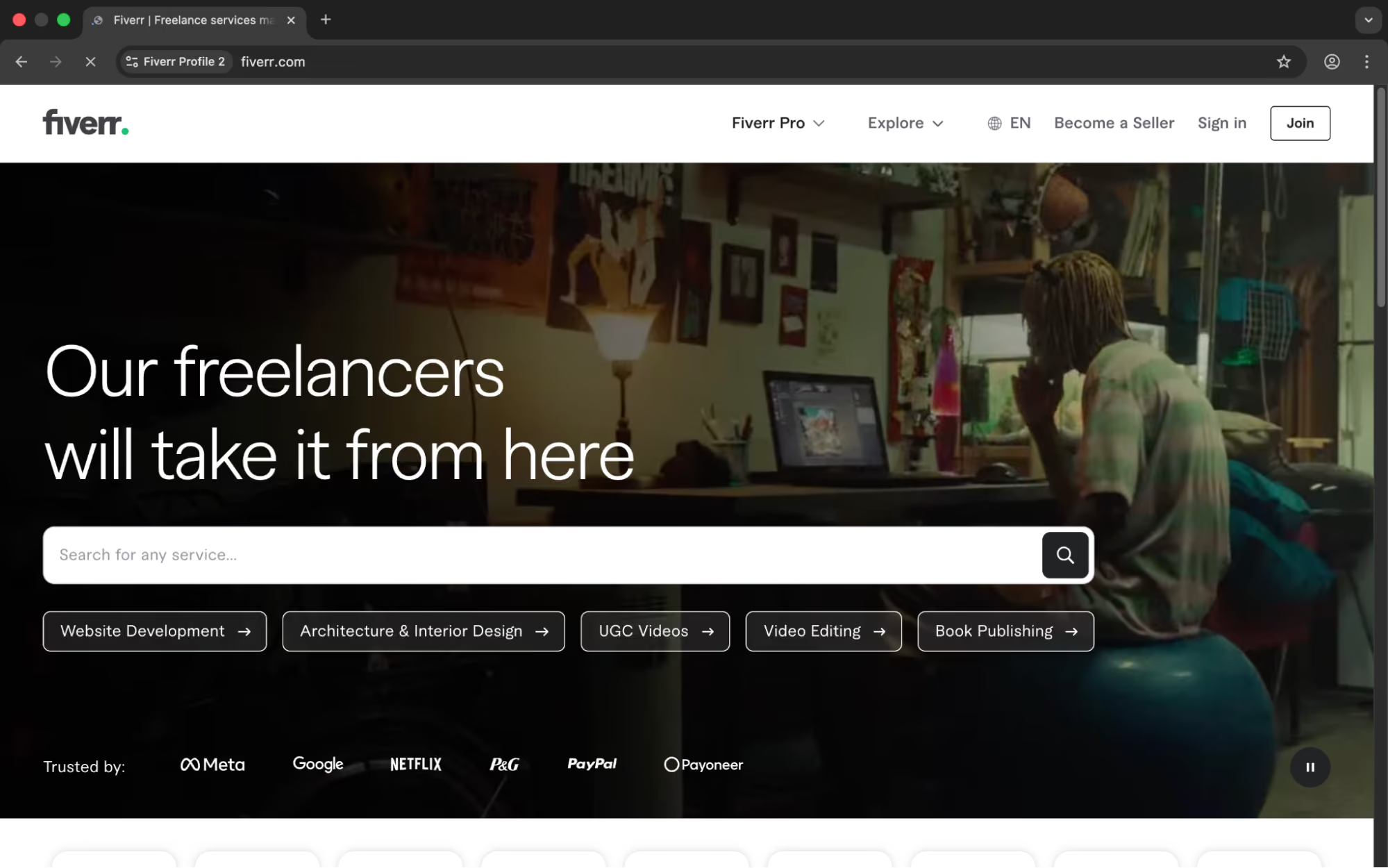
After you have set up your profiles, click on the “Run” button. This will then launch an isolated browser session for your respective profile’s unique fingerprint and IP.
From this, you can then proceed to log in to your respective account on Fiverr.
All your data, cookies, and credentials remain isolated within this browser session and will not be leaked to other profiles or your main browser.
Step 5: Repeat for Each Additional Account
Having shown you how to set up Gologin with your Fiverr account, you can easily repeat the process for other accounts. Remember that each account works independently of the other accounts. As such, you can have many accounts running at the same time without any interference.
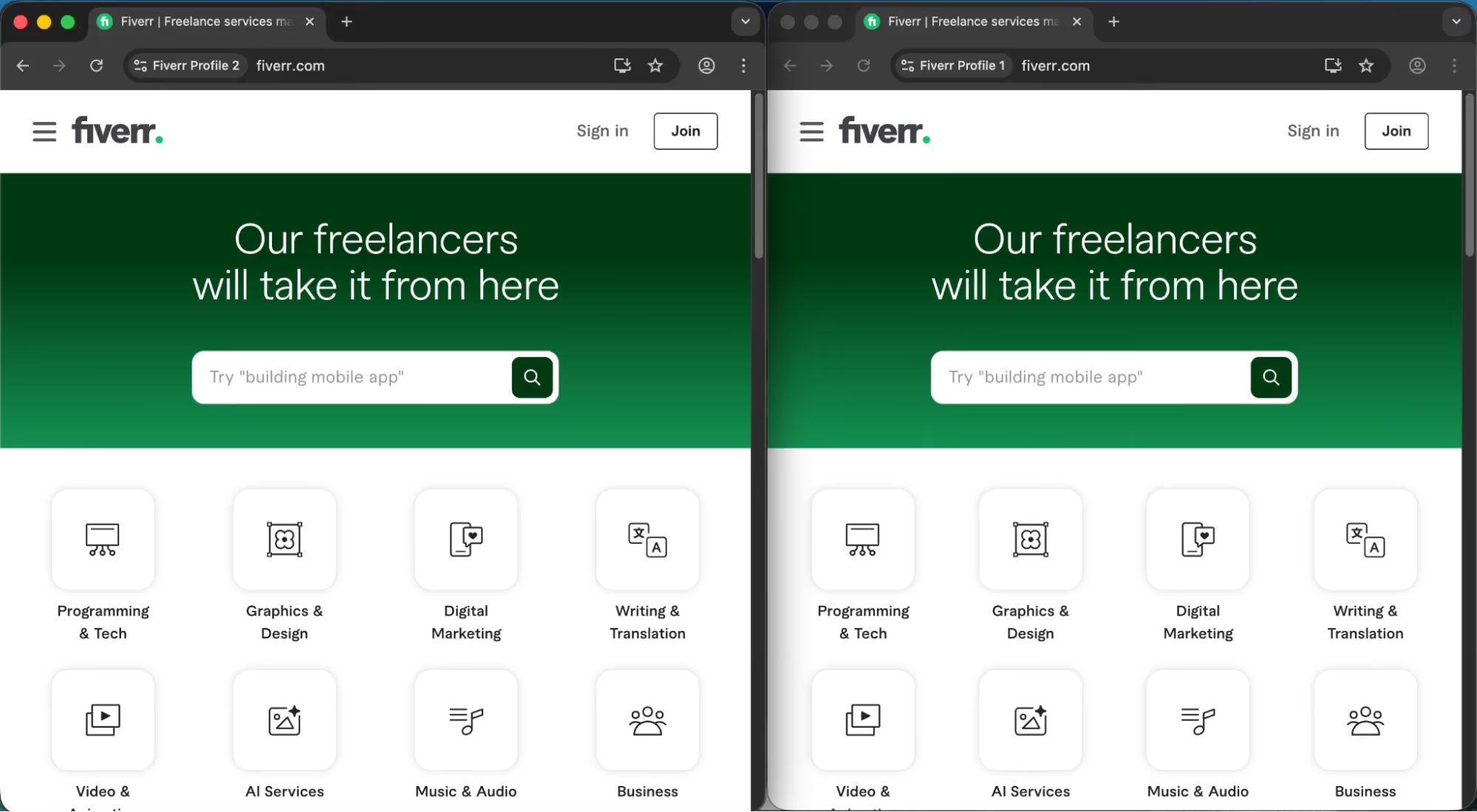
You are now free to have many Fiverr accounts running on your computer.
The Fiverr Survival Checklist for 2026
If your account is currently healthy, these practices keep it that way.
The No-Extension Rule
Stop using any browser extensions while logged into Fiverr. Auto-refreshers, SEO checkers, productivity tools, ad blockers — Fiverr’s 2026 behavioral AI detects non-human interaction patterns with high accuracy, and many extensions create exactly those patterns. An auto-refresher that reloads your Gig analytics page every 60 seconds looks exactly like a bot. The detection happens in milliseconds, and the flag is automatic.
Communication Hygiene
Never type the words “WhatsApp,” “Telegram,” “Instagram,” “Payoneer,” or “bank transfer” in a Fiverr message — even in a negative context. As discussed above, Fiverr’s NLP flags the presence of these terms, not the intent behind them. Keep all transaction communication inside Fiverr’s system, full stop.
The 24-Hour Delivery Deadline
Late deliveries in 2026 now feed directly into your Account Health score, a relatively new metric Fiverr introduced alongside their high-value seller program. Three late deliveries in a rolling 90-day window triggers an automatic Account Health review.
That review often initiates the shadowban phase described earlier. Deliver early, communicate proactively if you can’t, and request extensions through the official extension request system before the deadline — not after.
Withdrawal Before Anything Else
If your account is showing restriction signs but you can still access your wallet, withdraw your earnings immediately. Once a temporary restriction escalates to permanent suspension, your balance is frozen for up to 180 days.
If you’re past the suspension point and waiting out that 180-day window, contact Fiverr support via email (not the app, since you’re locked out) with your registered email, your full name, and the last four digits of your linked payment account to initiate the withdrawal process after the hold period expires.
Final Thoughts
Fiverr’s 2026 enforcement isn’t going to get more lenient. The platform’s strategic shift toward high-value work means their integrity systems will only get more sophisticated. The sellers who thrive are the ones who understand that Fiverr is now a behavioral platform — it’s not just tracking what you sell, it’s tracking how you exist on the platform digitally.
For casual freelancers, the survival checklist above is your protection layer. For agencies and serious multi-account operators, a proper Gologin setup with static residential proxies isn’t optional in 2026 — it’s the technical foundation for building a sustainable presence without constantly rebuilding from zero.
Got specific questions about your situation? Drop them in the comments — every scenario is different, and the details matter.
This article is for informational purposes. Always review Fiverr’s current Terms of Service and ensure your use of any tools complies with applicable platform policies and local regulations.FAQ
Why was my Fiverr account suspended?
Fiverr can suspend or permanently disable an account for repeated policy violations, severe breaches of its rules, misuse of reporting tools, offering prohibited services, feedback manipulation, suspicious financial activity, IP violations, or running multiple accounts. Fiverr also says some users may first receive warnings, while more serious cases can go straight to suspension.
How can I tell if my Fiverr account is suspended or just restricted?
If your account is fully suspended, Fiverr says you generally will not be able to log in. A restricted account is different: Fiverr may still allow limited access for a period so you can communicate with existing clients and handle certain account matters, while an “ineligible to sell” account can no longer offer services but may still complete active orders and continue using Fiverr as a client.
How do I recover a suspended Fiverr account?
The official recovery path is an appeal through Fiverr Customer Support. Fiverr says disabled users should contact support from their registered email address, and appeals must be submitted within 6 months of the notification; if the appeal succeeds, the suspended account can be reinstated.
How long does a Fiverr suspension last?
There is no single suspension length for every case. Fiverr’s current policy shows that warnings expire after 90 days, account restrictions can last 60 days before turning into permanent suspension, and permanent suspensions do not automatically expire.
Can I create a new Fiverr account after suspension or use a ban bypass?
No. Fiverr explicitly says each user may have only one account, and creating another account to bypass a restriction or permanent suspension can itself lead to permanent suspension. Fiverr also notes that a phone number already tied to another account, even a disabled one, cannot simply be reused on a new account.