VSPhone Review 2026: Can You Use This Gaming Cloud Phone for Marketing?
Try Gologin for free
VSPhone is a popular cloud Android built for 24/7 AFK mobile gaming.
But some users try to use it for social media multi-accounting due to its cheap pricing.
Can a cloud phone platform made for gaming handle marketing tasks?
In this VSPhone review, I will be testing VSPhone’s features and exploring whether it can actually be used for social media multi-accounting.
I will purchase a VSPhone cloud phone, use it for a day, and run different fingerprint tests on it.
Let’s start with a short overview of the platform.
What is VSPhone?
VSPhone is a cloud-based Android virtual phone platform that caters to mobile gamers.
It allows you to buy and run as many cloud phones as you need. You can specify the Android version, product model (which decides the hardware specs), server, and the duration you’ll be using the phone for. A phone costs based on your specifications.
In words of the company, VSPhone aims to solve the pain points of traditional gaming. For example, some games often take a while to start up (e.g., PUBG). If you want to play a quick round, you cannot do that in these games.
But on a VSPhone cloud phone, you can leave a game running 24/7 in the cloud, and hop on to start a round at any time.
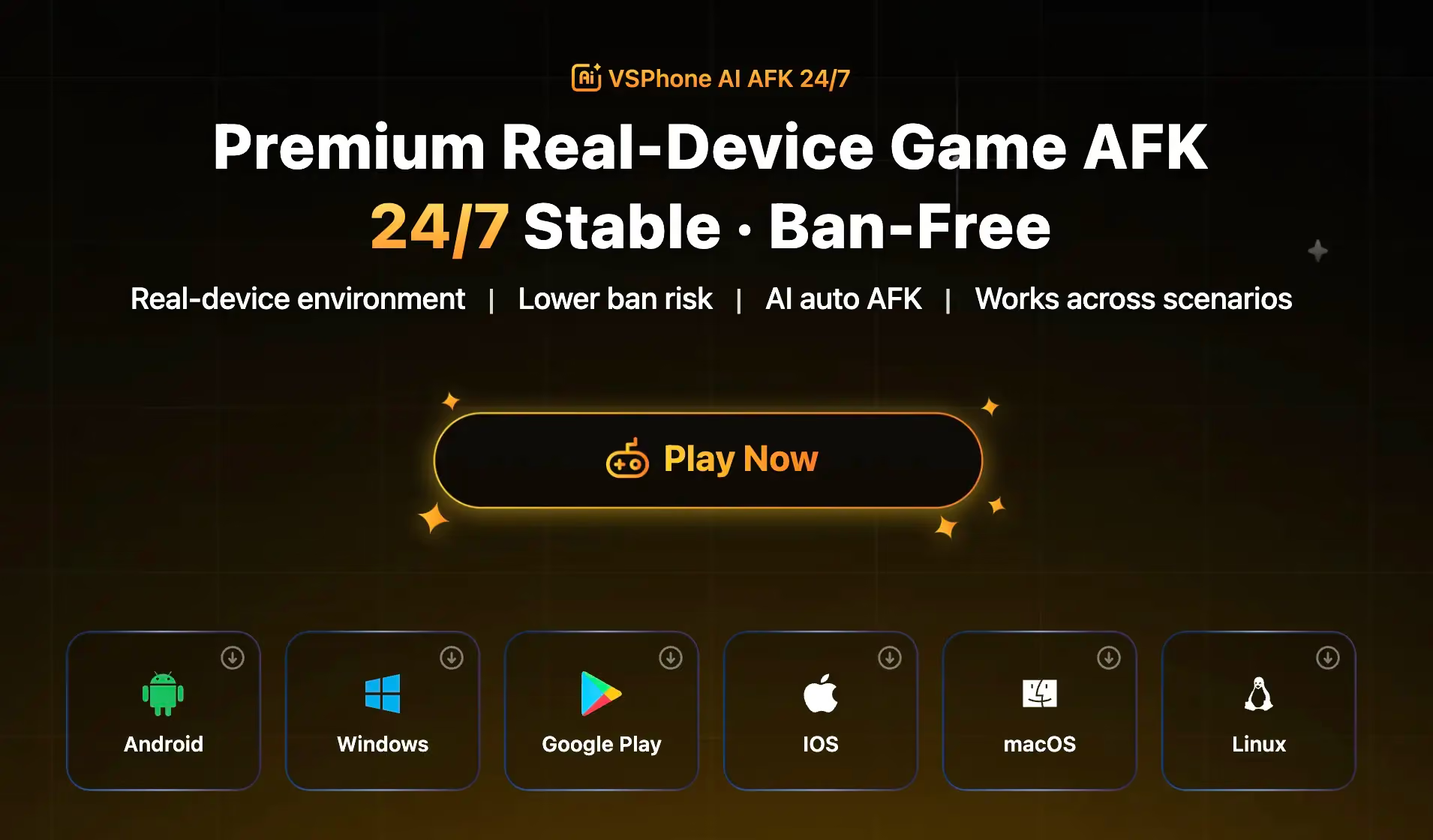
Another mobile gaming pain point that VSPhone addresses is that of latency. In some games, the gameplay experience is better on a server that’s geographically far from you.
So if you choose to play on those servers, you get a high ping/latency, which ruins the experience. Some games don’t even allow players to play on servers other than their own.
VSPhone addresses this problem by allowing you to specify the server location where you want your cloud phone to be hosted and enjoy the games popular there.
Why Marketers Are Tempted by Gaming Cloud Phones
While VSPhone is mainly made for gaming, it can also appeal to marketers who want cloud phones for multi-accounting, data scraping, automation, and some other purposes.
The major reason for this appeal is the cheap prices of gaming cloud phones compared to cloud phones by platforms purpose-made for marketing use cases. Another big reason is that gaming cloud phones allow you to run your phones 24/7.
But despite these perks, gaming cloud phones prove inefficient in marketing.
Marketing platforms (TikTok, Meta, X, etc) have stricter security. And gaming cloud phones often use shared, cloud-hosted hardware signatures and lack anti-detect fingerprinting.
Those platforms can easily identify that these aren’t real phones and ban you for violating their ToS.
I used a phone over VSPhone and ran some fingerprint checks. The phone failed most of them.
Read more as I detail my experience with VSPhone.
Core Features: How I Tested VSPhone
VSPhone can be used on Windows, macOS, Linux, Android, and iOS.
I downloaded it on my Windows computer and purchased an expensive high-performance cloud phone running on Android 16 and 8GB RAM. I chose Hong Kong as the server, as that’s closest to me geographically.
This is the VSPhone dashboard where the cloud phones appear when you buy them: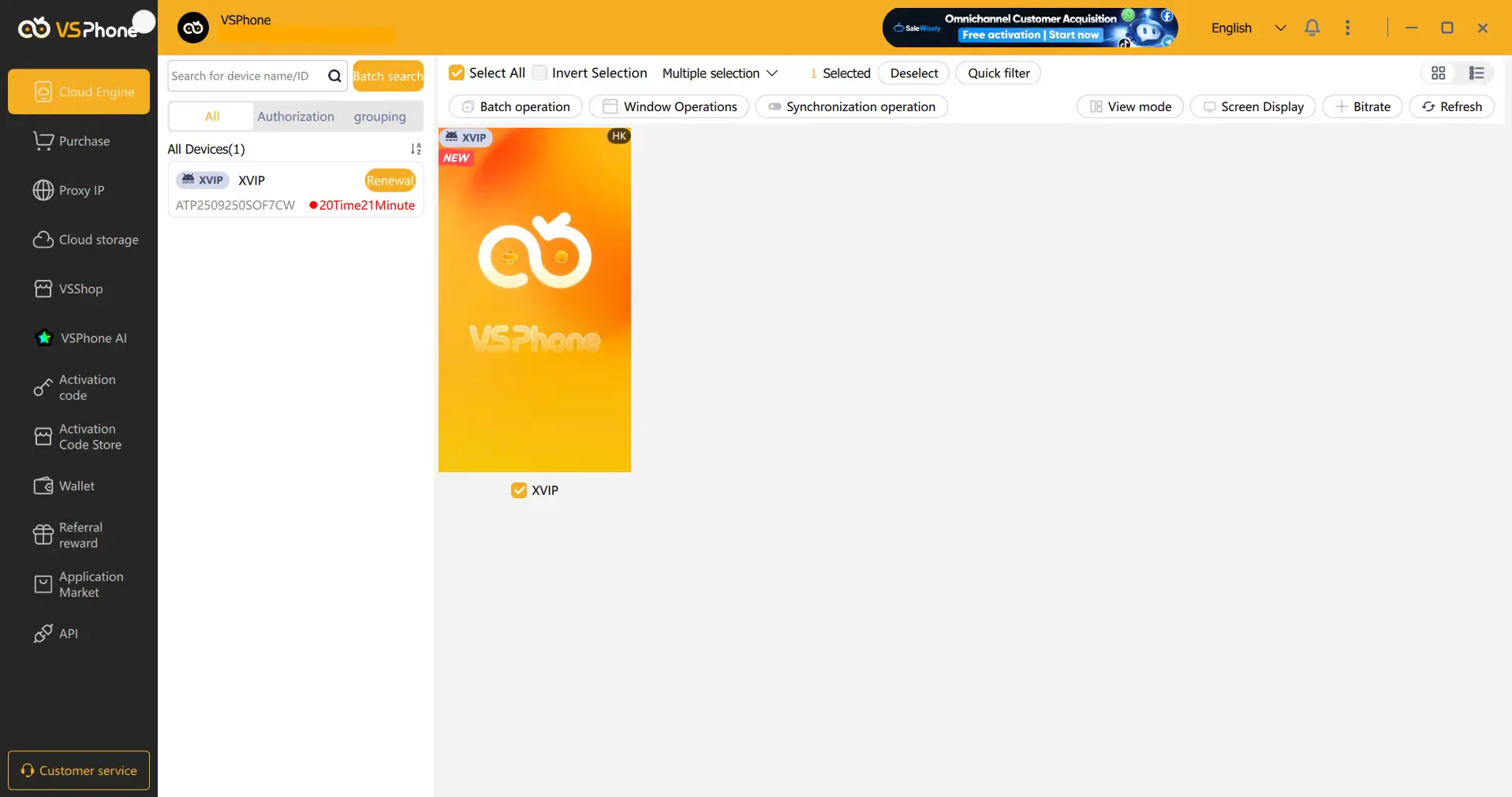
Below are the things I tested.
1. Gaming Performance & Stream Quality
When I was specifying my phone before the purchase, I thought the games listed for each product model would come pre-installed on the phone.
But no games were there when I got the phone. So the listed games are just recommendations. But I think VSPhone should add a note to avoid misleading users.
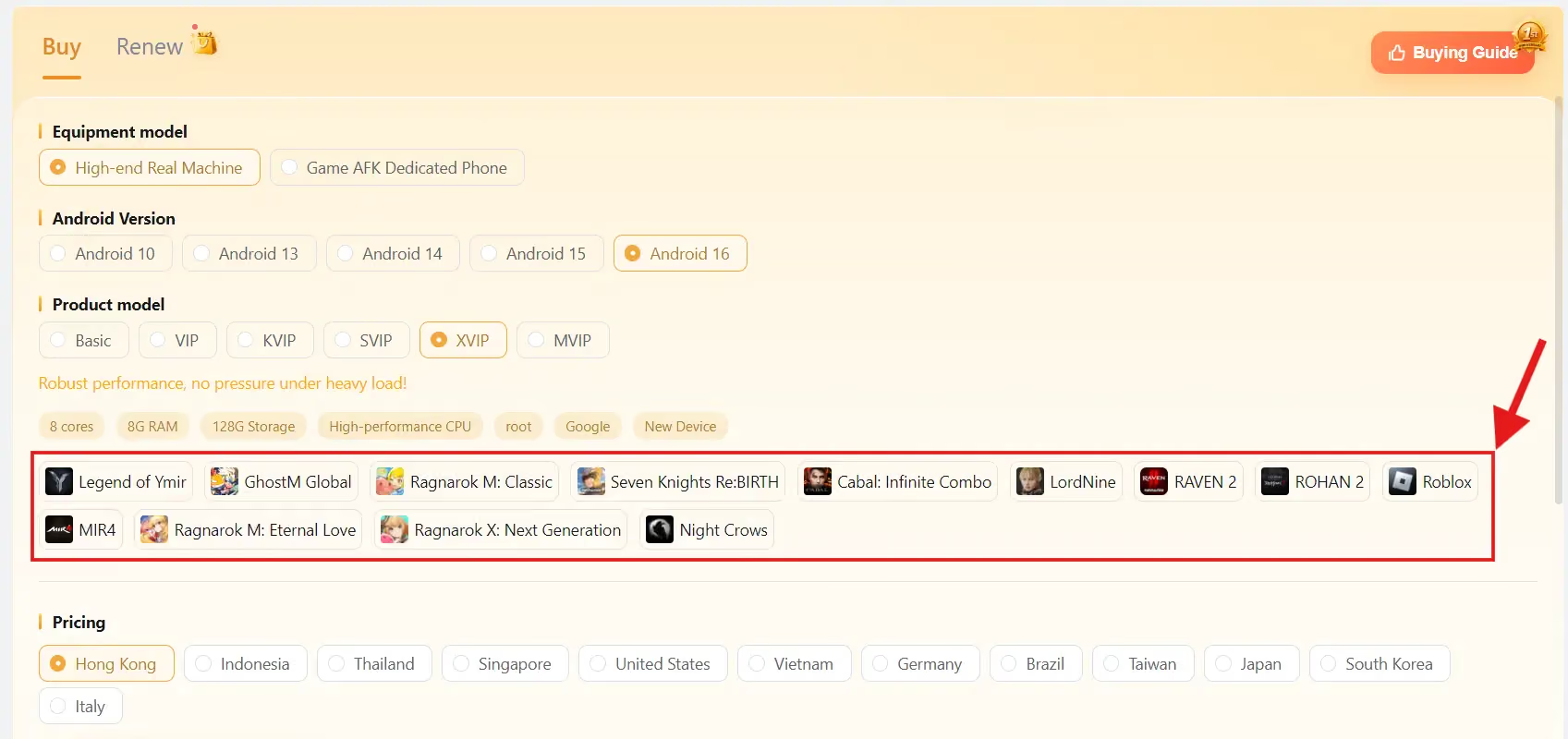
If you want apps pre-installed on your phone upon startup, you can specify them in the Application Market section of VSPhone before buying a phone.
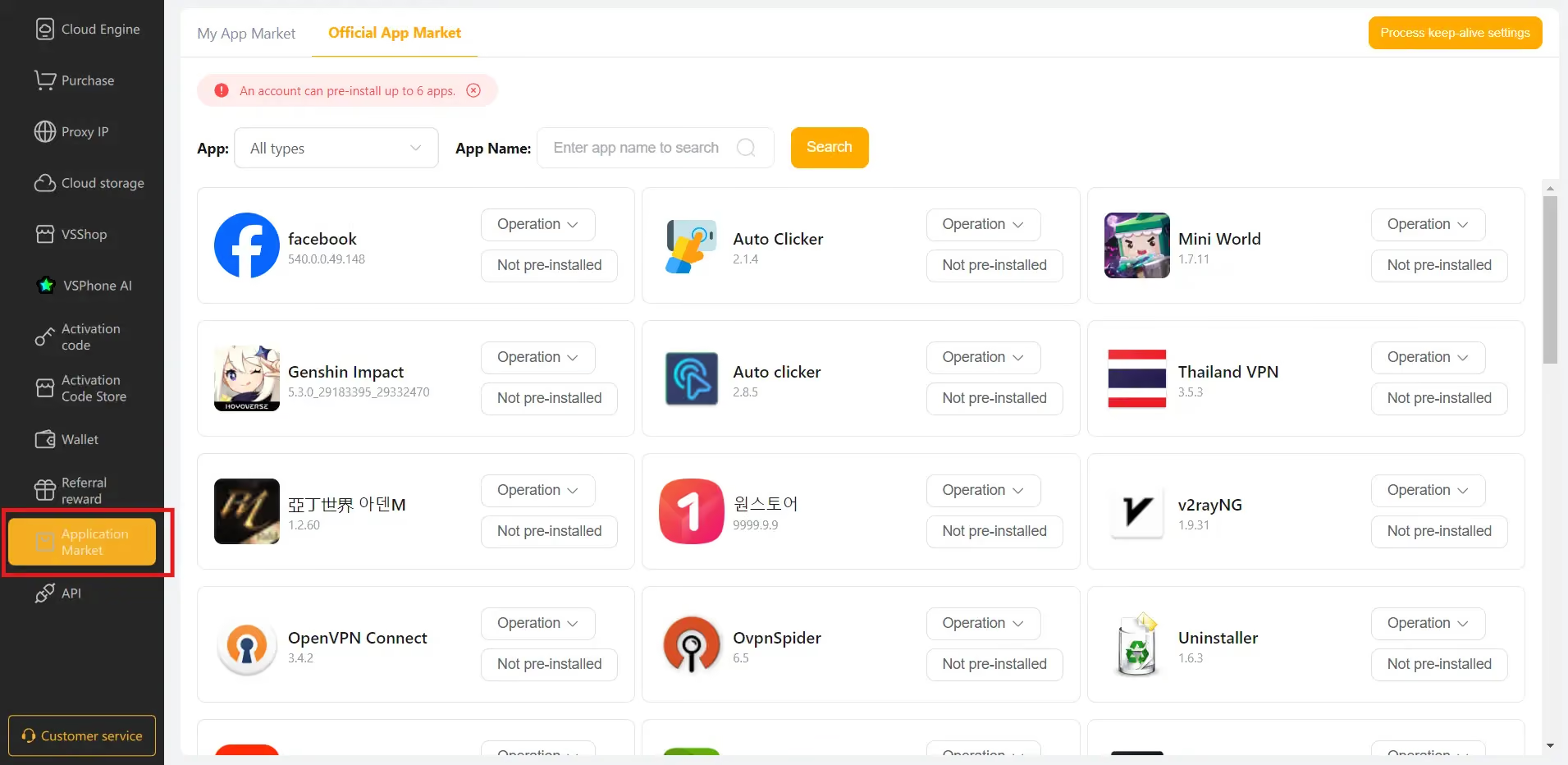
Or you can install apps from Google Play Store or another app store (VSPhone’s own, I believe) after launching the phone.
I downloaded Candy Crush Saga and played a few rounds of it. The latency stayed at 5ms the entire time. It never fluctuated from 5ms, which invites suspicion that it might be a hard-coded value.
But if I were to tell from my experience, the stream was smooth, and I didn’t feel any notable delays.
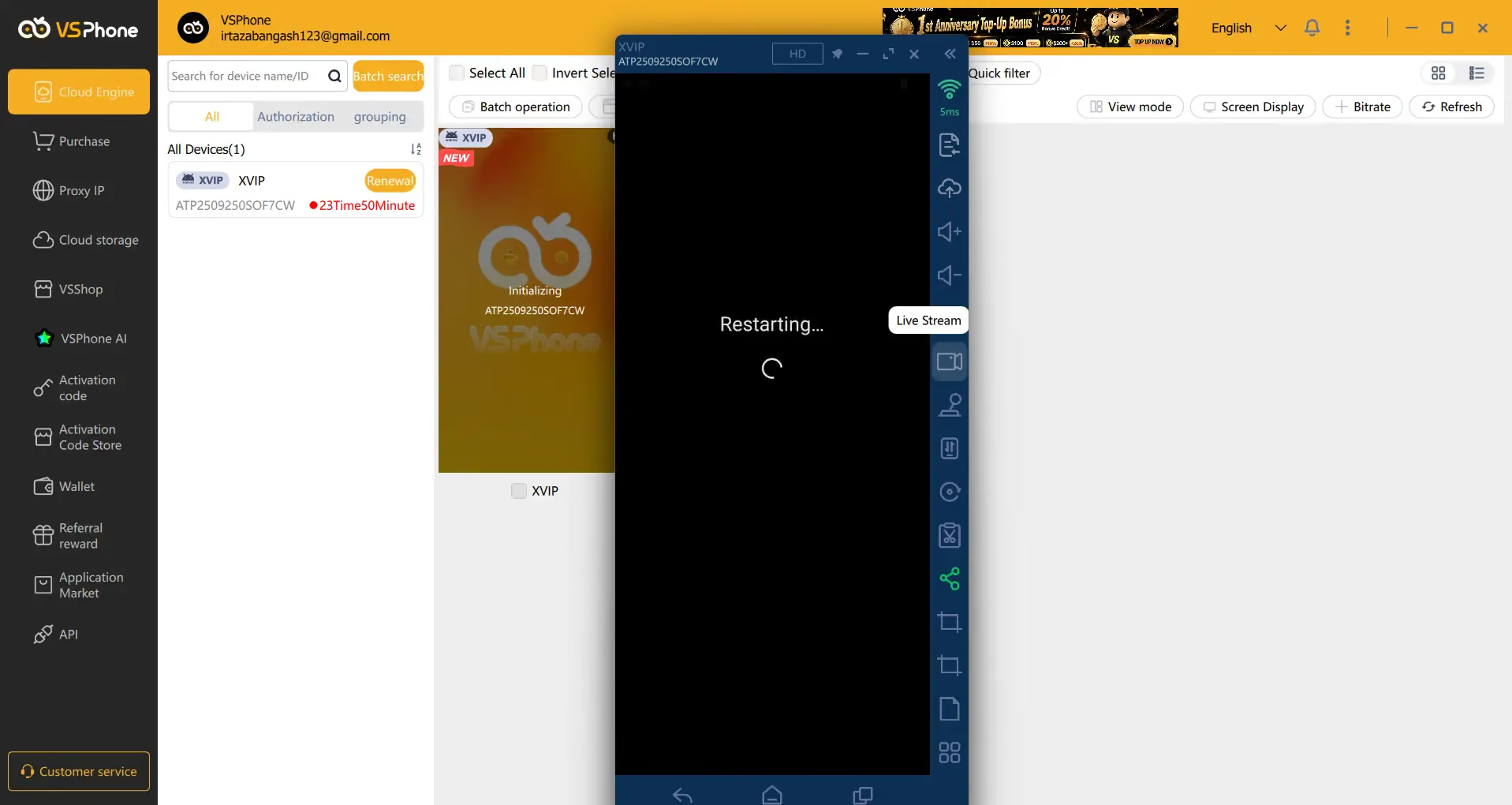
However, after some rounds of playing Candy Crush Saga, the phone randomly paused and went into a forced restart. When the phone restarted, Candy Crush wasn’t there anymore, as if the phone had been reset.
2. Proxy Setup & Anonymity Testing
Before even adding proxies, I ran fingerprint tests to see whether the VSPhone server hosting the phone bypasses them.
I ran the tests through Iphey and Pixelscan, and both of them flagged the fingerprint due to location.
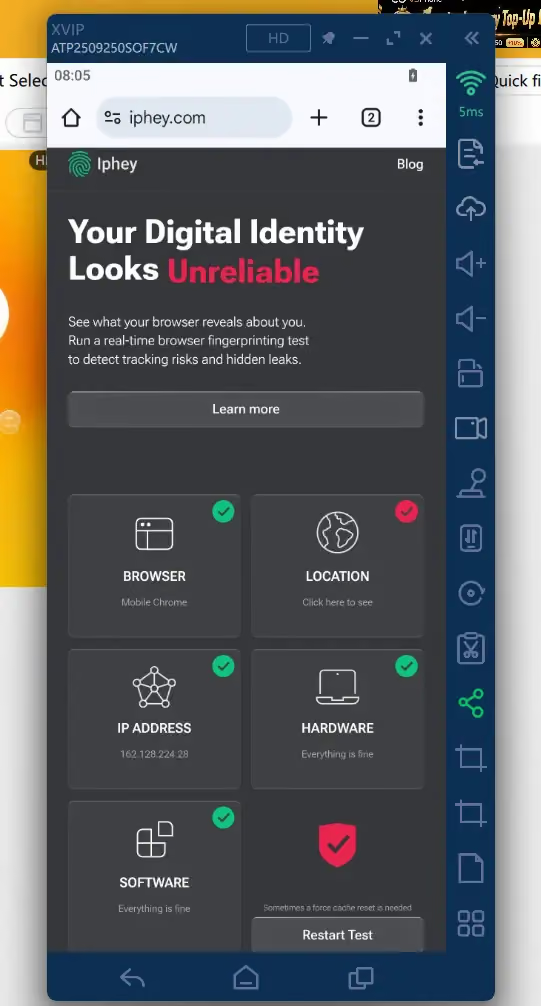
Both were able to tell that the phone is using a datacenter IP.
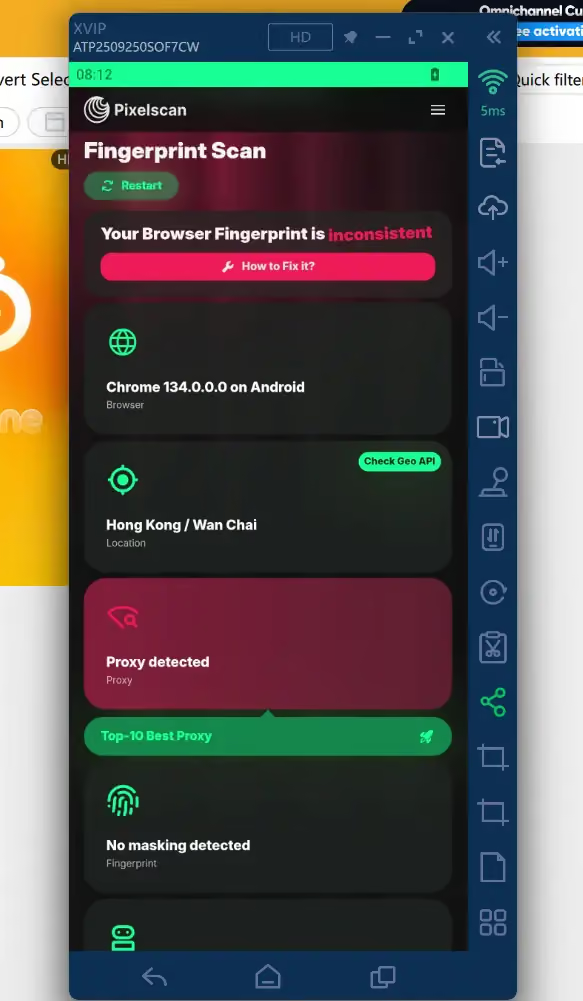
You can see the full fingerprint scan test before configuring a proxy in this video below.
This points to a genuine need for proxies if someone wants to use VSPhone for marketing.
There are multiple ways to add a proxy to a phone in VSPhone.
You can either add proxies in the dedicated proxy manager and then bind a proxy to a phone.
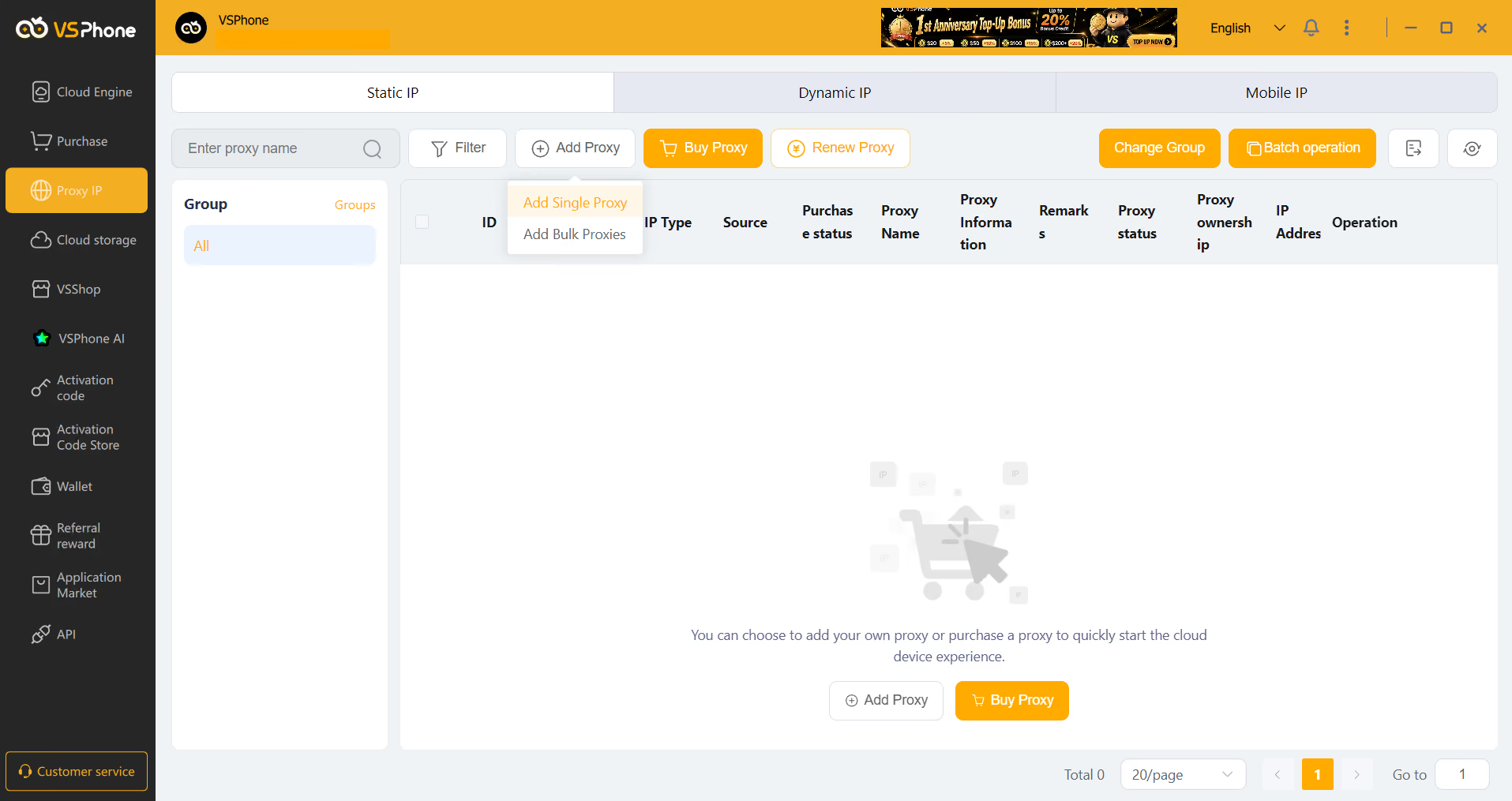
Or you can right-click the phone itself and add a proxy to it directly.
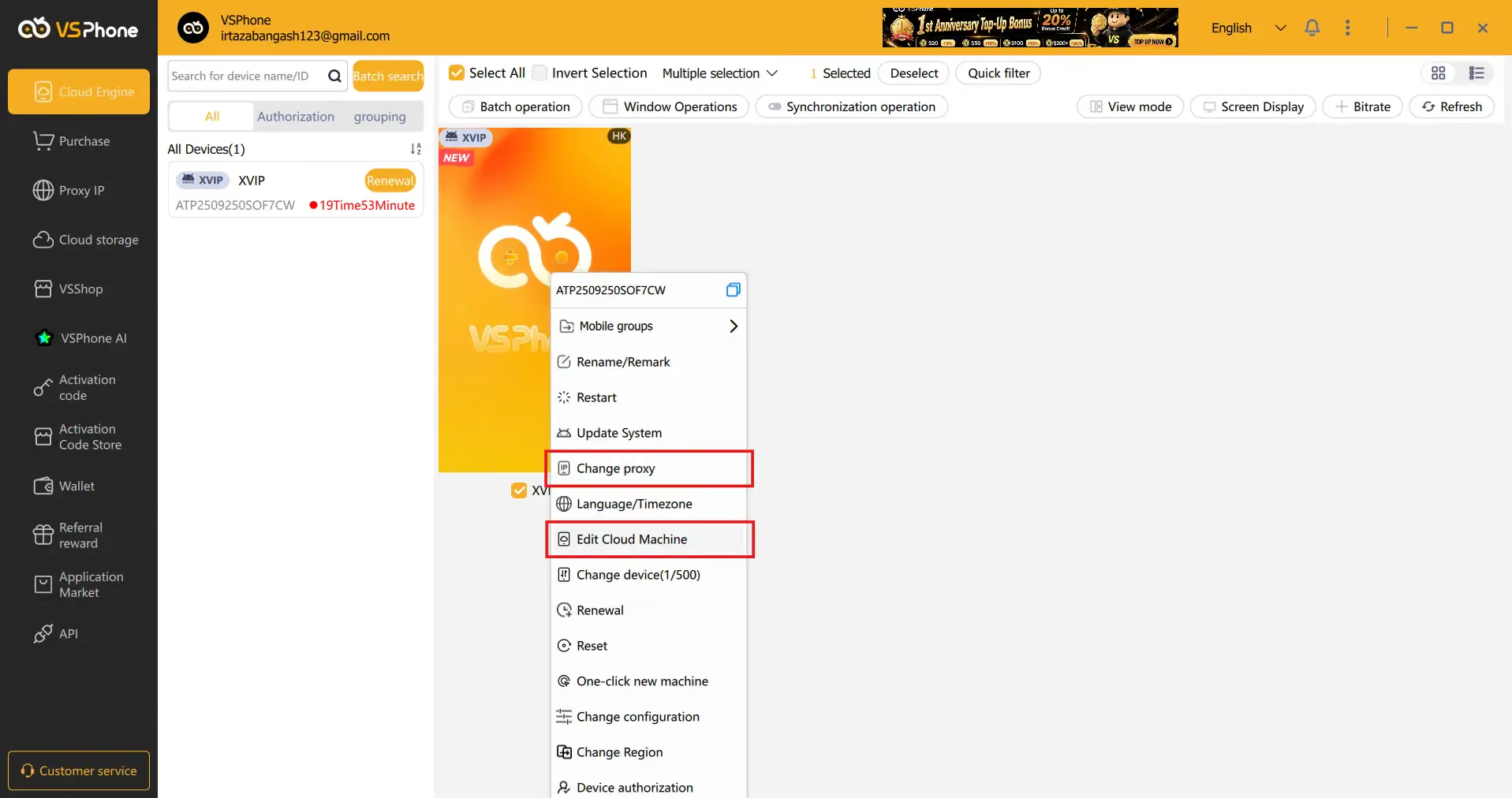
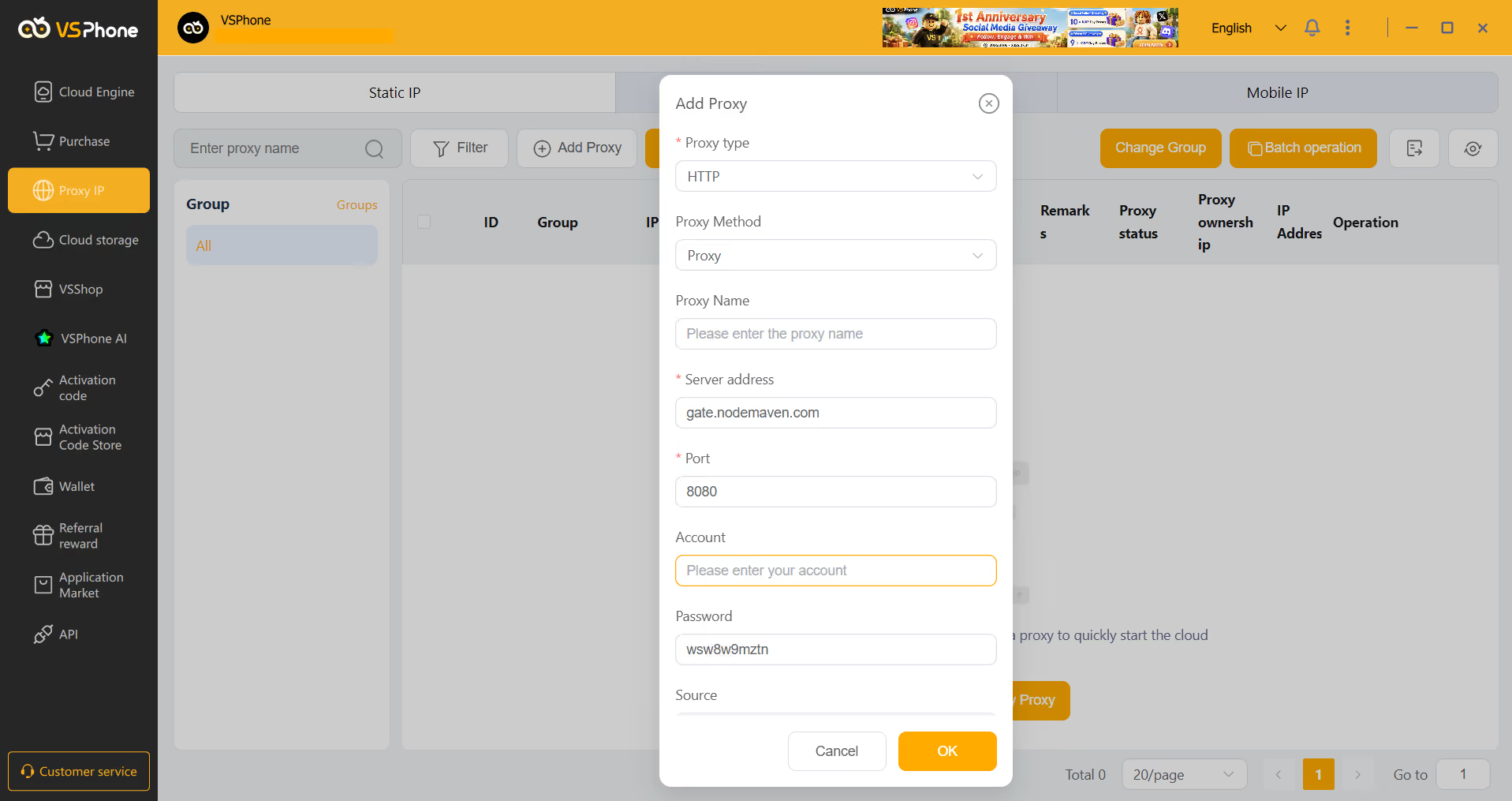
Both methods are simple. You are only required to add the proxy credentials you received from your proxy provider. You can also buy OwlProxy’s proxies from within VSPhone.
I reran the fingerprint tests after adding the proxy, and the fingerprint got even more inconsistent. Iphey was able to tell that I was trying to hide my location, likely because WebRTC was leaking the built-in IP of the cloud phone.
Pixelscan was also detecting proxy usage and a huge difference in the time zones of the two IPs. For some reason, Pixelscan wasn’t even recognizing the proxy IP from the US (152.55.177.47). It was still detecting the machine’s Hong Kong IP as the main IP (162.128.224.28).
Then I ran WebRTC leak and DNS leak tests using Pixelscan. Since Pixelscan was already presenting the machine’s actual IP as the current IP, it declared that my WebRTC is safe. But we know that this happened because WebRTC was already leaking.
The DNS leak test also revealed that the browser was resolving domain names through servers in Hong Kong, the US, and Poland, which constitutes a DNS leak.
3. Interface and English Support
After you have purchased a cloud phone, you have to wait a few minutes for the phone to appear on the Cloud Engine page of the VSPhone software, where an ad video was running previously.
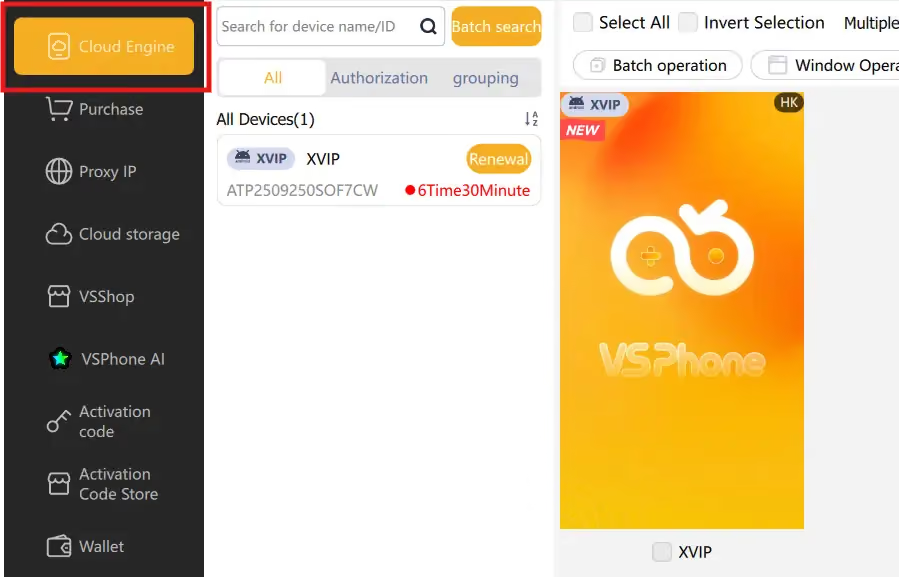
When I purchased a phone, I thought I’d get a regular smartphone with a tall screen. But when I opened the phone, it was a square-shaped device.
It took me a little time to figure out that you can change the device for free up to 500 times. So I did that and got a normal tall-screen smartphone.
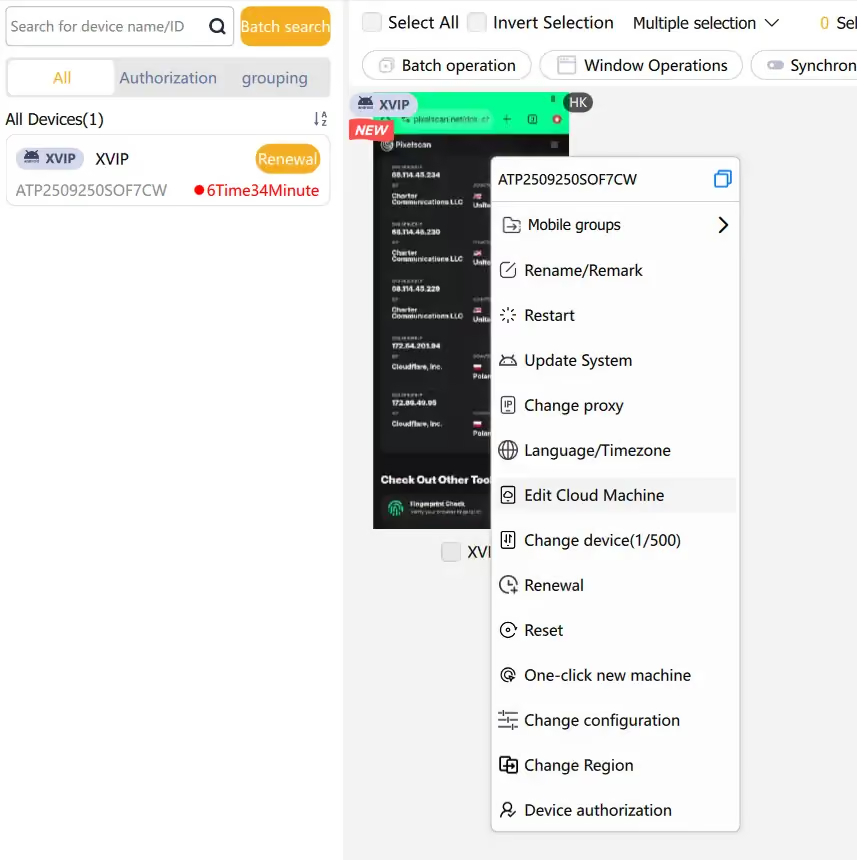
These were the only two issues I faced with the UI.
VSPhone Pricing: Is It Worth the Risk?
You can purchase a phone on VSPhone through both their desktop application and the web app.
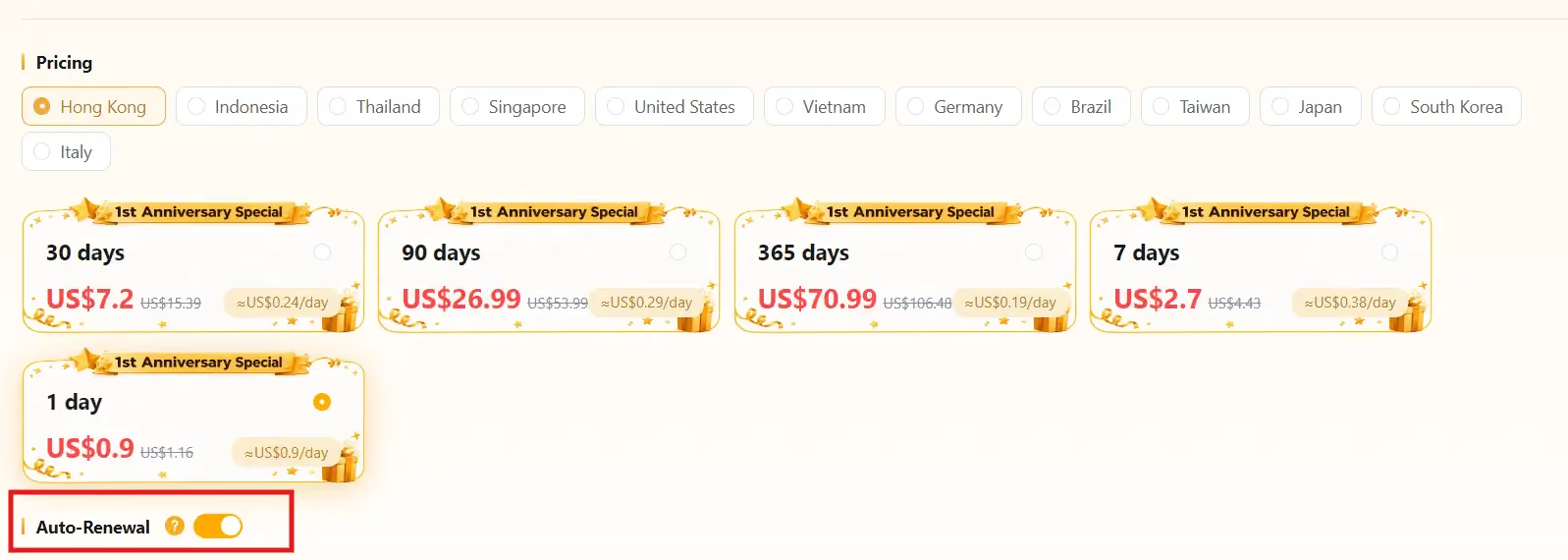
The pricing depends on the equipment model and the product model you choose. And of course, based on the number of days you rent the device for.
There are 6 product models (Basic, VIP, KVIP, SVIP, XVIP, and MVIP) with different hardware specs. The specs gradually get more advanced as you go from the Basic model to MVIP, and the price increases accordingly.
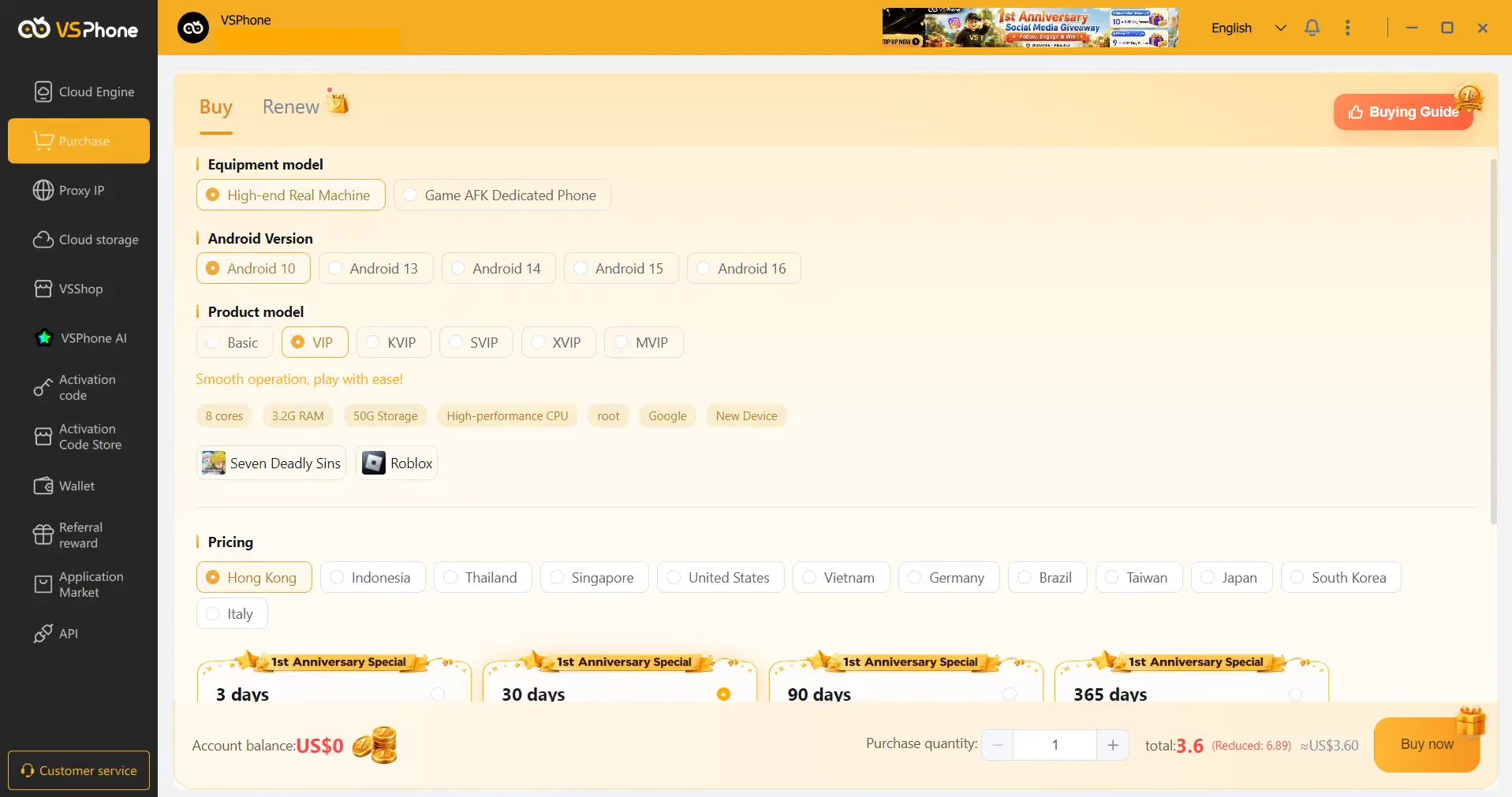
One thing to keep in mind is that if you don’t want your package to auto-renew, make sure to disable that auto-renew toggle that’s enabled by default.
Pros and Cons of VSPhone
Here’s the list of pros and cons that I identified during my experience using VSPhone.
Pros
- Works on Windows, macOS, Linux, Android, and iOS
- Phones can run 24/7 in the background
- Flexible and cheap pricing options
- No extra charges for device usage
- Device model can be changed for free, up to 500 times
- Option to specify apps that should come pre-installed on phones
- Own proxy store
Cons
- Phone randomly paused and force-restarted during testing, wiping the installed game as if the device had been reset
- Fails fingerprint tests out of the box
- Fingerprint got worse after adding a proxy
- Both WebRTC and DNS leak
VSPhone vs. Gologin Cloud Android: Gaming Cloud Phone vs. Marketing Anti-Detect
VSPhone is an established cloud phone platform for gamers. The platform is made to serve gamers the best.
But if you try to use it for marketing purposes, the chances of getting your social media accounts banned are high.
You should instead look for a cloud phone service purpose-made for marketing.
Gologin Cloud Android is one such service.
The Gologin browser is already an industry leader when it comes to managing multiple accounts across platforms without getting banned.
Our cloud phones offer the same level of anti-detection.
Here’s how Gologin compares to VSPhone:| Feature / Aspect | VSPhone (Gaming Cloud Phone) | Gologin Cloud Android (Marketing Anti-Detect) |
|---|---|---|
| Primary Focus | 24/7 AFK Mobile Gaming & Testing | Anti-detect Multi-Accounting |
| Fingerprint Security | Generic / Detectable emulator hardware | Unique, authentic mobile device fingerprints per profile |
| Proxy Integration | Easy (but proxies fail to hide actual proxy) | Native 1-click Proxy Manager |
| Account Ban Risk | High on social networks (TikTok, FB) | Low (real mobile hardware/network) |
| Ecosystem Unity | Virtual phones only | Cloud Android + Desktop Profiles in one dashboard |
Final Verdict: Should You Use VSPhone for Business?
If you’re looking for a cloud phone platform for gaming, VSPhone is a feasible option.
But it’s a highly risky platform to use for marketing.
As you saw, it had an inconsistent fingerprint to begin with. And adding a proxy couldn’t hide the actual IP either.
So it’s best to stick to a service like Gologin Cloud Android for your marketing and business needs.
You enjoy the industry’s best fingerprint protection and proxy integration.
Get started with Gologin Cloud Android today.
Frequently Asked Questions (FAQ)
Can I use VSPhone for TikTok account farming?
No. VSPhone tends to have an inconsistent digital fingerprint, which will get you banned on social media platforms like TikTok.
Is VSPhone a real Android device or an emulator?
A VSPhone isn’t a real physical Android device that you control remotely. VSPhone Cloud Android is a cloud phone mimicking an Android environment on remote cloud servers.
What is the best alternative to VSPhone for social media marketing?
The best VSPhone alternative for social media marketing is Gologin Cloud Android because it is purpose-made for anti-detection, which is what you need for marketing purposes.