ScrapeGraphAI Review 2026: 7 Benchmark Tests, Pricing and Real Costs
Try Gologin for free
ScrapeGraphAI is an AI web scraping API: you send a URL and get the page back as clean Markdown, or you add a prompt and a JSON schema and get structured data. Around those two calls sit Search, Crawl and Monitor endpoints, Python and JavaScript SDKs, an MCP server and ready LangChain, LlamaIndex, CrewAI, n8n, Zapier and Make integrations. It is built for feeding web pages to language models, and on simple pages it is fast.
This ScrapeGraphAI review covers its features, credit system and pricing, then runs ScrapeGraphAI and Gologin on the same seven targets, with the same runs, the same retry rule and the same success check. Gologin enters as a stack: Gologin Web Unlocker for page retrieval plus Gologin Cloud Browser for jobs that need a live session.
Every number below comes from a logged run, including Gologin’s losses.
ScrapeGraphAI vs Gologin: Key Takeaways
- Retrieval success: Gologin won. With up to 3 retries on HTTP 502, 503 and 504, Web Unlocker returned the full page in 49 of 50 runs across tests 1 to 5, ScrapeGraphAI in 30 of 50. On the first attempt only, the score was 36 to 30 for Web Unlocker.
- Simple pages: ScrapeGraphAI was faster. Books to Scrape came back in 0.72 s against 1.58 s, and the Indeed job list in 5.57 s against 6.72 s, both at 10/10.
- Site running DataDome: ScrapeGraphAI got 0 of 55 Amway product grids across every setup we tried, and billed 6 credits for each empty page. Web Unlocker returned the grid 10/10 at 25.29 s.
- Marketplace page: every ScrapeGraphAI request to the Walmart product page ended in HTTP 502 “Unable to fetch URL”, free of charge, including 10 Extract runs. Web Unlocker returned the title and price 10/10.
- Cost: a Markdown page costs 1 credit, $2.00 per 1,000 on Starter and $1.00 on Growth. Web Unlocker charges $0.98 for any page. Our 338 credits for Amway pages without products were 77% of everything we spent.
- Escalation: ScrapeGraphAI has no browser product. Gologin Cloud Browser opened the Amway grid 9/10; ScrapeGraphAI’s residential proxy mode got 0/10.
| ScrapeGraphAI | Gologin Web Unlocker (+ Cloud Browser for #6, #7) | |
|---|---|---|
| Success, tests 1 to 5, with retries | 30/50 | 49/50 |
| Success, tests 1 to 5, first attempt | 30/50 | 36/50 |
| Median time, hardest target (#4 DataDome) | no success | 25.29 s |
| Cost per 1K pages, simple page (entry plan) | $2.00 | $0.98 |
| Output | Markdown, HTML, JSON by prompt and schema, links, screenshot | HTML, Markdown, text, JSON |
| Sessions and interaction | scrolls and wait inside one request | Cloud Browser, hourly |
| Charged responses | every API 200 | successful pages only |
| Free start | 500 credits, one-time | 1,000 requests, 7 days, no card |
What Is ScrapeGraphAI?
ScrapeGraphAI started as an open-source Python library that builds scraping pipelines with language models, and it is still on GitHub under that name. This review tests the other product: the hosted ScrapeGraphAI API, which turns any public URL into Markdown or structured JSON for LLM work. Version 2 of the API has five endpoints under one API key.
| Endpoint | What it does | Credits |
|---|---|---|
| Scrape | One URL to Markdown, HTML, links, images, summary, screenshot or JSON | 1 for Markdown |
| Extract | One URL plus a prompt and optional JSON schema to structured data | 5 |
| Search | Web search plus content from the top results | 2 per result |
| Crawl | Follows links on a site and returns each page | 2 to start plus pages |
| Monitor | Re-runs an extraction on a schedule and tracks changes | 5 per change |
The dashboard lists ready clients and integrations: Python SDK, JavaScript SDK, CLI, MCP, LangChain, CrewAI, LlamaIndex, Agno, Vercel AI, LiteLLM, Smithery, n8n, Zapier and Make. The earlier AgenticScraper, which drove a browser step by step, “has been removed in v2”, so the API has no browser session product.
How We Tested ScrapeGraphAI and Gologin
ScrapeGraphAI’s configuration ladder ran on 9 November 2026. The head-to-head ran on 11 November 2026, both tools on the same day from one machine, first without retries and then with them. Each tool got 10 runs per target, at least 10 seconds apart, with a fresh cache-busting parameter (cb=timestamp) on every URL.
| # | Scenario | Target | Success marker |
|---|---|---|---|
| 1 | Static HTML | books.toscrape.com product page | title and £ price |
| 2 | JavaScript-rendered | quotes.toscrape.com/js/ | at least 10 quotes |
| 3 | Site behind Cloudflare | indeed.com job search, New York | heading and a job link, no challenge |
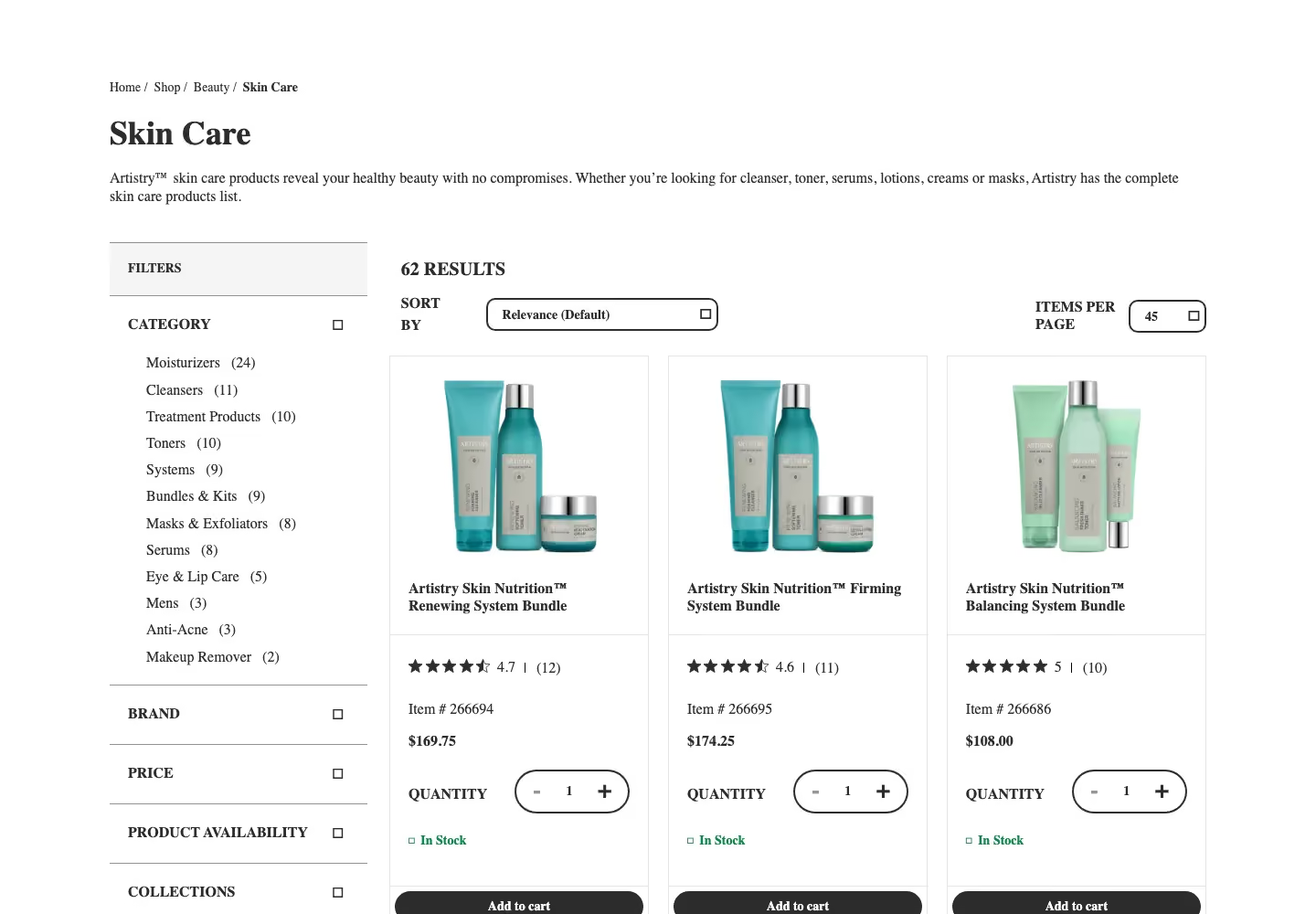
| 4 | Site running DataDome | amway.com Skin Care category | at least 10 prices, no challenge |
| 5 | Marketplace product | walmart.com item 5689919121 | product title and price |
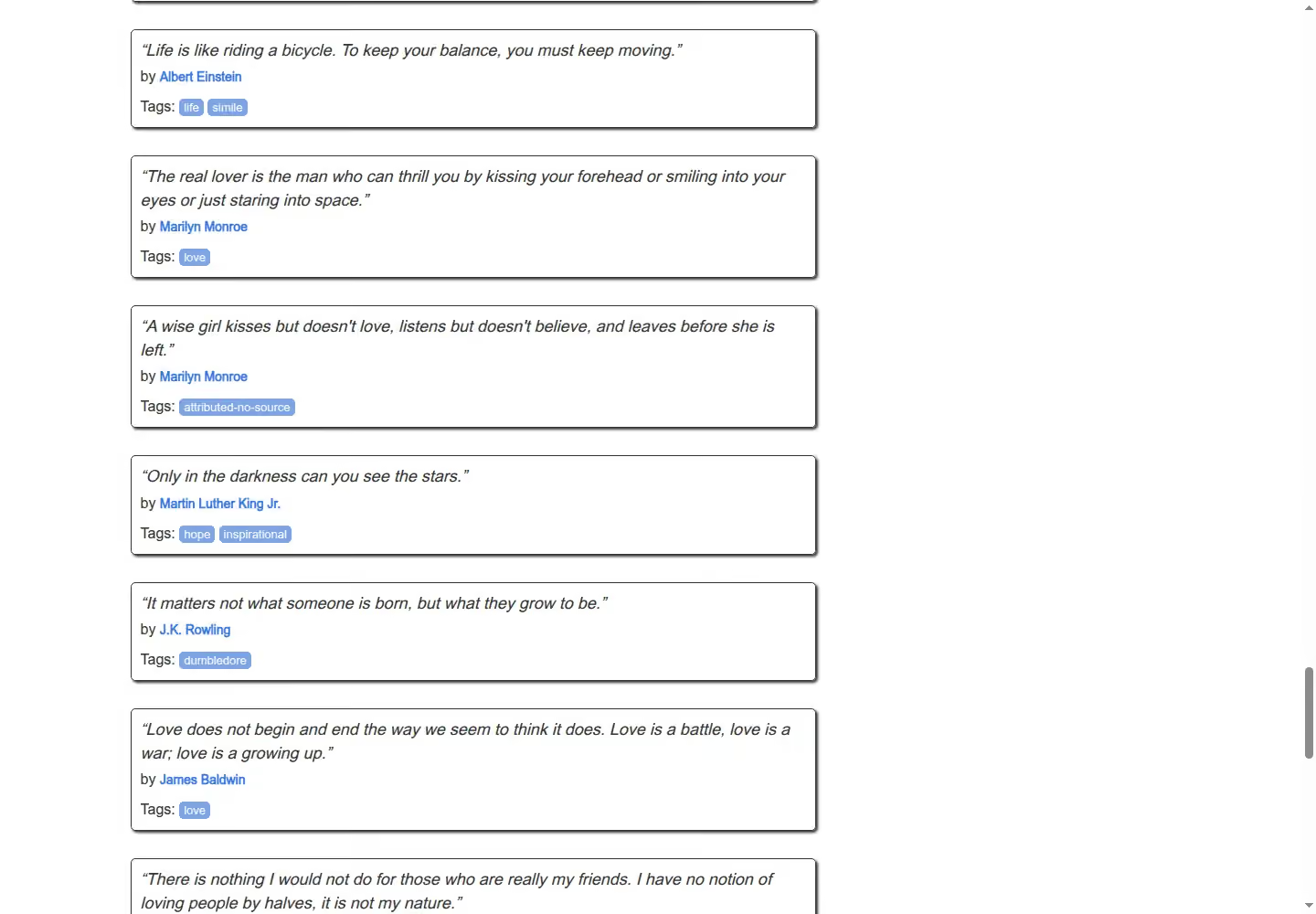
| 6 | Infinite scroll | quotes.toscrape.com/scroll | at least 50 quotes |
| 7 | Escalation | amway.com Skin Care category | at least 10 prices, no challenge |
- Direct requests first: a plain request got a Cloudflare “Security Check” from Indeed (HTTP 403), a DataDome device check from Amway (HTTP 403) and a “Robot or human?” page from Walmart (HTTP 200 without the product).
- Configuration rule: ScrapeGraphAI started on the cheapest setup, mode=fast, and stepped up through js rendering, residential proxy mode, a US exit and mode=auto only when the marker failed. Every step is in our log.
- Retries: the Gologin product team told us to expect first-attempt errors on Walmart and Amway and to retry 502 and 503 responses 2 to 3 times with a 60 to 120 s timeout. We applied the same rule to both tools: up to 3 retries on HTTP 502, 503 and 504, a 3 s pause, and the time of every attempt counted in the run.
- Success and cost: a run counts only when one shared parser finds the marker in the body, never on HTTP 200 alone. ScrapeGraphAI returns no cost field, so we read the credit balance from GET /api/credits before and after every request.
python -m venv .venv && source .venv/bin/activate && pip install requests beautifulsoup4 playwright python-dotenvimport time
RETRY_ON = (502, 503, 504)
def with_retries(call, retries=3, pause=3):
attempt, waited = 0, 0.0
while True:
attempt += 1
response, elapsed, found, body = call()
waited += elapsed
if response.status_code not in RETRY_ON or attempt > retries:
return response, waited, found, attempt
time.sleep(pause)
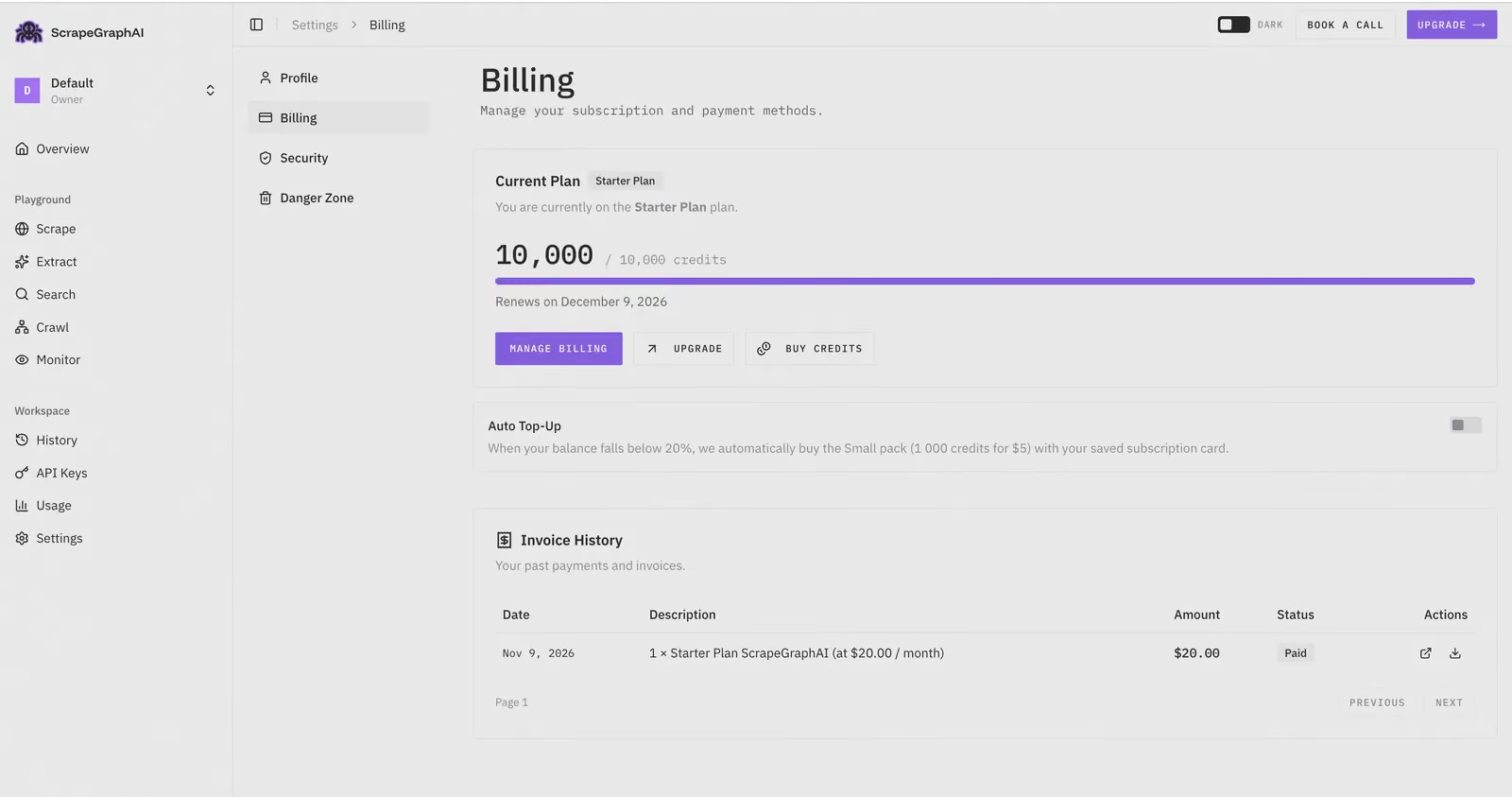
waited += pauseScrapeGraphAI ran on the Starter plan ($20 a month, 10,000 credits). All our tests used 438 credits.
ScrapeGraphAI Features and Full API Parameters
The Scrape endpoint is the core of ScrapeGraphAI. You POST a URL and a list of formats; a fetchConfig object decides how the page is fetched.
curl -X POST "https://v2-api.scrapegraphai.com/api/scrape" -H "SGAI-APIKEY: YOUR_API_KEY" -H "Content-Type: application/json" -d '{"url": "https://example.com", "formats": [{"type": "markdown"}], "fetchConfig": {"mode": "js"}}'- Fetch modes: fast is a direct HTTP fetch, js a headless browser, auto “automatically selects the best strategy” and is the default (ScrapeGraphAI docs).
- Residential proxy mode: a boolean in fetchConfig that adds a residential proxy with extra request headers, +4 credits on its own and +5 with js, by the credits page. We measured 6 credits per request.
- Output formats: markdown, html, links, images, summary, json (prompt plus schema), branding and screenshot; Markdown has normal, reader and prune modes.
- Page actions: scrolls (0 to 100) and wait (up to 30,000 ms) inside one request; no click or typing actions are documented.
- Geo-targeting: country by ISO code; the docs give de and us as examples and no full list. City or state: not documented.
- Timeout: 1 to 60 seconds per request.
- Rate limits: 10 requests a minute on Free, 100 on Starter, 500 on Growth, 5,000 on Pro; HTTP 429 above that.
- Billing rule: “Failed requests and requests that return an error are not charged.” A 200 response is charged whatever the page contains.
| Parameter | Type | Default | What it does | Cost effect |
|---|---|---|---|---|
| url | string | none | Public target URL | none |
| formats | list | none | markdown, html, links, images, summary, json, branding, screenshot | 1; json 5, screenshot 2, branding 25 |
| fetchConfig.mode | string | auto | fast, js or auto | auto up to +9 |
| residential proxy mode | bool | false | Residential IP with extra headers | +4, or +5 with js |
| fetchConfig.country | string | none | Exit country, ISO code | none |
| fetchConfig.scrolls | int | 0 | Scrolls before capture, 0 to 100 | none |
| fetchConfig.wait | int, ms | 0 | Wait after load, up to 30,000 | none |
| fetchConfig.timeout | int, ms | none | 1,000 to 60,000 | none |
| fetchConfig.headers, cookies | object | none | Your own headers and cookies | none |
- mode=fast: returned Books to Scrape, then answered HTTP 502 for the JavaScript page, Indeed and Walmart. js rendering was the cheapest step that worked on tests 2 and 3, still at 1 credit.
- Undocumented errors: we saw 502 “fetch_failed” with “Unable to fetch URL” and 400 “fetch_provider_config” with “No fetch provider matches this content type and fetch config”, both free.
ScrapeGraphAI Review: Hands-On Testing Results
Test #1: Static HTML page
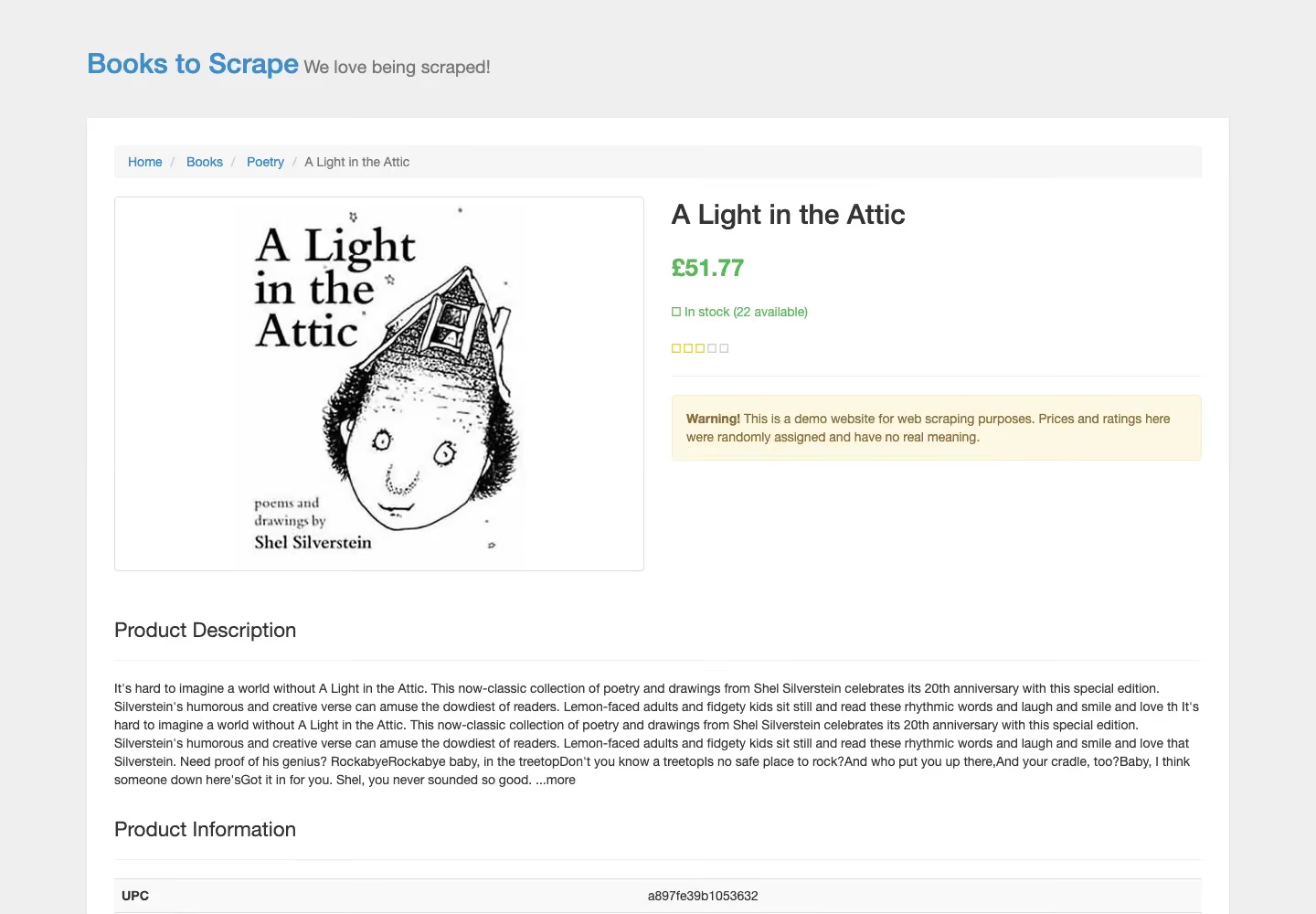
We sent the books.toscrape.com product page with mode=fast, the cheapest setup.
from common import markdown_of, scrape
from markers import static_page

TARGET = "https://books.toscrape.com/catalogue/a-light-in-the-attic_1000/index.html"

def run(**fetch):
    response, elapsed = scrape(TARGET, **fetch)
    markdown = markdown_of(response)
    found = static_page(markdown)
    print(f"Config        : {fetch or 'default'}")
    print(f"HTTP status   : {response.status_code}")
    print(f"Markdown      : {len(markdown):,} chars")
    print(f"Marker found  : {found}")
    print(f"Elapsed       : {elapsed:.2f}s")
    return response, elapsed, found, markdown

with_retries(lambda: run(mode="fast"))
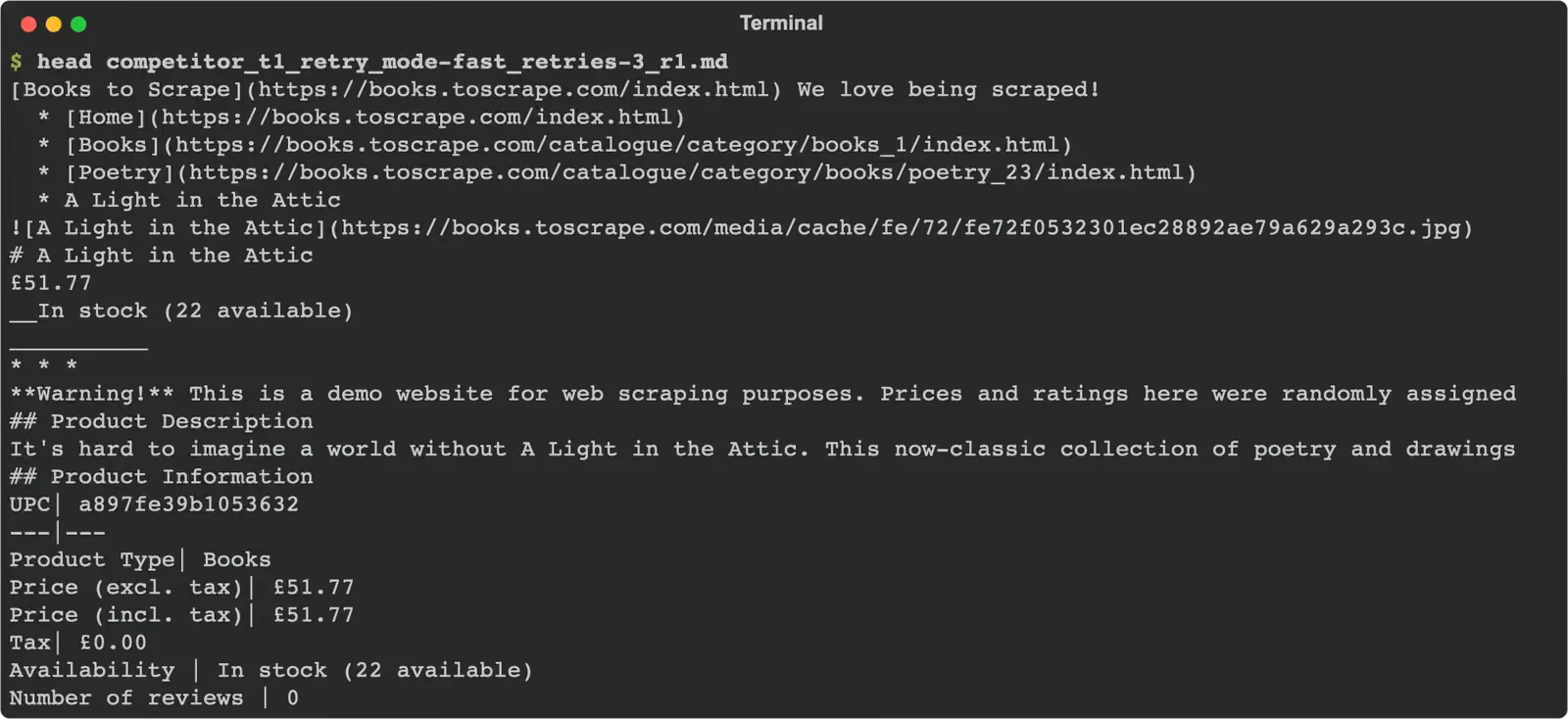
Every run returned the title and price in about 1,900 characters of Markdown.
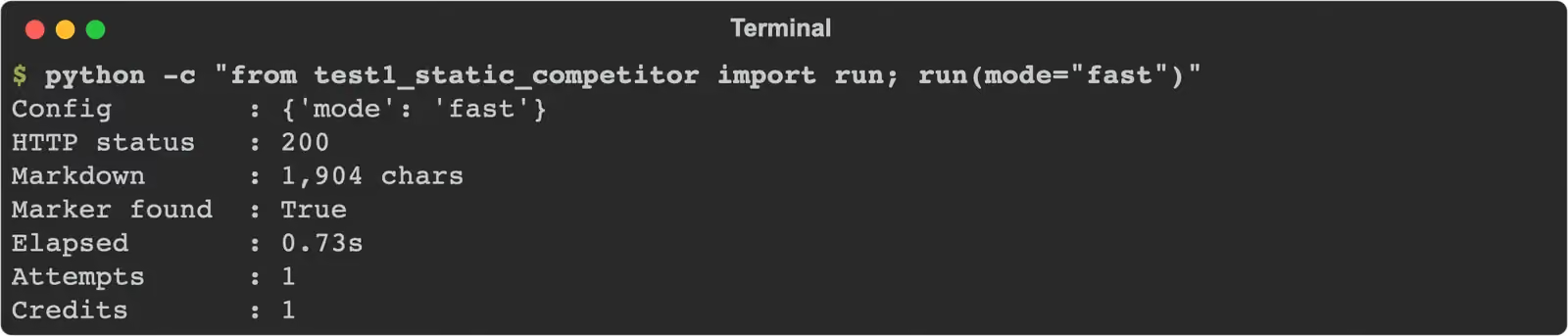
10/10 successful, median 0.72 s, 1 credit each, slowest 1.41 s, no retries needed. The first attempt round on the same day gave the same 10/10 at 0.81 s.
Test #2: JavaScript-rendered page
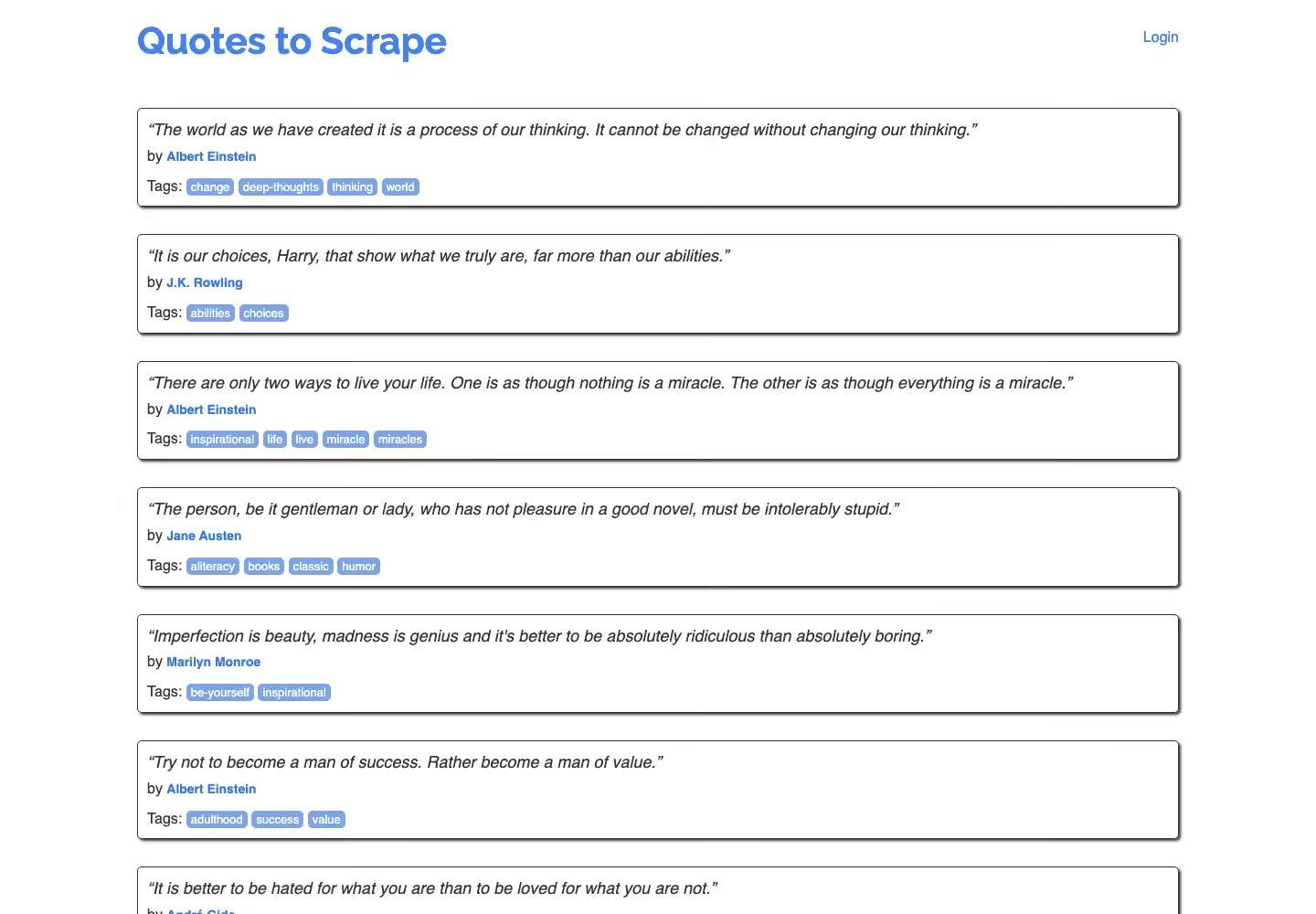
We sent quotes.toscrape.com/js/ with mode=fast, then mode=js.
from common import markdown_of, scrape
from markers import js_quotes

TARGET = "https://quotes.toscrape.com/js/"

def run(**fetch):
    response, elapsed = scrape(TARGET, **fetch)
    markdown = markdown_of(response)
    found = js_quotes(markdown)
    print(f"Config        : {fetch or 'default'}")
    print(f"HTTP status   : {response.status_code}")
    print(f"Markdown      : {len(markdown):,} chars")
    print(f"Marker found  : {found}")
    print(f"Elapsed       : {elapsed:.2f}s")
    return response, elapsed, found, markdown

with_retries(lambda: run(mode="js"))
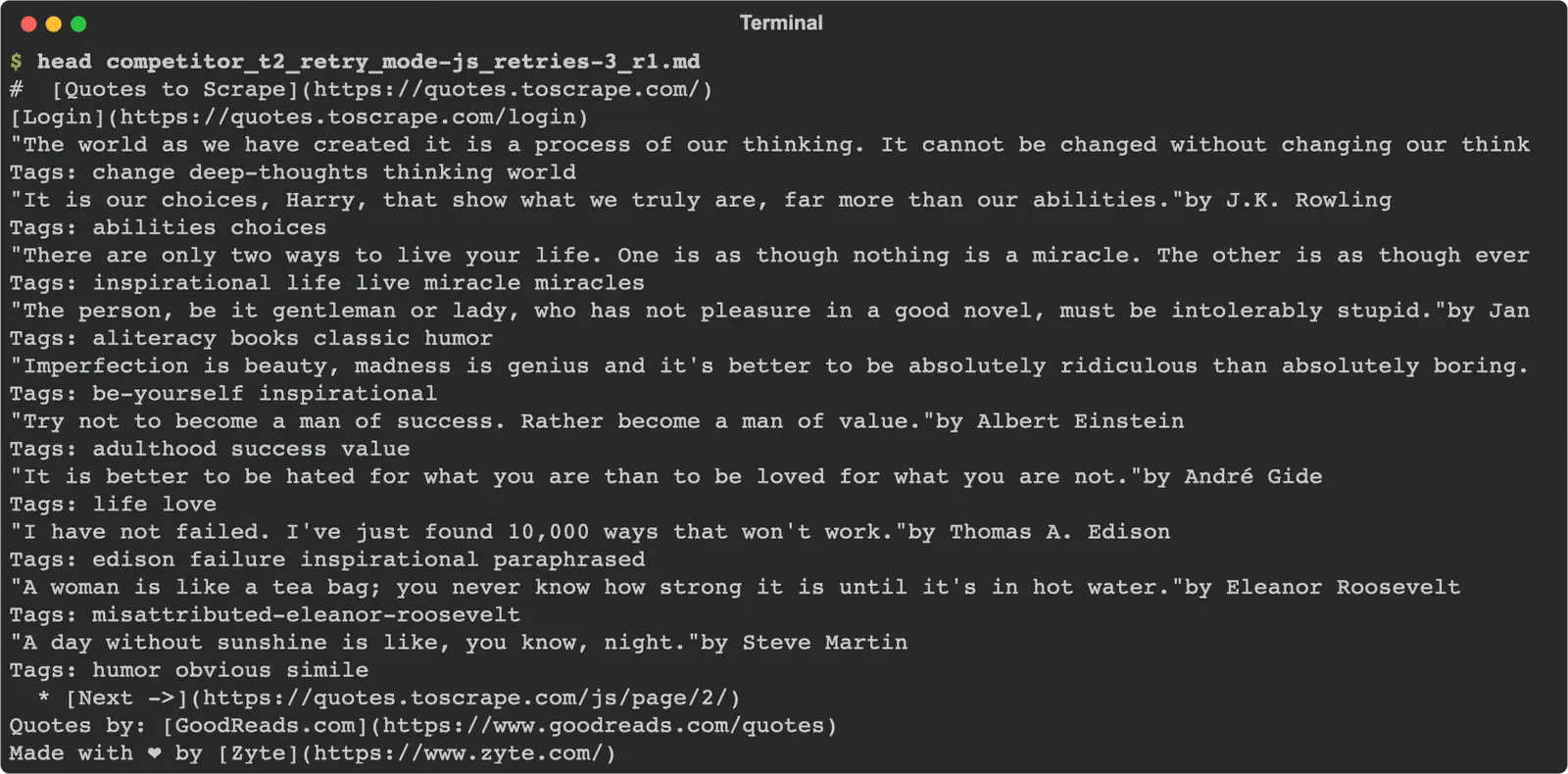
With js rendering, all 10 quotes were in the Markdown every time.
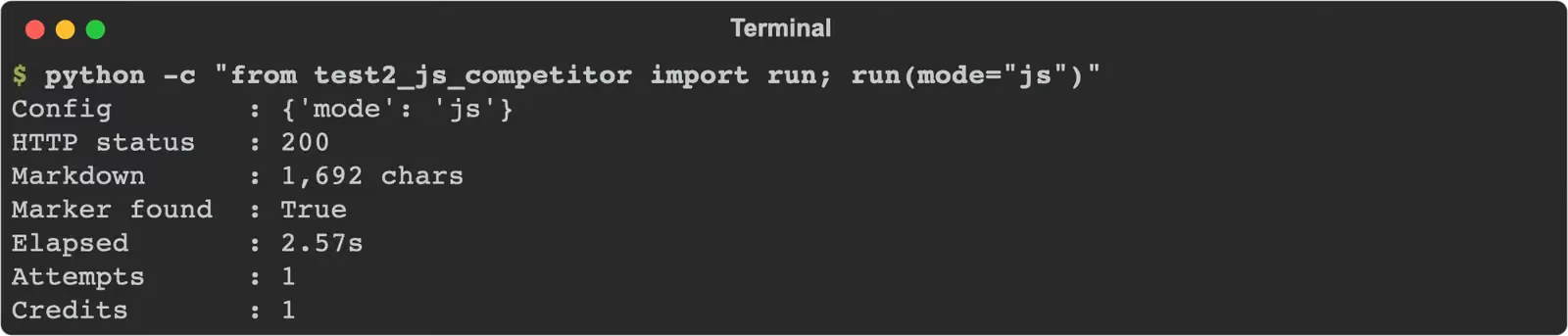
10/10 successful, median 2.60 s, 1 credit each, slowest 4.00 s. mode=fast got 0/5 on 9 November: each run ended in HTTP 502 “Unable to fetch URL” and was free.
Test #3: Site behind Cloudflare
We sent an indeed.com job search for python developer in New York.
from common import markdown_of, scrape
from markers import job_search

TARGET = "https://www.indeed.com/jobs?q=python+developer&l=New+York%2C+NY"

def run(**fetch):
    response, elapsed = scrape(TARGET, **fetch)
    markdown = markdown_of(response)
    found = job_search(markdown)
    print(f"Config        : {fetch or 'default'}")
    print(f"HTTP status   : {response.status_code}")
    print(f"Markdown      : {len(markdown):,} chars")
    print(f"Marker found  : {found}")
    print(f"Elapsed       : {elapsed:.2f}s")
    return response, elapsed, found, markdown

with_retries(lambda: run(mode="js"))
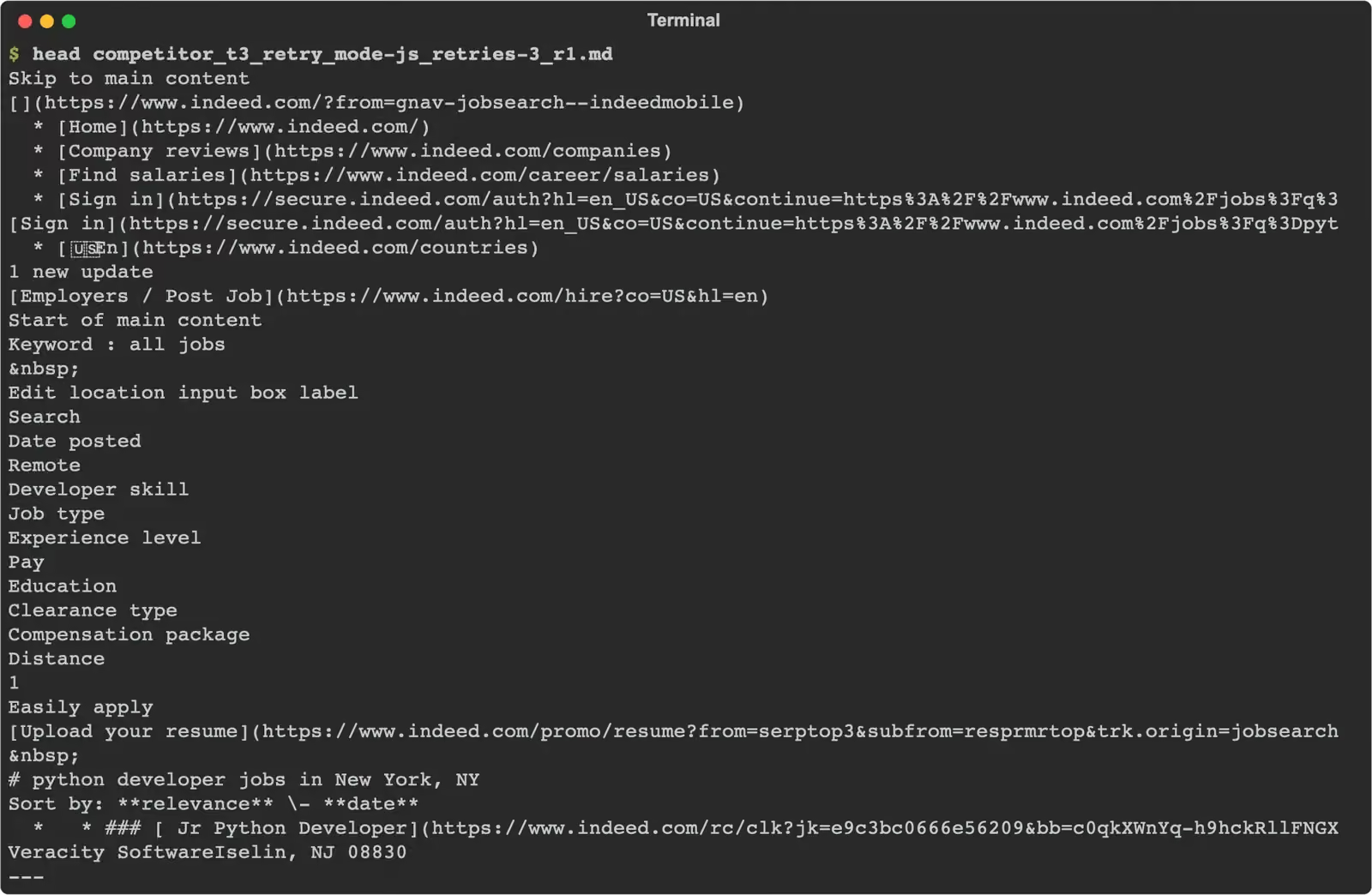
The job list with links to each posting came back in every run.
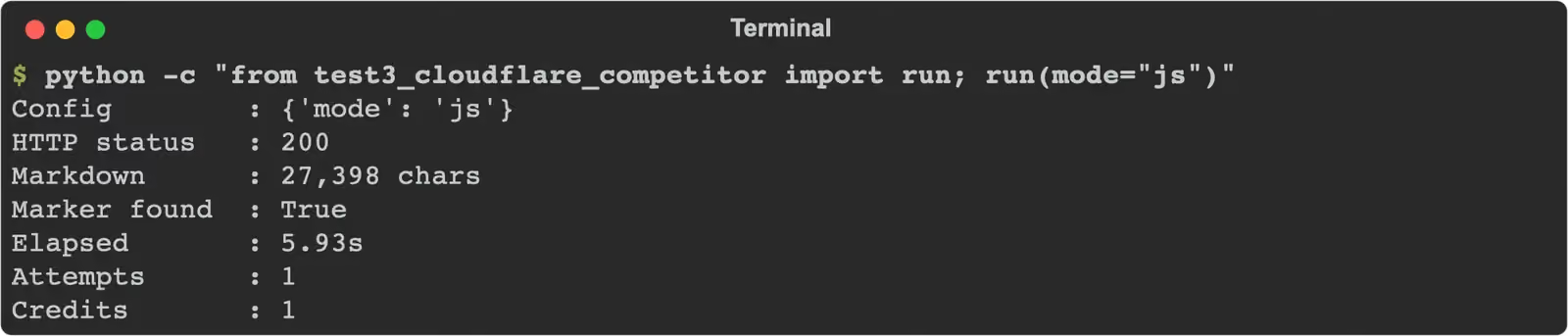
10/10 successful, median 5.57 s, 1 credit each, slowest 7.05 s. Without retries it was also 10/10, at 5.63 s. mode=fast got 0/5, all HTTP 502. For job data without writing a parser, Gologin also has a ready Indeed scraper.
Test #4: Site running DataDome
We sent the Amway Skin Care category, which answers a plain request with a DataDome device check.
from common import markdown_of, scrape
from markers import category_page

TARGET = "https://www.amway.com/en_US/Shop/Beauty/Skin-Care/c/105"

def run(**fetch):
    response, elapsed = scrape(TARGET, **fetch)
    markdown = markdown_of(response)
    found = category_page(markdown)
    print(f"Config        : {fetch or 'default'}")
    print(f"HTTP status   : {response.status_code}")
    print(f"Markdown      : {len(markdown):,} chars")
    print(f"Marker found  : {found}")
    print(f"Elapsed       : {elapsed:.2f}s")
    return response, elapsed, found, markdown

with_retries(lambda: run(mode="auto"))
No run returned the product grid.
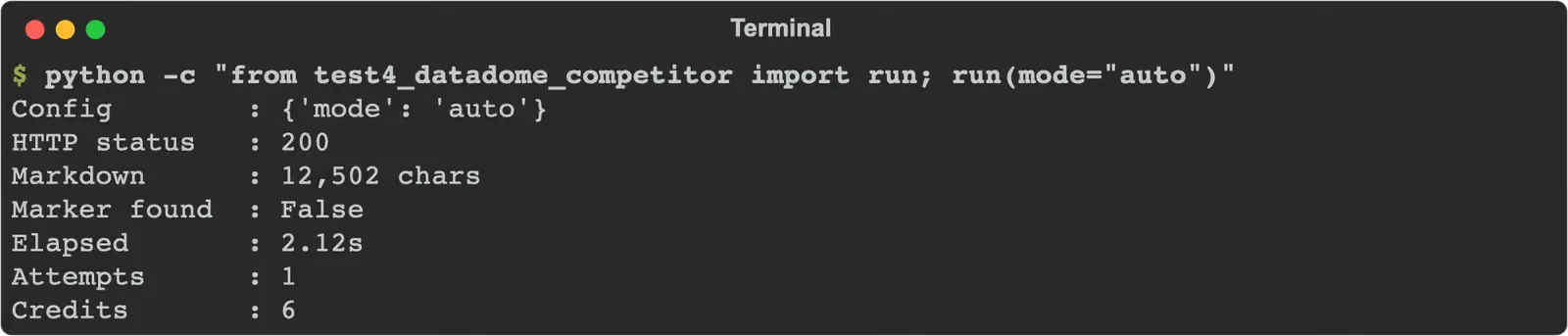
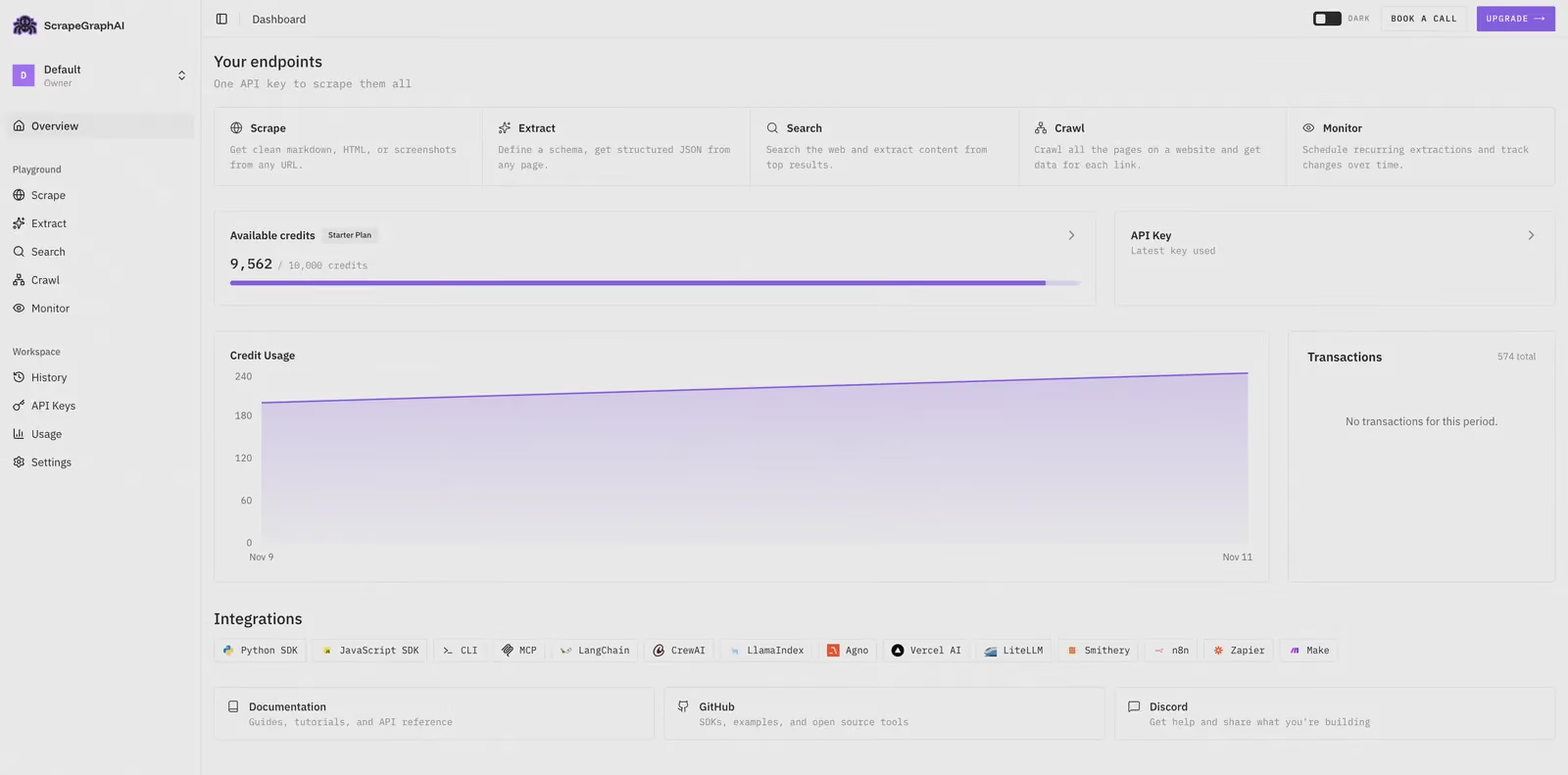
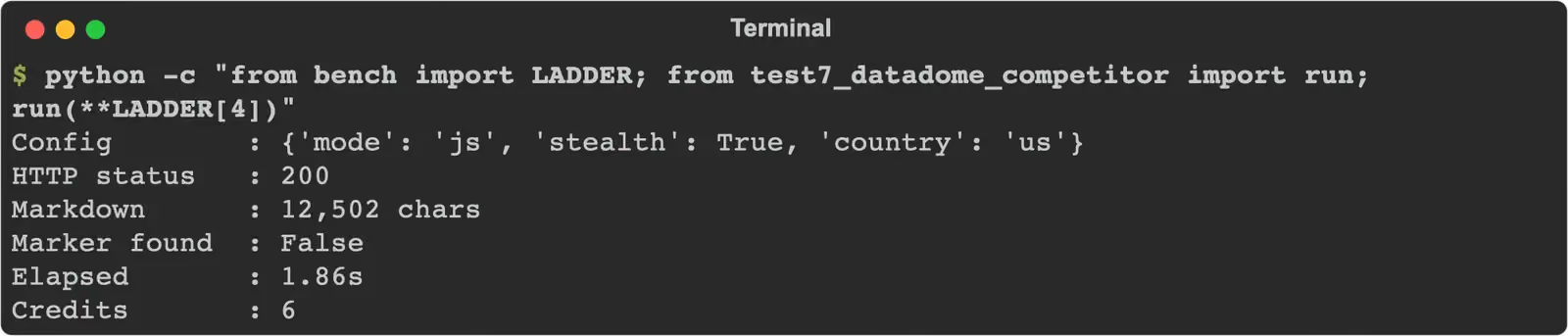
0/10 with retries, 0/10 without, after mode=fast (0/5), js (0/5), residential proxy mode with fast and with js (0/5 each), the same with a US exit (0/5) and auto (0/10) on 9 November. Every response was HTTP 200 with the category frame and the line “A system error has occurred. Please try again later.” in place of products, so retries never fired.
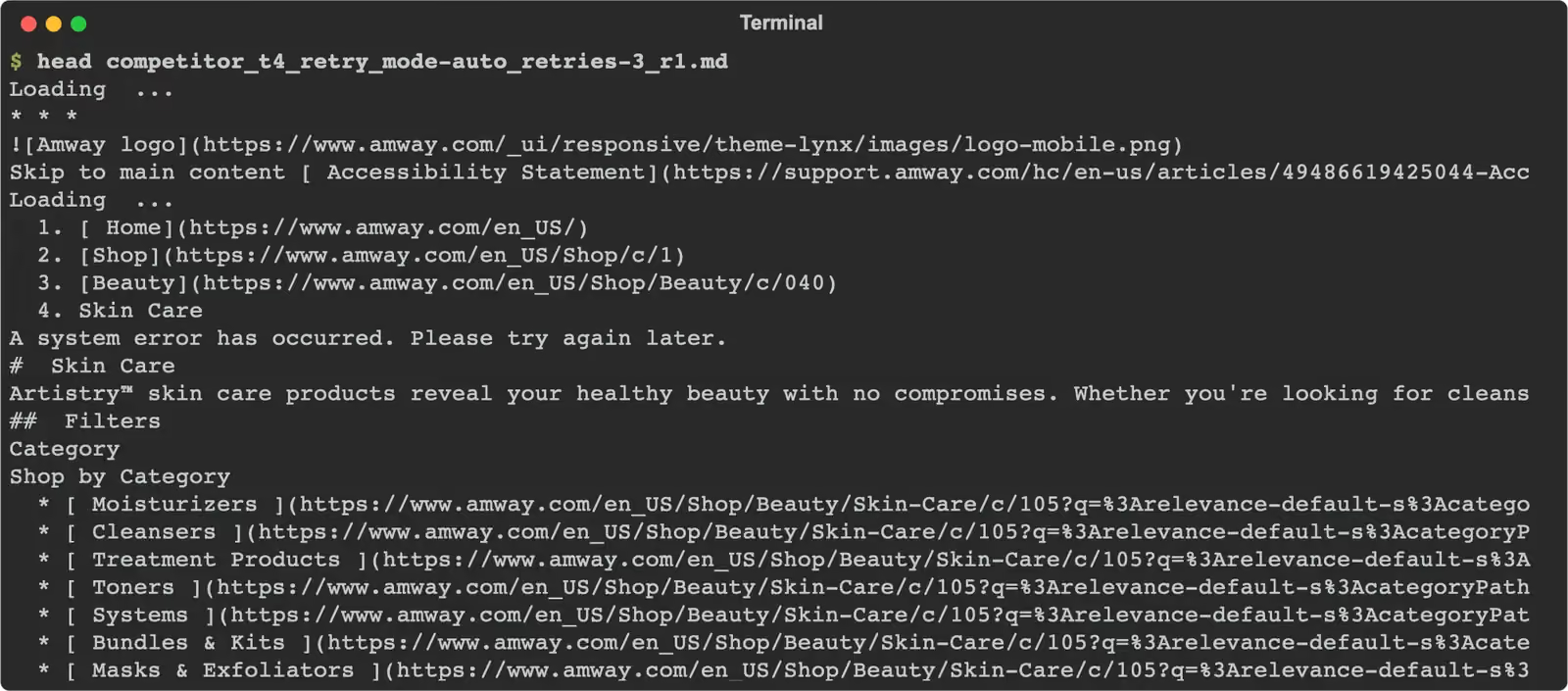
Each of those pages was billed: 1 credit with fast or js, 6 credits with residential proxy mode or auto. Across both days test #4 used 278 credits and returned no product grid.
Test #5: Marketplace product page
We sent the Walmart product page for item 5689919121, then tried Extract with a title and price schema.
from common import markdown_of, scrape
from markers import product_page

TARGET = "https://www.walmart.com/ip/5689919121"

def run(**fetch):
    response, elapsed = scrape(TARGET, **fetch)
    markdown = markdown_of(response)
    found = product_page(markdown)
    print(f"Config        : {fetch or 'default'}")
    print(f"HTTP status   : {response.status_code}")
    print(f"Markdown      : {len(markdown):,} chars")
    print(f"Marker found  : {found}")
    print(f"Elapsed       : {elapsed:.2f}s")
    return response, elapsed, found, markdown

with_retries(lambda: run(mode="auto"))
Every attempt ended in HTTP 502.
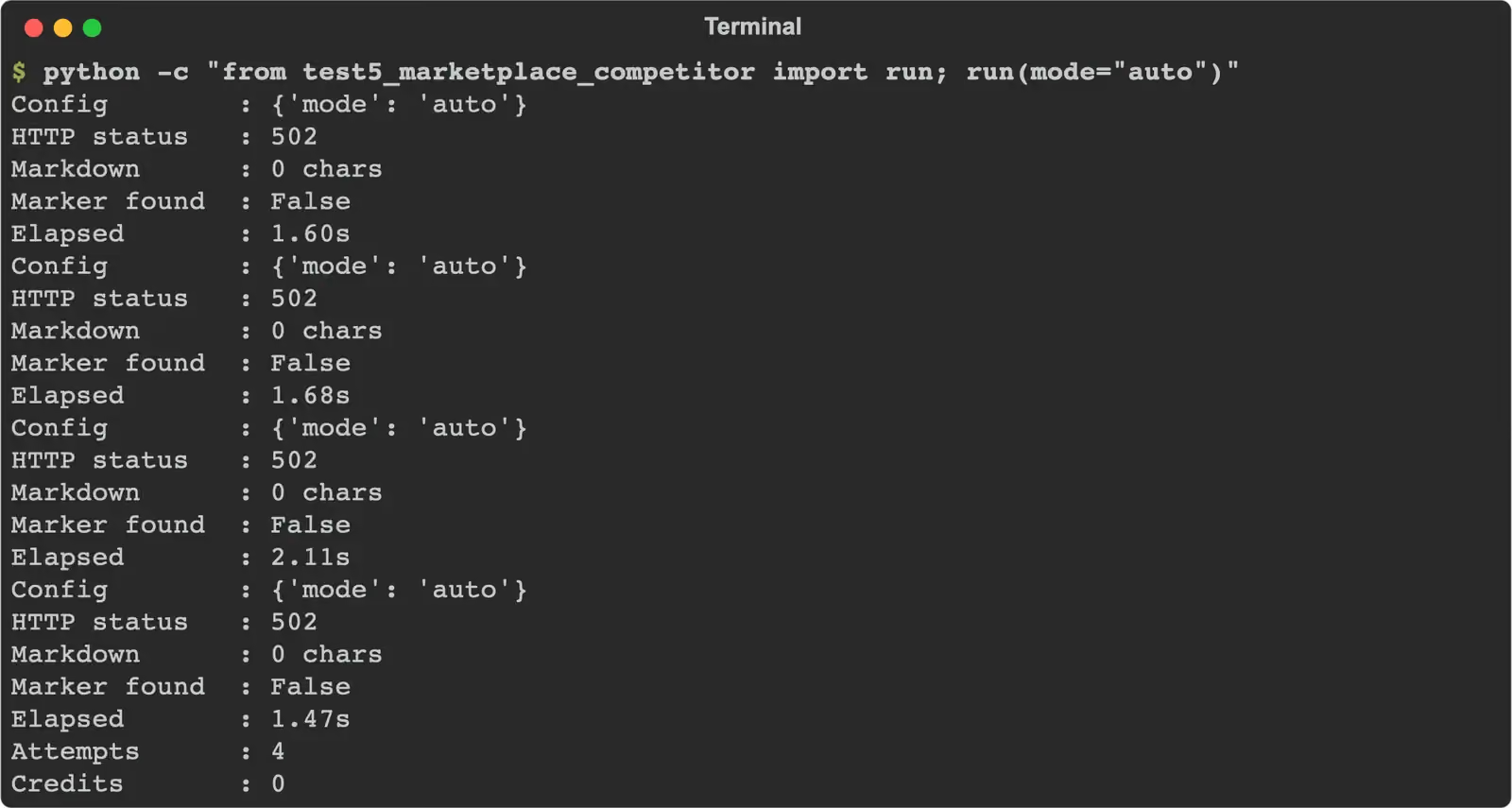
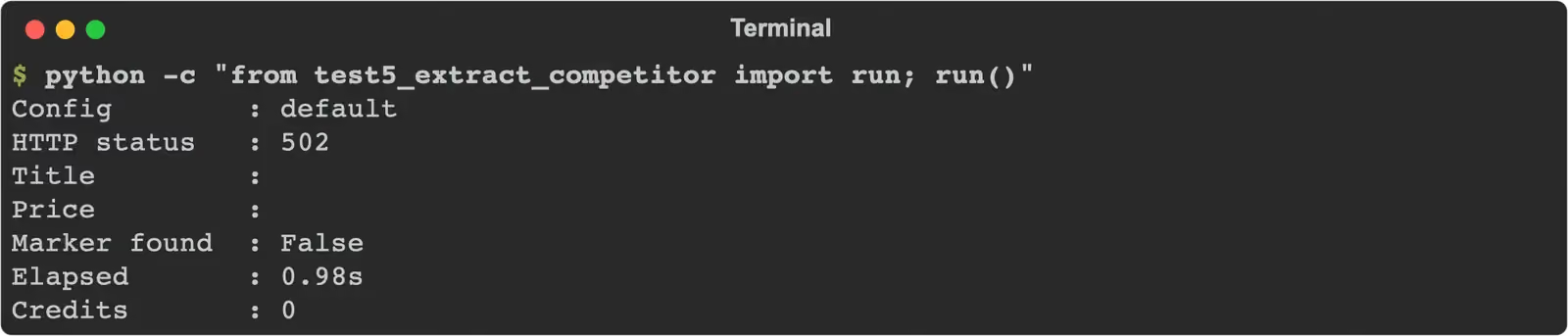
0/10 with retries: each run made 4 attempts and got 502 “Unable to fetch URL” each time, at a median of 13.69 s per run with the pauses. Before that, every step of the ladder got 0/5 or 0/10, with 502 or 400 “fetch_provider_config”, and Extract got 0/10 with 502. None of it was charged.
Test #6: Infinite scroll
ScrapeGraphAI has no browser product, so we used its scrolls and wait options inside one js request.
from common import markdown_of, scrape
from markers import quote_count

TARGET = "https://quotes.toscrape.com/scroll"

def run(**fetch):
    response, elapsed = scrape(TARGET, **fetch)
    markdown = markdown_of(response)
    count = quote_count(markdown)
    print(f"Config        : {fetch}")
    print(f"HTTP status   : {response.status_code}")
    print(f"Quotes loaded : {count}")
    print(f"Marker found  : {count >= 50}")
    print(f"Elapsed       : {elapsed:.2f}s")
    return response, elapsed, count >= 50, markdown

run(mode="js", scrolls=50, wait=15000)
Every run returned the first 10 quotes only.
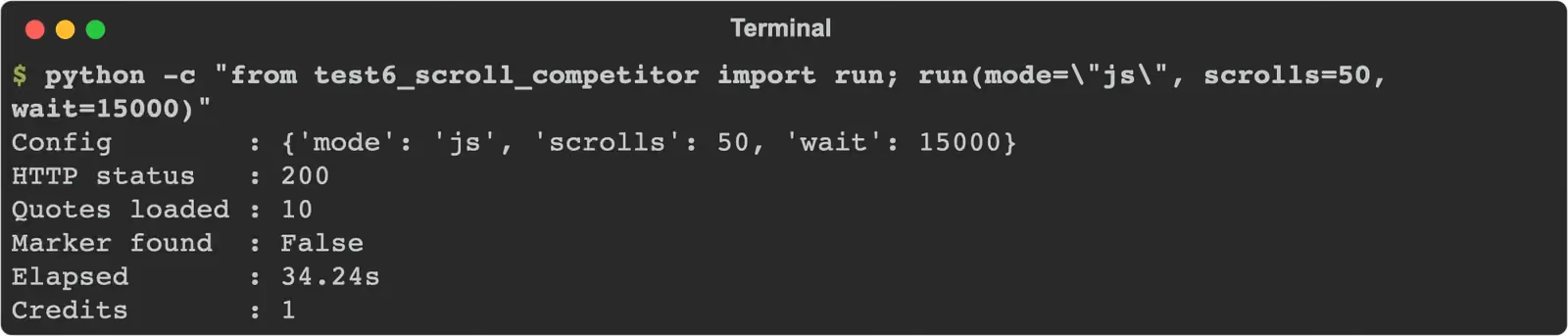
0/15 across three setups: scrolls=5 with wait=1000 (median 5.97 s), scrolls=20 with wait=5000 (14.94 s) and scrolls=50 with wait=15000 (33.19 s), 1 credit each. The longer setups waited longer but loaded no new quotes. With residential proxy mode added, 10 runs ended in HTTP 502.
| Test | Target | Configuration | Success | Median s | Slowest s | Units per success |
|---|---|---|---|---|---|---|
| #1 Static | books.toscrape.com | fast | 10/10 | 0.72 | 1.41 | 1 credit |
| #2 JavaScript | quotes.toscrape.com/js/ | js | 10/10 | 2.60 | 4.00 | 1 credit |
| #3 Cloudflare | indeed.com | js | 10/10 | 5.57 | 7.05 | 1 credit |
| #4 DataDome | amway.com | auto | 0/10 | none | none | 6 credits per empty page |
| #5 Marketplace | walmart.com | auto | 0/10 | none | none | free (502) |
| #6 Scroll | quotes.toscrape.com/scroll | js, scrolls | 0/15 | none | none | 1 credit per page with 10 quotes |
| #7 Escalation | amway.com | js, residential, US | 0/10 | none | none | 6 credits per empty page |
Gologin Web Unlocker and Cloud Browser: Same Targets, Same Method
What is the Gologin stack
Gologin Web Unlocker is the page retrieval API inside the Gologin stack. You send one GET request with a URL; it renders the JavaScript, comes in on a residential IP from the country, state or city you pick and returns HTML, Markdown, text or JSON at one flat price per page. It is listed as built for AI agents and offers sticky sessions and batch jobs with webhooks. Gologin Cloud Browser is the second layer: a cloud browser with a residential IP, billed by the hour and driven from Playwright or Puppeteer with a profile id, the same job a scraping browser does.
| Feature | Web Unlocker | Cloud Browser |
|---|---|---|
| Unit | page | browser hour |
| Entry price | $49 for 50k pages | $4.50 for 50 hours |
| JavaScript rendering | included | full browser |
| Geo-targeting | country, state, city | per profile proxy |
| Batch and async | yes, with webhooks | not documented |
| Failed requests | free | billed by time |
| Interaction | none | clicks, scroll, login |
| Free start | 1,000 requests, 7 days | 3 runs of 15 min |
Test #1: Static HTML page
We sent the same books.toscrape.com URL with the default request, which returns HTML.
from common import unlocker
from markers import static_page

TARGET = "https://books.toscrape.com/catalogue/a-light-in-the-attic_1000/index.html"

def run(**params):
    response, elapsed = unlocker(TARGET, **params)
    body = response.text if response.status_code == 200 else ""
    found = static_page(body)
    print(f"HTTP status   : {response.status_code}")
    print(f"Body          : {len(body):,} chars")
    print(f"Marker found  : {found}")
    print(f"Elapsed       : {elapsed:.2f}s")
    return response, elapsed, found, body

with_retries(run)
Every run returned the title and price.

10/10 successful, median 1.58 s, 1 request each, slowest 8.69 s; one run needed a retry after HTTP 503. On the first attempt only, it was 8/10 at 1.75 s: two runs ended in HTTP 503 “Service temporarily unavailable” and were not charged.
Test #2: JavaScript-rendered page
We sent quotes.toscrape.com/js/ with the same default request, no rendering option.
from common import unlocker
from markers import js_quotes

TARGET = "https://quotes.toscrape.com/js/"

def run(**params):
    response, elapsed = unlocker(TARGET, **params)
    body = response.text if response.status_code == 200 else ""
    found = js_quotes(body)
    print(f"HTTP status   : {response.status_code}")
    print(f"Marker found  : {found}")
    print(f"Elapsed       : {elapsed:.2f}s")
    return response, elapsed, found, body

with_retries(run)
The rendered quotes were in the body in every run.

10/10 successful, median 2.31 s, 1 request each. Three runs needed retries, and one took 4 attempts and 34.08 s. On the first attempt only, it was 7/10 at 2.20 s with three HTTP 503 responses.
Test #3: Site behind Cloudflare
We sent the indeed.com search URL with the default request.
from common import unlocker
from markers import job_search

TARGET = "https://www.indeed.com/jobs?q=python+developer&l=New+York%2C+NY"

def run(**params):
    response, elapsed = unlocker(TARGET, **params)
    body = response.text if response.status_code == 200 else ""
    found = job_search(body)
    print(f"HTTP status   : {response.status_code}")
    print(f"Marker found  : {found}")
    print(f"Elapsed       : {elapsed:.2f}s")
    return response, elapsed, found, body

with_retries(run)
Nine runs returned the job list.

9/10 successful, median 6.72 s, 1 request each, slowest 23.53 s. One run returned in 1.18 s an Indeed “Authenticating…” page that sends the visitor to sign in, with no jobs. Without retries it was 10/10 at 12.28 s. ScrapeGraphAI was faster here and did not miss.
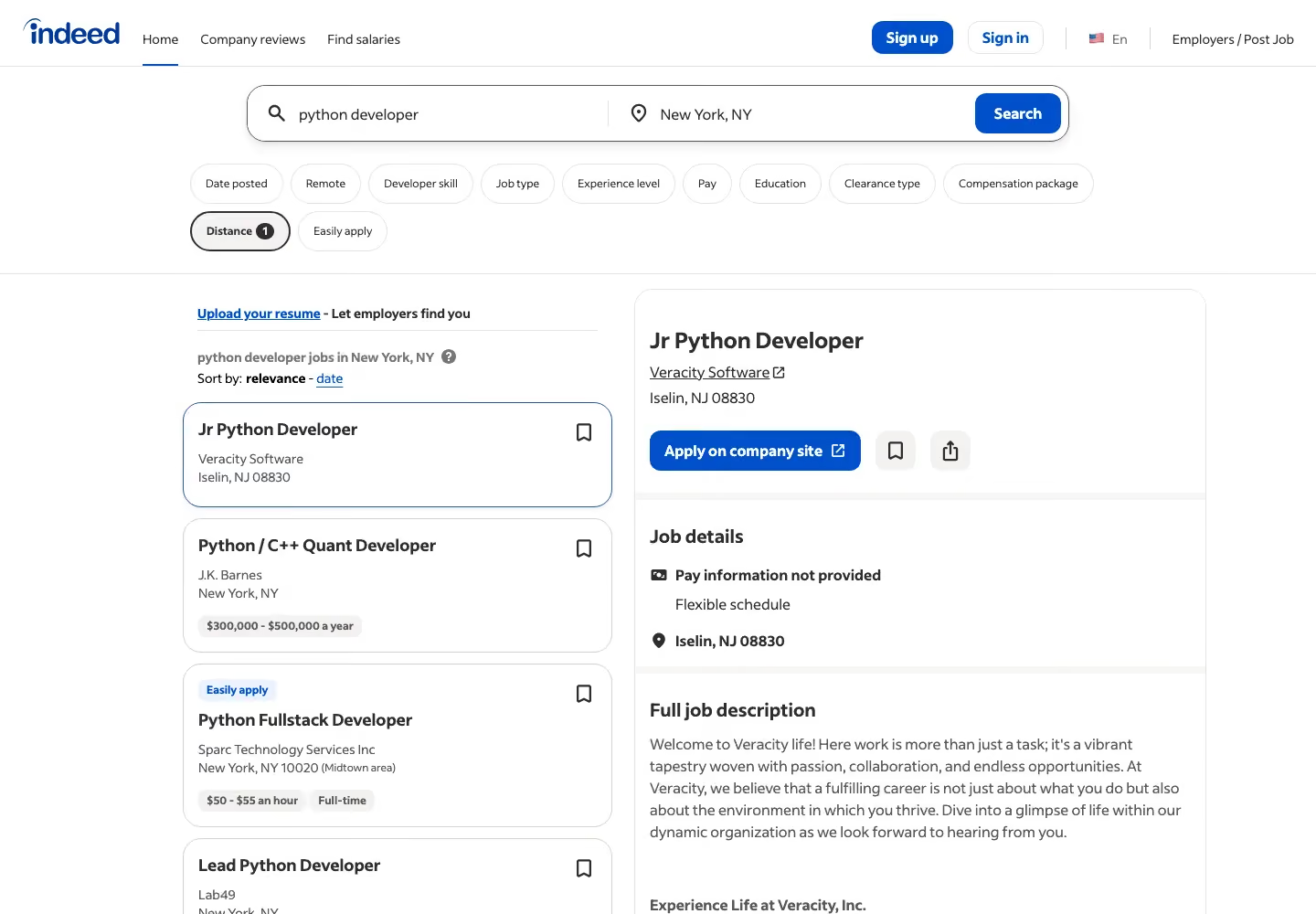
We also tried format=markdown on the first day of head-to-head runs. The Markdown came back without the job cards (0/5), and on Amway without the product grid (0/5), while the default HTML had both. If you feed pages to an LLM, request HTML on these sites and convert it yourself.

Test #4: Site running DataDome
We sent the Amway Skin Care category URL with the default request.
from common import unlocker
from markers import category_page

TARGET = "https://www.amway.com/en_US/Shop/Beauty/Skin-Care/c/105"

def run(**params):
    response, elapsed = unlocker(TARGET, **params)
    body = response.text if response.status_code == 200 else ""
    found = category_page(body)
    print(f"HTTP status   : {response.status_code}")
    print(f"Marker found  : {found}")
    print(f"Elapsed       : {elapsed:.2f}s")
    return response, elapsed, found, body

with_retries(run)
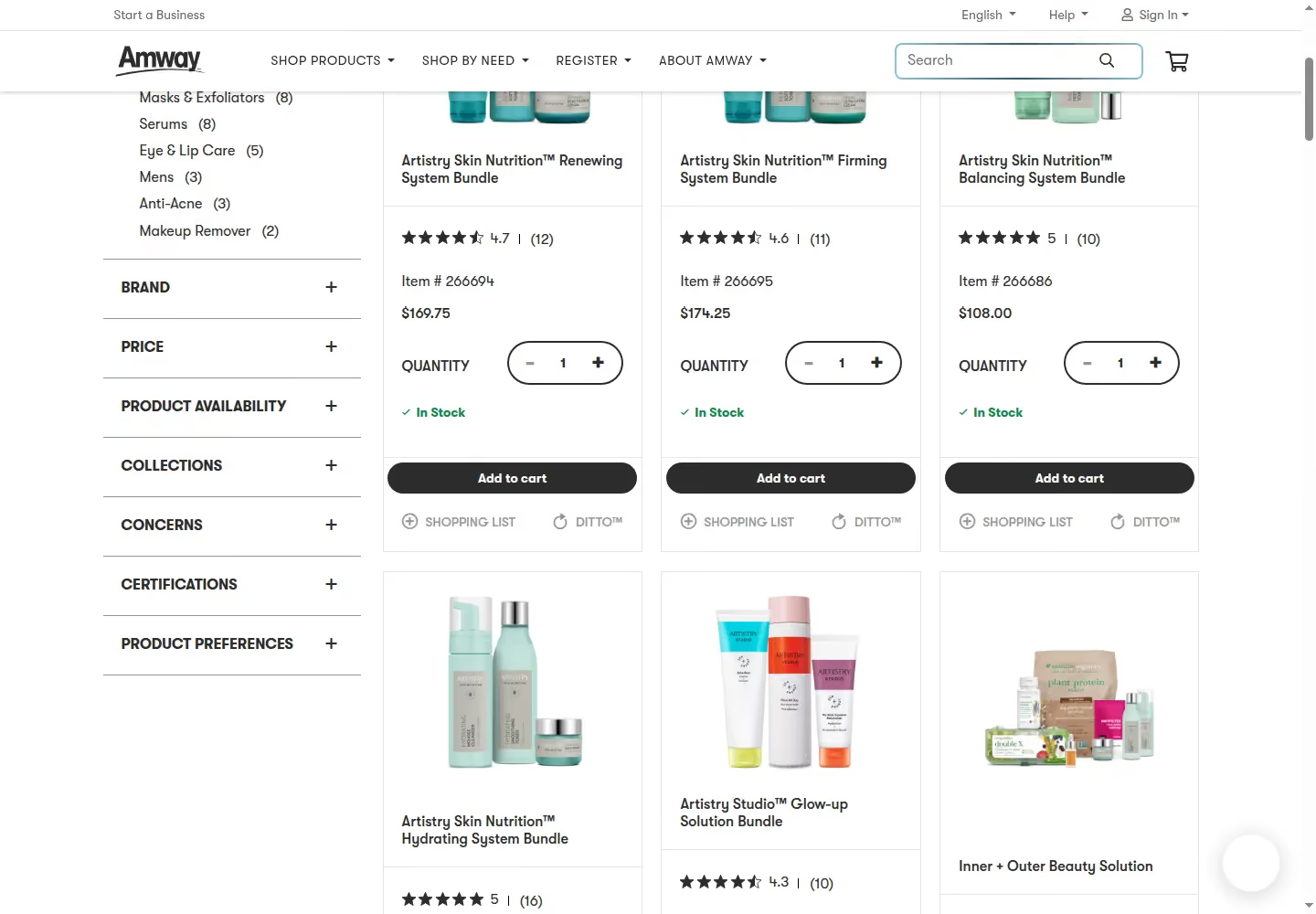
Every run returned the product grid with prices.

10/10 successful, median 25.29 s, 1 request each, slowest 98.77 s; one run needed a retry. This is where retries mattered most: on the first attempt only, Web Unlocker got 4/10 at 34.27 s, with five HTTP 503 responses and one 504 gateway timeout, none charged.
Test #5: Marketplace product page
We sent the Walmart product URL with the default request.
from common import unlocker
from markers import product_page

TARGET = "https://www.walmart.com/ip/5689919121"

def run(**params):
    response, elapsed = unlocker(TARGET, **params)
    body = response.text if response.status_code == 200 else ""
    found = product_page(body)
    print(f"HTTP status   : {response.status_code}")
    print(f"Marker found  : {found}")
    print(f"Elapsed       : {elapsed:.2f}s")
    return response, elapsed, found, body

with_retries(run)
Every run returned the product title and price.
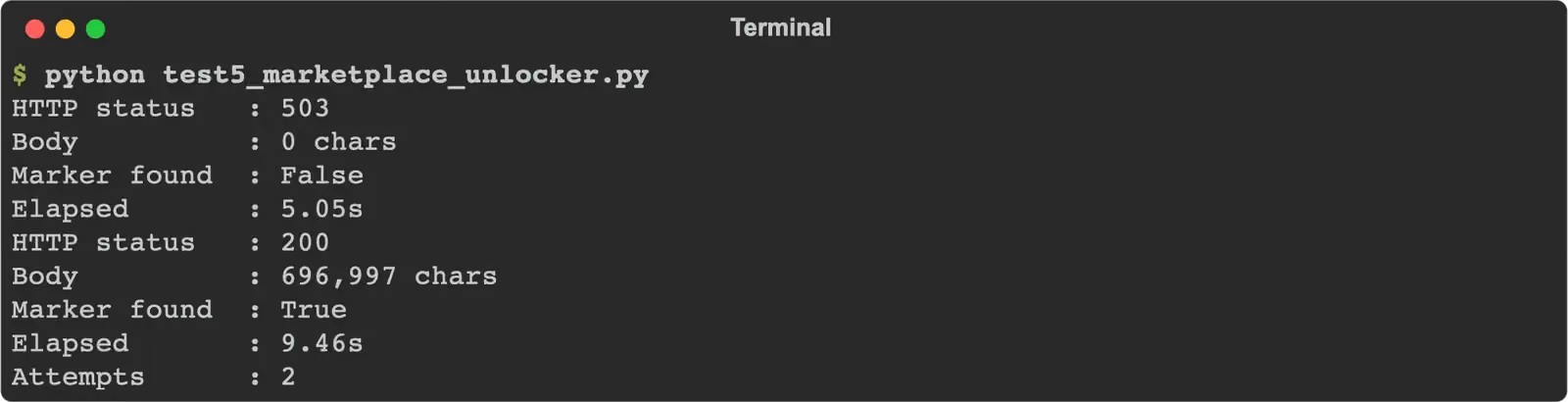
10/10 successful, median 17.42 s, 1 request each, slowest 34.75 s; three runs needed retries after HTTP 503. On the first attempt only, it was 7/10 at 10.35 s: one 503, one “Request Rejected” page and one check page. For ready product data, Gologin also has a Walmart scraper.

Test #6: Infinite scroll with Gologin Cloud Browser
We connected to Cloud Browser from Playwright with a profile id that has a Gologin US residential proxy and scrolled until 50 quotes were on the page.
from playwright.sync_api import sync_playwright
from common import key

TARGET = "https://quotes.toscrape.com/scroll"
ENDPOINT = "wss://cloudbrowser.gologin.com/connect?token={}&profile={}"

def run():
    with sync_playwright() as p:
        browser = p.chromium.connect_over_cdp(ENDPOINT.format(key("GOLOGIN_CLOUD_BROWSER_TOKEN"), key("GOLOGIN_PROFILE_ID")))
        page = browser.contexts[0].pages[0]
        page.goto(TARGET)
        quotes = page.locator("div.quote")
        for _ in range(20):
            if quotes.count() >= 50:
                break
            page.mouse.wheel(0, 5000)
            page.wait_for_timeout(1000)
        count = quotes.count()
        browser.close()
    print(f"Quotes loaded : {count}")
    print(f"Marker found  : {count >= 50}")
    return count

run()
The loop stopped at 50 quotes in every run.

10/10 successful, median 15.05 s including the connection, slowest 16.45 s, about 0.004 browser hours each.
Test #7: Escalation to Cloud Browser on Amway
Web Unlocker’s weakest target on the first attempt was Amway (4/10), so test #7 opened it in Cloud Browser and waited up to 30 s for 10 prices, with a new profile and US residential proxy per run.
import time
from playwright.sync_api import sync_playwright
from common import fresh, key, stop_session
from markers import category_page

TARGET = "https://www.amway.com/en_US/Shop/Beauty/Skin-Care/c/105"
ENDPOINT = "wss://cloudbrowser.gologin.com/connect?token={}&profile={}"

def run(profile):
    start = time.perf_counter()
    try:
        with sync_playwright() as p:
            browser = p.chromium.connect_over_cdp(ENDPOINT.format(key("GOLOGIN_CLOUD_BROWSER_TOKEN"), profile))
            page = browser.contexts[0].pages[0]
            page.goto(fresh(TARGET), wait_until="domcontentloaded", timeout=90000)
            html = page.content()
            for _ in range(30):
                if category_page(html):
                    break
                page.wait_for_timeout(1000)
                html = page.content()
            browser.close()
        elapsed = time.perf_counter() - start
    finally:
        stop_session(profile)
    found = category_page(html)
    print(f"Marker found  : {found}")
    print(f"Elapsed       : {elapsed:.2f}s")
    return html, elapsed, found
Nine runs loaded the product grid.

9/10 successful, median 40.84 s, about 0.011 browser hours each. Runs that connected on the first try took 10.77 to 14.68 s; five runs got HTTP 503 on the WebSocket connection and connected on the second try, which took 40.84 to 139.81 s. One run opened amway.com but no prices appeared within the wait. Without reconnects the score was 7/10 at 11.03 s.
| Test | Target | Configuration | Success | Median s | Slowest s | Units per success |
|---|---|---|---|---|---|---|
| #1 Static | books.toscrape.com | Web Unlocker, default | 10/10 | 1.58 | 8.69 | 1 request |
| #2 JavaScript | quotes.toscrape.com/js/ | Web Unlocker, default | 10/10 | 2.31 | 34.08 | 1 request |
| #3 Cloudflare | indeed.com | Web Unlocker, default | 9/10 | 6.72 | 23.53 | 1 request |
| #4 DataDome | amway.com | Web Unlocker, default | 10/10 | 25.29 | 98.77 | 1 request |
| #5 Marketplace | walmart.com | Web Unlocker, default | 10/10 | 17.42 | 34.75 | 1 request |
| #6 Scroll | quotes.toscrape.com/scroll | Cloud Browser, US residential | 10/10 | 15.05 | 16.45 | 0.004 h |
| #7 Escalation | amway.com | Cloud Browser, new profile per run | 9/10 | 40.84 | 139.81 | 0.011 h |
ScrapeGraphAI Pricing and Credit System Explained
ScrapeGraphAI pricing is credit-based, and each plan carries a monthly allowance. A Markdown scrape is 1 credit with mode=fast or mode=js, Extract is 5, and residential proxy mode adds 4 or 5. The auto mode can add up to 9 in the worst case; on Amway it cost 6.
We paid 1 credit for Books to Scrape, the JavaScript page and Indeed. Errors were free: every 502 and 400 on Walmart cost nothing. A 200 without the content still counts, and on Amway that was the only answer we got: 338 of our 438 credits went to Amway pages without products, in tests 4 and 7.
| Plan | Monthly price | Units included | Price per unit | Rate limit | Overage |
|---|---|---|---|---|---|
| Free | $0 | 500 credits, one-time | free | 10 a minute | none |
| Starter | $20 | 10,000 credits | $2.00 per 1K | 100 a minute | packs, $3 to $5 per 1K |
| Growth | $100 | 100,000 credits | $1.00 per 1K | 500 a minute | packs, $3 to $5 per 1K |
| Pro | $500 | 750,000 credits | $0.67 per 1K | 5,000 a minute | packs, $3 to $5 per 1K |
| Enterprise | custom | ad-hoc credits | custom | custom | custom |
Credit packs are $5 for 1,000, $40 for 10,000 and $150 for 50,000; they “never expire and stack on top of your monthly subscription”.
| Scenario (test) | Units per request | Cheapest plan $ (Starter) | Comparable plan $ (Growth, $100) |
|---|---|---|---|
| Static (#1) | 1 | $2.00 | $1.00 |
| JavaScript (#2) | 1 | $2.00 | $1.00 |
| Cloudflare (#3) | 1 | $2.00 | $1.00 |
| DataDome (#4), no products returned | 6 | $12.00 | $6.00 |
| Marketplace (#5), all 502 | 0 | $0 | $0 |
| Marketplace with Extract | 5 | $10.00 | $5.00 |
| Scroll (#6), 10 quotes only | 1 | $2.00 | $1.00 |
| Residential js request (#7), no products returned | 6 | $12.00 | $6.00 |
Gologin prices differently. Web Unlocker charges one flat price per returned page: $0.98 per 1,000 on Growth ($49 for 50k) and $0.75 on Professional ($149 for 200k), with rendering and city-level targeting included and failed pages free. Cloud Browser bills browser time: $4.50 for 50 hours on Professional, so our 15.05 s scroll comes to about $0.38 per 1,000 pages and the 40.84 s Amway run to about $1.02, plus proxy traffic above the plan allowance at $1/GB.
ScrapeGraphAI Pros
- Fast on simple pages: 0.72 s on Books to Scrape and 2.60 s on the JavaScript page.
- Indeed without a miss: 10/10 at 5.57 s with js rendering, with and without retries, at 1 credit.
- Markdown built for LLMs: clean Markdown with links in one call; json format and Extract turn a prompt and a schema into structured data.
- Wide agent tooling: Python and JavaScript SDKs, CLI, MCP and ready LangChain, LlamaIndex, CrewAI, n8n, Zapier and Make integrations.
- Free errors and clear credits: 502 and 400 responses cost nothing, and GET /api/credits shows the balance at no cost.
ScrapeGraphAI Cons
- Empty pages are charged: every Amway page without products was billed, 1 or 6 credits each, 338 credits in all.
- No result on our DataDome target: 0 of 55 product grids across six setups.
- No result on Walmart: every Scrape and Extract request ended in HTTP 502.
- Scrolling did not load content: 0/15 on the infinite scroll page; each run returned the first 10 quotes.
- Higher price per page: $2.00 per 1,000 Markdown pages on Starter and $1.00 on Growth, against $0.98 on Web Unlocker Growth.
ScrapeGraphAI Limitations
- No browser product: AgenticScraper was removed in v2; there is no session to drive from Playwright, and no clicks or typing inside a request.
- Country-level geo-targeting: the docs show de and us and no full list; no state or city.
- 60-second ceiling: the request timeout tops out at 60,000 ms.
- No cost in the response: the credit price of a request is not returned with it; you read the balance before and after.
- Small free tier: 500 credits, one-time, at 10 requests a minute.
ScrapeGraphAI vs Gologin: Head-to-Head Results
The two products answer different questions. ScrapeGraphAI asks “what do you want from this page” and returns Markdown or JSON shaped for an LLM. Gologin asks “which page do you need” and returns the rendered page from a residential IP, with Cloud Browser for the jobs that need a session.
| Aspect | ScrapeGraphAI | Gologin stack |
|---|---|---|
| What you send | URL, formats, fetchConfig, optional prompt and schema | URL (Web Unlocker) or a Playwright session (Cloud Browser) |
| Rendering | mode=js or auto | included in Web Unlocker |
| Price unit | credit, by format and fetch mode | page (Web Unlocker), hour (Cloud Browser) |
| Interaction | scrolls and wait inside one call | full browser session |
| Output | Markdown, HTML, JSON by prompt, links, screenshot | HTML, Markdown, text and JSON from one endpoint |
ScrapeGraphAI alternative: when Gologin is a better choice
| Scenario | Better fit | From our tests or the docs |
|---|---|---|
| Sites running DataDome | Web Unlocker | 10/10 against 0/10 on test #4 |
| Marketplace product pages | Web Unlocker | 10/10 against 0/10 on test #5 |
| Infinite scroll and multi-step pages | Cloud Browser | 10/10 against 0/15 on test #6 |
| Cost per page at volume | Web Unlocker | $0.98 per 1,000 against $2.00 on Starter |
| City or state targeting | Web Unlocker | documented on the product page; country only on ScrapeGraphAI |
| Large overnight jobs | Web Unlocker | batch and async jobs with webhooks (product page) |
| Test | ScrapeGraphAI success | ScrapeGraphAI median s | Gologin success | Gologin median s |
|---|---|---|---|---|
| #1 Static | 10/10 | 0.72 | 10/10 | 1.58 |
| #2 JavaScript | 10/10 | 2.60 | 10/10 | 2.31 |
| #3 Cloudflare | 10/10 | 5.57 | 9/10 | 6.72 |
| #4 DataDome | 0/10 | none | 10/10 | 25.29 |
| #5 Marketplace | 0/10 | none | 10/10 | 17.42 |
| #6 Scroll | 0/15 | none | 10/10 | 15.05 |
| #7 Escalation | 0/10 | none | 9/10 | 40.84 |
| Test, first attempt only (11 Nov) | ScrapeGraphAI | Web Unlocker |
|---|---|---|
| #1 Static | 10/10, 0.81 s | 8/10, 1.75 s |
| #2 JavaScript | 10/10, 2.62 s | 7/10, 2.20 s |
| #3 Cloudflare | 10/10, 5.63 s | 10/10, 12.28 s |
| #4 DataDome | 0/10 | 4/10, 34.27 s |
| #5 Marketplace | 0/10 | 7/10, 10.35 s |
| Scenario | ScrapeGraphAI, cheapest plan | ScrapeGraphAI, comparable plan | Gologin, entry plan | Gologin, comparable plan |
|---|---|---|---|---|
| Static (#1) | $2.00 | $1.00 | $0.98 | $0.75 |
| JavaScript (#2) | $2.00 | $1.00 | $0.98 | $0.75 |
| Cloudflare (#3) | $2.00 | $1.00 | $0.98 | $0.75 |
| DataDome (#4) | $12.00, no products | $6.00, no products | $0.98 | $0.75 |
| Marketplace (#5) | no page returned | no page returned | $0.98 | $0.75 |
| Scroll (#6) | $2.00, 10 quotes | $1.00, 10 quotes | $0.38 | $0.33 |
| DataDome in a browser (#7) | $12.00, no products | $6.00, no products | $1.02 | $0.91 |
| Feature | ScrapeGraphAI | Gologin stack |
|---|---|---|
| Pricing model | credits by format and fetch mode | per page, flat; browser per hour |
| JS rendering | mode=js, no extra credits | included |
| Geo-targeting level | country | country, state, city (product page) |
| Proxy tiers | default, residential proxy mode | managed; residential on Cloud Browser |
| Sticky session | not documented | Web Unlocker sticky sessions; Cloud Browser session |
| Output formats | Markdown, HTML, JSON, links, images, summary, screenshot | HTML, Markdown, text, JSON |
| Structured extraction | Extract and json format, prompt plus schema | not documented |
| Browser-level control | no (AgenticScraper removed in v2) | Gologin Cloud Browser |
| Batch and webhooks | Crawl and Monitor endpoints | batch and async with webhooks (product page) |
| Failure signalling | HTTP 502 fetch_failed, 400 fetch_provider_config | HTTP 503 and 504, failed pages free |
| Charged responses | every API 200 | successful pages only |
| Free start | 500 credits, one-time | 1,000 requests, 7 days |
ScrapeGraphAI was faster on tests 1 and 3 and never missed on the first three targets. Gologin won tests 4 to 7, where ScrapeGraphAI returned no page with the content in any run. The first-attempt table is the fair warning on the Gologin side: without retries, Web Unlocker lost 14 of 50 runs, most of them HTTP 503 errors that a retry fixed.
On cost, ScrapeGraphAI’s 1-credit Markdown page is $2.00 per 1,000 on Starter, about twice Web Unlocker’s $0.98, and $1.00 on Growth, a plan twice the price of Gologin Growth. Residential proxy mode makes it 6 credits, $12.00 per 1,000.
When the Unlocker Fails: Escalation to Cloud Browser
Amway was Web Unlocker’s weakest target on the first attempt at 4/10, so test #7 ran it through Gologin Cloud Browser. With a new profile and US residential proxy per run, Cloud Browser loaded the product grid 9/10 at a median of 40.84 s; the runs that connected on the first try took about 11 to 15 s, and the slow ones lost time to HTTP 503 on the WebSocket connection. That is about 11.3 browser hours per 1,000 runs, $1.02 on Professional.
ScrapeGraphAI has no browser product, so its side ran its most expensive working setup from tests 1 to 5: js rendering, residential proxy mode and a US exit. It got 0/10 at 6 credits a run, $12.00 per 1,000 on Starter, with the same “A system error has occurred” page each time.
With retries on, Web Unlocker already returned the Amway grid 10/10, so Cloud Browser is the fallback for pages that need a session, not a fix for every miss. The rule from our runs: Web Unlocker for pages you can fetch in one request, Cloud Browser when the page needs scrolling, clicks or a login, as on test #6.
Frequently Asked Questions
Is ScrapeGraphAI worth it in 2026?
For simple and JavaScript pages you want as Markdown for an LLM, yes: it returned Books to Scrape, the JavaScript page and Indeed 10/10 at 1 credit, faster than Web Unlocker. On our DataDome and Walmart targets it returned no content in any run, and it billed the empty Amway pages. Test your own targets on the 500 free credits first.
How much does ScrapeGraphAI cost per 1,000 pages?
On Starter ($20 for 10,000 credits) a Markdown page costs $2.00 per 1,000, a page with residential proxy mode $12.00 and an Extract call $10.00. On Growth ($100 for 100,000 credits) the same pages cost $1.00, $6.00 and $5.00. Gologin Web Unlocker is $0.98 per 1,000 for any page on its $49 plan.
Does ScrapeGraphAI charge for failed requests?
Not for errors: our HTTP 502 and 400 responses were free. It charges every 200 response, whatever the page contains. We paid for 63 Amway pages that showed “A system error has occurred” instead of products, 338 credits in all. Web Unlocker does not bill challenged or empty pages.
Is ScrapeGraphAI open source?
The original ScrapeGraphAI Python library is open source on GitHub and runs with your own language model. The hosted API reviewed here is a paid service with its own fetch layer, credits and dashboard, and this review tests only the API.
Can ScrapeGraphAI scrape pages that need scrolling or clicks?
Only scrolling, inside one request: fetchConfig takes scrolls and wait. On our infinite scroll page that returned 10 quotes in every run, even with 50 scrolls and 15 s of wait. There are no click or typing actions, and AgenticScraper was removed in v2. Gologin Cloud Browser loaded 50 quotes 10/10 with plain Playwright.
ScrapeGraphAI Review Verdict: Which One Should You Use?
There is no single best web scraping API for every target, and in this test the two tools split the field cleanly.
What ScrapeGraphAI does better than the Gologin stack:
- Speed on simple pages: 0.72 s against 1.58 s on the static page.
- Indeed: 10/10 at 5.57 s, against 9/10 at 6.72 s for Web Unlocker.
- LLM-ready output: Markdown, json format and Extract with a schema in the same API.
Where the Gologin stack was weaker in this test:
- Service errors: without retries, 14 of 50 Web Unlocker runs failed, mostly on HTTP 503.
- Markdown format: format=markdown dropped the job cards on Indeed and the products on Amway.
- Speed on hard pages: 25.29 s on Amway and 17.42 s on Walmart.
- Cloud Browser connections: five of ten test #7 runs needed a second connection.
What the Gologin stack does better than ScrapeGraphAI:
- Hard targets: 10/10 on Amway and Walmart with retries, against 0/10 and 0/10.
- One price per page: $0.98 per 1,000 for any page, empty pages not billed.
- A real browser: Cloud Browser for scrolling and sessions, 10/10 on test #6 and 9/10 on test #7.
Choose ScrapeGraphAI if you need Markdown or structured JSON from simple pages and Indeed-type pages for an LLM pipeline, with ready agent integrations.
Choose Gologin if you need pages from sites running DataDome or marketplace pages, one flat price per page with no charge for empty results, or a real browser session for scrolling and multi-step pages.
Conclusion
ScrapeGraphAI is a well-made AI scraper API for LLM work: on 11 November 2026 it returned the static page, the JavaScript page and Indeed every time, faster than Web Unlocker on two of them. On Amway it billed 338 credits for pages without products, on Walmart every request ended in HTTP 502, and its scroll option returned the first page only. Gologin Web Unlocker returned Amway and Walmart 10 times in 10 with retries, and Cloud Browser covered the scroll and the browser fallback that ScrapeGraphAI does not offer.
Gologin Web Unlocker gives you 1,000 free requests for 7 days with no credit card, enough to repeat these tests on your own pages.