ScrapingAnt Review 2026: 7 Benchmark Tests, Pricing and Real Costs
Try Gologin for free
ScrapingAnt is a web scraping API: you send a URL and get back rendered HTML you can parse. Around that endpoint sit Markdown and AI extraction endpoints, an MCP server and ready integrations, which makes it easy to plug into an existing stack. The same design has limits: credits climb fast once you turn on residential proxies, geo-targeting stops at the country level, and there is no batch or asynchronous job model.
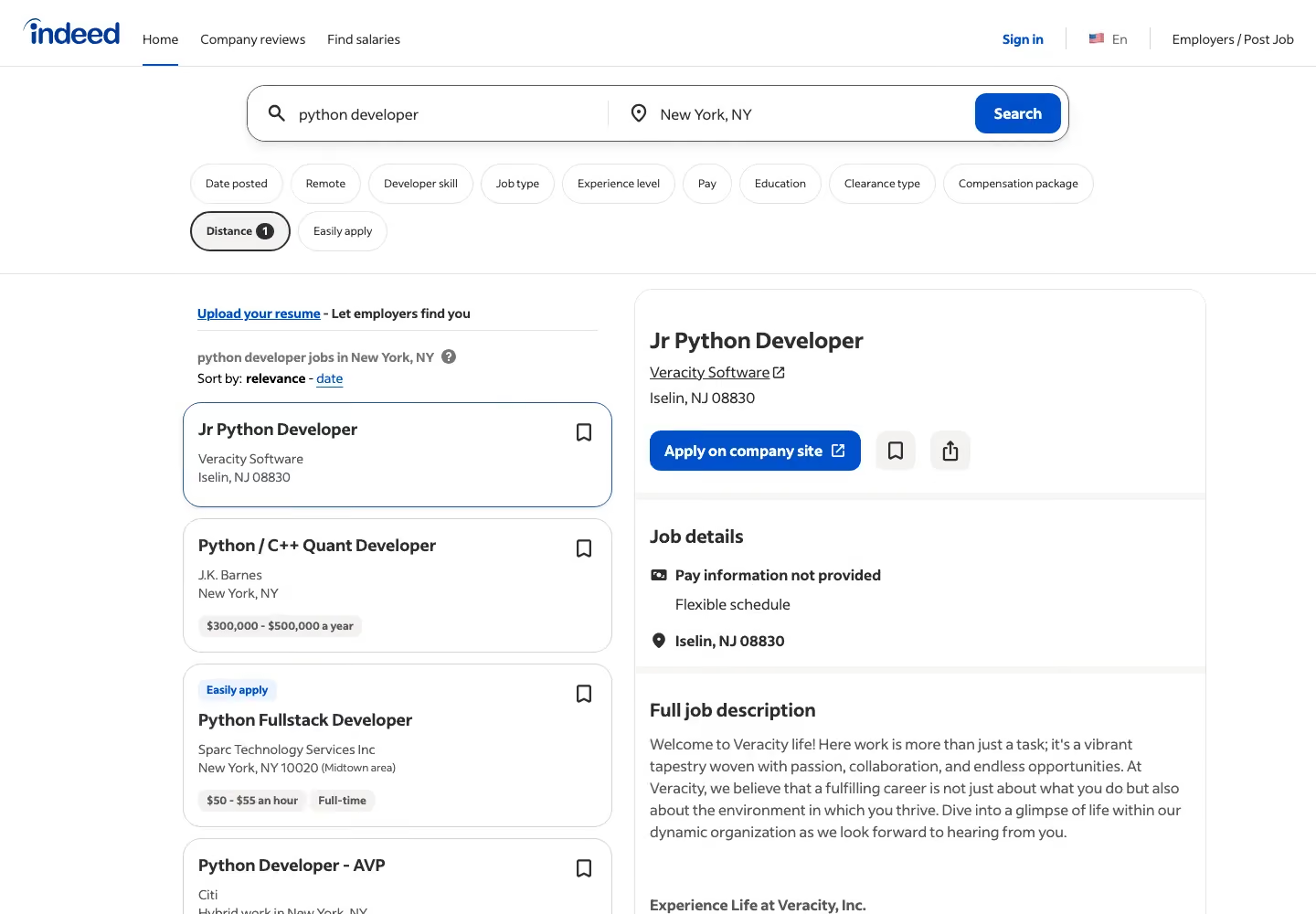
This ScrapingAnt review covers its features, credit system and pricing, then runs ScrapingAnt and Gologin on the same seven targets, with the same runs and the same success check. Gologin enters as a stack: Gologin Web Unlocker for page retrieval plus Gologin Cloud Browser for jobs that need a live session.
Every number below comes from a logged run, including Gologin’s losses.
ScrapingAnt vs Gologin: Key Takeaways
- Retrieval success: ScrapingAnt won. It returned the full page in 38 of 45 runs across tests 1 to 5, Web Unlocker in 31 of 45. Fourteen Web Unlocker runs ended in HTTP 503 “Service temporarily unavailable” or a 504 timeout at 90 s, none of them charged.
- Site behind Cloudflare: ScrapingAnt got the Indeed job list 9/10 at 4.91 s for 1 credit, without the browser. Web Unlocker got 3/10 at 26.82 s.
- DataDome target: Web Unlocker returned the Amway product grid 8/10 at 16.00 s. ScrapingAnt got 4/10 at 21.50 s with its default browser request, and billed 8 pages that had no products.
- Cost: ScrapingAnt is cheaper on pages that work without the browser: $0.19 per 1,000 on Enthusiast. A rendered page costs $1.90 and a rendered page on residential proxies $23.75, against Web Unlocker’s flat $0.98.
- Infinite scroll: both worked 5/5. ScrapingAnt’s js_snippet loaded 90 quotes in 11.00 s for 10 credits; Cloud Browser reached 50 quotes in 15.36 s.
- Escalation on Indeed: neither side did well. Cloud Browser got 2/10 and ScrapingAnt’s browser mode 2/10, against 9/10 for ScrapingAnt without the browser.
| ScrapingAnt | Gologin Web Unlocker (+ Cloud Browser for #6, #7) | |
|---|---|---|
| Success, tests 1 to 5 | 38/45 | 31/45 |
| Median time, hardest target (#4 DataDome) | 21.50 s | 16.00 s |
| Cost per 1K, hardest target (entry plan) | $1.90 | $0.98 |
| JS rendering | browser=true (default), 10 credits | included |
| Sessions and interaction | js_snippet, wait_for_selector inside one request | Cloud Browser, hourly |
| Charged responses | every API 200 | successful pages only |
| Free start | 10,000 credits a month, no card | 1,000 requests, 7 days, no card |
What Is ScrapingAnt?
ScrapingAnt is a web data provider that sells data collection as managed services. Its core product is a web scraping API: a main endpoint that pairs a headless Chrome cluster with rotating proxies. You authenticate, pass a target URL and receive HTML. Sibling endpoints return the same page as JSON with metadata, as clean Markdown, or as AI-extracted JSON for language-model work.
If you prefer not to build the extraction layer, ScrapingAnt also offers custom datasets: you send a brief and it delivers the data in your format. Separately, it sells residential proxies, “3M+ IPs across 100+ countries” with country, state and city targeting in the proxy username, billed per GB.
| Product | What it does | When you use it |
|---|---|---|
| Web Scraping API | One request, one page, HTML, JSON, Markdown or AI JSON | Real-time scraping |
| Custom datasets | Managed scraping to your brief | A recurring feed without owning the scraper |
| Residential and datacenter proxies | Proxy pools billed per GB | Your own scrapers and tools |
| MCP server, n8n, Make, GitHub Action | The API inside AI assistants and workflows | No-code and agent workflows |
| Python and JavaScript clients | Official API clients | Less request code |
How We Tested ScrapingAnt and Gologin
Tests ran on 6 November 2026 from one machine. Each tool got 5 runs per target, extended to 10 when a run failed or the slowest run took more than twice the median, at least 10 seconds apart, with a fresh cache-busting parameter (cb=timestamp) on every URL.
| # | Scenario | Target | Success marker |
|---|---|---|---|
| 1 | Static HTML | books.toscrape.com product page | h1 and .price_color |
| 2 | JavaScript-rendered | quotes.toscrape.com/js/ | at least 10 .quote elements |
| 3 | Site behind Cloudflare | indeed.com job search, New York | h1 and a job card, no challenge |
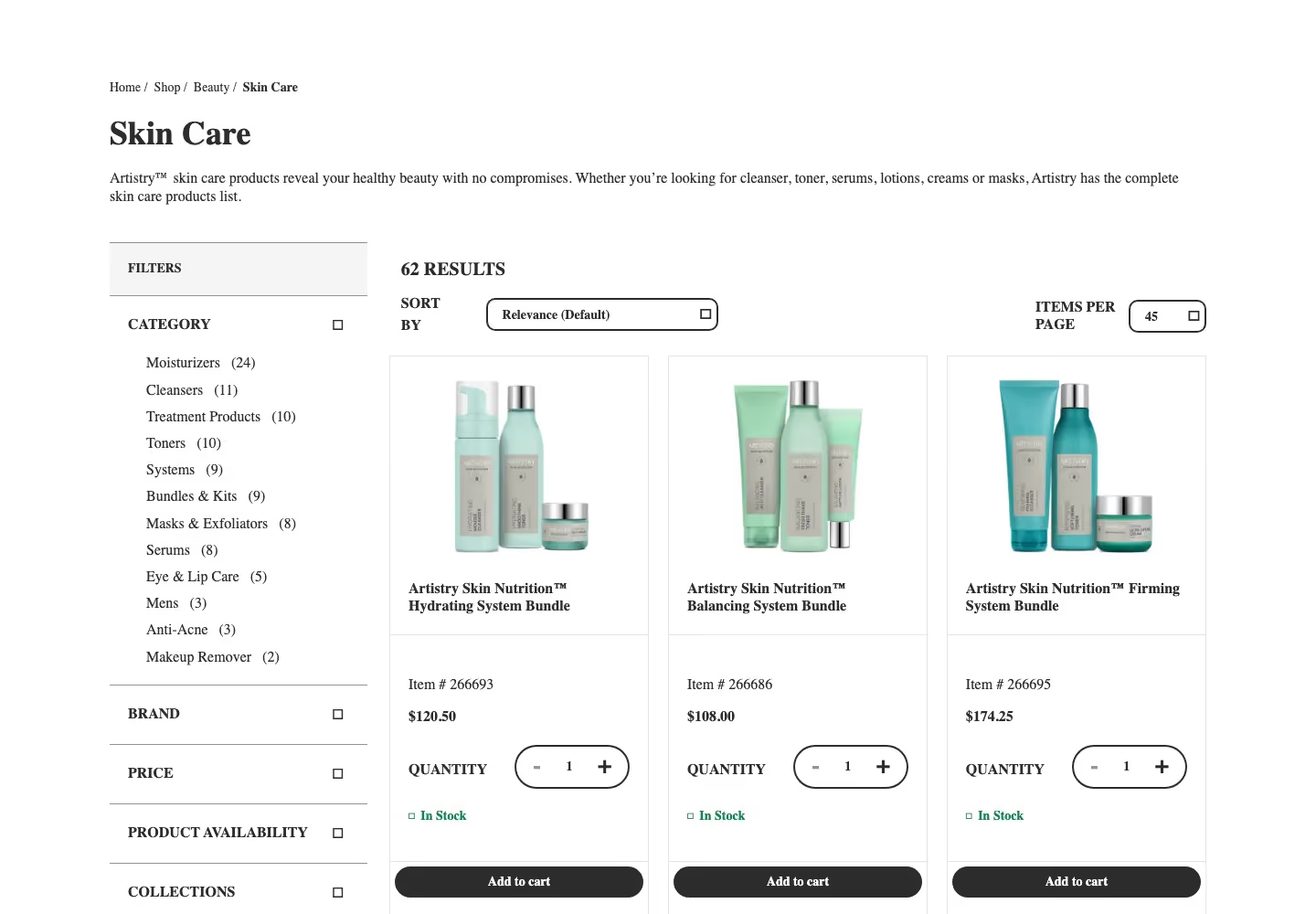
| 4 | Site running DataDome | amway.com Skin Care category | at least 10 prices, no DataDome markup |
| 5 | Marketplace product | walmart.com item 5689919121 | product title and price |
| 6 | Infinite scroll | quotes.toscrape.com/scroll | at least 50 quotes |
| 7 | Escalation | indeed.com job search, New York | h1 and a job card, no challenge |
- Direct requests first: a plain request got a DataDome device check from Amway and a Cloudflare “Security Check” from Indeed in 5 of 6 tries. Walmart returned the full product page to all 6 plain requests that day, so test #5 measures a marketplace page, not a challenge.
- Configuration rule: ScrapingAnt started on the cheapest setup, browser=false, and stepped up through return_page_source, the browser, then residential proxies only when the marker failed. Every step is in our log.
- Success and cost: a run counts only when one shared parser finds the marker in the body, never on HTTP 200 alone. Cost per 1,000 = price per credit x credits per request x 1,000; both vendors say failed requests are free, so there is no division by the success rate.
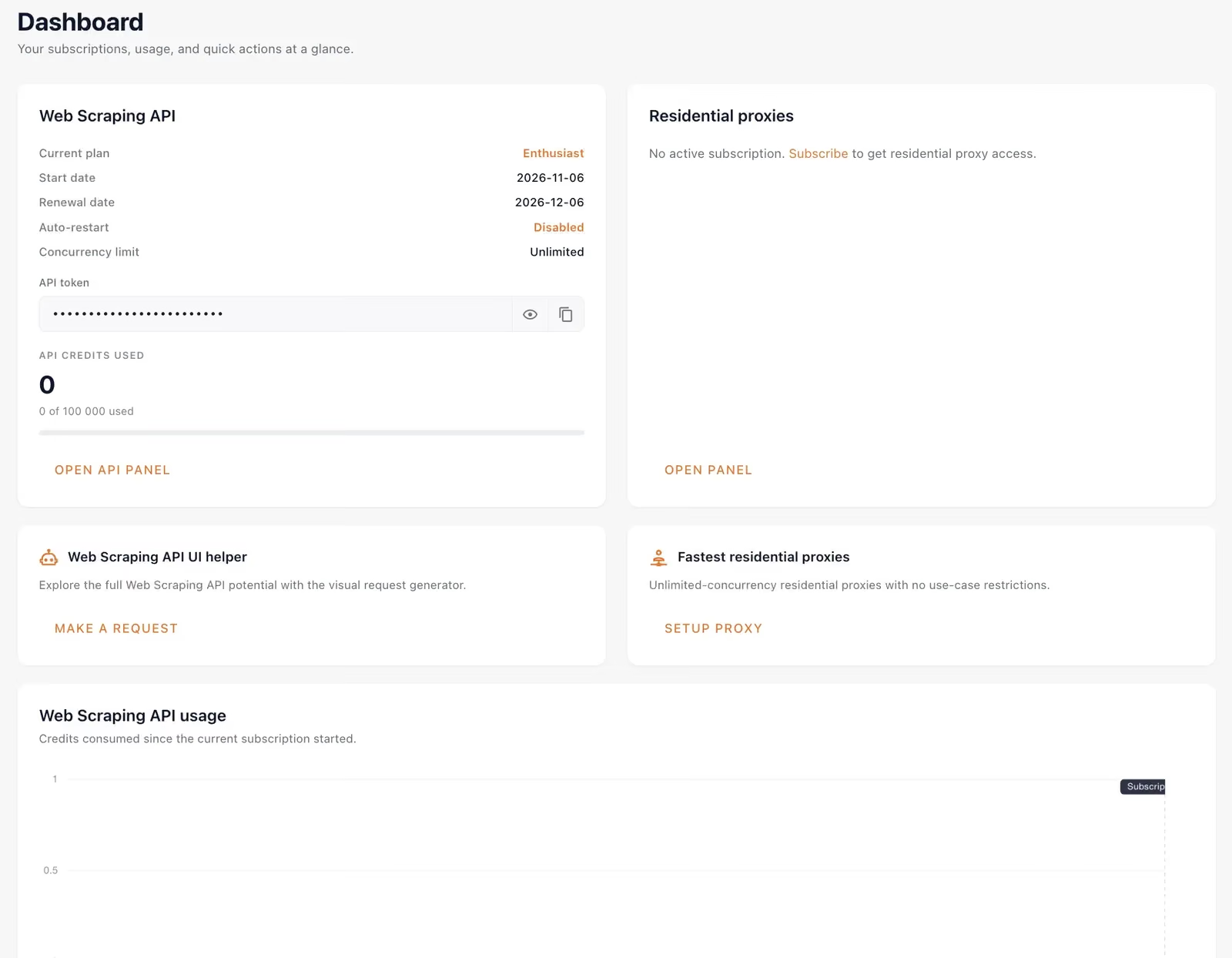
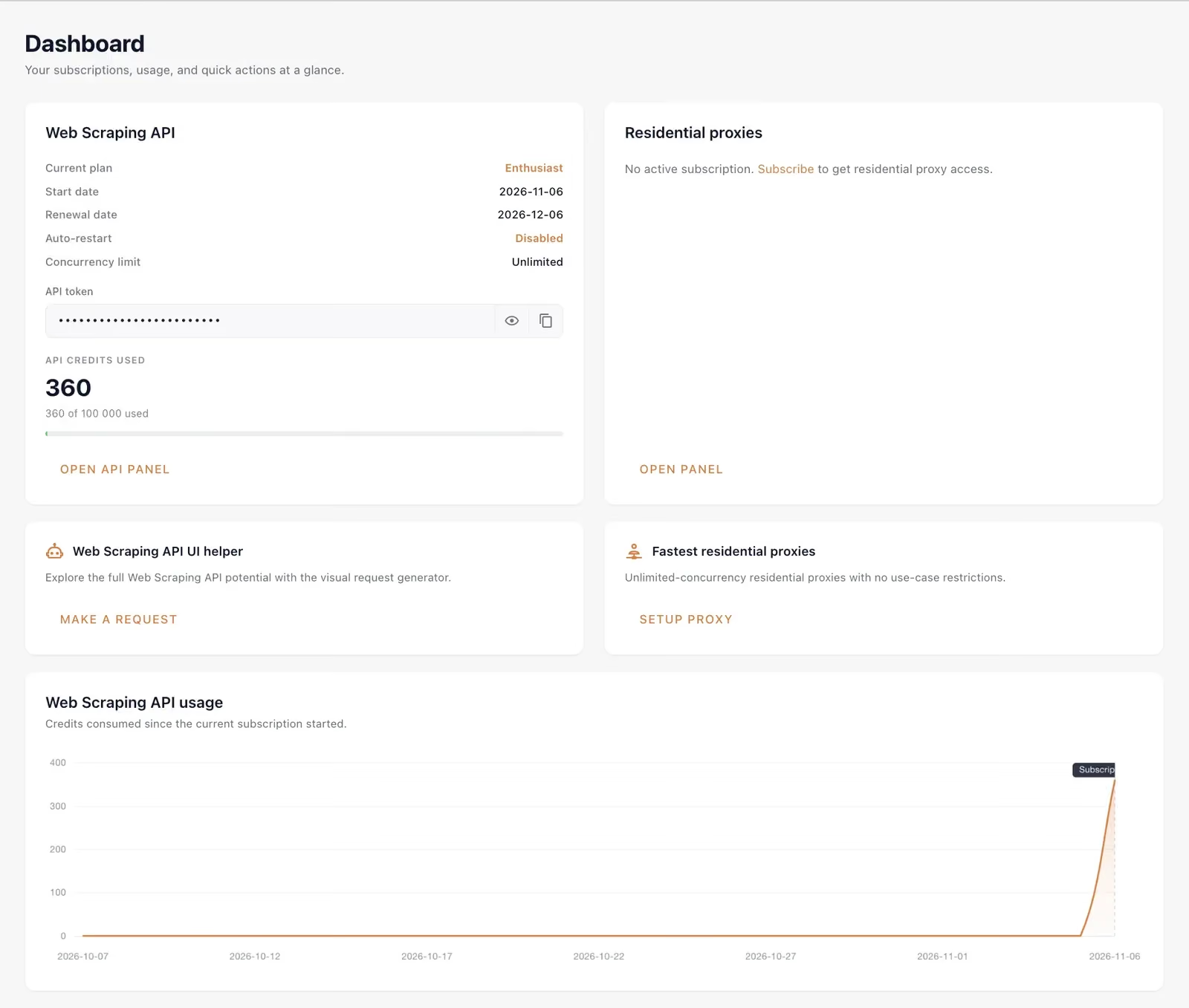
python -m venv .venv && source .venv/bin/activate && pip install requests beautifulsoup4 playwright python-dotenvScrapingAnt ran on the Enthusiast plan ($19 a month, 100,000 credits). All our tests used 360 credits.
ScrapingAnt Features and Full API Parameters
The JavaScript-rendered API is ScrapingAnt’s main endpoint, /v2/general. It launches a fresh headless Chrome per request and runs the page’s JavaScript, so it can return both static and dynamically rendered pages. You can wait for an element to appear, run your own JavaScript and get the post-render DOM back as HTML.
curl -G "https://api.scrapingant.com/v2/general" --data-urlencode "url=https://example.com" -H "x-api-key: YOUR_API_KEY"- Rendering by default: browser=true is the default and costs 10 credits; set browser=false for static pages at 1 credit (ScrapingAnt docs).
- Six base costs: 1, 2 or 10 credits on datacenter proxies and 25, 50 or 125 on residential, depending on the browser mode.
- Cost signal: every response carries an Ant-credits-cost header, and the /v2/usage endpoint returns the balance.
- Output formats: HTML on /v2/general, JSON with text, cookies, headers and XHRs on /v2/extended, Markdown on /v2/markdown, AI-extracted JSON on /v2/extract.
- Geo-targeting: proxy_country with 24 countries listed in the docs, more on request through support.
- Page scripts: js_snippet runs Base64-encoded JavaScript after the page loads: click “load more”, scroll, close a cookie banner, fill a form.
- Timeout: 60 seconds by default and at most.
- Concurrency: no cap on paid plans, as the pricing page says; one request at a time on the free plan.
- Billing rule: “A retry that ends in an API error (non-200 status) is not charged”, and “each retry that returns API 200 is charged, whatever the target page contains”.
| Parameter | Type | Default | What it does | Cost effect |
|---|---|---|---|---|
| url | string | none | Target URL | none |
| x-api-key | string | none | API key, header or query | none |
| browser | bool | true | Headless Chrome with JavaScript | 10, or 1 when false |
| return_page_source | bool | false | Server HTML before JavaScript, browser only | 2 |
| js_snippet | string, Base64 | none | Runs JavaScript after load, browser only | browser cost |
| wait_for_selector | string | none | Waits for a CSS selector, browser only | none |
| block_resource | string, repeatable | none | Skips images, fonts, scripts, XHR and more | none |
| proxy_type | string | datacenter | datacenter or residential | x25 on residential, 125 with the browser |
| proxy_country | string | none | Country of the IP, 24 listed | none |
| cookies | string | none | Cookies for the target | none |
| timeout | int, s | 60 | Request limit, 5 to 60 | none |
- browser=false: returned Books to Scrape, Indeed and Walmart for 1 credit; the browser was needed only for the JavaScript page, Amway and scrolling.
- js_snippet: worked on test #6 only with top-level await, as in the docs example; a snippet wrapped in an async function returned before it scrolled.
ScrapingAnt Review: Hands-On Testing Results
Test #1: Static HTML page
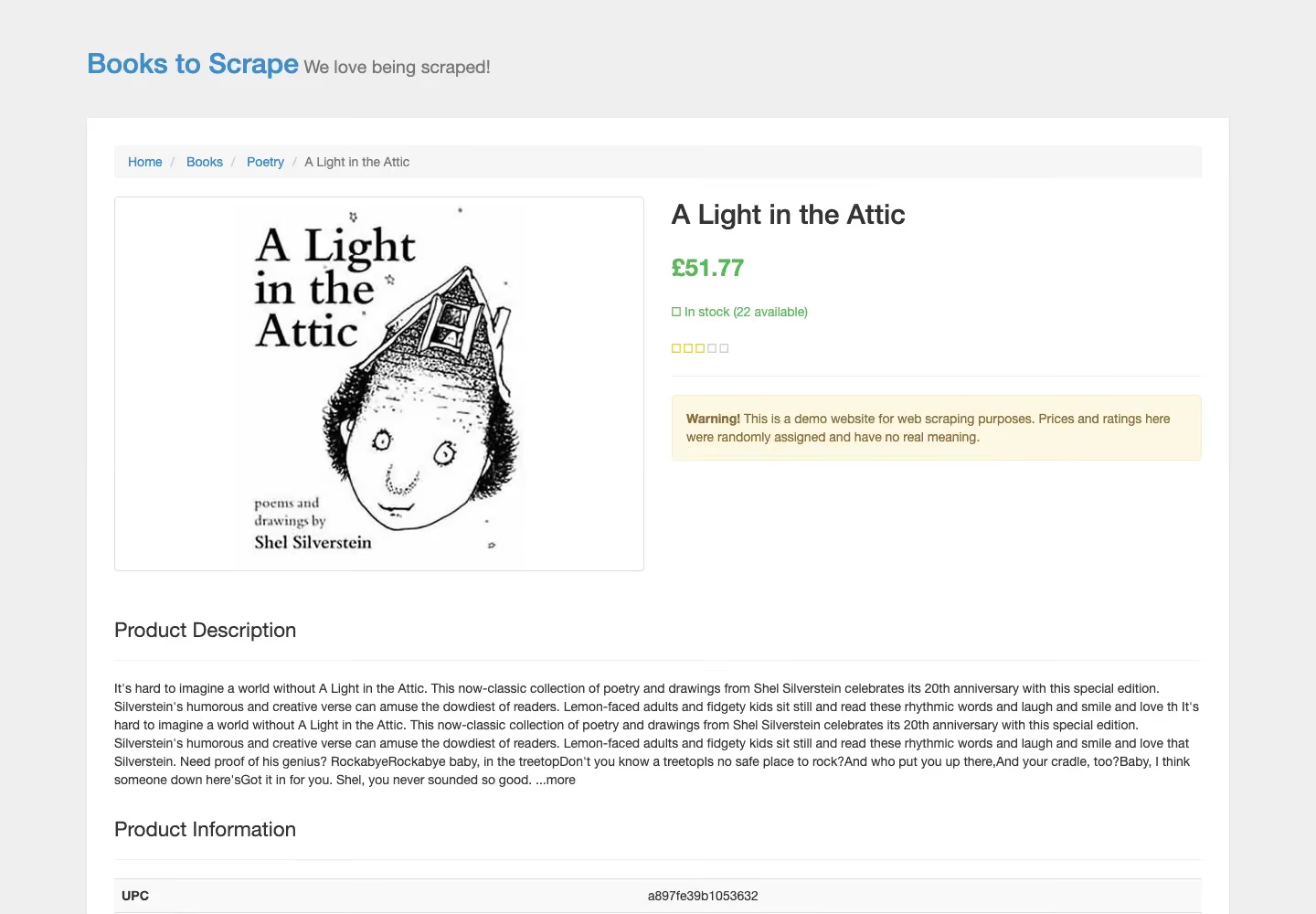
We sent the books.toscrape.com product page with browser=false, the cheapest setup.
from common import credits, scrapingant
from markers import static_page

TARGET = "https://books.toscrape.com/catalogue/a-light-in-the-attic_1000/index.html"

def run(**params):
    response, elapsed = scrapingant(TARGET, **params)
    found = static_page(response.text)
    print(f"Config        : {params or 'default'}")
    print(f"HTTP status   : {response.status_code}")
    print(f"Body          : {len(response.content):,} bytes")
    print(f"Marker found  : {found}")
    print(f"Elapsed       : {elapsed:.2f}s")
    print(f"Credits       : {credits(response):g}")
    return response, elapsed, found

run(browser="false")
Every run returned the title and price.

10/10 successful, median 1.10 s, 1 credit each. The slowest run took 2.20 s, and the test went to 10 runs because Web Unlocker missed on this page.
Test #2: JavaScript-rendered page
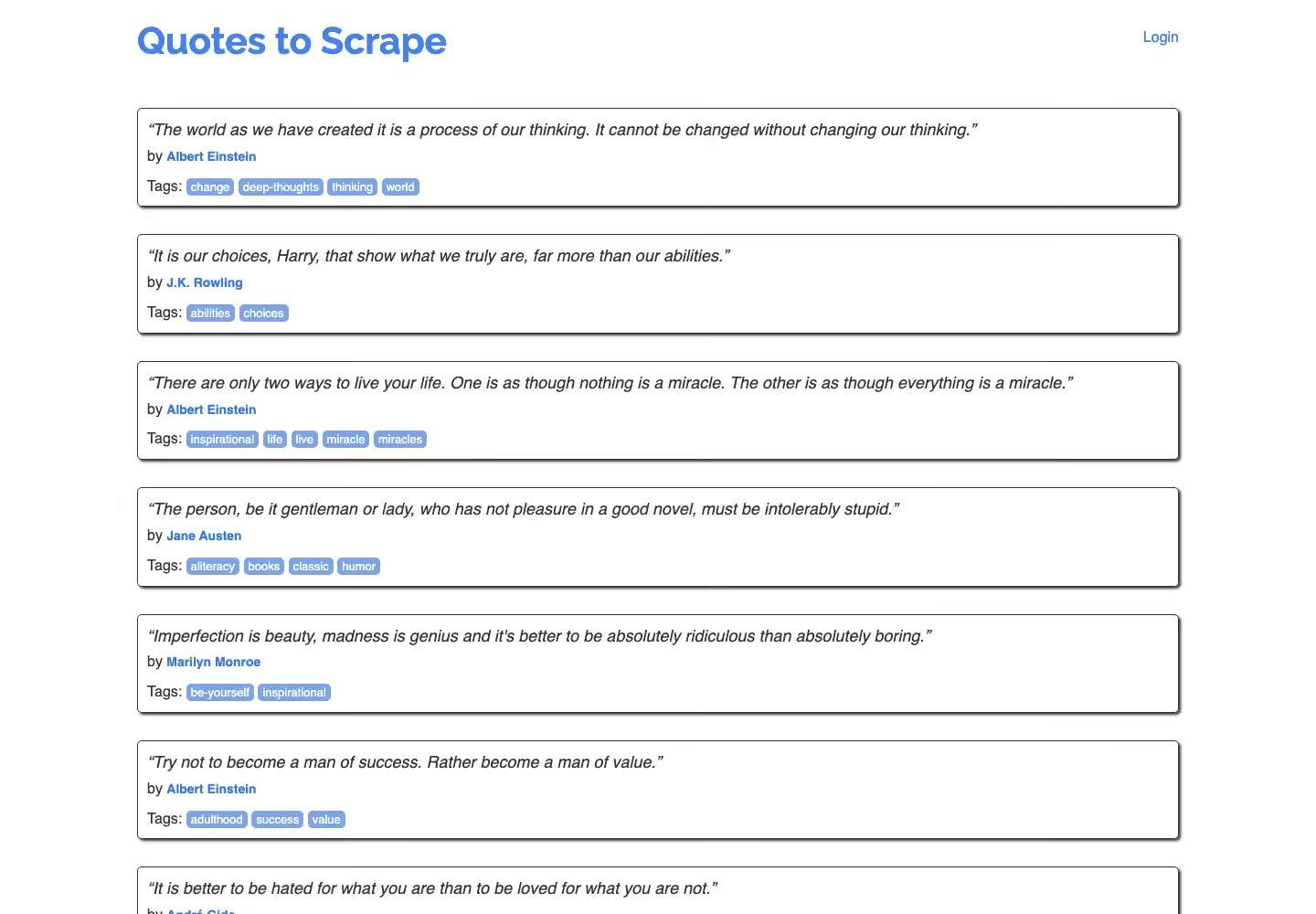
We sent quotes.toscrape.com/js/ with browser=false, then return_page_source=true, then the default browser request.
from common import credits, scrapingant
from markers import js_quotes

TARGET = "https://quotes.toscrape.com/js/"

def run(**params):
    response, elapsed = scrapingant(TARGET, **params)
    found = js_quotes(response.text)
    print(f"Config        : {params or 'default'}")
    print(f"HTTP status   : {response.status_code}")
    print(f"Marker found  : {found}")
    print(f"Elapsed       : {elapsed:.2f}s")
    print(f"Credits       : {credits(response):g}")
    return response, elapsed, found

run()
With the browser on, the quotes were in the body every time.

10/10 successful, median 2.91 s, 10 credits each, slowest 6.49 s. The two cheaper steps got 0/10: ScrapingAnt returned HTTP 200 with the unrendered page and charged 1 or 2 credits for each, 15 in total.

Test #3: Site behind Cloudflare
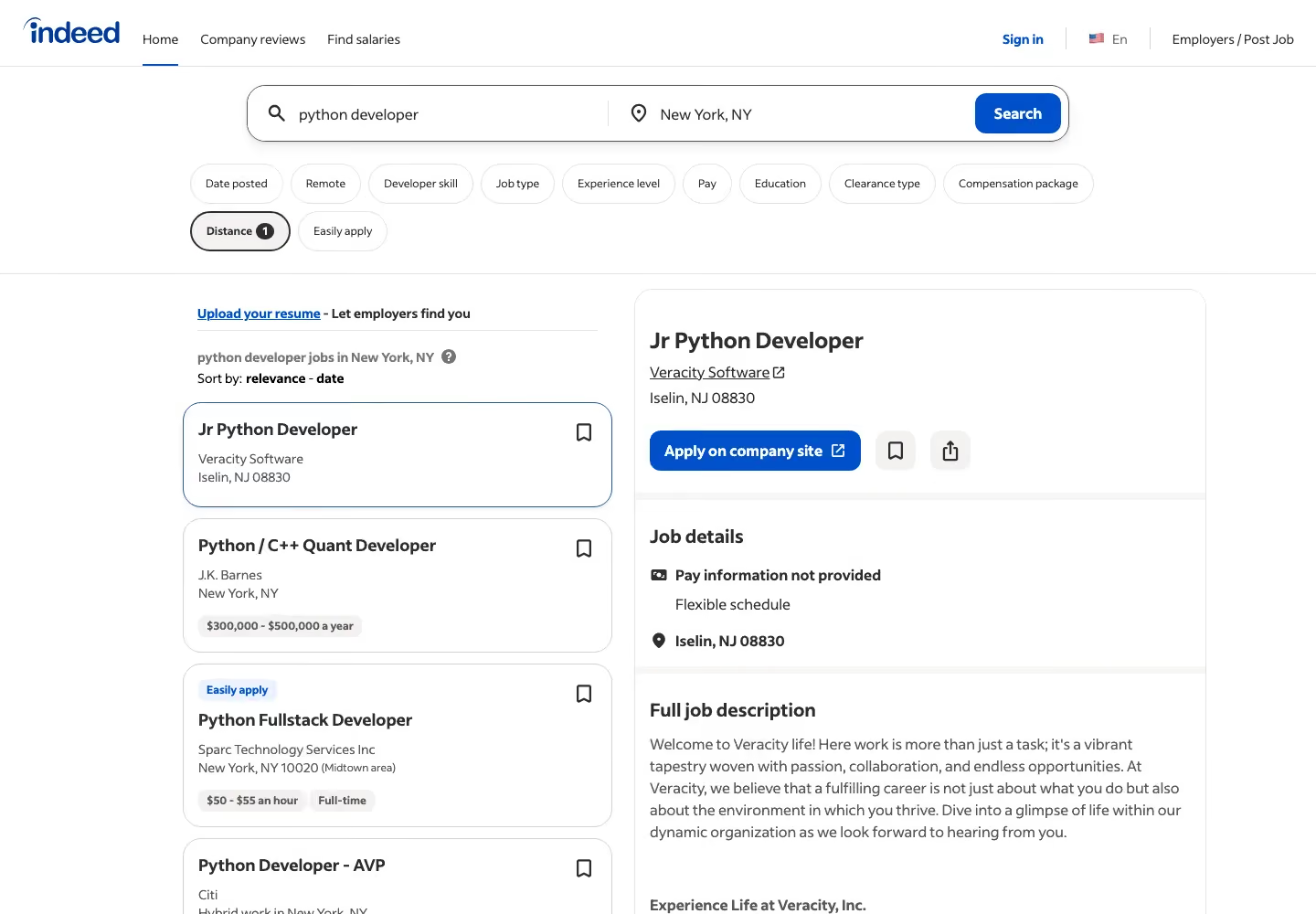
We sent an indeed.com job search with browser=false.
from common import credits, scrapingant
from markers import job_search

TARGET = "https://www.indeed.com/jobs?q=python+developer&l=New+York%2C+NY"

def run(**params):
    response, elapsed = scrapingant(TARGET, **params)
    found = job_search(response.text)
    print(f"Config        : {params or 'default'}")
    print(f"HTTP status   : {response.status_code}")
    print(f"Marker found  : {found}")
    print(f"Elapsed       : {elapsed:.2f}s")
    print(f"Credits       : {credits(response):g}")
    return response, elapsed, found

run(browser="false")
Nine runs returned the job list on the first and cheapest setup.

9/10 successful, median 4.91 s, 1 credit each, slowest 10.62 s. One run ended in HTTP 423, “Our browser was detected by target site”, and was free. For job data without writing a parser, Gologin also has a ready Indeed scraper.
Test #4: Site running DataDome
We sent the Amway Skin Care category, which answers a plain request with a DataDome device check.
from common import credits, scrapingant
from markers import category_page

TARGET = "https://www.amway.com/en_US/Shop/Beauty/Skin-Care/c/105"

def run(**params):
    response, elapsed = scrapingant(TARGET, **params)
    found = category_page(response.text)
    print(f"Config        : {params or 'default'}")
    print(f"HTTP status   : {response.status_code}")
    print(f"Marker found  : {found}")
    print(f"Elapsed       : {elapsed:.2f}s")
    print(f"Credits       : {credits(response):g}")
    return response, elapsed, found

run()
Four runs returned the product grid with prices.

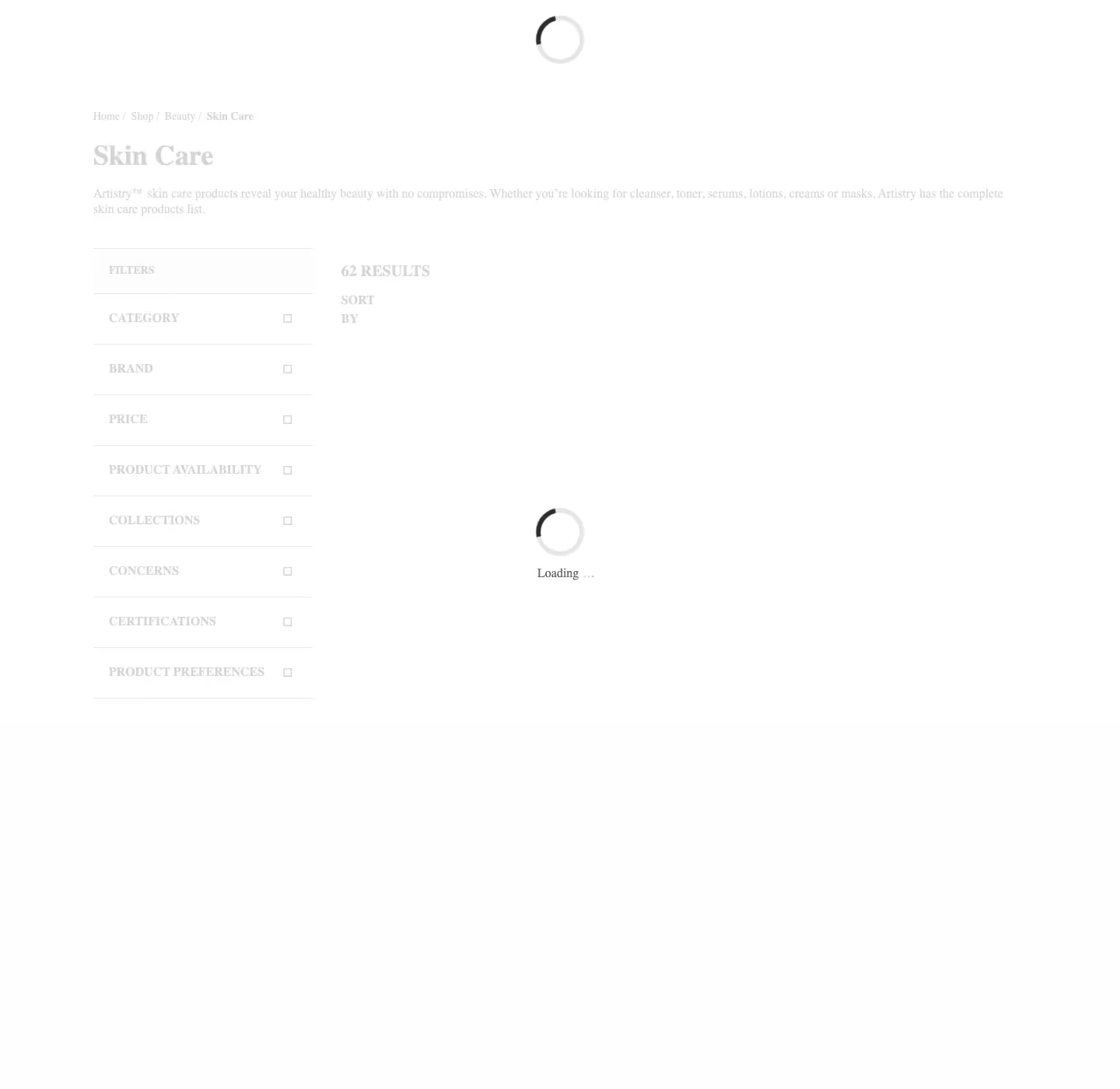
4/10 successful, median 21.50 s, 10 credits each, slowest 37.84 s, after browser=false (0/5) and return_page_source (0/5). Four runs ended in HTTP 423 and were free.
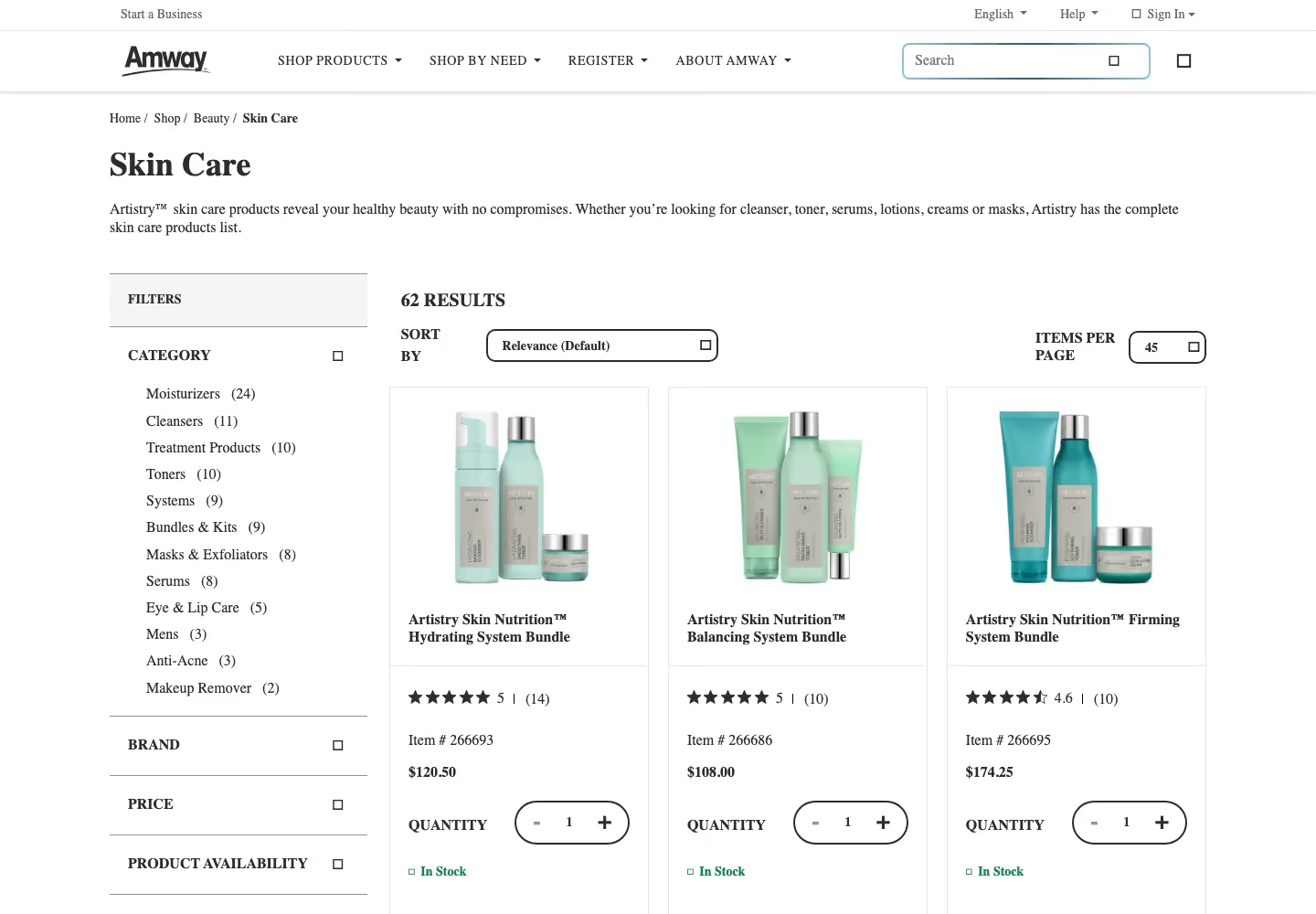
Two default runs came back as HTTP 200 after about 56 s with the category frame, a “Loading” spinner and no products, and were billed 10 credits each. With the cheaper steps, 8 pages without products were billed and test #4 used 70 credits for 4 product grids.
Test #5: Marketplace product page
We sent the Walmart product page for item 5689919121 with browser=false.
from common import credits, scrapingant
from markers import product_page

TARGET = "https://www.walmart.com/ip/5689919121"

def run(**params):
    response, elapsed = scrapingant(TARGET, **params)
    found = product_page(response.text)
    print(f"Config        : {params or 'default'}")
    print(f"HTTP status   : {response.status_code}")
    print(f"Marker found  : {found}")
    print(f"Elapsed       : {elapsed:.2f}s")
    print(f"Credits       : {credits(response):g}")
    return response, elapsed, found

run(browser="false")
Every run returned the product title and price.

5/5 successful, median 4.59 s, 1 credit each, slowest 7.51 s.

Test #6: Infinite scroll
ScrapingAnt has no browser product, so we used js_snippet: a scroll and wait loop inside one rendered request.
from bs4 import BeautifulSoup
from common import credits, scrapingant

TARGET = "https://quotes.toscrape.com/scroll"
SCROLL = "for (let i = 0; i < %d; i++) { window.scrollTo(0, document.body.scrollHeight); await new Promise(r => setTimeout(r, %d)); }"

def run(times=8, wait_ms=1000, **params):
    response, elapsed = scrapingant(TARGET, js=SCROLL % (times, wait_ms), **params)
    quotes = len(BeautifulSoup(response.text, "html.parser").select("div.quote"))
    print(f"HTTP status   : {response.status_code}")
    print(f"Quotes loaded : {quotes}")
    print(f"Marker found  : {quotes >= 50}")
    print(f"Elapsed       : {elapsed:.2f}s")
    print(f"Credits       : {credits(response):g}")
    return response, elapsed, quotes >= 50

run()
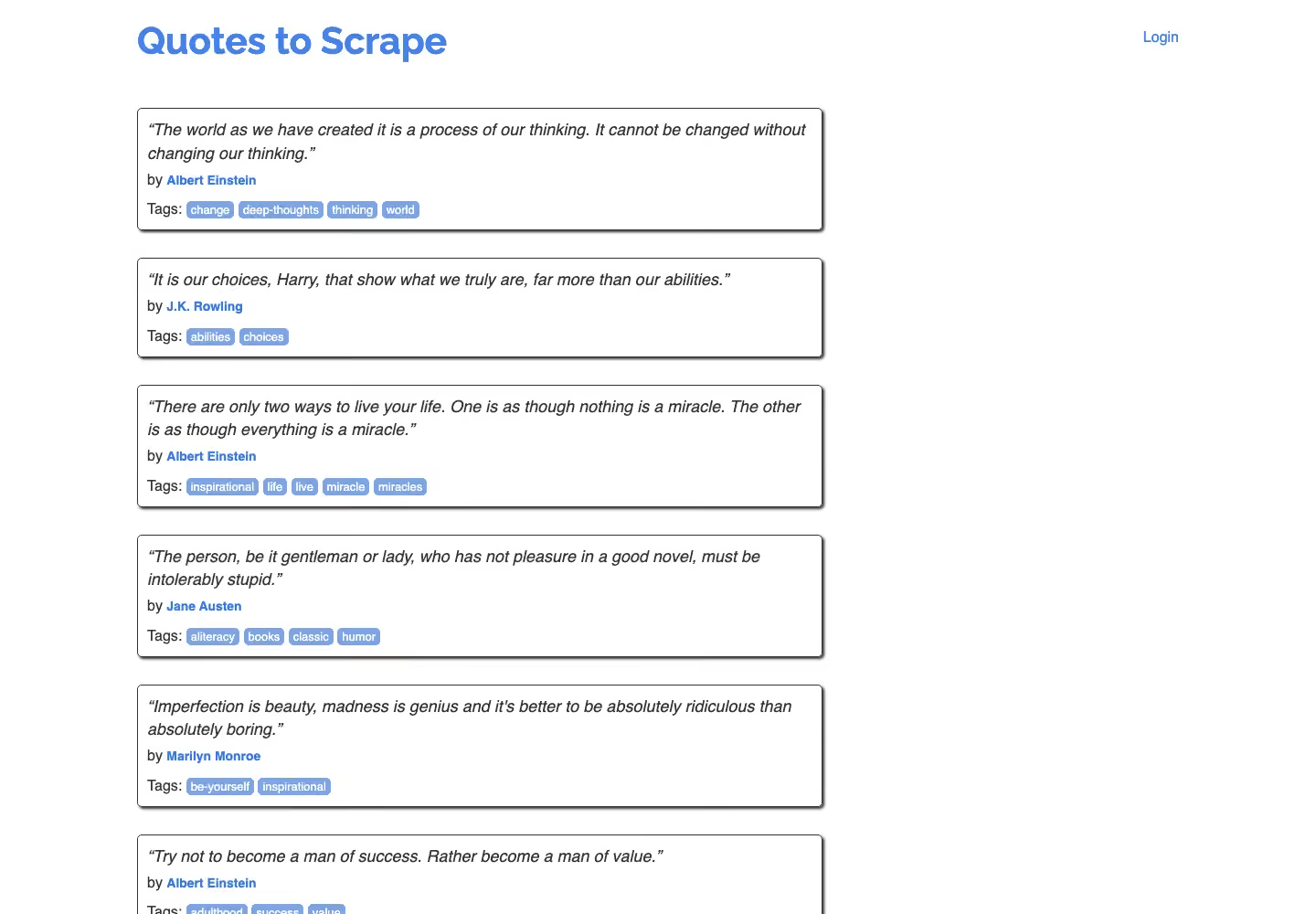
Every run loaded 90 quotes.

5/5 successful, median 11.00 s, 10 credits each, slowest 14.32 s. Before the test we tried the same loop wrapped in an async function: ScrapingAnt returned the page before the loop ran, with 10 quotes, even with wait_for_selector holding the request for 57.68 s.
| Test | Target | Configuration | Success | Median s | Slowest s | Units per success |
|---|---|---|---|---|---|---|
| #1 Static | books.toscrape.com | browser=false | 10/10 | 1.10 | 2.20 | 1 credit |
| #2 JavaScript | quotes.toscrape.com/js/ | default (browser) | 10/10 | 2.91 | 6.49 | 10 credits |
| #3 Cloudflare | indeed.com | browser=false | 9/10 | 4.91 | 10.62 | 1 credit |
| #4 DataDome | amway.com | default (browser) | 4/10 | 21.50 | 37.84 | 10 credits |
| #5 Marketplace | walmart.com | browser=false | 5/5 | 4.59 | 7.51 | 1 credit |
| #6 Scroll | quotes.toscrape.com/scroll | browser, js_snippet | 5/5 | 11.00 | 14.32 | 10 credits |
| #7 Escalation | indeed.com | default (browser) | 2/10 | 61.42 | 61.63 | 10 credits |
Gologin Web Unlocker and Cloud Browser: Same Targets, Same Method
What is the Gologin stack
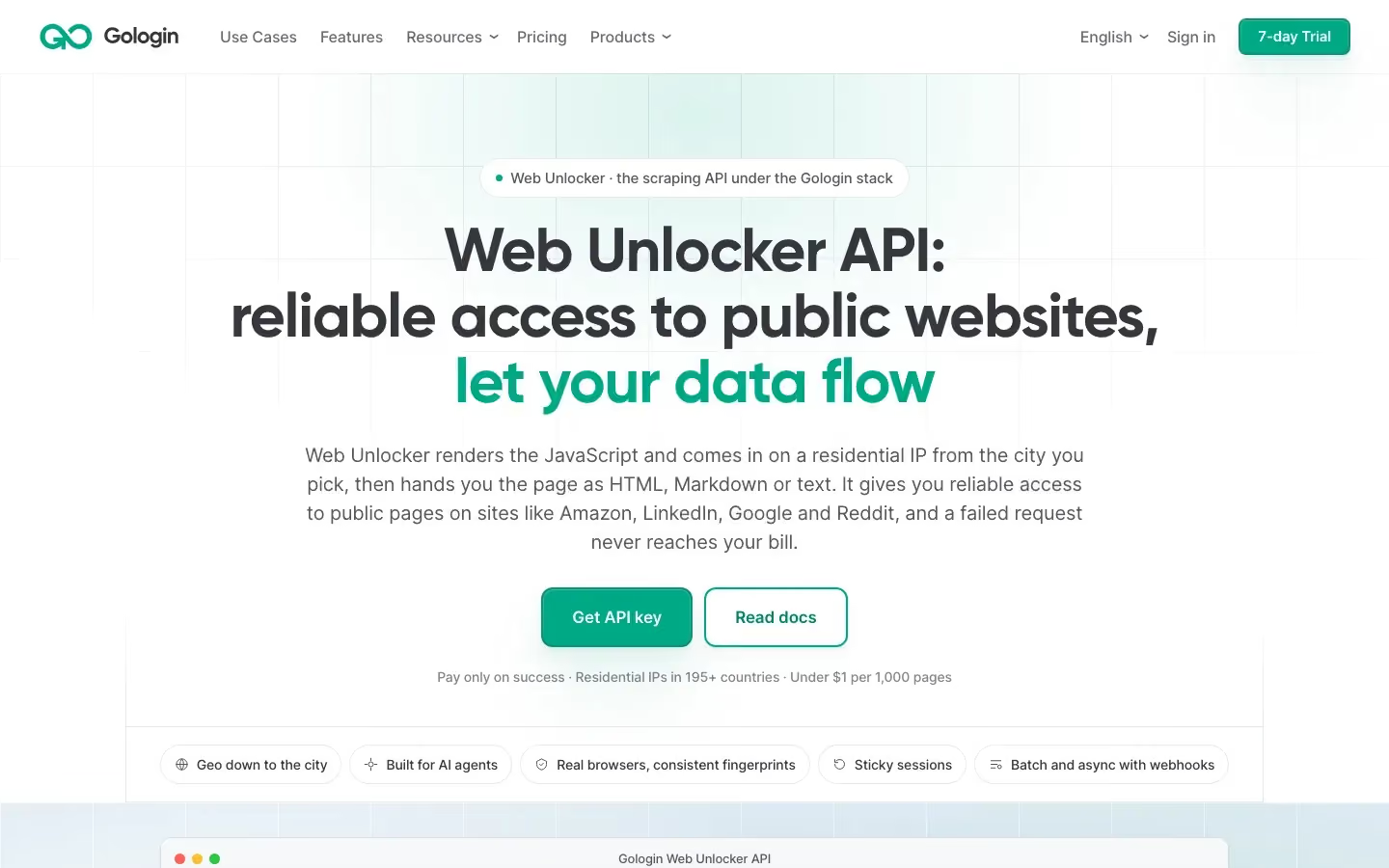
Gologin Web Unlocker is the page retrieval API inside the Gologin stack. You send one GET request with a URL; it renders the page and returns rendered HTML, Markdown, plain text or JSON with page metadata at one flat price per page. It is stateless: one request, one page. Gologin Cloud Browser is the second layer: a cloud browser with a residential IP, billed by the hour and driven from Playwright or Puppeteer with a profile id, the same job a scraping browser does.
| Feature | Web Unlocker | Cloud Browser |
|---|---|---|
| Unit | page | browser hour |
| Entry price | $49 for 50k pages | $4.50 for 50 hours |
| JavaScript rendering | included | full browser |
| Geo-targeting | country, state, city | per profile proxy |
| Batch and async | up to 1,000 URLs, webhooks | not documented |
| Failed requests | free | billed by time |
| Interaction | none | clicks, scroll, login |
| Free start | 1,000 requests | 3 runs of 15 min |
Test #1: Static HTML page
We sent the same books.toscrape.com URL with the default request.
from common import unlocker
from markers import static_page

TARGET = "https://books.toscrape.com/catalogue/a-light-in-the-attic_1000/index.html"

def run():
    response, elapsed = unlocker(TARGET)
    found = static_page(response.text)
    print(f"HTTP status   : {response.status_code}")
    print(f"Body          : {len(response.content):,} bytes")
    print(f"Marker found  : {found}")
    print(f"Elapsed       : {elapsed:.2f}s")
    return response, elapsed, found

run()
Six runs returned the title and price.

6/10 successful, median 1.25 s, 1 request each. Four runs ended in HTTP 503 with “Service temporarily unavailable” after about 5 s and were not charged; one successful run took 36.82 s.
Test #2: JavaScript-rendered page
We sent quotes.toscrape.com/js/ with the same default request, no rendering option.
from common import unlocker
from markers import js_quotes

TARGET = "https://quotes.toscrape.com/js/"

def run():
    response, elapsed = unlocker(TARGET)
    found = js_quotes(response.text)
    print(f"HTTP status   : {response.status_code}")
    print(f"Marker found  : {found}")
    print(f"Elapsed       : {elapsed:.2f}s")
    return response, elapsed, found

run()
The rendered quotes were in the body in nine runs.

9/10 successful, median 2.01 s, 1 request each, slowest 4.57 s. One run ended in HTTP 503.
Test #3: Site behind Cloudflare
We sent the indeed.com search URL with the default request.
from common import unlocker
from markers import job_search

TARGET = "https://www.indeed.com/jobs?q=python+developer&l=New+York%2C+NY"

def run():
    response, elapsed = unlocker(TARGET)
    found = job_search(response.text)
    print(f"HTTP status   : {response.status_code}")
    print(f"Marker found  : {found}")
    print(f"Elapsed       : {elapsed:.2f}s")
    return response, elapsed, found

run()
Three runs returned the job list.

3/10 successful, median 26.82 s, 1 request each. Six runs ended in a 504 gateway timeout after 90 s and one in HTTP 503, none charged. This was Web Unlocker’s weakest target and the one for test #7.

Test #4: Site running DataDome
We sent the Amway Skin Care category URL with the default request.
from common import unlocker
from markers import category_page

TARGET = "https://www.amway.com/en_US/Shop/Beauty/Skin-Care/c/105"

def run():
    response, elapsed = unlocker(TARGET)
    found = category_page(response.text)
    print(f"HTTP status   : {response.status_code}")
    print(f"Marker found  : {found}")
    print(f"Elapsed       : {elapsed:.2f}s")
    return response, elapsed, found

run()
Eight runs returned the product grid with prices.

8/10 successful, median 16.00 s, 1 request each. The slowest run took 67.55 s; one run ended in HTTP 503 and one in a 504 timeout.
Test #5: Marketplace product page
We sent the Walmart product URL with the default request.
from common import unlocker
from markers import product_page

TARGET = "https://www.walmart.com/ip/5689919121"

def run():
    response, elapsed = unlocker(TARGET)
    found = product_page(response.text)
    print(f"HTTP status   : {response.status_code}")
    print(f"Marker found  : {found}")
    print(f"Elapsed       : {elapsed:.2f}s")
    return response, elapsed, found

run()
Every run returned the title and price; the saved page came back in Spanish, with the same item and the same $140.96 price.

5/5 successful, median 16.27 s, 1 request each, slowest 20.56 s, more than three times slower than ScrapingAnt. For ready product data, Gologin also has a Walmart scraper.

Test #6: Infinite scroll with Gologin Cloud Browser
We connected to Cloud Browser from Playwright with a profile id that has a Gologin US residential proxy and scrolled until 50 quotes were on the page.
from playwright.sync_api import sync_playwright
from common import key

TARGET = "https://quotes.toscrape.com/scroll"
ENDPOINT = "wss://cloudbrowser.gologin.com/connect?token={}&profile={}"

def run():
    with sync_playwright() as p:
        browser = p.chromium.connect_over_cdp(ENDPOINT.format(key("GOLOGIN_CLOUD_BROWSER_TOKEN"), key("GOLOGIN_PROFILE_ID")))
        page = browser.contexts[0].pages[0]
        page.goto(TARGET)
        quotes = page.locator("div.quote")
        for _ in range(20):
            if quotes.count() >= 50:
                break
            page.mouse.wheel(0, 5000)
            page.wait_for_timeout(1000)
        count = quotes.count()
        browser.close()
    print(f"Quotes loaded : {count}")
    print(f"Marker found  : {count >= 50}")
    return count

run()
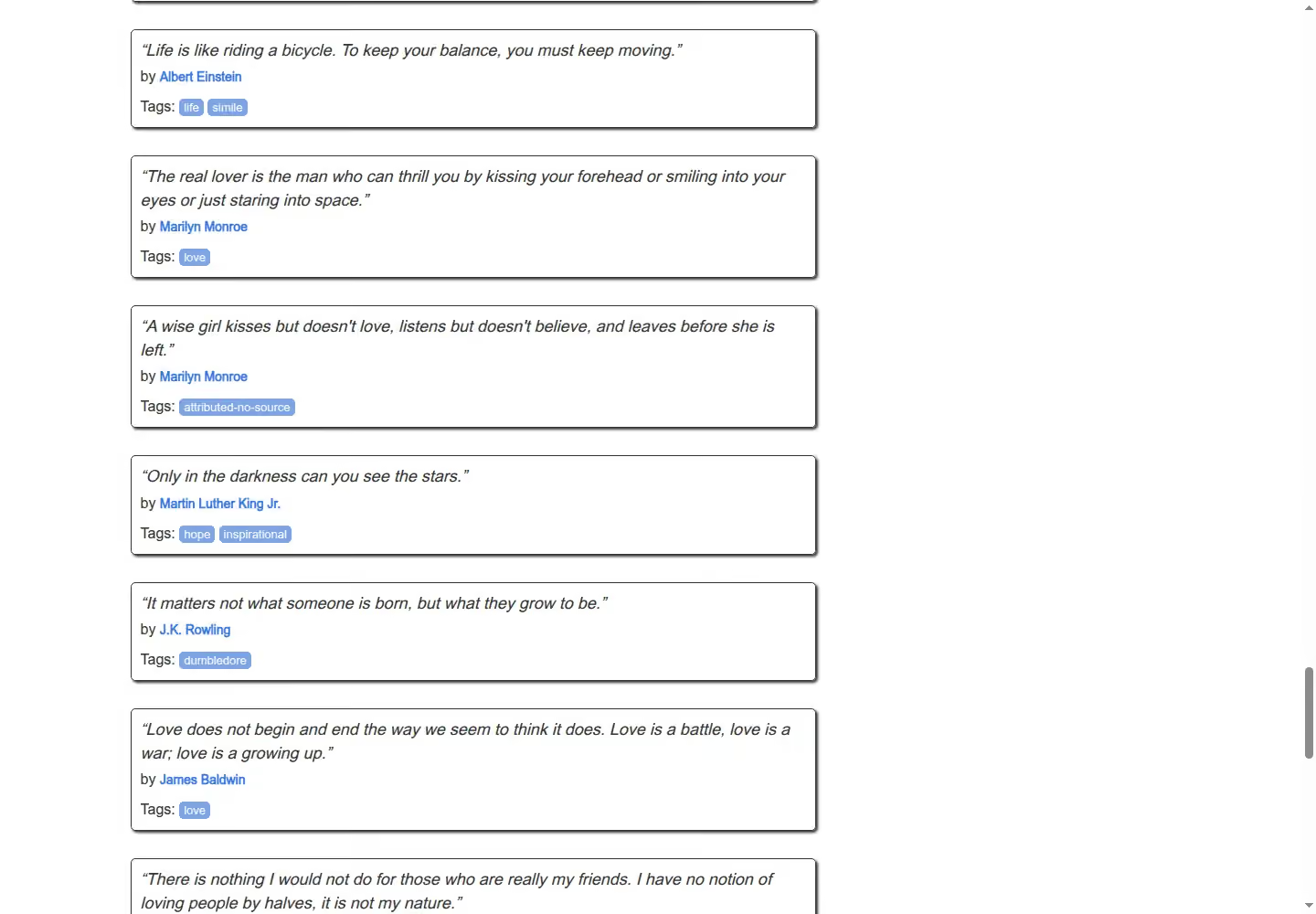
The loop stopped at 50 quotes.

5/5 successful, median 15.36 s including the connection, about 0.004 browser hours each, 4.36 s slower than ScrapingAnt’s snippet.
Test #7: Escalation to Cloud Browser on Indeed
We opened the Indeed search in Cloud Browser and waited up to 30 s for a job card, with a new profile and US residential proxy per run.
from playwright.sync_api import sync_playwright
from common import fresh, key, new_profile, stop_session
from markers import job_search

TARGET = "https://www.indeed.com/jobs?q=python+developer&l=New+York%2C+NY"
ENDPOINT = "wss://cloudbrowser.gologin.com/connect?token={}&profile={}"

def run():
    profile = new_profile("indeed-run")
    try:
        with sync_playwright() as p:
            browser = p.chromium.connect_over_cdp(ENDPOINT.format(key("GOLOGIN_CLOUD_BROWSER_TOKEN"), profile))
            page = browser.contexts[0].pages[0]
            page.goto(fresh(TARGET), wait_until="domcontentloaded")
            page.wait_for_selector("div.job_seen_beacon", timeout=30000)
            html = page.content()
            browser.close()
    finally:
        stop_session(profile)
    print(f"Marker found  : {job_search(html)}")
    return html

run()
Two runs returned the job list.

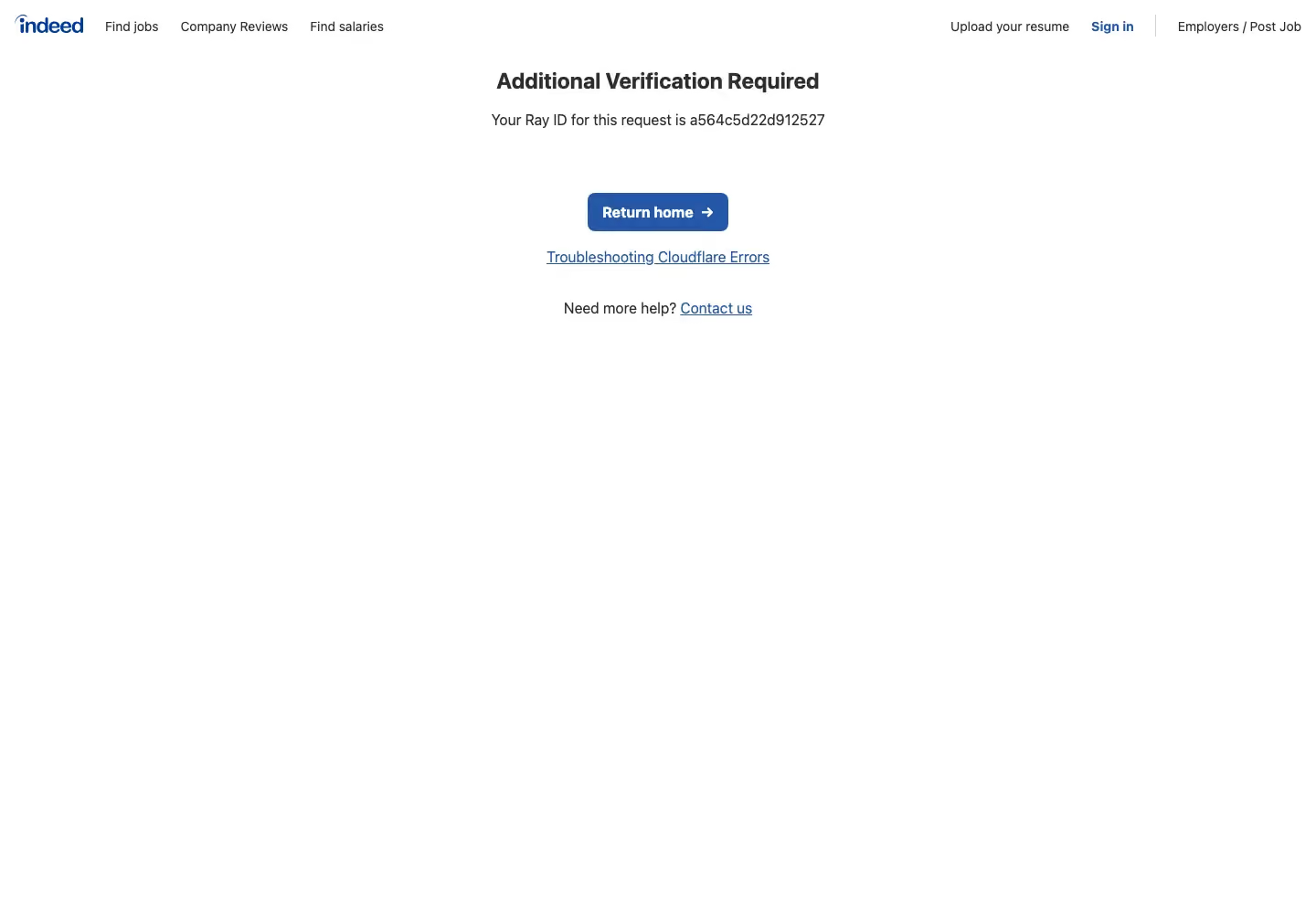
2/10 successful, median 17.27 s, about 0.005 browser hours each. The other eight runs stayed on a Cloudflare “Just a moment” check that did not clear within the wait.
| Test | Target | Configuration | Success | Median s | Slowest s | Units per success |
|---|---|---|---|---|---|---|
| #1 Static | books.toscrape.com | Web Unlocker, default | 6/10 | 1.25 | 36.82 | 1 request |
| #2 JavaScript | quotes.toscrape.com/js/ | Web Unlocker, default | 9/10 | 2.01 | 4.57 | 1 request |
| #3 Cloudflare | indeed.com | Web Unlocker, default | 3/10 | 26.82 | 29.86 | 1 request |
| #4 DataDome | amway.com | Web Unlocker, default | 8/10 | 16.00 | 67.55 | 1 request |
| #5 Marketplace | walmart.com | Web Unlocker, default | 5/5 | 16.27 | 20.56 | 1 request |
| #6 Scroll | quotes.toscrape.com/scroll | Cloud Browser, US residential | 5/5 | 15.36 | 17.87 | 0.004 h |
| #7 Escalation | indeed.com | Cloud Browser, new profile per run | 2/10 | 17.27 | 19.12 | 0.005 h |
ScrapingAnt Pricing and Credit System Explained
ScrapingAnt pricing is credit-based, and each plan carries a fixed monthly allowance. A request without the browser on datacenter proxies is 1 credit, the browser with return_page_source 2, a rendered page 10; on residential proxies the same three cost 25, 50 and 125. Requests to Google domains through datacenter proxies cost 10.
We paid 1 credit for books.toscrape.com, Indeed and Walmart and 10 for the JavaScript page, Amway and the scroll. Errors such as HTTP 423 were free, but a 200 without the content still counts: we paid for 10 unrendered JavaScript pages and 8 Amway pages without products. The free plan gives 10,000 credits every month with no card and one request at a time; our tests used 360 on Enthusiast.
| Plan | Monthly price | Units included | Price per unit | Concurrency | Overage |
|---|---|---|---|---|---|
| Free | $0 | 10,000 credits a month | free | 1 | none |
| Enthusiast | $19 | 100,000 credits | $0.19 per 1K | no cap | upgrade |
| Startup | $49 | 500,000 credits | $0.098 per 1K | no cap | upgrade |
| Business | $249 | 3,000,000 credits | $0.083 per 1K | no cap | upgrade |
| Business Pro | $599 | 8,000,000 credits | $0.075 per 1K | no cap | upgrade |
| Custom | from $699 | 10M+ credits | from $0.070 per 1K | no cap | custom |
| Scenario (test) | Units per request | Cheapest plan $ (Enthusiast) | Comparable plan $ (Startup, $49) |
|---|---|---|---|
| Static (#1) | 1 | $0.19 | $0.10 |
| JavaScript (#2) | 10 | $1.90 | $0.98 |
| Cloudflare (#3) | 1 | $0.19 | $0.10 |
| DataDome (#4) | 10 | $1.90 | $0.98 |
| Marketplace (#5) | 1 | $0.19 | $0.10 |
| Scroll (#6) | 10 | $1.90 | $0.98 |
| Cloudflare in the browser (#7) | 10 | $1.90 | $0.98 |
| Any page, residential with the browser | 125 | $23.75 | $12.25 |
Counting the billed empty pages on the cheaper steps, test #4 cost 17.5 credits per product grid, $3.33 per 1,000 on Enthusiast.
Gologin prices differently. Web Unlocker charges one flat price per returned page: $0.98 per 1,000 on Growth ($49 for 50k) and $0.75 on Professional ($149 for 200k), with rendering and city-level targeting included and failed pages free. Cloud Browser bills browser time: $4.50 for 50 hours on Professional, so our 15.36 s scroll comes to about $0.38 per 1,000 pages, plus proxy traffic above the plan allowance at $1/GB.
ScrapingAnt Pros
- Cheap pages without the browser: browser=false returned Books to Scrape, Indeed and Walmart for 1 credit, $0.19 per 1,000 on Enthusiast.
- Won the Cloudflare target: 9/10 on Indeed at 4.91 s, against 3/10 at 26.82 s for Web Unlocker.
- Fast and steady: 38 of 45 runs on tests 1 to 5, and no HTTP 5xx errors during our tests.
- In-page control: js_snippet plus wait_for_selector scrolled to 90 quotes in 11.00 s without running Playwright.
- Easy to try and to scale: 10,000 free credits every month, no concurrency cap on paid plans, and an MCP server, n8n, Make and GitHub Action integrations.
ScrapingAnt Cons
- Empty pages are charged: 10 unrendered JavaScript pages and 8 Amway pages without products were billed, 1 to 10 credits each.
- Weak on our DataDome target: 4/10 at a median of 21.50 s.
- Residential costs multiply: a rendered page on residential proxies is 125 credits, $23.75 per 1,000 on Enthusiast, against 10 credits on datacenter proxies.
- Browser mode can be the wrong choice: on Indeed the browser got 2/10 at about 61 s, against 9/10 at 4.91 s without it.
- Scripts must follow one pattern: a scroll loop in an async function returned before it ran; only top-level await worked.
ScrapingAnt Limitations
- No browser product: no session to drive from Playwright; scripts run inside one rendered request.
- Country-level geo-targeting: proxy_country with 24 listed countries; no state or city on the API.
- Short request ceiling: 60 seconds at most, which several Amway and Indeed runs reached.
- No batch or async jobs: one URL per call and no webhooks; sticky sessions are not documented for the API.
- No CAPTCHA list: the docs describe browser fingerprints and proxies, not which challenge types are handled.
ScrapingAnt vs Gologin: Head-to-Head Results
The two products look similar: you send a URL, a browser renders it, HTML comes back. ScrapingAnt adds credits for the browser and the proxy type and gives you scripts inside the request. Gologin keeps retrieval in Web Unlocker at one price per page and moves live sessions to Cloud Browser.
| Aspect | ScrapingAnt | Gologin stack |
|---|---|---|
| What you send | URL plus parameters | URL (Web Unlocker) or a Playwright session (Cloud Browser) |
| Rendering | browser=true by default, 10 credits | included in Web Unlocker |
| Price unit | credit, by browser mode and proxy type | page (Web Unlocker), hour (Cloud Browser) |
| Interaction | js_snippet inside one call | full browser session |
| Output | HTML, with JSON, Markdown and AI extraction on other endpoints | HTML, Markdown, text and JSON from one endpoint |
ScrapingAnt alternative: when Gologin is a better choice
| Scenario | Better fit | From our tests or the docs |
|---|---|---|
| Sites running DataDome | Web Unlocker | 8/10 against 4/10 on test #4 |
| Pages that need residential rendering | Web Unlocker | $0.98 per 1,000 against $23.75 at 125 credits |
| City or state targeting | Web Unlocker | documented on the product page; country only on ScrapingAnt |
| Large overnight jobs | Web Unlocker | batches of up to 1,000 URLs with webhooks (product page) |
| Datasets for analytics and ML | Web Unlocker | each response classed as a page, a challenge, a refusal, an auth wall or a cookie wall (product page) |
| Logged-in or multi-step flows | Cloud Browser | not tested; documented session product |
| Test | ScrapingAnt success | ScrapingAnt median s | Gologin success | Gologin median s |
|---|---|---|---|---|
| #1 Static | 10/10 | 1.10 | 6/10 | 1.25 |
| #2 JavaScript | 10/10 | 2.91 | 9/10 | 2.01 |
| #3 Cloudflare | 9/10 | 4.91 | 3/10 | 26.82 |
| #4 DataDome | 4/10 | 21.50 | 8/10 | 16.00 |
| #5 Marketplace | 5/5 | 4.59 | 5/5 | 16.27 |
| #6 Scroll | 5/5 | 11.00 | 5/5 | 15.36 |
| #7 Escalation | 2/10 | 61.42 | 2/10 | 17.27 |
| Scenario | ScrapingAnt, cheapest plan | ScrapingAnt, comparable plan | Gologin, entry plan | Gologin, comparable plan |
|---|---|---|---|---|
| Static (#1) | $0.19 | $0.10 | $0.98 | $0.75 |
| JavaScript (#2) | $1.90 | $0.98 | $0.98 | $0.75 |
| Cloudflare (#3) | $0.19 | $0.10 | $0.98 | $0.75 |
| DataDome (#4) | $1.90 | $0.98 | $0.98 | $0.75 |
| Marketplace (#5) | $0.19 | $0.10 | $0.98 | $0.75 |
| Scroll (#6) | $1.90 | $0.98 | $0.38 | $0.34 |
| Cloudflare in a browser (#7) | $1.90 | $0.98 | $0.43 | $0.38 |
| Feature | ScrapingAnt | Gologin stack |
|---|---|---|
| Pricing model | credits by browser mode and proxy type | per page, flat; browser per hour |
| JS rendering | browser=true, default, 10 credits | included |
| Geo-targeting level | country, 24 listed | country, state, city (product page) |
| Proxy tiers | datacenter, residential | managed; residential on Cloud Browser |
| Sticky session, minutes | not documented for the API | Cloud Browser session |
| Output formats | HTML, JSON, Markdown, AI JSON (separate endpoints) | HTML, Markdown, text, JSON (one endpoint) |
| Structured extraction | AI extractor, /v2/extract | not documented |
| Screenshots | not documented | listed in the docs overview |
| Browser-level control | no | Gologin Cloud Browser |
| Batch and webhooks | not documented | up to 1,000 URLs, webhooks (product page) |
| Failure signalling | HTTP status (423 detected, 404 unreachable), Ant-Page-Status-Code | response classes: page, challenge, refusal, auth and cookie walls |
| Charged responses | every API 200 | successful pages only |
| Free start | 10,000 credits a month | 1,000 requests, 7 days |
ScrapingAnt won tests 1, 3 and 5 and was faster on tests 1, 3, 5 and 6. Gologin won test #4 and was faster on the JavaScript page; test #7 was a 2/10 draw. The widest gaps run both ways: 9/10 against 3/10 for ScrapingAnt on Indeed, 8/10 against 4/10 for Web Unlocker on Amway.
On cost, ScrapingAnt Enthusiast is cheaper than Web Unlocker wherever browser=false works, $0.19 per 1,000. A rendered page on Enthusiast costs $1.90, about twice Web Unlocker’s $0.98, and residential rendering at 125 credits is $23.75. On Startup, the plan at Gologin Growth’s $49, a rendered page is $0.98, the same as Web Unlocker.
When the Unlocker Fails: Escalation to Cloud Browser
Indeed was Web Unlocker’s weakest target at 3/10, so test #7 ran it through Gologin Cloud Browser. With a new profile and US residential proxy per run, Cloud Browser returned the job list 2/10 at a median of 17.27 s; the other eight runs stayed on a Cloudflare check. That is about 4.8 browser hours per 1,000 runs, $0.43 on Professional, or $2.16 per 1,000 successful pages at this rate. ScrapingAnt has no browser product, so its side ran its most expensive working configuration from tests 1 to 5, the browser request: 2/10 at 61.42 s, six runs ended in HTTP 423 at the 60-second limit. Its browser=false request had already returned Indeed 9/10 for 1 credit on test #3.
On this target the browser did not help either side, and the cheapest ScrapingAnt request was the best option we measured. The rule still holds: Web Unlocker for pages you can fetch in one request, Cloud Browser when the page needs scrolling, clicks or a login, as on test #6, where it worked 5/5 without any tuning.
Frequently Asked Questions
Is ScrapingAnt worth it in 2026?
For static pages, Indeed and Walmart, yes: browser=false returned them 9/10 to 10/10 at 1 credit, $0.19 per 1,000 on Enthusiast, faster than Web Unlocker. On our DataDome target it got 4/10, and it bills every API 200 even without the content. Test your own targets on the 10,000 free monthly credits first.
How much does ScrapingAnt cost per 1,000 pages?
It depends on the browser mode and proxy type. On Enthusiast ($19 for 100,000 credits) a page without the browser costs $0.19 per 1,000, a rendered page $1.90 and a rendered page on residential proxies $23.75. On Startup ($49) the same pages cost $0.10, $0.98 and $12.25. Gologin Web Unlocker is $0.98 per 1,000 for any page.
Does ScrapingAnt charge for failed requests?
Not for API errors: our HTTP 423 and 404 runs were free. It charges every API 200, “whatever the target page contains”. We paid for 10 unrendered JavaScript pages at 1 or 2 credits and 8 Amway pages that showed a loading spinner and no products. Web Unlocker does not bill challenged or empty pages.
Does ScrapingAnt render JavaScript, and what does that cost?
Yes, by default: browser=true launches a fresh headless Chrome, runs the page’s JavaScript and returns the rendered DOM. It costs 10 credits on datacenter proxies and 125 on residential. On our JavaScript page it returned all 10 runs at 2.91 s; Web Unlocker returned 9 of 10 at 2.01 s with rendering included.
Can I target a specific city with ScrapingAnt or Gologin?
Not with the ScrapingAnt API: proxy_country sets the country, 24 are listed in the docs, and its separate proxy product offers city targeting. Gologin Web Unlocker documents country, state and city targeting on residential IPs in 195+ countries, at the same flat price per page. We did not test geo-targeting.
ScrapingAnt Review Verdict: Which One Should You Use?
There is no single best web scraping API across these seven targets, and in this test ScrapingAnt won more of them.
What ScrapingAnt does better or cheaper than the Gologin stack:
- Indeed: 9/10 at 4.91 s for 1 credit, against 3/10 at 26.82 s for Web Unlocker.
- Static and marketplace pages: 10/10 and 5/5 at $0.19 per 1,000, against $0.98.
- Scrolling inside one request: 90 quotes in 11.00 s with js_snippet, against 15.36 s in Cloud Browser.
Where the Gologin stack was weaker in this test:
- Service errors: 14 Web Unlocker runs ended in HTTP 503 or a 504 timeout, 4 of them on a static page.
- Indeed through Web Unlocker: 3/10 at a median of 26.82 s.
- Walmart speed: 16.27 s against 4.59 s.
- Cloud Browser on Indeed: 2/10, eight runs stayed on a Cloudflare check.
What the Gologin stack does better or cheaper than ScrapingAnt:
- Web Unlocker on DataDome: 8/10 against 4/10 on test #4.
- One price per page: $0.98 per 1,000 for any page, against $1.90 for rendered and $23.75 for residential rendered pages on ScrapingAnt Enthusiast; empty pages are not billed.
- Pipeline features (documented): batches of up to 1,000 URLs, webhooks, city targeting and response classes on Web Unlocker.
- Cloud Browser for interaction: 5/5 on test #6 with plain Playwright, no script pattern to learn.
Choose ScrapingAnt if you need static pages, Indeed-type and Walmart-type pages cheap and fast without the browser, or scripted scrolling inside one request.
Choose Gologin if you need pages from sites running DataDome, rendered pages at one flat price with no charge for empty results, batch and webhook jobs, or a real browser session for multi-step pages.
Conclusion
ScrapingAnt is a capable, developer-friendly scraping API, and on 6 November 2026 it beat Web Unlocker on the static page, Indeed and Walmart while costing $0.19 per 1,000 on those pages. On our DataDome target it returned 4 product grids in 10 and billed pages without products, and its prices climb from 10 to 125 credits once residential rendering is needed. Gologin Web Unlocker returned that page 8 times in 10 at one flat price, and Cloud Browser covers the session jobs that ScrapingAnt fits into one request.
Gologin Web Unlocker gives you 1,000 free requests for 7 days with no credit card, enough to repeat these tests on your own pages.