Scrape.do Review 2026: 7 Benchmark Tests, Pricing and Real Costs
Try Gologin for free
A scraping API is easy to judge on a static page and hard to judge on a site behind Cloudflare or DataDome, where the credits per page and the success rate both move. This Scrape.do review runs the Scrape.do API, a web scraping API, and Gologin on the same seven targets, with the same runs and the same success check.
Scrape.do sells one endpoint with credit costs set by proxy type, rendering and domain. Gologin enters as a stack: Gologin Web Unlocker for page retrieval plus Gologin Cloud Browser for jobs that need a live session.
Every number below comes from a logged run, including Gologin’s losses.
Scrape.do vs Gologin: Key Takeaways
- Retrieval success: a tie. Scrape.do returned the full page in 45 of 50 runs across tests 1 to 5, Web Unlocker in 45 of 50, but on different targets.
- DataDome target: Scrape.do got 5/10 on the Amway category page at its best setting, residential proxies plus rendering plus a 3-second wait, at 25 credits. Web Unlocker got 9/10 at a median of 15.57 s with the default request.
- Walmart: Scrape.do won clearly, 10/10 at 4.71 s for 1 credit, against 7/10 at 15.17 s for Web Unlocker.
- Speed: Scrape.do was faster on the static page, Indeed and Walmart; Web Unlocker on the JavaScript page (0.95 s against 3.50 s) and on Amway.
- Infinite scroll: Scrape.do loaded 0 extra quotes in 15 runs until we set blockResources=false; then 10/10 at 16.54 s. Gologin Cloud Browser did it 10/10 at 15.32 s with no tuning.
- Cost: Scrape.do is cheaper on easy pages, $0.12 per 1,000 on Hobby. Web Unlocker’s flat $0.98 is cheaper on Indeed ($1.16 on Scrape.do) and on Amway ($2.90).
| Scrape.do | Gologin Web Unlocker (+ Cloud Browser for #6, #7) | |
|---|---|---|
| Success, tests 1 to 5 | 45/50 | 45/50 |
| Median time, hardest target (#4 DataDome) | 22.86 s | 15.57 s |
| Cost per 1K, hardest target (entry plan) | $2.90 | $0.98 |
| JS rendering | render=true, 5 credits | included |
| Sessions and interaction | sessionId (5 min), playWithBrowser actions | Cloud Browser, hourly |
| Charged responses | 2xx, 400, 404, 410 | successful pages only |
| Free start | 1,000 credits every month, no card | 1,000 requests, 7 days, no card |
What Is Scrape.do?
Scrape.do is a web scraping API: you send a URL with your token and get the page back as raw HTML or Markdown. Parameters switch on residential and mobile proxies, a headless browser, geo-targeting and browser actions, and each one changes the credit cost.
It is built for developers and data teams that want pages from hard sites without running their own proxy pools or browsers, paying a monthly plan in credits.
| Product | What it does | When you use it |
|---|---|---|
| API mode | One request, one page, with all parameters | Real-time scraping |
| Proxy mode | The same service used as a proxy server | Existing scrapers and tools |
| Async API | Jobs with webhooks, a separate concurrency pool | Large scheduled jobs |
| Scraper APIs | Parsed data for Amazon, Google, Walmart, Home Depot, YouTube and others | Ready fields instead of HTML |
| Integrations | n8n and Zapier nodes | No-code workflows |
How We Tested Scrape.do and Gologin
Tests ran on 4 November 2026 from one machine. Each tool got 5 runs per target, extended to 10 when a run failed or the slowest run took more than twice the median, at least 10 seconds apart, with a fresh cache-busting parameter (cb=timestamp) on every URL.
| # | Scenario | Target | Success marker |
|---|---|---|---|
| 1 | Static HTML | books.toscrape.com product page | h1 and .price_color |
| 2 | JavaScript-rendered | quotes.toscrape.com/js/ | at least 10 .quote elements |
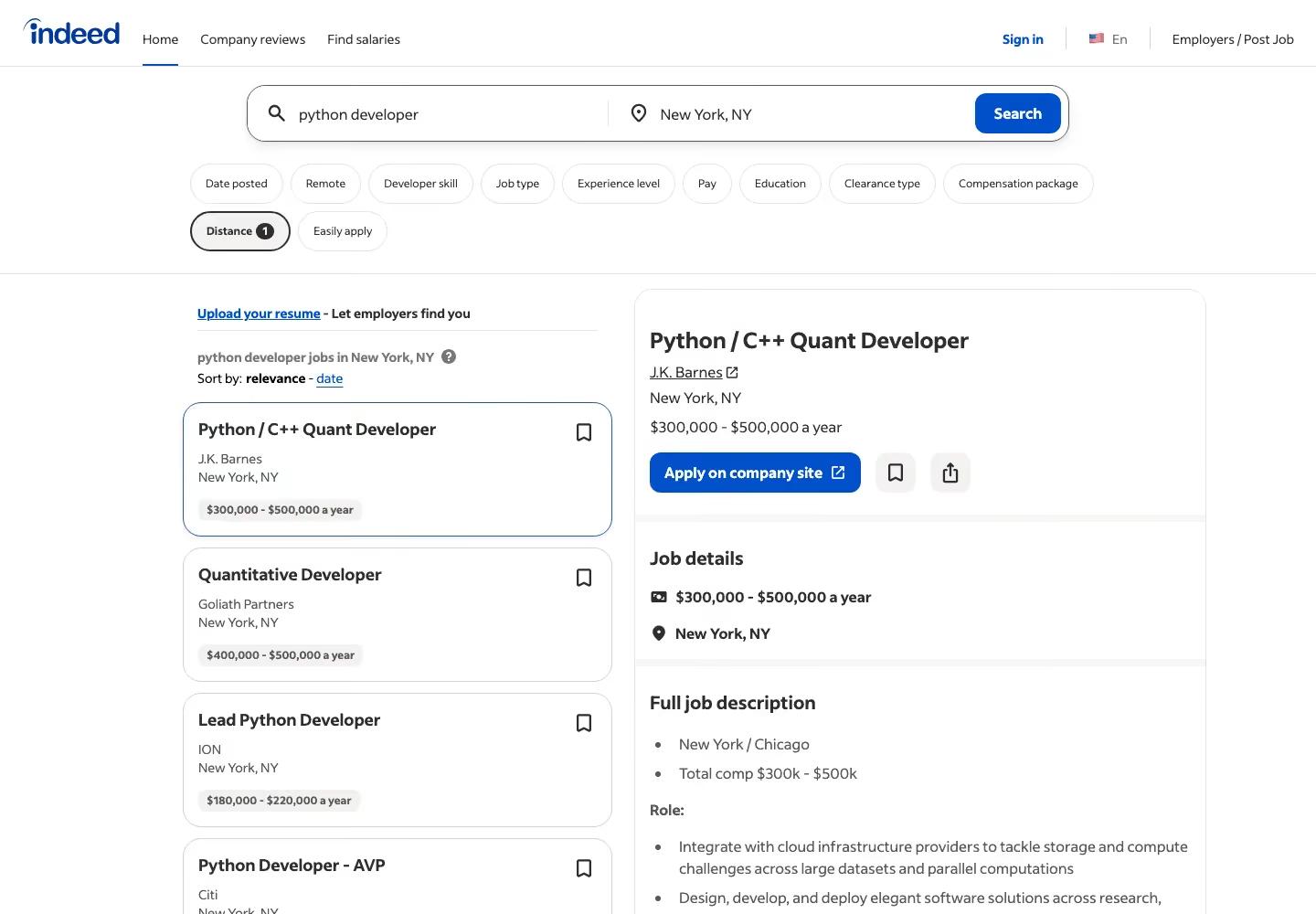
| 3 | Site behind Cloudflare | indeed.com job search, New York | h1 and a job card, no challenge |
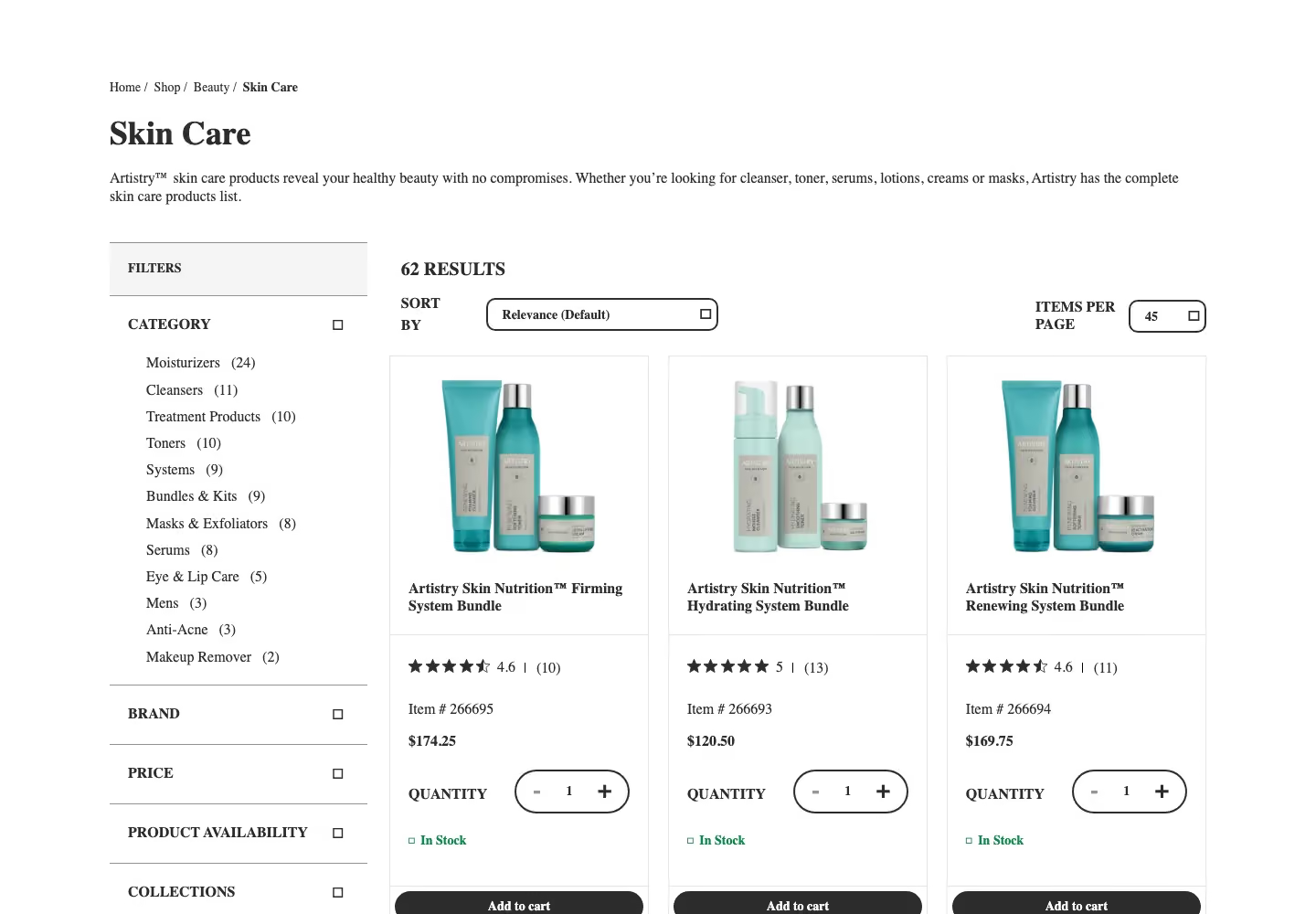
| 4 | Site running DataDome | amway.com Skin Care category | at least 10 prices, no DataDome markup |
| 5 | Marketplace product | walmart.com item 5689919121 | product title and price |
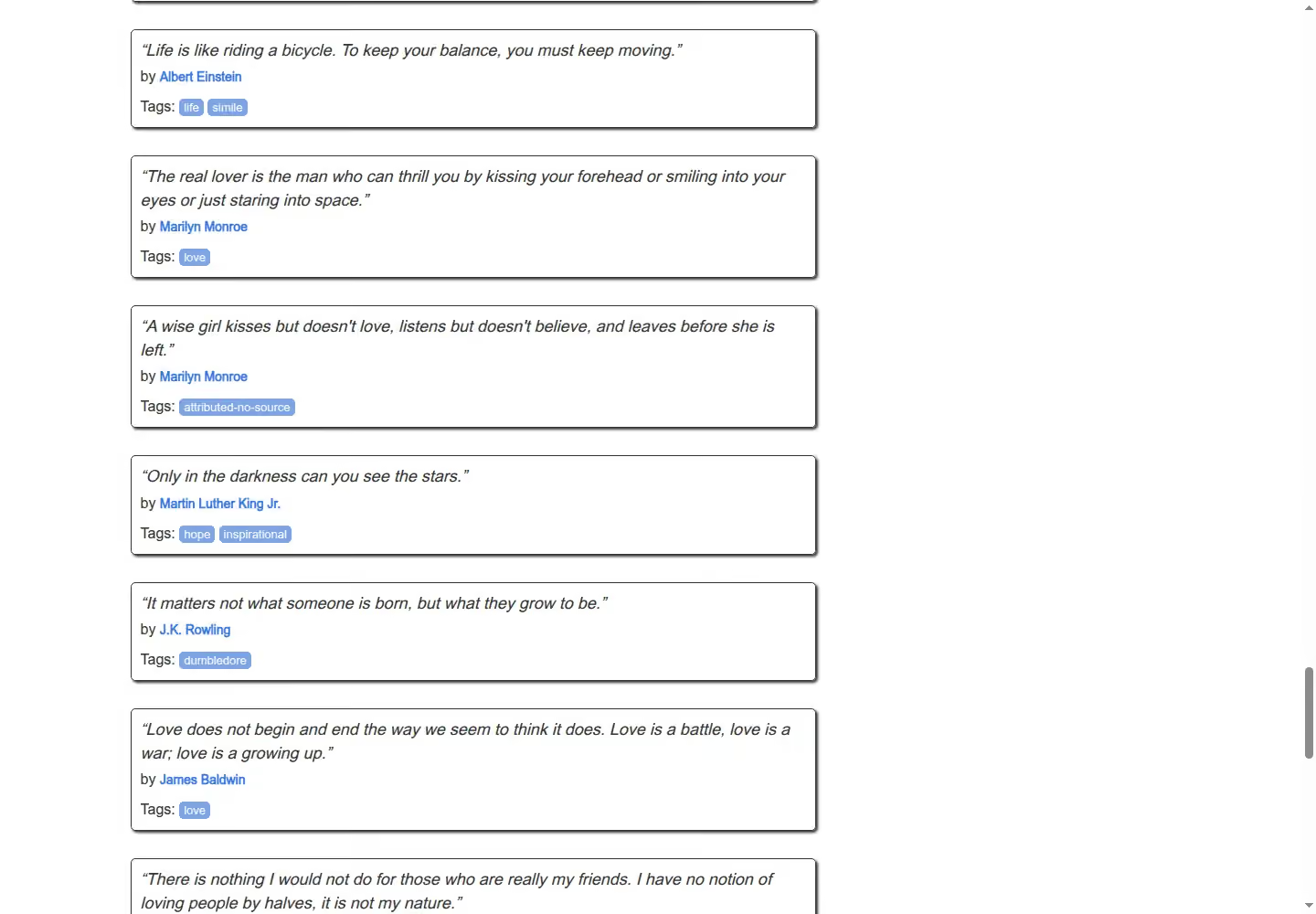
| 6 | Infinite scroll | quotes.toscrape.com/scroll | at least 50 quotes |
| 7 | Escalation | walmart.com item 5689919121 | product title and price |
- Direct requests first: a plain request got a DataDome device check from Amway and a “Robot or human?” page from Walmart. Indeed returned a Cloudflare challenge to some plain requests that day and the full page to others.
- Configuration rule: Scrape.do started on the cheapest setup and stepped up through render, super, super plus render and a customWait of 3 seconds only when the marker failed. Every step is in our log.
- Success and cost: a run counts only when one shared parser finds the marker in the body, never on HTTP 200 alone. Cost per 1,000 = price per credit x credits per request x 1,000; both vendors say failed requests are free, so there is no division by the success rate.
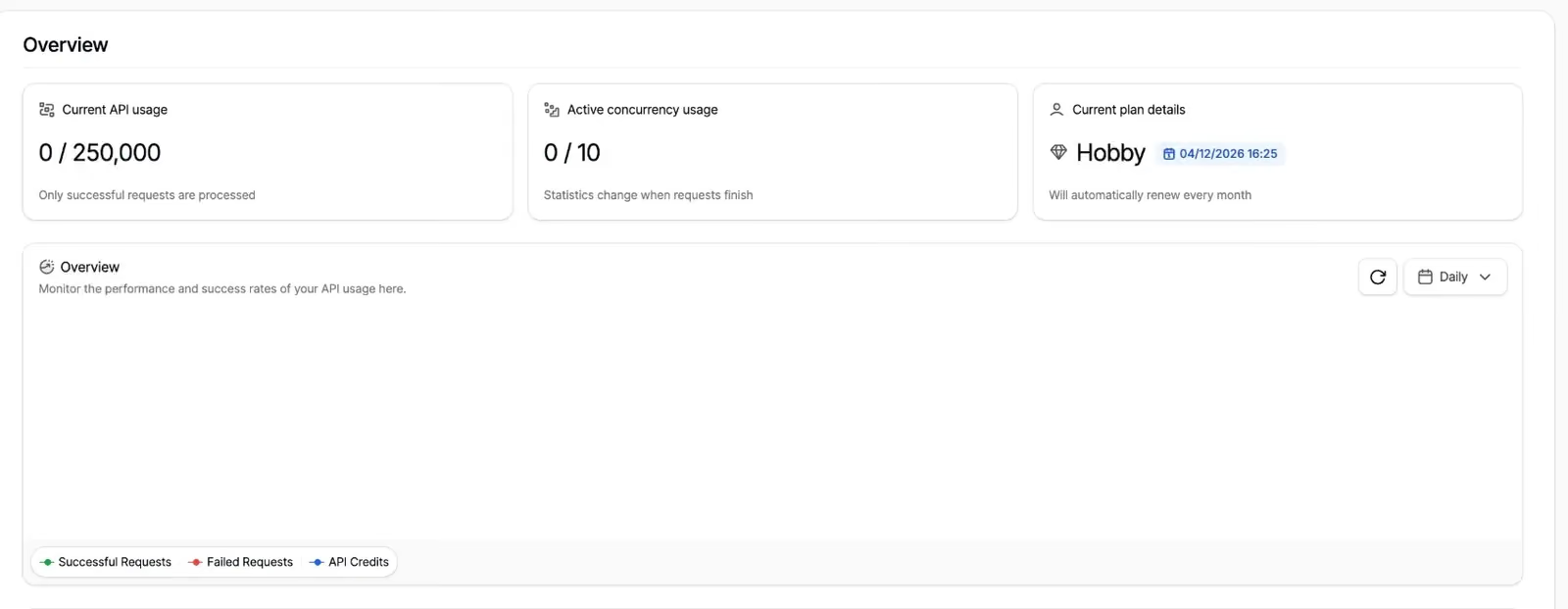
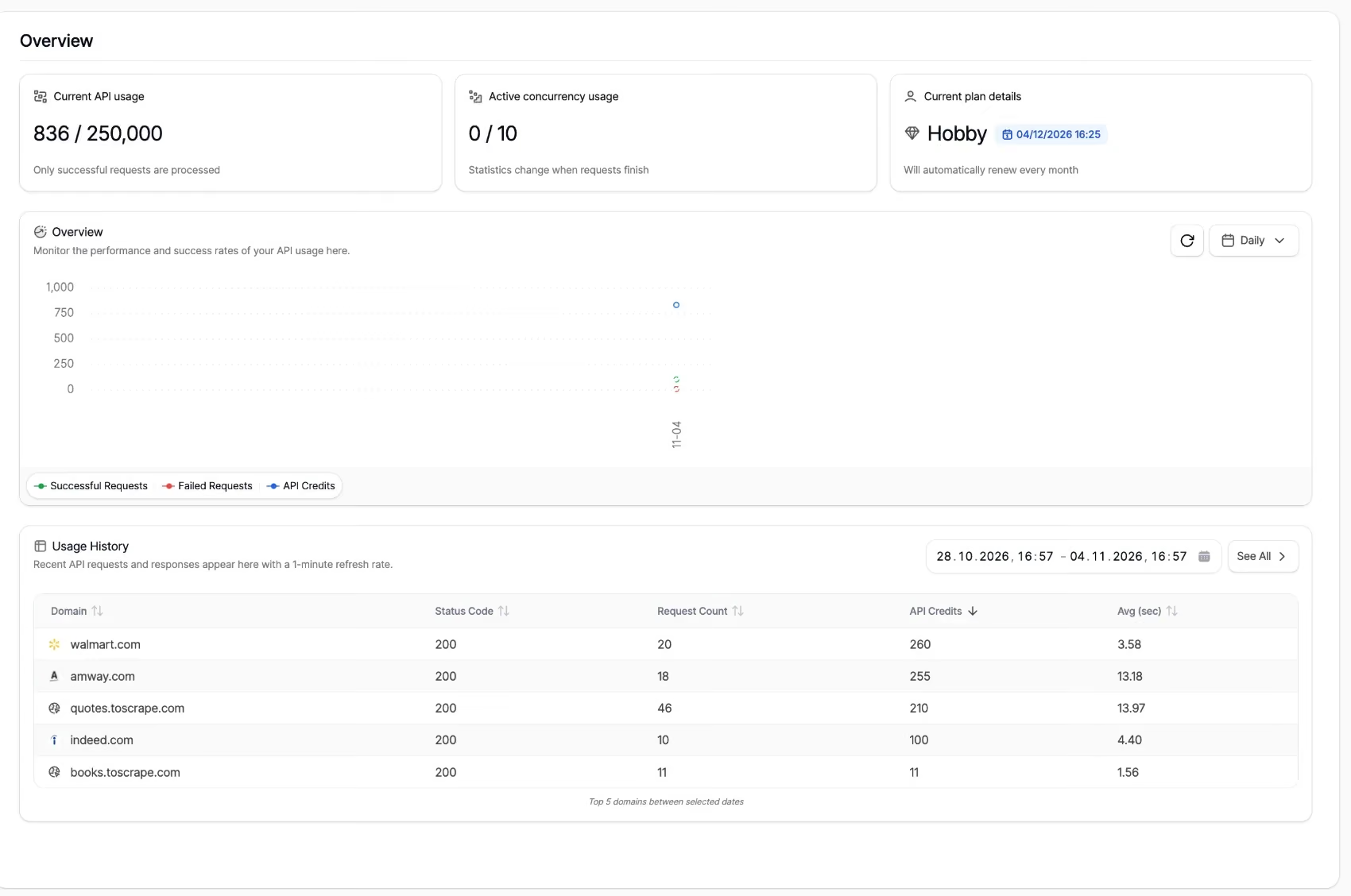
python -m venv .venv && source .venv/bin/activate && pip install requests beautifulsoup4 playwright python-dotenvScrape.do ran on the Hobby plan ($29 a month, 250,000 credits, 10 concurrent requests). All our tests used 836 credits.
Scrape.do Features and Full API Parameters
- One endpoint, four base costs: a datacenter request is 1 credit, render 5, super 10, super plus render 25 (Scrape.do docs).
- Domain costs: some sites have their own price, from 10 credits for Google to 200 for one UK grocer; Indeed cost us 10 credits per request though it is not in the published list.
- Cost signals: every response carries Scrape.do-Request-Cost and Scrape.do-Remaining-Credits headers, and the /info endpoint returns the balance.
- Output formats: raw HTML or Markdown, screenshots, and a JSON mode with the page’s network requests.
- Geo-targeting: geoCode by country, regionalGeoCode by continent and postal code targeting, on every plan.
- Sticky sessions: sessionId keeps one IP until 5 minutes pass without a request.
- Browser actions: playWithBrowser runs click, fill, scroll, wait and JavaScript steps with render=true.
- Billing rule: “You are only charged for successful requests (status codes 2xx, 400, 404, 410). Failed requests are free.”
| Parameter | Type | Default | What it does | Cost effect |
|---|---|---|---|---|
| token | string | none | Account token | none |
| url | string | none | Target URL, encoded | domain cost where listed |
| super | bool | false | Residential and mobile IPs, US by default | 10, or 25 with render |
| geoCode | string | none | Country of the IP | none |
| regionalGeoCode | string | none | Continent of the IP | none |
| sessionId | int | none | Same IP until 5 minutes idle | none |
| customHeaders | bool | false | Sends only your headers | none |
| extraHeaders | bool | false | Adds or changes headers | none |
| forwardHeaders | bool | false | Forwards your headers | none |
| setCookies | string | none | Cookies for the target | none |
| disableRedirection | bool | false | Stops redirects | none |
| timeout | int, ms | 60000 | Request limit, 5,000 to 120,000 | none |
| retryTimeout | int, ms | 15000 | Retry window | none |
| disableRetry | bool | false | Turns retries off | none |
| device | string | desktop | desktop, mobile or tablet | none |
| render | bool | false | Headless browser | 5, or 25 with super |
| waitUntil | string | domcontentloaded | When the page counts as loaded | none |
| customWait | int, ms | 0 | Extra wait after load | none |
| waitSelector | string | none | Waits for an element | none |
| width, height | int, px | 1920, 1080 | Viewport | none |
| blockResources | bool | true | Skips CSS, images and fonts | none |
| screenShot, fullScreenShot, particularScreenShot | bool, string | false | Screenshots | rendering cost |
| playWithBrowser | string | none | Browser actions | rendering cost |
| output | string | raw | raw or markdown | none |
| transparentResponse | bool | false | Target’s response without processing | none |
| returnJSON | bool | false | Network requests and content as JSON | none |
| showFrames, showWebsocketRequests | bool | false | Iframes and websocket requests in JSON | none |
| pureCookies | bool | false | Original Set-Cookie headers | none |
- customWait=3000: on top of super and render, gave the best test #4 result, 5/10.
- blockResources=false: made infinite scroll work on test #6; with the default true, the page loaded no further quotes.
Scrape.do Review: Hands-On Testing Results
Test #1: Static HTML page
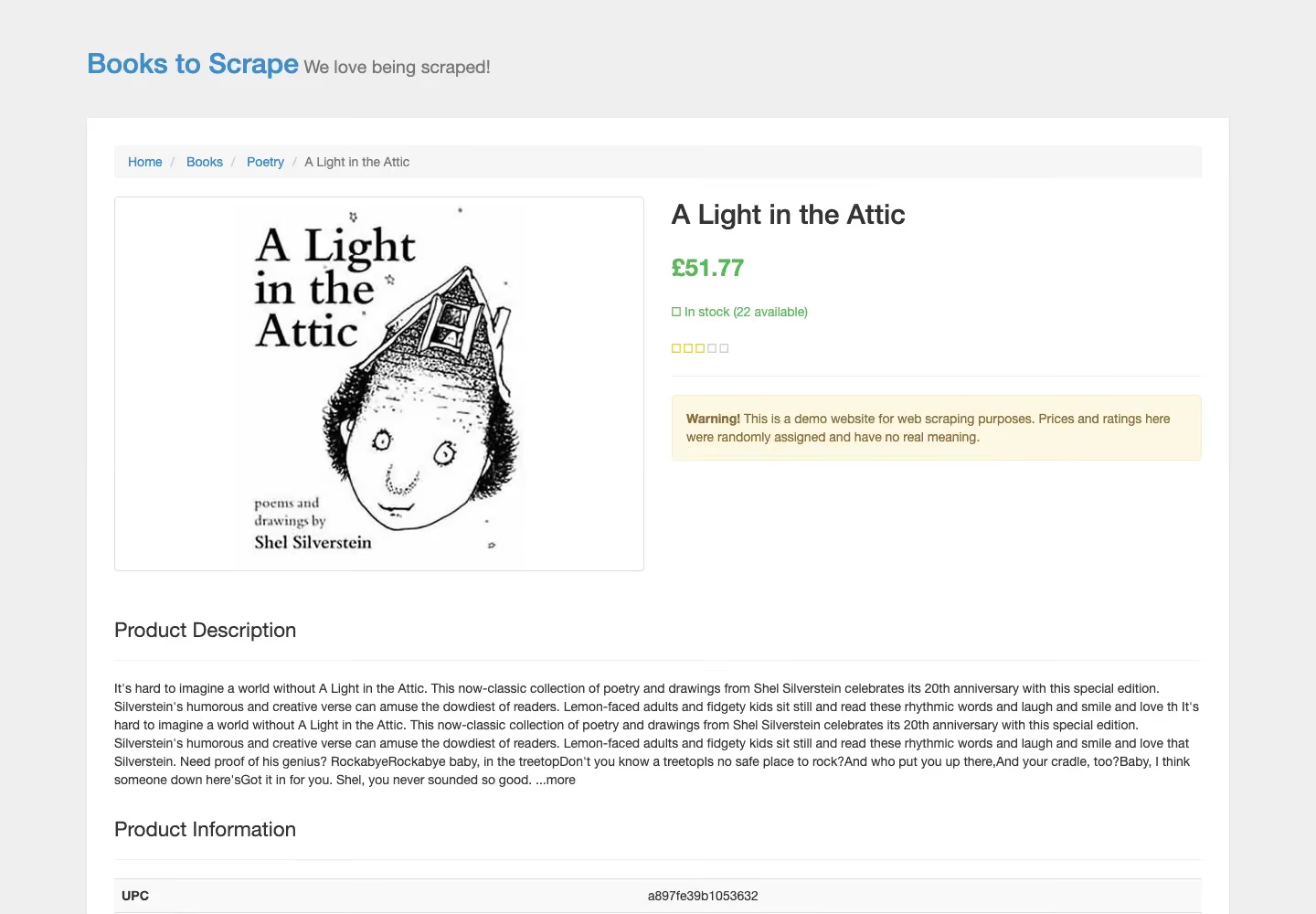
We sent the books.toscrape.com product page with the default request.
from common import credits, scrapedo
from markers import static_page

TARGET = "https://books.toscrape.com/catalogue/a-light-in-the-attic_1000/index.html"

def run(**params):
    response, elapsed = scrapedo(TARGET, **params)
    found = static_page(response.text)
    print(f"Config        : {params or 'default'}")
    print(f"HTTP status   : {response.status_code}")
    print(f"Body          : {len(response.content):,} bytes")
    print(f"Marker found  : {found}")
    print(f"Elapsed       : {elapsed:.2f}s")
    print(f"Credits       : {credits(response):g}")
    return response, elapsed, found

run()
Every run returned the title and price.

10/10 successful, median 1.19 s, 1 credit each. The slowest run took 4.14 s, more than twice the median, so the test went to 10 runs.
Test #2: JavaScript-rendered page
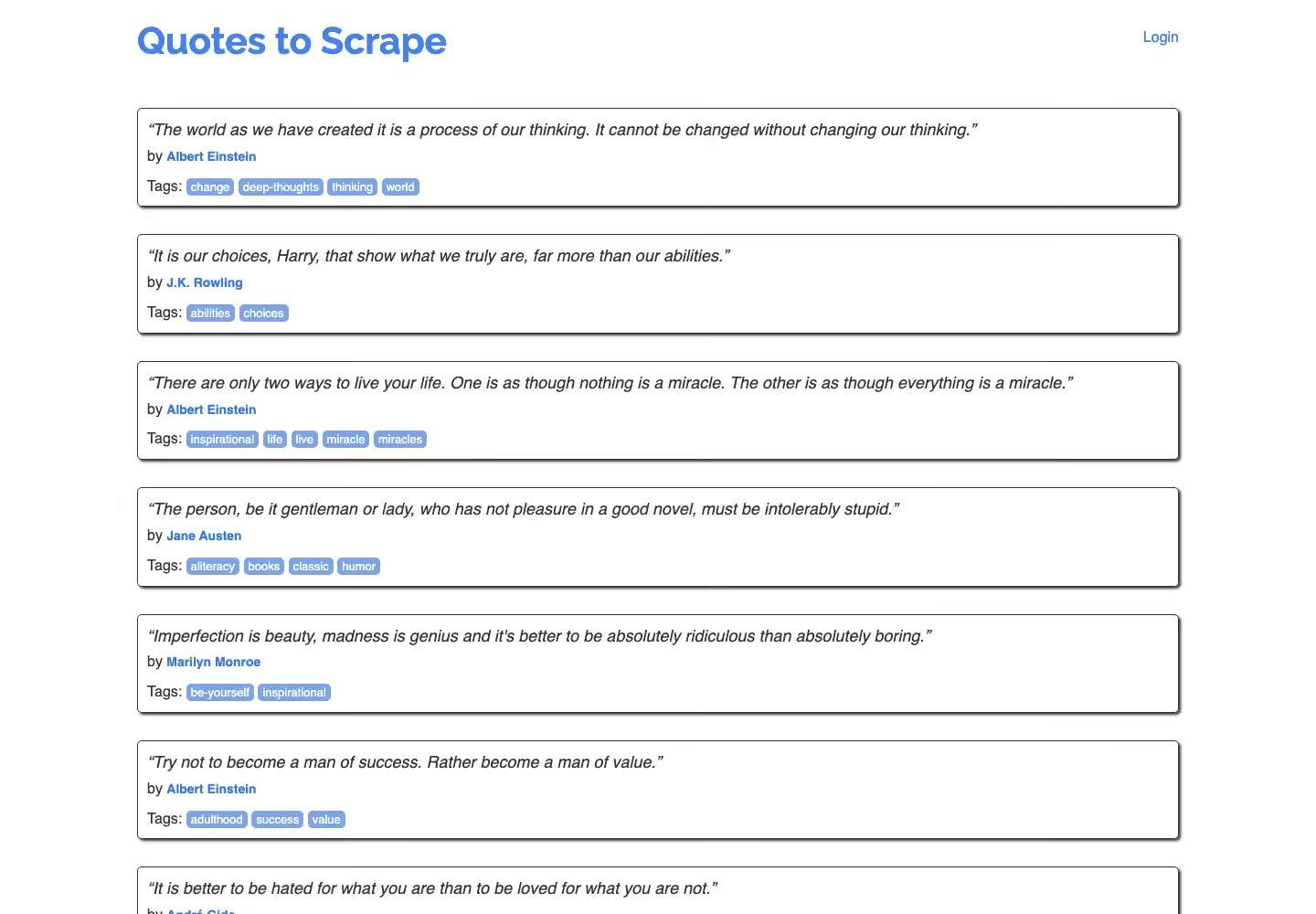
We sent quotes.toscrape.com/js/ with the default request, then with render=true.
from common import credits, scrapedo
from markers import js_quotes

TARGET = "https://quotes.toscrape.com/js/"

def run(**params):
    response, elapsed = scrapedo(TARGET, **params)
    found = js_quotes(response.text)
    print(f"Config        : {params or 'default'}")
    print(f"HTTP status   : {response.status_code}")
    print(f"Marker found  : {found}")
    print(f"Elapsed       : {elapsed:.2f}s")
    print(f"Credits       : {credits(response):g}")
    return response, elapsed, found

run(render="true")
With rendering on, the quotes were in the body every time.

10/10 successful, median 3.50 s, 5 credits each, slowest 9.82 s. The default request got 0/5: Scrape.do returned HTTP 200 with the unrendered page and charged 1 credit for each.
Test #3: Site behind Cloudflare
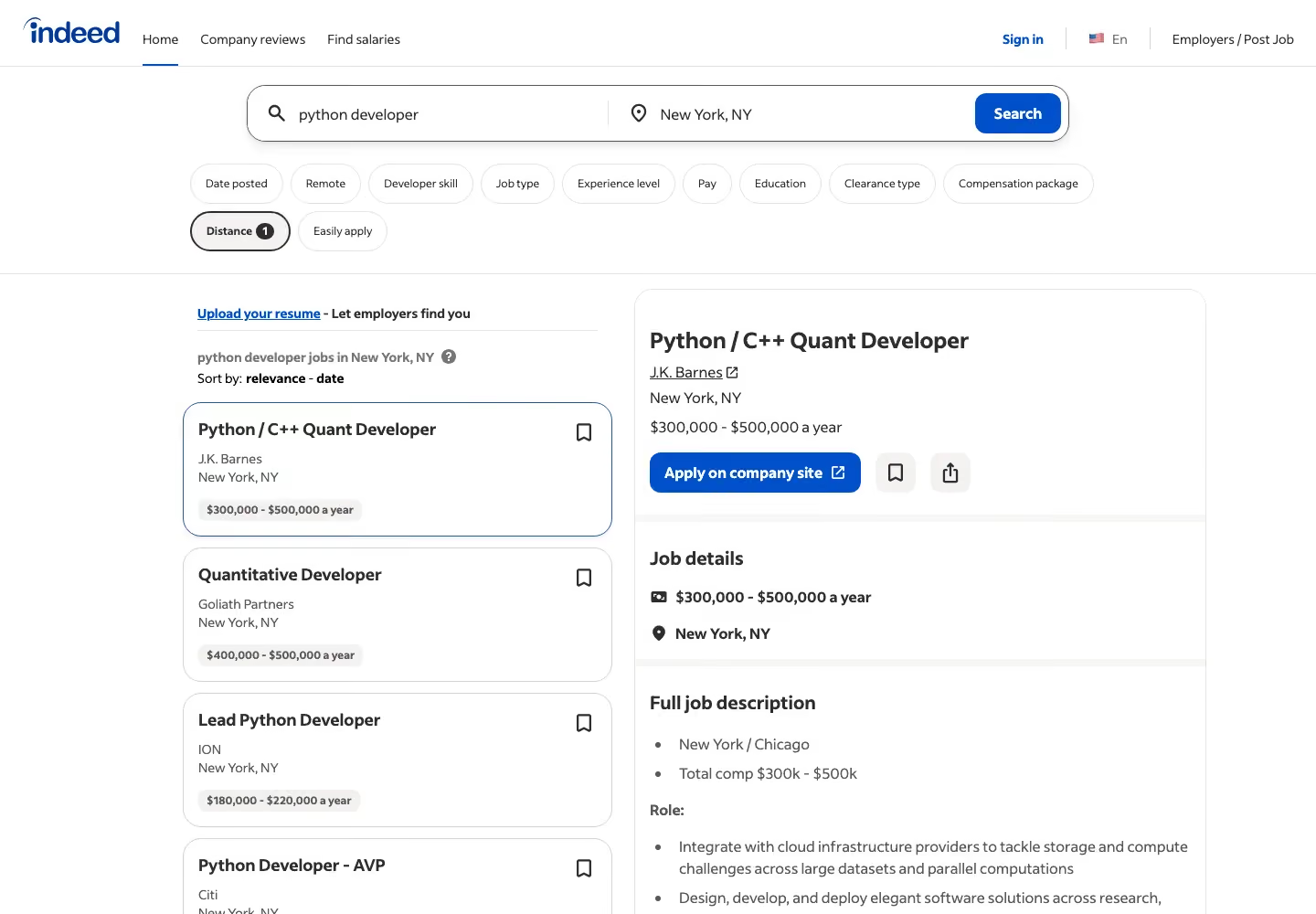
We sent an indeed.com job search with the default request.
from common import credits, scrapedo
from markers import job_search

TARGET = "https://www.indeed.com/jobs?q=python+developer&l=New+York%2C+NY"

def run(**params):
    response, elapsed = scrapedo(TARGET, **params)
    found = job_search(response.text)
    print(f"Config        : {params or 'default'}")
    print(f"HTTP status   : {response.status_code}")
    print(f"Marker found  : {found}")
    print(f"Elapsed       : {elapsed:.2f}s")
    print(f"Credits       : {credits(response):g}")
    return response, elapsed, found

run()
The default request returned the job list every time.

10/10 successful, median 3.98 s, 10 credits each by the Scrape.do-Request-Cost header, although indeed.com is not in the published domain cost list.
Test #4: Site running DataDome
We sent the Amway Skin Care category, which answers a plain request with a DataDome device check.
from common import credits, scrapedo
from markers import category_page

TARGET = "https://www.amway.com/en_US/Shop/Beauty/Skin-Care/c/105"

def run(**params):
    response, elapsed = scrapedo(TARGET, **params)
    found = category_page(response.text)
    print(f"Config        : {params or 'default'}")
    print(f"HTTP status   : {response.status_code}")
    print(f"Marker found  : {found}")
    print(f"Elapsed       : {elapsed:.2f}s")
    print(f"Credits       : {credits(response):g}")
    return response, elapsed, found

run(super="true", render="true", customWait="3000")
Half of the runs returned the product grid.
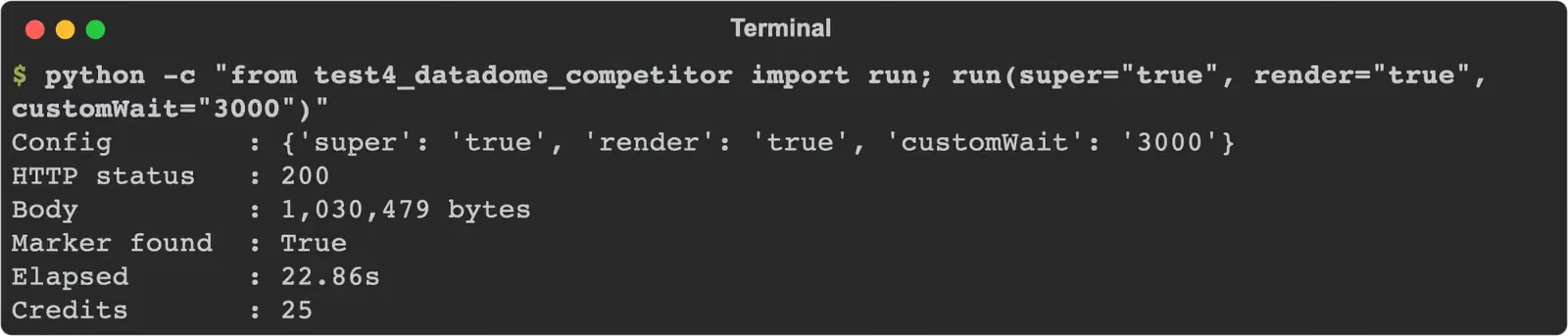
5/10 successful, median 22.86 s, 25 credits each, after the default request (0/5), render (0/5), super (0/5) and super plus render (0/5). The other 5 runs at this setting ended in HTTP 502 and were free.
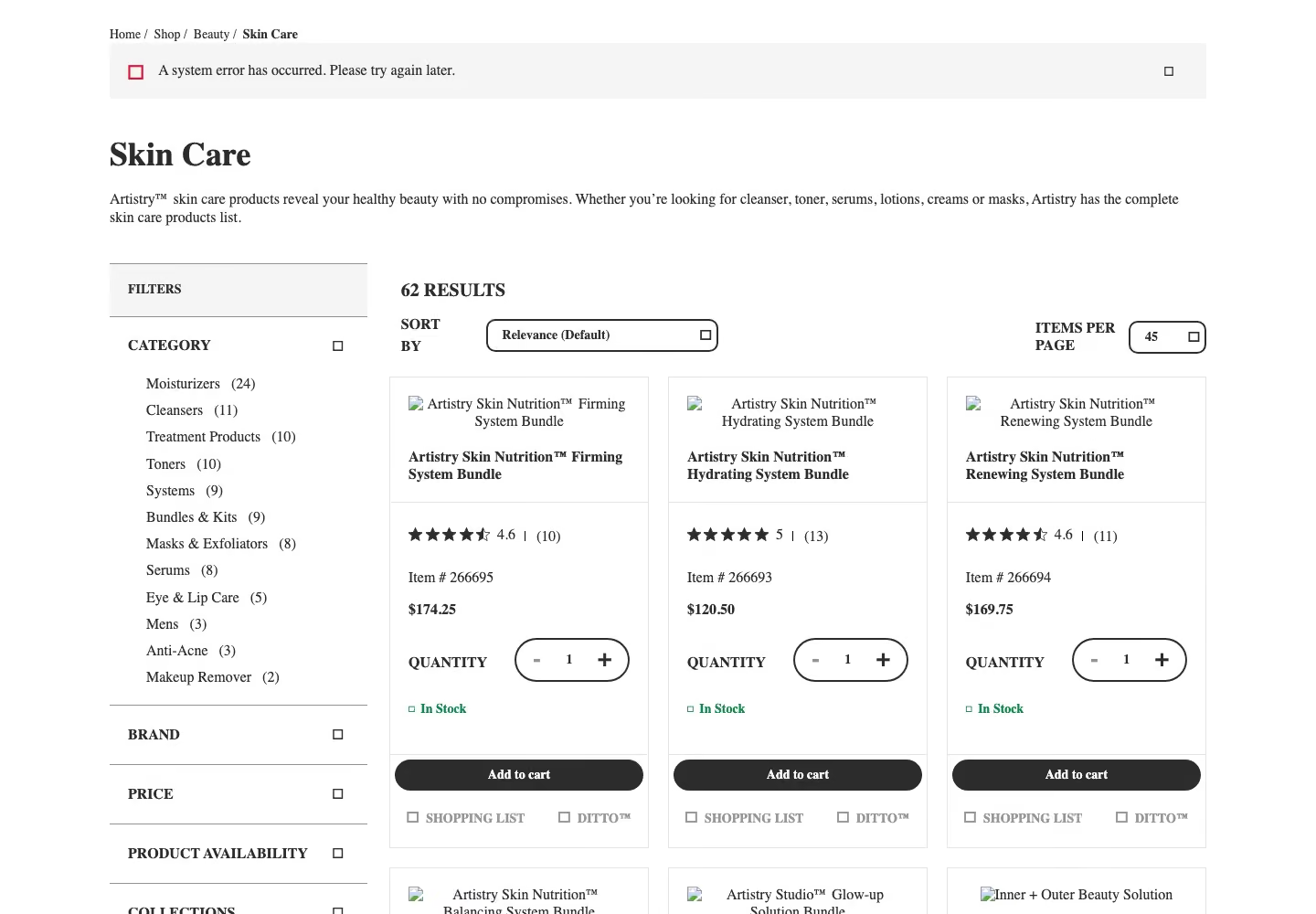
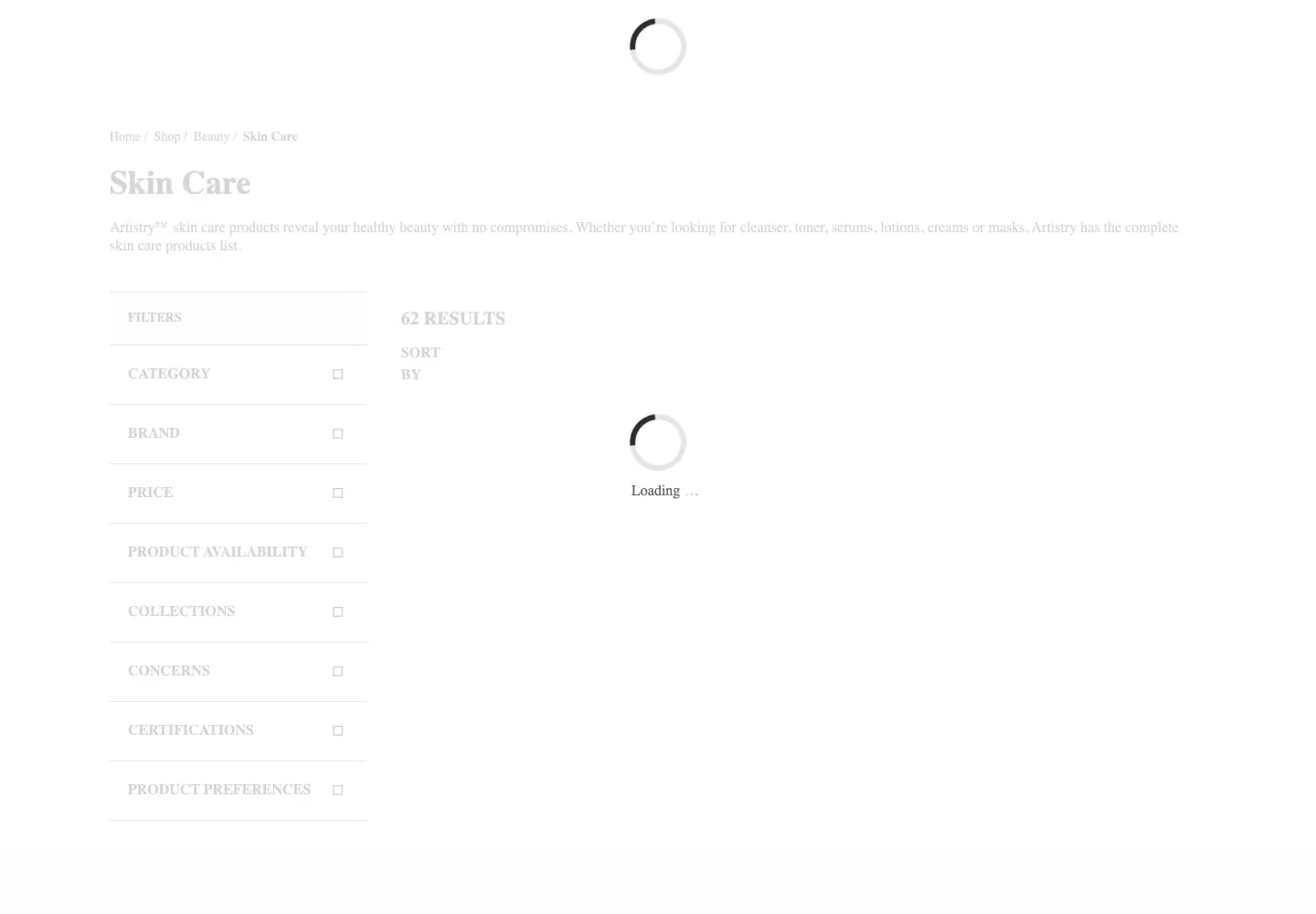
On the cheaper steps, 13 runs came back as HTTP 200 with the category frame, the message “A system error has occurred” and no products, and those were billed: 1, 10 or 25 credits each, 130 in total. Test #4 used 255 credits for 5 product grids.
Test #5: Marketplace product page
We sent the Walmart product page for item 5689919121 with the default request.
from common import credits, scrapedo
from markers import product_page

TARGET = "https://www.walmart.com/ip/5689919121"

def run(**params):
    response, elapsed = scrapedo(TARGET, **params)
    found = product_page(response.text)
    print(f"Config        : {params or 'default'}")
    print(f"HTTP status   : {response.status_code}")
    print(f"Marker found  : {found}")
    print(f"Elapsed       : {elapsed:.2f}s")
    print(f"Credits       : {credits(response):g}")
    return response, elapsed, found

run()
Every run returned the product title and price.

10/10 successful, median 4.71 s, 1 credit each. The test went to 10 runs because Web Unlocker missed on this target.

Test #6: Infinite scroll
Scrape.do has no browser product, so we used playWithBrowser: scroll and wait steps inside one rendered request.
from bs4 import BeautifulSoup
from common import credits, scrapedo

TARGET = "https://quotes.toscrape.com/scroll"

def scroll(times, wait):
    return [step for _ in range(times) for step in ({"Action": "ScrollY", "Value": 5000}, {"Action": "Wait", "Timeout": wait * 1000})]

def run(times=6, wait=2, **params):
    response, elapsed = scrapedo(TARGET, actions=scroll(times, wait), render="true", **params)
    quotes = len(BeautifulSoup(response.text, "html.parser").select("div.quote"))
    print(f"Quotes loaded : {quotes}")
    print(f"Marker found  : {quotes >= 50}")
    print(f"Elapsed       : {elapsed:.2f}s")
    print(f"Credits       : {credits(response):g}")
    return response, elapsed, quotes >= 50

run(blockResources="false")
With resources allowed, every run loaded 70 quotes.

10/10 successful, median 16.54 s, 5 credits each. With the default blockResources=true, 15 runs returned only the first 10 quotes and were still billed, 75 credits in total.

| Test | Target | Configuration | Success | Median s | Slowest s | Units per success |
|---|---|---|---|---|---|---|
| #1 Static | books.toscrape.com | default | 10/10 | 1.19 | 4.14 | 1 credit |
| #2 JavaScript | quotes.toscrape.com/js/ | render=true | 10/10 | 3.50 | 9.82 | 5 credits |
| #3 Cloudflare | indeed.com | default | 10/10 | 3.98 | 10.65 | 10 credits |
| #4 DataDome | amway.com | super, render, customWait=3000 | 5/10 | 22.86 | 41.99 | 25 credits |
| #5 Marketplace | walmart.com | default | 10/10 | 4.71 | 6.20 | 1 credit |
| #6 Scroll | quotes.toscrape.com/scroll | render, playWithBrowser, blockResources=false | 10/10 | 16.54 | 23.12 | 5 credits |
| #7 Escalation | walmart.com | super, render, customWait=3000 | 10/10 | 3.49 | 4.65 | 25 credits |
Gologin Web Unlocker and Cloud Browser: Same Targets, Same Method
What is the Gologin stack
Gologin Web Unlocker is a page retrieval API: one GET request returns the rendered HTML at one flat price per page, JavaScript included. It is stateless. Gologin Cloud Browser is the second layer: a cloud browser with a residential IP, billed by the hour and driven from Playwright or Puppeteer with a profile id, the same job a scraping browser does.
| Feature | Web Unlocker | Cloud Browser |
|---|---|---|
| Unit | page | browser hour |
| Entry price | $49 for 50k pages | $4.50 for 50 hours |
| JavaScript rendering | included | full browser |
| Failed requests | free | billed by time |
| Interaction | none | clicks, scroll, login |
| Connection | HTTP GET | Playwright, Puppeteer |
| IPs | managed | residential, per profile |
| Free start | 1,000 requests | 3 runs of 15 min |
Test #1: Static HTML page
We sent the same books.toscrape.com URL with the default request.
from common import unlocker
from markers import static_page

TARGET = "https://books.toscrape.com/catalogue/a-light-in-the-attic_1000/index.html"

def run():
    response, elapsed = unlocker(TARGET)
    found = static_page(response.text)
    print(f"HTTP status   : {response.status_code}")
    print(f"Body          : {len(response.content):,} bytes")
    print(f"Marker found  : {found}")
    print(f"Elapsed       : {elapsed:.2f}s")
    return response, elapsed, found

run()
Every run returned the title and price.

10/10 successful, median 1.80 s, 1 request each, about 0.6 s slower than Scrape.do.
Test #2: JavaScript-rendered page
We sent quotes.toscrape.com/js/ with the same default request, no rendering option.
from common import unlocker
from markers import js_quotes

TARGET = "https://quotes.toscrape.com/js/"

def run():
    response, elapsed = unlocker(TARGET)
    found = js_quotes(response.text)
    print(f"HTTP status   : {response.status_code}")
    print(f"Marker found  : {found}")
    print(f"Elapsed       : {elapsed:.2f}s")
    return response, elapsed, found

run()
The rendered quotes were in the body every time.

10/10 successful, median 0.95 s, 1 request each, with the slowest run at 6.69 s.
Test #3: Site behind Cloudflare
We sent the indeed.com search URL with the default request.
from common import unlocker
from markers import job_search

TARGET = "https://www.indeed.com/jobs?q=python+developer&l=New+York%2C+NY"

def run():
    response, elapsed = unlocker(TARGET)
    found = job_search(response.text)
    print(f"HTTP status   : {response.status_code}")
    print(f"Marker found  : {found}")
    print(f"Elapsed       : {elapsed:.2f}s")
    return response, elapsed, found

run()
Nine runs returned the job list.

9/10 successful, median 6.88 s, 1 request each. One run returned HTTP 200 with a 200-byte body and no jobs. For job data without writing a parser, Gologin also has a ready Indeed scraper.
Test #4: Site running DataDome
We sent the Amway Skin Care category URL with the default request.
from common import unlocker
from markers import category_page

TARGET = "https://www.amway.com/en_US/Shop/Beauty/Skin-Care/c/105"

def run():
    response, elapsed = unlocker(TARGET)
    found = category_page(response.text)
    print(f"HTTP status   : {response.status_code}")
    print(f"Marker found  : {found}")
    print(f"Elapsed       : {elapsed:.2f}s")
    return response, elapsed, found

run()
Nine runs returned the product grid with prices.

9/10 successful, median 15.57 s, 1 request each. The slowest run took 87.19 s, and one run returned HTTP 200 with the page skeleton and no products.
Test #5: Marketplace product page
We sent the Walmart product URL with the default request.
from common import unlocker
from markers import product_page

TARGET = "https://www.walmart.com/ip/5689919121"

def run():
    response, elapsed = unlocker(TARGET)
    found = product_page(response.text)
    print(f"HTTP status   : {response.status_code}")
    print(f"Marker found  : {found}")
    print(f"Elapsed       : {elapsed:.2f}s")
    return response, elapsed, found

run()
Seven runs returned the title and price.

7/10 successful, median 15.17 s, 1 request each. Three runs ended in HTTP 503, not charged, which makes Walmart Web Unlocker’s weakest target and the one for test #7. For ready product data, Gologin also has a Walmart scraper.

Test #6: Infinite scroll with Gologin Cloud Browser
We connected to Cloud Browser from Playwright with a profile id that has a Gologin US residential proxy and scrolled until 50 quotes were on the page.
from playwright.sync_api import sync_playwright
from common import key

TARGET = "https://quotes.toscrape.com/scroll"
ENDPOINT = "wss://cloudbrowser.gologin.com/connect?token={}&profile={}"

def run():
    with sync_playwright() as p:
        browser = p.chromium.connect_over_cdp(ENDPOINT.format(key("GOLOGIN_CLOUD_BROWSER_TOKEN"), key("GOLOGIN_PROFILE_ID")))
        page = browser.contexts[0].pages[0]
        page.goto(TARGET)
        quotes = page.locator("div.quote")
        for _ in range(20):
            if quotes.count() >= 50:
                break
            page.mouse.wheel(0, 5000)
            page.wait_for_timeout(1000)
        count = quotes.count()
        browser.close()
    print(f"Quotes loaded : {count}")
    print(f"Marker found  : {count >= 50}")
    return count

run()
The loop stopped at 50 quotes.

10/10 successful, median 15.32 s including the connection, about 0.004 browser hours each.
Test #7: Escalation to Cloud Browser on Walmart
We opened the Walmart URL in Cloud Browser and waited for the price, with a new profile and US residential proxy per run.
from playwright.sync_api import sync_playwright
from common import fresh, key, new_profile, stop_session
from markers import product_page

TARGET = "https://www.walmart.com/ip/5689919121"
ENDPOINT = "wss://cloudbrowser.gologin.com/connect?token={}&profile={}"

def run():
    profile = new_profile("walmart-run")
    try:
        with sync_playwright() as p:
            browser = p.chromium.connect_over_cdp(ENDPOINT.format(key("GOLOGIN_CLOUD_BROWSER_TOKEN"), profile))
            page = browser.contexts[0].pages[0]
            page.goto(fresh(TARGET), wait_until="domcontentloaded")
            page.wait_for_selector('[itemprop="price"]', timeout=30000)
            html = page.content()
            browser.close()
    finally:
        stop_session(profile)
    print(f"Marker found  : {product_page(html)}")
    return html

run()
Nine runs returned the full product page.

9/10 successful, median 17.86 s, about 0.005 browser hours each. One run could not connect: the session endpoint answered HTTP 503.

| Test | Target | Configuration | Success | Median s | Slowest s | Units per success |
|---|---|---|---|---|---|---|
| #1 Static | books.toscrape.com | Web Unlocker, default | 10/10 | 1.80 | 3.68 | 1 request |
| #2 JavaScript | quotes.toscrape.com/js/ | Web Unlocker, default | 10/10 | 0.95 | 6.69 | 1 request |
| #3 Cloudflare | indeed.com | Web Unlocker, default | 9/10 | 6.88 | 14.44 | 1 request |
| #4 DataDome | amway.com | Web Unlocker, default | 9/10 | 15.57 | 87.19 | 1 request |
| #5 Marketplace | walmart.com | Web Unlocker, default | 7/10 | 15.17 | 30.42 | 1 request |
| #6 Scroll | quotes.toscrape.com/scroll | Cloud Browser, US residential | 10/10 | 15.32 | 22.98 | 0.004 h |
| #7 Escalation | walmart.com | Cloud Browser, new profile per run | 9/10 | 17.86 | 44.39 | 0.005 h |
Scrape.do Pricing and Credit System Explained
Scrape.do pricing is credit-based. A datacenter request is 1 credit, render 5, super 10 and super plus render 25, and listed domains carry their own cost. We paid 1 credit for books.toscrape.com and Walmart, 5 for rendered pages, 10 for Indeed and 25 for Amway at the setting that worked.
Credits go only on “successful requests (status codes 2xx, 400, 404, 410)”, and our HTTP 502 runs were free. A 200 without the content still counts: we paid for 5 unrendered JavaScript pages, 13 Amway pages with no products and 15 scrolls that stopped at 10 quotes. The free plan gives 1,000 credits every month with no card; our tests used 836 on Hobby.
| Plan | Monthly price | Units included | Price per unit | Concurrency | Overage |
|---|---|---|---|---|---|
| Free | $0 | 1,000 credits a month | free | 5 | none |
| Hobby | $29 | 250K credits | $0.116 per 1K | 10 | upgrade |
| Pro | $99 | 1.25M credits | $0.079 per 1K | 50 | upgrade |
| Business | $249 | 3.5M credits | $0.071 per 1K | 100 | upgrade |
| Advanced | $699 | 10M credits | $0.070 per 1K | 200 | upgrade |
| Scenario (test) | Units per request | Cheapest plan $ (Hobby) | Mid plan $ (Pro, $99) |
|---|---|---|---|
| Static (#1) | 1 | $0.12 | $0.08 |
| JavaScript (#2) | 5 | $0.58 | $0.40 |
| Cloudflare (#3) | 10 | $1.16 | $0.79 |
| DataDome (#4) | 25 | $2.90 | $1.98 |
| Marketplace (#5) | 1 | $0.12 | $0.08 |
| Scroll (#6) | 5 | $0.58 | $0.40 |
| Marketplace, escalation (#7) | 25 | $2.90 | $1.98 |
Counting the billed empty pages on the cheaper steps, test #4 cost 51 credits per product grid, $5.92 per 1,000 on Hobby.
Gologin prices differently. Web Unlocker charges one flat price per returned page: $0.98 per 1,000 on Growth ($49 for 50k) and $0.75 on Professional ($149 for 200k), failed pages free. Cloud Browser bills browser time: $4.50 for 50 hours on Professional, so our 17.86 s Walmart run comes to about $0.45 per 1,000 pages, plus proxy traffic above the plan allowance at $1/GB.
Scrape.do Pros
- Fast with the default request: 1.19 s on the static page, 3.98 s on Indeed and 4.71 s on Walmart.
- Won Walmart: 10/10 at 1 credit, against 7/10 for Web Unlocker.
- Cheap easy pages: $0.12 per 1,000 on Hobby for static and Walmart pages.
- Every feature on every plan: residential proxies, rendering, geo-targeting and browser actions, even on the free plan.
Scrape.do Cons
- Empty pages are charged: 5 unrendered JavaScript pages, 13 Amway pages without products and 15 short scrolls were billed.
- Costs you must discover: Indeed cost 10 credits a request without appearing in the domain cost list.
- Weak on our DataDome target: 5/10 at best, at a median of 22.86 s and 25 credits a request.
- Defaults that need tuning: infinite scroll failed 15 times until we turned off blockResources.
Scrape.do Limitations
- No browser product: no session to drive from Playwright; actions run inside one rendered request.
- Short sessions: sessionId closes after 5 minutes without a request.
- Timeout ceiling: a request can run for 120 seconds at most.
- No pay as you go: when credits run out, requests stop until you upgrade or buy more.
Scrape.do vs Gologin: Head-to-Head Results
Both tools return pages from one request but price them differently. Scrape.do adds credits for proxy type, rendering and listed domains. Gologin keeps retrieval in Web Unlocker at one price per page and moves live sessions to Cloud Browser.
| Aspect | Scrape.do | Gologin stack |
|---|---|---|
| What you send | URL plus parameters | URL (Web Unlocker) or a Playwright session (Cloud Browser) |
| Rendering | render=true, 5 credits | included in Web Unlocker |
| Price unit | credit, by proxy, rendering and domain | page (Web Unlocker), hour (Cloud Browser) |
| Interaction | playWithBrowser inside one call | full browser session |
| Structured output | scraper APIs for listed sites | HTML, Markdown, text, JSON (product page) |
Scrape.do alternative: when Gologin is a better choice
| Scenario | Better fit | From our tests |
|---|---|---|
| Sites running DataDome | Web Unlocker | 9/10 against 5/10 on test #4 |
| JavaScript-heavy pages | Web Unlocker | 0.95 s against 3.50 s |
| Sites with a per-domain surcharge | Web Unlocker | $0.98 per 1,000 against $1.16 on Indeed and $2.90 on Amway |
| Pages that need scrolling or clicks | Cloud Browser | 10/10 at 15.32 s with default settings |
| Logged-in or multi-step flows | Cloud Browser | not tested; documented session product |
| Test | Scrape.do success | Scrape.do median s | Gologin success | Gologin median s |
|---|---|---|---|---|
| #1 Static | 10/10 | 1.19 | 10/10 | 1.80 |
| #2 JavaScript | 10/10 | 3.50 | 10/10 | 0.95 |
| #3 Cloudflare | 10/10 | 3.98 | 9/10 | 6.88 |
| #4 DataDome | 5/10 | 22.86 | 9/10 | 15.57 |
| #5 Marketplace | 10/10 | 4.71 | 7/10 | 15.17 |
| #6 Scroll | 10/10 | 16.54 | 10/10 | 15.32 |
| #7 Escalation | 10/10 | 3.49 | 9/10 | 17.86 |
| Scenario | Scrape.do, cheapest plan | Scrape.do, mid plan | Gologin, entry plan | Gologin, comparable plan |
|---|---|---|---|---|
| Static (#1) | $0.12 | $0.08 | $0.98 | $0.75 |
| JavaScript (#2) | $0.58 | $0.40 | $0.98 | $0.75 |
| Cloudflare (#3) | $1.16 | $0.79 | $0.98 | $0.75 |
| DataDome (#4) | $2.90 | $1.98 | $0.98 | $0.75 |
| Marketplace (#5) | $0.12 | $0.08 | $0.98 | $0.75 |
| Scroll (#6) | $0.58 | $0.40 | $0.38 | $0.34 |
| Marketplace in a browser (#7) | $2.90 | $1.98 | $0.45 | $0.40 |
| Feature | Scrape.do | Gologin stack |
|---|---|---|
| Pricing model | credits by proxy, rendering and domain | per page, flat; browser per hour |
| JS rendering | render=true, 5 credits | included |
| Geo-targeting level | country, continent, postal code | country, state, city (product page) |
| Proxy tiers | datacenter, residential and mobile (super) | managed; residential on Cloud Browser |
| Sticky session, minutes | 5 (sessionId) | Cloud Browser session |
| Output formats | raw HTML, Markdown, JSON with network data | HTML, Markdown, text, JSON (product page) |
| Structured extraction | scraper APIs for listed sites | not documented |
| Screenshots | yes, with render | listed in the docs overview |
| Browser-level control | no | Gologin Cloud Browser |
| Batch and webhooks | Async API with webhooks | up to 1,000 URLs, webhooks (product page) |
| Failure signalling | HTTP status, cost headers | HTTP status |
| Charged responses | 2xx, 400, 404, 410 | successful pages only |
| Free start | 1,000 credits a month | 1,000 requests, 7 days |
Scrape.do won tests 1, 3, 5 and 7 on speed and had the better success rate on Indeed and Walmart. Gologin won tests 2 and 4 and was even on test #6 with no tuning. The widest gaps run both ways: 10/10 against 7/10 for Scrape.do on Walmart, 9/10 against 5/10 for Web Unlocker on Amway.
On cost, Scrape.do Hobby is cheaper than Web Unlocker on static, JavaScript and Walmart pages, from $0.12 per 1,000. The order flips where a domain surcharge or residential rendering applies: $1.16 on Indeed and $2.90 on Amway, against Web Unlocker’s flat $0.98.
When the Unlocker Fails: Escalation to Cloud Browser
Walmart was Web Unlocker’s weakest target at 7/10, so test #7 ran it through Gologin Cloud Browser. With a new profile and US residential proxy per run, Cloud Browser returned the page 9/10 at a median of 17.86 s: about 5 browser hours per 1,000 pages, $0.45 on Professional before proxy traffic. Scrape.do has no browser product, so its side ran its most expensive working configuration, super plus render plus customWait: 10/10 at 3.49 s, 25 credits, $2.90 per 1,000 on Hobby. Its default request had already returned the page 10/10 for 1 credit on test #5.
On this target Scrape.do was the faster and more reliable option. The rule still holds: Web Unlocker for pages you can fetch in one request, Cloud Browser when the page needs scrolling, clicks or a login, as on test #6, where it worked 10/10 without any parameter tuning.
Frequently Asked Questions
Is Scrape.do worth it in 2026?
For static pages, Indeed and Walmart, yes: it returned all three 10/10, faster than Web Unlocker, at $0.12 to $1.16 per 1,000 on Hobby. On our DataDome target it got 5/10 at 25 credits a request, and it bills empty 200 pages. Test your own targets on the 1,000 free monthly credits first.
How much does Scrape.do cost per 1,000 pages?
It depends on proxy type, rendering and domain. On Hobby ($29 for 250K credits) a static or Walmart page costs $0.12 per 1,000, a rendered page $0.58, an Indeed page $1.16 and our DataDome page $2.90 with super and render. Gologin Web Unlocker is $0.98 per 1,000 for any page.
Does Scrape.do charge for failed requests?
Not for errors: our HTTP 502 runs were free. It charges 2xx, 400, 404 and 410 responses whatever they contain. We paid for 5 unrendered JavaScript pages, 13 Amway pages that showed “A system error has occurred” and no products, and 15 scrolls that stopped at 10 quotes.
Is there a Scrape.do alternative for DataDome sites?
On the Amway category page, which runs DataDome, Scrape.do got 5/10 at best, with super, render and a 3-second customWait, at a median of 22.86 s. Gologin Web Unlocker returned the full product grid 9/10 with the default request at a median of 15.57 s.
Does Scrape.do have a browser product like Gologin Cloud Browser?
No. Scrape.do runs browser actions (click, fill, scroll, wait, JavaScript) inside one rendered request with playWithBrowser. On our infinite-scroll test it worked 10/10 at 16.54 s only after we set blockResources=false. Gologin Cloud Browser runs a full Playwright session and reached 50 quotes 10/10 at 15.32 s.
Scrape.do Review Verdict: Which One Should You Use?
There is no single best web scraping API across these seven targets.
What Scrape.do does better or cheaper than the Gologin stack:
- Walmart: 10/10 at 4.71 s for 1 credit, against 7/10 at 15.17 s for Web Unlocker.
- Speed with the default request: 1.19 s on the static page and 3.98 s on Indeed, against 1.80 s and 6.88 s.
- Easy pages on a budget: $0.12 per 1,000 on Hobby against $0.98.
Where the Gologin stack was weaker in this test:
- Walmart through Web Unlocker: 7/10, three runs ended in HTTP 503.
- Indeed and Amway: one Web Unlocker run on each returned HTTP 200 without the content.
- Slow tail on Amway: the slowest Web Unlocker run took 87.19 s.
- Cloud Browser on Walmart: 9/10, one connection got HTTP 503, and 17.86 s against 3.49 s.
What the Gologin stack does better or cheaper than Scrape.do:
- Web Unlocker on DataDome: 9/10 against 5/10 on test #4.
- Web Unlocker on JavaScript pages: 0.95 s against 3.50 s on test #2.
- One price per page: $0.98 per 1,000 on Indeed and Amway against $1.16 and $2.90 on Scrape.do Hobby, and empty pages are not billed.
- Cloud Browser for interaction: 10/10 on test #6 with default settings.
Choose Scrape.do if you need static pages, Walmart-type marketplace pages or Indeed-type pages fast and cheap, and are ready to tune parameters per site.
Choose Gologin if you need pages from sites running DataDome, JavaScript-heavy pages at one flat price, or a real browser session for scrolling and multi-step pages.
Conclusion
Scrape.do is a fast, low-cost API for static pages and marketplaces, and the clear winner on Walmart in this test. On our DataDome target it reached 5 grids in 10 at 25 credits a request, billing empty pages on the cheaper steps. Gologin Web Unlocker returned that page 9 times in 10 at one flat price, and Cloud Browser covers the session jobs that Scrape.do fits into one request.
Gologin Web Unlocker gives you 1,000 free requests for 7 days with no credit card, enough to repeat these tests on your own pages.