Social media managers today operate in one of the toughest digital environments ever created. Platforms are smarter, risk engines are sharper, and account verification systems run on fingerprinting technology that evaluates hundreds of micro-signals. For SMM professionals juggling dozens of client accounts across Meta, TikTok, Instagram, LinkedIn, Pinterest, and regional platforms, the margin for error is thin. A small inconsistency in device data or network behavior can lead to verification loops, trust-score drops, or full account suspensions. Anti detect browsers have emerged as a key solution for online anonymity and account management, helping users mask unique device fingerprints and reduce the risk of account bans.
Antidetect browsers have become the backbone of modern SMM operations. They offer isolated digital identities that behave like real devices, letting specialists manage multiple accounts safely and consistently. These browsers also help bypass restrictions imposed by social media platforms, making them essential tools for managing multiple accounts efficiently and securely. In 2025–2026, ten platforms stand out, with Gologin.com leading the field thanks to its precision and the way it fits a collaborative SMM workflow.
Below is a detailed editorial review of the top antidetect browsers for SMM teams this year.
The Digital Advantage in SMM
Social media management has evolved far beyond scheduling posts. Agencies and freelancers now run multi-platform ad campaigns, moderate communities, distribute content regionally, test audiences, and handle direct customer communication. That level of scale demands digital stability.
The advantage of antidetect browsers in SMM is simple: they allow every client account to run inside its own sealed digital identity. Each identity maintains its own cookies, device parameters, and proxy settings. These tools are specifically designed for multi accounting in social media marketing, enabling users to operate several accounts simultaneously without detection. This is the only reliable way to handle dozens of accounts without triggering cross-account suspicion.
The SMM Challenge
The challenge is that platforms have no tolerance for unusual device patterns. They flag mismatched screen resolutions, odd WebGL signatures, inconsistent time zones, suspicious IP behavior, or anything that suggests automation. Antidetect browsers help by generating different browser fingerprints for each account, making it harder for platforms to link them. Social media managers run into these walls daily when switching accounts manually, working across teams, or managing accounts from different regions.
Superior antidetect browsers exist to keep every identity clean. The tools below perform that job at different levels, with Gologin delivering the most balanced mix of safety, speed, and affordability for both agencies and freelancers.
The Significance of Superior Antidetect Technology
Modern fingerprinting systems are designed to find anomalies. Platforms analyze GPU metadata, memory structure, canvas output, browser features, audio signatures, audio context, input timing, and even behavioral patterns. An antidetect browser must replicate a real device fingerprint, including both desktop and mobile fingerprints, to avoid detection. While emulating a desktop browser may bypass basic checks, creating authentic mobile fingerprints is essential for mobile-centric campaigns and more advanced detection avoidance.
For SMM teams, the value of superior antidetect technology comes down to three factors:
Authenticity. A fake identity must behave like a normal device used by a real person in a specific region.
Consistency. Long sessions should not cause drift. Drift leads directly to “We noticed unusual activity” alerts.
Scalability. Agencies may handle dozens or hundreds of accounts; the browser must maintain separation without performance bottlenecks.
This combination is what separates top-tier tools like Gologin from mid-tier products that break under high-scrutiny social networks.
How Antidetect Browsers Work
Antidetect browsers are purpose-built tools that allow users to manage multiple accounts across social media, ad platforms, and other web services without being flagged or linked by detection systems. They achieve this by generating a unique browser fingerprint for each account, making it appear as if every login is coming from a completely different person, device, or location.
These browsers modify a wide range of parameters—including the User-Agent, browser version, operating system, screen resolution, and other device attributes—to create a distinct digital identity for each browser profile. This prevents social media platforms from linking accounts based on shared device or browser data, which is crucial for agencies and professionals handling multiple clients or campaigns.
In addition to fingerprint management, most antidetect browsers offer features like proxy integration, automated systems for routine tasks, and team collaboration tools. This makes account management more efficient and secure, allowing teams to work together without risking account linking or detection. Whether you’re running ad campaigns, moderating communities, or testing content, antidetect browsers provide the advanced solution needed to manage multiple accounts safely and at scale.
Antidetect Browser vs VPN
While both antidetect browsers and VPNs are used to enhance privacy and security online, they serve different roles—especially when it comes to managing multiple social media accounts. A VPN (Virtual Private Network) primarily masks your IP address and encrypts your internet traffic, making it appear as if you’re browsing from a different location. This is useful for bypassing geo-restrictions and protecting your data, but it does not change your browser fingerprint.
Antidetect browsers, on the other hand, are designed specifically to prevent account linking by modifying the browser fingerprint itself. This means that even if you use the same IP address, each account appears to be accessed from a different device, browser type, and operating system. For social media marketing professionals, this is essential—platforms can still detect and link multiple accounts based on fingerprint data, even if a VPN is used.
For the highest level of security and anonymity, many SMM specialists use antidetect browsers in combination with VPNs or residential proxies. This dual approach ensures both your IP address and your browser fingerprint are unique, making it much harder for social media platforms to detect or link your multiple accounts.
What Makes Gologin Stand Out?
Gologin.com takes the first position in this ranking because of its fingerprint accuracy, its stable Chromium engine, and its SMM-friendly collaborative design. Agencies in the US, UK, France, Germany, Vietnam, and the Middle East report smoother campaigns and significantly fewer verification events after switching to Gologin.
Gologin’s fingerprints mirror real device conditions closely enough that platforms treat them as organic. This leads to better account survival rates, especially during onboarding, ad account creation, or region-sensitive content scheduling.
The workspace system is one of Gologin’s biggest advantages for SMM teams. It allows managers to share profiles securely with colleagues without revealing passwords or transferring sensitive fingerprint data. Additionally, Gologin lets users assign proxies to each profile, so every account can have its own IP address for enhanced anonymity and regional testing. Everything remains isolated and auditable.
How Much Does it Cost SMM Teams to Share Accounts in Gologin?
Gologin pricing is structured around the number of profiles, team seats, and collaboration features included. While exact pricing varies by plan level, the core principle is that team sharing is built into all multi-user plans, allowing agencies to distribute profiles among social media specialists at a predictable per-seat cost.
In practice, SMM teams pay for two things:
- Seats – each specialist gets secure access with permission controls.
- Profile limits – the number of isolated browser identities that the team can create and manage.
This allows SMM agencies to scale account sharing efficiently without buying separate subscriptions for every staff member, making Gologin one of the most cost-effective solutions for multi-client workflows.
Setting Up an Antidetect Browser
Getting started with an antidetect browser is a straightforward process that can dramatically improve your ability to manage multiple accounts securely. Here’s how to set up your environment:
- Follow guidelines of the antidetect browser provider. Don’t go straight to the advanced features section – you will most likely not be able to set it up correctly.
- Download and install the software on your desktop or mobile device.
- Create multiple browser profiles within the antidetect browser. Each profile will have its own unique browser fingerprint, including parameters like user agent, browser version, operating system, and screen resolution.
- Configure each profile with the necessary settings, such as proxy integration, to ensure every account appears to come from a different device and location.
- Start managing your multiple accounts by switching between profiles as needed. This allows you to keep browser data, cookies, and session information completely separate for each account.
By using a free plan initially, you can explore the key features and ensure the antidetect browser meets your needs for multi-account management before upgrading to a paid plan for more advanced capabilities.
Using an Antidetect Browser Safely
To maximize the security and effectiveness of your antidetect browser, it’s important to follow best practices that minimize the risk of detection and account linking. Here’s how to use these tools safely:
- Assign a unique digital fingerprint to each browser profile. Make sure parameters like browser version, operating system, and screen resolution are different for every account you manage.
- Use residential proxies or mobile proxies to mask your IP address and location, further reducing the risk of detection by social media platforms.
- Never use the same profile for multiple accounts. Each account should have its own separate profile to prevent cross-linking.
- Regularly update your browser profiles to reflect any changes in your device or location, and to stay ahead of evolving detection systems.
- Leverage advanced features such as automated systems, team collaboration tools, and regular browser updates to streamline your workflow and enhance security.
- Choose a reputable antidetect browser provider that prioritizes security, offers robust browser updates, and supports advanced users with features like automation and cloud sync.
- Try before you buy. Many offer a free version or free plan, so you can test the platform before committing.
By following these guidelines, you can safely manage multiple accounts for social media marketing, affiliate marketing, or web scraping, ensuring each account remains isolated and protected from detection.
Common Mistakes to Avoid
Even with the best antidetect browsers, certain mistakes can compromise your security and lead to account linking or bans. Here are the most common pitfalls to watch out for:
- Using the same proxy for multiple accounts. This can make it easy for social media platforms to link your accounts based on shared IP addresses.
- Relying on free proxies. Free proxies are often unreliable, slow, and may be flagged by detection systems, putting your social media accounts at risk.
- Reusing the same browser profile for multiple accounts. Always create a separate profile for each account to maintain unique browser fingerprints and prevent account linking.
- Neglecting to update browser profiles. Failing to refresh your profiles as your device or location changes can create inconsistencies that detection systems pick up on.
- Overusing automated systems. While automation can save time, aggressive or poorly configured bots can trigger platform defenses and lead to account suspensions.
By avoiding these mistakes, you’ll ensure safer, more effective management of multiple social media accounts, ad accounts, and affiliate marketing campaigns—keeping your operations secure and your accounts protected.
Best 10 Antidetect Browsers for SMM in 2025–2026: Top Antidetect Browsers Reviewed
| Browser | Best For | Fingerprint Accuracy | Automation Strength | Team Collaboration | Pros | Cons |
|---|---|---|---|---|---|---|
| Gologin | Agencies, multi-client SMM work | Very High | Strong API automation | Excellent; profile sharing built-in | Realistic fingerprints, stable long sessions, fast updates | Higher price for freelancers |
| Dolphin Anty | Ad buyers, structured campaigns | High | Very strong; ideal for ad flows | Good; designed for SMM teams | Great workflow design, strong proxy handling | Updates sometimes lag behind detection trends |
| AdsPower | High-volume operations, ecommerce-heavy SMM | Medium–High | Strong templates and task automation | Good for large teams | Affordable, scalable, proxy marketplace | Interface can get crowded; occasional inconsistencies |
| Incogniton | Freelancers, small agencies | Medium | Built-in recorder; beginner friendly | Basic but reliable | Easy learning curve, stable daily use | Not suited for high-risk accounts |
| Multilogin | Technical SMM teams needing precision | Very High | Advanced scripting | Good for advanced teams | Deep customization, powerful engine | Steep learning curve; resource-heavy |
| Geelark | General SMM use, cross-client management | High | Moderate | Solid for small teams | Clean UI, good defaults, lightweight | Lacks heavy automation tools |
| Okto Browser | Medium-volume SMM tasks | Medium–High | Limited automation | Basic collaboration | Fast, stable, modern interface | Not built for large agencies |
| NSTBrowser | Routine SMM workflows | Medium | Minimal automation | Basic | Lightweight, simple to run | Slower updates and fewer tools |
| Lalicat | Advanced technical operators | Very High | Strong scripting | Limited | Powerful identity customization | Too complex for most SMM users |
| Undetectable Browser | Niche identity scenarios and experiments | High | Moderate | Limited | Flexible spoofing, good device presets | Inconsistent stability |
Below is a detailed rating of the ten strongest antidetect browsers for social media professionals. Many of these platforms support bulk operations, allowing users to efficiently manage multiple profiles and accounts at scale.
1. Gologin
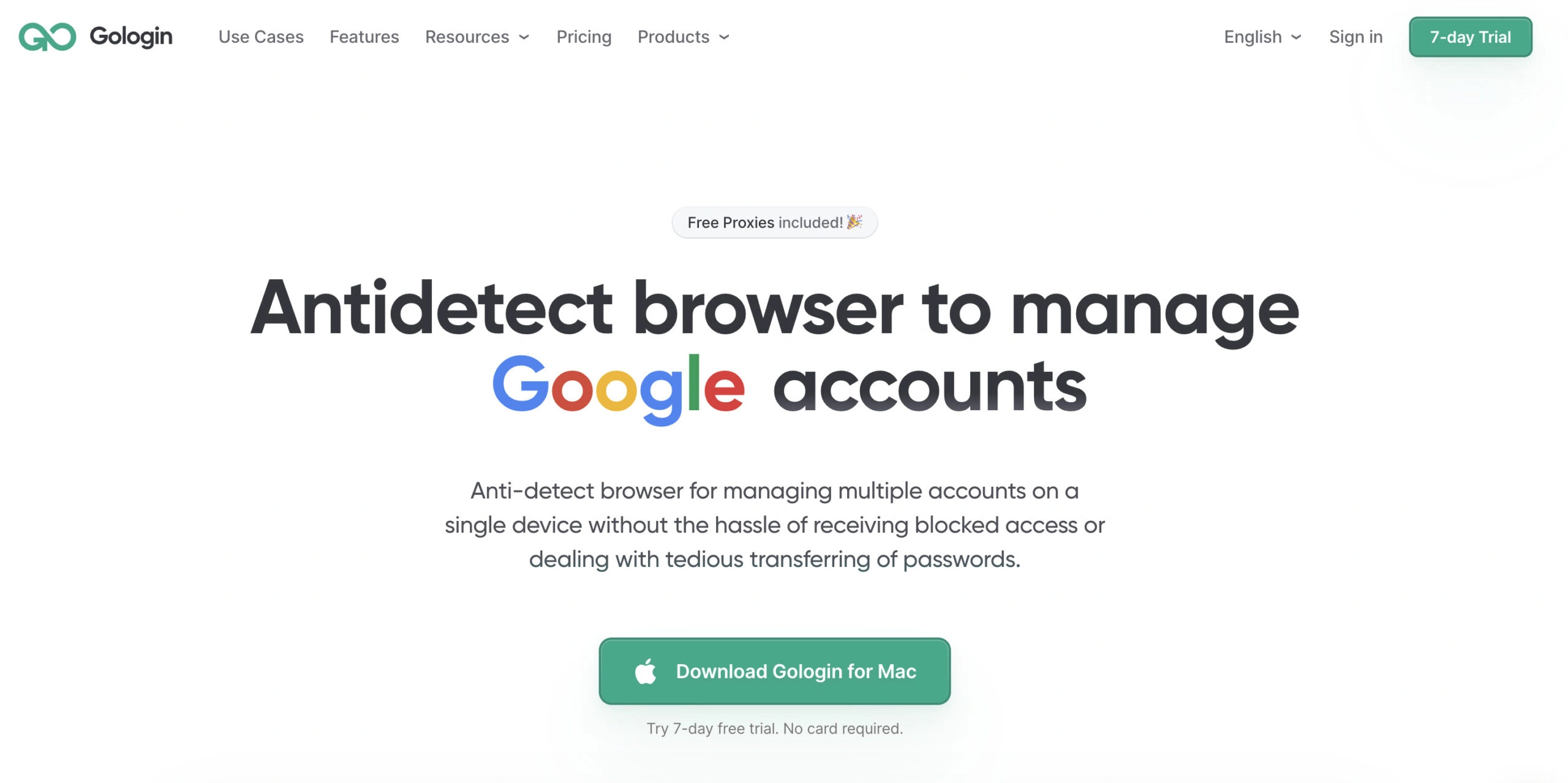
Gologin delivers excellent fingerprint accuracy, fast updates, and smooth collaboration, making it the top choice for agencies running campaigns across multiple clients and regions.
Key features: Realistic device fingerprints, built-in high quality proxies team workspaces, automation API, intuitive profile management.
Pros: Highly stable sessions, top-tier identity authenticity, strong for large-scale SMM workflows.
Cons: Users mark support response times can be slow, Almost no no-code automation features
2. Dolphin Anty
Dolphin Anty remains a favorite among ad buyers, social media managers, and affiliate marketers because its workflow is built around campaign structures. It integrates naturally with proxy systems and automation tools.
Key features: Task automation, team roles, smart proxy integration.
Pros: Excellent for structured ad operations and routine engagement tasks.
Cons: Low reliability, Fingerprint updates sometimes lag behind leading competitors.
3. AdsPower
AdsPower offers strong bulk profile capabilities and is widely used by SMM teams working with high account volumes. It performs well in ecommerce-heavy environments.
Key features: Mass profile creation, automation templates, automation support, integrated proxy marketplace.
Pros: Cost-effective, ideal for large teams with high account throughput.
Cons: Interface can feel crowded; fingerprint realism varies by update cycle; unknown user data storage providers and locations.
4. Incogniton
Incogniton appeals to freelancers and small agencies thanks to its clean interface and built-in automation recorder. It’s easy to adopt and performs reliably for moderate workloads. Setting up a new account for each client or project is straightforward, making profile management simple.
Key features: Profile sync, automation recorder, simple layout, easy new account setup.
Pros: Great for beginners; stable enough for mid-level SMM tasks.
Cons: Less sophisticated fingerprinting than Gologin or Multilogin; lower reliability
5. Multilogin
Multilogin remains one of the most advanced platforms for users who require complete control over fingerprint parameters. Technical SMM teams appreciate its precision.
Key features: Deep fingerprint customization, strong isolation engine, each profile maintains its own local storage and cookies to keep data separate, powerful scripting.
Pros: Ideal for highly controlled, high-risk workflows.
Cons: Steep learning curve; heavy on system resources; expensive on scale.
6. Geelark
Geelark has gained traction due to its modern UI and balanced performance. It offers clean fingerprints suited for day-to-day SMM work. While Geelark provides proxy integration, it does not currently offer built-in proxies, so users need to set up their own proxy servers.
Key features: Device presets, proxy integration, straightforward profile management.
Pros: User-friendly and efficient for cross-client operations.
Cons: Limited automation tools compared to Dolphin or AdsPower; Expensive on scale.
7. Okto Browser
Okto (also known as Octo Browser) provides a lightweight experience with fast profile switching and solid fingerprint generation. Octo Browser is favored by professionals for managing multiple accounts across platforms like Facebook and Google, thanks to its custom Chromium core, speed, stability, and advanced features. It works well for SMM operators who don’t need heavy customization.
Key features: Smooth identity isolation, modern interface, efficient resource usage.
Pros: Fast, stable, and ideal for mid-risk tasks.
Cons: Not optimized for large collaboration-heavy agency structures.
8. NSTBrowser
NSTBrowser offers simple but reliable identity separation. It’s a growing option among small teams handling routine SMM workflows, efficiently managing proxy traffic for regional account management.
Key features: Regional fingerprint presets, sandboxed profiles, light engine, efficient proxy traffic management.
Pros: Good automation workflows; suitable for medium-volume SMM tasks.
Cons: High learning curve; Slower update cadence.
9. Lalicat
Lalicat attracts expert users who want deep manual control. It’s powerful but requires technical proficiency.
Key features: Extensive identity customization, scripting support, multi-engine modes, and the ability to create and manage mobile profiles for advanced mobile emulation.
Pros: Great for users who need to replicate niche device conditions.
Cons: High complexity makes it a poor choice for beginners.
10. Undetectable Browser
Undetectable rounds out the top ten with flexible spoofing tools and multiple device presets. It’s useful for niche campaigns, controlled test workflows, and managing accounts on mobile platforms like TikTok and Instagram.
Key features: Spoofing presets, fingerprint variants, flexible configuration, support for mobile platforms.
Pros: Good identity diversity for experimental SMM work.
Cons: Very steep learning curve; Occasional instability
Final Word
Social media management in 2025–2026 demands stability, realism, and scale. Detection systems are smarter, and platform algorithms now track hundreds of identity signals. Antidetect browsers have become a necessary part of the SMM toolkit, especially for agencies handling multi-client operations. These browsers enable SMM professionals to appear as if they are operating from different devices and mobile devices, enhancing their ability to manage accounts securely.
While each browser in this ranking serves a purpose, Gologin stands above the rest. Its realistic fingerprints, long-session stability, streamlined team sharing, and predictable pricing structure make it the most well-rounded and dependable option for social media professionals who want to operate safely at scale.
FAQ
1. Which antidetect browser is best for managing multiple client accounts in SMM?
Gologin remains the strongest option for multi-client SMM workflows thanks to its accurate fingerprints, long-session stability, and built-in team workspaces. Agencies can share profiles securely without exposing credentials or risking identity overlap.
2. Do social media managers really need an antidetect browser?
Yes. Platforms like Meta, TikTok, and LinkedIn aggressively track device fingerprints to prevent unusual behavior or multi-account activity. Without an antidetect browser, SMM specialists switching between clients often trigger verification challenges or temporary account locks.
3. Which antidetect browser offers the best automation features for SMM?
Dolphin Anty and AdsPower offer the strongest built-in automation tools for campaign workflows, bulk posting, and repetitive actions. Gologin’s API is powerful too, making it ideal for teams that prefer custom Python-based automations.
4. What’s the easiest antidetect browser for SMM beginners?
Incogniton and Geelark are the most beginner-friendly options. Their interfaces are simple, and their default fingerprints work reliably for routine SMM activity without requiring deep configuration.
5. Which antidetect browser is best for ad-heavy workflows?
Dolphin Anty stands out for ad-intensive SMM operations because of its structured workspace, team role system, and automation capabilities. Gologin also performs exceptionally well for ad accounts due to its stable fingerprints and fewer verification loops.
6. How do I choose the right antidetect browser for my SMM workflow?
Choose based on scale and risk level:
-
Large agencies should prioritize Gologin, AdsPower, or Multilogin for collaboration and high accuracy.
-
Freelancers often prefer Incogniton or Geelark for simplicity.
-
Ad specialists benefit most from Dolphin Anty.
-
Technical teams leaning into custom scripts may prefer Multilogin or Lalicat.