The complete digitalization of life brings both pros and cons. If the phrase “Account restricted” refers to your personal profile and carries only personal negative experiences – then the loss of a commercial account threatens with more serious consequences, up to loss of money, lost profits and so on.
What if there are several business profiles? A lot of effort and finance spent on them? It gets even worse. It’s important to remember that securing accounts helps prevent these situations and protect them from being blocked and restricted. In addition, even if your profile has been locked or lost, it is possible to regain access through password changes and additional security measures.

Since moderation and anti-bot systems are getting stricter every year, it makes sense to understand the issue in more detail and give recommendations on how to protect yourself from sudden or impending account blocking.
Top 9 typical mistakes causing restrictions
To catch a criminal, you have to think like one (in our case an anti-bot system). © Proverb
Although most violations are committed by users unintentionally, out of ignorance of the rules or due to their own carelessness – the system cannot risk security and thoroughly understand each case. The Internet is the one place where not following the rules will result in imminent punishment (if you get caught, of course).
Here are 9 common mistakes that can lead to account resticted. Just don’t do these:
1. Mass actions (spam)
Any social network considers any abnormal activity as spam. Mass likes, subscriptions to hundreds of people in a short period of time causes automatic limitations. These kinds of tweaks are considered bot-like.

2. Simultaneous login from multiple accounts or locations
Logging into different profiles from the same browser or IP is a shortcut to getting your account restricted. Any modern system sees the “trace” of a cookie or browser fingerprint and can link accounts to each other.
3. Cold accounts
New profiles that are doubly at risk immediately after creation, especially if they become aggressively active (see point 1). Such activity, coupled with the newness, looks suspicious. A surge in activity of new accounts will get them blocked 99% of the time. Business accounts always need to be warmed up.

4. Sudden change of location & Strange IP addresses
Frequent change of login country may alert the antibot system of some sites. Different devices are also a trigger for suspicion. Banking and government services are particularly critical. Hence these endless requests to confirm that it is you and not the hackers.
5. Use of suspicious tools
Free” VPN services, shared proxies or booster extensions are very often under strict eye of security systems on most websites and social networks. This can also include cheap datacenter proxies. Trying to hide many accounts behind datacenter proxies will inevitably result in all your accounts restricted.
6. Using same payment method for multiple accounts on same platform
With multiple business accounts, the dumbest mistake that will inevitably lead to accounts blocked is a single payment method. The system will instantly match the data and block the account even if it misses it at the adding stage.

7. Farming of likes/subscriptions by bots
A profile that has hundreds of bots “dumped” on it during the day will be marked by the system as fake. Depending on the policy of the service, this will not necessarily entail blocking, first the platform may remove fake subscribers, block the source account, limit the coverage (if we are talking about social networks).
8. Publication of prohibited content
Content that violates community rules is a sure way to get the account restricted. The standards for “bad” content are known, usually nudity and sexual content, hate speech, threats, violent scenes, bullying, etc. Violation of these rules (even negligently) is almost guaranteed to result in sanctions.
9. Fraud and violation of commercial rules
The sites introduce harsh bans for actions that are considered as scam or threatening other users. Advertising banned offers on popular marketplaces will provoke the restriction of the seller’s account; fake reviews or ratings (e.g., on the App Store, Amazon) will also lead to sanctions.

What about financial platforms?
As for financial services – literally any suspicious money transfer activity can quickly get the account restricted. Even in the world of cryptocurrency such rules are in place, crypto exchanges know how to find “dirty” money by internal patterns and block accounts that receive it.
Even a single serious misdemeanor can permanently ban access to the platform – so it’s important to know and follow the rules for using each service in advance.
Naturally, not all restrictions are obvious or predictable. Automated moderation algorithms fail periodically. In reality, I have come across such cases, when conscious users were banned for no apparent reason – simply because their actions happened to coincide with some “suspicious” pattern used by the anti-bot system.
How to reduce the chance of your account restricted: 5 universal methods checklist
In fact, the most important recommendation to avoid account banning is “Just follow the rules of the site”. Simple, isn’t it? Still, let’s dive a little deeper than this.
Regardless of what site or service you use, you can identify general rules of “hygiene” behavior that significantly reduce the risk of getting the account restricted.
1. Learn and follow the rules of the platform
Boring. But it works, just as a techie’s recommendation on Stackoverflow – just go and google it. The most effective measure is usually the simplest. Before you start using the resource, study the “how to use it” basics. There are official community rules and terms of use. No one ever reads them, and if they did – 80% of bans could be avoided.
I’m not forcing you to read the whole thing – cover the highlights. What content is forbidden, what actions are limited, what can get your account disabled without warning. Read the guide before you start – it’s all there. Ignorance does not exempt you from being restricted. And if you know it all and still intentionally violate – at least there won’t be a surprise.

2. Act naturally, avoid “bot-like” behavior
The vast majority of blockings are the result of “bot detected” type defenses being triggered. Your account should not look like a robot account: Like – subscribe – comment (very short, as if specially generated) – like – subscribe – comment (the cycle can last a long time). Do not perform hundreds of identical actions in one run. Don’t copy and paste the same message to dozens of people (the systems see this).
A new account instantly falls under antibot systems attention, and for some there will be especially close attention. Warm it up, let it cool down – this is how I would describe the steps you should definitely take after creating an account. Limit yourself to basic actions (fill out your profile, add a few friends or products), and then build up your activity:
- Post on social media at reasonable intervals
- Alternate between different types of activity (commenting, liking, sharing posts)
- On trading platforms, don’t post 100 items in one day on a new account – start with a couple items, get the first feedback.
Algorithms tend to trust accounts whose behavior fits into the norm – don’t gesture, even if you really want to, or you’ll have to start over.
3. Use any automation tools or software cautiously
It’s so tempting to get quick results in a limited amount of time. And it is true that many “gray” methods of promotion or work with accounts promise quick results – mass subscribers, mass following, bots for auto-likes, etc. But everything has a price, and in our case it could be account restricted. The vast majority of services explicitly prohibit the use of unauthorized software and bots, as well as any mass actions.
Facebook bans ad accounts for trying to circumvent restrictions through proxies or cloaking; Amazon monitors review manipulation and instantly removes both the product and the seller. Don’t use such software, and if you do, use it wisely, respect the limits and be prepared for restrictions.
4. Subscription based services will ban you for sharing the account
Here everything is as simple as possible, if you buy access for yourself, then you should use the subscription yourself. There are separate plans for teams to work (they’re more expensive, but they keep teams working).
It is difficult to directly compare the fact of using an account by a second person (because a user can have several devices ), but services have provided for this and bind accounts to specific devices according to the internal specs of the system. There is no way around such restrictions without special tools.
You can still share subscriptions to expensive SaaS services with your friends using Gologin: we’ve collected guides to subscriptions to Ahrefs, Semrush, ChatGPT and other services in our blog.
5. Keep your account secure
Weirdly enough, but your account can often be restricted not for your specific actions, but for your safety – if the system decides that the profile has been hacked.
All of these points combine to minimize the risk of account restricted:
- complex unique password
- linking an account to a cell phone number
- confirmation by code sent to the number
- two-factor authentication through the trusted 2FA app
- backup codes
- additional email address.
The system understands that with this protection in place, it’s harder to hack a user – and will turn a blind eye to your frequent authorizations from Madrid and Washington in a single day.
It is also recommended to set up the option to receive a confirmation code to your email to regain access to your account. To regain access to your account, it is important to have up-to-date access to your email, and to regularly check the security settings in your email. Don’t forget to keep your email secure, change your password regularly, disable forwarding and remove unnecessary email related links to increase account security.

It is recommended to make a checklist for regular checking of account security: change password, check settings, remove unnecessary links and other suspicious elements. Following such a list will help you systematically maintain a high level of security and reduce the risk of blocking.
But if you don’t have at least two-factor authentication set up, be prepared for regular downtime. Remember how Google authorization works on an unfamiliar device. By the way, many services allow you to view login activity (where your account was logged in from, what devices you are logged in on, etc.).
6. Keep “technical profiles” clean
If you don’t work with multiple accounts, you can skip this point. Always separate the environment for different accounts. Ideal – use different devices and never interfere with them. Gologin antidetect browser is ideal for this – you can create a unique isolated device for each unique profile.
Keep in mind that sites see many characteristics of your software (your device ID, browser fingerprints, cookies) and can easily link two accounts to each other based on these patterns. Do not log into the same site from two accounts with the same computer, browser and IP address.

No method provides absolute protection, but disregarding the above rules does increase your chances of account restricted.
Ways social media track users you (most likely) don’t know about
The most common misconception is that cleaning cookies or going into incognito mode is enough for the site to “not recognize” you.
This is a myth. Modern services are much smarter than they seem and use advanced tracking methods that allow you to identify a user even without cookies and without having an account on the site.
Here are the key tracking technologies you might not have even realized about:
1. Browser and device digital fingerprints
Each time you connect, your browser tells the site a lot of details:
- device model
- OS version
- screen resolution
- time zone
- list of installed fonts and plug-ins
- graphics settings (Canvas/WebGL)
- and about 40 more parameters.
The combination of these parameters is unique to each user. The site collects this data through scripts and builds your “profile” called digital fingerprint. If you try to create a second account or bypass a lockdown, the system will simply compare your digital fingerprints – and link you to an existing user if there’s a match.
A digital fingerprint is almost impossible to hide: it is collected without your participation and is not dependent on the presence of cookies. Even changing the IP address doesn’t save if all other system characteristics are the same. So simply logging out of your account or going into incognito mode doesn’t make you invisible – sites still recognize you.

2. IP and geolocation
An IP address is the most obvious identifier by which you can be identified, especially if it is permanent. Sites may take into account geographic location and anomalies in IP address usage. Many services (most often the banking and public sectors) can block or restrict an account if an unnatural IP address is used, until the owner confirms that it is really him.
The danger of blocking increases when using VPNs or proxies, especially public ones. Free public IP addresses have long been known and they are mostly flagged by sites as suspicious.

3. Cookies, Supercookies and other tags
In addition to fingerprints, websites have not abandoned the use of classic detection methods: cookies, local browser storage, unique tokens in URLs, and so on. Once you are banned, it is not enough to simply change your login – there may be hidden tags on your device, which will immediately link the new account to the old one. Reddit and Linkedin are all about this (you can’t just create a new account after locking the old one on the same device).
There are “evercookie” technologies, where the identifier is duplicated in different repositories (Flash-cookie, IndexedDB, ETag) – the user can delete one or two, but a third will remain, and the fingerprint will be restored on a second visit. Conclusion: don’t try to use half measures. If a ban has already occurred, it is better to create a new account in a completely “clean” environment – new browser or device, new network, new data. Otherwise, there’s a risk that you’ll be figured out by residual tags.
4. Behavior patterns and anomalies
Website security systems not only collect technical data, but also analyze your behavior: sequence of actions, click rate, time of activity. Any sudden spike or atypical pattern may raise suspicion. Some sites introduce hidden trap fields: a bot, filling out the form, will not distinguish them from the real ones and will enter the data, and a person will not see such a trap, because it is intended for the bot; if such a field is “accidentally” filled in, the site 100% realizes that the robot is in front of him, and blocks the action even before registration. And there are many such tricks.

Modern websites see and know more about you than you think they do. Beyond the obvious things (like content and messaging), the technical “portrait” of your device and behavior patterns are analyzed. These hidden factors are often the reason for sudden bans.
Top 5 most restrictive websites
There are platforms that have the toughest anti-fraud systems – they block accounts for any little thing, and often even without explanation (or it is not clear whether you are accused of illegal actions against humanity, or just forgot to link your phone to the account).
1. Facebook and Instagram (Meta)
Social media giants known for massive account clean-outs. Meta has some of the most advanced algorithms, the pain of all advertisers. But regular users often fall under the ban hammer as well.
It’s easy to violate Facebook’s Community Standards: just accidentally post something that the AI deems inappropriate (a word, a picture) and you’re already shadow-banned or receive a warning. Instagram is notorious for being suspicious of third-party apps and unexpected lockouts when logging in from a new device.

The peculiarity of Meta is the connection of services: if you are blocked in Facebook, you will automatically lose access to Instagram as well, a violation on one platform Meta actually bans your identity in the whole ecosystem.
2. Twitter (X)
Another social network where it’s easy to get your account restricted. Twitter is also known for frequent “bans for nothing” when algorithms mistakenly label accounts as bots. It is practiced here to temporarily freeze an account for no clear reason. Twitter’s rules prohibit manipulation and spamming, but the wording is, as usual, vague. A mass repost of a popular tag can look like manipulation and lead to blocking, even though you just supported a flash mob.
Twitter is also about adhering to limits (number of tweets per day, followers/subscribers ratio, retweets, etc.) – exceeding them is punishable by technical limitations. After Ilon Musk bought Twitter, moderation has become less predictable, but the risk of being banned for spam, aggression or impersonation is still high.

3. LinkedIn
Linkedin hasn’t gone too far from the previous representatives of the ban industry. Linkedin bans for smaller things that other social networks would turn a blind eye to. Using third-party automated tools to send out invitations or messages (like Heyreach and other automation tools) is one of the top triggers for Linkedin. If you add dozens of people a day in a pattern, the account will be flagged as suspicious.
Also, the service does not tolerate unprofessional behavior: insults, too intrusive marketing, attempts to attract to third-party platforms can lead to complaints and sanctions. And registering and warming up a new account in Linkedin is a quest, that’s when it’s easier to prevent than to start over;

4. eBay
Ebay is particularly strict with sellers. Seller bans on eBay can happen suddenly and without warning. One offense and the account is suspended. Reasons: prohibited goods (violation of law or copyright) – instant ban. Failure to provide requested documents (proof of identity, bank details) in time – automatic account freezing.
Trying to bypass the sales restriction, creating a second account – blocking both. Also, eBay tracks hidden signals: logins from different countries in a short period of time, a sudden spike in sales from a new user, reuse of previously blocked data – these are all flags at which the algorithm can preemptively disable an account.

More often than not, eBay blockings are the result of automation identifying risky behavior, not manual moderation. So it’s not an unappealable ban, but a ban with the possibility of appeal.
If your account is locked, it is recommended that you contact eBay Support to regain access and get the support you need.
5. Amazon
Amazon, like eBay is uncompromising to sellers: the monitoring system instantly penalizes the slightest deviation from policy. A collection of small problems – bad ratings, buyer complaints, overdue shipments all accumulate and lead to the banning of the seller’s account.
It is extremely difficult to recover from this: often Amazon reserves the right to permanently keep the offender back.
6. Other SaaS and web-based services
In addition to Amazon, other SaaS services that give users accounts to work with fall under this category:
- Google Ads or AdSense advertising networks – the rules here are legendarily strict, and an account can be disabled for “invalid traffic” or violation of the advertising policy with no right of appeal.
- An e-mail newsletter service will ban your profile if it thinks you are spamming (even if you just imported an old list of addresses).
- Payment systems (especially PayPal) can suddenly restrict access to an account at the slightest suspicion of fraud.
- YouTube blocks channels for content and strikes,
- Pinterest – for malicious or deceptive content,
- Quora – for violating aggressive and disrespectful behavior
- Forums and playgrounds ban for cheats or toxic behavior.

Bonus: popular “defenses” that don’t work
- Incognito mode and clearing cookies have long been useless: Many people think that going into private browser mode or clearing cookies will hide your digital footprint, but sites still see your stable footprint (screen resolution, OS, plugins). Incognito only erases the history from you, but does not change the technical data;
- Changing User-Agent is the second, after cookies, misconception. Changing the User-Agent alone doesn’t reset your browser footprint, you’re still the same person in the eyes of the site as before. Modern systems analyze a host of parameters. Moreover, UA’s mismatch with your system’s parameters on the contrary can work to your disadvantage;
- Using VPN services or datacenter proxies (publicly available proxies): If you use public VPN services or datacenter proxies (and even more so public proxies), this is often the opposite of suspicious. An abrupt change to a suspicious IP address will cause the site to question the security of the account. More reliable (but again, it’s not a panacea either) is to use resident proxies or paid VPN services;
- One ip address (or proxy) for several accounts: using one proxy for several accounts is less dangerous, but the same ip address will sooner or later lead to a match, as the system will accumulate data within a certain period of time and will be able to block all profiles using this address or proxy if it has a small pool of ip addresses;
- Buying “warmed” or “aged” accounts on marketplaces: it is difficult to guarantee the quality of warming, if you do not see how it really happens, to reduce costs accounts warmed on publicly available proxies, unscrupulous sellers do not bother with warming, the goal is to make a profit.
It is also recommended to remove the link to the backup mailbox in your email settings to prevent unauthorized access to the account for increased security.
Bonus: how to use Gologin to never get your account restricted
Gologin is an antidetect browser that creates an isolated virtual environment for each account.
- Download the app, register and get a free trial.

- Create a separate profile for each of the multiple accounts. Gologin itself will generate a device fingerprint, which will be different for each new profile.
- You need to add a proxy to each profile: each is a unique IP address. Good clean proxies are already built into Gologin – no need to look for them on fishy third party websites.
- Profiles can be launched and logged into your accounts from there. The platform will not link them to each other.
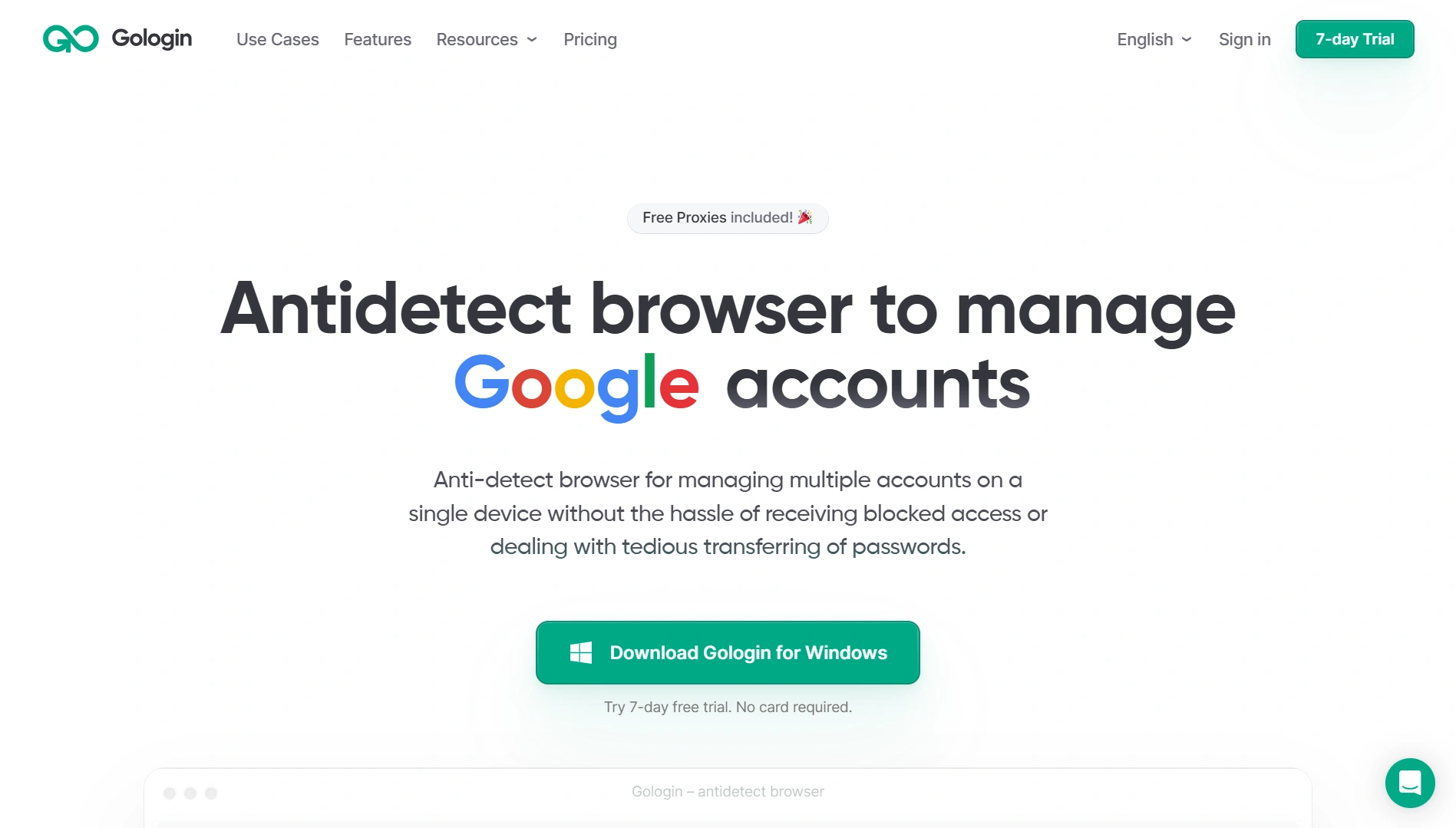
A large number of such profiles can be created, and each such profile is a unique device.
Profiles can be stopped and restarted if necessary, and all sessions are saved. This way you manage dozens of accounts from one computer without the risk of the platform linking and locking them out.
Conclusion
It’s easier to prevent account restriction than it is to get a locked account back later. Respect the rules of each platform, don’t do anything you wouldn’t do publicly, and remember that sites see a lot more about you than you realize (from your IP to your unique browser fingerprint).
If the trouble does happen, don’t panic. Try to understand the reason (there may be a ban notice in the mail), contact support, provide the required data for unlocking. Many sites allow you to appeal a decision, especially if it’s the first time. However, it is better not to go to appeal.
Practice digital hygiene, and then your accounts will be safe and your online activity will be stable and productive. Remember that reputation and trust are built up over time, and no amount of trickery can replace true trustworthiness in the eyes of the system. Be attentive – and restrictions will bypass you!