

How to create a folder
- Click the 3 dots next to the All profiles button, at the top of the Profiles page
- Select Add folder
- Enter the folder name
- Create or move profiles into the folder
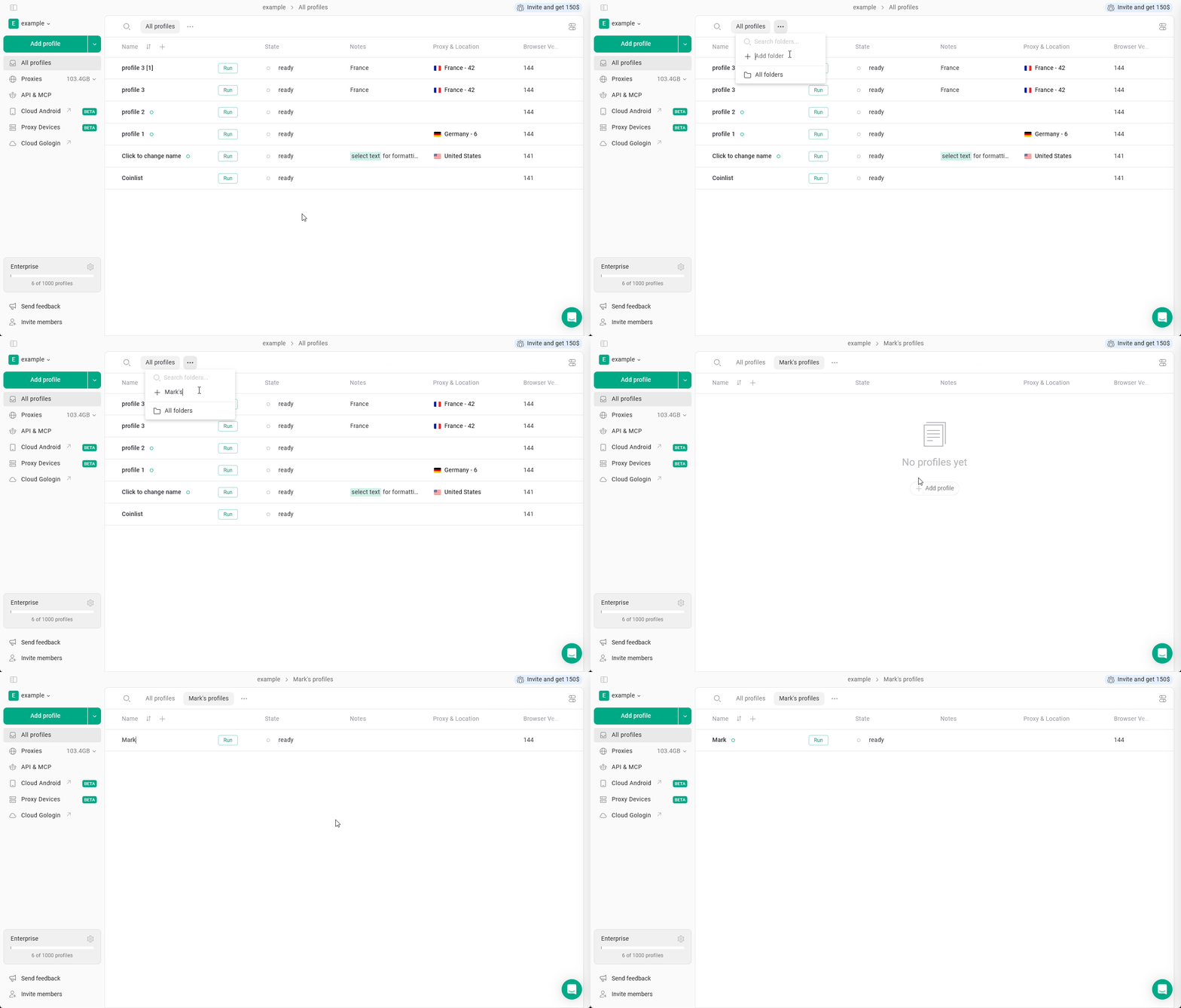
Managing profiles in a folder
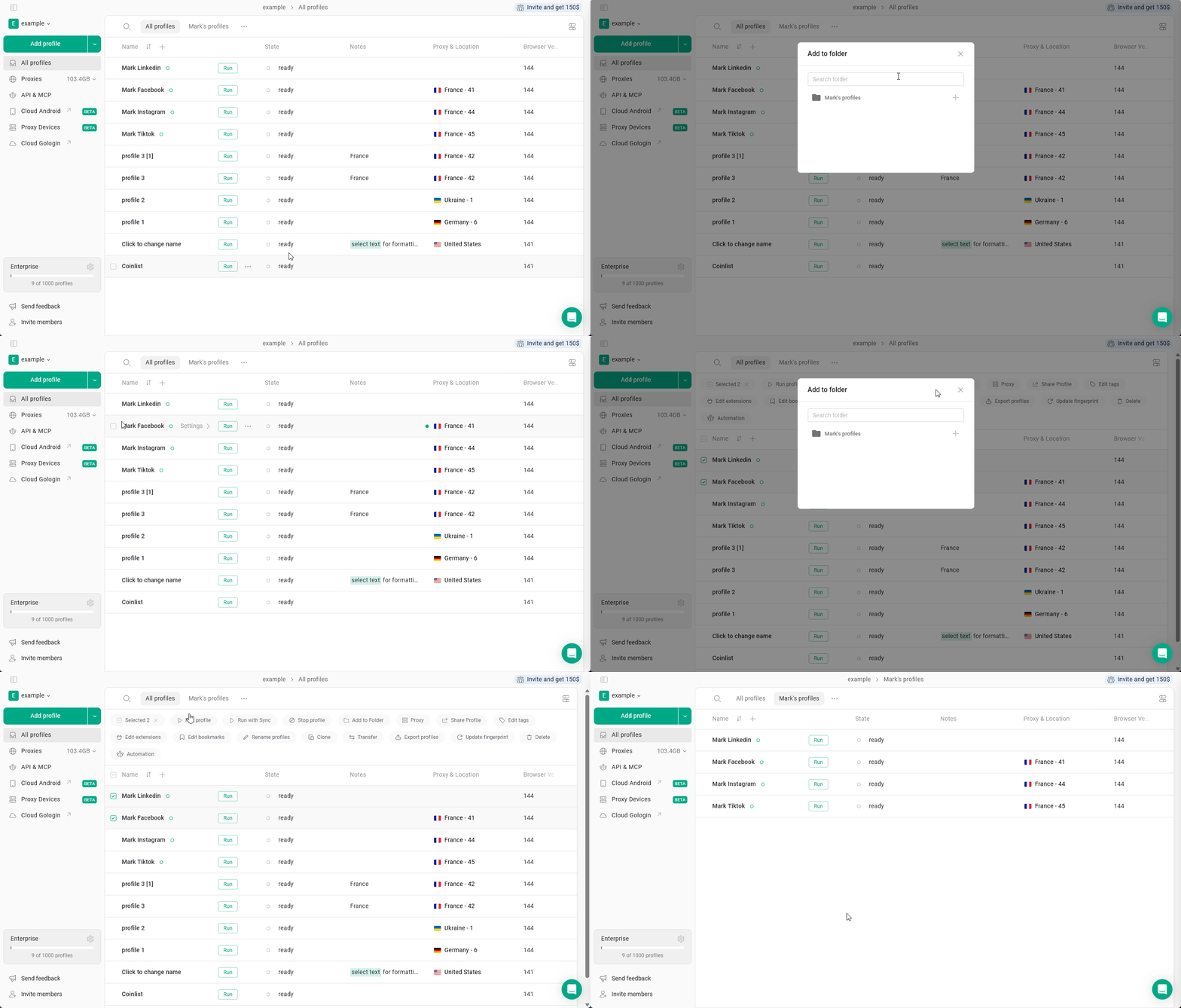
You can create new profiles right in the folder or move the existing ones into it. To create profiles in the folder, just navigate to the folder in the top folders bar and start creating them as usual. As long as you’re in the folder, all the new profiles will be created there. To move profiles into the folder:- either click 3 dots on the profile > Folders > select the folder
- or select multiple profiles > Folders > Add to Folder > select the folder
You can share access to a folder starting with Business plan and above, learn how to do it here