Maintaining privacy and anonymity while browsing has become increasingly difficult as websites use advanced tracking measures. Therefore, when you use a regular browser like Chrome, it can collect your data. The data can be used to generate targeted ads, as well as to monitor your browsing activities.
Similar to how each person has a unique fingerprint, your browser has unique fingerprinting details. They include browser cookies, IP address, location, and others that are used to determine your digital identity
This is where a fingerprint browser becomes necessary. It is a special form of web browser that allows users to modify their digital fingerprint. As a result, you can avoid unnecessary ads and bypass geographical restrictions without exposing your real identity.
With the numerous browsers in the market, it can be challenging to find the best fingerprint option. Therefore, this guide will explore the top anti-fingerprint browsers of 2026.
What is Browser Fingerprinting?
Browser fingerprinting is a method that allows websites you visit, map out your digital footprint. They can analyze details like screen size, device OS, language, settings, cookies, and more. Contrary to popular belief, deleting cookies or using incognito mode does not mask your footprint. Some websites have advanced browser fingerprinting technology, which allows them to retain your device identity.
Using regular browsers like Chrome leaves your browser fingerprint vulnerable. As a result, privacy-driven individuals and organizations are turning towards the use of fingerprint browsers. Also known as anti-detect browsers, these tools are equipped to protect your digital identity.
How Websites Track Users
When you visit a website, your browser sends a connection request. This allows the server to access your device data such as IP address, user agent, and location. The user agent informs the server that you are requesting a connection to a page. Then, the web server will deliver the requested content based on the user agent details.
Subsequently, the web server tracks your browsing activities and patterns as you navigate the website pages. Therefore, the server can recognize you next time based on your device specification and browsing pattern.
Here are some data that websites collect to profile your device:
- Brower type and version
- Device operating system- Windows, Linux, or macOS
- Screen resolution and fonts
- WebGL and audio context
- Cookies
- Canvas Fingerprinting
- User-agent string
Here are some methods used for fingerprint tracking:
- Audio Fingerprinting: This detects the pattern of the sound wave produced by your device.
- Font Fingerprinting: Advanced websites can identify and cache fonts used on a specific device.
- WebGL Fingerprinting: This allows websites to understand the unique pattern each browser renders 3D graphics via the WebGL API.
- User Agent: The user agent string contains identifying characteristics related to your device and browser. While this may not be enough to create a digital fingerprint, it can be combined with other data to detect specific users.
- HTML5 Canvas: Advanced websites can use this method to obtain data about the browser type, GPU, and operating system of a device.
Use Cases of Browser Fingerprinting
Here are some reasons why websites track users:
Profiling Users
Every user has unique software and hardware specifications, which can be used to create a digital identity. This can be used to profile and verify user identity to prevent fraud. Websites often profile visitors to provide optimized pages for returning users based on their browsing activity.
Delivering Personalized Content
Ecommerce businesses can leverage the information to deliver personalized content to returning visitors on their websites. This could be in the form of targeted ads, geolocalized web pages, and unique offers like seasonal discounts.
Identify Suspicious Users
Another significant use case of browser fingerprinting is to identify suspicious users and block them. It is necessary to note that not all “suspicious activity” indicates fraud. However, continuous monitoring allows websites to identify high-risk browsing patterns.
Connecting users
Some users may leverage spoofing tools like VPNs and proxies to route their network traffic. However, websites with strong fingerprinting measures can connect the similarity between users. Situations like this are useful because they prevent issues like bonus abuse. For example, one user can pretend to be multiple players to gather bonuses.
What is a Fingerprint Browser?
A fingerprint browser (also known as antidetect browser) is a modern solution that allows you to control how websites identify and track your activities. It works by allowing you to manage multiple unique profiles on a single device. In other words, each profile has a distinct digital fingerprint, which makes it useful for managing multiple social media or ecommerce accounts from a single device.
Unlike privacy-focused browsers that only block tracking cookies, a fingerprint browser imitates a real browsing environment so that each profile appears as a “regular user” with a different device.
How Fingerprint Browsers Work
Fingerprint browsers work by synchronizing technical and behavioral patterns that are targeted by websites to create a digital fingerprint. However, each profile on a fingerprint browser works in isolation with its configured hardware and software characteristics.
In simpler terms, it involves setting the preferred browser OS, location, time zone, fonts, screen resolution and isolating cookies. Worth mentioning is that fingerprint browsers need to be combined with a high-quality proxy for stable and optimized performance. Using a dedicated proxy IP for each profile allows you to run multiple accounts without any disruption in the workflow.
Regular VS Fingerprint Browsers Compared
Most websites have gone beyond relying on cookies to profile users. Therefore, how your browser handles fingerprint parameters will determine how websites recognize your activities. Here are three main browser types and how they work:
Regular Browsers
A typical example of a regular browser is Google Chrome. It is an application designed for everyday access to the web. Since it is not optimized to mask your digital identity, it exposes a lot of identifying information. When you visit a website via Chrome, the connection request is sent along with data such as user agent, IP, location, and more. Clearing your cache and cookies does not really protect your fingerprint. Subsequently, websites can collect data related to:
- Device software
- Hardware specification
- Software details like the operating system
- Browsing pattern
- Canvas and WebGL data
Pros Vs Cons
| Pros | Cons |
| Offers cloud storage for apps | Does not support fingerprint protection |
| Free and fast | Multi accounting is not possible |
| Comes with tools like spreadsheet, drive, that makes workflow more efficient |
Verdict:
Google Chrome offers little to no protection for fingerprint protection. Therefore, it is a very risky option for automation and multi-accounting.
Privacy-Focused Browser
Another category is privacy-focused browsers that offer moderate security. A typical example is the Brave browser that offers ad-blocking features as well as partially randomizing fingerprint parameters. Although Brave significantly reduces passive tracking when properly configured, it does not offer much control over fingerprint modification. While randomization is great, anti-fingerprinting requires creating a balance between effective methods that do not interfere with the connection request.
Pros Vs Cons
| Pros | Cons |
| Offers better privacy than regular browsers – blocks browser fingerprinting on websites | Lack of session stability |
| Actively blocks third-party tracking cookies | The browser is not optimized for multi-accounting |
| Fast and lightweight | Not ideal for optimized anonymity |
| Randomizes parameters like screen resolution, and fonts | Breaks website front end at times |
Verdict:
Brave browser offers moderate fingerprint protection. Although it goes a step further than regular browsers by blocking ads, it is not ideal for sensitive tasks.
Antidetect Browser
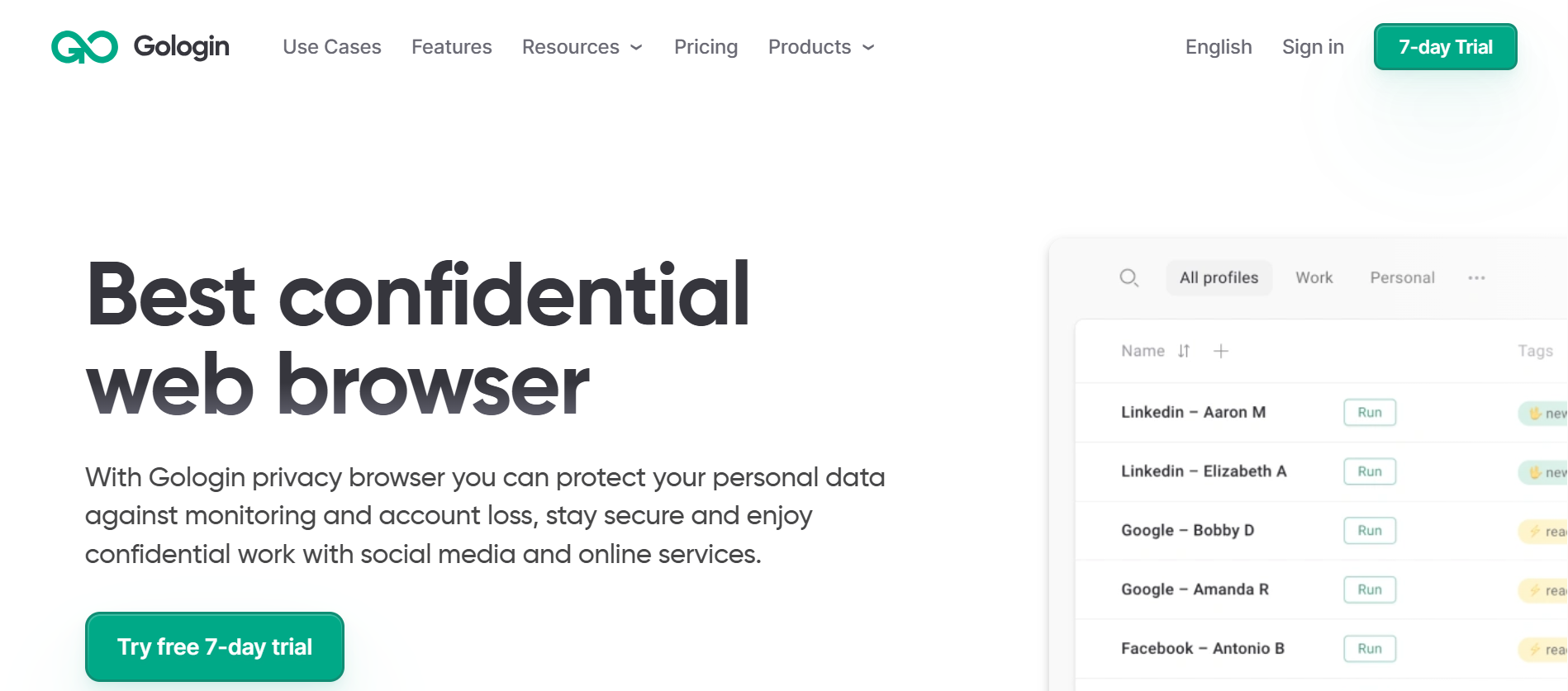
Lastly, we have the antidetect browsers – they are designed to create multiple unique browser profiles. An example is Gologin – it offers complete control over fingerprint customization. Therefore, you can create different profiles with distinct fingerprint for multi-accounting without risking an IP ban. As a result, each profile appears as a consistent environment from a different device. Gologin offers modification to the following parameters:
- Browser type & version and Operating system
- Hardware information
- Supports the use of a dedicated proxy for each profile
- Time zone, language, screen resolution, and fonts
- WebGL, Canvas fingerprint, and more
Pros Vs Cons
| Pros | Cons |
| Advanced fingerprint protection | Commercial tool (although free plan is present) |
| Works out of the box | Not available on mobile iOS app |
| Automation-ready | |
| Built-in proxy IPs | |
| Team features | |
| Chrome UI |
Use Cases of Gologin
Gologin has several features that translate into real-world use cases. Here are some practical applications of Gologin:
Multiple Account Management
Most ecommerce and social media platforms have strict anti-bot measures. Therefore, managing more than one account can lead to an IP ban. For agencies and professionals that offer these services, they can leverage Gologin to create unique profiles for each account.
Web Scraping
Data has become crucial across several industries for informed decision-making. One way to effectively gather large volumes of data without a ban is to use Gologin browser. It comes with automation tools that optimize the process of web scraping.
Local SEO
Search engine optimization is a pivotal step for every ecommerce business. It plays a crucial role in improving visibility and reaching the target audience.
Ad Verification
Ad verification across different locations can only be effective when Gologin browser is combined with proxies to bypass geo-restrictions and access restricted content.
Verdict
Gologin offers a stable and consistent browser environment that mimics actual users. This helps to minimize the risk of detection and blocking.
Recap Comparison of the 3 Browser Types
Chrome (Standard) vs Brave (Privacy-focused) vs Gologin (Antidetect browser)
| Features | Chrome | Brave | Gologin |
| Fingerprint blocking | No | Moderate | High |
| Fingerprint stability | No | No | Yes |
| Profile isolation | No | Limited | Yes |
| Dedicated proxy per profile | No | No | Yes |
| Automation-ready | No | No | Yes |
| Team features | No | No | Yes |
| Cloud sync | Yes | Yes | Yes |
Why Use Fingerprint Checkers
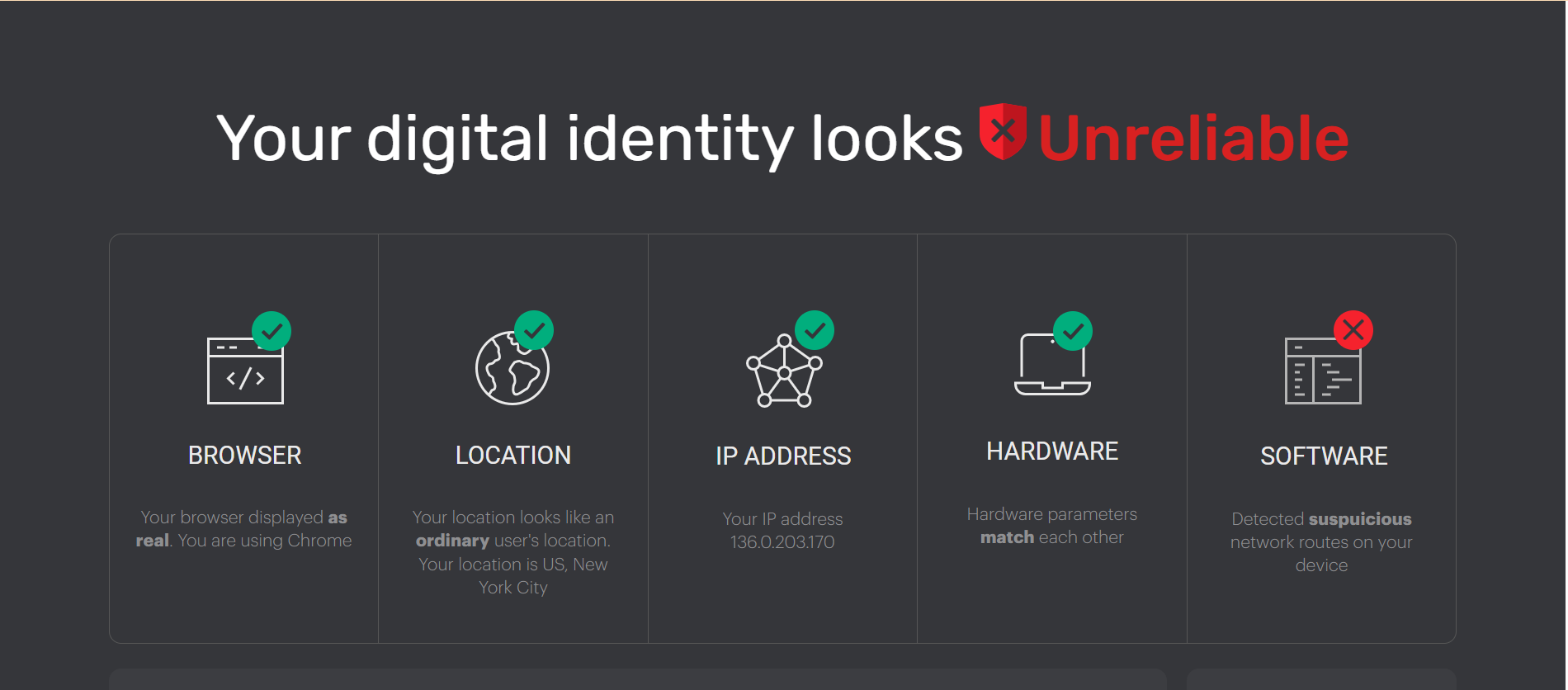
Fingerprint checkers are tools that provide an overview of how websites see your digital fingerprint. Online checkers like Iphey.com and Pixelscan.net browser fingerprint checkers run checks to test fingerprint consistency.
They reveal what websites see about you in these five categories:
- Browser Specifications
- Type
- Version
- Platform
- Header user agent
- Location Specifications
- Country
- Continent
- City
- Latitude
- Longitude
- IP Address Details
- IP address
- AS number
- WebRTC
- Internet Service Providers
- Hardware Specifications
- WebGL
- Canvas
- Audio
- Client Rects
- Software Specifications
- Timezone
- IP time
- System time
- Language
- Flash
- Cookies
- Fonts
It is necessary to check before launching fingerprint browsers for the following reasons:
- Inconsistent software details may raise suspicion
- Mismatched IP address and time zone may trigger account verification
- Suddenly switching locations can reduce your device trust score on a website
Conclusion
From this guide, we understand that deleting cookies does not erase your digital footprint. Therefore, if you engage in sensitive activities like automation, managing your fingerprint is an absolute necessity. Browsers like Chrome offer little to no protection for your online activities. Brave browser offers a small amount of coverage with its randomization.
Meanwhile, Gologin antidetect browser gives you control over the fingerprinting parameters. When combined with a high-quality proxy server, Gologin makes your multi-accounting and automation workflow seamless.
FAQ
Is browser fingerprinting legal?
Yes, browser fingerprinting is mostly legal. However, the GDPR (General Data Protection Regulation) states that companies must get consent before tracking users with cookies. Another law, ePrivacy Regulation was initiated to handle browser fingerprinting. However, it has not been implemented.
Similarly, the US does not have any national laws on data protection. Laws like CCPA and Vermont’s Data Broker Law are an attempt to control online data collection, but they can’t handle fingerprinting issues.
What is the difference between a standard browser and a fingerprint browser?
A standard browser caches identifying information like IP address, hardware specification, cookies, and others. As a result, these details can be identified and used to track an individual. This is because there is a high probability that similar fingerprinting patterns belong to the same user.
On the other hand, the fingerprint browser allows users to manipulate identifying user characteristics on each account. This is especially useful for multi-account management, where platforms like Amazon, Twitter, and TikTok have strict policies regarding the use of multiple accounts.
What is the difference between browser fingerprint, device fingerprint, and digital footprint?
A browser fingerprint is like a digital identity that contains identifying data from your device. It allows websites to recognize you and display personalized pages for subsequent visits. Therefore, a browser can identify visitors even if they clear their cache and cookies. The fingerprinting details often include browser details, OS, fonts, location, time zone, language, Canvas, and HTTP headers.
On the other hand, a device fingerprint collects more in-depth data beyond the browser level. It is easier to modify a browser fingerprint than a device fingerprint. This type of fingerprinting aims to get the details of the physical device. Examples of data collected include hardware specifications, network characteristics, app-level identifiers, and sensor data.
Meanwhile digital footprint is an umbrella-term for your online trail as you use the internet. It combines browsing history and activities to create a unique profile for you. Erasing your digital footprint is quite difficult as it builds up over several weeks. Usually, it includes browser and device data, IP address, location, browsing history, browsing pattern, and more.