Let’s revisit the definition of a session first.
Whenever you visit a website in your browser, that is your session on that website. And when you close the website, that session ends.
Using a session, your browser keeps track of your login status, items in your cart (if it’s an e-commerce website), your preferences, and basically everything you do during that visit.
That’s why you cannot have two different WhatsApp accounts open at the same time. Or take any website, really.
Let’s say you manage two Instagram accounts, one personal and one for your business. Chrome, or any other everyday browser, will only allow you to log into one account at a time.
You can’t just open a new tab and log in to the second account there. That’s because most browsers are designed to handle one session per website at a time.
Your only options are to log out of one account first or open an incognito window. But incognito has its own issues. You lose your extensions (recent Chrome versions let you use extensions, though), your custom browser profile settings won’t be there, and your saved passwords aren’t served to you either.
And if you mistakenly close the incognito window, everything’s gone because it doesn’t record your history. Even if incognito works fine for you, you are still limited to two sessions of a website, one in regular mode and one in incognito. You won’t be able to log in to a, let’s say, 3rd Instagram account.
So, how do you log in to multiple accounts of a website on a browser? The answer is multi session browsers. These browsers are built exactly for these purposes and to bypass other limitations of regular browsers.
Let’s dig more into these browsers and help you find a good one.
What is a Multi Session Browser + Working
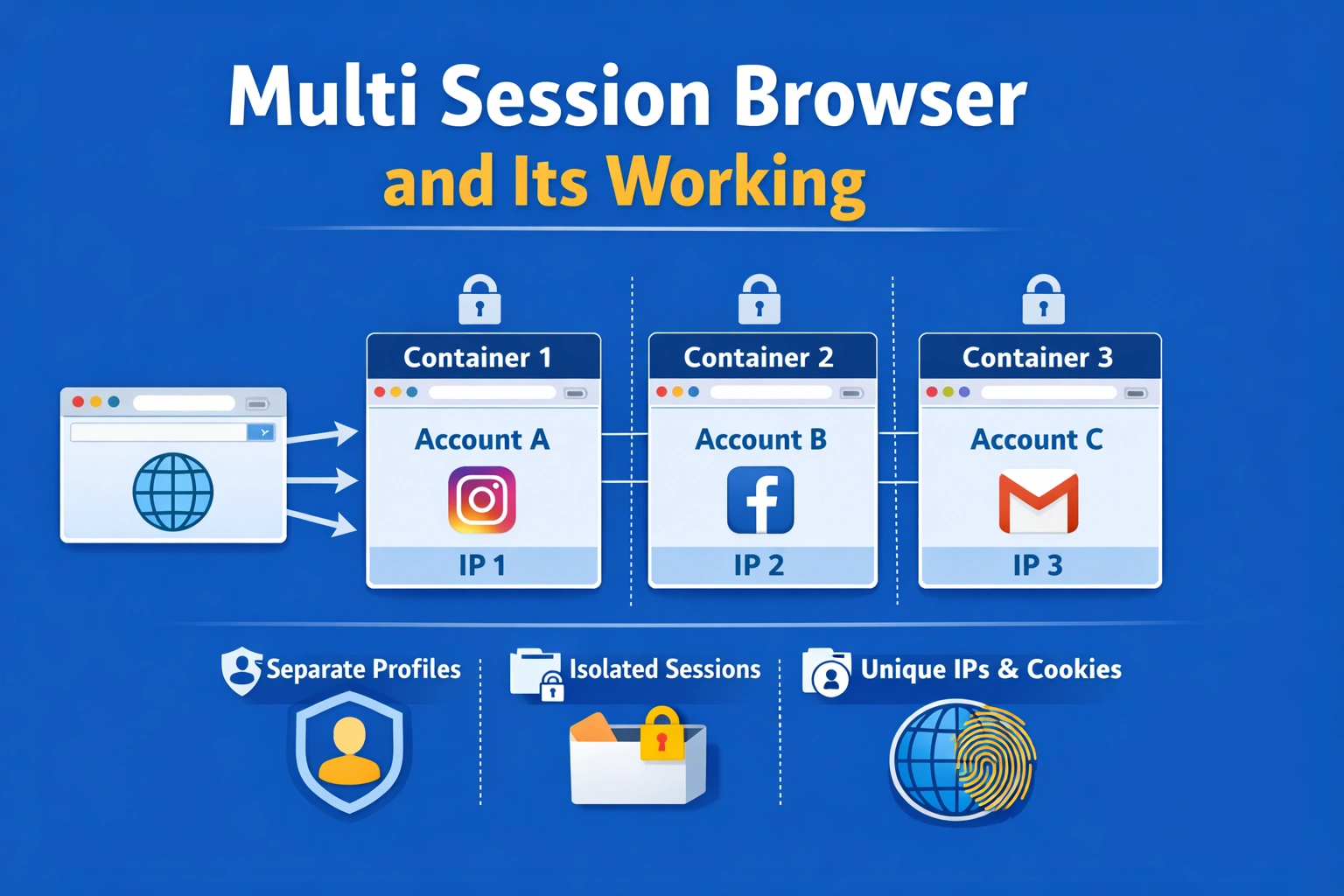
A multi-session browser lets you run multiple independent sessions of the same website at the same time, all using a single browser.
They make this possible through a solution called “browser profiles” or “isolated browsing environments.”
A regular browser, let’s say Chrome, allows you to have one browser profile per Google account. You log in to Chrome with your Google account, and that becomes your Chrome profile. To create another Chrome profile, you’ll need to make another Google account, which is a hassle.
On the other hand, the browser profiles of multi-session browsers are different.
They let you make unlimited browser profiles without requiring any sign ups.
Your entire browser doesn’t share one set of cookies and session data like in regular browsers. Instead, the browser creates separate containers (read profiles) for each session, each container having its own cookies, its own cache, history, basically its own everything.
So when you log into Instagram with Account A in Session 1, that login information lives in Container 1. Then you open Session 2, which lives in Container 2, and log into Account B there. These two containers don’t talk to each other. Instagram or any other website sees them as completely separate browsers.
That’s not all. You can also assign different IP addresses (proxies) or browser fingerprints to each profile for even more anonymity.
Why Use a Multi-Session Browser?
On the surface, the most obvious reason to use a multi-session browser is to use multiple accounts for a website simultaneously.
But that isn’t the end purpose. That’s just a means to achieve other purposes.
A major purpose is privacy.
Every website you visit collects data about you to build a unique profile of you.
This data includes your interests, shopping habits, where you go online, where your mouse lingers, and loads of other details. All this data is tied to you using your IP address and other unique identifiers from your system and browser (which are called digital fingerprints).
Websites share your profiles among themselves, which is why you see similar ads across different websites.
But when you use multi session browsers, your behavior in one session doesn’t influence the ads you see in another session. Each session carries a different IP and browser fingerprints, which makes the websites think these are different people.
You can also delegate work to someone else without having to disclose sensitive information.
Multi session browsers allow you to share your accounts with others without sharing account credentials with them.
Let’s say you have a virtual assistant who manages your social media accounts. You can simply share a link of your browser session profile (using an antidetect browser) with them, where your social media accounts are logged in.
Even ecommerce people use multi session browsers to manage their multiple seller accounts or conduct market research using a buyer account. The latter wouldn’t be possible with a seller account only because you need to see what products regular customers see to plan your campaigns.
Top Multi Session Browsers
1. Gologin
Gologin has been around since 2019 and has a solid reputation as a multi session browser now.
The browser is available for all platform users, mainly Windows, Linux, and MacOS. Even Android users can use Gologin’s Android app to manage multiple profiles. This availability on mobile is one of the reasons that make Gologin the best in class because barely any competing multi session browser offers a mobile app.
The browser lets you create 100 to unlimited number of unique browser profiles. You can also configure up to 53 fingerprint parameters. But if you don’t want that level of control, you don’t have to manually configure fingerprints. Gologin assigns a random set of digital fingerprints to each profile that’ll make sites recognize you as just another visitor.
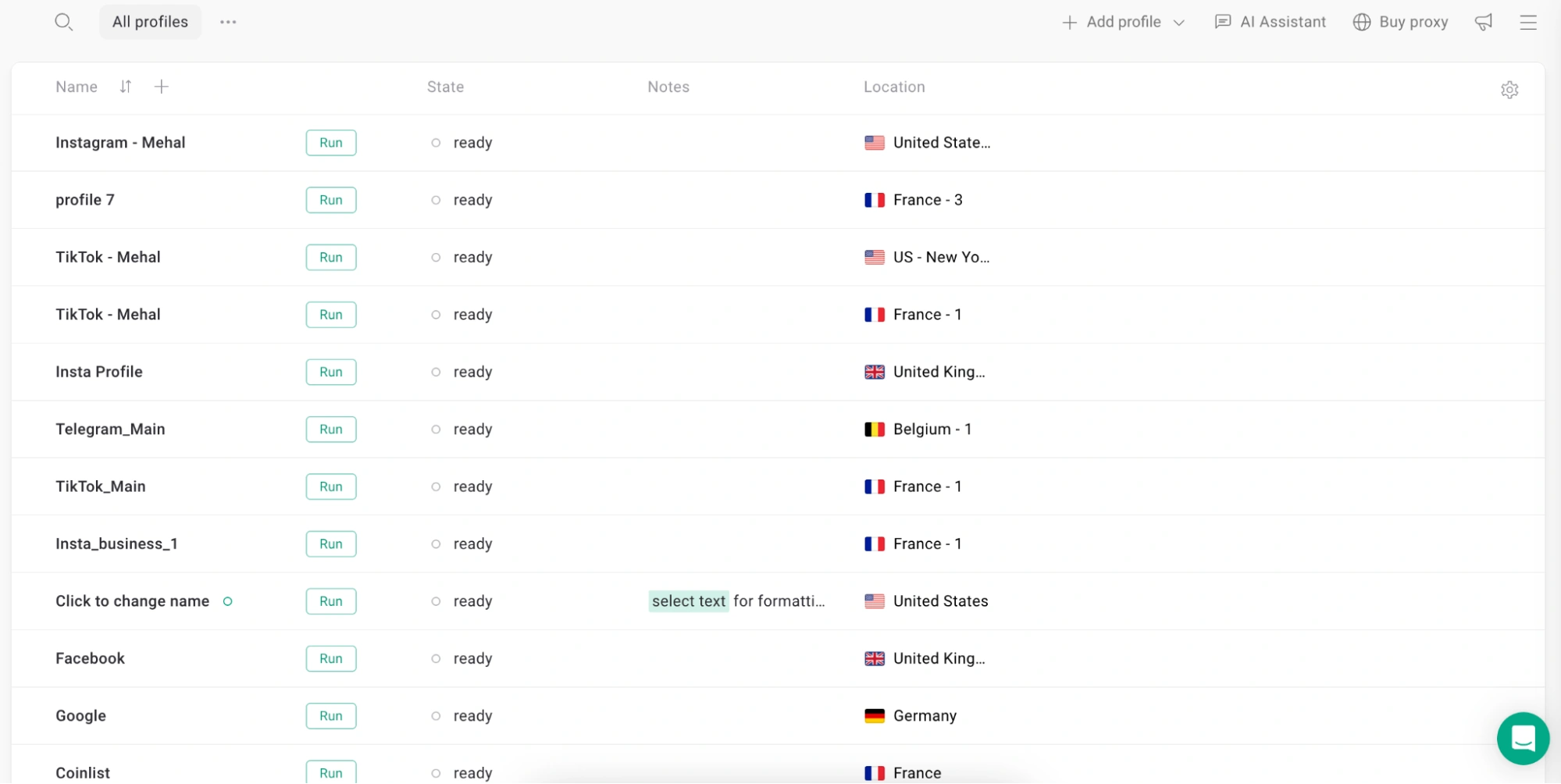
Furthermore, Gologin also lets you assign unique IP addresses to each profile. This happens through a proxy. You can either plug in Gologin’s own proxies, which come with every Gologin plan, or you can configure proxies from a third-party proxy provider.
Gologin gives 500MB of datacenter proxies each month to its Forever Free plan users. You also get 500MB of DC proxies for making an account. You can select from a list of 10 locations for these free proxies.
Pricing
- Professional: $49/month (10+ profiles)
- Business: $99/month (300 profiles)
- Enterprise: $199/month (1000 profiles)
- Custom: starts at $299/month (starts at 2000 profiles)
Gologin also offers 14 days of free returns on all plans.
2. 1Browser
1Browser is like Chrome in look and feel, but with multi session browsing features. It has little to no learning curve due to its similarity to Chrome.
You add browser profiles the same way you do in Chrome. This browser profile switcher screen has those colored circles like in Chrome.
Once you’ve made a profile, you assign it a proxy, and that’s it. The browser handles fingerprint masking by itself.
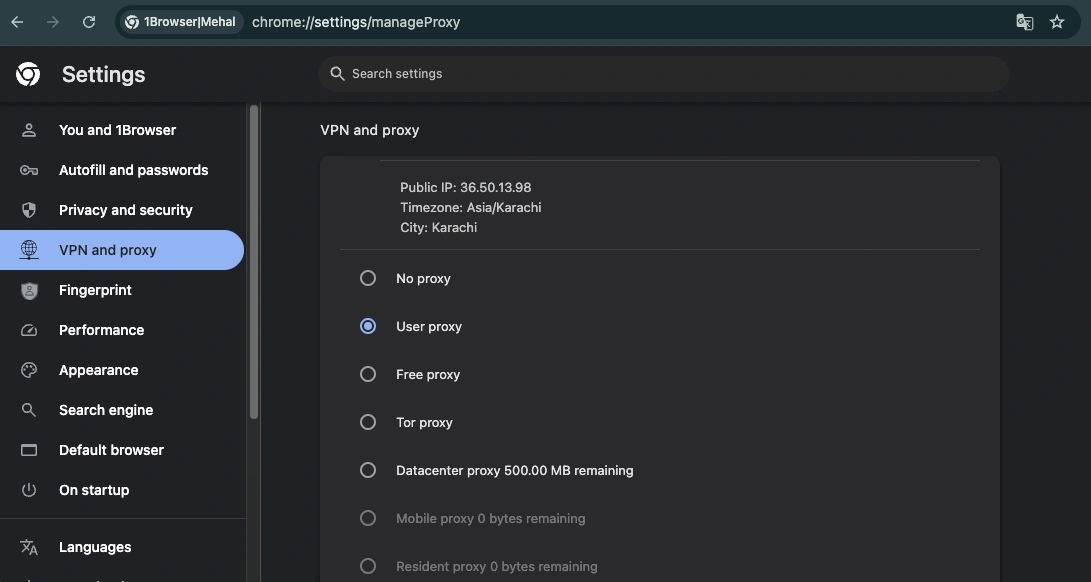
Speaking of profiles and proxies, 1Browser offers 10 profiles on the free plan and five proxies from popular countries, including the US, Canada, Germany, France, and India.
The browser works on both Windows and Mac, including the newer ARM-based Mac models.
Pricing
1Browser has a forever-free plan, which lets you make 10 profiles and offers 5 free proxies from popular countries.
Other than this, there are 2 paid plans:
- $9/month (20 profiles, proxies from 100+ countries)
- $29/month (100 profiles, their best speed)
3. Multilogin
Another major multi session browser is Multilogin. It is older than most other browsers in its class.
The platform is API first and supports automation of creating, modifying, launching, and deleting profiles programmatically.
Multilogin has two different browser engines: one is Chromium, and the other is based on Firefox. You can choose from one of these when creating a profile.

Fingerprint configuration is similar to Gologin. You can either adjust dozens of fingerprint parameters manually, or you can let Multilogin generate a realistic fingerprint automatically for your profiles.
Multilogin also has its own proxy pool of over 30 million residential IPs. But you can also use proxies from third-party providers.
Pricing
Multilogin has no free option. It only offers paid plans.
There’s a 3-day trial, which is also paid.
Here’s the pricing for the trial and paid plans:
- 3-day trial: €1.99 (5 browser profiles)
- Pro: starts from €9/month (starting from 10 browser profiles)
- Business: Starts from €159/month (starting from 300 profiles)
4. SessionBox One
SessionBox is just a browser extension for multi accounting. But now it also offers a full antidetect browser app for desktop.
There are two products under SessionBox One. One is the SessionBox browser extension. Another is a standalone desktop app called Workstation.

The browser is built on Chromium but doesn’t look or feel like other Chromium-based browsers. In my testing of SessionBox, I have found that the UI has issues. It took me some time to find the proxy setup settings, but when I would leave the window to copy proxy details from my text document, the window would disappear, and I would have to restart the process.
Also, there are no built-in proxies. You’ll have to purchase proxies from a third-party provider.
In SessionBox, you don’t add proxies for each profile you make. You first add all your proxies to the browser and assign a proxy from that list to the profiles you create.
There’s also an option to let SessionBox auto assign your proxies to profiles.
SessionBox’s weakness is fingerprint masking. The feature to customize fingerprints is available for paid users only.
Pricing
- Hobby: $12.99/month (10 profiles)
- Professional: $59.99/month (Unlimited profiles)
- Teams: $99.99/month (Unlimited profiles)
FAQs
What are browser sessions?
A browser session refers to the period of activity from when you open (and log in to) a website in your browser until you close it or log out.
When a session is active, the browser stores your temporary data like cookies, login states, and browsing history, which websites use to recognize you and remember your preferences. This data gets cleared when the session ends (when you close the tab), unless you’ve enabled features like “remember me” on specific sites.
What is a multi-session?
Multi session browsing means running multiple sessions of a website independently. In normal browsing, you can only have one session of a website running at a time. In other words, you can only be logged in to one account per website in a browser.
But in multi session browsing, you can have several accounts of the same website logged in at the same time in different sessions. Each session operates as if it’s coming from a completely different browser or device. This type of browsing is enabled by special multi session browsers like Gologin.