You’ve probably landed here after trying BlockAway and wondering if there’s something better.
BlockAway has loads of issues, and eventually, everyone starts looking for alternatives.
This article will walk you through safe alternatives to BlockAway. You’ll also learn about some alternatives you should stay away from.
So let’s start. But before that, let’s tell you what BlockAway is exactly and why it has the issues that it has.
What Is Blockaway And How Free Web Proxies Work

If you have ever faced a blocked website at school or work, you must have used a web proxy to unblock it.
BlockAway is perhaps the most popular of those web proxies. It’s a website where you type in a blocked website’s URL and surf it right there. BlockAway and similar services also often reformat links and resources on the page so that subsequent clicks also route through their service.
To your work or school’s network filters, it looks like you’re just visiting the proxy site. From there, the proxy site takes over. It uses its own IP to surf websites on your behalf. Neither your network sees you visiting those sites, nor do the blocked websites get to know your IP.
Web proxies are mostly free. Or they’re all free because I haven’t yet come across one that demands money or has paid plans.
But then this raises an interesting question: where do these free proxies earn from to at least cover the operational costs if not any profit (which is in itself hard to believe)?
After all, running servers costs money, and someone has to maintain the service.
Here are all the possible reasons why they’re free:
- Some free proxies are funded through advertising. When you visit sites using a web proxy, you typically get lots of banner ads and pop-ups. These ads are paying for your access.
- A few proxies might also operate on a freemium model. They offer basic proxy service for free. But ask for money for faster speeds, better encryption, or ad removal.
- There are also privacy advocates and organizations with ideological commitments to open internet access. So a portion of free proxies also comes from them.
- Some free proxies exist as honeypots. Entities deliberately offer them for free to collect your browsing data and sell it to marketers and, in worst cases, governments and hackers. So if you want to learn how to unblock websites safely, don’t go the Blockaway route. We will tell you safe methods to do so later in the blog.
What is Unblock Proxy?
The Internet refers to a web proxy as an unblock proxy, too.
These are two names of the same tool. An unblock proxy or a web proxy is a website where you enter URLs of the blocked sites and unblock them.
Most users use these services to unblock websites only, that is why unblock proxy has become their second name.
Dangers of free online proxy sites (like BlockAway)
Free web proxies like BlockAway are good for unblocking sites occasionally. But they come with many free proxy risks and issues.
- Unclear proxy logging policy: BlockAway’s data logging policy is unclear. This has been confirmed by many user reviews and review guides on BlockAway. The service doesn’t explain what happens to your browsing history or how long they keep that information. That ambiguity is uncomfortable for a tool that you visit for privacy.
- Unavoidable ads: The economics of free services mean someone has to pay, and that someone is usually you, just not with money. Free proxies are known for being infested with ads intruding from all sides of the screen. And most of the time, these ads are shady and can install malware on your device. They aren’t about genuine products or services.
- Poor speed: Since web proxies are often free, they’re used by countless other users at any given time. This causes performance issues. Expect pages to take ages to load and videos to buffer endlessly. Free web proxies typically don’t distribute load between their servers based on the geographic location of the users. You’re stuck with whatever blockaway free proxy server you get.
- Fingerprint leakage: Modern websites log dozens of data points about your browser and device, along with your IP address. They then combine all these data points to build profiles of your behavior. This profile is then used to target ads at you. Free proxies might mask your IP, but they do nothing about these other identifiers.
- Not usable for professional uses: If you think you can use web proxies for managing multiple social media accounts, running automated tasks, web scraping, or doing any kind of professional work, forget it. These services simply lack the infrastructure to handle such tasks. And you should never log into any platform when using a web proxy.
Top alternatives to BlockAway
Gologin — Best proxy-browser alternative (recommended)
Gologin is an entirely different tool from services like BlockAway, so there can be no BlockAway vs Gologin comparison.
Gologin is a specialized anti-fingerprint browser with built-in proxy support. You can configure professional third-party proxies without leaving the browser. You can also granularly edit your browser fingerprint based on the type of activity you’re handling. Gologin lets you create multiple browser profiles and assign a different proxy and fingerprint to each one of them.
Regular browsers like Chrome simply can’t do the things a proxy browser is capable of.
Gologin lets you manage as many accounts as you want without them getting linked together. It lets you scrape data from websites without your scraper getting caught. You can run ads and also preview how they look to your ad’s audience. In short, you can perform all professional tasks that require a proxy connection, but without compromising privacy.
Gologin keeps your browsing genuinely private instead of just pretending to.
Here’s how to get started with Gologin and use its free forever plan:
- Sign up for an account on the Gologin website and download the browser to your device.
- After installation, choose the “Free Forever Plan” on the Pricing page that allows you to create 3 free browser profiles and use them forever.
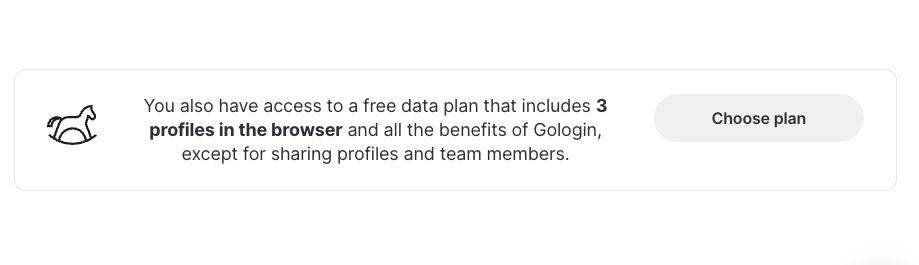
- The Free forever plan lets you use Free 500MB datacenter proxies from 10 available free locations. The free 500MB datacenter proxy limit gets added to your free forever account every month.
- Once you switch to the free plan, open the Gologin dashboard and create a new browser profile by clicking the + button at the top. You can create up to 3 profiles on the free forever plan and give them whatever unique names based on how you plan to use them.

- Each profile’s row has a column named Location. There, you choose either Gologin’s own free proxies or add your own by entering the details your proxy provider gave you.
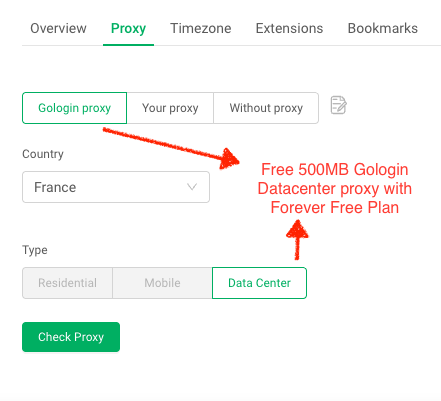
- If the proxy is working fine, the Location column will show its location.
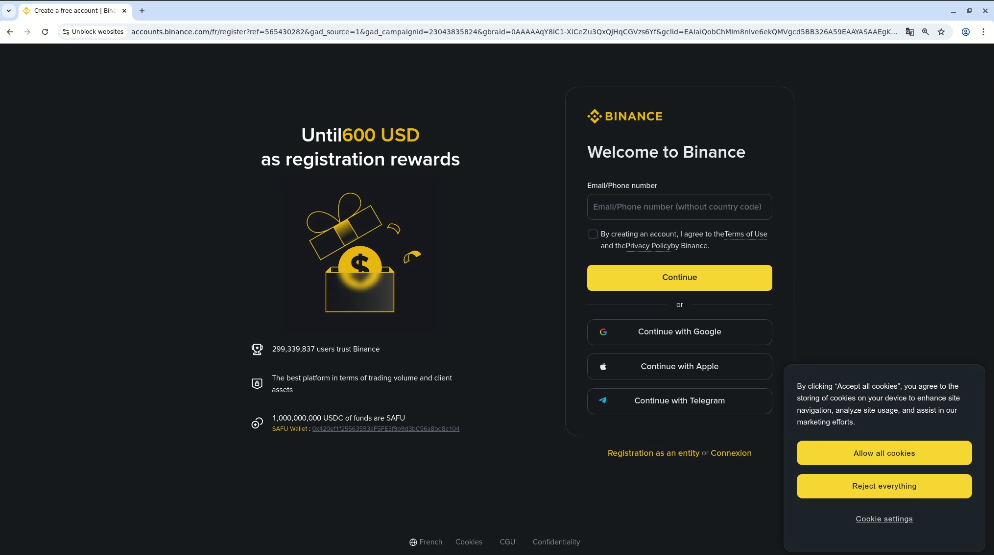
- Next, hit the run button next to your profile name. A new browser window will open up, looking just like Chrome. Type in any blocked website’s address, and you’re in.
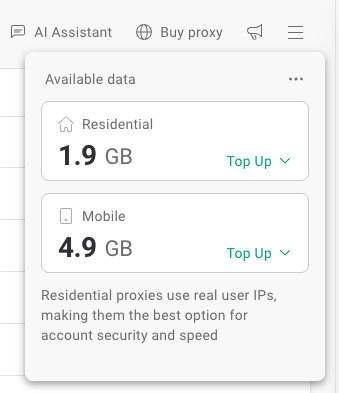
- If you want access to 190+ locations and faster speeds, you can buy paid proxies from within the dashboard. Just click on “Buy proxy”
| Pros | Cons |
| Use Gologin’s own proxies or bring your own from third-party proxy providers | Probably too many features if you just want to check one blocked site occasionally |
| Complete fingerprint spoofing | |
| Allows creation of endless proxy browser profiles, each with strong multi-account security | |
| Supports both personal and professional use cases | |
| Best proxy browser for multi-account management |
Premium Proxy Providers (Floppydata / Oxylabs / Decodo)
Services like Floppydata, Oxylabs, and Decodo sell you access to large networks of IP addresses.
You can replace your original IP address with one from these proxy providers to route your traffic through their servers.
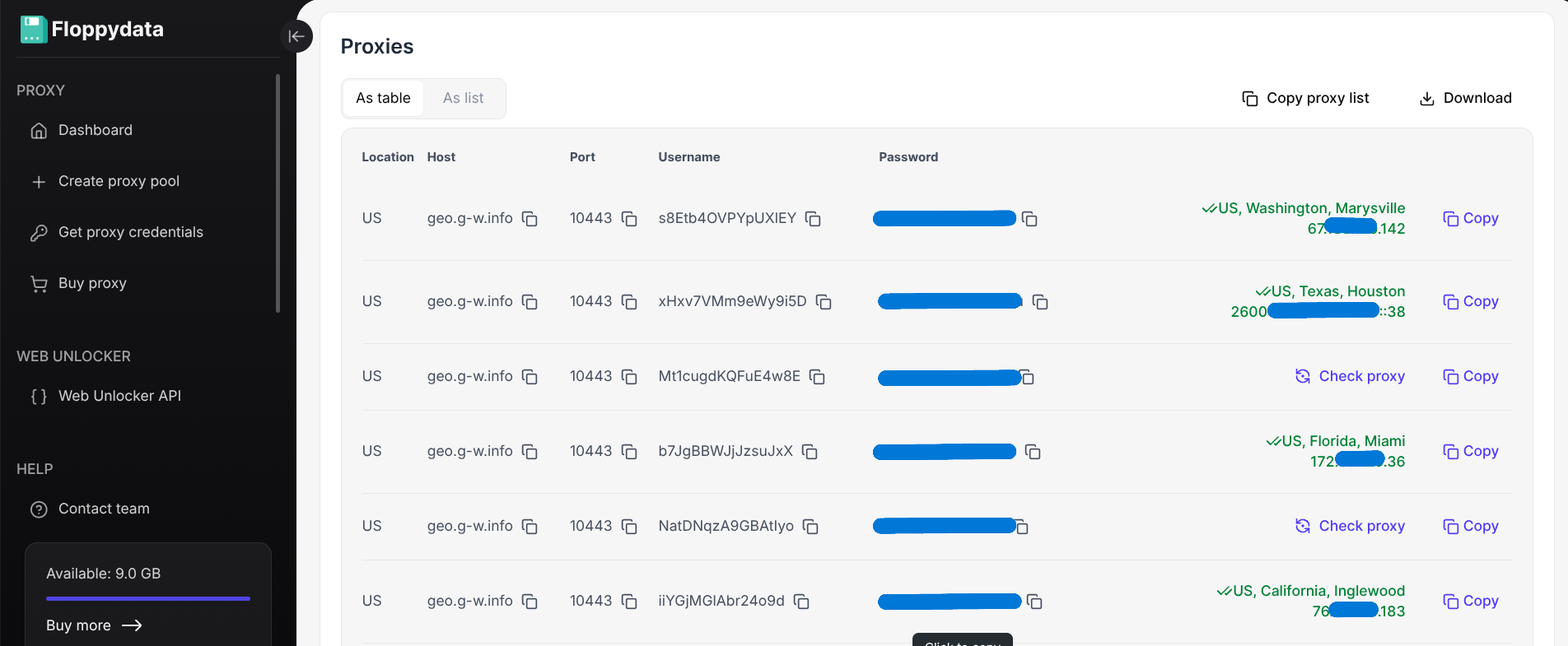
But buying premium proxies isn’t for casual users trying to watch a blocked video or access a website temporarily. They are suitable for consistent business use cases.
If you’re new to proxies and want to learn more, our detailed beginner proxy guide explains everything.
| Pros | Cons |
| Reliable and speedy | Can be expensive |
| Huge IP pools with locations from hundred of countries | Requires a little technical knowledge for setup |
| Suitable for professional work | Overkill if you just need basic access |
| Better privacy than free alternatives |
VPNs
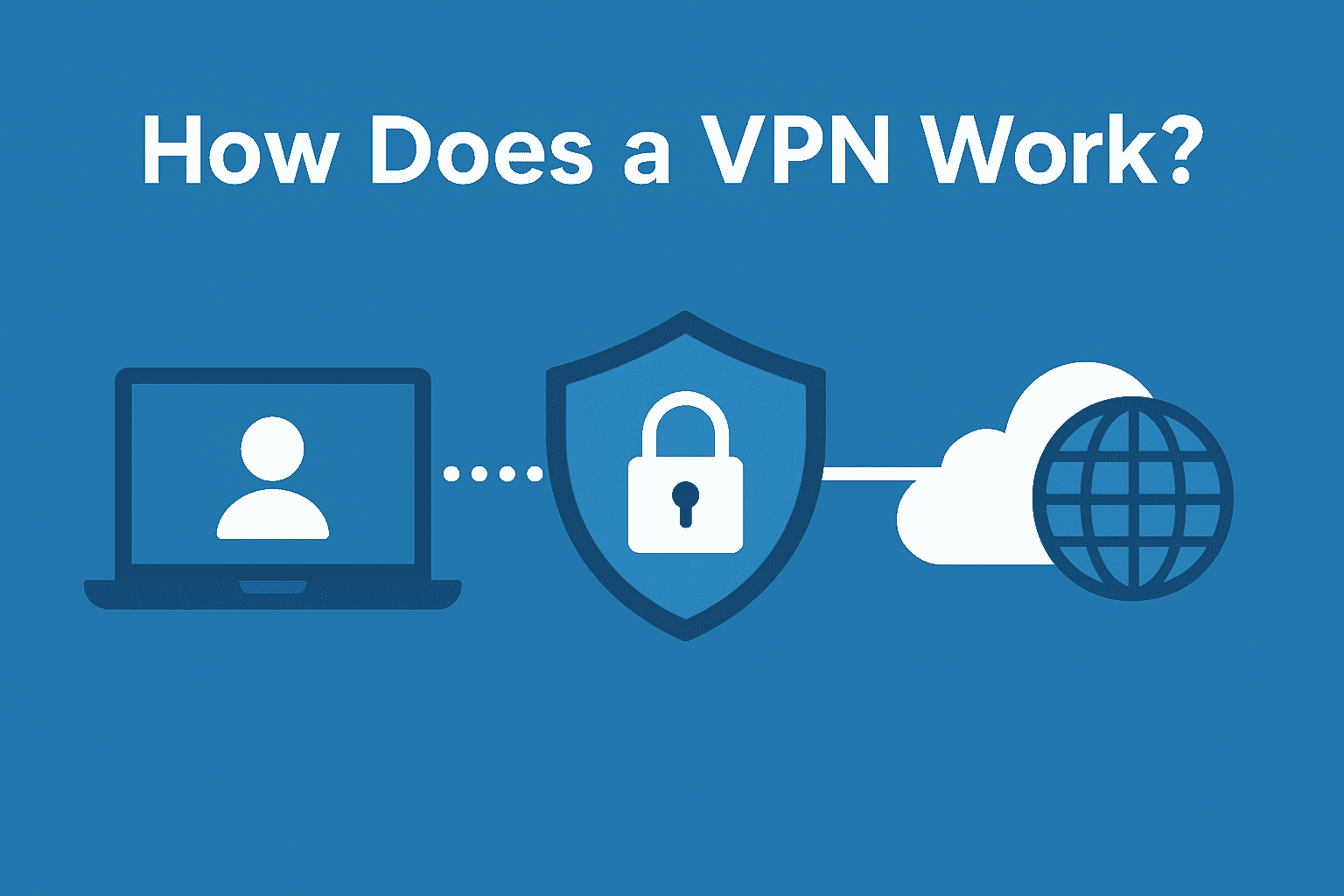
VPNs are also safe alternatives to BlockAway.
They encrypt your entire internet connection and tunnel it through their servers.
VPNs come in the form of software or extensions. They’re also easy to use. Most of them only require you to turn on a switch to activate them. Good VPNs also allow you to select locations.
However, they hit walls when you need to manage multiple accounts on the same platform. Since a device can only have one VPN running at a time, sites will see that you’re using the same device for all the accounts.
| Pros | Cons |
| Simple to use | Can’t handle multi-account management at all |
| Encrypts the entire device’s traffic | Some sites actively block VPN traffic |
| Good speeds |
Other Methods & Tricks We Don’t Recommend
While searching for ways to avoid free web proxies like BlockAway, you’ll stumble across plenty of other supposed solutions.
We have listed a few of them along with why they don’t work or are inefficient.
- Change DNS / Smart DNS (doesn’t work): Switching to public DNS servers like Google’s 8.8.8.8 or Cloudflare’s 1.1.1.1 only helps if your ISP uses basic DNS filtering. If sophisticated blocking is in play, which is common these days, this trick becomes useless.
- Video Downloader Websites (dangerous & inconvenient): These websites claim they’ll download blocked videos or pages for you to view. But you cannot call that browsing. Not to mention, advanced websites block these tools.
- Google Translate (doesn’t work): There used to be a clever trick where you’d paste a URL into Google Translate and access the cached version. Google closed that loophole ages ago. So this method doesn’t work either.
- Tor (slow, encryption can trigger bans): While Tor does anonymize your connection by bouncing traffic through volunteer servers, the speed becomes painfully slow for regular browsing. Worse, its heavy encryption makes many sites suspicious, and causes them to generate CAPTCHAs if not place a ban outright.
- Browser Extensions (dangerous): Some proxy providers and VPNs also offer browser extensions. The problem is that these extensions have received a bad reputation for harvesting user data and injecting ads into pages.
Comparison of All Methods
| Feature / Risk | BlockAway (free web proxy) | VPN (consumer) | Paid Proxy Provider | Gologin (proxy-browser) |
| IP control/geo targeting | Limited | Country-level | City/country + rotation | Custom proxy per profile |
| Profile isolation | ❌ | ❌ | ❌ (depends on your browser) | ✅ separate browser profiles |
| Fingerprint protection | ❌ | ❌ | ❌ | ✅ Built-in anti-fingerprinting features |
| Logging transparency | Often unclear | Varies (check TOS) | Business-grade SLAs available | Depends on the proxy used; the browser does not log profiles |
| Multi-account safe for marketing | ❌ | ❌ Limited | ✅ (when used with antidetect) | ✅ Completely safe |
| Ease of use | Easy | Easy | Difficult | Moderate (one-time setup) |
| Cost | Free | Low | Medium | Free to Medium |
How to choose a secure alternative — checklist
BlockAway and other solutions we discussed are not one-size-fits-all solutions. They all have their best areas of use and use cases where they fail.
Here’s how to match your situation with the tool that’ll actually work:
- Watch blocked YouTube videos or access social media: A decent VPN is perfect for these tasks. You’ll be performing these from your phone or laptop, usually, and VPN apps offer an easy way to get you going in no time.
- Manage multiple business accounts without them getting linked and banned: For this task, your only option is proxy browsers like Gologin. Gologin lets you create multiple browser profiles with different sets of browser fingerprints and a unique IP, which is what you need for private multi-account management. It’s impossible to perform multi-account management with the other solutions we discussed.
- Web scraping: For this, you’ll have to use a combination: anti-fingerprint browser + premium proxies. Premium proxies will give you rotating residential IPs so your web scraper can keep changing its identity. And the anti-fingerprint browser will let you edit the digital fingerprint of your web scraper for each scraping session.
FAQ
Is BlockAway safe to use?
No. BlockAway carries significant risks. For instance, the service has unclear logging policies and displays intrusive ads (some of which can be malicious). Therefore, you should not use proxy Blockaway for visiting sites where you have to enter personal data. It can be used for low-stakes browsing, though.
What is the best alternative to BlockAway?
Gologin is the only alternative to BlockAway that can handle both everyday browsing and professional work. It has built-in support for proxy configuration. It also integrates well with third-party proxy providers. You also don’t have to abandon your favorite browser extensions because they’re all available on the platform. You can also assign unique digital fingerprints and IPs to each browser profile, which is what you need for multi-account management.
Can a VPN replace a web proxy?
Definitely! VPNs are secure and faster than web proxies. Unlike a web proxy, a VPN encrypts your data so your activity is hidden from your ISP, state, or any malicious actor. However, if you want to compare proxy browser vs web proxy vs VPN, then a proxy browser will take the lead here.
Are paid proxies necessary?
If you want better reliability, security, and speed while using proxies, paid proxies are your only option. Free proxies fail mostly and risk data exposure. So you must not use them for serious work. Only paid proxies can be trusted with professional tasks like web scraping, multi-account management, business research, and more.