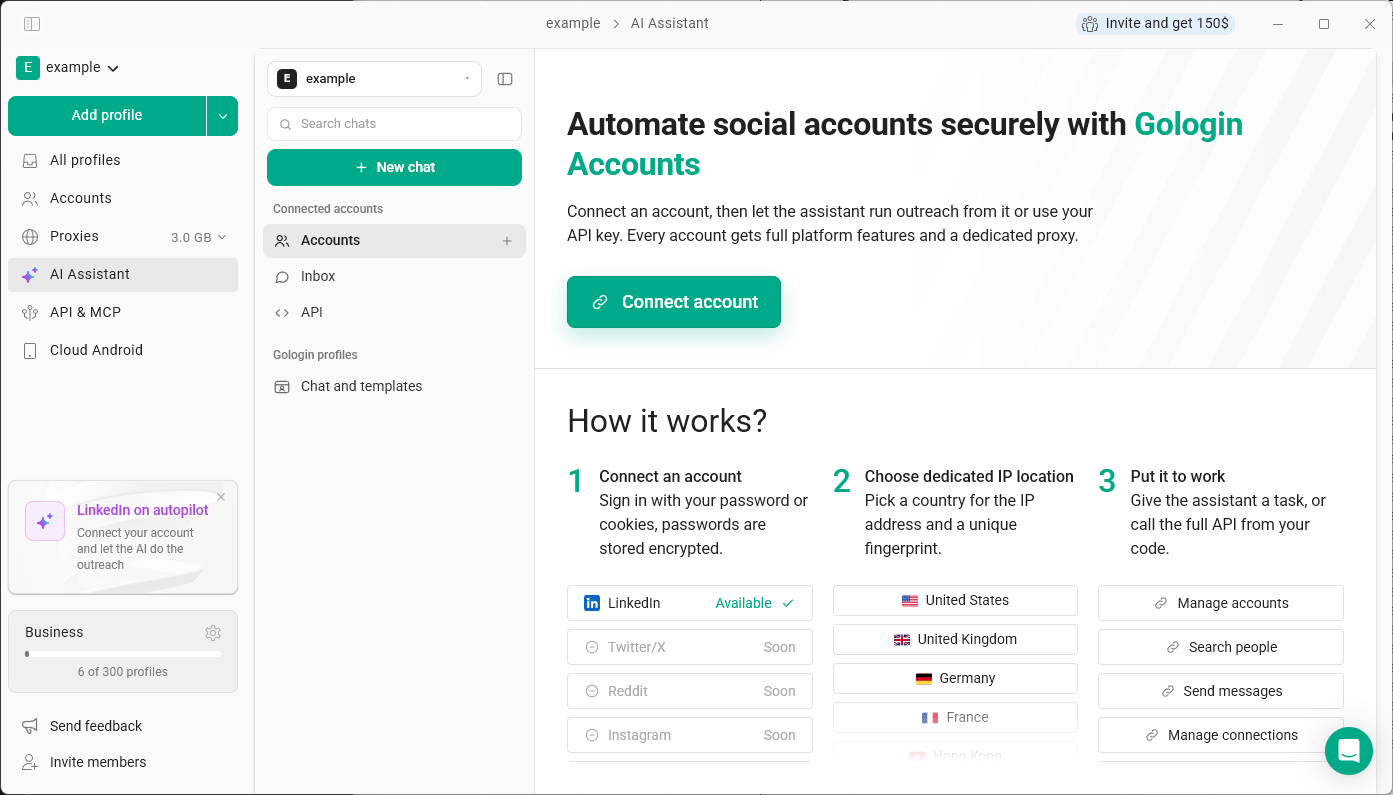
Connected Accounts (the Accounts section in the app) let you connect an account on a supported platform to Gologin and automate actions in it - without opening the account in a browser profile yourself. A connected account is not the same as a browser profile. A profile is an isolated browser that you or the AI Assistant work in. A connected account is a direct integration with a platform: you give a task, and the actions are performed through that account. Ai Assistant Connected Accounts

Supported platforms

LinkedIn is available now. Twitter/X, Reddit and Instagram are coming soon.

How it works

  1. Connect an account. Click Connect account and sign in with your password or cookies. Passwords are stored encrypted.
  2. Choose the IP location. Pick a country for the account’s dedicated IP address. Each connected account also gets its own unique fingerprint.
  3. Put it to work. Give the AI Assistant a task - for example, search for people, send messages or manage connections - or use the API from your own code.
When the assistant works with a connected account, it prepares a plan first and sends messages only after you approve it.

Where to find it

Click Accounts in the left menu, or open AI Assistant and use Accounts, Inbox and API under Connected accounts.