

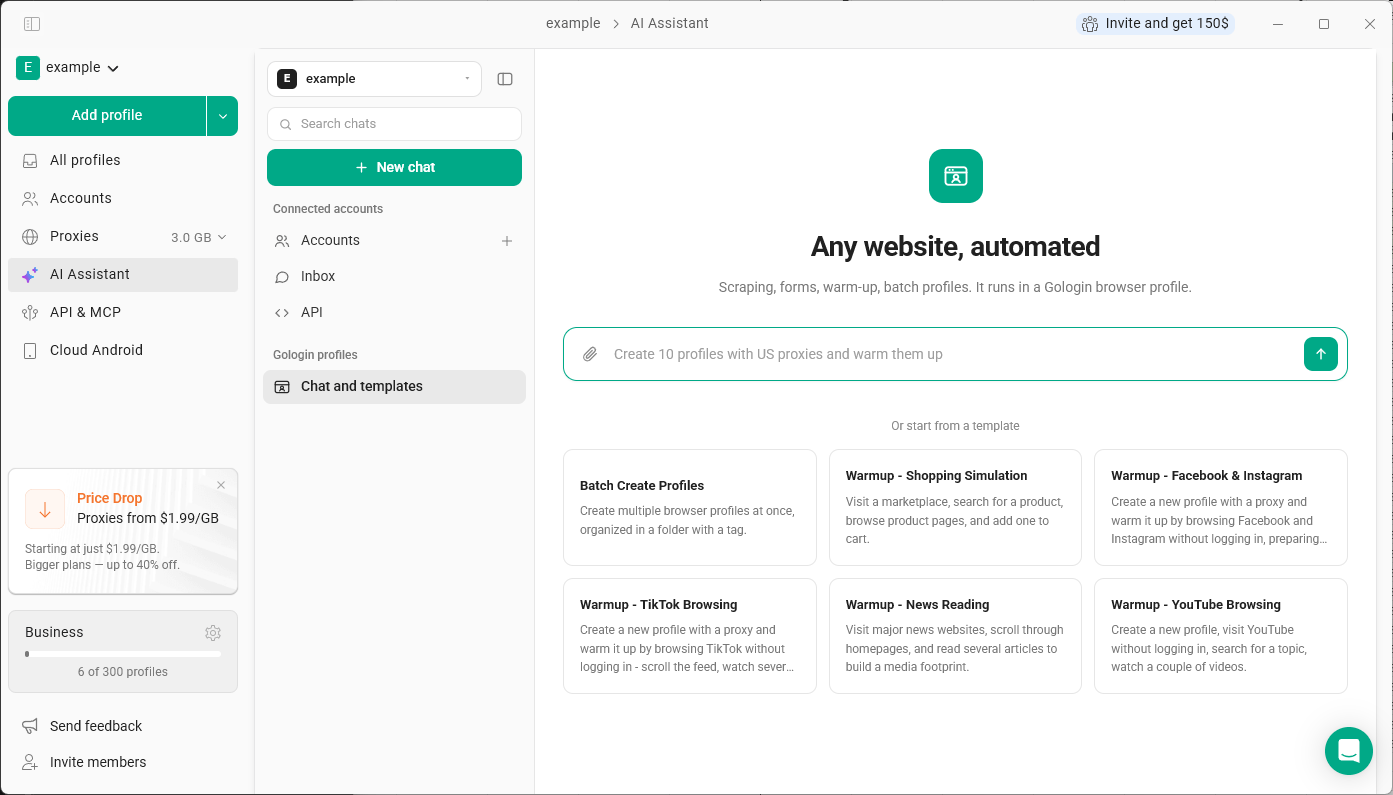
What you can ask it to do
Manage profiles:- list your profiles and show profile details
- create, update, clone or delete profiles
- organize profiles into folders and add tags
- set up proxies and attach them to profiles
- get the cookies of a profile
- start or stop a profile
- open websites and follow links
- read the visible page content
- click buttons, links and menus, type into fields, submit forms, scroll and select options
- “Create 10 profiles with US proxies and warm them up”
- “Move these profiles into a folder called Clients”
- “Open this website in the profile Research and collect the prices from the first page”
Templates
Under Chat and templates, you can start from a ready-made scenario: Batch Create Profiles, and warm-up scenarios for Facebook & Instagram, TikTok, YouTube, Shopping Simulation and News Reading. A warm-up template creates a new profile with a proxy and browses the site without logging in, so the profile builds a natural browsing history before you use it.Writing good requests
The assistant acts only on what you ask. Give it a clear, specific task - which profile to use, which website to open and what to do there. It won’t decide on its own what to post, like or comment.Limitations
- The assistant can’t solve CAPTCHA, reCAPTCHA or other human checks, and can’t pass login, email or two-factor verification. If one appears, complete it yourself in the profile, then let the assistant continue.
- Actions with serious consequences - purchases, payments, sending messages, deleting data, changing security settings or accepting agreements - are performed only with your clear confirmation.