> ## Documentation Index
> Fetch the complete documentation index at: https://gologin.com/docs/llms.txt
> Use this file to discover all available pages before exploring further.
# User-Agent on Android
> Android profiles report Android 10; K in the User-Agent no matter which version you select. Here's why that happens and why it's expected.
If you create an Android profile in Gologin and check its User-Agent, you'll notice it always reports `Android 10; K`, even when the profile is set to Android 14, 15, or 16. The string looks something like this:
```text theme={null}
Mozilla/5.0 (Linux; Android 10; K) AppleWebKit/537.36 (KHTML, like Gecko) Chrome/... Mobile Safari/537.36
```
This is expected behavior, not a bug. **Every modern Chrome-based browser on Android reports the same thing.**
## Why this happens
Starting with Chrome 110 in early 2023, Google introduced a change called **User-Agent Reduction**. To make browsers harder to track and fingerprint, Chrome stopped sharing the real Android version and device model in the User-Agent. Instead, it now sends fixed placeholder values for everyone:
* The Android version is frozen to `Android 10`
* The device model is replaced with the letter `K`
* The minor Chrome version numbers are set to `0.0.0`
Only the major Chrome version still updates with each release. Everything else in that part of the string stays the same for every device.
Gologin's Android browser is based on Chromium, so it follows the same standard. Chrome, Edge, Opera, and Samsung Internet all show `Android 10; K` too. This isn't specific to Gologin - it's how the modern mobile web works.
The `K` isn't an Android version or a typo. It's a placeholder that Chrome now uses in place of the real device model.
## Why this is actually good for you
Because nearly every Android Chrome user in the world now reports `Android 10; K`, your profile blends in with the crowd. If Gologin reported the real Android version instead, your profile would stand out from normal traffic and look unusual to websites. Matching the standard behavior is exactly what you want for a browser profile that needs to look like a regular visitor.
An Android profile showing `Android 10; K` is behaving correctly and looking like a typical, real Android device.
Websites that genuinely need to know the real Android version or device model now request it through a newer, more privacy-friendly channel (called Client Hints) rather than reading it from the User-Agent. So even though the User-Agent says `Android 10`, nothing is lost, and your Android version selection still applies where it matters.
## How you can test it yourself
You can confirm this on any real Android device by comparing a Gologin profile with your regular Chrome browser side by side.
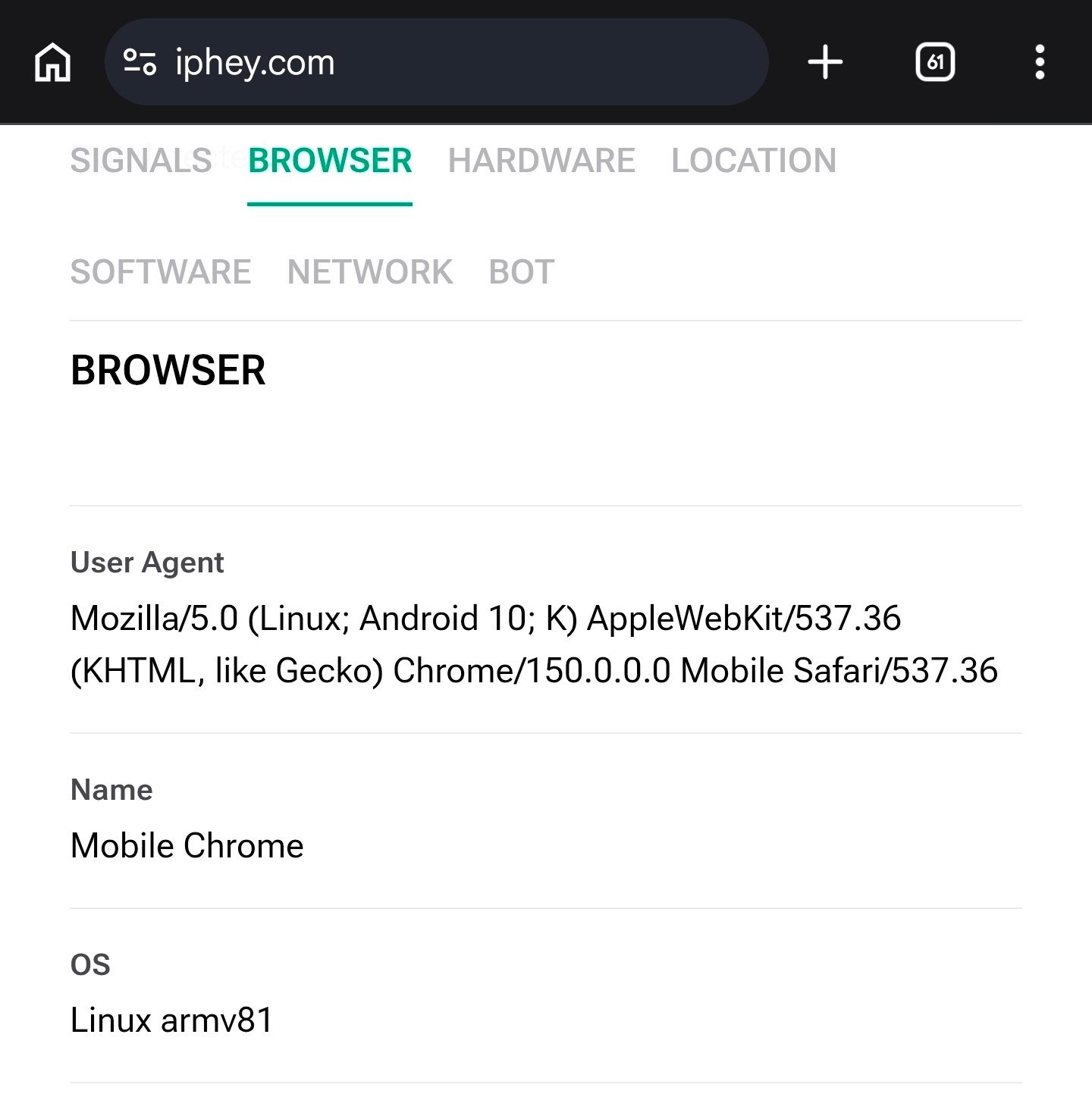
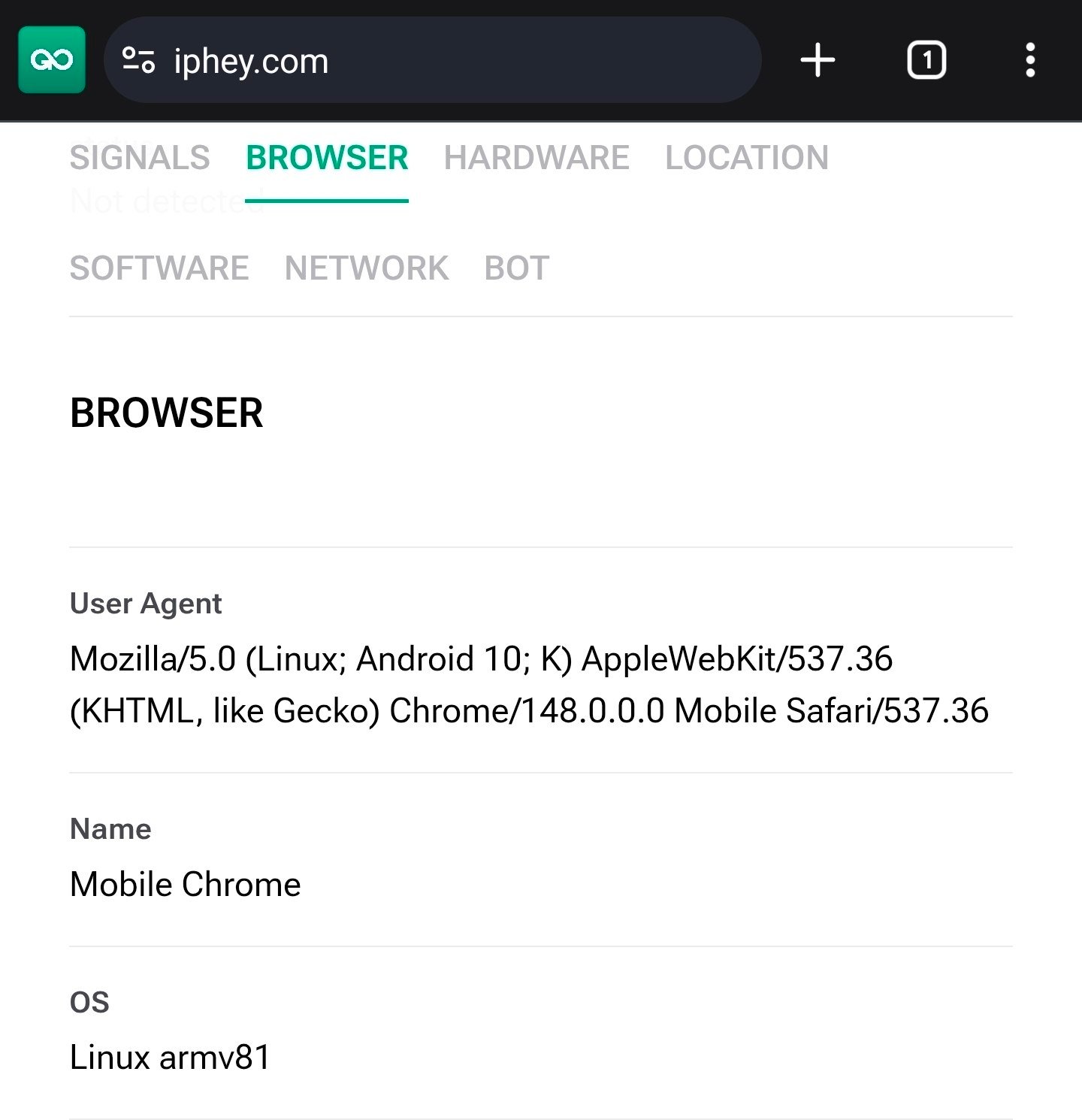
Open [iphey.com](https://iphey.com) or any other trustworthy fingerprint checker in your normal Chrome browser and switch to the **Browser** tab. Then open the same page in a Gologin Android profile. Look at the **User Agent** line in both.
You'll see the exact same `Android 10; K` value in both browsers, even though they're running on a modern Android device. The only thing that differs is the Chrome version number, which simply reflects each browser's release.
Because both browsers report the same thing, this side-by-side check is the easiest way to see that Gologin is doing exactly what a normal Chrome browser does.