> ## Documentation Index
> Fetch the complete documentation index at: https://gologin.com/docs/llms.txt
> Use this file to discover all available pages before exploring further.
# Updating your browser profile
In Gologin, each browser profile is tied to a specific browser version and fingerprint configuration.
Updating the browser version helps keep your profile compatible with modern websites while preserving a consistent environment.
## Why update a profile
Websites regularly update their requirements and may expect newer browser versions.
Updating your profile may be needed if you notice:
* websites not loading or displaying incorrectly
* login or session issues
* features not working as expected
* warnings about outdated browser versions
Updating helps your profile stay aligned with real user environments.
## When to update
You do not need to update profiles regularly.
Update only when:
* something stops working
* a platform requires a newer browser version
* you are creating a new profile
If the profile is stable and working correctly, it is better to keep it unchanged.
## How to update safely in Gologin
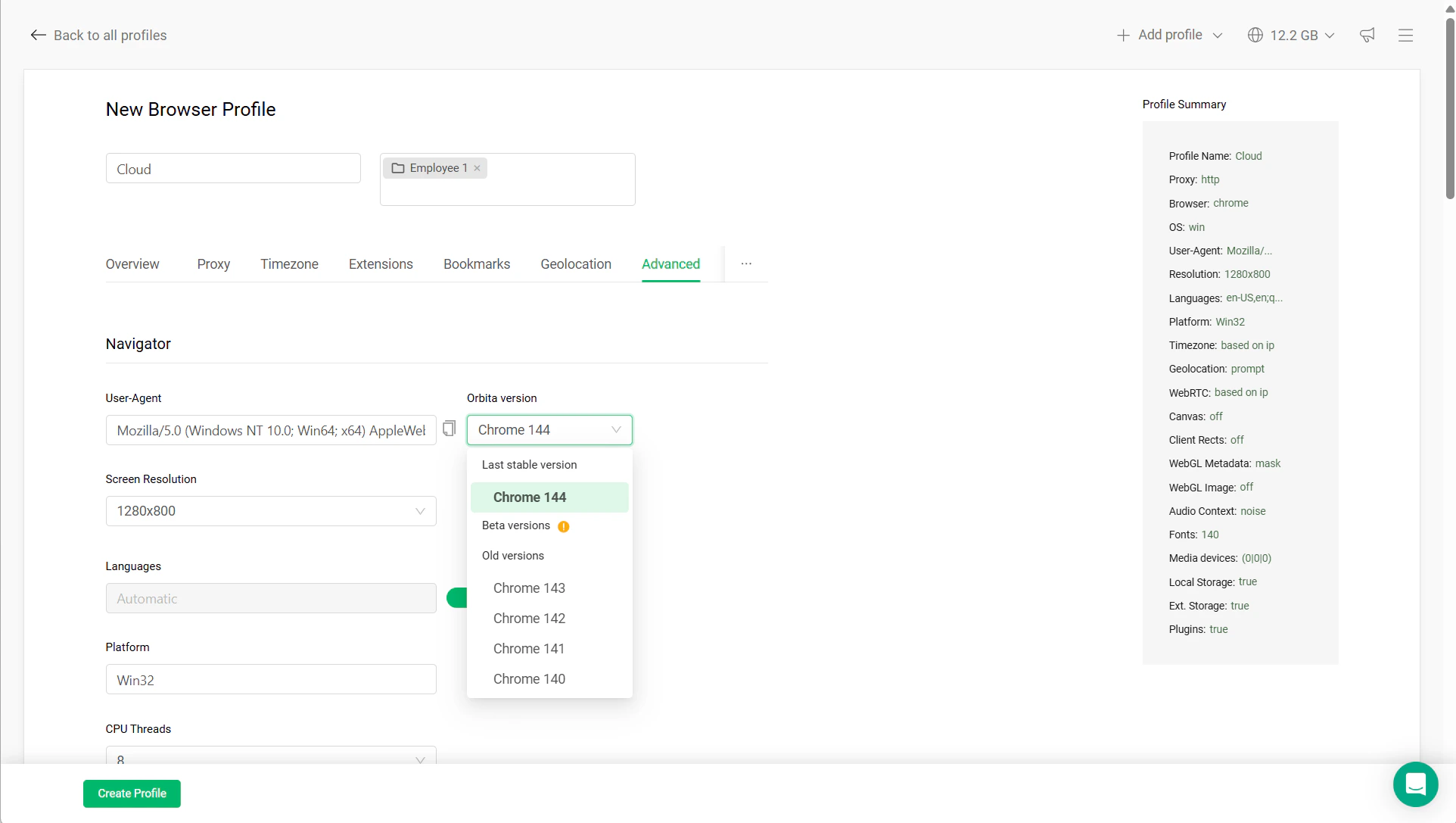
You can update the browser version in the profile settings:
* Open your profile **Settings**
* Go to the **Advanced** tab
* Find **Orbita version**
* Select a newer version from the dropdown
* Do not change other settings
* Launch the profile and test it
 ## Safe vs risky updates
**Safe updates:**
* updating browser version only
* small version jumps
* updating before active use
**Risky actions:**
* changing multiple settings at once
* updating together with proxy or location changes
* updating heavily used or sensitive profiles (ads, crypto) without testing
## Best practices
* Keep active profiles stable
* Update only when necessary
* Test after updating
* Avoid beta versions unless needed
## Key takeaway
Updating the browser version improves compatibility, but stability is more important.
In Gologin, it’s better to keep a working profile unchanged than to update it unnecessarily.
## Safe vs risky updates
**Safe updates:**
* updating browser version only
* small version jumps
* updating before active use
**Risky actions:**
* changing multiple settings at once
* updating together with proxy or location changes
* updating heavily used or sensitive profiles (ads, crypto) without testing
## Best practices
* Keep active profiles stable
* Update only when necessary
* Test after updating
* Avoid beta versions unless needed
## Key takeaway
Updating the browser version improves compatibility, but stability is more important.
In Gologin, it’s better to keep a working profile unchanged than to update it unnecessarily.