> ## Documentation Index
> Fetch the complete documentation index at: https://gologin.com/docs/llms.txt
> Use this file to discover all available pages before exploring further.
# Proxy Archive
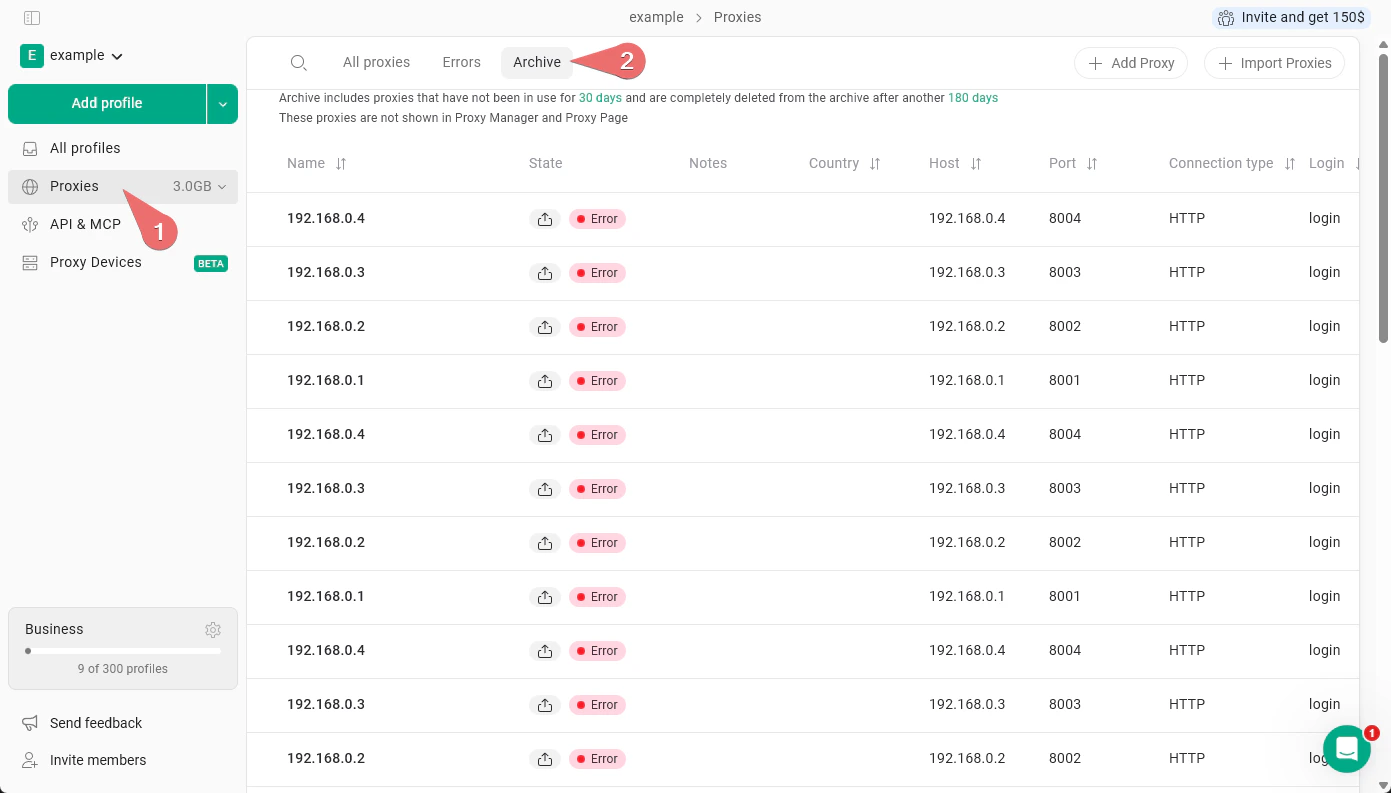
The **Proxy Archive** is where Gologin automatically moves proxies that are no longer in use. To open it, go to **Proxies** in the left sidebar, then click the **Archive** tab.
A proxy is moved to the archive after it has not been used for **30 days**. Archived proxies are not visible in the Proxy Manager or on the main Proxies page - they won't clutter your active proxy list.
If a proxy stays in the archive without being used, it is permanently deleted after another **180 days**.
 ## Restoring proxies from proxy archive
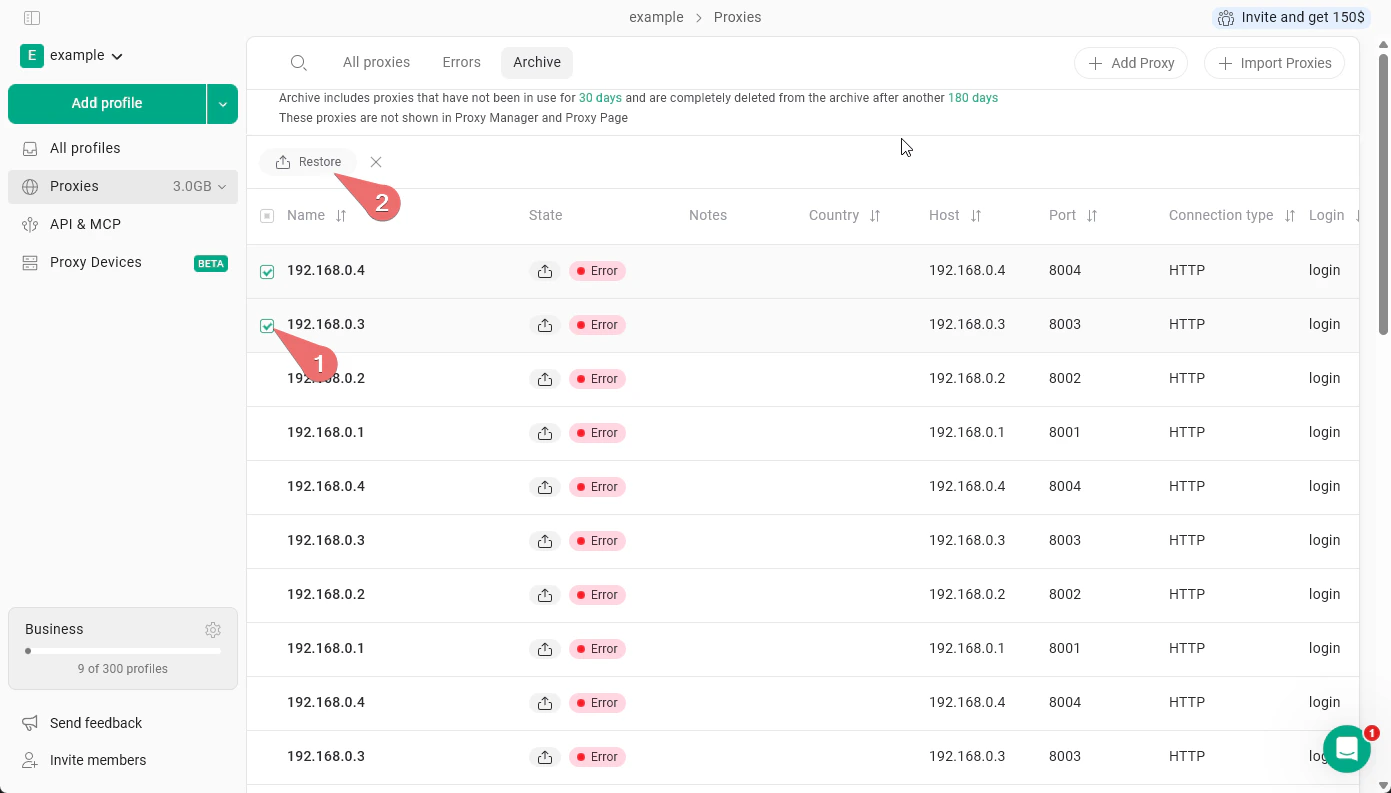
To restore a proxy, select it using the checkbox and click **Restore**. You can select multiple proxies and restore them all at once.
## Restoring proxies from proxy archive
To restore a proxy, select it using the checkbox and click **Restore**. You can select multiple proxies and restore them all at once.