> ## Documentation Index
> Fetch the complete documentation index at: https://gologin.com/docs/llms.txt
> Use this file to discover all available pages before exploring further.
# Gologin app and Orbita browser updates
## About updates
The Gologin app and Orbita browser are **getting downloaded in background** as soon as the new version is released. Updates cannot be stopped or disabled - this ensures you always have the latest fixes and features, and that you're not running a version unsupported by our servers.
## Updating Gologin app
If the update is available or already completed in the background, you will notice a green button at the top of the window in your Gologin app. It should look like this:
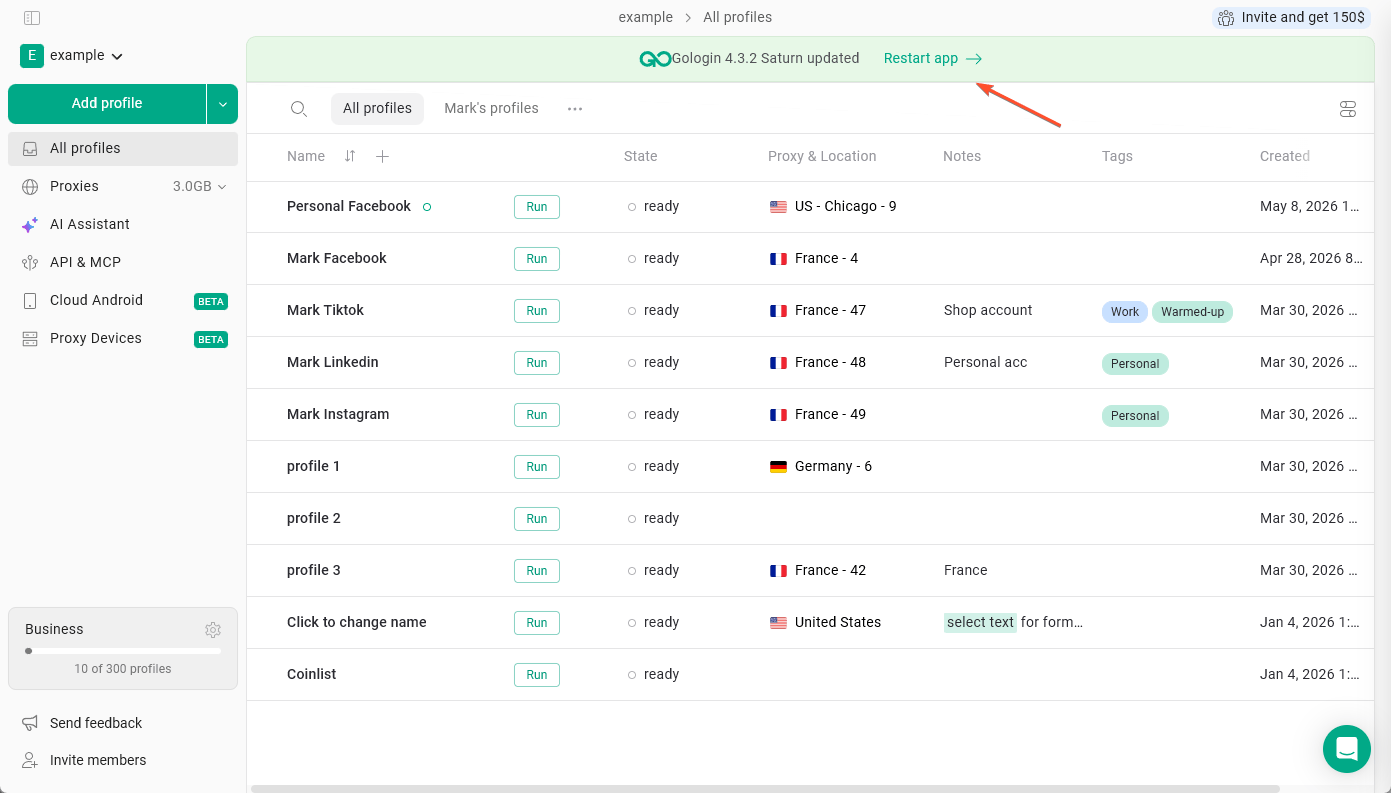 Click **Restart app** to apply the update. The app will also update automatically the next time you restart it.
If you're running an older version (especially prior to 3.3.1), automatic updates may not work. In that case, download the latest version from gologin.com/download. No data will be lost - all your settings are stored in the cloud.
## Updating Orbita browser
When a new browser version is released, Gologin starts downloading it automatically when you refresh the profiles list or create a new profile. You won't be able to launch profiles until the download is complete.
Once the update finishes:
* The new version becomes the default for any profiles you create going forward (unless changed in default settings
* Existing profiles are not updated automatically. You can update them one by one or all at once - see [this guide](/updating-your-browser-profile)
If you have any further questions or require assistance, please don't hesitate to contact our support team. We're here to help!
Click **Restart app** to apply the update. The app will also update automatically the next time you restart it.
If you're running an older version (especially prior to 3.3.1), automatic updates may not work. In that case, download the latest version from gologin.com/download. No data will be lost - all your settings are stored in the cloud.
## Updating Orbita browser
When a new browser version is released, Gologin starts downloading it automatically when you refresh the profiles list or create a new profile. You won't be able to launch profiles until the download is complete.
Once the update finishes:
* The new version becomes the default for any profiles you create going forward (unless changed in default settings
* Existing profiles are not updated automatically. You can update them one by one or all at once - see [this guide](/updating-your-browser-profile)
If you have any further questions or require assistance, please don't hesitate to contact our support team. We're here to help!