> ## Documentation Index
> Fetch the complete documentation index at: https://gologin.com/docs/llms.txt
> Use this file to discover all available pages before exploring further.
# Workspaces overview
A **Workspace** is a team-based space that allows you to manage and share browser profiles securely with multiple users. Instead of everyone using their own profiles or accounts, your team can work under one Workspace with controlled access and real-time profile sync, using a single subscription plan.
Once you've registered on Gologin, **your first Workspace is created automatically**. If your subscription plan supports it, you can start adding team members right away.
## Subscription and workspaces
When you purchase a **subscription**, it actually gets **tied to your workspace**. In case you need to add teammates to your working group, it's best to use folder or workspace access, than a separate workspace in some cases.
Should you need more than a single workspace, each new workspace requires its own **separate subscription**. Several workspaces are best to use if you have separate teams.
You can only have one workspace on the Forever Free plan
## How to create more workspaces
If you manage multiple teams and a single Workspace doesn't meet your needs, you can create a new one. Keep in mind that each Workspace requires a separate subscription.
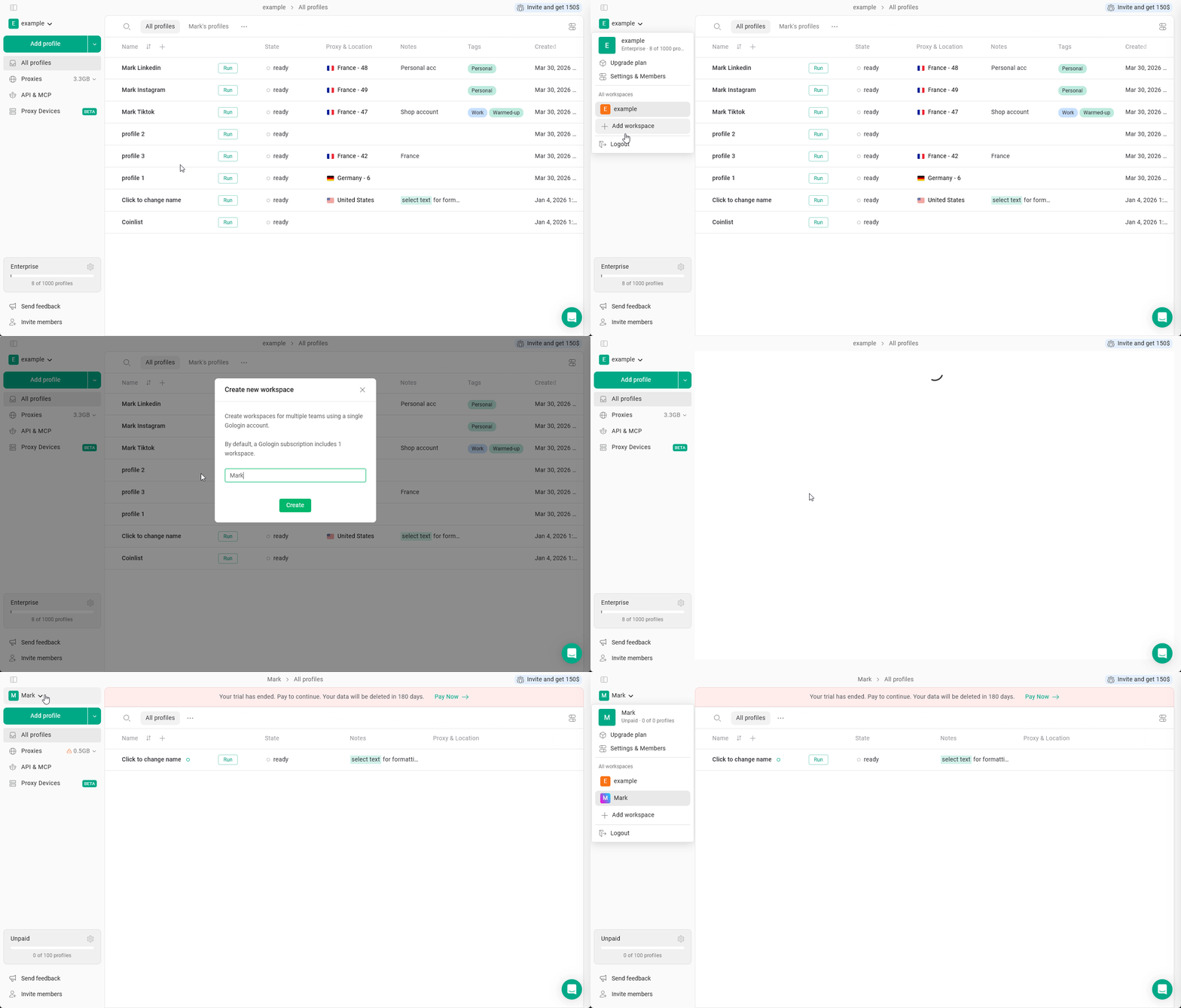
To add a second workspace:
1. Click on your **workspace name** in the top-left corner
2. Hit **Add workspace**
3. Type a **name** for your new workspace and click **Create**
 ## Switching between workspaces
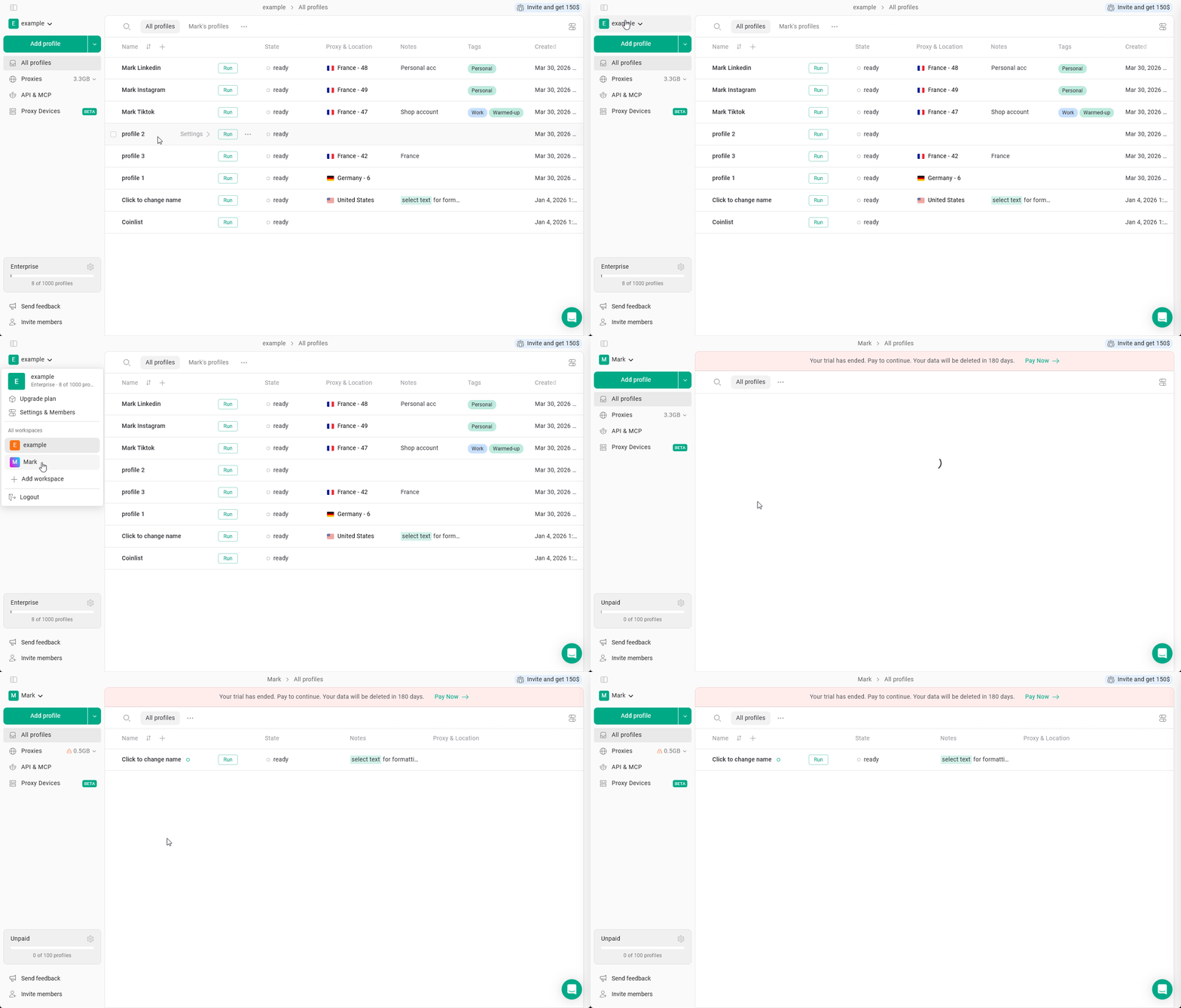
To switch between available workspaces, just click the current **workspace name** and **choose the workspace** from the list.
## Switching between workspaces
To switch between available workspaces, just click the current **workspace name** and **choose the workspace** from the list.