> ## Documentation Index
> Fetch the complete documentation index at: https://gologin.com/docs/llms.txt
> Use this file to discover all available pages before exploring further.
# Accessing shared profiles
All the shared profiles will appear in your default workspace.
## Navigating the shared profile
To access them, just login into your Gologin account. All the profiles that has been shared to you are available on the **All profiles** page, marked with the **human icon** next to the profile name.
You can examine your **permissions** by clicking **3 dots on the profile > Share**
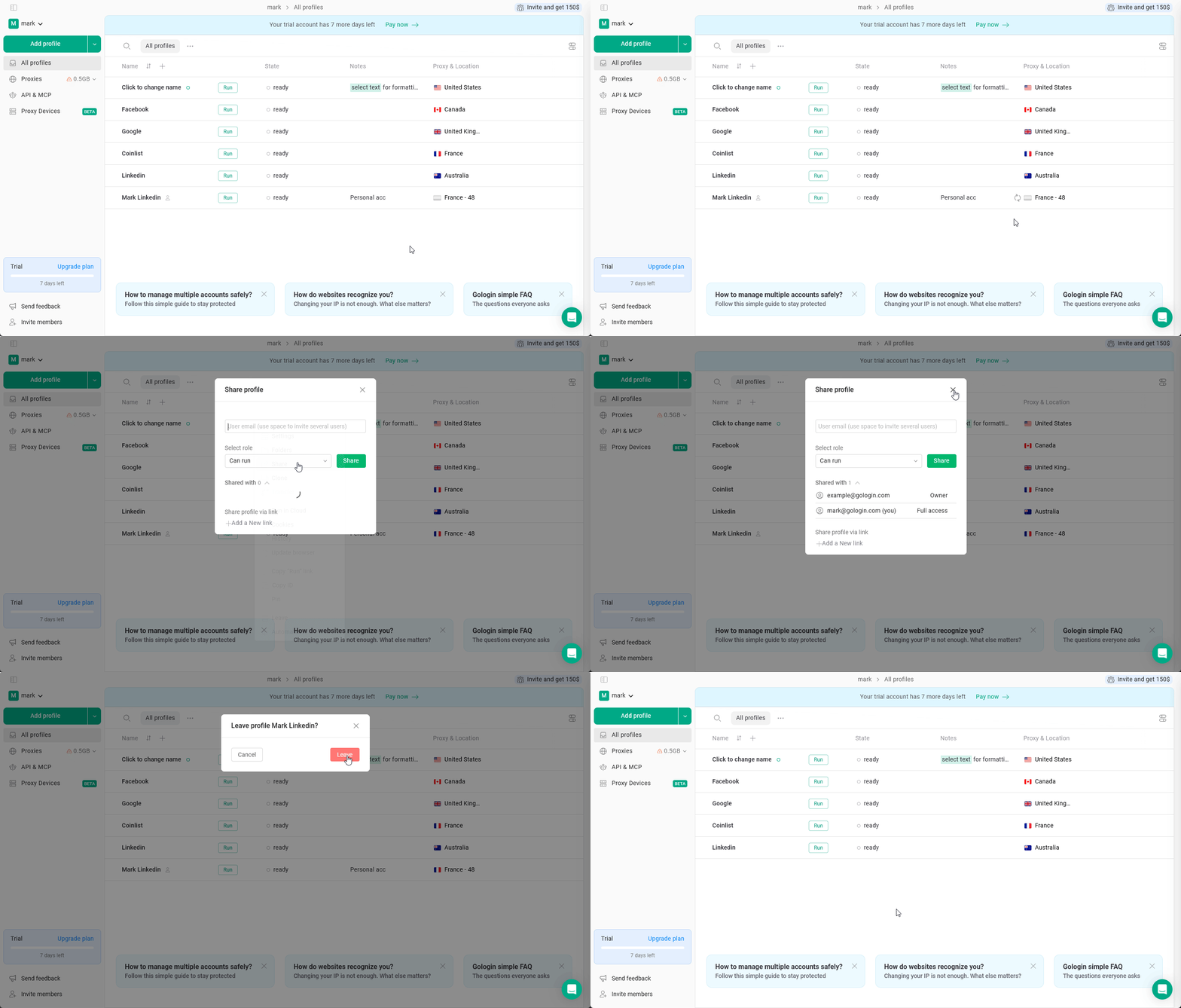 You can also **leave** the shared profile if you're done working with it by clicking **3 dots on the profile > Leave.**