> ## Documentation Index
> Fetch the complete documentation index at: https://gologin.com/docs/llms.txt
> Use this file to discover all available pages before exploring further.
# Invoices
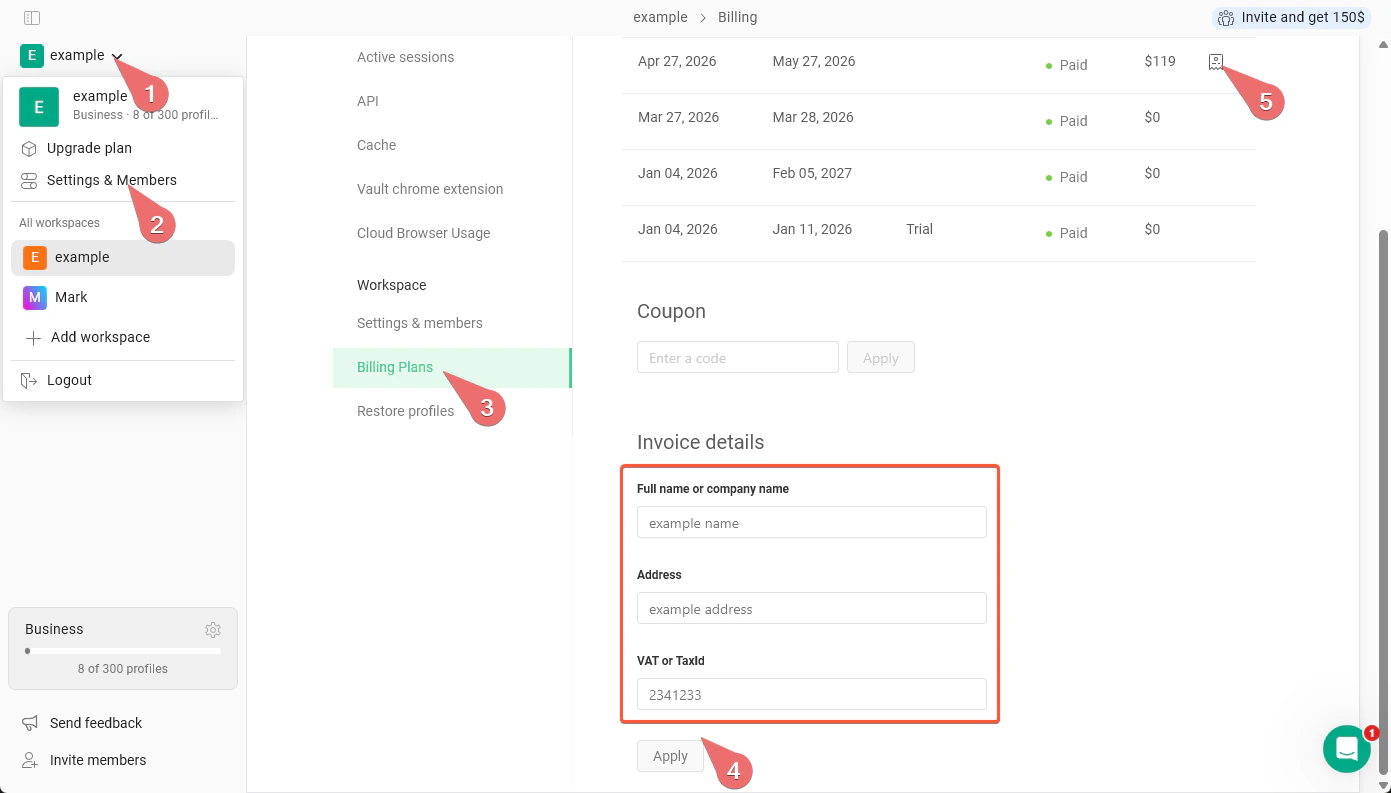
You can download your invoices with the company data filled in your **account settings**.
1. Go to the **main settings on the top-left** > **Settings & Members** > **Billing Plans**
2. In the Invoice details, fill your **full name or company name**, **address**, **VAT or TaxId**
3. Click **Apply**. Now your company details will be applied to every downloaded invoice
4. Download the needed invoice by clicking the **icon next to the total payment amount**