> ## Documentation Index
> Fetch the complete documentation index at: https://gologin.com/docs/llms.txt
> Use this file to discover all available pages before exploring further.
# Change and upgrade subscription
You may want to change your subscription in case:
* You want to upgrade your current subscription tier
* You need to add a [Team members](/general/team-collaboration/team-members) feature to your plan or add more team member slots
* You have an idea of how much Gologin proxy traffic you spend every month and want it to be added automatically
## Upgrading subscription plan tier
You can only upgrade from one annual subscription to another annual, not monthly.
**How it works.** When you upgrade the tier (for example, from Business to Enterprise):
* The cost of your current plan and the days spent are taken into account as **Proration discount**
* Your new renewal date becomes the date of the upgrade
To upgrade your current plan, follow this guide:
1. **Open the pricing page**
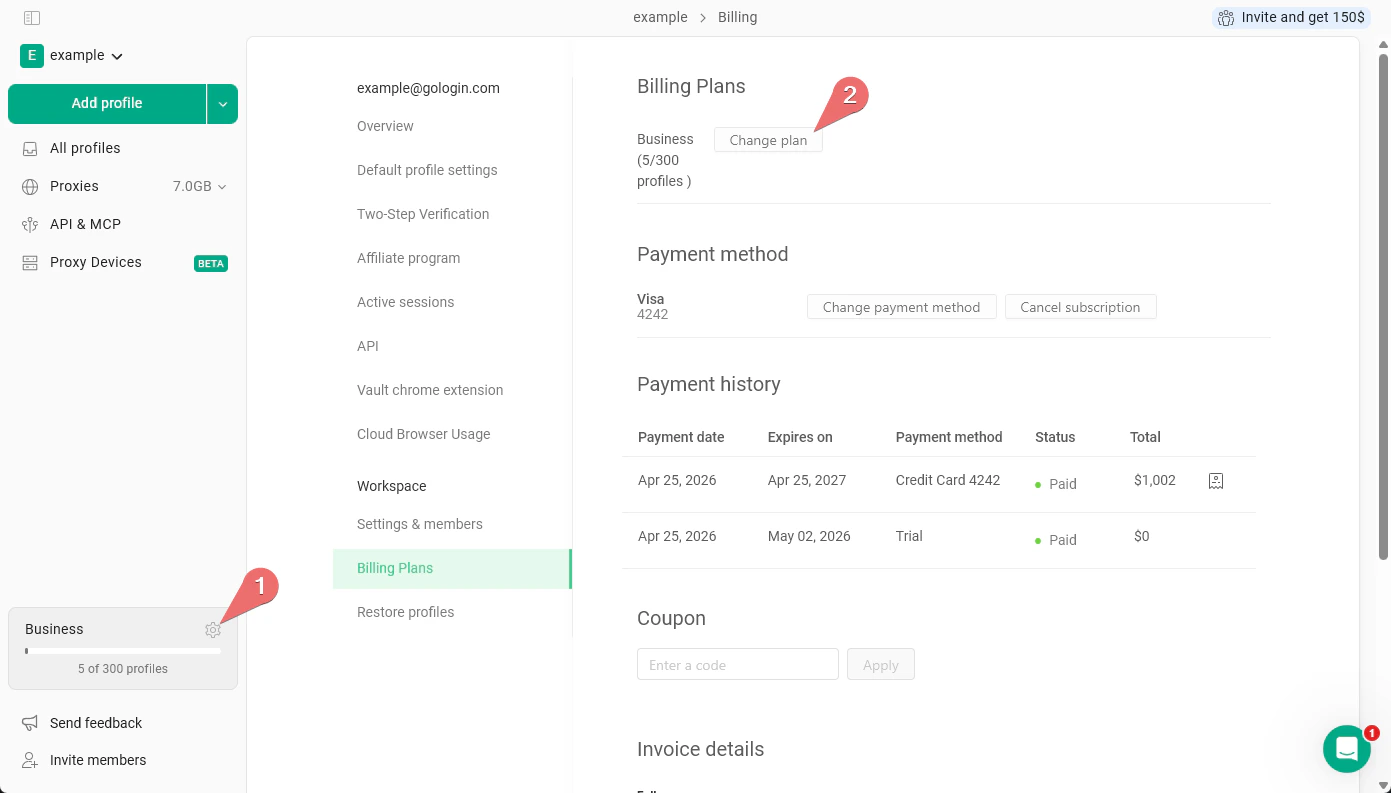
* On the main All profiles page, just **click the cog icon** next to the plan info > click **Change plan**.
 2. **Choose the new plan**
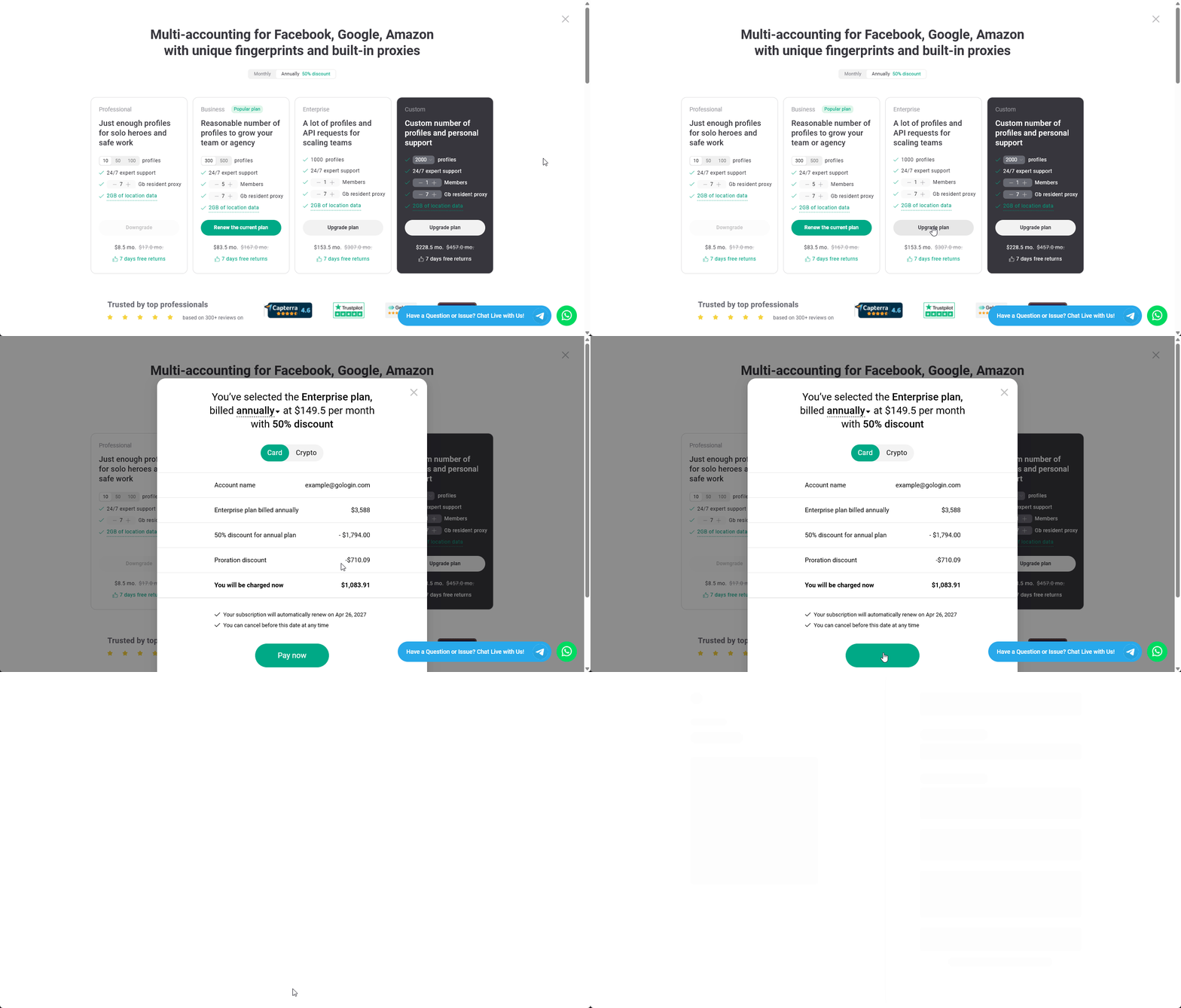
* Specify the team member and proxy traffic numbers and click **Upgrade plan** on your chosen subscription option.
* Pick the **payment method** and proceed to checkout by clicking **Pay now**.
2. **Choose the new plan**
* Specify the team member and proxy traffic numbers and click **Upgrade plan** on your chosen subscription option.
* Pick the **payment method** and proceed to checkout by clicking **Pay now**.
 3. **Complete checkout and start using Gologin**\
After the checkout process is completed, your subscription plan will get upgraded shortly.
## Adding team members and proxy traffic to your current plan
**How it works:**
* the spent days of your subscription is taken into the account as **Proration discount**
* Your renewal date is unchanged
To subscribe to more add-ons on your current plan:
1. **Open the pricing page**
* On the main All profiles page, just **click the cog icon** next to the plan info > click **Change plan**.
3. **Complete checkout and start using Gologin**\
After the checkout process is completed, your subscription plan will get upgraded shortly.
## Adding team members and proxy traffic to your current plan
**How it works:**
* the spent days of your subscription is taken into the account as **Proration discount**
* Your renewal date is unchanged
To subscribe to more add-ons on your current plan:
1. **Open the pricing page**
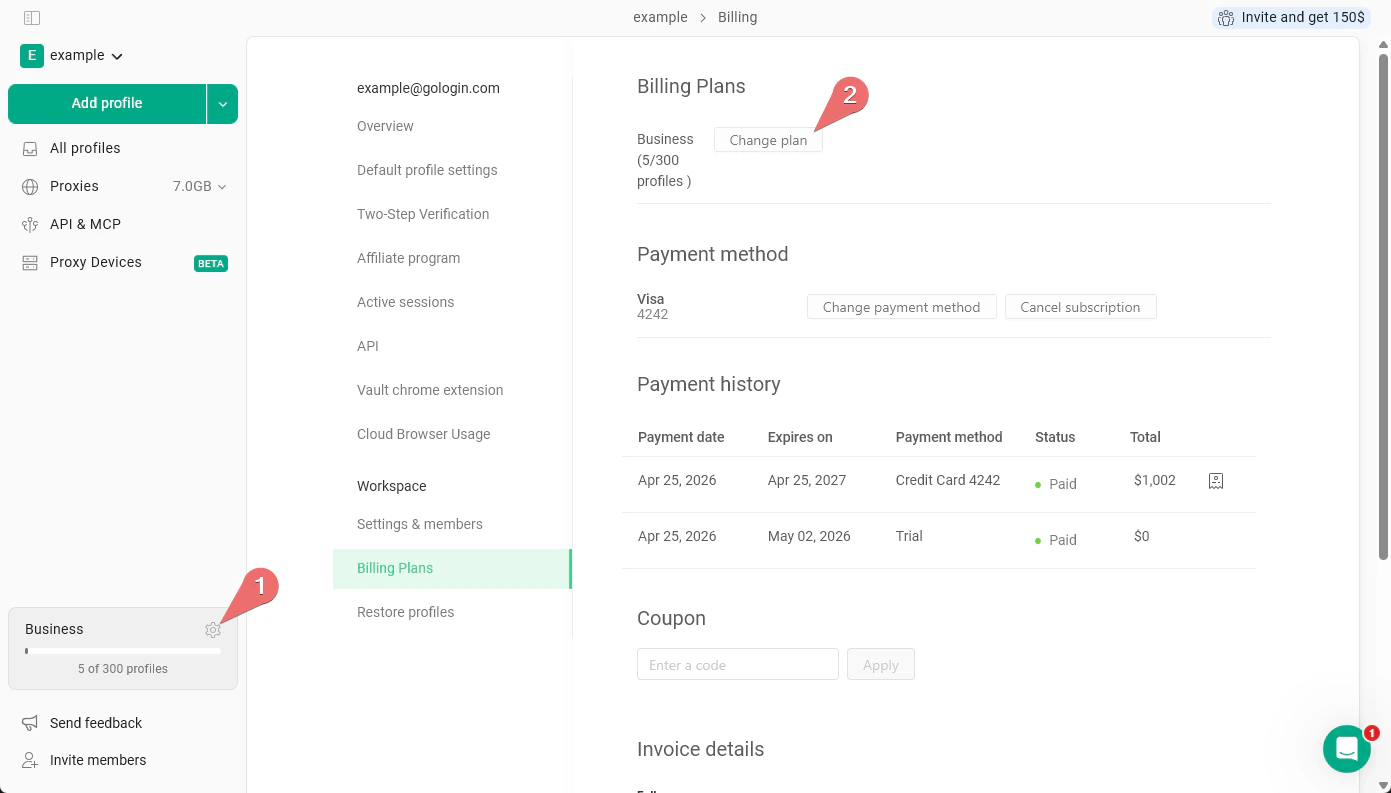
* On the main All profiles page, just **click the cog icon** next to the plan info > click **Change plan**.
 2. **Specify the new add-ons**
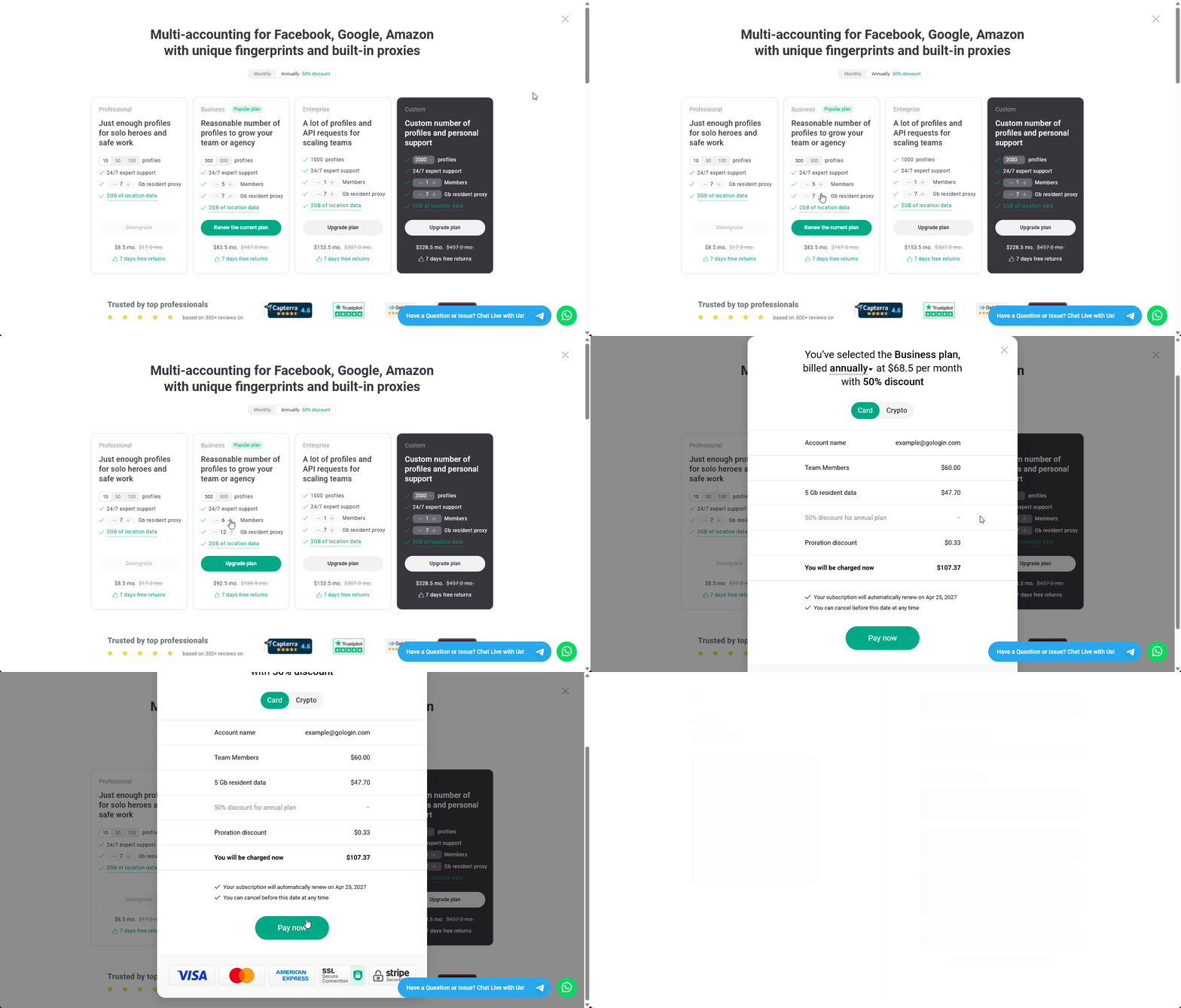
* Verify your current plan, it should have the **Renew the current plan** button.
* Start adding more team member slots or add the proxy traffic.
* Pick the **payment method** and proceed to checkout by clicking **Pay now**.
2. **Specify the new add-ons**
* Verify your current plan, it should have the **Renew the current plan** button.
* Start adding more team member slots or add the proxy traffic.
* Pick the **payment method** and proceed to checkout by clicking **Pay now**.
 3. **Complete checkout and start using Gologin**\
After the checkout process is completed, your subscription plan will get updated shortly.
3. **Complete checkout and start using Gologin**\
After the checkout process is completed, your subscription plan will get updated shortly.