> ## Documentation Index
> Fetch the complete documentation index at: https://gologin.com/docs/llms.txt
> Use this file to discover all available pages before exploring further.
# Default profile settings
**Default profile settings** let you define a template for new profiles. Anything you configure here is applied automatically when a new profile is created. Existing profiles are not affected — changes only apply going forward.
Not every setting is available in the default settings for now.
These settings will only apply to all the profiles you're creating after the change, they won't be applied to already existing profiles.
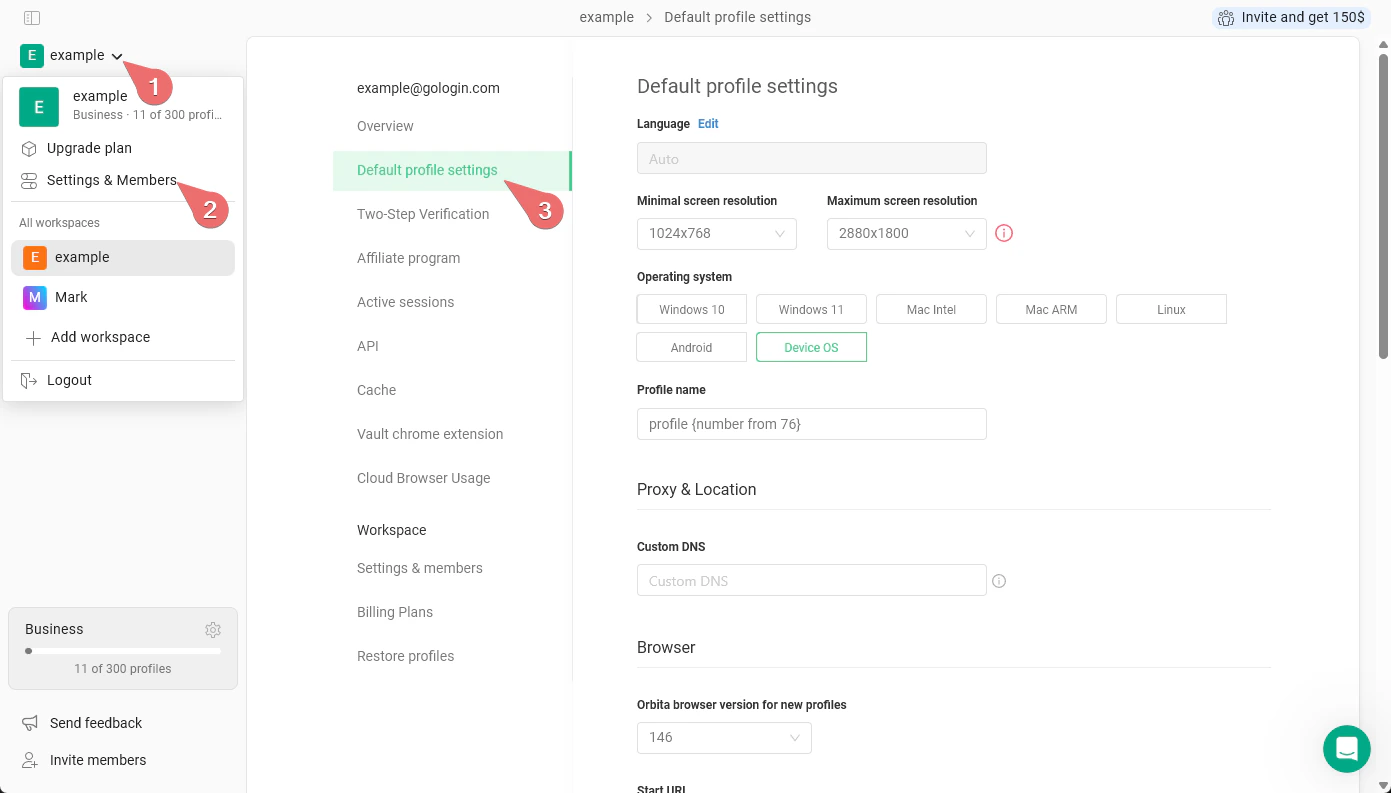
How to get there:
1. Click your **workspace name** in the top-left corner.
2. Navigate to **Settings & Members**.
3. In the left sidebar, click **Default profile settings**.
 ## Settings
You can read more about the parameters in the [Profile parameters](/profile-parameters) article.
## Settings
You can read more about the parameters in the [Profile parameters](/profile-parameters) article.