> ## Documentation Index
> Fetch the complete documentation index at: https://gologin.com/docs/llms.txt
> Use this file to discover all available pages before exploring further.
# Profile arrangement
You can arrange profiles on the **All profiles** tab conveniently with **Sorting** and **Drag-n-drop**.
## Profile sorting
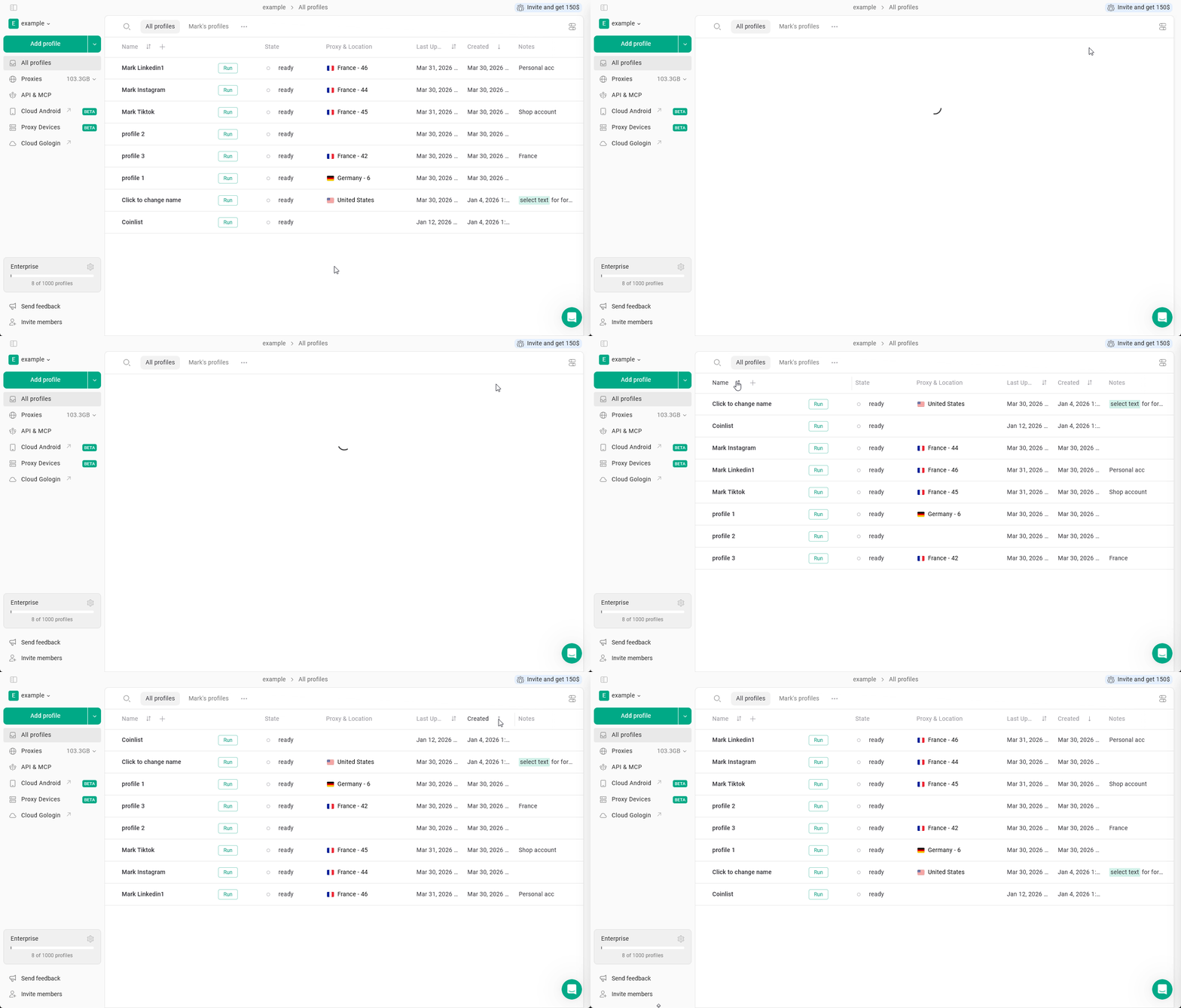
Sorting allows you to organize profiles in the **All profiles** table.
In Gologin, you can sort profiles by **profile name, last updated, last launched, created, shared, proxy type and the profile OS.**
By default, profiles are sorted by **Created descending** (most recent profiles first)
### How to sort profiles
1. Go to the **All Profiles** page.
2. Locate the column in the profiles table.
3. Click the **sorting icon** next to the column name.
* **↑ - Ascending** (A-Z, from old to new)\
**↓ - Descending** (Z-A, from new to old)\
**⇅ - Sorting disabled**
4. Click again to switch between **ascending**, **descending** orders and **disabling**.
 ## Drag-n-drop profile organization
This feature allows you to rearrange profiles on All profiles page to your liking **independently** from any type of sorting.
You can just drag-n-drop profiles to however you see fit!
### How to use Drag and drop
1. **Disable profile sorting**
* make sure you have the **⇅ icon** on all the columns, the feature will not otherwise
2. Try **long-press on the profile** and try **moving it** above or below the current position
## Drag-n-drop profile organization
This feature allows you to rearrange profiles on All profiles page to your liking **independently** from any type of sorting.
You can just drag-n-drop profiles to however you see fit!
### How to use Drag and drop
1. **Disable profile sorting**
* make sure you have the **⇅ icon** on all the columns, the feature will not otherwise
2. Try **long-press on the profile** and try **moving it** above or below the current position
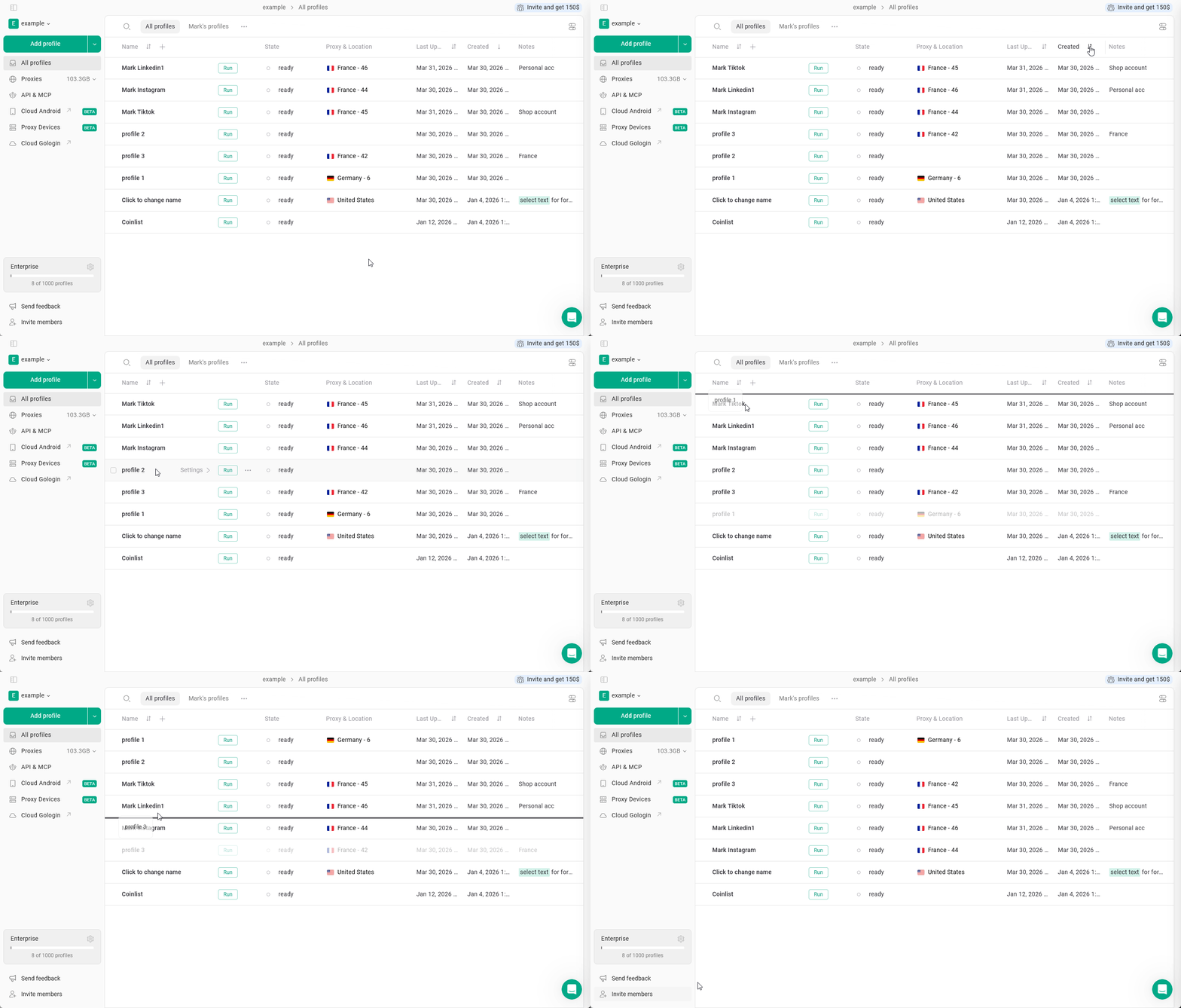 The drag-n-drop state is saved even after you're turning the sorting on. As soon as you disable sorting again, profiles will get arranged back to the previous custom state. New profiles will get placed above the current ones.