> ## Documentation Index
> Fetch the complete documentation index at: https://gologin.com/docs/llms.txt
> Use this file to discover all available pages before exploring further.
# Profile search
If you can't find a specific profile in the list after someone's shared it with you or you just have **that many** profiles, you can always use **profile search**.
## How profile search works
For now, it can only search by **profile name** or **profile ID**.
To find a profile:
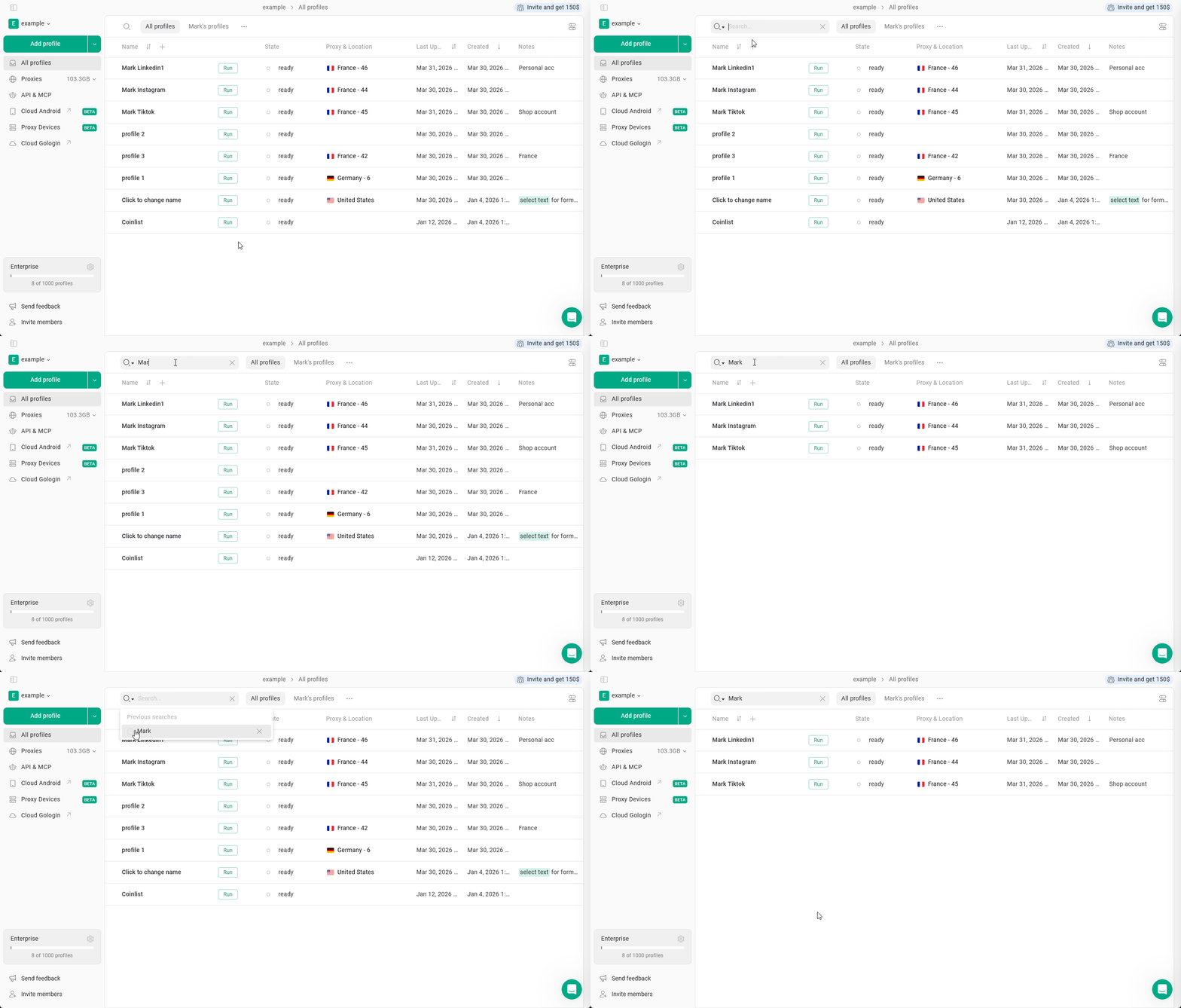
1. Find the **magnifying glass** ⌕ icon on the top-left of the All profiles page and click it
2. Simply start typing the profile name and press Enter
 ## Extra features
**Keep search open** - click on the magnifying glass twice to keep the search bar open.
**Previous searches** - it stores up to 5 your recent searches, available as you open the search window. You can also remove the search queries by clicking X on them.
## Extra features
**Keep search open** - click on the magnifying glass twice to keep the search bar open.
**Previous searches** - it stores up to 5 your recent searches, available as you open the search window. You can also remove the search queries by clicking X on them.