> ## Documentation Index
> Fetch the complete documentation index at: https://gologin.com/docs/llms.txt
> Use this file to discover all available pages before exploring further.
# Groups
Profiles can also be **grouped** directly in the **All profiles** table.
Grouping allows you to organize profiles visually based on certain parameters.
To enable grouping:
1. Click the **settings icon** in the table header.
2. Select **Group**.
3. Choose the parameter to group profiles by.
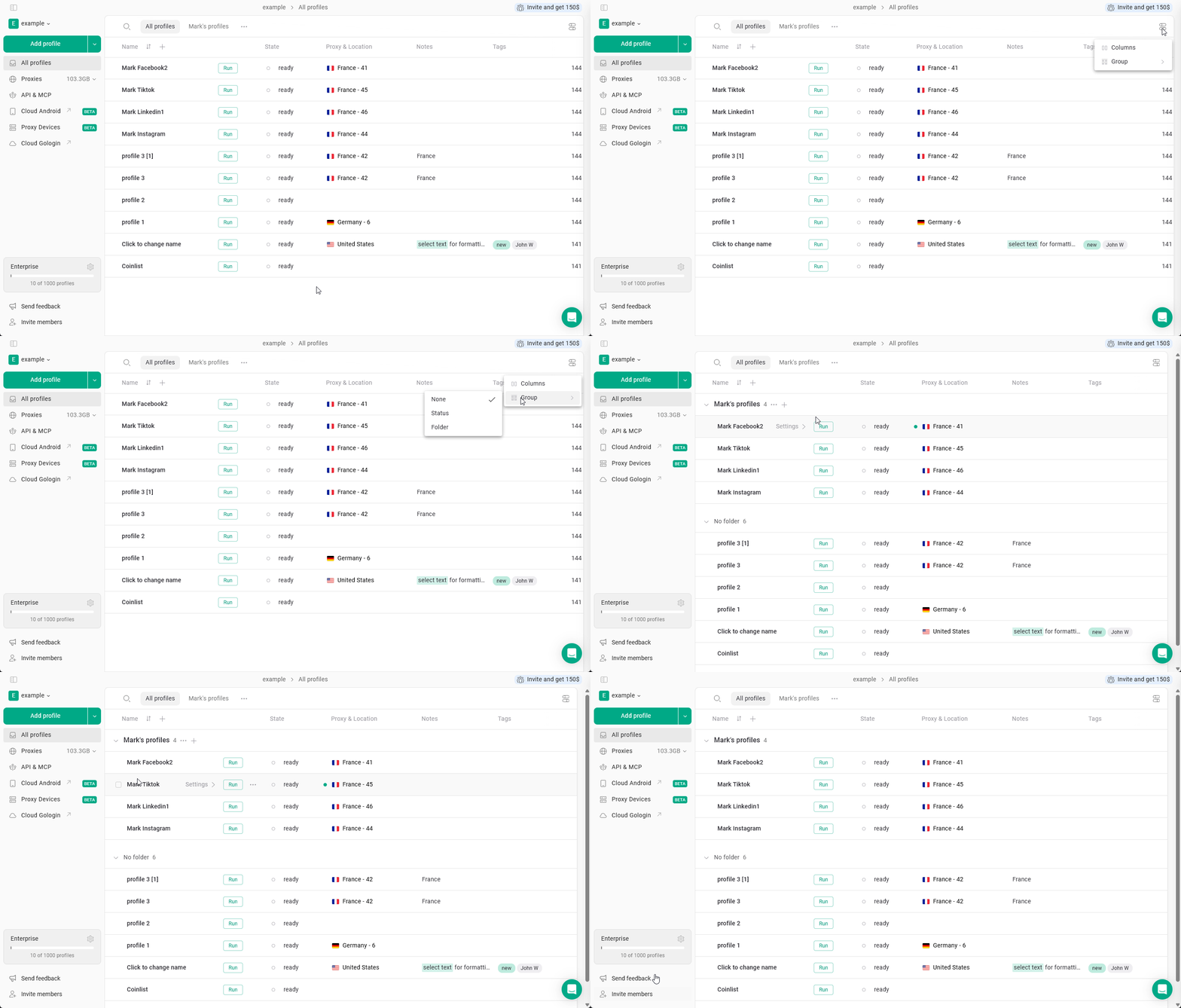 Profiles can be grouped by **status** or **folder**
This helps organize large profile lists and makes it easier to review profile states.
Profiles can be grouped by **status** or **folder**
This helps organize large profile lists and makes it easier to review profile states.