> ## Documentation Index
> Fetch the complete documentation index at: https://gologin.com/docs/llms.txt
> Use this file to discover all available pages before exploring further.
# Cloning profiles
Cloning allows you to create a new profile based on an existing one.
This is useful when you need to replicate an environment while keeping accounts separated.\
Cloned profiles can inherit:
* fingerprint parameters
* browser settings
* extensions configuration
You can then adjust the proxy or other parameters for the new profile.
To clone an existing profile:
1. Go to the **All profiles tab**
2. Find the profile you want to duplicate
3. Click the **three dots** next to the profile
4. Select **Clone**
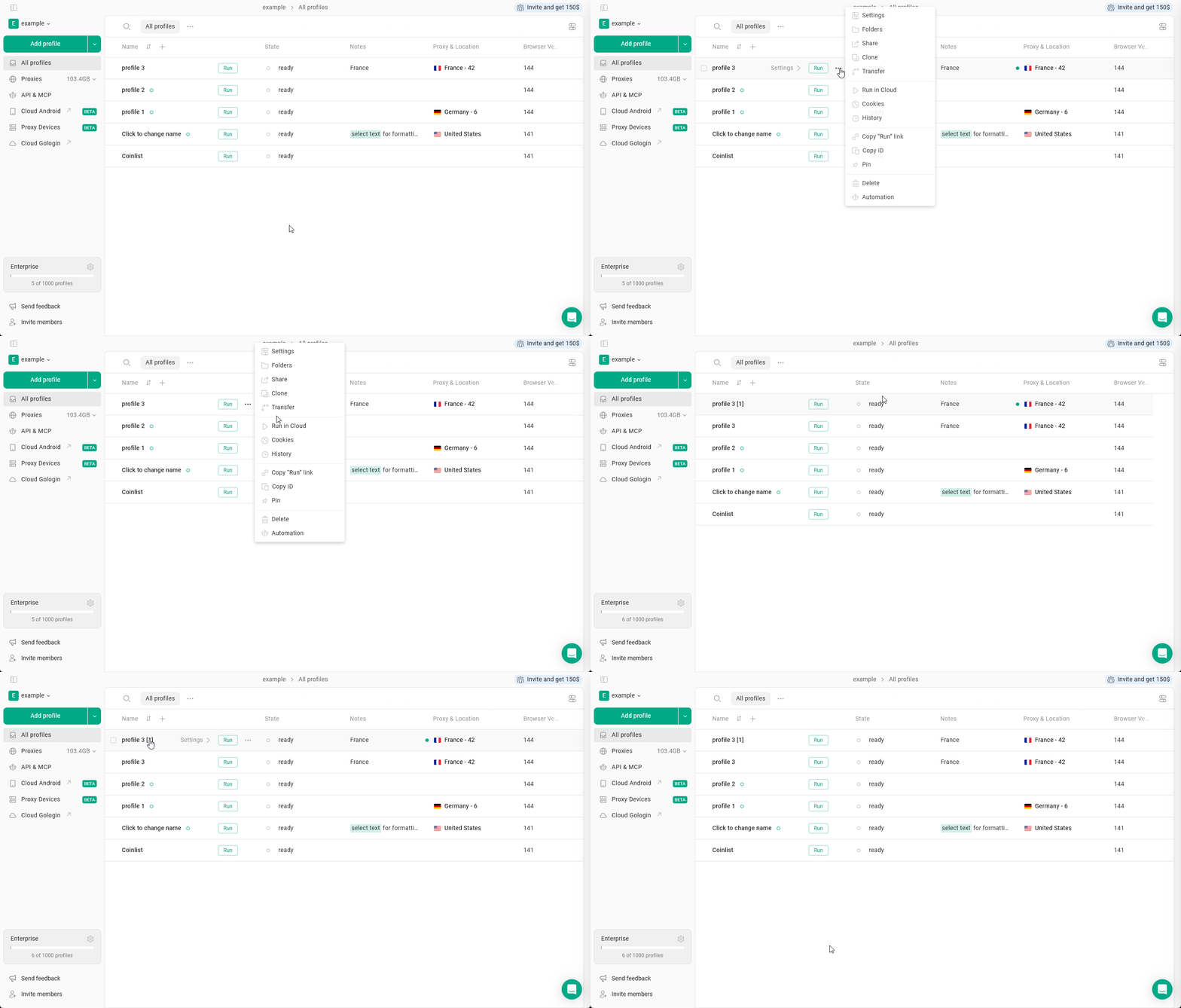 A new profile will be created with the copied configuration.