> ## Documentation Index
> Fetch the complete documentation index at: https://gologin.com/docs/llms.txt
> Use this file to discover all available pages before exploring further.
# Bulk actions
Bulk actions in Gologin allow you to apply the same action to multiple profiles at once.
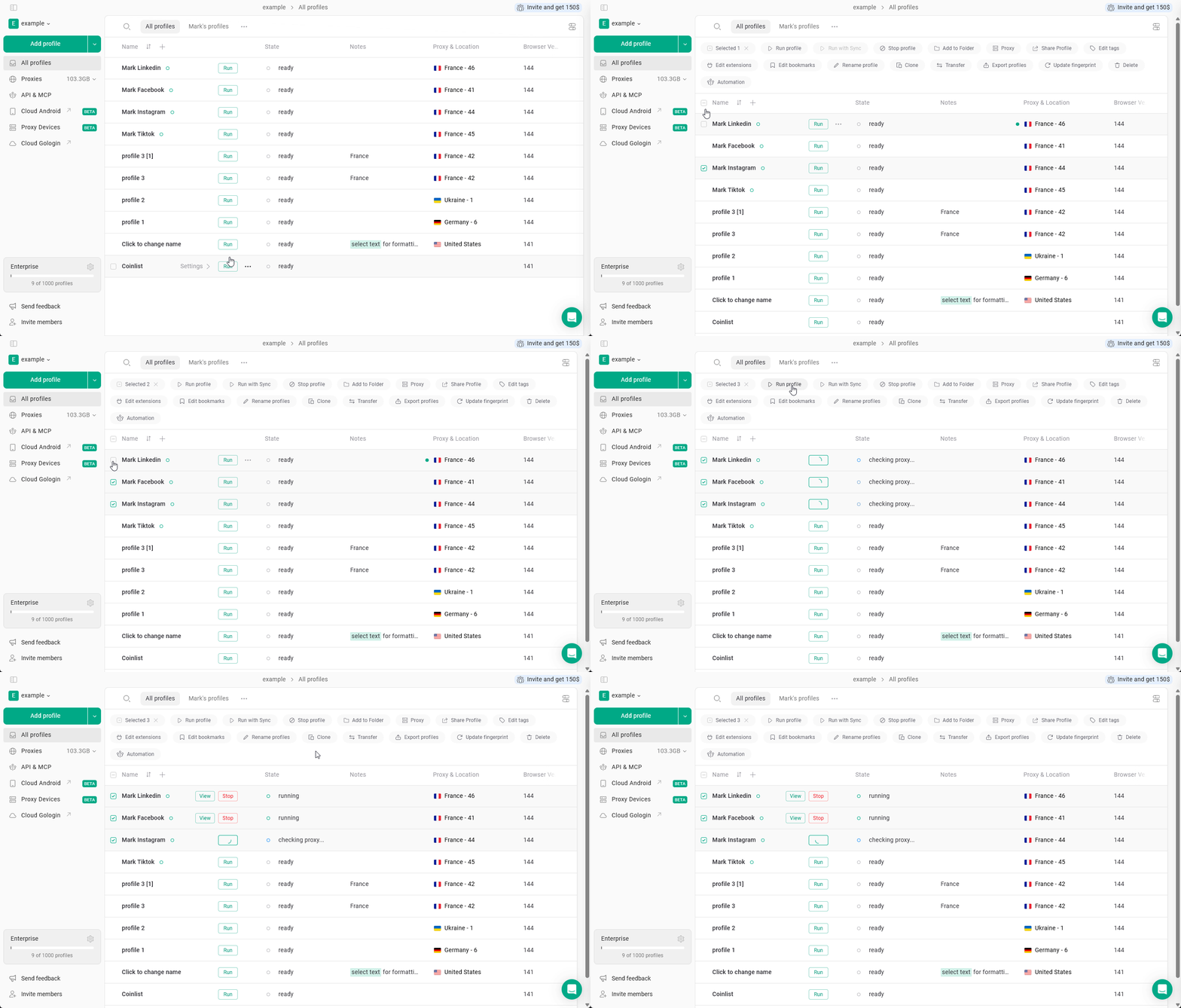
To use bulk actions, first select several profiles in the list using the checkboxes. After that, the bulk action panel appears at the top of the page.
## How to use bulk actions
1. Select multiple profiles using checkboxes
2. The bulk action panel will appear at the top
3. Choose the action you want to apply
## When to use bulk actions
Bulk actions are most useful when you need to:
* Launch multiple profiles for daily work or warm-up
* Update settings in batches
* Organize profiles across folders and projects
* Manage access for team members
* Maintain or refresh fingerprints at scale
## What you can do with bulk actions
### **Run profiles**
Select the profiles and click **Run profile** to launch all selected profiles.
Use this to start multiple accounts for daily work or warm-up sessions.
Running too many profiles at once may affect performance depending on your system.
 ### **Run profiles with sync**
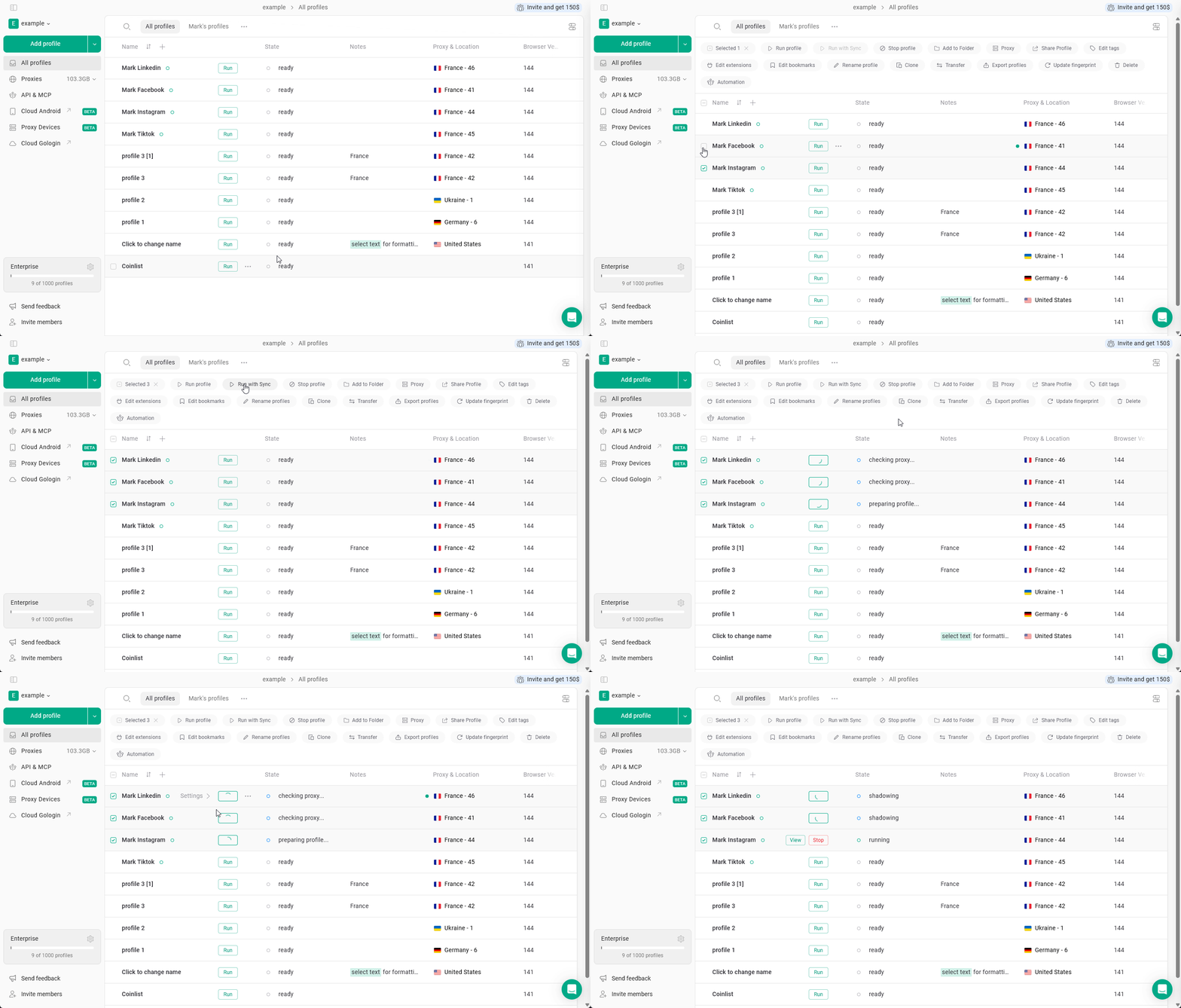
Select the profiles and click **Run with Sync** to launch them with synchronization enabled.
### **Run profiles with sync**
Select the profiles and click **Run with Sync** to launch them with synchronization enabled.
 ### **Stop profiles**
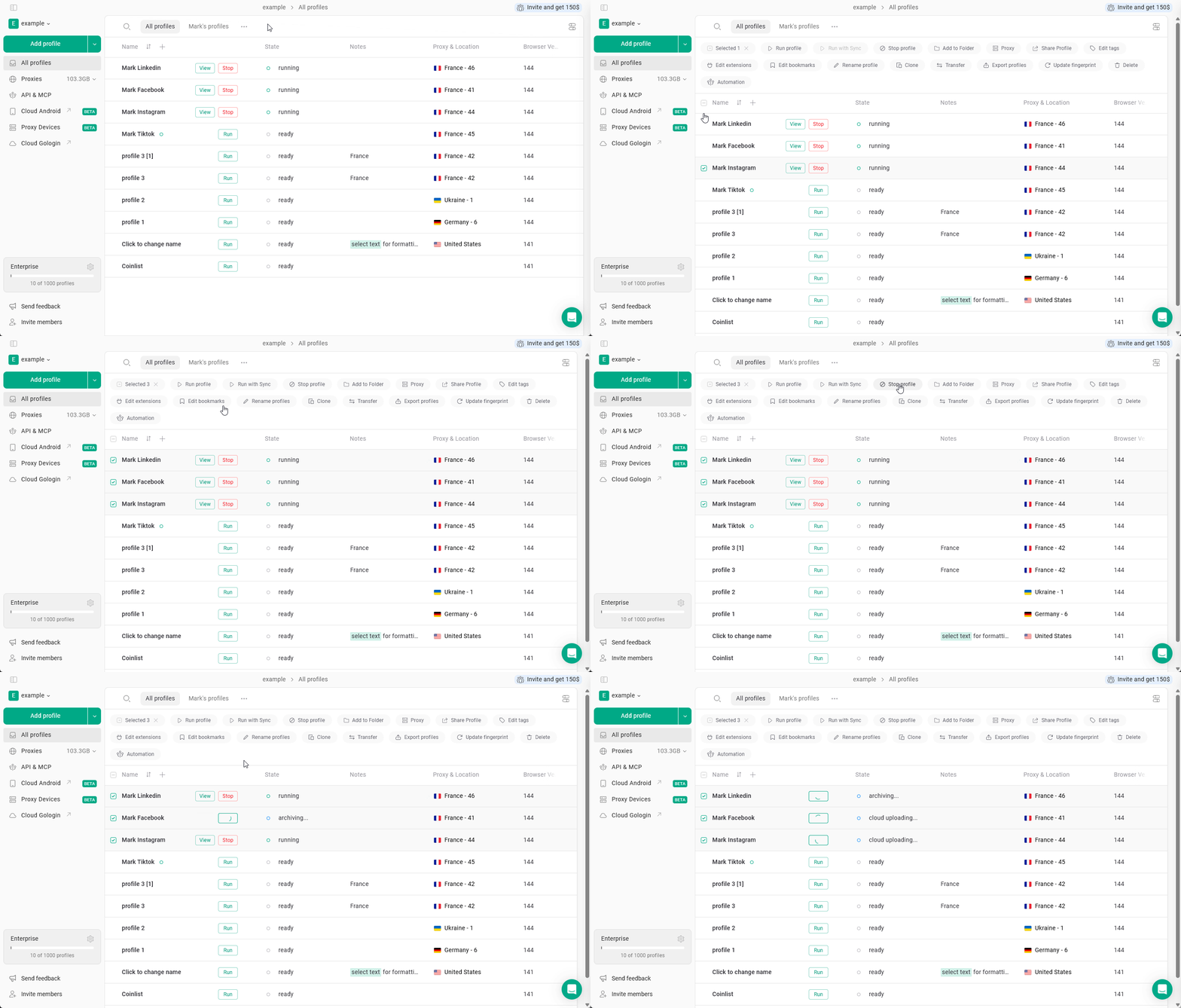
Select the running profiles and click **Stop profile** to close them.
### **Stop profiles**
Select the running profiles and click **Stop profile** to close them.
 ### **Add profiles to a folder**
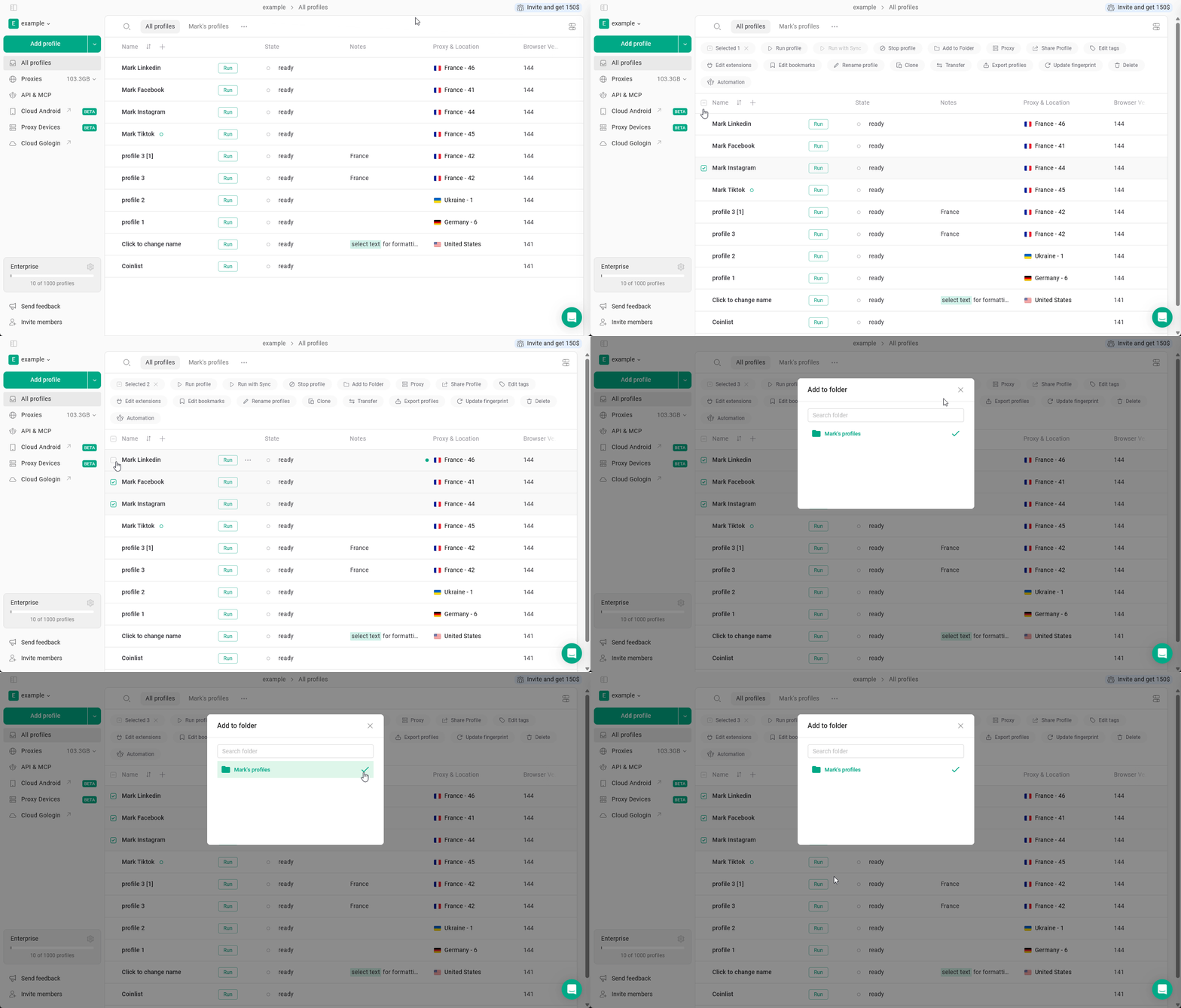
Select the profiles, click **Add to Folder**, and choose the target folder.
### **Add profiles to a folder**
Select the profiles, click **Add to Folder**, and choose the target folder.
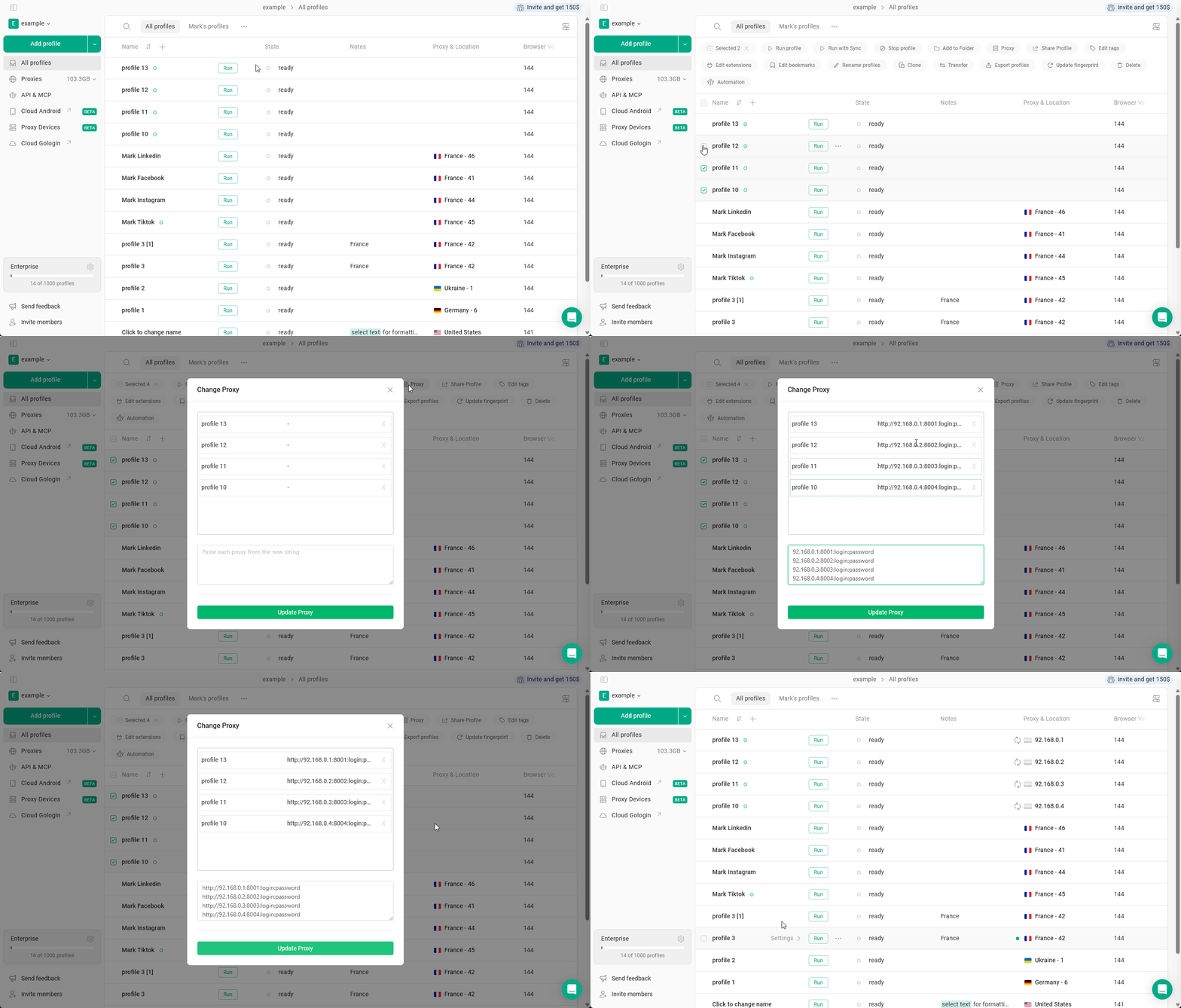
 ### **Assign or change proxies**
Select the profiles, click **Proxy**, and add or update proxy settings for all selected profiles.
Make sure proxy location matches profile settings (country, timezone).
Avoid assigning the same proxy to many profiles.
### **Assign or change proxies**
Select the profiles, click **Proxy**, and add or update proxy settings for all selected profiles.
Make sure proxy location matches profile settings (country, timezone).
Avoid assigning the same proxy to many profiles.
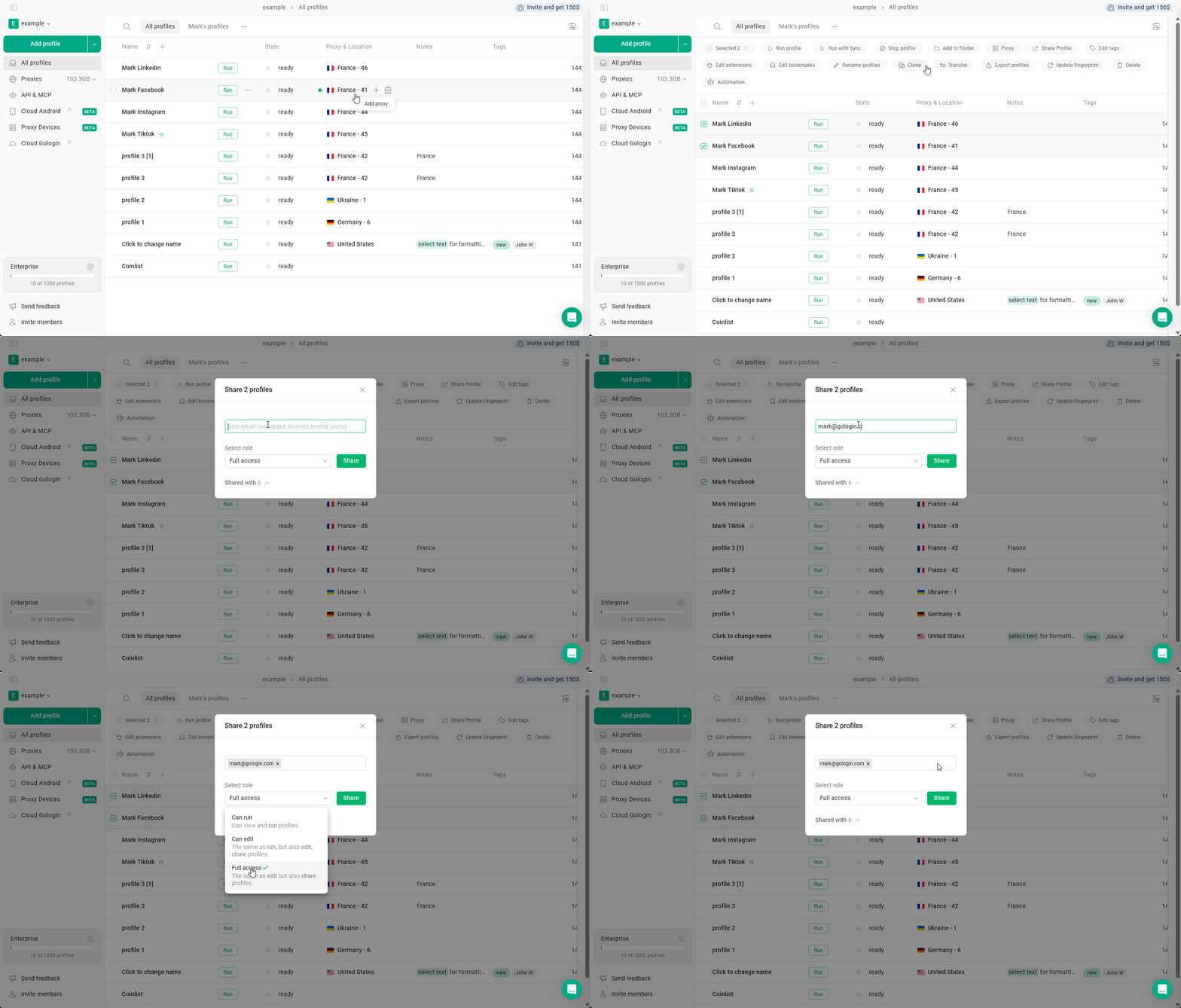
 ### **Share profiles**
Select the profiles, click **Share Profile**, and assign access to another user.
### **Share profiles**
Select the profiles, click **Share Profile**, and assign access to another user.
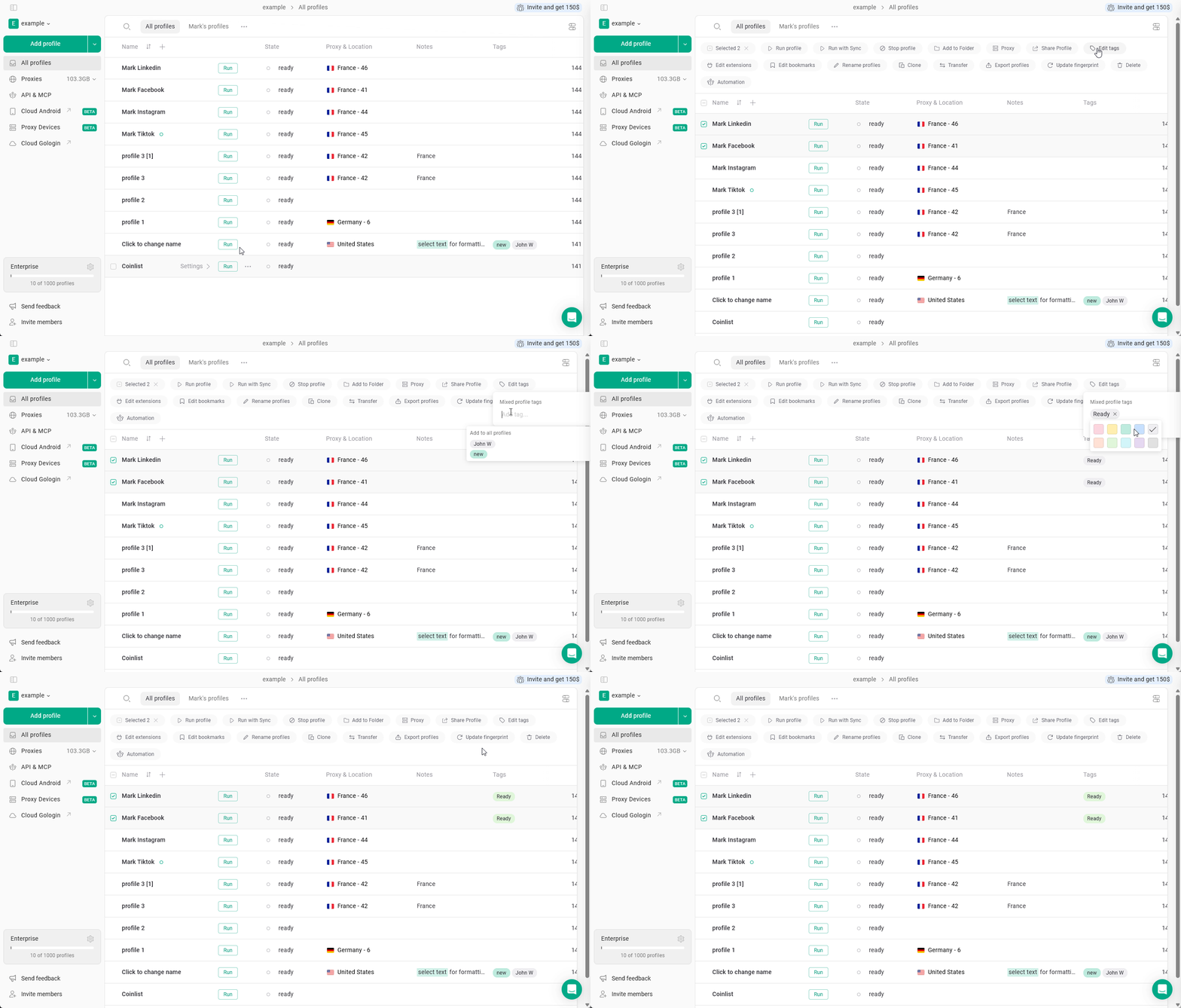
 ### **Edit tags**
Select the profiles, click **Edit tags**, and update tags for all selected profiles.
Use tags to quickly filter and manage enormous sets of profiles.
### **Edit tags**
Select the profiles, click **Edit tags**, and update tags for all selected profiles.
Use tags to quickly filter and manage enormous sets of profiles.
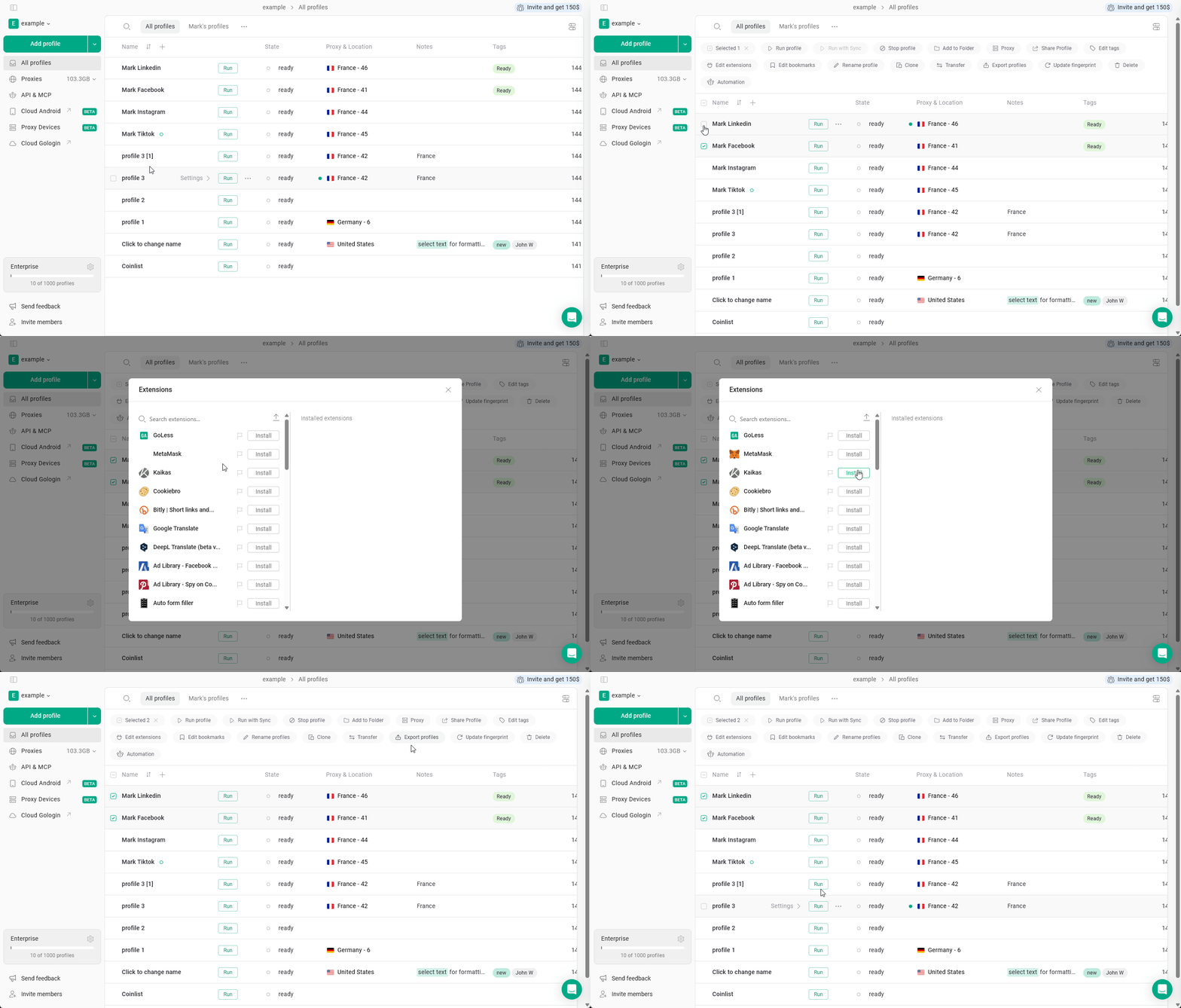
 ### **Edit extensions**
Select the profiles, click **Edit extensions** to manage extensions across the selected profiles.
### **Edit extensions**
Select the profiles, click **Edit extensions** to manage extensions across the selected profiles.
 ### **Edit bookmarks**
Select the profiles and click **Edit bookmarks** to update bookmarks.
### **Edit bookmarks**
Select the profiles and click **Edit bookmarks** to update bookmarks.
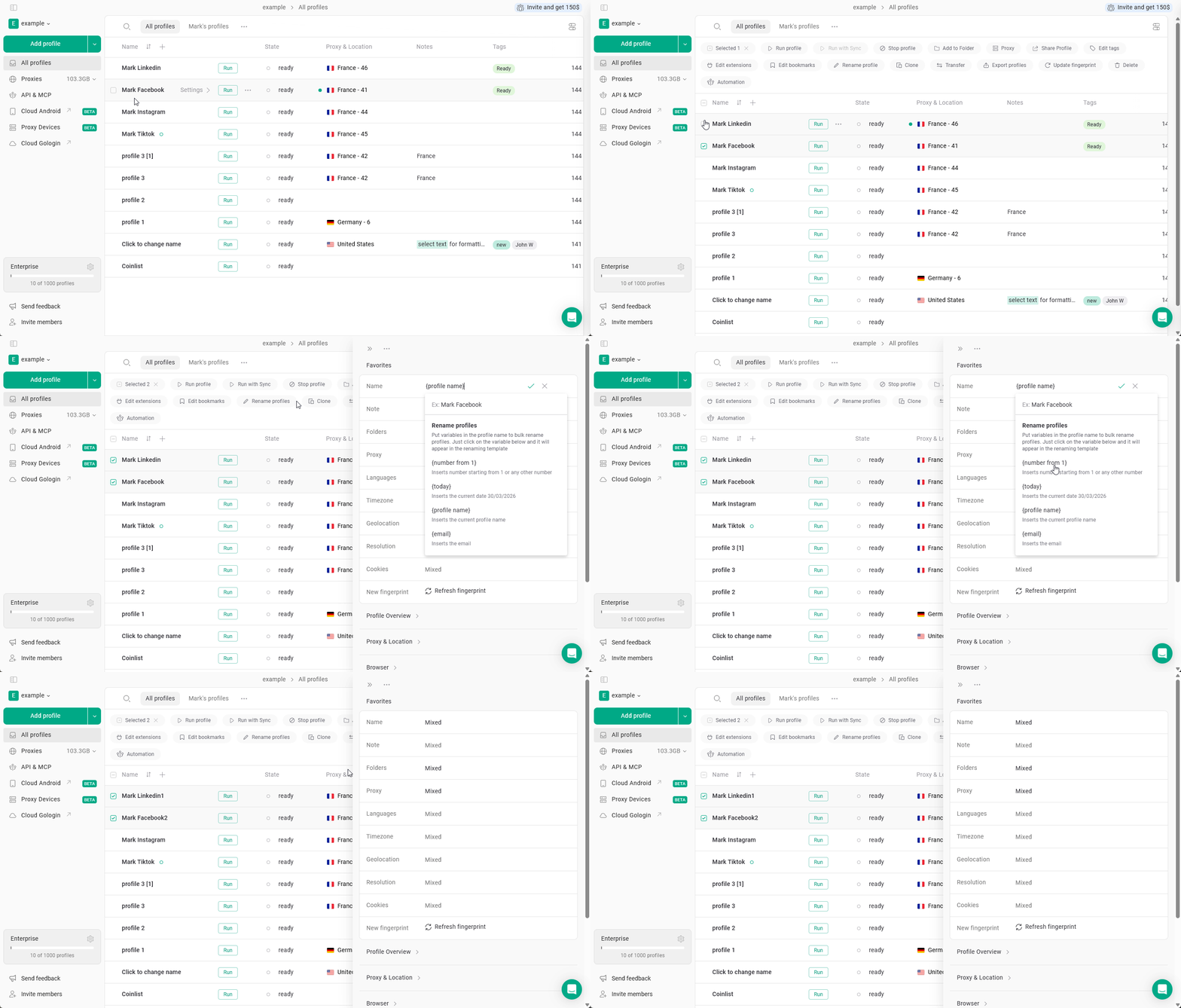
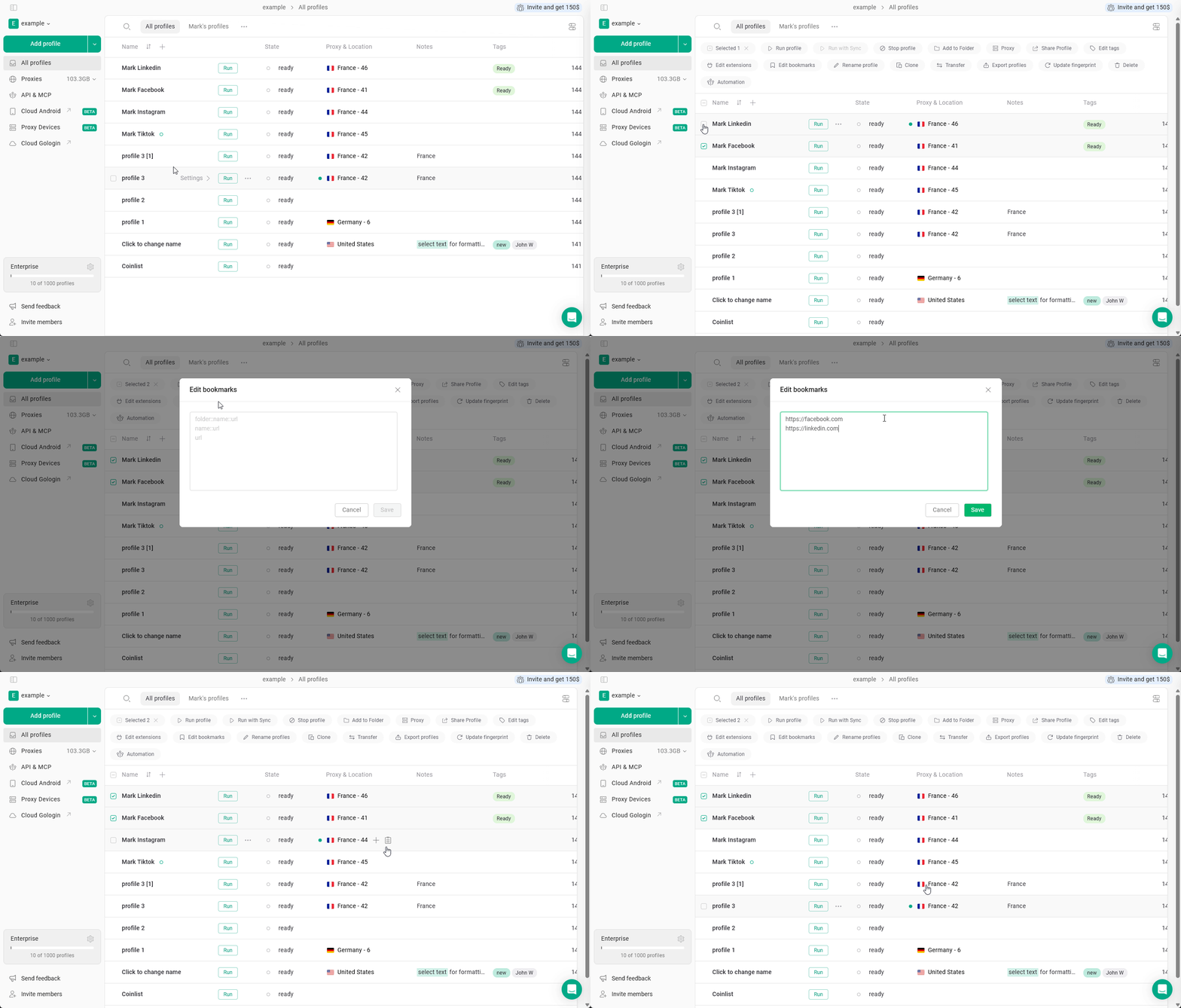 ### **Rename profiles**
Select the profiles and click **Rename profiles** to rename them in bulk.
### **Rename profiles**
Select the profiles and click **Rename profiles** to rename them in bulk.
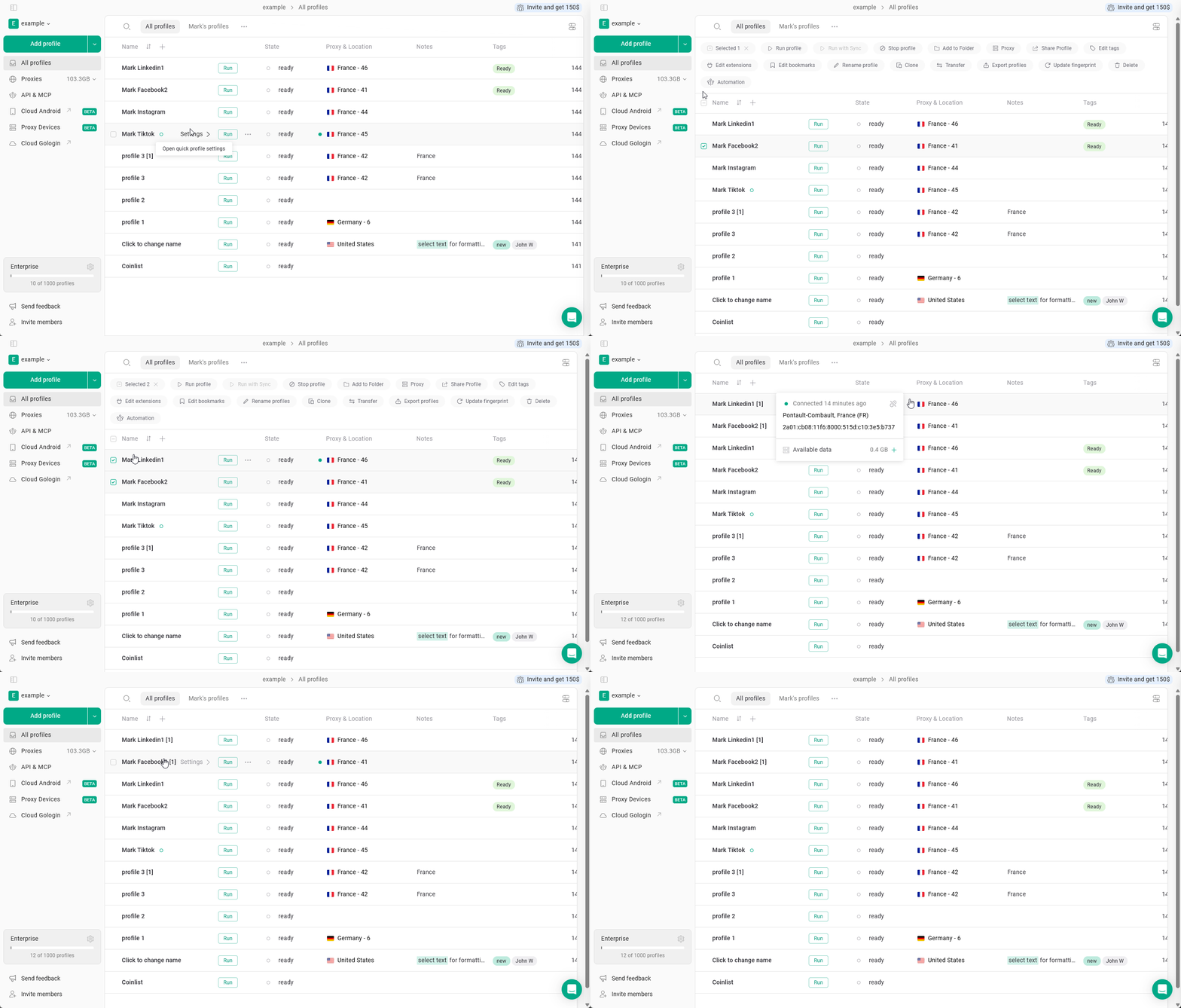
 ### **Clone profiles**
Select the profiles and click **Clone** to create copies of them.
### **Clone profiles**
Select the profiles and click **Clone** to create copies of them.
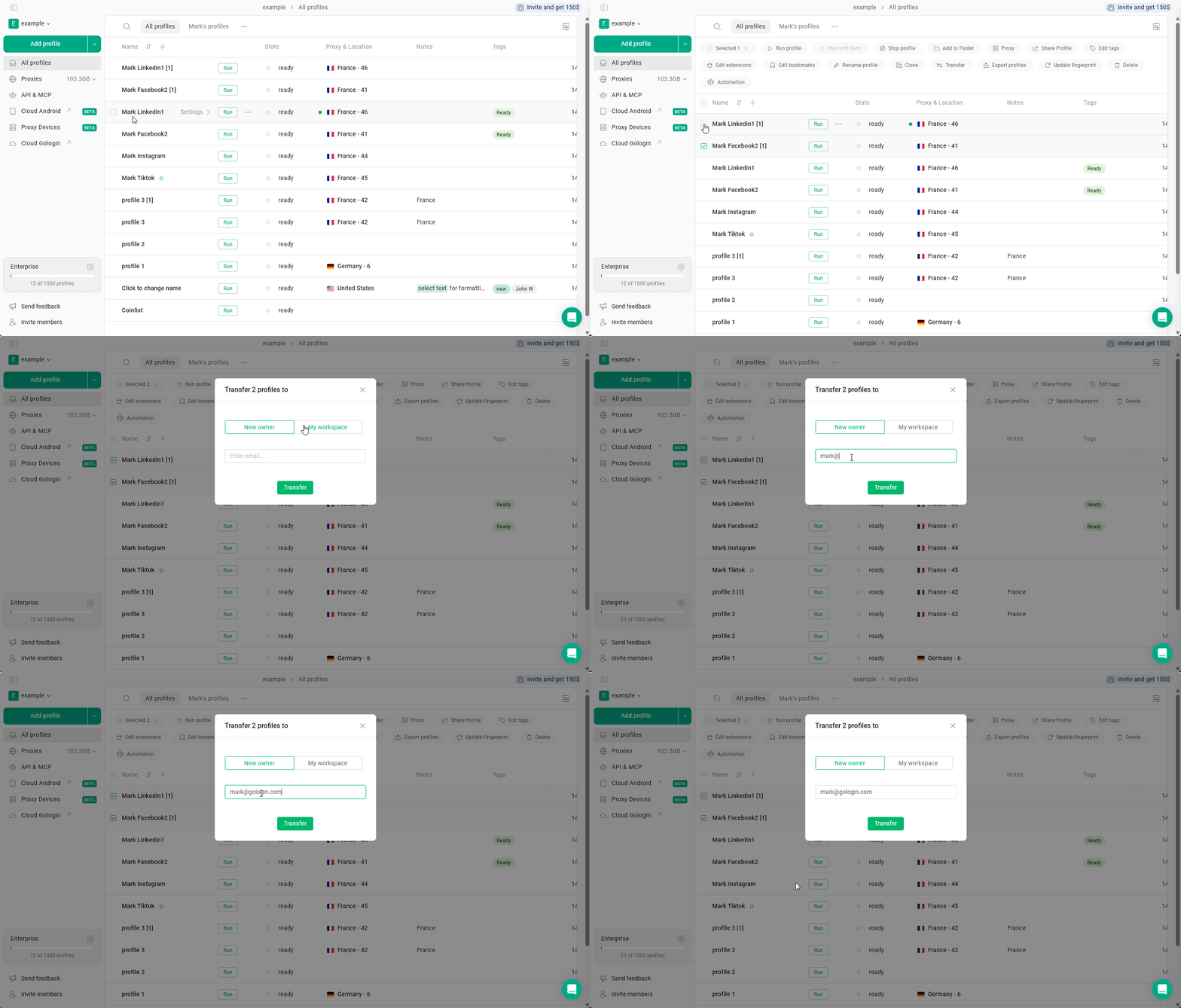
 ### **Transfer profiles**
Select the profiles and click **Transfer** to move them to another workspace or user, if available in your setup.
### **Transfer profiles**
Select the profiles and click **Transfer** to move them to another workspace or user, if available in your setup.
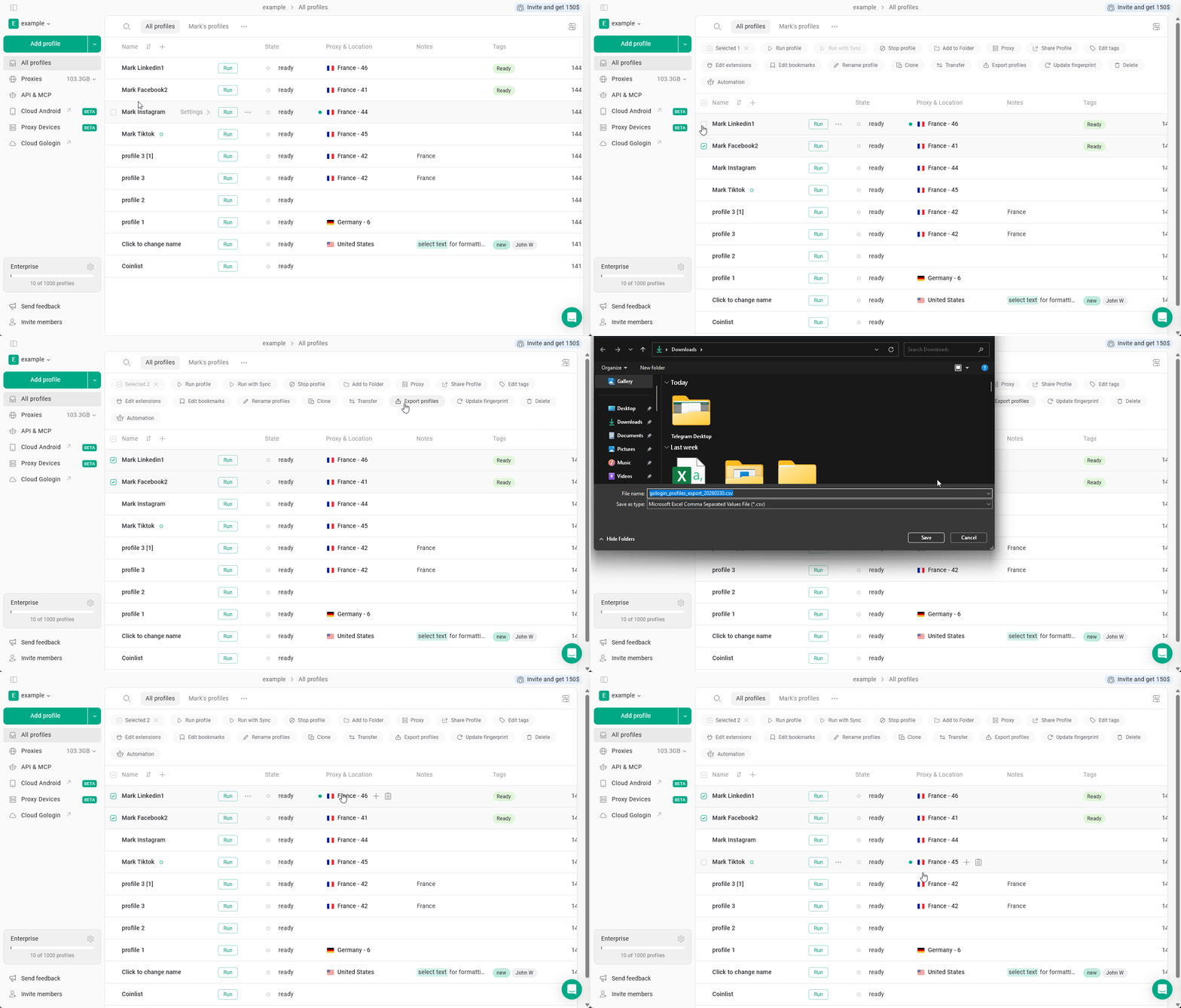
 ### **Export profiles**
Select the profiles and click **Export profiles** to export them.
### **Export profiles**
Select the profiles and click **Export profiles** to export them.
 ### **Update fingerprint**
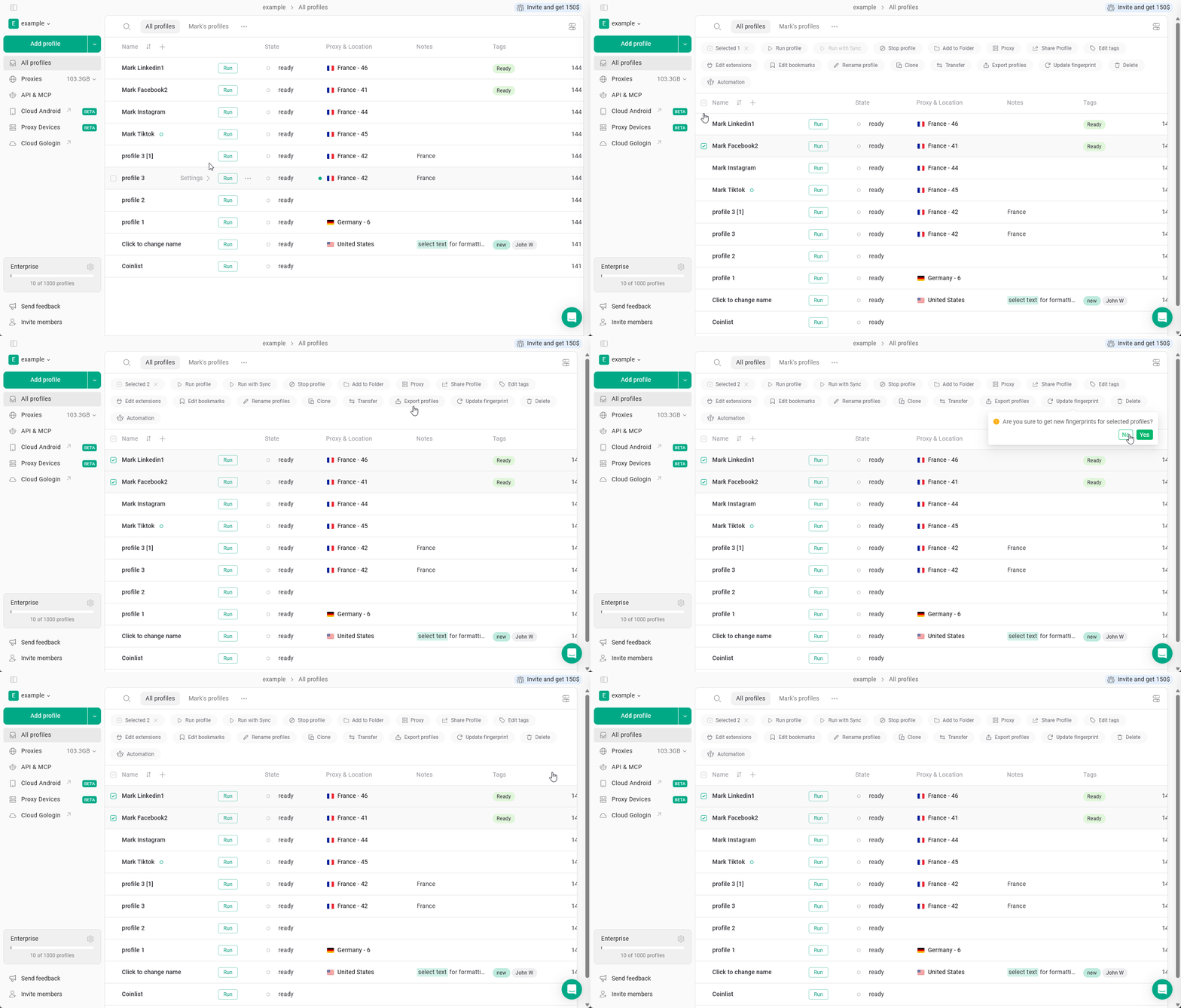
Select the profiles and click **Update fingerprint** to refresh fingerprint settings.
### **Update fingerprint**
Select the profiles and click **Update fingerprint** to refresh fingerprint settings.
 ### **Delete profiles**
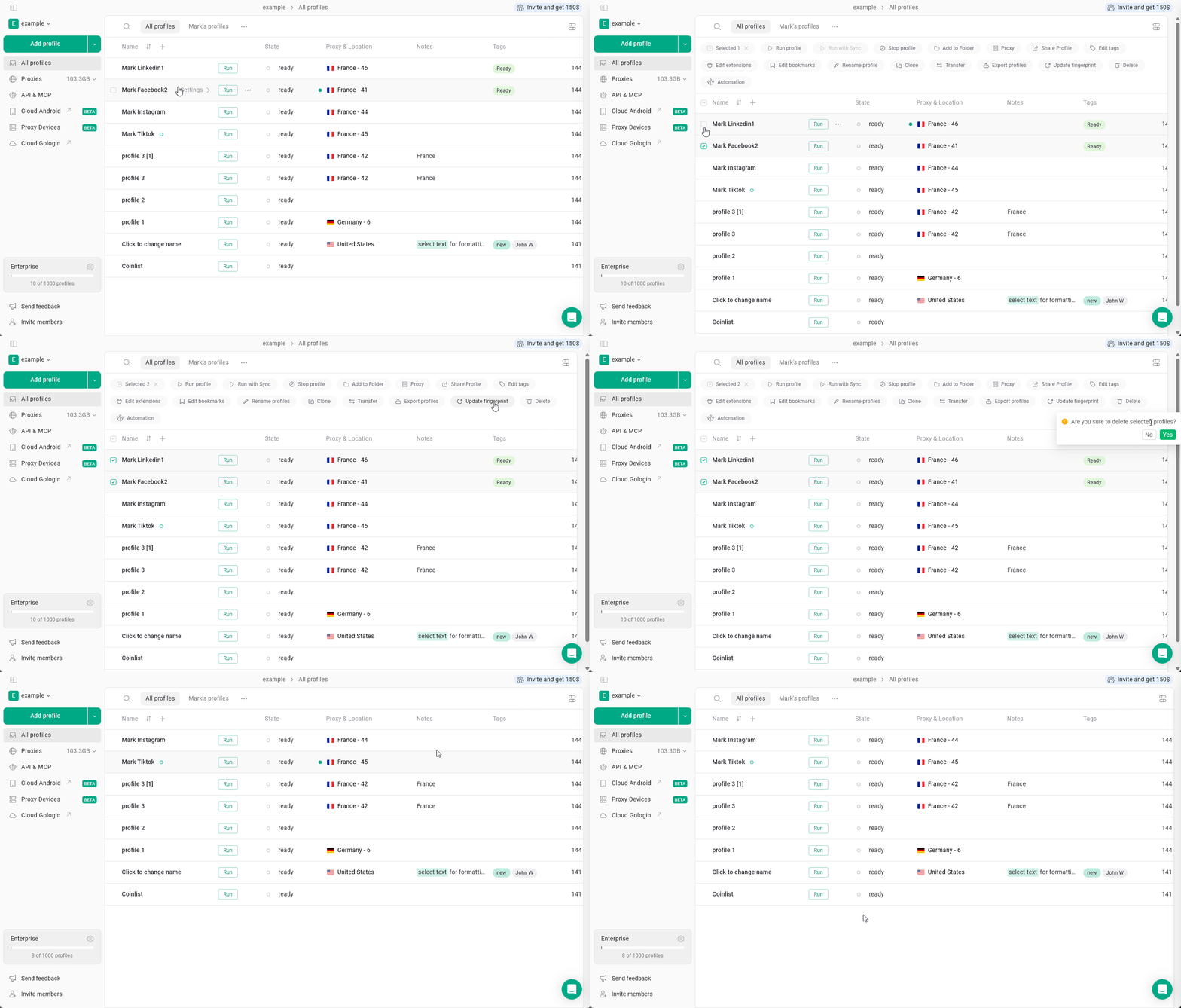
Select the profiles and click **Delete** to remove them.
### **Delete profiles**
Select the profiles and click **Delete** to remove them.
 ### **Use automation**
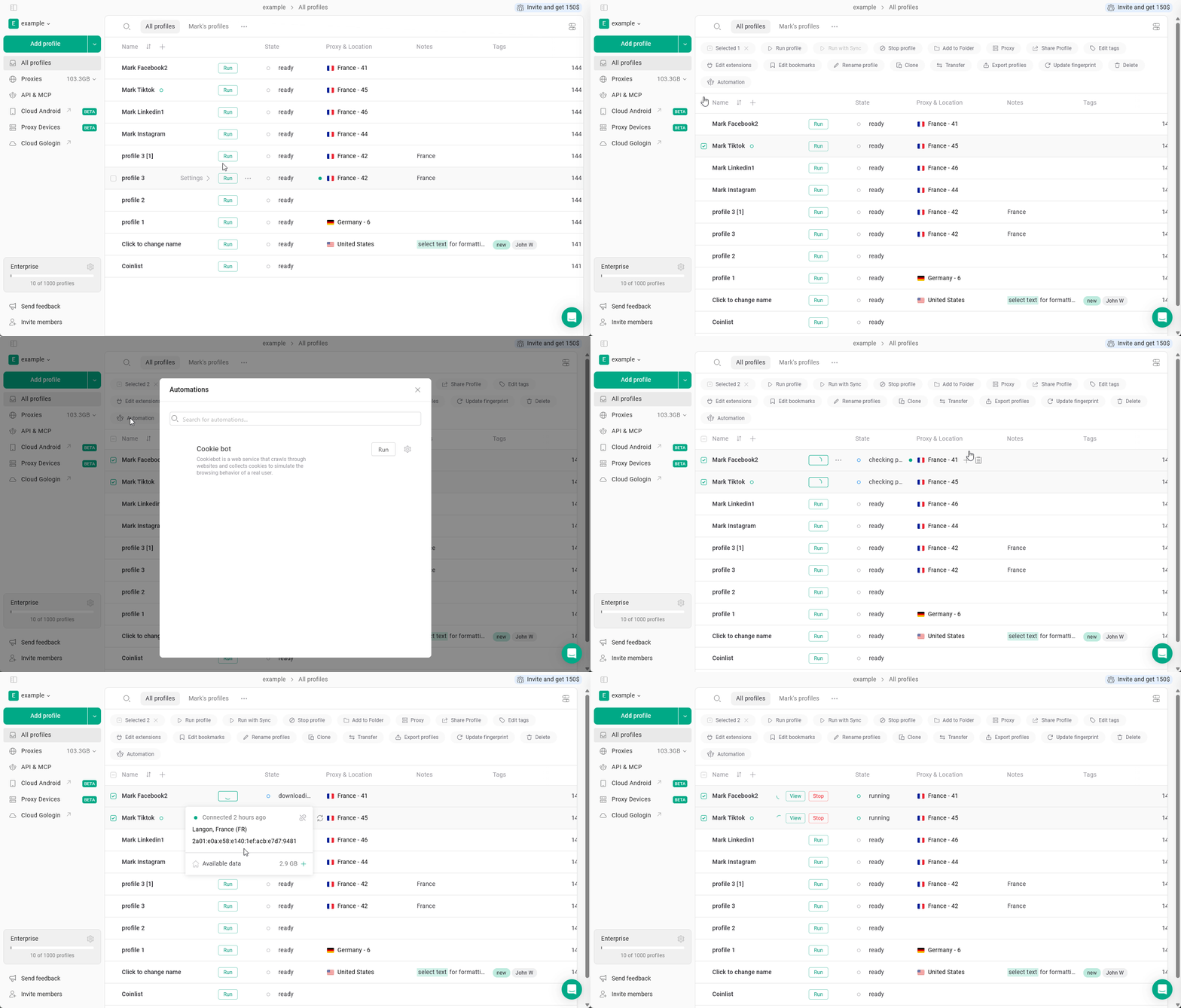
Select the profiles and click **Automation** to apply automation-related actions.
### **Use automation**
Select the profiles and click **Automation** to apply automation-related actions.
 Bulk actions affect all selected profiles at once.\
Before applying any action, make sure the correct profiles are selected, especially when using **Delete**, **Transfer**, or **Update fingerprint**.
## See also
* [Run with Sync](https://gologin.com/docs/browser-profiles/profile-features/run-with-sync) — launch multiple profiles and mirror actions across all of them
* [Creating profiles](https://gologin.com/docs/browser-profiles/profile-management/creating-and-launching-profiles)
* [Sharing profiles](https://gologin.com/docs/general/team-collaboration/sharing-profiles)
Bulk actions affect all selected profiles at once.\
Before applying any action, make sure the correct profiles are selected, especially when using **Delete**, **Transfer**, or **Update fingerprint**.
## See also
* [Run with Sync](https://gologin.com/docs/browser-profiles/profile-features/run-with-sync) — launch multiple profiles and mirror actions across all of them
* [Creating profiles](https://gologin.com/docs/browser-profiles/profile-management/creating-and-launching-profiles)
* [Sharing profiles](https://gologin.com/docs/general/team-collaboration/sharing-profiles)